



Meta Title: 10 Foot Conference Table Guide | Cubicle By Design
Meta Description: Learn how to choose, size, power, and install a 10 foot conference table for a modern office. Cubicle By Design shares practical guidance on layout, acoustics, modular planning, and long-term value.
10 Foot Conference Table
You have the room on the floor plan. You have a leadership team asking for a boardroom that looks polished. You also have the quiet pressure that comes with buying one piece of furniture everyone will notice and everyone will use.
A 10 foot conference table usually lands in that exact decision point. It feels substantial without moving into oversized boardroom territory. It can support leadership meetings, client presentations, hybrid calls, and weekly team check-ins. It can also create problems fast if the room is tight, the chairs are oversized, the outlets are in the wrong place, or the acoustics are harsh.
I see this purchase go in one of two directions. In the good version, the table becomes the working center of the office. People use it constantly because the room feels easy to move through, devices plug in cleanly, and calls sound controlled instead of echoey. In the bad version, the table technically fits, but no one likes using the room. Chairs hit walls. Cables trail across the floor. Video meetings sound hollow. The room looks expensive and works poorly.
That gap matters. A conference table is not just a surface. It is part of the larger workplace system, especially in offices that blend open work areas, enclosed focus zones, glass fronts, touchdown spaces, and hybrid meeting habits.
The Centerpiece of Your Meeting Space
The room looks right on the plan. Then the first hybrid meeting starts, someone drags a chair too close to the wall, two laptops come out, the speakerphone picks up glass-wall echo, and the table that looked impressive suddenly feels hard to use.
That is why a 10 foot conference table deserves more attention than its length alone. In a modern office, it has to support in-person discussion, video calls, quick project reviews, and client-facing meetings without fighting the room around it. At Cubicle By Design, I treat this table as part of the larger workplace system. Acoustics, cable routing, chair movement, sightlines, and future reconfiguration all affect whether the space gets used well.
A 10 foot table often fits companies that need a serious meeting surface without committing an oversized room to a formal boardroom setup. It gives enough presence for leadership and client use, while still working in offices that mix enclosed rooms with open neighborhoods, touchdown areas, and flexible team spaces.
What the room needs to support
One conference room usually carries several jobs during the same week:
- Leadership meetings: Seated discussions with laptops, notebooks, and presentation materials
- Hybrid calls: Video meetings where camera placement, cable access, and sound quality affect the experience
- Client visits: A room that feels organized, credible, and easy to use
- Project sessions: Team conversations that may involve movement, whiteboards, or shared screens
That mix should drive the table decision. A dramatic table can still perform poorly if the base interrupts legroom, the top reflects too much sound, or the shape leaves half the attendees twisting toward the display. In glass-heavy offices, acoustics become part of furniture planning. Hard surfaces stack up fast. A large tabletop, bare walls, and no soft finishes can turn a good-looking room into one people avoid for calls.
Modularity matters too. Many offices no longer use conference rooms for a single meeting style. A 10 foot conference table works best when it leaves room for mobile screens, flexible seating, and nearby storage instead of locking the room into one rigid layout.
The mistake that costs clients time later
Teams often approve the table based on finish and presence before they confirm how the room will function. I see the same issues repeat. A slab base limits knee clearance. Power ends up in the wrong place. Chairs get specified too large for the footprint. The room works on installation day, but it never works smoothly.
A conference table functions as part of the larger workplace system. If the office has open-plan noise nearby, glass fronts, or a need to shift between board-style meetings and collaborative sessions, the table should support those conditions instead of ignoring them.
Practical rule: The right 10 foot conference table leaves space for movement, supports clean technology access, and helps the room stay usable during both in-person and hybrid meetings.
Why this size stays popular
A standard 10 foot conference table typically seats a mid-size group comfortably and fits a wide range of meeting rooms without pushing into oversized boardroom proportions. Our own conference table dimensions guide helps clients compare lengths, widths, and seating expectations before they commit to a specific model.
Its staying power comes from balance. This size is large enough to establish the room as a meeting hub, but still adaptable enough for offices that need flexibility. With the right base design, power integration, and surrounding acoustic treatment, it can handle everyday team use instead of serving as a showpiece that looks better than it performs.
The best result is a room people choose without hesitation. That usually comes from careful planning, not from buying the biggest table the floor plan can hold.
Mastering Room Layout and Table Sizing
A client installs a 10 foot conference table, and the room looks right for about a day. Then the first full meeting happens. Chairs back into the wall, the person near the door has to stand every time someone enters, and every call sounds louder than expected because the room is all hard surfaces and no buffer. The table fits. The room does not work.
That is the planning problem to solve.
A 10 foot conference table should be sized as part of the whole room system. In a modern office, that includes circulation, screen sightlines, chair scale, nearby traffic, and acoustics from open-plan areas or glass fronts. I usually tell clients to judge success by how the room performs at full use, not by whether the top clears the walls on a floor plan.
Start with the room, not the table
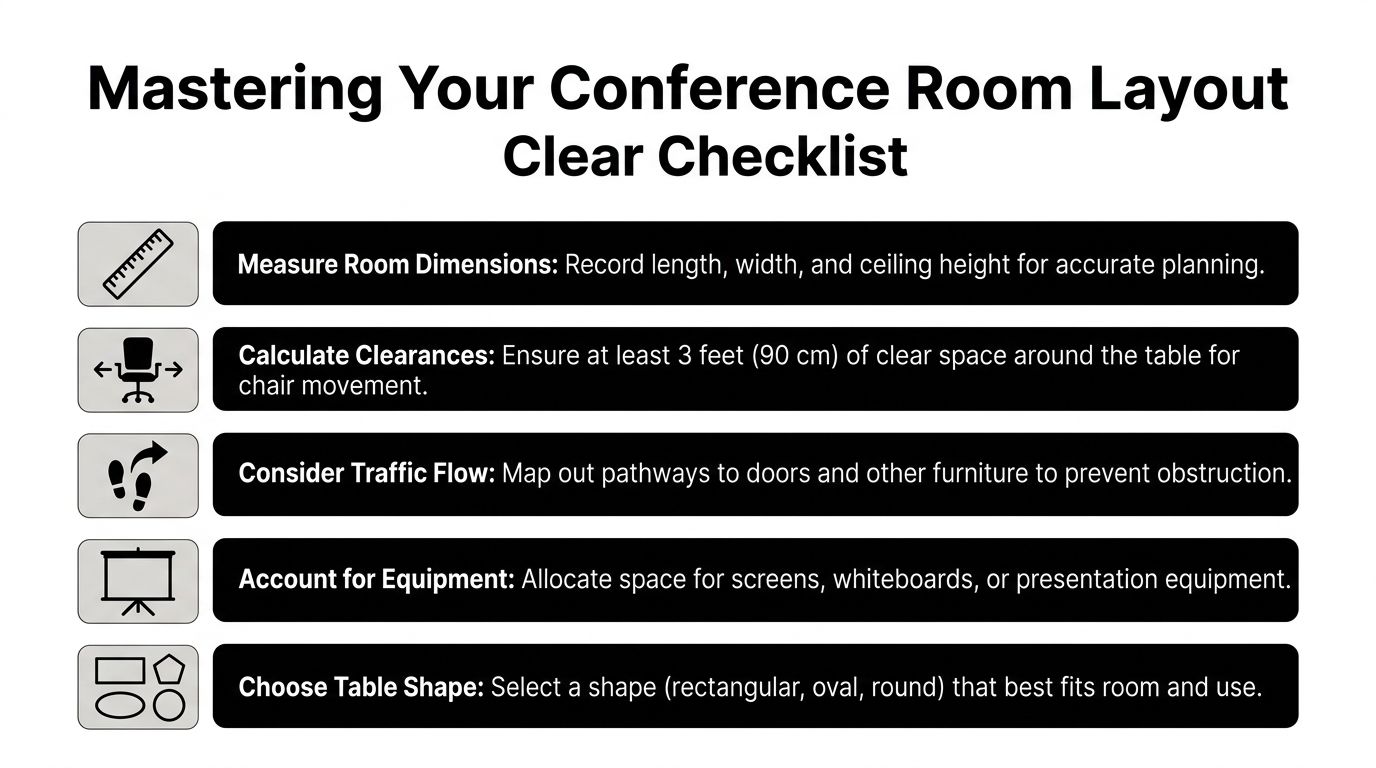
Measure the usable room, not just the shell. Doors, sidelights, credenzas, display walls, columns, and fixed storage all reduce what the table can occupy.
Then review the space in this order:
Record full room dimensions
Capture length, width, and every obstruction that affects seating or movement.Subtract working clearance on every side
Chair pull-out is only part of the issue. People also need to pass behind seated users without turning sideways.Match seating to the way the room is used
Eight people with laptops in a hybrid meeting need more space than ten people in a short in-person check-in.Check the ends with real chair dimensions
End seats disappear quickly once you specify executive chairs or add power modules.Test the path into the room
If entry feels awkward during a meeting, the room will feel smaller and louder than it measures.
The clearance numbers that matter
For a 10 foot conference table, four feet of clearance around the table is a sound minimum planning target in many office applications. While the table might physically fit, the room's functionality is the true measure of success.
That difference shows up fast in flexible offices. A room used for board meetings on Monday may need to handle project reviews, video calls, and quick stand-up sessions later in the week. If clearances are tight, the table locks the room into one use and makes every other use harder.
For early planning, our conference table dimensions guide helps compare table length, width, and likely seating counts before you commit to a footprint.
Apply elbow room before counting chairs
Capacity labels on product pages are often optimistic. Capacity depends on how people work.
A team using laptops, notebooks, and drinks needs meaningful edge space between seats. Hybrid meetings add another layer because people tend to spread out around microphones, camera sightlines, and power access. In practice, a table that seats fewer people comfortably will outperform a crowded layout that looks better on paper.
This is also where modular thinking matters. If the room regularly shifts between formal meetings and team sessions, it may be smarter to keep the seating count conservative and support overflow with movable side tables or nearby touchdown space. That approach protects circulation and keeps the conference room flexible instead of forcing one oversized setup to do every job poorly.
Shape changes how the room behaves
A 10 foot table can feel formal, open, or forgiving depending on the top shape and the room around it.
Rectangular tables
Rectangular tops use space efficiently and usually make sense in longer rooms. They support structured seating and clear hierarchy.
They also create harder edges acoustically and visually. In glass-heavy rooms or spaces near open office traffic, that can make the room feel sharper and more exposed unless the chairs, wall finishes, or surrounding panels soften the space.
Boat-shaped tables
Boat-shaped tops widen the center and narrow the ends, which often improves shoulder room where people sit. They also soften the room visually and help a formal conference room feel less rigid.
This shape works well in multipurpose rooms because it balances presentation-oriented seating with decent in-room conversation.
Racetrack tables
Racetrack tops ease movement at the corners and reduce the boxed-in feel that a strict rectangle can create. In tighter rooms, that small change matters.
I often recommend this shape when a client wants a 10 foot table in a room that is technically workable but close on circulation. It buys a little forgiveness without making the space look casual.
Key takeaway: Choose the shape that supports movement, acoustics, and meeting style, not just the one that fills the room best.
A practical room check
Before final approval, I run through five plain questions with the client:
- Can every chair pull out cleanly?
- Can someone walk behind a seated person without disrupting the meeting?
- Will the door open fully when the room is occupied?
- Can every seat see the display comfortably?
- Will the room still feel usable after power access, screens, and storage are in place?
One more question belongs on that list in modern offices. Will this room stay reasonably controlled acoustically once people are talking, typing, and dialing into calls? A 10 foot conference table often sits in spaces with glass walls, polished floors, and nearby open-plan activity. Without acoustic panels, softer seating surfaces, or nearby dividers, the room can become fatiguing even if the dimensions are correct.
What works and what fails
A 10 foot conference table works best when the room has enough clearance, the seating count matches use, and the surrounding environment supports focus. It fails when the buying decision stops at length and width.
The costly mistake is overspecifying the table and underspecifying the room around it. A better result usually comes from restraint, cleaner circulation, and a layout that leaves enough flexibility for the office to change.
Choosing Materials for Durability and Aesthetics
A 10 foot conference table usually looks impressive on a finish sample and behaves very differently after six months of real use. Chairs bump the base. Laptop corners hit the edges. Cleaning crews wipe it down fast. In hybrid offices, the same hard surfaces that look sharp can also make the room louder and more tiring during calls.
That is why I treat material selection as a performance decision first and a style decision second. The best table finish is the one that still looks credible after repeated meetings, quick turnovers, and constant device use.
Laminate, veneer, and solid wood
For most clients, the primary choice is not between good and bad materials. It is between different kinds of maintenance, wear patterns, and visual expectations.
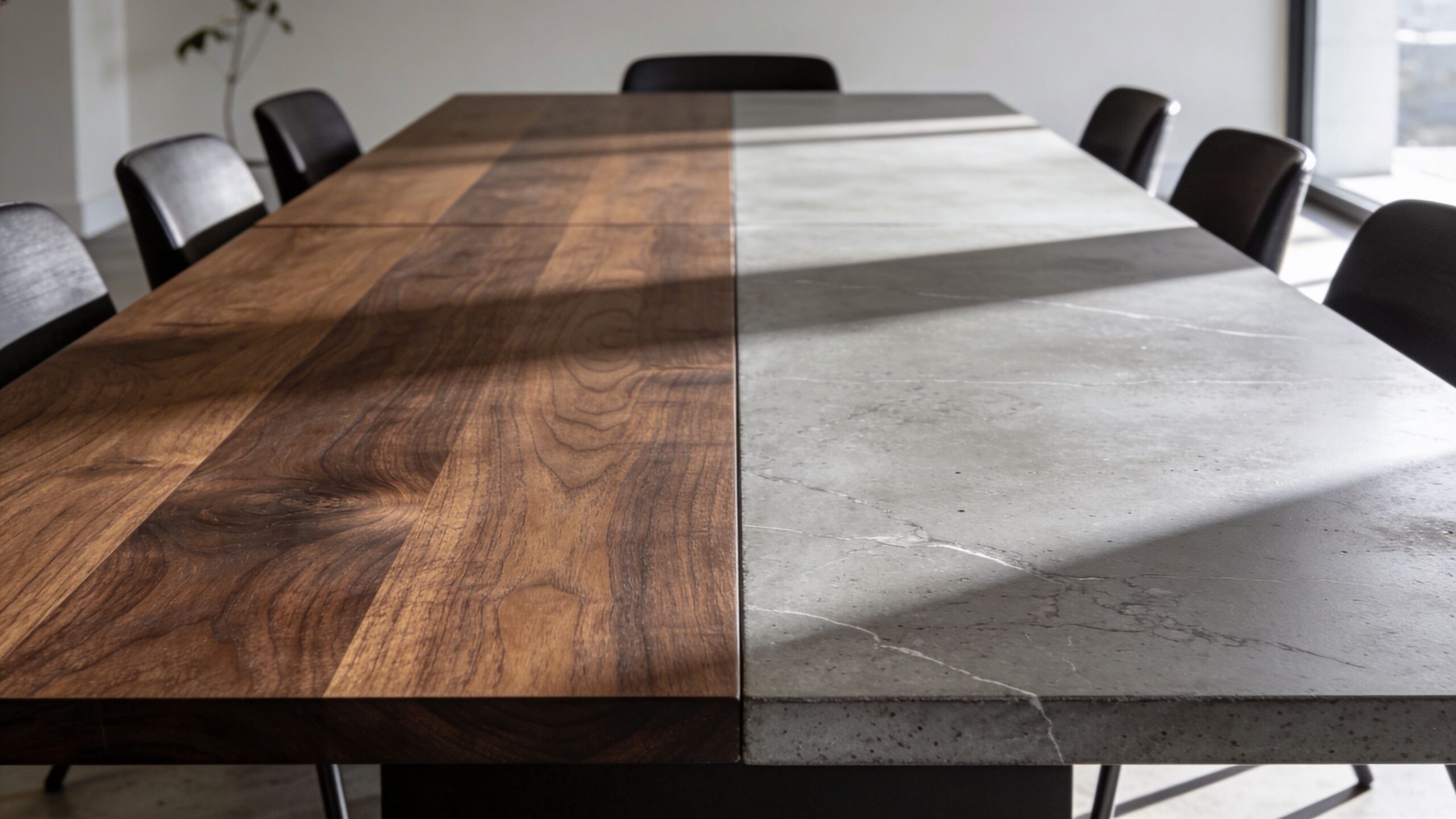
| Material | Best for | Watch-outs | Overall feel |
|---|---|---|---|
| Laminate | High-use rooms, shared meeting spaces, easier upkeep | Low-grade options can look artificial, seams and edge quality matter | Clean, consistent, practical |
| Wood veneer | Client-facing rooms, leadership spaces, balanced design goals | More vulnerable to scratches, chips, and moisture than laminate | Warm, professional, polished |
| Solid wood | Signature rooms, custom installations, premium interiors | Heavy, expensive, sensitive to humidity and ongoing wear | Rich, substantial, bespoke |
Laminate is usually the safest choice for a room that turns over all day. A quality commercial laminate with well-finished edges holds up better than many buyers expect, and it asks less from the facilities team.
Veneer works well when the room needs warmth without the weight and cost of solid wood. It gives a 10 foot table more presence, but it also requires better care habits. If people slide equipment across the top or stack boxes on the ends, the finish will show it.
Solid wood earns its place in a few rooms, not every room. It can look excellent, but the table gets heavier, delivery gets harder, climate control matters more, and future reconfiguration becomes less forgiving.
Daily wear shows up in specific places
The first signs of age usually appear at the edge, around power cutouts, and at the seats people use every day.
Glossy dark tops are one example. They photograph well. They also show fingerprints, dust, and wipe marks almost immediately. In a busy office, that means someone is cleaning the table constantly just to keep it presentation-ready.
Edge construction matters just as much as the top finish. Chairs, bags, and vacuum heads hit the perimeter more often than the center field. I would rather specify a slightly simpler surface with a durable edge than an expensive finish that starts chipping in the first year.
Visual aging matters too. Some clients want a room that stays crisp and uniform. Others are comfortable with a material that picks up character over time. Make that choice on purpose.
For adjacent areas where finish continuity matters, it can help to compare the conference table with other workplace surfaces, including tempered glass desks, especially if the office already uses glass partitions or lighter contemporary furniture.
Hard surfaces affect acoustics
This is one of the most missed decisions in conference room planning.
A 10 foot table adds a large reflective plane to the room. If the top is stone, glass, or a hard laminate with a slab base below it, the table can contribute to echo and speech splash, particularly in rooms with glass walls, polished concrete, exposed ceilings, or little soft furnishing. The problem gets worse in flexible offices where the room sits next to open work areas and people shift between in-person meetings and video calls all day.
Base design matters here. Open pedestal or leg-based tables usually let sound dissipate more naturally than a full slab base. They also make the room feel lighter and leave more freedom for chair movement, cleaning access, and future reconfiguration.
Material choices around the table matter just as much. A hard top can work well if the surrounding room absorbs some sound. Acoustic panels, fabric seating, rugs where appropriate, and movable screens often do more for meeting comfort than another upgrade to the tabletop finish. That is a practical reason many flexible office plans combine conference furniture with modular acoustic elements instead of treating the room as a sealed showpiece.
If floor boxes are part of the build, coordinate them early with finish and base selection. The routing path, box location, and access panel details all affect how clean the final installation looks, especially in larger meeting rooms using UK socket floor boxes.
A practical material path
Choose laminate for heavy-use rooms where cleaning speed, durability, and budget control matter most.
Choose veneer for rooms that need a warmer, more executive look and can support more careful use.
Choose solid wood only when the room justifies the cost, the installation team can handle the weight, and the office will maintain it properly.
In modern offices, the table does not sit alone. It has to work with acoustics, technology, traffic flow, and future layout changes. The right material supports all four.
Integrating Power and Technology Seamlessly
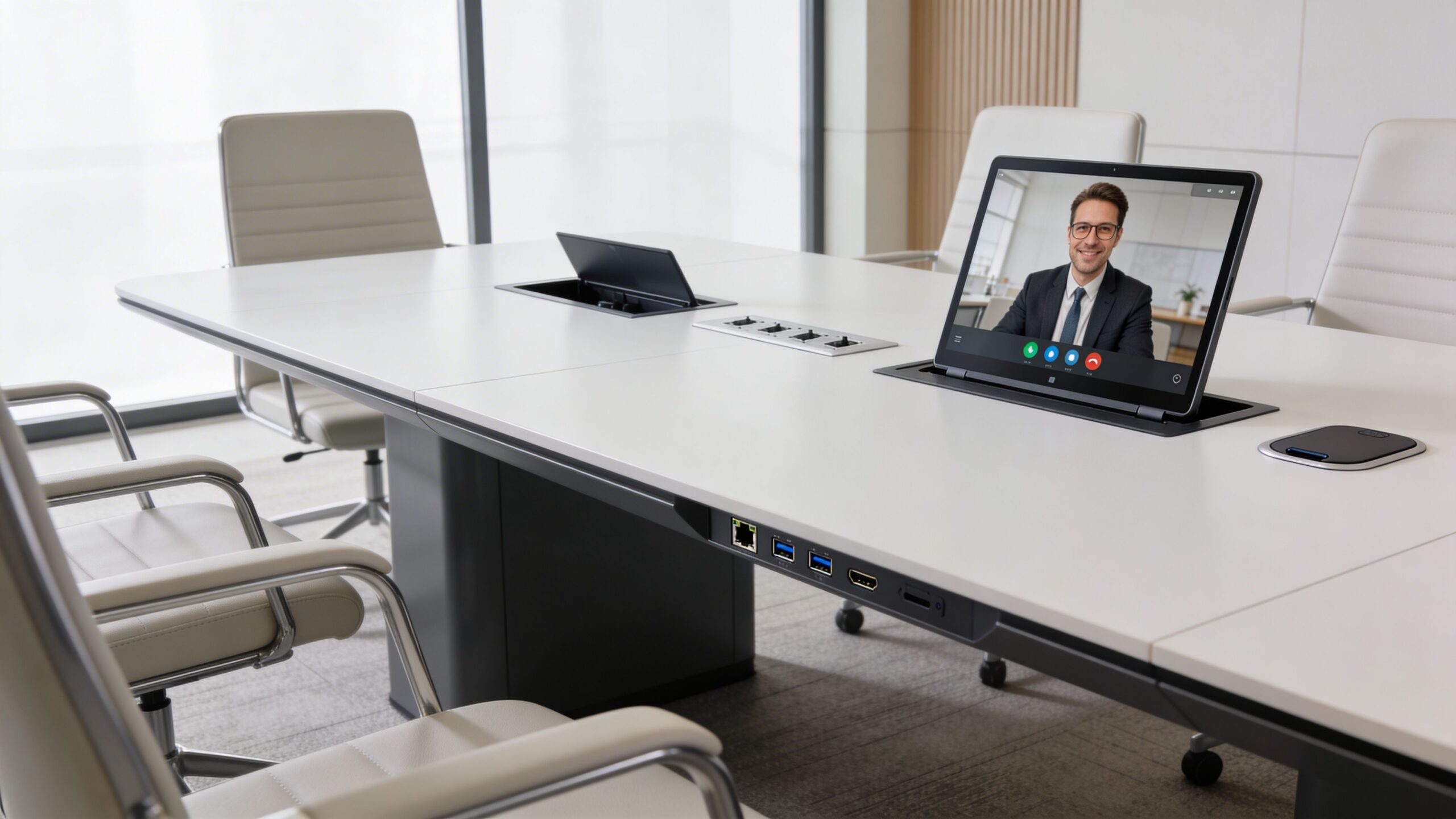
The table stops being furniture the moment the meeting starts. Then it becomes a power hub, a charging station, a cable route, and a support platform for video calls.
That is why power planning should happen before the table is ordered, not after installation when someone asks where the laptop chargers are supposed to go.
The five-step planning method
A proper power and cabling plan for a 10-foot table can boost meeting efficiency by 30%, and poor planning leads to 28% of boardrooms needing rewiring within 2 years. The same methodology starts by mapping 8 to 10 participant positions, placing modular power units every 4 to 5 feet, and using concealed channels rather than exposed cable runs (10ft conference tables and integrated power planning).
That framework is worth following closely.
1. Map the seats first
Do not guess where people will sit. Draw the seating pattern. Include regular attendees, likely device use, and whether end seats are occupied most of the time.
A table that seats ten in theory may only need practical charging access for eight. Another room may need every seat powered because every meeting is laptop-heavy.
2. Place modules by behavior, not symmetry
Symmetry looks clean. It is not always how people use a room.
If one side of the room faces the display and hosts most presenters, that side may need easier access. If one end seat is typically reserved for leadership or a host laptop, that changes outlet placement.
3. Choose the right module style
You generally have two good paths:
- Grommet-style access: Clean and simple. Good for predictable use.
- Pop-up modules: Useful when you want a cleaner top surface between meetings.
Both can work. The right choice depends on how often people plug in and how much visual interruption the design can tolerate.
If you are comparing ready-made options, conference tables with electrical outlets can help clarify what integrated access looks like in real products.
4. Hide the cable path early
Under-table channels, aprons, and base routing matter just as much as the outlets on top. If the path under the table is poorly planned, the room still ends up looking messy.
Coordination with the building also matters here. In some offices, floor access determines everything. If your project involves raised floors or in-floor service points, this guide to UK socket floor boxes is a useful reference for understanding how floor-based access can support cleaner commercial installations.
5. Test the system before turnover
Do not assume a nice-looking install is a finished install. Test charging, video connectivity, and cable management before the room is handed over for use.
What usually goes wrong
Most technology failures around a 10 foot conference table are not dramatic. They are irritating.
- Too few access points: People reach across the table or run personal chargers across seating areas.
- Bad placement: Outlets exist, but not where presenters or regular users sit.
- Visible cable clutter: The top looks fine in photos and messy in daily use.
- No planning for future changes: The room supports current laptops but not tomorrow’s meeting habits.
Practical takeaway: Hidden power feels expensive because it reduces visible friction, not because it adds gadgets.
A short visual can help teams align before finalizing the spec:
Build for real meetings
The best conference rooms support ordinary behavior. People arrive late. Someone forgets an adapter. A guest needs power. The host changes seats. The room should still work.
That is the standard. If the technology plan only works when everyone uses the room exactly as designed, it is not sufficiently durable.
Customization, Delivery, and Installation Logistics
A 10 foot conference table can look perfect on a finish sample and still fail on install day.
I have seen the problem more than once. The table fits the spec sheet, but the room sits beside open workstations, glass fronts, and circulation paths that carry noise straight into meetings. Then the top arrives in sections that barely clear the elevator, the AV team is still finishing wall work, and nobody has confirmed whether the base leaves enough legroom for the seats the client already bought. Customization and logistics decide whether the table works in daily use or becomes an expensive obstacle.
Customization that changes how the room performs
Useful customization starts with behavior inside the room and conditions outside it.
A modesty panel can help during seated video calls, but it also changes sightlines and can make a smaller room feel heavier. A more open base improves leg clearance and keeps the center less crowded, though some sculptural bases look better in renderings than they perform during long meetings. Finish choice matters for maintenance, but it also affects how the room feels next to nearby benching, private offices, or glass-fronted enclosures.
In flexible offices, the table should connect to the broader furniture system. That is especially true when nearby spaces include private office cubicles and other modular elements that already establish the visual language of the floor.
Acoustics belong in this discussion too. Hard conference surfaces placed next to active open-plan zones can make a room sound sharper and less private than clients expect. The table will not solve that by itself, but its shape, finish, and relationship to surrounding materials should support the acoustic plan instead of working against it.
Plan for the room around the room
Conference rooms rarely operate as sealed boxes.
A 10 foot table often sits inside a mixed environment with huddle areas, heads-down spaces, glazed partitions, and shared traffic paths. That context affects what should be customized and how the install should be staged. If the office may be reconfigured later, a table with manageable sectional construction and a base that can be disassembled cleanly is usually a better long-term choice than a design that is difficult to move.
Use these questions before final approval:
- Will the finish still look right if adjacent workstations are updated later?
- Will nearby noise call for softer supporting materials in the room?
- Can the table be removed or relocated without major disruption if the floor plan changes?
- Will the room serve one purpose, or rotate between board meetings, hybrid calls, interviews, and team sessions?
A large table should fit the office system, not just the room dimensions.
Site readiness prevents expensive delays
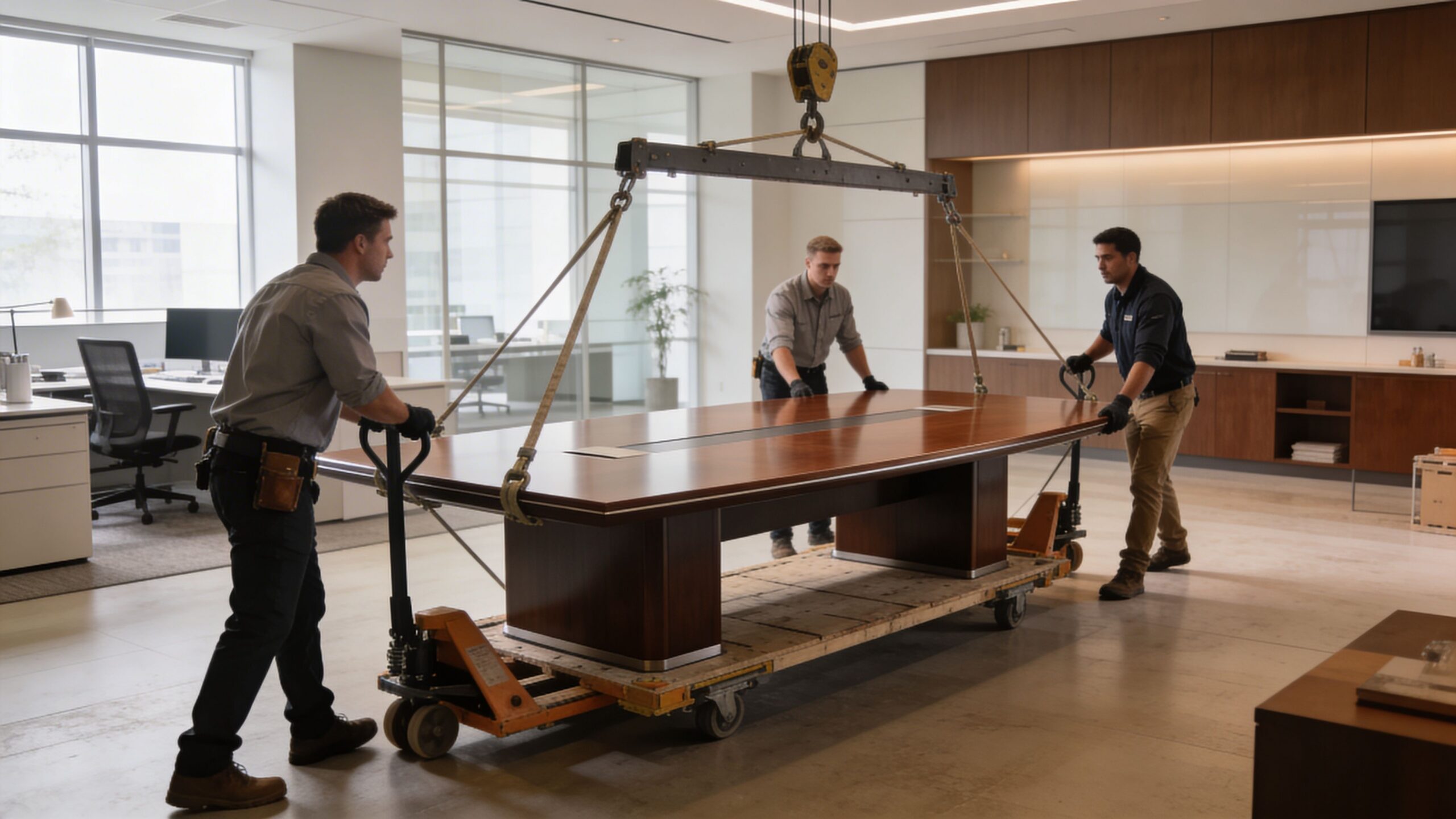
Large conference tables expose weak coordination fast. Access, building rules, staging space, and trade sequencing all need verification before delivery is scheduled.
Check the full access path
Measure doors, corridors, elevator interiors, corners, and stair transitions. A table that fits the conference room can still be difficult to bring into the suite.
Confirm building requirements early
Many properties require COIs, loading dock reservations, delivery windows, and protection for common areas. Miss one item and the truck may sit while the schedule slips.
Clear and protect the installation zone
Remove old furniture, cartons, and temporary storage before the crew arrives. Installers need room to stage components, protect finishes, and assemble without forcing last-minute repositioning.
Coordinate with other trades
If electricians, low-voltage teams, flooring crews, or AV installers are still active, sequence the work before the table lands on site. A 10 foot table can block access to unfinished walls and floor connections.
Mark final placement on the floor
Tape the footprint if there is any uncertainty about clearances. That simple step helps clients judge chair pull-back, walking space, screen sightlines, and how sound may carry through adjacent glass or open entries.
The install should reflect real tolerances
As noted earlier, a 10 foot conference table usually works best only when the room has enough clearance around it for chairs, circulation, and service access. Rooms planned at the tight end of acceptable dimensions leave very little margin during assembly. One small field condition, such as a thicker wall panel, a floor box in the wrong spot, or a door swing that was missed on the drawing, can force a change on site.
That is why experienced office furniture installation support is part of project control. The install crew is not just carrying parts. They are checking fit, protecting finishes, coordinating placement, and solving the small conflicts that determine whether the room opens on time.
Procurement teams sorting out payment timing sometimes pair this stage with broader budget decisions around equipment financing vs leasing, especially when the conference room is one piece of a larger office refresh.
What smooth installs have in common
Successful projects usually share the same discipline:
- The room was measured early, then verified again before release.
- The access path was checked against component sizes.
- Custom details were chosen for use, acoustics, and future changes, not just appearance.
- Technology and furniture trades were scheduled in the right order.
- One person had authority to approve field decisions on install day.
Quiet install days are rarely accidental. They come from clear drawings, realistic sequencing, and a table specification that matches how the office works.
Budgeting for Long-Term Value and Procurement
The purchase price of a 10 foot conference table matters. It is just not the whole financial story.
Procurement goes wrong when the budget covers the tabletop but not the project. Chairs, power integration, delivery coordination, installation, maintenance, and future flexibility all shape the true cost of ownership.
Build the budget around the room, not the SKU
Start with the table, then immediately widen the frame.
A realistic conference room budget usually needs to include:
- The table itself
- Seating that fits the table and room scale
- Integrated power and cable management
- Delivery and installation
- AV coordination or display integration
- Maintenance expectations by material
- Potential reconfiguration costs later
The exact numbers depend on product selection and project scope, so I would keep this part qualitative during early planning. What matters is not leaving major categories out.
A practical TCO lens
The easiest way to make a better buying decision is to compare options by use pattern, maintenance burden, and repair risk, not just by initial quote.
| Material Type | Average Initial Cost | Est. 5-Year Maintenance Cost | Durability/Repair Risk | Total Estimated 5-Year Cost |
|---|---|---|---|---|
| Laminate | Lower relative upfront cost | Lower relative maintenance | Lower repair risk in heavy daily use | Often the strongest value choice for high-use rooms |
| Wood veneer | Mid-range relative upfront cost | Moderate maintenance | Moderate repair risk depending on finish care | Good balance for polished everyday spaces |
| Solid wood | Higher relative upfront cost | Higher maintenance sensitivity | Higher repair and environmental wear risk | Best reserved for premium spaces with controlled use |
This kind of table is not about fake precision. It forces the right conversation. A room used all day by rotating teams usually benefits from the option that stays presentable with less intervention.
Procurement choices affect flexibility
Buying strategy matters too. Some organizations prefer outright purchase. Others need to preserve capital for broader office projects.
If your finance team is weighing options, this overview of equipment financing vs leasing is a helpful reference for thinking through timing, ownership, and cash-flow trade-offs in commercial purchases.
Another smart option in the right project is selective reuse. If the office is expanding quickly or absorbing another location, buying used office furniture can be a practical way to preserve budget for the spaces where new product matters most.
Why full-scope planning usually wins
Conference rooms fail less often when one team owns the planning from layout through installation. Fragmented buying causes most avoidable problems.
One vendor handles the table. Another handles chairs. Someone else installs AV. Building management gets looped in late. Then the room opens with small mismatches everywhere.
That is why a full-service approach often produces better value, even when the sticker price on one item is not the absolute lowest. Good planning reduces rework, delays, and compromise decisions made under pressure.
For broader office projects, it also helps when the conference room is planned alongside the rest of the workplace. A room that coordinates with surrounding cubicles, a space plan shaped in the cubicle designer, or adjacent workstation cubicles is easier to manage as one coherent project than as a stack of separate purchases.
Final buying principle: Choose the 10 foot conference table that your room can support, your team will use comfortably, and your maintenance routine can realistically sustain.
A good conference table should still feel like the right decision years later. That usually comes from disciplined planning, not from the most dramatic finish or the most aggressive seat count.
If you are planning a conference room as part of a larger office upgrade, Cubicle By Design can help you align the table, surrounding workstations, glass walls, and installation plan into one workable project. That kind of coordination is what turns a good furniture spec into a room people enjoy using.