


Most office managers don’t start looking for modular office furniture because they want a new look. They start because the current layout has stopped working.
A team grows, then shifts to hybrid. One department needs more heads-down space. Another needs faster collaboration. IT wants cleaner cabling. HR wants a workplace that feels more intentional. Finance wants all of that without paying for another full renovation. Static furniture struggles under those demands.
That’s where modular planning changes the conversation. Instead of treating furniture as a fixed asset, you treat it as a system that can adapt with the business. Panels, worksurfaces, storage, power access, and privacy settings become variables you can adjust as workflows change. That matters because workers notice when the space supports how they work. In a survey cited by GM Insights on the modular furniture market, 71% of workers emphasize design flexibility and 73% stress furniture adaptability as critical for a productive and motivational office setting.
Good modular office furniture design ideas don’t begin with finishes or trends. They begin with business questions. Where does focused work happen? Where do teams need visual connection? Which groups are likely to expand, contract, or relocate? Where will power and data become a problem later if you ignore them now?
Those answers lead to better layouts, fewer expensive resets, and a workplace that feels planned instead of patched together.
Rethinking Your Workspace Modular Office Furniture Design Ideas
An outdated office usually fails in predictable ways. People take calls in hallways because open areas are too noisy. Managers claim private rooms while individual contributors do concentrated work in the middle of traffic. New hires get squeezed into leftover corners. Every small change turns into a facilities project.
Modular furniture solves that problem when it’s used as a planning tool, not just a product category. The point isn’t just that the pieces move. The point is that the layout can keep pace with hiring, hybrid attendance, team reshuffles, and departmental needs without forcing the business into constant reconstruction.
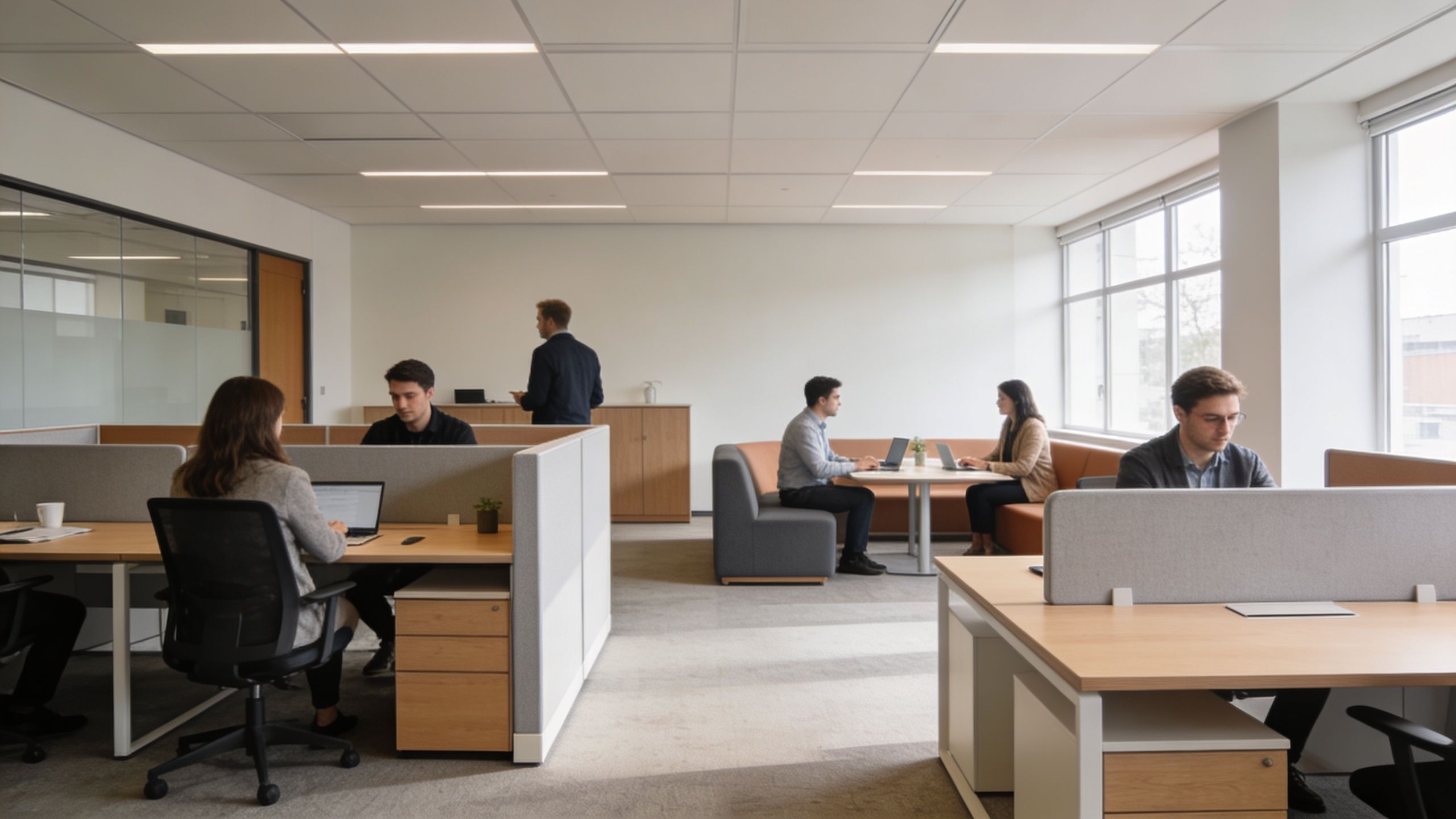
Start with workflow, not furniture
The strongest office plans usually come from a simple sequence:
- Map the work first: Identify who needs quiet, who needs visibility, and who needs both.
- Separate permanent needs from temporary ones: Core departments may need stable footprints. Project teams often need layouts that can shift.
- Assign privacy by task: Some work needs enclosure. Some work benefits from openness.
- Build around change: Leave room for reconfiguration before you need it.
That sequence prevents one of the most common mistakes in office planning. Teams often buy furniture based on a snapshot of today’s headcount, then realize six months later that the office can’t absorb basic operational changes.
Practical rule: If a layout only works for one exact team size and one exact workflow, it isn’t flexible enough.
Flexibility is now a workplace requirement
Employees don’t experience flexibility as an abstract concept. They feel it in very practical ways. Can they focus without being interrupted? Can a project team gather without occupying circulation space? Can a manager add one more person to a cluster without displacing three others?
Modular office furniture design ideas work when they answer those daily questions directly. A better workplace isn’t always larger. Often it’s just more adjustable.
The Building Blocks of a Modular Office
Think of a modular office as a kit of parts instead of a row of fixed pieces. Panels, desks, storage, connector posts, overhead elements, glass sections, and cable pathways work like a coordinated system. You can assemble them into pods, rows, benching runs, high-privacy stations, or mixed-use neighborhoods without starting over every time the business shifts.
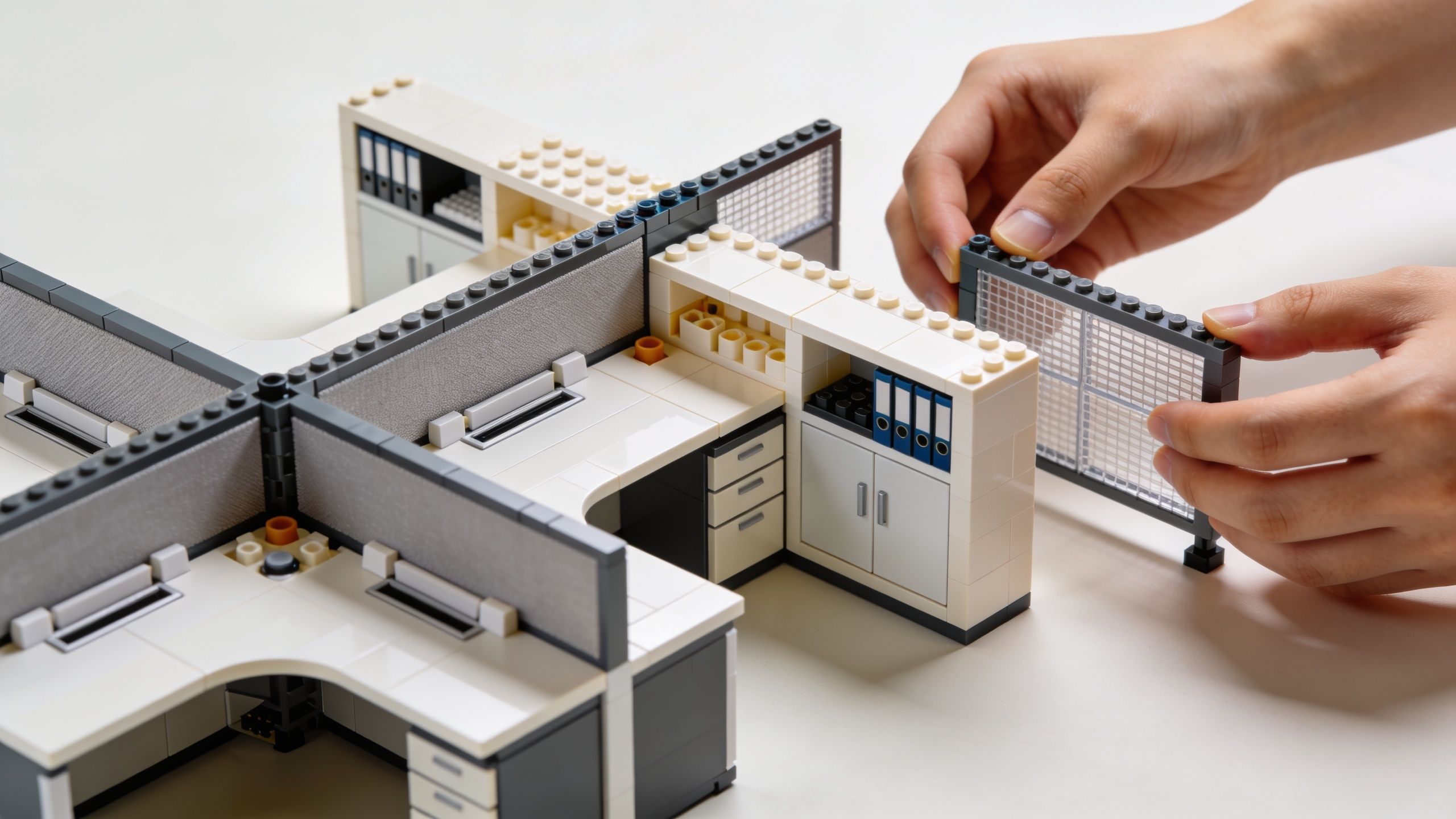
That system approach is one reason the category keeps expanding. The DataHorizzon modular office furniture market projection states that the global modular office furniture market is projected to reach USD 19.7 billion by 2033, with North America holding about 36% of the market share. That isn’t just a style trend. It reflects how many workplaces now need reconfigurable infrastructure.
What makes furniture truly modular
A lot of office furniture gets called modular when it’s really just movable. Those aren’t the same thing.
A modular system usually includes:
- Interchangeable panels: Different heights, finishes, and acoustic levels that connect within the same system.
- Shared structural logic: Posts, frames, and brackets that let you add or remove stations without replacing everything.
- Repositionable worksurfaces: Desks and returns that can shift from individual stations to clusters.
- Integrated storage options: Mobile pedestals, overheads, and shared storage that fit the system instead of fighting it.
- Utility planning: Raceways, posts, and pathways that support power and data routing.
By contrast, monolithic furniture looks fine on day one but becomes expensive on change day. It often forces teams to replace full pieces when they only need to alter part of the layout.
The parts that matter most in planning
Panel selection often drives everything else. It affects privacy, sightlines, acoustics, and circulation. Worksurface depth affects usable area and monitor placement. Storage affects whether desks stay clean or become paper overflow zones. Power access affects whether the office feels intentional or temporary.
A useful reference for understanding these systems is this explanation of modular furniture, especially if you’re comparing fixed desks against panel-based workstations.
Later in the planning process, it helps to see a modular system in action:
Modular systems work best when every part serves more than one purpose. A panel isn’t just a divider. It’s also part of the privacy plan, the cable route, and the future reconfiguration path.
Balancing Collaboration and Acoustic Privacy
Open offices often fail because they treat every task as equally social. They aren’t. Some work improves with visual access and quick conversation. Other work suffers the moment people can hear every nearby call, keyboard, and side conversation.
The fix isn’t choosing between “open” and “private.” It’s assigning the right enclosure level to the right activity.
Use panel height as a planning tool
Panel height is one of the clearest ways to control how a space behaves. According to Cubicles.com guidance on panel height planning, high-privacy workstations use 67-inch panels for sound attenuation, while collaborative zones use 47-53 inch panels to maintain sightlines. That same guidance notes that right-sizing privacy levels can support cost optimization.
That gives facilities teams a practical standard instead of relying on preference alone.
| Workspace need | Recommended panel approach | What it supports |
|---|---|---|
| Individual focus work | 67-inch panels | Better visual separation and stronger acoustic control |
| Team-based work with regular interaction | 47-53 inch panels | Communication, line-of-sight, and moderate separation |
| Very open collaboration | Lower enclosures | Fast interaction and shared visibility |
Where high panels work well
Use taller panels where interruption has a real cost. Finance, claims processing, call handling, documentation-heavy roles, and any workstation tied to long periods of concentration usually benefit from stronger enclosure.
This is also where private office cubicles make sense. They create separation without the construction burden of building permanent rooms across the floor plate.
Where lower panels outperform
Lower panels work well for sales groups, project teams, creative review areas, and managers who need to stay visually connected with staff. They make the office feel lighter and keep the floor from turning into a maze of high walls.
Still, lower isn’t always better. If a team spends most of the day on calls or detailed computer work, very open layouts often create avoidable friction. The better move is mixed-height zoning.
Don’t set one panel height for the whole office just to simplify purchasing. Uniformity is easy to buy and hard to work in.
Acoustic privacy doesn’t start and end with panels
Panels are the backbone, but not the entire answer. Acoustic performance also depends on adjacency. A heads-down department placed beside a collaboration zone will struggle no matter how good the workstation system is. Traffic paths matter too. If people cut through focused work areas to reach shared amenities, the noise problem returns.
For teams working through those trade-offs, office acoustics solutions can help frame decisions around layout, separation, and workstation selection rather than treating sound as an afterthought.
Inspiring Modular Configurations for Modern Workflows
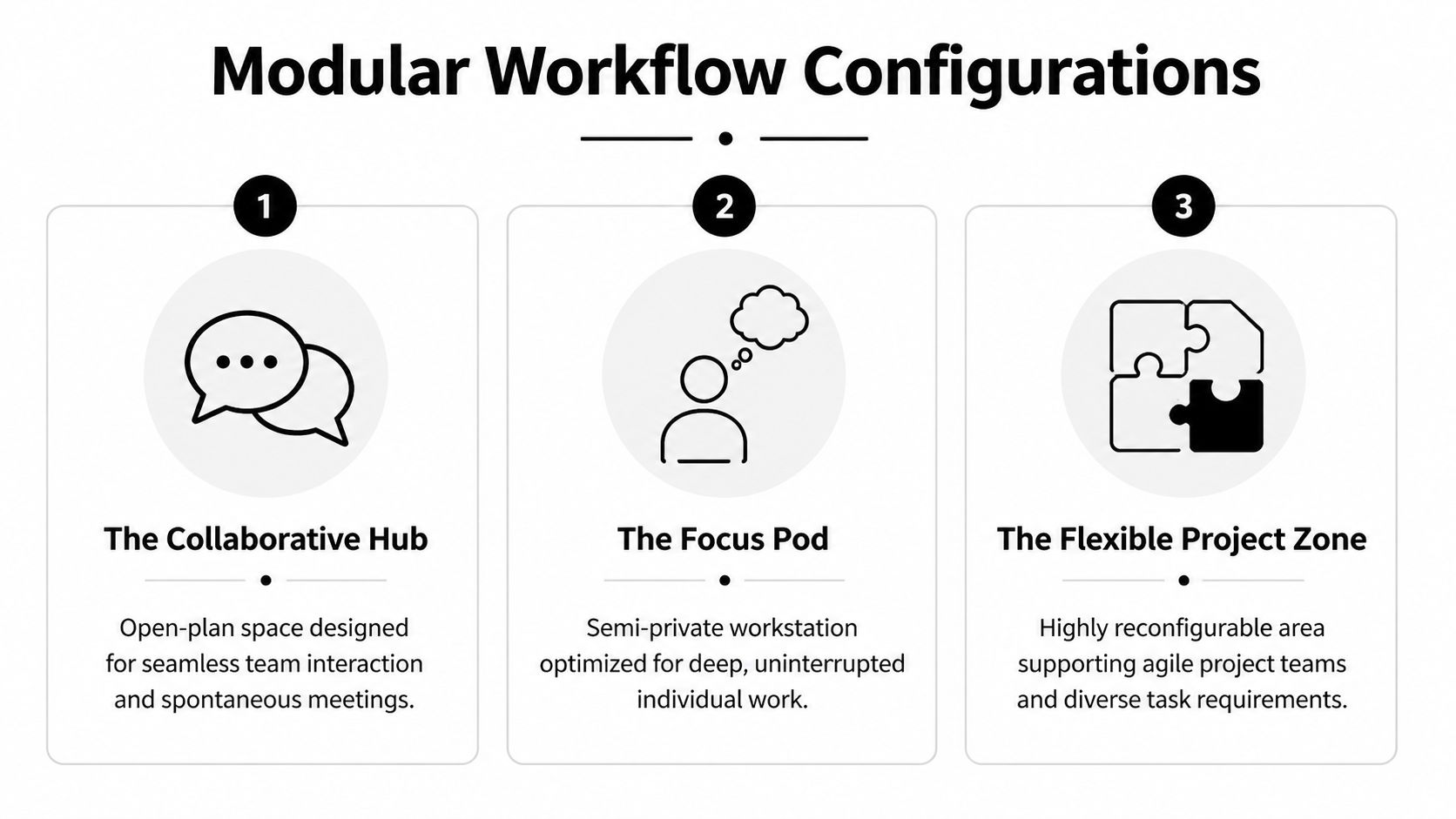
A team adds headcount, shifts to hybrid schedules, and inherits a new client group within the same quarter. The floor plan that worked six months ago starts wasting square footage, slowing team communication, and creating uneven seat quality. Modular planning solves that problem when each zone is built around a specific work pattern instead of a generic benching formula.
The high-efficiency call center
Call center layouts succeed on repeatability. Managers need clean sightlines, facilities teams need predictable service paths, and every station needs to support the same task without creating maintenance exceptions.
Rows and back-to-back runs usually make the most sense here. They keep circulation simple and make it easier to add or remove seats as staffing changes. Screening still matters, but it should be sized for speech control and visual order, not maximum enclosure.
A practical setup usually includes:
- Compact stations with targeted privacy: Enough panel coverage to reduce distraction between adjacent calls.
- Standardized work surfaces and storage: Consistent dimensions make training, seating, and replacements easier.
- Serviceable layouts: Cable access, equipment swaps, and supervisor oversight stay manageable over time.
The trade-off is clear. Highly customized stations may look better in a rendering, but they raise replacement costs and complicate seat reassignment.
The collaborative team neighborhood
Marketing, operations, account management, and project teams often need fast communication during the day without giving up individual focus. Clustered workstations handle that balance better than long runs of identical desks because they create smaller team territories inside the larger office.
This is where modular office cubicle systems for team neighborhoods earn their keep. A single system can support shared clusters, slightly more enclosed lead stations, and common storage points without forcing the office into one panel height or one workstation footprint.
The layout works best when a few details are handled early:
- Different privacy levels within one cluster: Team leads, coordinators, and analysts rarely need identical settings.
- Shared elements at the perimeter: Storage, print points, or touchdown counters free up primary desk space.
- Defined team boundaries: People should know where the neighborhood starts and ends, which improves wayfinding and reduces spillover seating.
This configuration usually produces better space efficiency than building every team around enclosed rooms. It also shortens the distance between quick questions and quick answers, which has a direct effect on cycle time.
The hybrid-friendly touchdown zone
Hybrid offices lose money when occasional users occupy fully assigned stations that sit empty most of the week. A well-planned touchdown zone fixes that by giving mobile staff, visiting employees, and rotating project teams a place that works immediately.
Good touchdown areas are built for short stays. They need usable desk depth, monitor support, bag storage, and a level of privacy that fits brief focused work. If those basics are missing, people drift into conference rooms or camp at collaboration tables, which disrupts both settings.
Keep the station simple. Keep turnover fast.
I usually advise clients not to copy the assigned workstation spec exactly. A touchdown seat has a different job. It should reduce friction for a two-hour work session, not mimic a permanent desk with every accessory.
Ergonomics still affects output
Configuration drives workflow, but the workstation still has to fit the person using it. According to ergonomic workstation guidance from INFLIBNET, desk height for heavy computer use should be 27-28 inches, compared with the standard 30 inches, a 7-10% reduction. Modular systems help because worksurfaces, storage, and privacy components can be selected around the job function instead of forced into a one-size-fits-all package.
Cubicle By Design supports that kind of planning with workstation options across open team areas, more enclosed focus settings, and layout-specific specification support. Their value is strongest when the furniture plan is tied to actual operational needs, staffing patterns, and future reconfiguration requirements before the order is placed.
Integrating Power Data and Accessibility
Many office plans look finished on paper but break down the moment people sit down and plug in. Extension cords appear under desks. Floor paths get cluttered. Moves and changes turn into patchwork electrical work. Accessibility gets pinched by furniture that looked fine in a rendering but doesn’t leave enough usable clearance.
That’s why power, data, and accessibility planning can’t be a late-stage add-on.
Cabling problems usually start at the layout stage
The Modern Loft Interiors article on modular office furniture designs notes that 68% of organizations report cabling as a top barrier to reconfiguring office space. That should change how facilities teams evaluate furniture systems.
If a modular layout doesn’t account for cable paths, device locations, and future station moves, it isn’t really modular in operational terms. It’s just movable furniture with hidden complications.
What to plan before you order
A practical checklist helps:
- Power location: Know where feeds enter the space and how they’ll reach each workstation cluster.
- Data routing: Plan for present device needs and likely changes in team layout.
- Access routes: Keep pathways clear enough for movement, maintenance, and daily use.
- Workstation edge conditions: Corners, endcaps, and perimeter desks often create the messiest cable conditions if they’re not resolved early.
- Accessible use: Make sure furniture placement supports approach, turning, and comfortable everyday use for all employees.
For spaces that need vertical electrical routing, cubicle power poles are one way to bring utilities down cleanly from above instead of relying on improvised solutions later.
A workstation that looks clean in photos but creates cable sprawl in use will cost more to manage than a slightly less flashy system with disciplined utility planning.
Accessibility isn’t separate from design
Accessible planning improves the whole office. It produces better clearances, cleaner circulation, and more predictable workstation use. It also reduces the common problem of overfurnishing. Many offices don’t lack space. They lack disciplined spacing.
A future-ready modular office handles power and movement with the same care it gives finishes and layout symmetry.
A Smart Procurement and Budgeting Guide
Furniture budgets go sideways when buyers compare only the line-item price of desks and panels. The key decision is whether the system will keep working when your headcount shifts, teams move, or a department needs a different privacy level next year.
Cheap furniture can become expensive fast if every reconfiguration requires replacement parts, outside fixes, or lost time from a poor layout.
Buy against the next change, not just the current layout
Use this checklist before approving a purchase:
- Define the planning horizon: Are you buying for today’s team or for the next likely move, hire wave, or departmental shift?
- Standardize where it helps: Repeating core components usually makes future reconfiguration easier.
- Customize only where it matters: Privacy, storage, and power are usually better customization points than cosmetic variation.
- Verify support services: Delivery alone isn’t the same as coordinated planning, installation, and post-install help.
Budget for adaptability
A procurement review should ask tougher questions than “How much does one station cost?”
| Budget question | Why it matters |
|---|---|
| Can this system be expanded without replacing the original layout? | Protects the initial investment |
| Can privacy levels change within the same product family? | Avoids mismatched future purchases |
| Is electrical planning part of the buying process? | Reduces downstream disruption |
| Will the vendor help visualize the layout before purchase? | Lowers ordering mistakes |
For buyers who want a structured starting point, this office furniture buying guide is a useful reference when comparing systems, layouts, and service scope.
Use a design tool before committing
A visual planning tool earns its keep. Instead of guessing at dimensions, privacy, and configuration, you can test them before a quote becomes an order. That usually leads to fewer assumptions, better internal approvals, and a budget that reflects the actual plan rather than a rough estimate.
The procurement teams that avoid regret usually spend more time on front-end fit and less time correcting avoidable mismatches after installation.
Designing Your Future-Ready Workplace Today
The strongest modular office furniture design ideas do three jobs at once. They help people work better, they protect the budget from unnecessary resets, and they give the business room to change without starting from scratch.
That combination matters more than any single finish or layout trend. A workplace earns its keep when it supports concentration where it’s needed, collaboration where it helps, and technical planning that doesn’t create headaches later. Modular systems make that possible because they let facilities teams adjust privacy, ergonomics, density, and utility access as operations evolve.
If you’re planning a new office, expanding a department, or replacing a rigid layout that no longer fits, start with systems that can be reworked instead of discarded. Browse the available cubicle options or build a layout around your own requirements with the interactive cubicle designer.
Frequently Asked Questions About Modular Furniture
How durable is modular office furniture?
High-quality modular furniture is built for repeated use, moves, and reconfiguration. The key difference isn’t just durability of materials. It’s whether the system is engineered so individual components can be reused without the whole layout breaking down.
Can I reconfigure the furniture myself?
Simple adjustments are often manageable, especially when you’re changing accessories, storage placement, or a small number of stations. Larger changes usually go better with professional planning and installation because panel connections, power routing, and circulation clearances need to stay coordinated.
Is modular furniture a sustainable choice?
It can be. The biggest sustainability advantage is reuse. When a system lets you reconfigure, expand, or reduce a layout with existing components, you send less furniture to disposal and avoid replacing full stations for minor changes.
Is modular furniture only for large offices?
No. Smaller offices often benefit just as much because every square foot has to work harder. Modular planning helps compact spaces support multiple functions without feeling improvised.
If you’re comparing layouts, privacy levels, or workstation systems, Cubicle By Design offers planning resources and product options that can help turn a rough space plan into a workable office.