



You’ve probably been handed a familiar assignment. A new office is opening, a department is expanding, a floor is being reconfigured, or a tired mix of mismatched seating finally needs to go. On paper, it sounds simple: buy a lot of chairs. In practice, bulk chair procurement can turn into one of the easiest ways to waste budget if you focus only on unit price.
A chair purchase affects comfort, complaints, maintenance workload, replacement planning, and how smoothly people settle into a workspace. It also affects whether facilities teams spend the next year tightening armrests, chasing replacement casters, and fielding emails about back support. That’s why office chairs in bulk should be treated as an operating decision, not a line-item commodity.
The cheapest chair often looks efficient at the quote stage. Then the hidden costs show up. One model doesn’t fit a mixed-height team. Another looks good in the showroom but doesn’t hold up in heavy use. A third arrives without a sensible spare-parts plan. None of those problems are visible when you compare price alone.
Total cost of ownership, or TCO, is the better lens. Instead of asking, “What’s the lowest per-chair number?” ask, “What will this seating program cost us over its working life?” That includes fit, durability, warranty support, replacement parts, installation, employee feedback, and how well the chair matches the jobs people do.
A task chair for a finance team, a chair for hoteling stations, and a chair for a high-occupancy support floor shouldn’t be selected the same way. The right answer depends on use pattern, body-size range, adjustability, and the surrounding workstation layout. If you’re also planning broader furniture changes, a practical office furniture buying guide helps frame chairs as part of the larger workplace system rather than a stand-alone purchase.
Office Chairs in Bulk: Your Complete Procurement Guide
Assessing Your Team’s Needs and Budget
Most failed chair projects start too late in the process. Someone asks for quotes before anyone defines who will use the chairs, how long they’ll sit in them, or what “good fit” means for the workforce. That’s backwards.
The first job is to classify users by work pattern. A reception chair, an executive office chair, a conference chair, and an intensive-use support seat all solve different problems. Teams in high-call environments usually need easier adjustability, stronger daily durability, and simpler controls than occasional users. If you’re planning dense operational seating, it helps to look at examples of call center cubicles because seating demands often rise with occupancy and shift intensity.
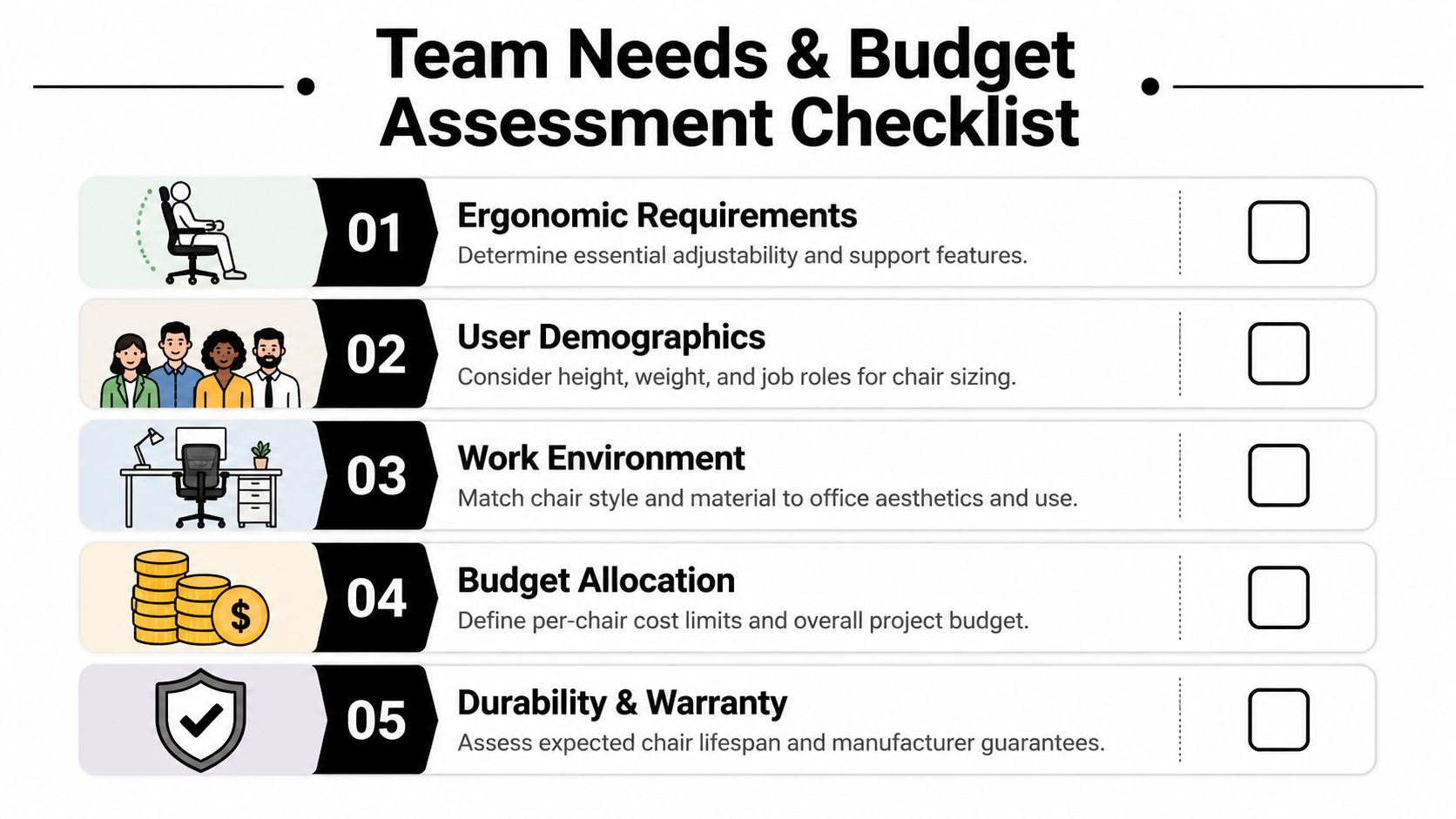
Start with roles, time in chair, and workforce mix
A good needs assessment usually includes a short internal survey and a workstation audit. You don’t need a complicated process. You need enough information to avoid buying one chair model for people who work in very different ways.
Use a checklist like this:
- Role demands: Identify who sits for long stretches, who moves between stations, and who shares seats.
- User range: Note broad differences in height and body size across the team.
- Task type: Separate heads-down computer work from collaborative, intermittent, or supervisory work.
- Environment: Consider flooring, desk heights, and whether the chair needs to blend with private offices, open plans, or training areas.
- Growth planning: Leave room for headcount changes, new departments, and workspace reconfiguration.
Practical rule: If you can’t describe who the chair is for in operational terms, you’re not ready to buy it in volume.
This is also where office layout enters the conversation. If the seating plan is tied to reconfigured workstations, storage, or privacy panels, products such as custom office cubicles often shape what arm widths, chair footprints, and movement clearances make sense.
Build a budget around ownership, not sticker price
The market itself supports a long-view approach. The global office chairs market was estimated at USD 14.2582 billion in 2024, with North America accounting for more than 40% of global revenue, and projections show 5.20% CAGR through 2031 according to Cognitive Market Research’s office chairs market report. That matters because chair buying isn’t a short-lived fad purchase. It sits inside a stable, ongoing workplace investment cycle.
A simple TCO worksheet can keep you honest:
| Cost area | What to include |
|---|---|
| Upfront purchase | Chair price, freight, installation |
| Setup and rollout | Delivery coordination, floor-by-floor deployment, packaging removal |
| Service | Warranty claims process, replacement parts access, labor to swap failed components |
| User impact | Complaints, reassignment issues, poor fit, early replacement pressure |
| Lifecycle | Expected durability in your actual use case, not showroom conditions |
Some buyers also compare purchase against short-term alternatives while projects are in flux. If your workplace plan is temporary or staged, office furniture on rent can be useful as a bridge while final standards are being tested.
Selecting the Right Ergonomic Specifications
“Ergonomic” is one of the least useful words in office furniture if nobody defines it. Vendors use it loosely. Procurement teams need to read beyond the label and into the spec sheet.
The core question is simple: can this chair be adjusted to fit your people and their tasks with reasonable consistency?
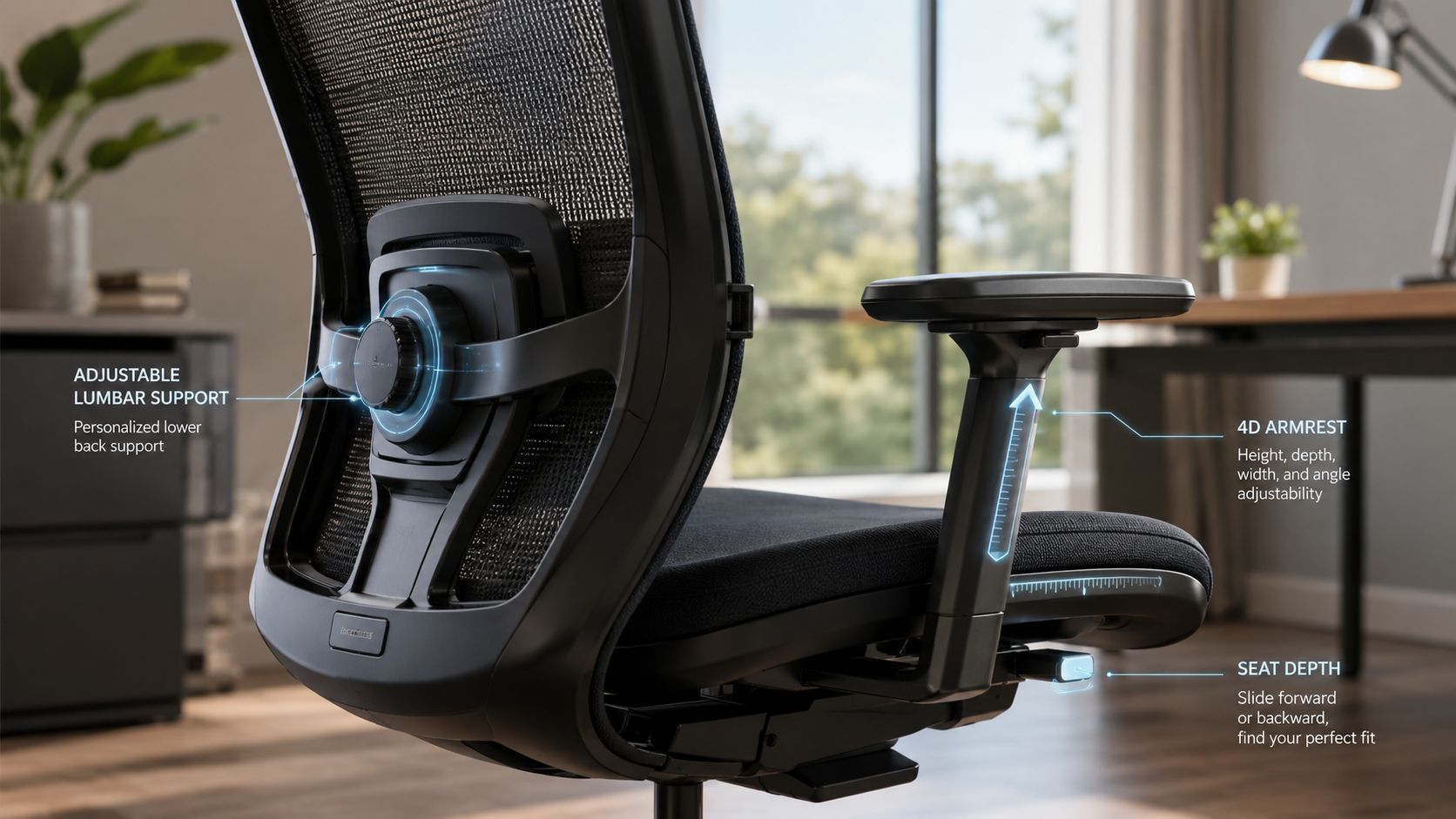
What matters most on the spec sheet
A workable bulk specification usually starts with these features:
- Seat height range: The gas cylinder has to cover your user population, not just an average person.
- Seat pan shape and width: Too narrow and the chair excludes part of the workforce before anyone adjusts a thing.
- Lumbar adjustment: Useful chairs let users position support where their backs need it.
- Arm adjustment: Height is the minimum. Better arms also adjust inward, outward, forward, or pivot to support keyboard and mouse work.
- Tilt behavior: Synchronous tilt generally supports movement better than rigid recline because the back and seat move in a more coordinated way.
- Seat depth option: Important for shorter and taller users who need different thigh support.
One of the strongest procurement benchmarks comes from the standards side. The EWI review notes that modern fit guidance calls for a minimum seat-pan width of 48.8 to 48.9 cm, or about 19.2 inches, because older recommendations no longer covered the broader body-size distribution represented in the dataset. It also warns against relying on generic ergonomic claims without checking workforce fit against actual measurements. That guidance appears in the Updated Chair Standards Overview from EWI.
Good, better, and best buying logic
A practical way to compare models is to sort them into functional tiers.
| Tier | What it usually includes | Best use |
|---|---|---|
| Good | Seat-height adjustment, basic lumbar shape, fixed or height-adjustable arms | Light to moderate individual use |
| Better | Adjustable lumbar, improved tilt, seat-depth adjustment, more durable controls | General workstation deployment |
| Best | Wider adjustability range, stronger mechanism, arm versatility, better support tuning | Intensive daily use, mixed user populations |
A lot of buyers overspend on visible features and underspend on fit range. A flashy headrest won’t compensate for a chair that can’t place the user at the right working height. Wide adoption works better when the fundamentals are right.
If you want a visual walkthrough of what to look for in a task chair, this overview is useful before you lock a specification:
A chair can pass a marketing test and still fail a workplace test. The workplace test is whether your actual team can fit it, adjust it, and use it without friction.
Chairs also need to work with the workstation around them. Seat travel, arm clearance, and turning radius all matter more once stations are standardized. If you’re evaluating seating as part of a full benching or panel-based layout, workstation cubicles give useful context for how chair dimensions interact with the rest of the workspace.
For buyers comparing product categories, a curated set of best ergonomic office chairs can help narrow what features deserve priority before you get into quote review.
Choosing Suppliers and Negotiating Your Purchase
A bulk chair order isn’t only a product decision. It’s a service decision. The wrong supplier can turn a decent chair into a messy rollout. The right supplier can help prevent specification mistakes before they become inventory problems.
That difference shows up in basic questions. Who verifies finish consistency across a large order? Who handles field issues when a cylinder fails? Who manages phased delivery if your space isn’t ready all at once? Resellers often focus on transaction speed. Full-service dealers are usually more useful when the project includes layout coordination, punch-list cleanup, and ongoing support.
Questions worth asking before you sign
Ask suppliers for specifics, not general reassurance.
- Testing and compliance: Request verifiable BIFMA structural test reports and any relevant indoor-air-quality certifications.
- Parts support: Confirm whether cylinders, casters, and arm pads are available in volume after installation.
- Service path: Ask who handles warranty claims and what information they require from your team.
- Project coordination: Clarify whether delivery, installation, and issue resolution are managed by one point of contact.
- Fit strategy: Ask how they address different user groups instead of defaulting to one model for everyone.
A practical supplier conversation should also include retention and workplace health. Many buying guides stop at quote comparison, but OSHA and NIOSH guidance puts the emphasis on matching the chair to the task and the worker. That’s why a low upfront number can be misleading. As noted in the On Time Supplies office chairs and stools guide, the true cost of a cheap chair can show up in complaints, absenteeism, and early replacement cycles.
What to negotiate beyond price
A good negotiation covers terms that affect the project after the PO is issued.
Consider negotiating:
- Delivery phasing: Useful when occupancy dates shift or construction finishes in waves.
- Assembly scope: Make it clear whether the quote includes in-room placement, debris removal, and adjustment setup.
- Parts stocking: Ask for a small service stock of common replacement components.
- Model mix flexibility: Protect the option to assign different chairs by role if pilot feedback supports that.
- Escalation path: Get named contacts for service, logistics, and billing before rollout starts.
If you’re comparing local and regional providers, a search for office furniture dealers near me is useful only if you then evaluate service depth, not just map distance.
One option in this category is Cubicle By Design, which works as a full-service office furniture dealer and supports broader workplace planning alongside seating procurement. That matters when chairs need to fit into a larger reconfiguration rather than arrive as a stand-alone shipment.
The Importance of Samples and Pilot Programs
Two companies can start with the same shortlist and end with very different outcomes. The first approves a bulk order from a spec sheet and a showroom sit-test. The chairs arrive. Some users can’t get the seat height right, others dislike the lumbar position, and facilities spends weeks sorting swaps, returns, and exceptions.
The second company slows down just enough to test chairs in the office with users. It takes longer up front. It usually saves far more frustration later.
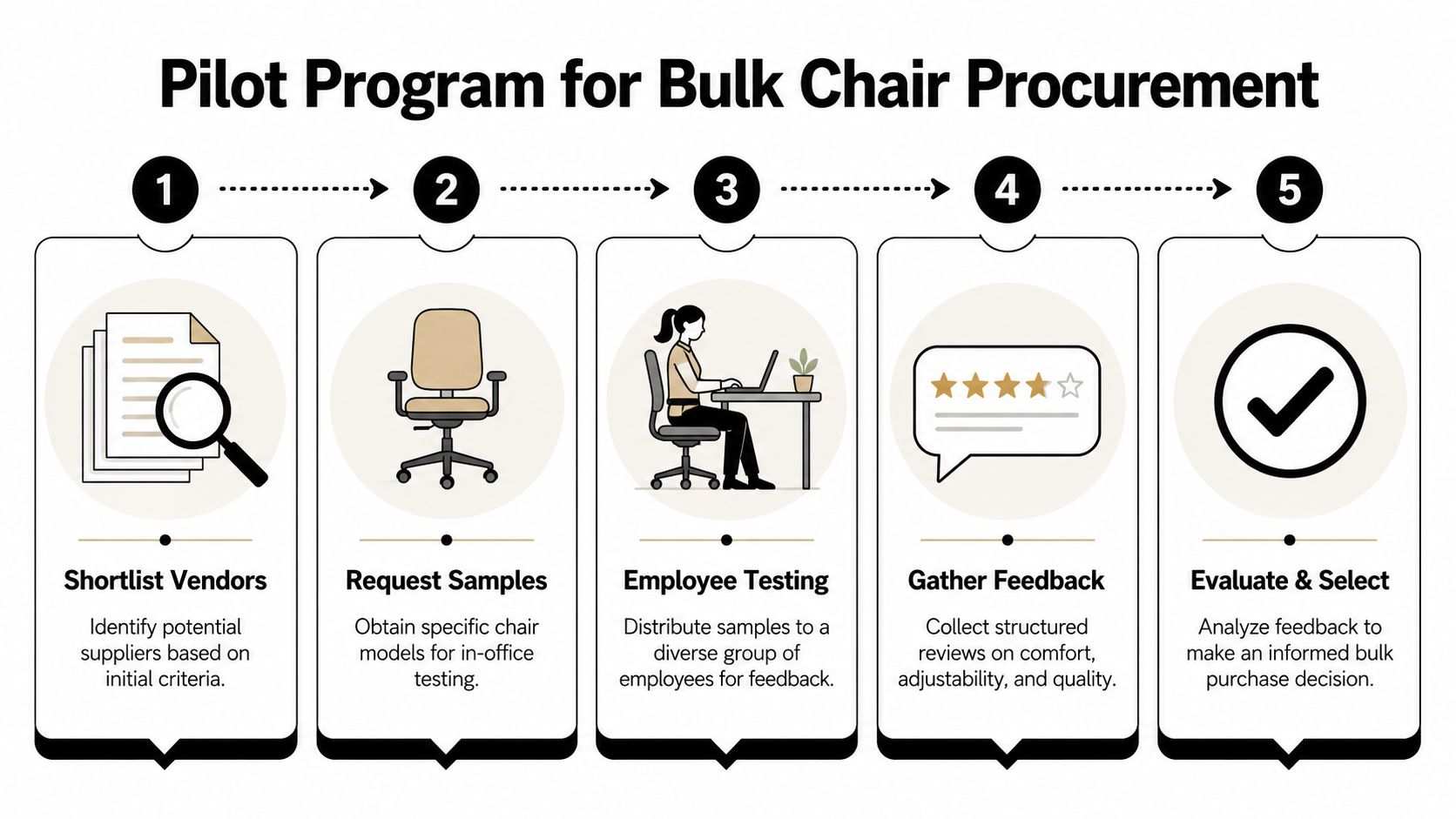
How a practical pilot actually works
For bulk orders, a smart risk-reduction move is a pilot program of 20 to 50 units before full rollout, according to the Home Chair Factory wholesale office chair procurement guide. That same guide notes common failure points, including skipping sample testing, choosing one chair model for all roles, and accepting a cylinder range that leaves 40% of employees outside the fit range.
A useful pilot isn’t random. It should include:
- A mixed test group with shorter, taller, lighter, and larger users.
- Different job types such as heads-down staff, supervisors, and shared-station users.
- A defined test period long enough for first impressions to wear off.
- A simple scorecard for comfort, adjustability, noise, mobility, and perceived support.
- A final review that compares feedback with serviceability and quote terms.
Field note: The chair that wins a five-minute test doesn’t always win a two-week test.
What to watch during the trial
Don’t ask only whether people “like” the chair. Ask what they adjusted, what they couldn’t adjust, and whether they understood the controls without help. If users can’t set up the chair easily, that’s a deployment issue waiting to happen.
Pay attention to patterns such as:
- Repeated setup confusion: Usually a sign the controls are too complicated for shared environments.
- Armrest complaints: Common when chairs are squeezed into tight workstation footprints.
- Seat height mismatch: A major warning sign in mixed-height teams.
- Early wobble or noise: Often more revealing than showroom finish quality.
The pilot stage is where office chairs in bulk stop being a catalog exercise and become a real workplace decision.
Managing Logistics Installation and Maintenance
A chair order isn’t finished when the truck is booked. It’s finished when the chairs are assembled correctly, placed where they belong, adjusted by users, documented for warranty purposes, and supported with a maintenance plan.
That last mile matters because volume changes everything. In 2023, more than 120 million office chairs were shipped worldwide, with ergonomic chairs accounting for roughly 55 million units, according to Market Growth Reports’ office chairs market data. At that scale, logistics discipline isn’t optional. It’s part of the product.
Pre-installation checks that prevent chaos
Before delivery day, confirm the building can receive the order the way it’s scheduled.
Use a short pre-install list:
- Access path: Verify loading dock rules, freight elevator use, ceiling clearances, and any building delivery windows.
- Staging plan: Decide where cartons, assembled chairs, and debris will go during the install.
- Room readiness: Make sure flooring, power work, and workstation placement are complete enough to avoid double handling.
- Placement map: Assign chairs by area, department, or workstation tag before the truck arrives.
- Responsibility matrix: Identify who signs deliveries, who handles punch-list issues, and who approves replacements.
If your shipment moves through multiple handoffs, transportation visibility helps. A practical reference is this Transflo Terminal Services guide, which explains how freight processing and terminal workflows affect delivery coordination.
Professional assembly usually pays for itself
Self-assembly sounds economical until supervisors are opening cartons, searching for hardware, and trying to keep parts sorted by department. On a large project, professional installers usually reduce mistakes, shorten disruption, and produce a cleaner turnover.
That matters even more when the order is part of a broader workplace build-out. If your team is coordinating desks, partitions, and seating together, office furniture installations give you a better model than piecemeal delivery.
A few post-install habits make a big difference:
- Register warranties immediately: Don’t wait until the first failure.
- Record model and finish data: Future parts orders are easier when product information is centralized.
- Keep a small parts reserve: Casters, cylinders, and arm pads are common service items.
- Set a maintenance routine: Tighten hardware, inspect glides or wheels, and remove damaged units early.
If the chair plan sits alongside enclosed meeting rooms or reconfigured office fronts, glass office partitions can also affect delivery sequencing and install access, so it helps to coordinate those scopes together.
Your Procurement Toolkit Checklists and RFP Template
A strong chair purchase usually comes down to discipline. Buyers who define fit, test models, compare supplier support, and plan installation tend to avoid the expensive surprises.
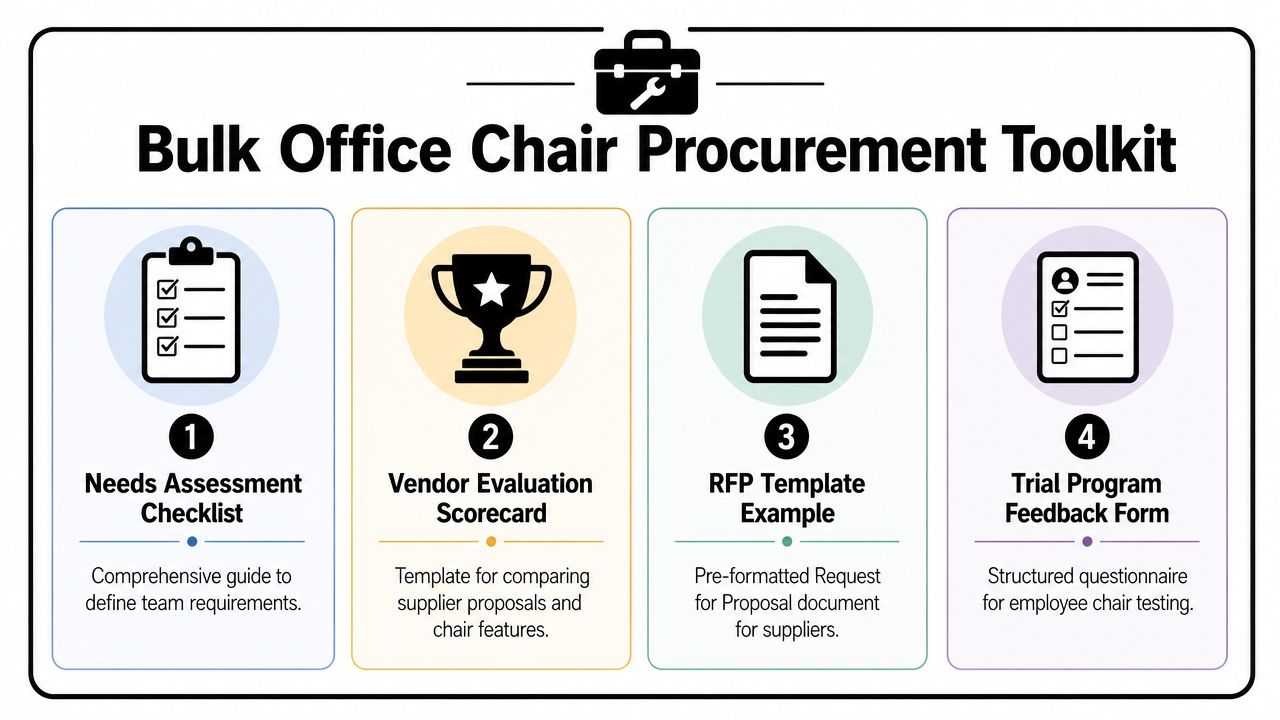
Master checklist
Keep this short list in front of the team:
- Define users clearly: Separate chairs by role, daily use, and workspace type.
- Write fit requirements: Include seat-width expectations, adjustment range, and support priorities.
- Compare suppliers on service: Review parts access, installation scope, and warranty process.
- Run a pilot first: Let actual users test shortlisted models before full approval.
- Plan the rollout: Coordinate delivery, staging, assembly, and documentation.
Simple RFP outline
A usable chair RFP doesn’t need to be complicated. It needs to be specific.
Include these sections:
| RFP section | What to ask for |
|---|---|
| Project overview | Departments, spaces, and expected use conditions |
| Quantities | Base volume plus any alternates or phased delivery needs |
| Chair specifications | Adjustment features, material preferences, mobility, and support requirements |
| Compliance and testing | Structural testing documents and certification details |
| Service expectations | Installation, warranty handling, and spare-parts availability |
| Pricing format | Unit cost, freight, installation, and any optional upgrades |
| Pilot terms | Sample availability and trial process |
| Delivery schedule | Lead times, staging, and site constraints |
If your chair program is tied to a larger workstation rollout, the Cubicle Designer is a practical way to start aligning furniture specifications with actual space planning.
Frequently Asked Questions About Bulk Chair Orders
Should every employee get the same chair model
Usually, no. Standardization helps with appearance and service, but one chair rarely fits every role and body type well. Most projects work better with a small family of approved models rather than a single universal chair.
What matters more, warranty length or parts availability
Both matter, but parts availability often determines how usable the warranty really is. A long warranty is less helpful if common components are difficult to source or slow to replace.
Is a pilot program worth the extra effort
Yes. Pilot testing exposes fit problems, confusing controls, and quality concerns before those issues are multiplied across a large order. It’s one of the cheapest ways to reduce regret.
Can we mix new chairs with existing workstations
Often, yes. You need to verify arm clearance, desk height compatibility, and turning radius. Chairs should be tested in the actual workstation, not evaluated in isolation.
What’s the biggest mistake first-time buyers make
Treating office chairs in bulk like a commodity purchase. The major problems usually come from poor fit, weak service planning, and rushing past testing.
When should we involve facilities and HR
Early. Facilities teams catch rollout and maintenance issues. HR teams often see the downstream effect of comfort complaints, accommodation requests, and employee experience concerns.
If you’re planning a large seating project and want help coordinating chairs with workstations, layouts, and installation, Cubicle By Design offers office furniture planning tools and product options that can support a more organized procurement process.