


A workspace refresh usually starts with a cosmetic complaint and ends up exposing operating problems. The office looks tired, focus is hard to maintain, storage spills into walkways, and each staffing change forces another layout fix. Office room decorating ideas matter because the room affects how people work, how clients read the brand, and how much friction teams deal with every day.
Strong office design supports output, comfort, and consistency. Ergonomic furniture, better lighting, clearer zones, and cleaner infrastructure improve the workday in ways employees notice fast. For leadership teams, that makes decorating a business decision, not a finishing touch.
The signal matters. A neglected office suggests short-term thinking. A well-planned one tells employees and visitors that the company values concentration, professionalism, and growth.
These ideas are built for practical use across real workplaces, from small firms fitting out a first office to larger organizations reworking departments without shutting down operations. If exterior appearance is part of the project, professional services like office window washing in Phoenix can support a broader workplace refresh.
Beyond Beige: A Strategic Guide to Office Design
1. Implement Modular Cubicle Systems with Customizable Privacy
A team arrives Monday to a floor plan that looks clean in photos but works poorly by noon. Sales calls bleed into focus work. Managers improvise private conversations in hallways. New hires get squeezed into whatever space is left. Modular cubicle systems fix that operational mess by giving each team the level of enclosure its work requires.
This is decoration with a business purpose. The right cubicle system shapes attention, protects confidential work, supports cleaner infrastructure, and gives the office a more disciplined visual identity. It also lets leadership adapt the space without treating every staffing change like a renovation project.
Choose privacy by workflow
Privacy should match task type, not hierarchy. Teams handling payroll, HR issues, contracts, or support queues usually need taller panels and better acoustic separation. Groups that review work together throughout the day often perform better with lower dividers, shared surfaces, and easier sightlines.
A few decisions have outsized impact:
- Map work modes first: Plan around focus work, calls, reviews, and one-on-one conversations before assigning seats.
- Set panel heights intentionally: Low panels support visibility. Mid-height panels balance openness with concentration. Higher panels suit confidential or interruption-heavy roles.
- Coordinate power and data early: Clean cable routing keeps stations easier to service and reduces the visual clutter that makes offices feel dated.
- Use durable finishes: Neutral laminates, tackable panels, and commercial-grade fabrics hold up better under churn than trend-led selections.
- Buy for change: Reconfigurable systems cost more upfront than ad hoc furniture mixes, but they usually save money when teams grow, split, or relocate.
The trade-off is straightforward. Higher privacy improves concentration and discretion, but it can reduce daylight, visibility, and spontaneous interaction if you overbuild. Lower panels feel more open, yet they expose people to noise and visual interruption. Good planning finds the middle ground by department, not across the whole office.
One rule holds up in practice. If headcount, reporting lines, or work styles are likely to change within the lease term, choose a system you can reconfigure in phases.
That makes modular cubicles one of the strongest office room decorating ideas for growing companies. They improve how the office looks, but more significantly, they improve how the business runs.
2. Define Spaces with Glass Partition Walls
A growing team often reaches the same breaking point. People need places for calls, interviews, manager conversations, and small meetings, but full construction is slow, expensive, and hard to undo. Glass partition walls solve that problem in a cleaner way than drywall for many offices because they create rooms without cutting off light or making the floor feel smaller.
This is one of the few decorating choices that works as an operating decision, not just a visual one. Done well, glass helps control noise, improves circulation, and gives the office a more organized client-facing look. It also scales better than permanent walls when departments shift or headcount changes.
Where glass works best
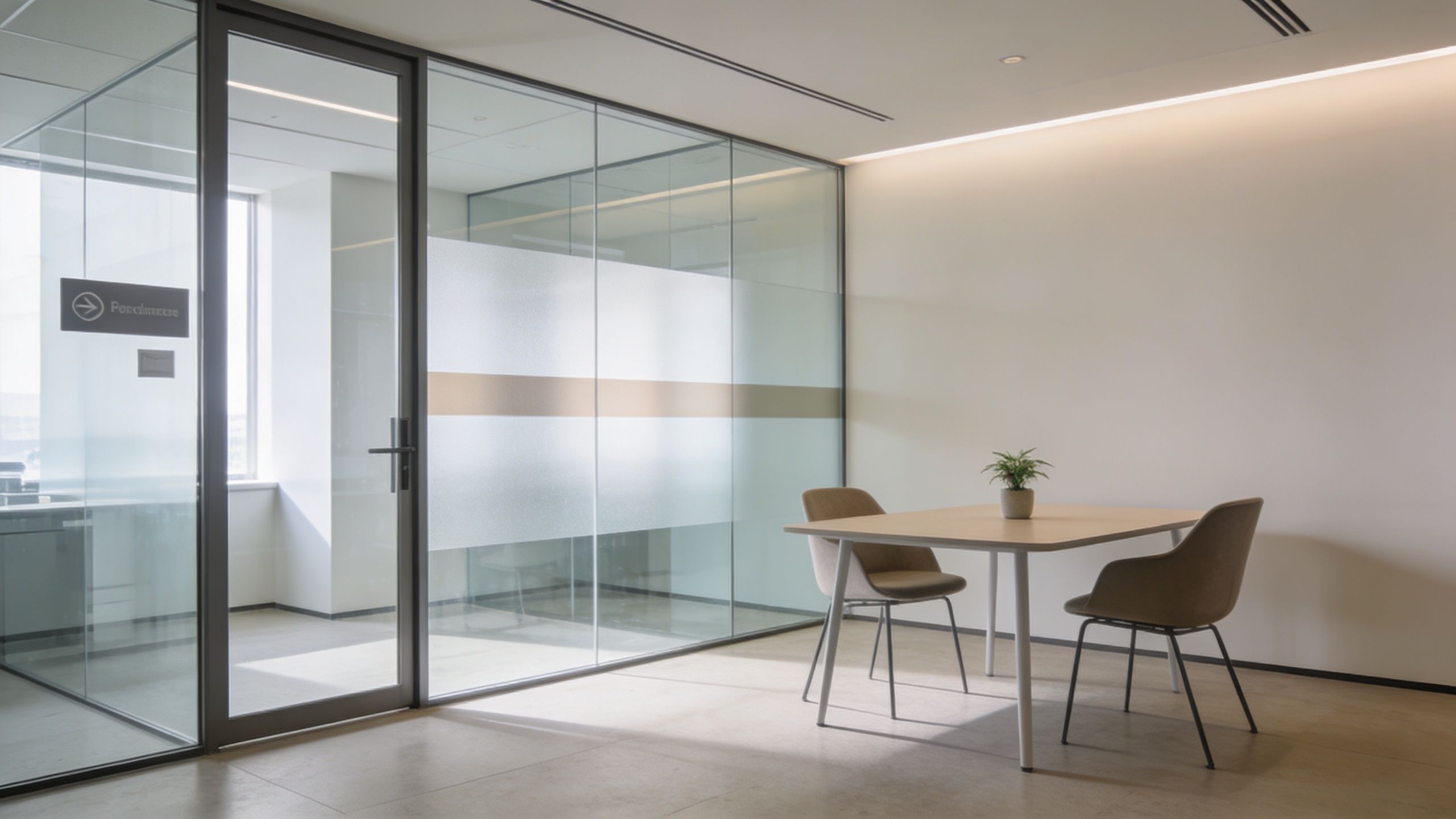
Glass performs best in spaces that need separation and visibility at the same time. Conference rooms, interview rooms, manager offices, and small focus rooms are the usual candidates. In client-facing businesses, it can make private areas feel more polished and intentional without creating a heavy, closed-in layout.
Placement matters more than the material itself. A glass meeting room along the perimeter can borrow daylight and share it with the interior. A glass office facing a busy corridor may need frosted bands or partial film so people are not on display during every conversation.
The trade-off is straightforward. More transparency improves openness and sightlines, but it can reduce perceived privacy. More frosting or heavier framing improves discretion, but it also cuts some of the lightness that makes glass attractive in the first place.
Use these criteria when specifying a system:
- Framed vs. frameless: Framed systems usually cost less and can be more forgiving in high-traffic offices. Frameless systems look cleaner and more premium, but they typically require tighter installation tolerances.
- Acoustic expectations: Standard glass defines space well, but it will not create true speech privacy on its own. For HR, legal, finance, or executive use, confirm the door seals, panel construction, and sound rating before you buy.
- Privacy treatment: Frosted film, gradient film, or switchable privacy glass works well where visibility needs to change by room type.
- Maintenance reality: Fingerprints, dust, and smudging show fast on glass. Choose hardware and cleaning routines your facilities team can maintain.
- Reconfiguration potential: Demountable systems cost more upfront than basic stud walls in some cases, but they are often the better long-term choice if your floor plan is likely to change.
I usually advise clients to reserve full transparency for rooms where collaboration and visibility support the work, then add selective screening where trust and confidentiality matter more. That balance gives you the modern look many firms want without creating a workplace that feels exposed.
Used well, glass partitions do more than improve appearance. They help the office run with more clarity, better zoning, and fewer compromises between openness, privacy, and brand presentation.
3. Invest in Ergonomic Seating and Adjustable Desks
A workstation can look polished in a walkthrough and still create daily drag for the people using it. By lunchtime, that shows up as fidgeting, bad posture, desk clutter, and reduced focus. For employers, this is not just a comfort issue. It affects output, consistency, and how seriously the workplace supports its staff.
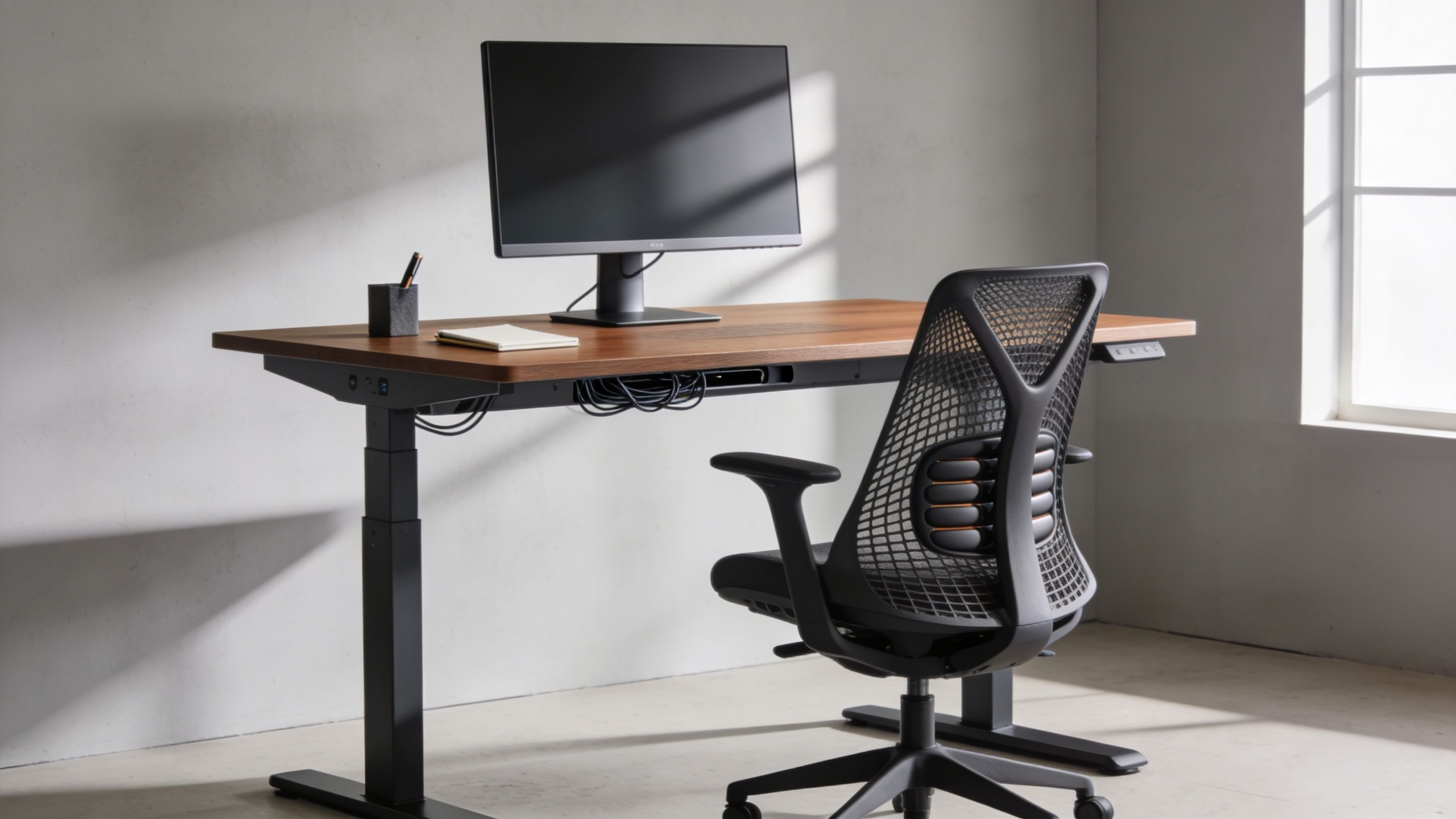
Furniture does real operational work. A chair that adjusts properly supports longer focus blocks and fewer complaints. A desk with enough usable surface lets people work across monitors, documents, and devices without improvising around a space shortage. In practice, that matters more than many decorative upgrades because staff interact with these pieces all day, every day.
Comfort has to be adjustable
The common purchasing mistake is standardizing too aggressively. One chair model may simplify procurement, but it does not automatically fit a mixed workforce. Seat depth, lumbar adjustment, arm width, back height, and recline tension all affect whether a person can work comfortably for a full day.
Height-adjustable desks need the same scrutiny. Full sit-stand desks usually make more sense for permanent workstations, especially in offices trying to support wellness at scale. Desk converters can work for smaller budgets or phased rollouts, but they often reduce usable surface area and can feel unstable with heavier monitor setups.
Training matters too.
If employees do not know how to set monitor height, keyboard position, chair arms, or standing intervals, the specification looks good on paper and underperforms in the room.
Use these standards when evaluating the upgrade:
- Match furniture to the role: Designers, finance teams, reception staff, and managers all use desks differently.
- Buy for adjustment range: Wider fit ranges improve usability across body types and reduce replacement risk later.
- Protect working surface: Two monitors, docking hardware, notebooks, and personal items add up quickly.
- Plan for rollout support: Include setup guidance, not just delivery and installation.
- Review durability and warranty: High-use chairs and lifting columns need commercial-grade performance, not residential specs.
I usually tell clients to treat ergonomic furniture as part of workplace strategy, not as a finishing touch. It strengthens retention, supports wellness goals, and signals that the business understands how work happens. Among office room decorating ideas, this is one of the clearest places where design improves both employee experience and day-to-day performance.
4. Harness Color Psychology with Strategic Finishes
A client can spend heavily on furniture and still end up with an office that feels flat, distracting, or oddly tense. Color and finish selection often cause that problem. They shape how space reads at first glance, how brand shows up in daily use, and how long the office still looks current after the launch photos are done.
For workplace projects, color works best as a business decision, not a styling exercise. The goal is to support focus, reinforce brand identity, and hold up across multiple departments, floors, or future expansions. Loud palettes usually date faster. Highly glossy finishes show wear, fingerprints, and patch repairs faster too.
Use color to support the job of the room
Focus rooms, executive offices, and heads-down work areas usually benefit from cooler, quieter tones. Soft blues, greens, muted taupes, and warm neutrals help reduce visual noise. Collaboration areas can carry more energy through terracotta, rust, muted ochre, or controlled brand accents, but the saturation still needs restraint if teams spend long periods there.
Reception is different. It carries brand first and work second, so feature walls, branded joinery, or statement finishes make more sense there than across the full office.
Finish choice matters as much as hue. Matte and low-sheen surfaces usually perform better in commercial interiors because they soften glare and hide everyday wear. That becomes even more important under strong overhead lighting or near glazed partitions. If your team is reviewing finish schedules as part of a wider fit-out, safety checks on installed electrical equipment still need to stay in scope. Electricians London 247's PAT guide is a useful reference for that side of the process.
A practical specification usually follows a simple hierarchy:
- Keep large surfaces quiet: Walls, major storage banks, and workstation panels should create a stable background.
- Use one or two supporting tones: Repeat them across upholstery, joinery, or acoustic elements so the office feels intentional.
- Save stronger color for controlled moments: Reception desks, meeting rooms, breakout areas, and graphics can carry more personality.
- Test under real conditions: Review samples in daylight and under installed artificial lighting before approval.
- Choose finishes for maintenance: Scrubbable paint, durable laminates, and low-sheen surfaces age better in busy offices.
I usually advise clients to judge color schemes by three questions. Does the palette help people work? Does it represent the company clearly? Will it still look credible after two years of daily use?
That filter prevents a lot of expensive mistakes. Among office room decorating ideas, strategic color and finish selection has one of the highest visual impacts per pound spent, but only when it is tied to function, maintenance, and brand discipline.
5. Integrate Smart Storage and Cable Management
A workstation can have good furniture, decent finishes, and strong lighting, then still look poorly managed because cables are visible and storage is an afterthought. Clients notice it. Employees notice it faster.
This part of office decorating has direct business value. Good storage reduces visual noise, protects confidential material, speeds up cleaning, and makes daily reset routines realistic. Cable management does similar work behind the scenes. It lowers trip risk, keeps power access usable, and stops desks from turning into permanent dumping grounds for chargers, adapters, and paper.
The right solution depends on how the team works. Legal and finance teams usually need lockable storage close to the desk. IT-heavy departments need planned routes for monitor arms, docking stations, and under-desk power. Hybrid offices often need a mix of personal lockers, shared cabinets, and reservable storage so hot-desking does not create clutter by noon.
I usually tell clients to treat storage and cabling as part of the fit-out scope, not as accessories purchased at the end. Retrofitted cable covers and spare drawer units rarely match the furniture properly, and they almost never solve the full problem.
A practical specification often includes:
- Lockable personal storage: Supports hybrid working and protects sensitive documents or valuables.
- Vertical storage: Adds capacity without consuming more floor area.
- Integrated cable trays and floor access points: Keeps power and data routes controlled at desk level.
- Shared storage banks: Better for team resources than overloading individual workstations.
- Clear reset standards: Desks stay tidy only when people have designated places for everyday items.
Safety also needs to stay in view, especially where workstation power loads are dense or layouts are being reconfigured. Managers planning equipment locations and testing schedules can use Electricians London 247's PAT guide as a practical reference.
Storage is one of the least glamorous budget lines in an office project. It is also one of the easiest ways to improve how professional the space feels, how well the office supports focused work, and how consistently the workplace reflects the company's standards.
6. Incorporate Biophilic Design and Natural Elements
A workspace with hard surfaces, flat lighting, and no organic texture tends to wear people down by mid-afternoon. Adding natural elements is not just a style choice. It is a practical way to make the office feel calmer, more professional, and easier to use for long stretches of focused work.
For business decision-makers, the value is broader than appearance. Biophilic design can support concentration, reinforce a healthier workplace culture, and signal brand maturity to staff, clients, and recruits. The best results come from using natural features with intent in high-occupancy areas such as workstations, meeting rooms, reception zones, and breakout spaces.
Use natural elements where they earn their keep
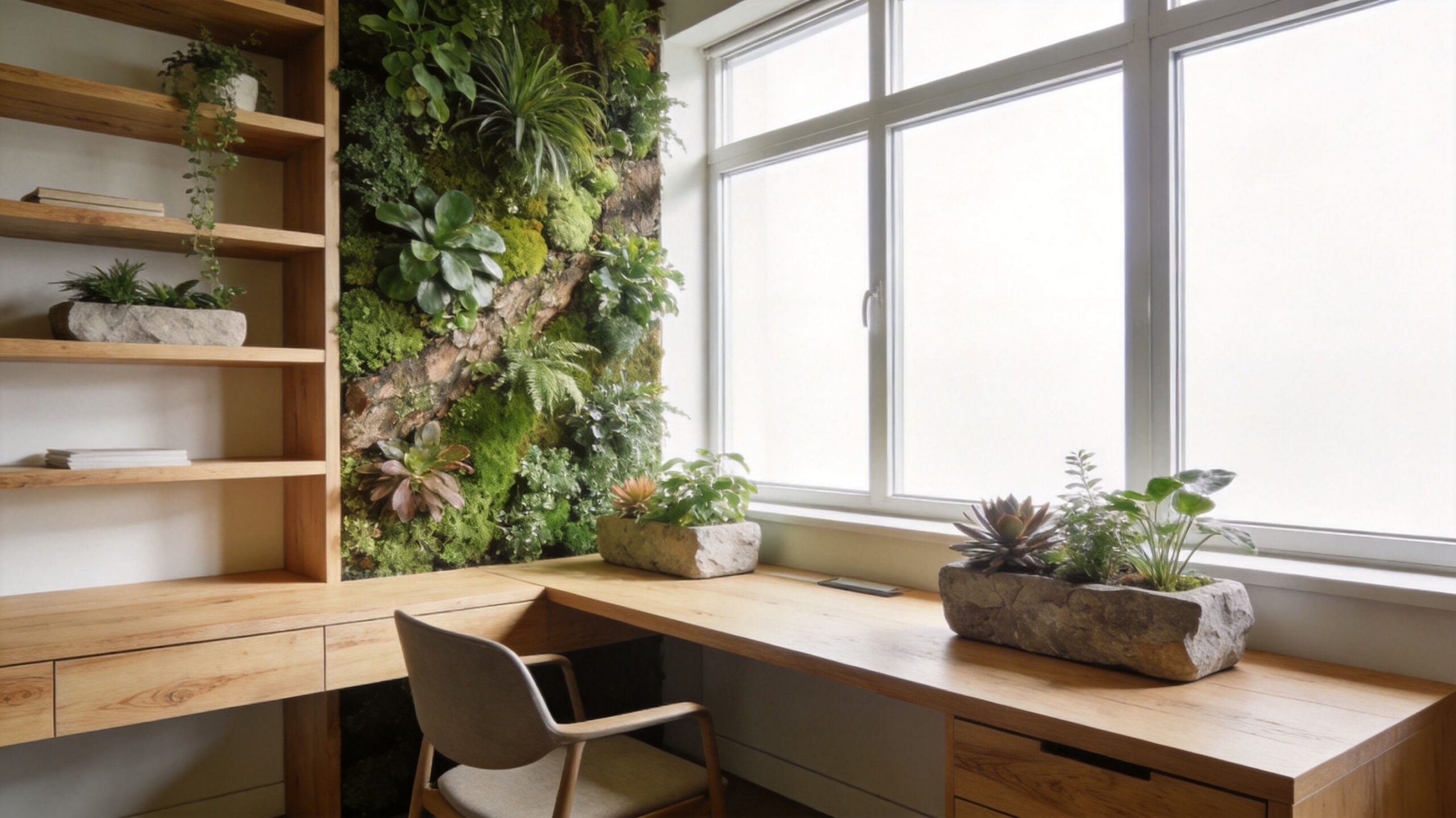
A planter wall in reception can look impressive, but it does less for daily performance than greenery near desks, shared tables, or internal rooms with limited visual relief. Placement matters more than volume.
In practice, a strong biophilic scheme often includes a mix of:
- Low-maintenance live plants: Snake plants, pothos, ZZ plants, and peace lilies usually cope better with office conditions than delicate species.
- Wood-look finishes: Good laminates and veneers warm up joinery, desks, and storage without the upkeep demands of solid timber.
- Natural light access: Keep window lines as open as possible and avoid blocking them with tall storage or bulky decorative items.
- Nature-based artwork and textures: Useful in enclosed offices, corridors, and meeting rooms where live planting is not realistic.
- Centralized maintenance plans: A smaller number of healthy plants is better than a larger number of neglected ones.
I usually advise clients to decide early whether they are committing to live planting or using a mixed approach. Live plants look better when someone owns the watering, pruning, and replacement schedule. If that responsibility is vague, high-quality faux greenery often delivers a better business result than half-maintained real plants.
Personalization can help here too, especially in hybrid offices where individual attachment to the workspace is weaker. A controlled framework works better than a free-for-all. Give teams defined areas for small plants, natural accessories, or framed prints, then set standards so the office still reads as one coherent brand environment.
Good biophilic design should feel calm, usable, and scalable. If the office starts to resemble a themed café or a greenhouse, the scheme has gone too far.
7. Prioritize Acoustic Solutions and Sound Management
A team moves into a polished new office. Within a week, the complaints start. Heads-down work takes longer, sales calls spill into project discussions, and meeting rooms feel loud even when they are half full. The problem is not the furniture or the finishes. It is sound.
Acoustics shape productivity, privacy, and employee comfort more than many decorating decisions. They also affect how professional the workplace feels to clients, candidates, and staff. In practice, noise control is not a finishing touch. It is part of workplace performance.
Layer acoustics instead of relying on one fix
One product rarely solves an acoustic problem on its own. Hard surfaces reflect sound. Open ceilings let it travel. Low partitions do little to stop speech from carrying. Good results come from combining absorption, separation, and layout choices based on how each area is used.
For open-plan offices, the most effective upgrades usually include:
- Fabric-wrapped wall panels: Place them at reflection points and near conversation zones, not just where they fill empty wall space.
- Carpet tile or rugs: Reduce footfall noise and soften sound in circulation routes, team areas, and breakout spaces.
- Acoustic screens or higher partitions: Help limit speech transfer between groups with different work styles.
- Acoustic artwork: Useful when leadership wants the room to stay design-forward without giving up function.
- Ceiling baffles or suspended acoustic elements: Often worth the cost in offices with exposed decks, where wall treatments alone will not control reverberation.
The trade-off is straightforward. Better acoustic control usually means adding more soft, sound-absorbing materials to a scheme that may have started with glass, concrete, stone-look surfaces, or exposed structure. That does not mean abandoning a modern look. It means balancing visual clarity with usable sound conditions.
I usually advise clients to map noise by activity, not by department name. A finance team may need quiet concentration. A customer support pod may need speech privacy. A collaboration corner may tolerate more energy if it is buffered from focus desks. Once those differences are clear, acoustic spending becomes easier to justify because it supports output, not just comfort.
Sound control should be visible in the plan, not left to complaints after move-in.
Among office room decorating ideas, acoustics often gets pushed down the list because it is less visible than lighting, finishes, or furniture. In business terms, that is a mistake. Offices that sound better tend to work better, feel less tiring, and scale more successfully as teams grow.
8. Design Flexible Collaborative Zones and Multi-Use Spaces
Teams don't work in one mode all day. They shift between focused work, quick alignment, private calls, reviews, and informal problem-solving. Decorating should support that rhythm instead of forcing every activity into the same furniture layout.
That shift is one reason the market keeps moving toward flexibility. The global office decoration market was valued at $5.1 billion in 2022 and is projected to reach $7.9 billion by 2032, growing at a 4.5% CAGR, according to Allied Market Research's office decoration market report. Demand is being driven by modular furniture, versatile designs, and smart workplace technologies built for hybrid use.
Make collaboration intentional
The best collaborative zones aren't giant lounges that everyone walks past and nobody uses. They're specific. A two-person touchdown table near a project team. A writable wall beside a standing-height table. A soft-seating nook for informal one-on-ones. A reservable room for private huddles.
What doesn't work is blurring every boundary. If collaboration space spills into focus space, both suffer.
Use a mix of settings:
- Small touchdown areas: For quick check-ins that don't justify booking a room.
- Reservable team rooms: For discussions that need privacy or screen sharing.
- Writable surfaces: Whiteboards still earn their place because they make active thinking visible.
- Mobile furniture: Best when teams regularly reconfigure for workshops or reviews.
A creative agency may want open critique zones beside enclosed edit rooms. A startup incubator may need modular tables that shift from solo work to group sessions by the afternoon. Flexibility matters most when it's attached to real behaviors.
9. Master Lighting Design for Task and Ambiance
A team can have good furniture, smart storage, and a polished layout, then still struggle because the lighting works against the room. People feel that problem fast. Eyes tire earlier, video calls look harsh, focus drops in the afternoon, and the office starts to feel cheaper than it is.
Lighting affects productivity, comfort, and brand perception at the same time. That makes it a business decision, not a finishing touch.
Layer light by function
Offices work better with a lighting plan built around tasks. Ambient lighting handles overall visibility and circulation. Task lighting supports heads-down work at desks, counters, and meeting tables. Accent lighting adds depth in reception areas, client-facing spaces, and zones where brand presentation matters.
One overhead grid rarely does all three well.
The trade-off is straightforward. Uniform ceiling light is easier to specify and maintain, but it often creates flat rooms, screen glare, and poor visual comfort. A layered approach takes more planning up front, yet it gives employees better working conditions and gives the space more control over mood and use.
A few practical rules hold up across office types:
- Protect daylight access: Keep tall storage, dense shelving, and high partitions away from perimeter windows.
- Add user control: Adjustable desk lamps and localized task lights help different employees work comfortably without overlighting the whole floor.
- Manage glare early: Place monitors to reduce reflection from windows and ceiling fixtures, especially in conference rooms.
- Use dimming in shared spaces: Training rooms, boardrooms, and multi-use areas need different light levels throughout the day.
- Choose color temperature by activity: Neutral light usually supports focus better in work zones, while warmer tones often suit lounges and hospitality areas.
This is also where many offices overspend or underspecify. Decorative fixtures can strengthen a reception area or executive suite, but they should not carry the full lighting load. In workstation areas, performance matters more than statement pieces. In client-facing zones, appearance matters more than in back-of-house spaces. Good lighting design respects both priorities instead of forcing one standard across the whole floor.
A design firm may want controlled accent lighting around samples, displays, or feature walls. A support center usually benefits from even, comfortable illumination that reduces visual fatigue over long shifts. The right setup follows the work, the schedule, and the people using the room.
10. Begin with Professional Space Planning and Workflow Optimization
A new office can look polished on day one and still frustrate people by day three. Employees cut through meeting areas to reach printers, managers struggle to seat related teams together, and storage ends up wherever it fits instead of where it supports the work. Those are planning failures, not decorating details.
Professional space planning treats decor as an operating decision. Before selecting finishes, furniture, or accessories, map how the business runs. Identify which teams need quiet, which groups depend on fast handoffs, where visitors enter, how often people meet, and what has to change as headcount shifts. Hybrid work has only increased the value of this step because fewer companies can afford square footage that looks good but performs poorly.
Layout first, decorating with purpose
Different departments use space in different ways. A support team often needs clear supervisor sightlines and controlled noise. A product group may work better in clusters near project rooms. HR usually needs more privacy, better acoustic control, and less exposure to main circulation routes. Good decorating decisions support those operational needs instead of fighting them.
Use a few planning rules before committing to furniture or finishes:
- Seat teams by workflow, not org chart alone: Put frequent collaborators close enough to reduce wasted movement and delays.
- Plan infrastructure with the layout: Power, data, HVAC coverage, and access control shape what can go where.
- Reserve space for change: Growth, team reshuffles, and new equipment are common business events.
- Test the plan before buying: Simple space studies and furniture layouts catch expensive mistakes early.
This work pays off in measurable ways, even when the results are not obvious at first glance. Better adjacencies reduce interruptions. Cleaner circulation improves safety and visitor experience. Smarter placement of storage, shared tools, and support spaces saves minutes across the day, which adds up across a full team.
A well-decorated office should look like the company understands how work gets done. If the plan is wrong, every other design choice has to compensate for it. If the plan is right, the rest of the office performs better, scales more easily, and supports productivity, wellness, and brand standards at the same time.
Office Decor Ideas: 10-Point Comparison
| Item | Implementation Complexity 🔄 | Resource Requirements | Speed / Efficiency ⚡ | Expected Outcomes & Key Advantages 📊⭐ | Ideal Use Cases 💡 |
|---|---|---|---|---|---|
| 1. Implement Modular Cubicle Systems with Customizable Privacy | Moderate, needs space planning and coordination | Moderate capital for panels, finishes, and accessories | Fast to install and reconfigure | Flexible privacy + defined workstations, reduced distractions, scalable cost-effective alternative to walls | Growing teams, call centers, hybrid office transitions |
| 2. Define Spaces with Glass Partition Walls | Medium–High, precision installation and framing | Higher upfront cost for glass, framing, and glazing | Moderate, reconfigurable but installation is precise | Maintains light and sightlines, premium aesthetic, good acoustic options with special glazing | Client-facing spaces, conference rooms, firms valuing transparency |
| 3. Invest in Ergonomic Seating and Adjustable Desks | Low–Medium, furniture procurement and user training | Significant per-station investment; power for motorized desks | Rapid user-level efficiency and health benefits | Reduces strain and injuries, improves comfort and productivity, supports diverse users | High-hour workforces, wellness-focused organizations, hot-desking setups |
| 4. Harness Color Psychology with Strategic Finishes | Low, design selection and painting | Low cost for paint/finishes; minimal downtime | Very fast visual impact and easy refreshes | Improves mood and focus, defines zones, reinforces brand identity with low investment | Branding-centric offices, creative teams, budget-conscious refreshes |
| 5. Integrate Smart Storage and Cable Management | Medium, requires integration at design phase | Moderate for built-in storage, trays, lockable units | Improves daily efficiency; installation can coincide with fit-out | Reduces clutter and hazards, protects equipment, simplifies moves and maintenance | Tech-heavy environments, regulated industries, multi-monitor workstations |
| 6. Incorporate Biophilic Design and Natural Elements | Low–Medium, sourcing and placement plus maintenance plan | Variable, plants, finishes, and ongoing upkeep costs | Phased implementation; wellbeing benefits accrue over time | Lowers stress, improves air quality and morale, attracts talent | Organizations prioritizing wellness, spaces with natural light |
| 7. Prioritize Acoustic Solutions and Sound Management | High, needs professional acoustic analysis and coordination | Significant for panels, ceiling systems, masking and materials | Effective when designed correctly; may require disruptive installation | Substantially reduces noise, improves concentration and confidentiality | Call centers, open-plan offices, confidential work areas |
| 8. Design Flexible Collaborative Zones and Multi-Use Spaces | High, strategic zoning and furniture planning | Moderate–High for modular furniture, AV, and fittings | Highly adaptable; reconfiguration supports changing needs | Encourages collaboration, maximizes space utilization, supports hybrid work | Innovation teams, startups, organizations with diverse activity types |
| 9. Master Lighting Design for Task and Ambiance | Medium–High, requires lighting design and control planning | Moderate to high for fixtures, controls, and possible retrofits | Immediate benefits to comfort and productivity once implemented | Reduces eye strain, supports circadian rhythms and energy efficiency | Computer-intensive roles, extended-hour workplaces, health-focused spaces |
| 10. Begin with Professional Space Planning and Workflow Optimization | High, specialist analysis, mapping, and coordination | Consultant fees, planning tools, time investment | Slower upfront but yields long-term operational efficiency | Optimizes space use, reduces workflow friction, enables scalable layouts | Relocations, large-scale deployments, organizations planning growth |
Your Blueprint for a Better Workplace
A team arrives on Monday and gets to work without fighting the room. Calls stay contained. Focus tasks hold longer. Shared areas fill up because they are useful, not because someone mandated collaboration.
That result comes from design decisions tied to business performance. Office room decorating ideas do more than change how a space looks. They influence concentration, comfort, wayfinding, privacy, energy use, maintenance demands, and how clearly the brand shows up in daily experience.
The strongest offices are built as systems. A glass-fronted meeting room can improve sightlines and daylight, but it may need acoustic film, seals, or nearby sound control to protect confidentiality. Open benching can fit more people into a footprint, but without storage, cable management, and quiet zones, the savings often show up later as distraction and clutter. Branded finishes can sharpen identity for clients and recruits, yet they also need to hold up under traffic, cleaning, and reconfiguration.
That is the definitive standard for a good decorating plan. It should support output, reduce friction, and scale with the business.
I advise clients to make decisions in sequence. Start with space planning, traffic flow, work modes, and privacy requirements. Then select furniture, partitions, lighting, finishes, and accessories that reinforce those operational choices instead of competing with them.
This approach also makes approval easier. Facilities leaders can defend the spend because each item connects to a practical outcome, whether that is better utilization, fewer complaints, stronger first impressions, or a workplace that adapts as teams grow.
If you are ready to turn office room decorating ideas into an actionable office plan, Cubicle By Design can help you configure modular cubicles, glass walls, storage, and privacy solutions around your workflow, budget, and timeline. Explore product options, visualize layouts, and get expert support from Cubicle By Design.