


In today's dynamic work environment, a small office footprint doesn't have to mean small potential. The right layout can transform a compact space into a hub of productivity, collaboration, and employee well-being. But with limited square footage, every decision counts, and generic solutions often lead to cramped quarters, high noise levels, and frustrated teams. This guide moves beyond the obvious, offering eight distinct, actionable small office layout ideas tailored to different work styles and business goals.
Whether you're supporting a hybrid team, fostering deep focus, or encouraging agile collaboration, the key is intentional design. A well-planned space, like those we create at Cubicle By Design, isn't just about fitting in desks; it's about building a foundation for success. We'll explore how modular systems like our cubicles, strategic zoning, and flexible furniture can help you unlock your office's true potential. To fully maximize your small office, exploring essential office renovation tips can also help boost functionality and efficiency from the start.
This article provides the practical details you need, from space dimensions and pros and cons to furniture suggestions and implementation checklists. We will cover a range of options, from agile sprint setups and quiet focus zones to hybrid models that blend private office cubicles with open-plan areas. Let's dive into the layouts that can make your compact workspace work smarter for you.
1. The Dynamic Hub: Open Plan with Activity-Based Working (ABW)
Forget the traditional sea of identical desks. Activity-Based Working (ABW) transforms a small open office into a versatile, high-functioning ecosystem. This approach creates distinct zones tailored to different tasks, such as shared collaborative tables, quiet focus nooks, casual lounge areas, and private phone booths. Instead of being assigned to a single spot, employees choose the environment that best supports their work at any given moment.
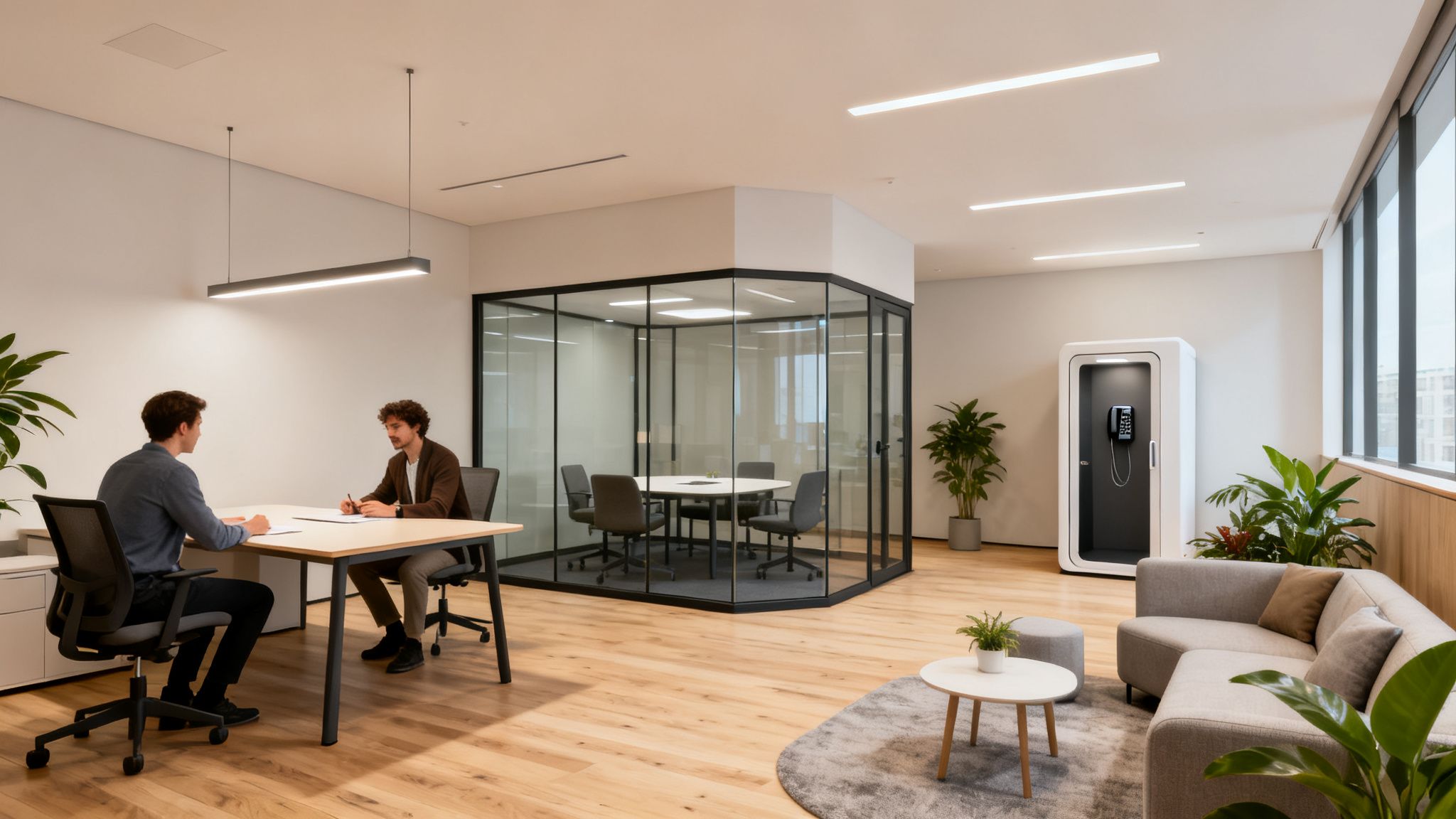
This fluidity is one of the most effective small office layout ideas because it maximizes every square foot and supports modern hybrid work models. The office becomes a destination for specific activities like brainstorming or client meetings, not just a daily requirement. Major companies like Google and Microsoft have successfully implemented ABW principles to boost innovation and employee satisfaction.
How to Implement an ABW Layout
- Zone Definition: Survey your team to understand their work patterns. Use this data to create a balanced mix of zones, aiming for a 60/40 ratio of open-to-enclosed spaces.
- Acoustic Management: Invest in quality acoustic panels and glass partitions to minimize noise transfer between zones. To create semi-private focus areas without sacrificing natural light, consider using modular glass walls.
- Flexible Infrastructure: Ensure power outlets and data ports are widely available throughout the space to allow employees to work from anywhere.
- Clear Wayfinding: Use clear signage, color-coded zones, and a digital booking system to help staff easily navigate the space and find available work areas.
- Furniture Selection: Choose adaptable furniture like movable whiteboards, modular seating, and height-adjustable desks. Consider adding a few of our private office cubicles to serve as dedicated focus pods.
ABW is a strategic layout that fosters autonomy and empowers teams to work smarter. By giving employees control over their environment, you can enhance productivity, collaboration, and overall job satisfaction. For a deeper look at how this compares to traditional setups, you can explore the differences between an open office vs. a cubicle environment.
2. Modular Cubicle Layout with Privacy Panels
The modern cubicle offers a structured, cost-effective solution that brilliantly balances individual focus with team accessibility. This approach uses modular systems arranged in pods or grid patterns, featuring adjustable privacy panels to create a dedicated workspace for each employee. Unlike the monolithic cubicle farms of the past, today’s systems provide personalization, acoustic control, and a clear organizational framework perfect for small offices.
This setup is one of the most practical small office layout ideas for roles requiring deep concentration, such as in accounting, legal, and IT departments. The defined personal space minimizes distractions and allows for customization, which can significantly boost productivity and employee morale. Companies like Steelcase and Herman Miller pioneered these systems, making them a staple in Fortune 500 back-office operations and government agencies.
How to Implement a Modular Cubicle Layout
- Customize Panel Heights by Role: Use taller panels (around 67 inches) for roles handling sensitive information, such as HR or finance. Opt for lower panels (42–48 inches) for collaborative teams to maintain an open feel while still providing a defined personal area.
- Integrate Infrastructure: Plan for electrical and data needs from the start. Modern workstation cubicles often include built-in power solutions, ensuring a clean, cable-free setup that supports future tech upgrades.
- Maximize Limited Desk Space: In a compact cubicle, every inch counts. Install monitor arms to lift screens off the desk surface and invest in high-quality ergonomic seating to support employee comfort and well-being.
- Visualize Before You Buy: Use our free Cubicle Designer to map out your layout. This helps you optimize traffic flow and ensure the configuration fits your space perfectly before you purchase.
- Balance with Collaborative Zones: Combine cubicle pods with small, centrally located touchdown tables. This encourages team members to step away from their desks for quick meetings or brainstorming sessions without disrupting others.
Modular cubicles provide a reliable and scalable framework for any small office. They offer a sense of ownership and privacy that is often lost in fully open plans. To further enhance this, you can explore the benefits of adding privacy screens for cubicles to boost acoustic and visual separation.
3. The Collaborative Hub: Bench Seating & Shared Tables
Popularized by the tech industry and fast-paced startups, the bench seating layout replaces individual desks with long, shared tables. This highly efficient model places team members side-by-side, creating an energetic and collaborative environment perfect for teams that thrive on constant communication and real-time problem-solving. It’s a design that strips away physical barriers to foster a strong sense of community and shared purpose.
This setup is one of the most cost-effective small office layout ideas because it maximizes headcount per square foot. It’s ideal for functions like software development, creative agencies, and newsrooms where rapid iteration and teamwork are paramount. Major innovators like Apple and Facebook utilized this approach in their early stages to fuel a culture of open innovation and agility.
How to Implement a Bench Seating Layout
- Balance Openness with Privacy: While the core is open, you must provide alternatives. Designate small, quiet zones or install a few private phone booths for confidential calls and deep-focus work.
- Prioritize Ergonomics: Employees will spend their entire day at these tables, so invest in high-quality ergonomic chairs and individual task lighting. Monitor arms are essential for reducing desk clutter and allowing for flexible screen positioning.
- Provide Personal Storage: Since personal desk space is limited, provide secure lockers or personal cubbies where employees can store valuables, bags, and other belongings.
- Establish Clear Etiquette: Create and communicate clear policies for shared workspace cleanliness, noise levels, and personal item placement to prevent clutter and minimize friction between colleagues.
- Offer Posture Variety: Consider integrating standing-height tables or café-style seating areas nearby to encourage employees to change their posture and move throughout the day.
Bench seating excels at creating a dynamic, unified team atmosphere. To ensure it works for everyone, it must be supported by accessible quiet spaces. You can easily supplement this layout with our versatile workstation cubicles to create the necessary balance between collaboration and concentration.
4. Hybrid Cubicle and Open Space Mix
For the office that needs the best of both worlds, a hybrid layout blends the focused privacy of cubicles with the dynamic energy of open collaborative zones. This balanced approach creates defined “neighborhoods” where small teams have dedicated individual workstations alongside shared resources like tables, lounge areas, or meeting pods. It directly addresses the needs of a diverse workforce, supporting deep concentration and spontaneous teamwork in equal measure.
This model is one of the most practical small office layout ideas because it offers structure without sacrificing flexibility. Companies like IBM and Microsoft have adopted similar neighborhood-based principles to support evolving hybrid work demands. The layout empowers teams by giving them a home base for both individual tasks and group projects, making the office a highly functional and adaptable environment.
How to Implement a Hybrid Layout
- Create Neighborhoods: Arrange clusters of 4-6 cubicles around a central collaborative hub, such as a 48-60 inch round table. This gives teams a dedicated space for quick touchpoints and brainstorming sessions.
- Vary Panel Heights: Use higher panels for roles requiring intense concentration and lower panels for team members who collaborate frequently, fostering both privacy and interaction.
- Define Boundaries Smartly: Use modular glass walls to separate neighborhoods. This provides visual and acoustic separation while allowing natural light to flow through the entire office.
- Provide Meeting Space: Aim to include one 8-10 person meeting room or a few smaller pods per neighborhood to support team meetings and private client calls.
- Maximize Personal Space: Equip each cubicle with task lighting and monitor arms to free up desk surface area and improve ergonomics in compact spaces. Our workstation cubicles are designed to maximize efficiency in these setups.
A hybrid layout acknowledges that no single work style fits all. By providing a mix of environments, you can boost productivity and cater to the diverse needs of your employees. You can explore how office trends boost employee productivity to see how this model fits into the modern workplace.
5. Quiet Focus / NoiseControl Zone Layout
In an era dominated by open-plan collaboration, the value of deep, uninterrupted work is often overlooked. A Quiet Focus or NoiseControl Zone layout directly addresses this by creating a sanctuary for tasks demanding concentration, such as coding, writing, or financial analysis. This approach carves out dedicated areas shielded from the noise and foot traffic of the main office, using acoustic isolation and individual workstations to minimize distractions.
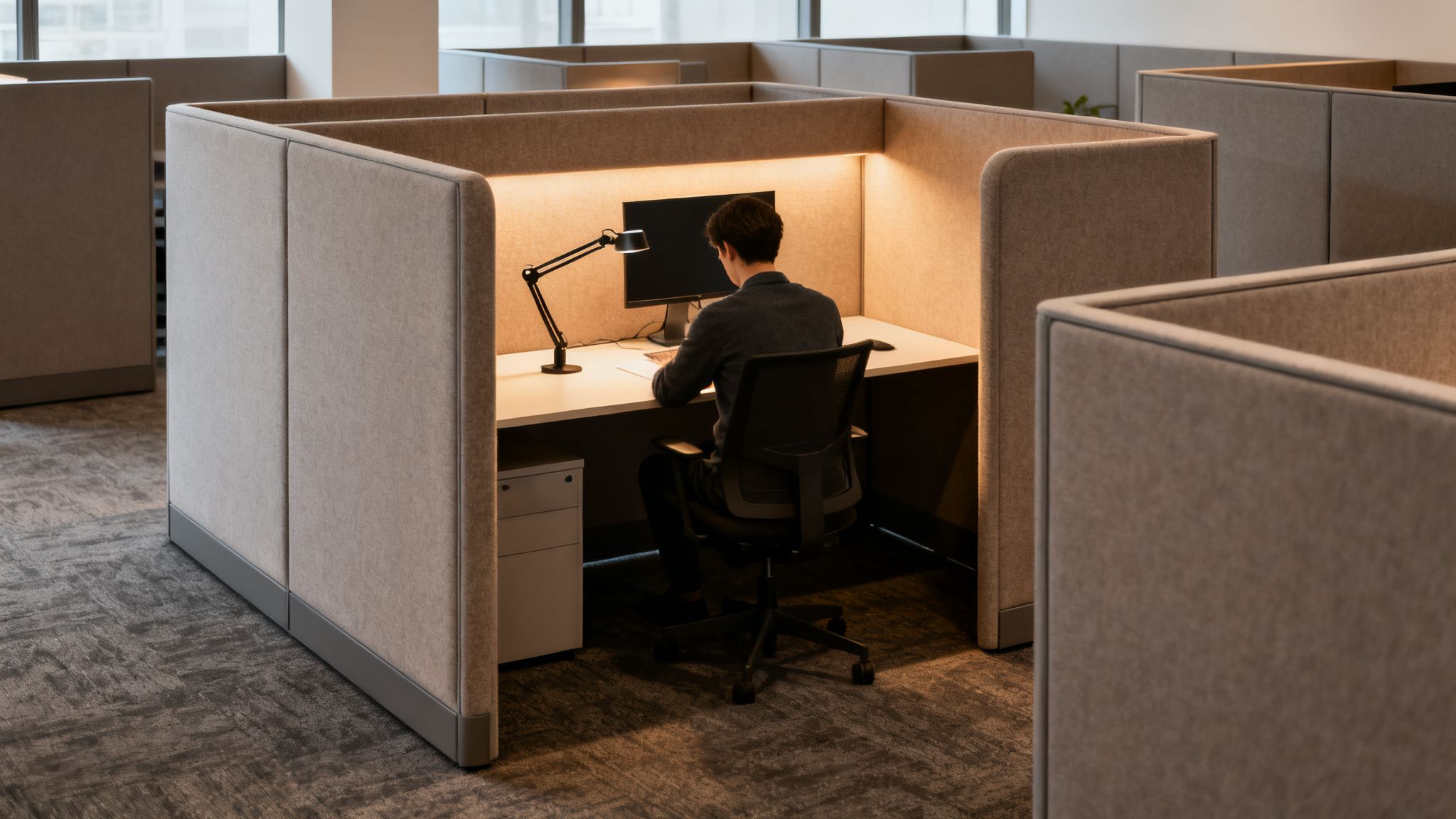
This intentional separation is one of the most crucial small office layout ideas for teams with diverse roles. It acknowledges that not all work is collaborative and provides the necessary environment for high-stakes, focused output. This concept, championed by figures like Susan Cain and implemented by tech giants like Google, recognizes that providing quiet spaces directly correlates with enhanced productivity and reduced employee stress.
How to Implement a Quiet Focus Zone
- Acoustic Cubicles: Utilize cubicles with high panels, such as our Series 7 models at their maximum 67-inch height, made from acoustic-rated materials to absorb sound. This creates a strong first line of defense against office chatter.
- Sound Dampening: Install acoustic ceiling tiles and carpeting to absorb ambient noise and reduce sound reverberation from hard surfaces. White noise machines can also be used to mask disruptive external sounds effectively.
- Strategic Placement: Position the quiet zone away from high-traffic areas like kitchens, entrances, and main collaborative spaces. Establish clear entry and exit paths to prevent people from cutting through the zone.
- Visual Boundaries: Use clear signage to designate the area as a quiet zone. For a more modern and less isolating feel, you can learn more about how office glass partition walls can create visual separation while containing sound.
- Establish Protocols: Set clear guidelines for the space, such as prohibiting phone calls and conversations. Consider a booking system or rotating access schedule if dedicated quiet desks are limited, ensuring everyone gets a chance for focused time.
By creating a dedicated area for concentration, you empower employees to perform their best work without interruption. This layout is a powerful way to support neurodiversity and varied work styles within a single, cohesive office environment.
6. Agile / Scrum Sprint Layout
Designed for high-speed, collaborative teams, the Agile / Scrum Sprint Layout turns a small office into a high-visibility project command center. This layout organizes the space into co-located team pods, each with dedicated areas for daily stand-ups and large visual management walls for Kanban boards or burndown charts. The focus is on minimizing physical barriers to foster rapid communication and complete transparency of the team’s workflow.
This model is one of the most effective small office layout ideas for tech, product development, and creative teams because it physically reinforces agile ceremonies like sprint planning and retrospectives. The environment itself becomes a tool for productivity. Tech giants like Atlassian and teams within Amazon have famously used this pod-based structure to accelerate development cycles and enhance team cohesion.
How to Implement an Agile / Scrum Layout
- Create Team Pods: Group teams of 6–10 members into defined zones. Use open-plan desks or low-height workstation cubicles (42–48 inch panels) to maintain sightlines while creating a sense of team identity.
- Dedicate Collaboration Space: Allocate 15–20% of each pod’s area for daily stand-ups and impromptu meetings. This can be an open space marked on the floor or a small cluster of mobile tables.
- Install Visual Walls: Dedicate at least one large wall per pod for physical or digital Kanban boards. Large mobile whiteboards are a flexible alternative that can be reconfigured for different sprint activities.
- Prioritize Flexible Furniture: Use modular furniture like rolling tables, stackable chairs, and movable whiteboards to quickly adapt the space for sprint planning, reviews, or retrospectives.
- Provide Quiet Zones: While collaboration is key, deep focus is essential for sprint execution. Ensure there is at least one nearby quiet area or a private focus pod for every team to use for complex tasks.
- Support Hybrid Teams: Equip pods with large monitors and quality video conferencing equipment to seamlessly integrate remote team members into daily stand-ups and planning sessions.
The Agile Sprint Layout is a purpose-built environment that empowers teams to self-organize and communicate fluidly. By aligning the physical space with the team’s workflow, you can significantly boost project velocity and innovation.
7. Assigned Individual Offices / Private Office Layout
The traditional private office layout dedicates an enclosed, individual space to each employee or a small team. This approach prioritizes privacy, minimizes distractions, and provides a clear sense of personal territory. While more space-intensive than open concepts, it remains one of the most effective small office layout ideas for professions where confidentiality, deep concentration, and frequent one-on-one meetings are paramount.
This layout is a cornerstone in industries like law, finance, and healthcare, where sensitive information is handled daily. The acoustic and visual separation allows for focused work and private client consultations without interruption, establishing a professional and secure atmosphere. It supports roles that demand uninterrupted cognitive effort, such as those in research, human resources, or executive leadership.
How to Implement a Private Office Layout
- Strategic Allocation: Reserve fully enclosed offices for roles requiring absolute client confidentiality or handling sensitive HR and financial data. For other staff, consider semi-private spaces using partial walls to maintain a degree of privacy without complete isolation.
- Balance Privacy and Light: Incorporate glass partition walls and doors to maintain visual connectivity and allow natural light to flow through the office. This prevents a feeling of confinement while still offering acoustic separation.
- Optimize Space: To maximize floor space outside of the offices, centralize shared resources like printers, supply closets, and break areas. Designate a shared conference room for larger team meetings rather than equipping each office for group work.
- Smart Furnishings: Ensure each office has adequate storage, such as filing cabinets and shelving, to keep work surfaces clear and organized. Integrated cable management systems are crucial for maintaining a tidy and functional tech setup.
- Consider Hybrid Solutions: For a modern take, you can blend private offices with open workstations. For example, a cubicle office with a door provides a lockable, private space within a more modular and cost-effective footprint than traditional construction.
By carefully planning the allocation and design of individual offices, you can create a highly functional environment that supports focused work and reinforces a professional image. This layout is ideal for teams that value autonomy, privacy, and a quiet, controlled workspace.
8. Touchdown / Hot-Desking Layout with Remote Support
Embrace the ultimate in flexibility by transforming your small office into a dynamic hub for a mobile workforce. The touchdown, or hot-desking, layout eliminates assigned seating. Instead, remote employees, field staff, and hybrid team members use available desks on a first-come, first-served or reserved basis when they come into the office. This model is one of the most efficient small office layout ideas for companies with a remote-first or hybrid culture.
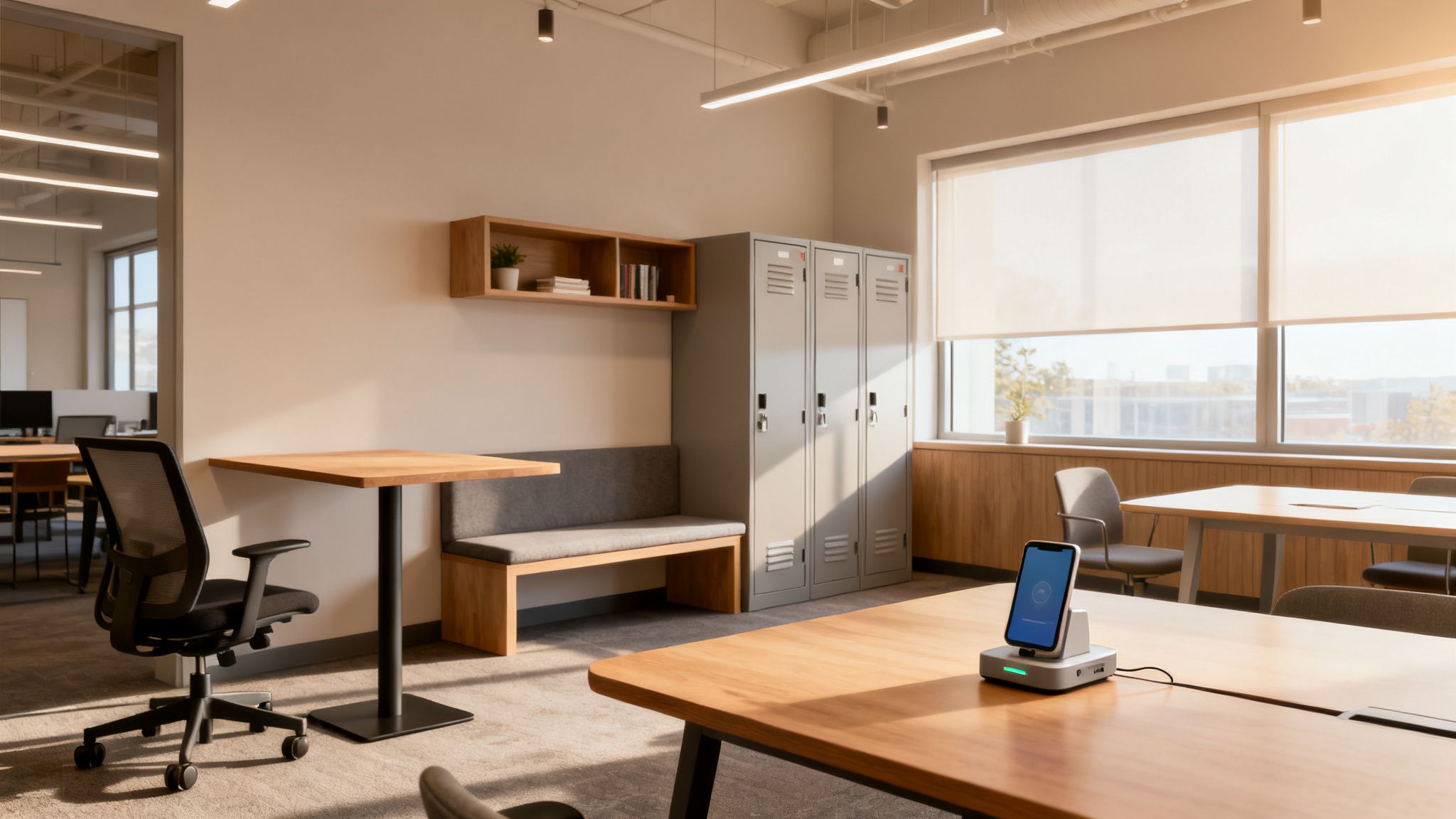
The office transitions from a daily requirement to a destination for intentional collaboration, client meetings, and focused individual work. This approach is famously used by remote-first pioneers like GitLab and Automattic, as well as major consulting firms, to maximize real estate and support modern work styles. It significantly reduces the need for a 1:1 desk-to-employee ratio, freeing up space and budget.
How to Implement a Touchdown/Hot-Desking Layout
- Provide Sufficient Space: Plan to have enough touchdown stations to accommodate 70-80% of your remote workforce on peak in-office days. This ensures everyone who comes in has a place to work comfortably.
- Invest in Universal Tech: Equip desks with universal docking stations, ample power outlets, and high-speed Wi-Fi to ensure a seamless plug-and-play experience for every user. For truly agile hubs, consider integrating modern Wi-Fi VoIP phones to free desks from cables and allow employees to work from anywhere in the office.
- Offer Personal Storage: Since desks are unassigned, install secure lockers or cubbies where employees can store personal belongings and work equipment overnight.
- Use a Booking System: Implement a digital desk reservation system to manage high-traffic days and allow employees to book a desk, meeting room, or private pod in advance.
- Create Diverse Work Zones: Supplement standard desks with a variety of work environments. Include lounge areas for casual work, collaboration tables for team projects, and a few of our workstation cubicles to serve as quiet focus areas.
A hot-desking layout is a forward-thinking solution that optimizes space while empowering a flexible workforce. By providing a well-equipped and inviting hub, you encourage meaningful in-person connection and support the autonomy your modern team needs.
8 Small Office Layouts: Side-by-Side Comparison
| Layout | Implementation Complexity 🔄 | Resource Requirements ⚡ | Expected Outcomes 📊 | Ideal Use Cases 💡 | Key Advantage ⭐ |
|---|---|---|---|---|---|
| Open Plan Layout with Activity-Based Working (ABW) | Medium–High — requires change management and zoning | Moderate–High — varied furniture, acoustic treatments, power/data | Flexible space use, increased collaboration, reduced real estate cost; noise risk | Startups, hybrid-first companies, innovation teams | ⭐ High flexibility and space efficiency; fosters spontaneous collaboration |
| Modular Cubicle Layout with Privacy Panels | Low–Medium — modular install and straightforward reconfiguration | Moderate — cubicle systems, panels, integrated cabling | Strong focus and acoustic isolation; clear ownership | Call centers, legal, finance, enterprise back-office | ⭐ Proven privacy and productivity with scalable reconfiguration |
| Bench Seating / Shared Table Layout | Low — simple furniture layout, minimal partitioning | Low — long tables, seating; limited personal storage | Maximum collaboration and space efficiency; low privacy | Small startups, creative agencies, flat engineering teams | ⭐ Maximizes team cohesion and cost-effectiveness |
| Hybrid Cubicle and Open Space Mix | High — careful neighborhood planning and zoning | High — mix of cubicles, pods, acoustic solutions | Balanced privacy and collaboration; adaptable to hybrid models | Mid-sized firms, professional services, mixed work styles | ⭐ Best balance between focused work and teamwork |
| Quiet Focus / NoiseControl Zone Layout | Medium — requires zoning, protocols, enforcement | High — acoustic-rated panels, enclosed pods, specialized materials | Significantly improved deep-work quality and reduced errors | Engineering, data science, research, neurodiverse staff | ⭐ Maximizes concentration and output quality |
| Agile / Scrum Sprint Layout | Medium — pod clustering and visual-management setup | Moderate — mobile furniture, large boards, AV for remote | Faster decisions, improved team velocity, visible workflows | Agile software teams, product development squads | ⭐ Optimizes Agile ceremonies and rapid iteration |
| Assigned Individual Offices / Private Office Layout | Medium — partitioning/fit-out, HVAC and electrical planning | Very High — per-seat square footage, doors, furniture, construction | Maximum privacy and professionalism; highest per-seat cost | Executives, legal, HR, confidential client work | ⭐ Best for confidentiality, focus, and client-facing roles |
| Touchdown / Hot-Desking Layout with Remote Support | Medium — booking systems, wayfinding, policy rollout | Moderate — lockers, docking stations, robust IT/booking tools | High space utilization and flexibility; risk of dissatisfaction without rules | Remote-first orgs, consultants, field teams, startups | ⭐ Maximizes real estate efficiency for hybrid and mobile workforces |
Design Your Perfect Workspace Today
The journey to an optimized small office is not about finding more square footage; it's about making every square foot work smarter. Throughout this guide, we've explored a diverse range of small office layout ideas, from the collaborative energy of an Open Plan with Activity-Based Working to the focused sanctuary of a Quiet Zone. We've seen how modular cubicles can offer unparalleled flexibility, how Agile layouts can supercharge project sprints, and how a Hybrid model can provide the best of both worlds for a dynamic workforce.
The central lesson is clear: the most effective layout is a direct reflection of your team's unique needs, culture, and daily workflow. There is no universal "best" design, only the one that is best for your organization. A startup prioritizing rapid collaboration might thrive with a Bench Seating arrangement, while a law firm requiring confidentiality would benefit immensely from partitioned, private office cubicles. The power lies in moving beyond generic templates and strategically aligning your physical space with your business objectives.
Key Takeaways for Your Office Transformation
As you move forward, keep these core principles at the forefront of your planning process:
- Function Over Form: A beautiful office that hinders productivity is a failed design. Prioritize layouts that directly support your team’s primary tasks, whether that’s deep concentration, team brainstorming, or client-facing meetings.
- Flexibility is Future-Proof: The modern workplace is in constant flux. Opt for adaptable furniture and modular systems, such as versatile workstation cubicles, that can be reconfigured as your team grows or its needs evolve.
- Empower Your People: The best small office layout ideas provide choice. Incorporating a mix of spaces like focus pods, collaboration nooks, and touchdown stations empowers employees to select the environment best suited for their immediate task, boosting both satisfaction and output.
- Plan for Technology: A successful layout seamlessly integrates technology. Ensure you have adequate power access, strong Wi-Fi coverage, and dedicated areas for video conferencing to support both in-office and remote team members.
Your office is more than just a place to work; it's the physical embodiment of your company's culture and a critical tool for achieving your goals. By thoughtfully selecting and implementing the right layout, you're not just arranging furniture, you are architecting an environment for success. The right design can break down communication barriers, foster innovation, and send a powerful message to your team that their well-being and productivity are valued.
Ready to turn these ideas into reality? The expert team at Cubicle By Design specializes in transforming compact spaces into powerful, productive work environments. Explore our extensive collection of cubicles or bring your vision to life with our free Custom Cubicle Designer tool today.