


You’re probably not shopping for a chair because you want a chair. You’re shopping because something in the workspace isn’t working. People fidget through meetings, call center staff burn through task seating, hybrid stations look pieced together, or a beautifully planned office ends up undermined by chairs that don’t fit the desks, walls, or work itself.
That’s where the idea of a unique office chair gets useful. Not as a novelty item. Not as a style stunt. A chair becomes worth the label when it solves a real workplace problem better than the standard black task chair ever could.
The challenge is that most advice stops at features or looks. In actual office planning, the chair has to work with circulation paths, desktop heights, partition lines, flooring, cable routing, brand image, and the length of time someone stays seated. That changes what “best” means.
A Guide to Finding the Perfect Unique Office Chair
What Makes an Office Chair Genuinely Unique
A unique office chair isn’t just unusual to look at. Plenty of chairs have a sculpted shell, bright upholstery, or a dramatic silhouette and still perform like average seating. What matters is whether the chair brings something distinct in design, function, or purpose.
The category has a long history of practical innovation. Thomas Jefferson helped pioneer the swivel chair, and Charles Darwin added wheels for mobility. Today, the U.S. market buys a combined 28.5 million chairs annually, and that competition has pushed manufacturers toward features like memory foam, 4D handles, and smart posture tracking, as noted by Office Furniture EZ’s history of office chair innovation.

Design matters when it supports the space
Design is the first layer people notice. Frame finish, upholstery texture, back profile, arm shape, and base style all shape how the office feels. In a client-facing workspace, the chair becomes part of the brand language. A minimal mesh chair says something very different from a warm upholstered lounge-task hybrid.
But design only earns its keep when it supports the setting. A sculptural chair can work beautifully in a reception-adjacent touchdown area and fail completely in a dense row of stations where armrest clearance and caster footprint matter more than form.
A practical filter is to ask whether the chair adds one of these benefits:
- Brand fit: It reinforces the look of the office instead of clashing with it.
- Spatial fit: It feels intentional alongside desks, storage, and partitions.
- Visual relief: It breaks up a sea of identical workstations without creating disorder.
For inspiration, it helps to compare styles that go beyond standard seating, such as these fun desk chairs.
Function separates a statement piece from a working tool
A chair becomes meaningfully different when its mechanics improve the way someone works. That might mean a more adaptable recline, a better lumbar system, more precise arm adjustments, or movement that encourages posture changes instead of static sitting.
Practical rule: If a chair’s “unique” feature can’t be explained in terms of comfort, fit, movement, or task support, it’s probably just decoration.
A dramatic backrest shape, for example, only matters if it supports the spine well and allows airflow. A distinctive headrest only matters if it adjusts to the user instead of forcing the user to adapt to it.
Purpose is the most overlooked test
Some chairs are built for a specific role and that’s where they stand out. Drafting chairs, guest-task hybrids, heavy-duty seating, executive recline chairs, and compact armless models all serve different needs. The mistake is buying one chair type for every station because it simplifies procurement.
A unique office chair earns that label when it fits a purpose unusually well. In practice, that often means the best chair in the office is not the most eye-catching one. It’s the one that matches the job, the user, and the workstation with the least friction.
Prioritizing Ergonomics and Workplace Safety
A chair can look sharp and still be a bad commercial seating choice. If it limits movement, locks users into one posture, or lacks enough adjustment to fit different body types, it becomes a daily source of fatigue. In workplace planning, that’s not a style problem. It’s a health and productivity problem.
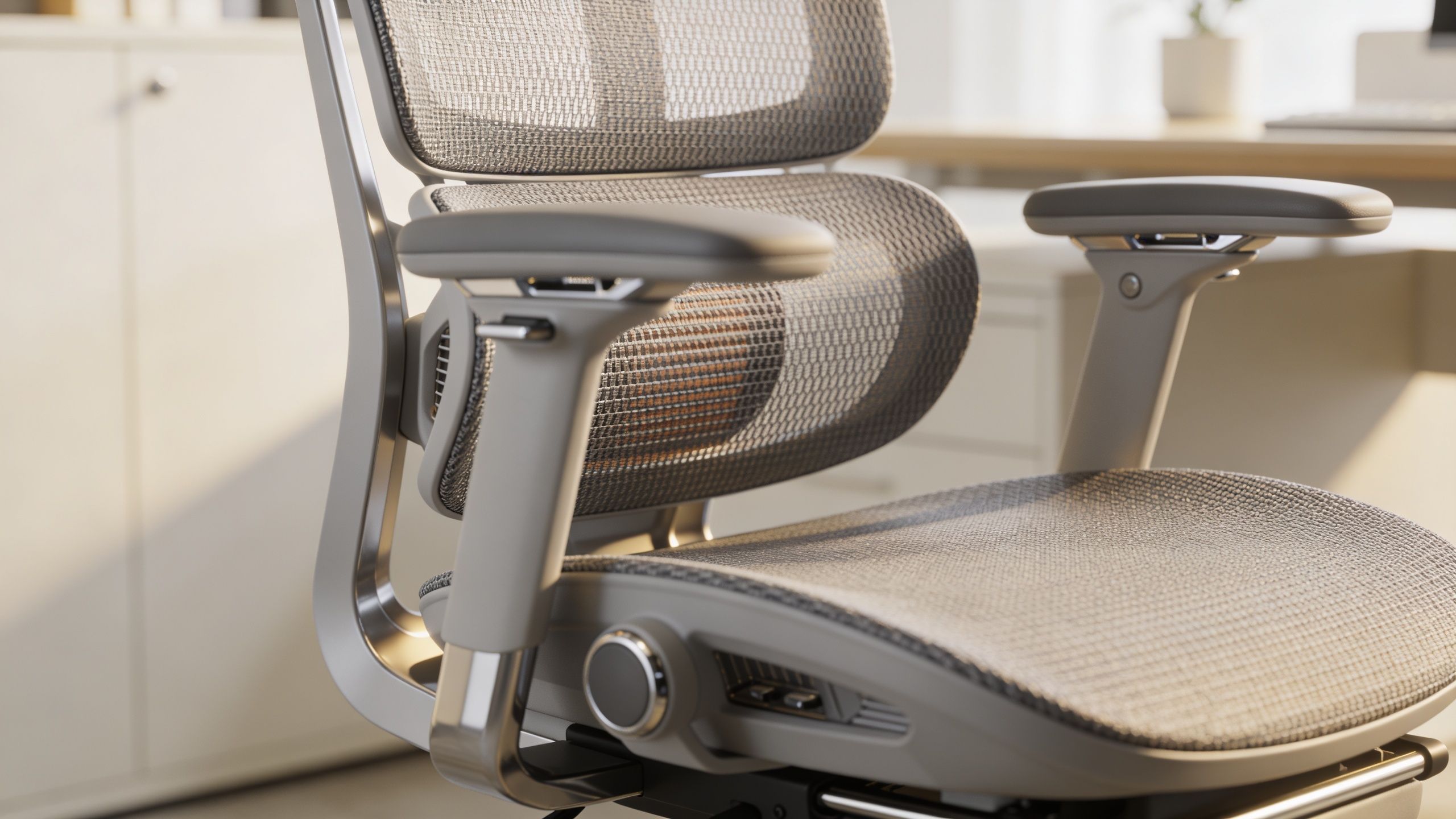
The case for better ergonomics is straightforward. Employees are 17.7% more productive when using a highly adjustable ergonomic chair, and the average office worker sits for about 10 hours a day, accumulating nearly 17,000 hours over a typical career, according to Millers Office Interiors on office chair productivity and sitting time. When a chair supports the body properly, people spend less attention managing discomfort and more attention doing their jobs.
What good ergonomics looks like in practice
The most useful ergonomic features are those people can tune without a manual. Seat height, arm width, arm height, seat depth, lumbar position, and tilt resistance do more real work than flashy add-ons.
What often works well in commercial settings:
- Adjustable seat depth: Helps shorter and taller users sit back fully without edge pressure behind the knees.
- Arms that move enough: Useful for keyboard work, but also for pulling close to desks and conference tables.
- Responsive tilt: Encourages movement through the day instead of locking the body upright.
- Breathable back materials: Helpful in dense offices where temperature control varies by zone.
What often disappoints:
- Fixed lumbar curves: Fine for a narrow range of users, poor for everyone else.
- Oversized executive arms: They look substantial but often block desk access.
- Fashion-first shells: They photograph well and get uncomfortable fast.
A lot of teams start their search with broad ergonomic categories, then narrow by workstation type. This roundup of best ergonomic office chairs is a useful comparison point for that process.
Advanced mechanisms only matter if they translate to real relief
Some higher-end models use more advanced systems. One example is dorsokinetic suspension, which allows the back to move with the user rather than resisting every shift in posture. In plain language, that kind of mechanism matters because it supports recline and micro-movement without making the chair feel unstable.
The technical details are worth understanding when you’re buying for long hours or high-use teams. The “open up” swivel model described in Indiana Correctional Industries’ seating document uses dorsokinetic suspension to deliver a 45° backrest recline and 22% greater paraspinal muscle relief during extended use. For buyers, the lesson isn’t that everyone needs that exact chair. It’s that back movement, recline quality, and weight-responsive support can have measurable effects on comfort.
Here’s a quick visual primer on ergonomic chair fit and adjustment:
Better workplace seating doesn’t eliminate every discomfort complaint. It removes the avoidable ones.
Safety is part of chair selection, not a separate checklist
In commercial offices, safety sits inside the buying decision. Casters need to match the floor. Bases need to stay stable under normal movement. Arms can’t catch on work surfaces. Recline mechanisms shouldn’t surprise the user. Chairs also need a level of durability appropriate to the occupancy pattern.
That’s why a unique office chair still has to pass the boring test. If the chair can’t survive real use, doesn’t adjust cleanly, or creates awkward posture at the desk, it isn’t effective. It’s just expensive.
Matching Unique Chair Styles to Your Office Culture
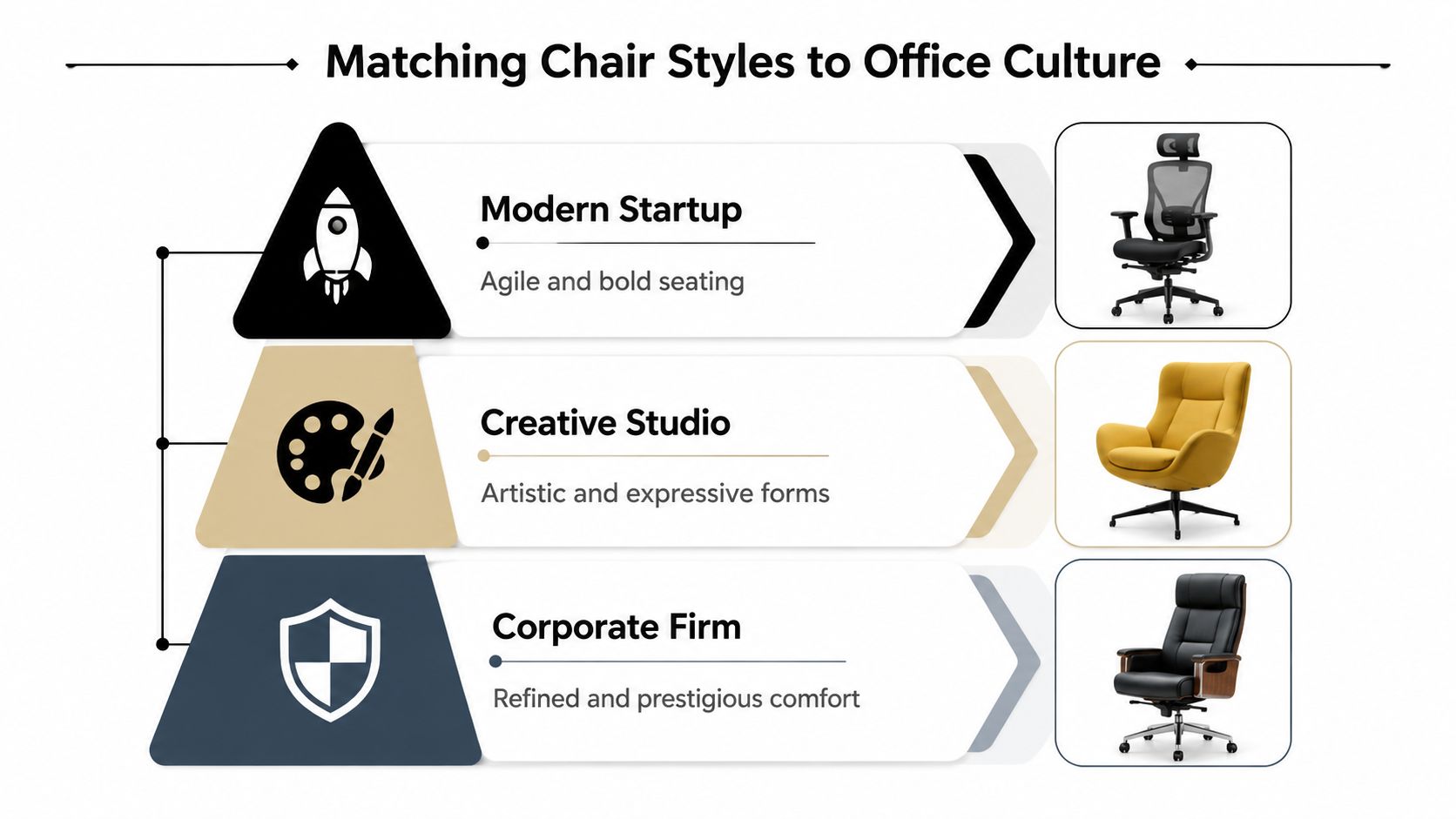
A chair becomes part of office culture the moment someone walks the floor. In one project, a company invested in striking seating for a polished new office, then dropped the same large-frame chairs into benching areas, private offices, and panel-based workstations without adjustment. The result looked inconsistent, blocked sightlines, and made the open areas feel tighter than they were.
That is the essential task here. Choose a unique office chair that expresses the brand and still works across the office system it has to live in.
Minimal spaces need restraint, not emptiness
Offices built around clean lines, lighter finishes, and visual openness benefit from chairs with controlled proportions. Slim mesh backs, narrow-profile frames, and refined upholstered task chairs usually hold the look together better than oversized executive forms.
That matters even more in spaces divided by glass and low panels, where chairs stay visible from multiple angles. In these layouts, the chair is part of the architecture. Bulky backs, thick headrests, and heavy padding can make a well-planned floor feel crowded.
A strong fit for this environment usually looks like this:
| Office setting | Chair style that fits | What to avoid |
|---|---|---|
| Glass-forward workspace | Slim mesh or polished sync-tilt task chair | Puffy executive silhouettes |
| Client-facing design studio | Upholstered chair with texture and distinctive profile | Generic all-black seating everywhere |
| Leadership office | Well-fitted executive chair with disciplined lines | Chairs that prioritize size over posture support |
For a broader view of how style expectations shift by workspace type, these workplace design trends are useful reference points.
Creative teams can use more visual character
Creative offices usually have more flexibility, but that does not mean every chair should try to be a statement piece. Good choices still need a shared design language. A textured fabric shell, a softer back profile, or a mixed-material chair can add personality without making the workspace feel random.
I usually advise office managers to look at these chairs in groups, not one at a time. A chair that looks interesting in a showroom can become visual clutter when repeated across a studio, dropped into touchdown areas, or lined up beside modular storage and partial-height dividers. The better option is often a distinctive silhouette in a restrained palette.
A memorable chair should still help the room feel organized.
Operations teams need durability that fits the environment
High-use departments need a different definition of unique. In support floors, dispatch areas, and dense team settings, the smartest distinctive choice is often the one built for constant turnover and repeated use.
Heavy-duty chairs can make sense here, especially where teams work in shifts or seats are shared across users. The trade-off is visual weight. These models often read larger and more industrial, so they need to be specified carefully if they will sit inside compact workstation footprints or tightly spaced rows. As noted earlier, some continuous-use models are built around reinforced frames, higher weight capacity, and long-cycle durability, which matters more in these environments than sculptural styling.
Executive areas need presence without excess
Executive offices often call for more polish, but status alone is a poor buying filter. Chairs that are too deep, too padded, or too lounge-like can undermine the room, especially if the office connects visually to adjacent workstations or enclosed meeting space.
A better choice is a chair with presence, clean upholstery, and disciplined scale. It should look intentional beside credenzas, conference seating, and any modular elements nearby. That is how executive seating supports brand image without breaking the visual logic of the larger office.
Integrating Chairs with Modular Cubicle Systems
The chair and the workstation are often purchased as if they belong to separate decisions. That’s one of the most common planning mistakes in modular offices. A chair that performs well on a showroom floor can become a problem once it’s inside a panel system with fixed work surfaces, return corners, storage overheads, and limited turning space.
That mismatch is widespread. A 2025 IFMA survey found that 68% of facilities managers struggle with chair-cubicle mismatches in hybrid work environments, leading to a 22% increase in ergonomic complaints, according to Goodtone’s summary of the survey findings.

Clearance is where good chair choices go bad
The first issue is physical fit. Armrests may hit the underside of the work surface before the user gets close enough to type comfortably. Wide bases can clip panel corners or pedestal drawers. Deep seats can push users too far forward when the cubicle footprint is tight.
That’s why the chair spec sheet needs to be read alongside the workstation plan, especially in modular office cubicles. A distinctive chair with generous arms or a dramatic back profile may be ideal in open plan, then feel cramped once enclosed by panels.
The practical checks are simple:
- Armrest clearance: Confirm the chair tucks under the desk without forcing armrests too low.
- Base diameter: Make sure the caster base turns freely within the station.
- Back sweep: Recline shouldn’t collide with storage, panels, or glass behind the user.
- Seat depth in context: Deep seats need enough legroom between the user and any return surface.
Materials and mobility affect daily usability
Flooring changes chair performance more than many buyers expect. Hard casters on hard surfaces can create noise and wear. Soft flooring can make some chairs feel draggy. In hybrid spaces, where people rotate between stations, that inconsistency gets noticed quickly.
Smart chairs or powered seating add another layer. If a chair includes posture sensors or charging components, you need a plan for cable routing and access. In modular environments, that means aligning furniture power strategy with the actual seating choice instead of treating technology as an afterthought.
Integration works best when tested at the station level
The safest purchasing approach is to mock up one or two real stations before ordering at scale. Put the proposed chair inside the actual workstation footprint. Check reach, turning radius, pull-up position, arm movement, and sightlines over or through panels.
Buy the chair for the workstation it will live in, not for the empty room where it was presented.
That single step catches problems that spec sheets won’t. It also helps teams compare whether a unique office chair is improving the workspace or just complicating it.
Your Procurement Checklist for the Perfect Chair
A chair can look impressive in a showroom and still fail the moment it hits a real workstation. I see that happen when procurement approves a distinctive model based on finish options and first impressions, then discovers it clips a return desk, overwhelms a compact cubicle, or creates visual clutter behind glass fronts. A good checklist prevents that mistake before the purchase order goes out.
Treat chair selection like a fit test across people, workstations, and operating conditions. Unique office chairs add one more layer to that process. They need to perform as seating, but they also need to work inside a modular office system that has fixed panel heights, shared dimensions, and repeatable layouts.
What to confirm before you approve a model
Use this review before signing off on a final specification:
-
Adjustment range
Confirm seat height, seat depth, arm width, lumbar support, and tilt settings. In shared stations, the right chair is the one employees can adjust quickly without calling facilities for help. -
Fit inside the actual workstation
Review the chair inside the cubicle or benching footprint where it will live. Check pull-up clearance, arm interference with worksurfaces, and whether the profile looks proportionate next to glass partitions or panel systems. A sculptural chair that dominates a 6×6 station can make the whole installation feel cramped. -
Material match for the use case
Mesh, fabric, vinyl, and polyurethane each solve different problems. Easy-clean surfaces make sense in shared seating. Warmer textiles often fit private offices or client-facing rooms better. The right finish should support maintenance, acoustics, and the tone of the space. -
Duty rating and weight capacity
Match the chair to actual use, especially in support teams, hoteling areas, and long-shift environments. A visually unique chair still needs commercial-grade performance. -
Warranty and parts availability
Ask whether casters, arm pads, cylinders, and control mechanisms can be replaced individually. That matters more in modular offices where consistency across rows of stations is part of the visual standard.
Questions worth asking the vendor
Procurement gets better results when these questions are answered clearly:
- Can we place a sample in one of our finished stations before approving the full order?
- Have you installed this model in panel-based or glass-partitioned offices with similar dimensions?
- Who handles field issues such as damaged parts, assembly corrections, or missing hardware?
- Can we reorder matching chairs later without appearance drift across phases?
- Which caster, arm, and upholstery options fit our flooring and cleaning routine?
One more question is often missed. Ask whether the chair’s design language will stay current with the rest of the furniture package for the next few years. If the chair is highly distinctive, an early phase-out can leave expansions looking patched together.
Check service history before you commit
Support quality often decides whether a chair program runs smoothly after delivery. Product sheets rarely show how a vendor responds when something arrives damaged, parts fail, or a rollout needs quick corrections across several stations. Reviewing outside examples of how companies earn trust can sharpen that evaluation. The thinking behind Cumbre Coffee brewing and service reviews applies here too. Consistent reviews can reveal whether a supplier communicates well and resolves issues without delay.
For larger projects, a structured office furniture buying guide helps procurement teams standardize approvals across desks, storage, panels, and seating, so the chair decision supports the full office system instead of standing apart from it.
Smart Budgeting and Maintenance for Long-Term Value
The cheapest chair is often the most expensive one to keep replacing. That’s especially true in dense teams, shared seating programs, and 24/7 operations where wear compounds quickly. A smart chair budget looks at useful life, warranty protection, maintenance effort, and how hard the chair works in the actual environment.
In high-usage settings, durability is not a side issue. According to OfficeAnything’s discussion of high-traffic task seating, 2026 OSHA updates emphasize 5-year warranties in high-traffic zones, and standard task chairs can fail 35% faster under continuous use compared with models designed for that level of demand. If you’re buying for a call floor or support center, style-only comparisons miss the point.
Budget for the full lifecycle, not the invoice
Office managers usually have three options. Buy all at once at the lowest upfront price. Buy in phases and standardize carefully. Or spend more per chair and reduce the odds of mismatch and early failure.
The third option often wins over time when the chair supports heavy use or varied users. That doesn’t mean every station needs a premium model. It means the budget should reflect how the chair will be used.
A practical budget framework:
- High-intensity seats: Prioritize durability, warranty, and easy-clean materials.
- General workstation seats: Focus on adjustment range and repairable components.
- Low-duration or guest seats: Spend more selectively where aesthetics matter most.
Maintenance protects the investment
Even a strong chair wears out faster without basic upkeep. Casters collect debris, arms loosen, and mechanisms get noisy long before the frame itself is done.
A simple maintenance routine goes a long way:
| Maintenance task | Why it matters | Good cadence |
|---|---|---|
| Wipe upholstery and arms | Prevents grime buildup and keeps shared seating presentable | Regularly |
| Check bolts and arm attachments | Catches wobble before parts wear unevenly | Periodically |
| Clear hair and debris from casters | Restores movement and protects flooring | Regularly |
| Inspect tilt and height controls | Flags failures before users report them in volume | Periodically |
Operations note: If a chair is important enough to inventory, it’s important enough to maintain.
Standardization still matters, even with unique chairs
A unique office chair doesn’t have to create a one-off maintenance headache. The best programs allow for visual or functional variety while limiting the number of parts ecosystems in play. That means fewer arm types, fewer caster types, fewer upholstery cleaning protocols, and fewer replacement surprises.
Phased purchasing offers a solution. Start with the highest-impact zones, confirm what holds up, and expand from proven choices instead of mixing too many chair families at once. In practice, that’s how you get a workspace that feels customized without becoming hard to manage.
Long-term value comes from fit, durability, and support working together. If one of those breaks down, the chair stops being a smart buy.
If you’re planning seating as part of a larger workplace update, Cubicle By Design can help you align chairs with the full environment, from custom office cubicles and workstation cubicles to glass office partitions. For teams building around modular layouts, the Cubicle Designer is a practical way to visualize fit before you buy, especially for spaces that include call center cubicles.