


A lot of office storage problems show up as desk clutter first. A headset ends up on top of a stack of forms. Spare chargers sit beside a water bottle. Personal items get pushed into corners because there’s nowhere secure to put them. By the time a facilities manager notices, the issue isn’t just appearance. It’s workflow, privacy, cleaning access, and wasted square footage.
A good drawer unit for under desk setups fixes more than one problem at once. It clears the work surface, gives staff a defined place for daily-use items, and supports a cleaner workstation standard across open-plan, hybrid, and high-density layouts. The important part is choosing a unit that fits the desk, the user, and the overall furniture system. The wrong one creates knee-space complaints, cable snags, and service headaches.
Best Drawer Unit for Under Desk 2026 Office Guide
Why Under-Desk Storage Is Essential for Modern Workplaces
The desks that create the most complaints usually aren’t the smallest desks. They’re the ones doing too many jobs at once. They hold active work, personal belongings, cables, chargers, printed material, and sometimes a bag on the floor because no storage was planned into the station.
That setup breaks down fast in shared environments. In a hot-desk area, one employee leaves behind small items, the next employee has no place for their own, and the desk becomes a temporary landing zone instead of a functioning workstation. In a call center, the same problem shows up as visual noise and harder cleaning access. In manager offices, it shows up as papers migrating onto guest chairs or side tables.
Storage that supports focus
The strongest case for under-desk storage is practical, not decorative. It puts routine items within reach without forcing people to give up work surface area. That’s especially useful where teams need standardization across many stations.
The demand reflects that shift. Global sales of under-desk drawer units are projected to grow from $2.8 billion in 2023 to $4.1 billion by 2030, and 73% of U.S. companies now use flexible seating that benefits from compact, mobile storage, according to this product market summary. The same source notes a 2025 Steelcase study that found under-desk units increase storage capacity by 35% per workstation versus freestanding cabinets and were associated with a 12% rise in productivity by reducing visual noise.
Practical rule: If people store daily-use items on the desktop, the workstation is undersupplied.
Why they matter more in hybrid layouts
Hybrid offices change the storage equation. Fewer employees have a permanent desk, but more employees still need a dependable place for essentials during the day. That pushes storage downward and inward, into the footprint the workstation already occupies.
A drawer unit for under desk use works because it preserves aisle space and keeps the station looking consistent. It also makes reset standards easier. Cleaning crews can wipe a clear desktop faster than a workstation scattered with office supplies.
A few operational benefits stand out:
- Cleaner desk policy support: Staff can put away notebooks, chargers, badges, and small peripherals when they finish work.
- Better workstation turnover: Shared desks are easier to inspect and reassign when storage is built in.
- Improved appearance: The office looks intentional instead of improvised.
- Less dependence on extra furniture: You don’t need to add small side cabinets that interrupt circulation paths.
The drawer unit isn’t just a box under a desk. In a well-planned office, it’s part of the workstation standard.
Choosing Your Drawer Unit Type
Buying the wrong type causes more trouble than buying no unit at all. Some offices need a pedestal that moves with the employee. Others need a fixed component that becomes part of the desk. Some need a slimline tray for a keyboard, notebook, and a few personal items, nothing more.
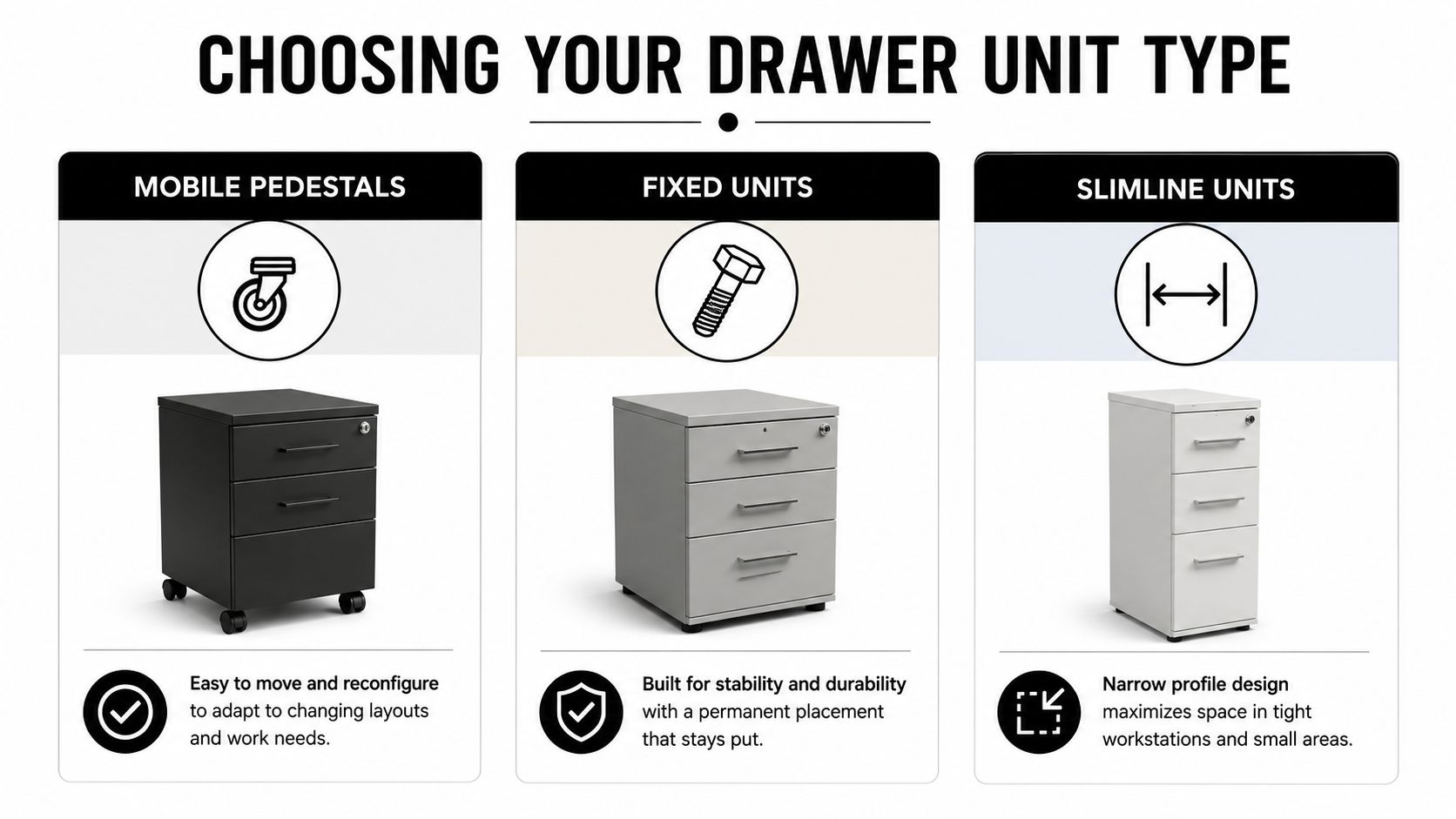
The three common categories
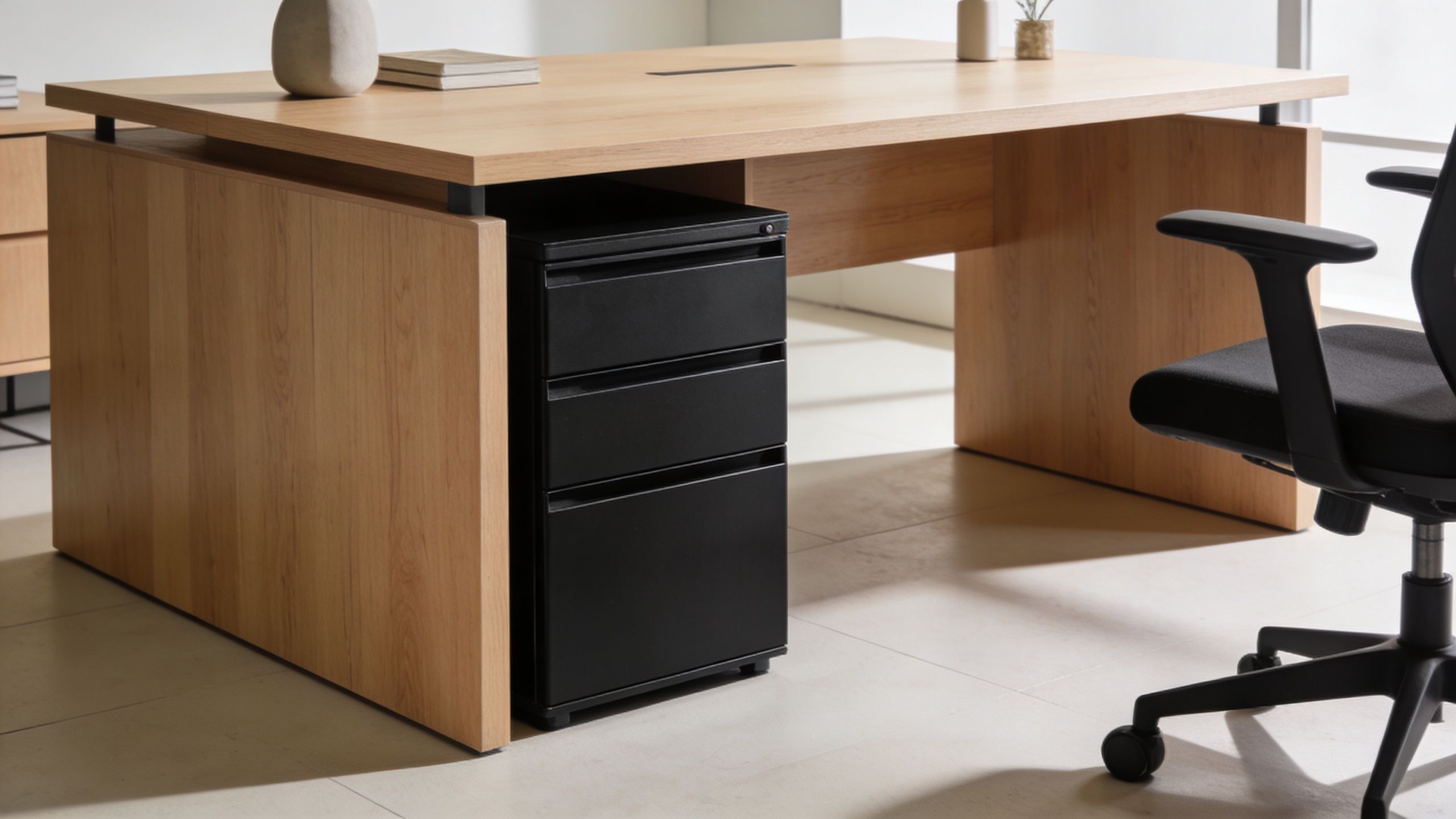
Mobile pedestals sit on casters and can roll under or beside a desk. They’re useful when employees change seats or when teams need flexible layouts. They’re also easier to replace without touching the desk structure. The trade-off is movement. If the casters are poor quality or the floor is uneven, the unit won’t feel stable.
Fixed units attach to or align permanently with the desk. They create a more built-in look and usually feel sturdier in everyday use. They also help maintain a clean furniture line in executive spaces or uniform benching systems. The drawback is inflexibility. Once installed, they limit future changes.
Slimline mountable drawers attach below the worksurface and preserve the floor area entirely. They’re useful in dense workstations, compact benches, and minimalist layouts where a pedestal would crowd the user. The downside is capacity. You gain convenience, not a substitute for full filing.
Under-Desk Drawer Unit Comparison
| Unit Type | Best For | Mobility | Capacity | Integration |
|---|---|---|---|---|
| Mobile Pedestals | Hybrid teams, touchdown areas, reconfigurable offices | High | Higher than slimline units | Easy to move, easy to replace |
| Fixed Units | Assigned seating, executive offices, standardized desk runs | Low | Moderate to high | Strong visual integration with desk |
| Slimline Units | Tight workstations, benching, minimalist setups | None after install | Low | Best when floor space is limited |
What works where
In practice, mobile pedestals fit best where ownership follows the person more than the seat. Fixed units work best where station layout stays stable for years, not months. Slimline units are the best answer when legroom and aisle clearance matter more than file storage.
A good reference point for pedestal-style storage is a desk double pedestal configuration. It shows how much storage can be integrated into the base of the desk itself, but it also highlights the trade-off. Once storage becomes part of the desk mass, reconfiguration gets slower.
If the office changes often, favor storage that can move. If the desk line needs to look permanent, favor storage that installs like part of the furniture.
One mistake shows up often. Teams choose slimline drawers for every seat because they look clean, then realize users still need somewhere for larger items, files, or personal gear. Another common miss goes the other way. They specify full pedestals everywhere, then discover the workstation feels boxed in.
Choose the unit type based on workflow, not catalog appearance.
How to Measure for a Perfect Fit and Ensure Compliance
An under-desk drawer that technically fits but crowds the user is a bad install. The right approach is to measure the workstation as a user would experience it, not just as a box under a rectangle.
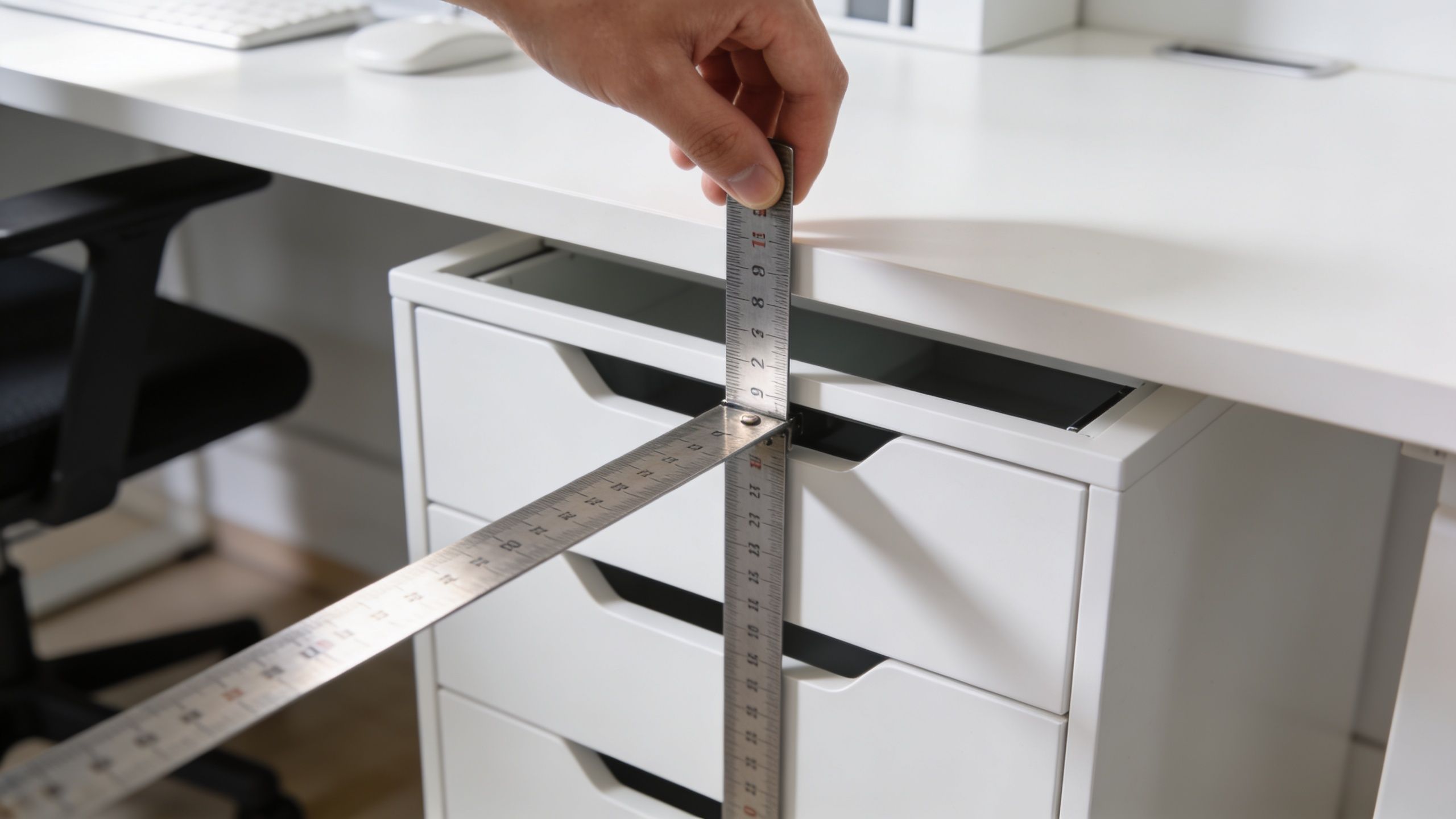
Start with three measurements. First, measure clear height from finished floor to the underside of the desk surface or support structure. Second, measure usable width between legs, gables, brackets, or frame members. Third, measure depth from the front edge setback to any rear structure, modesty panel, cable trough, or power beam.
Measure the real obstructions
A workstation may look open from the front but lose usable space to hardware underneath. Sit-stand frames, crossbars, wire baskets, and power modules are the usual culprits. Don’t rely on a brochure drawing if the office already has furniture installed.
Use this checklist when evaluating a drawer unit for under desk placement:
- Check underside height first: Measure at several points, not just one. Many desks lose clearance near the frame.
- Map knee zone width: A unit can fit on paper and still intrude where users naturally position their legs.
- Confirm drawer travel: Full extension needs front clearance, especially in narrow aisles.
- Review existing underside hardware: Cable trays and power strips often compete for the same space.
- Test seated posture: If a user needs to shift sideways to avoid the unit, the install is wrong.
A useful sizing reference for planning is this guide to standard cubicle desk size, especially when you’re working across a mixed inventory of desks and panels.
Compliance and load support
Compatibility matters as much as dimensions. Many mountable drawers are built for tabletops at least 0.75 inches thick, and proper installation with steel brackets can reduce failure rates to less than 1% over a 5-year warranty period backed by 50,000-cycle durability testing, according to the Intellidesk under-desk drawer specifications. The same source notes that preserving legroom in line with ISO 9241 ergonomic standards can cut user fatigue by 25% by reducing awkward reach distances.
That matters most with slimline drawers. If the desk surface is too thin, the mounting system may not hold as intended. If the desk frame places too much load on a narrow center span, drawer movement can create sag over time.
Here’s a quick visual on what to inspect before ordering:
Common measurement mistakes
Most bad installs come from one of these:
- Ignoring sit-stand mechanics: The drawer clears at seated height but conflicts with frame movement.
- Measuring to the desk edge only: The frame inside the edge steals the space you thought you had.
- Forgetting user footwear and posture: Knee clearance isn’t theoretical. People shift, swivel, and cross their legs.
- Choosing based on exterior size alone: Interior capacity can be poor even when the unit looks substantial.
A compliant install isn’t just one that stays attached. It’s one that lets people work comfortably all day.
Evaluating Materials Finishes and Security Features
A drawer unit fails in one of two ways. It either wears out mechanically, or it stops fitting the way the office works. Material, finish, slide hardware, and lock style decide which one you’re buying.
What construction actually matters
For commercial use, heavy-duty steel remains the safest default. It’s harder to damage, easier to clean consistently, and better suited to repetitive use in active offices. High-quality units often use heavy-duty steel construction with precision-engineered steel tracks, and steel’s yield strength of roughly 250 to 350 MPa helps prevent permanent deformation after repeated cycling. The same material summary notes that steel tracks can reduce the kinetic friction coefficient to around 0.1 to 0.2, versus 0.4 or higher for plastic alternatives, which is why they glide more smoothly in busy settings like call centers, according to the Mount-It drawer product details.
That doesn’t mean every office needs an all-steel pedestal. Laminate and wood-look finishes can work well where the visual standard matters, especially in private offices or reception-adjacent areas. But in high-volume environments, surface chips, swollen edges, and loose hardware show up faster.
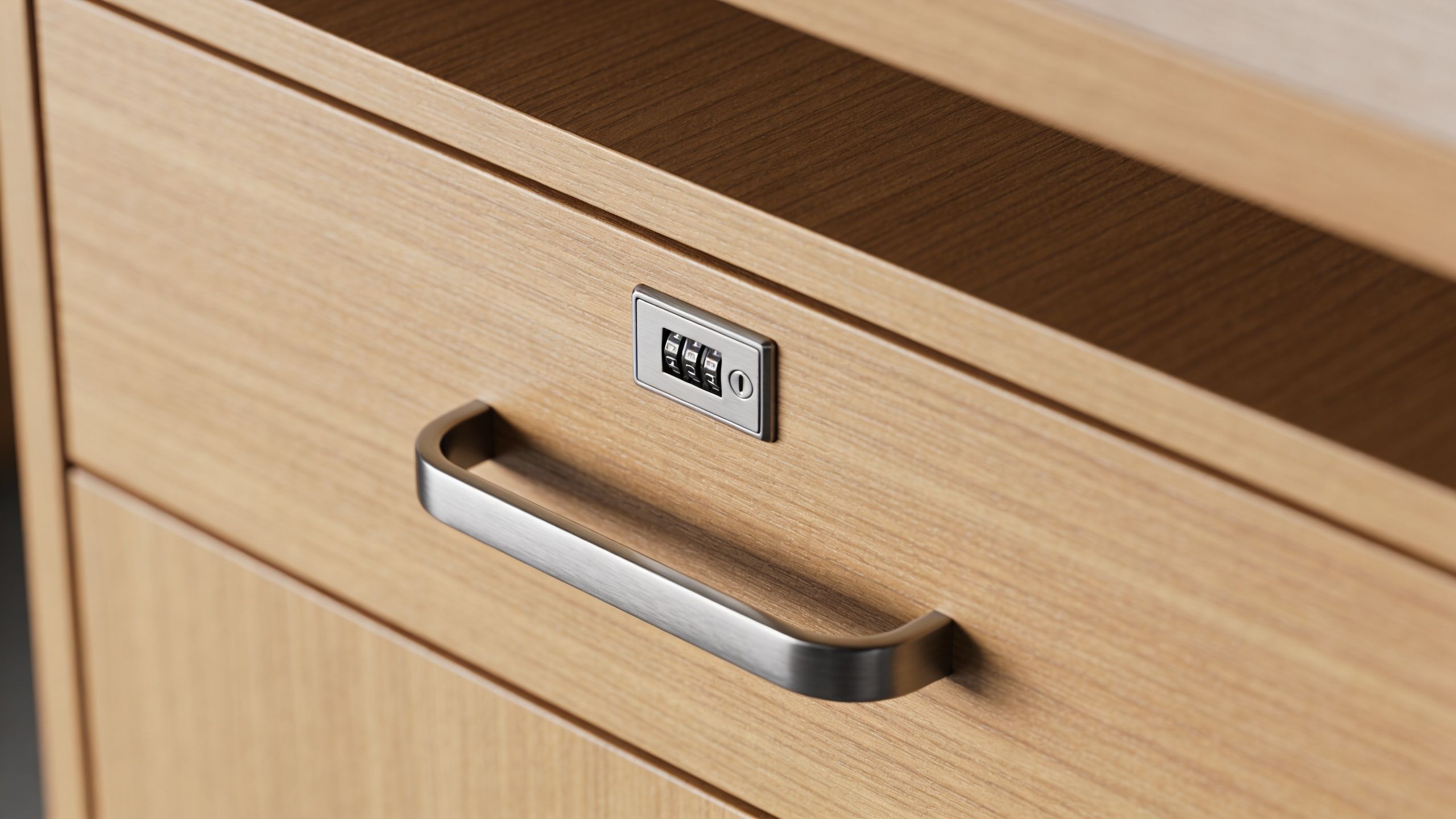
If you’re comparing wood-based components and want a useful primer on how finish choices affect long-term performance, The Cabinet Coach guide to doors is a good companion read. It’s residential in context, but the material trade-offs are still relevant when you’re judging appearance versus durability.
Slides, casters, and daily wear points
Most buyers spend too much time on color and not enough on movement. A drawer that racks, binds, or slams will annoy users long before the finish matters.
Look closely at:
- Slide quality: Steel ball-bearing slides typically feel smoother and last longer under repetitive use.
- Extension range: Full extension gives better access, especially in shallow under-desk units.
- Caster behavior on pedestals: A mobile unit should roll cleanly but not wander when the drawer opens.
- Anti-tip features: These matter most on taller or file-oriented units.
A lockable lateral file cabinet with lock illustrates the same principle on a larger scale. Security hardware should feel integrated into the product, not like an afterthought added to a lightweight box.
Match security to the work
Not every desk needs the same lock strategy. A single lock on a personal pencil drawer may be enough in assigned seating. In shared spaces, facilities managers usually get better results from gang-lock systems that secure all drawers at once. They reduce user confusion and simplify key management.
The best security feature is the one employees will actually use every day without thinking about it.
Combination locks can reduce key loss issues, but they also require a reliable reset process. Traditional keyed locks are familiar and simple, but rekeying can become an administrative burden at scale. The right choice depends on whether you manage a handful of workstations or an entire floorplate.
Integrating Drawer Units with Your Office Ecosystem
A drawer unit only performs well when it belongs to the rest of the workstation. On paper, under-desk storage is simple. In real offices, it competes with power, data, task seating, cleaning access, and the geometry of the cubicle itself.
The roots of that problem go back decades. Under-desk storage emerged alongside modular office systems, and Robert Propst’s Action Office system created demand for compact storage in cubicles. Historical data summarized in this Action Office reference notes that offices integrating under-desk storage reduced desk clutter by 40% and improved productivity by 15%, and that integrating these units into Series 7 cubicles can add 20% more storage per station without expanding the floorplan.
Fit storage into the workstation, not after it
That last point matters. Many storage problems start when the desk was specified first and storage was added later. In modular planning, the better sequence is the reverse. Decide what the user needs at the point of work, then reserve the volume under the desk for the right combination of storage and electrical access.
This is especially important in:
- Benching and workstation rows: Every inch under the surface is contested.
- Call-heavy environments: Users need clear desktop space for monitors, phones, and writing.
- Glass-partitioned offices: Visual openness increases the need for concealed storage.
- Reconfigurable teams: Storage has to support moves without forcing a furniture overhaul.
The cleanest projects treat drawers, panel height, worksurface depth, and power routing as one package. That’s why workstation cubicles, call center cubicles, and glass office partitions should be planned together with storage strategy rather than selected in isolation.
Cable management is where good installs win
A drawer that blocks a power feed or tangles monitor cables isn’t integrated. It’s just mounted. Under-desk space often has to accommodate charging bricks, monitor arms, data runs, and user devices. If the drawer opens into loose cabling, the user will stop using it or damage the wiring.
A dedicated under-desk power strip solution helps define zones below the surface so storage and power don’t fight each other. In practice, that means keeping electrical components offset from drawer travel and preserving a service path for installers and IT staff.
Plan for scale, not one desk
The real test isn’t whether one workstation looks tidy after install. It’s whether fifty, one hundred, or five hundred stations can be maintained the same way. A scalable system needs repeatable mounting positions, standard clearances, and a predictable rule for what belongs in each drawer type.
For full-layout planning, a visual tool such as the custom cubicle designer is useful because it lets teams think beyond the single unit and coordinate storage with panel runs, desk dimensions, and circulation. That’s also the right time to review custom office cubicles if the project needs a workstation package built around the storage requirement rather than patched together afterward.
Standardize the under-desk zone early. It saves time in procurement, installation, IT setup, and future reconfiguration.
A Procurement Checklist for Long-Term Value
Most storage mistakes happen before the purchase order is issued. The unit looked fine in a spec sheet, but nobody verified underside obstructions, lock management, or how the drawers would interact with power and chair movement.
What to verify before you buy
Use this short procurement list and make vendors answer it in writing:
- Exact fit: Confirm clear width, depth, and underside height at the actual desk model, not just the nominal worksurface size.
- Mounting requirements: Verify desk thickness, bracket type, and whether hardware is included.
- User clearance: Check that the unit preserves comfortable knee space and doesn’t interfere with seated posture.
- Slide and hardware quality: Ask what the slides are made of and whether the drawer fully extends.
- Security approach: Specify keyed, gang-lock, or combination lock based on how the workspace is assigned.
- Finish and cleaning: Confirm the surface can handle your janitorial routine and daily wear pattern.
- Warranty terms: Review what is covered, what voids coverage, and who handles replacement parts.
- Installation scope: Decide whether your team, the furniture installer, or facilities staff will mount and level units.
A broader office furniture buying guide is helpful when the drawer unit is part of a larger procurement package.
How to protect the investment
Maintenance doesn’t need to be complicated. It needs to be consistent.
- Wipe tracks and interiors regularly: Dust and grit shorten slide life.
- Inspect casters and fasteners: Mobile units loosen over time if nobody checks them.
- Don’t overload a light-duty drawer: Users will if limits aren’t communicated.
- Replace failed locks promptly: Once one lock stops working, employees stop trusting the whole unit.
- Review usage after move-ins: A drawer that seemed right during planning may reveal a better standard after real use.
The best long-term value comes from buying a unit that matches the workstation’s operating reality, not the one with the most features on paper.
Design a Better Workplace with the Right Storage
A drawer unit for under desk use is a small decision with large consequences. It affects how clean the desktop stays, how easily staff can work, how secure personal and business items remain, and how well the workstation supports future change.
The best results come from treating storage as part of the full office system. Choose the right type for the work style. Measure the actual workstation carefully. Pay attention to materials and slide hardware. Plan around power, cable routing, and service access. When those pieces line up, the office feels calmer and operates better.
For teams planning a refresh, expansion, or full reconfiguration, it helps to work with a partner that understands the relationship between storage, layout, privacy, and compliance. Cubicle By Design offers that kind of end-to-end support, from modular planning to workstation configuration. If you’re exploring a new layout, you can also review options for custom office cubicles and use the Cubicle By Design online planning tools to build around the storage and workflow requirements from the start.
If you’re ready to create a cleaner, more functional office, Cubicle By Design can help you plan storage as part of a complete workstation strategy, not as an afterthought. Explore modular options, compare layouts, and build a workspace that fits your team, budget, and day-to-day operational needs.