



You’ve seen them before: the tangled nest of wires and the dusty power strip hogging floor space under a desk. It’s a classic office problem. But what if the solution was as simple as looking up? An under-desk power strip does exactly what its name suggests—it’s a centralized power source that mounts directly beneath your worksurface, getting everything up and away from the floor.
This isn’t just about hiding a few cables. It’s about creating a clean, safe, and surprisingly organized hub for all your desktop tech at Cubicle By Design.
Transforming Your Workspace with Smart Power Management
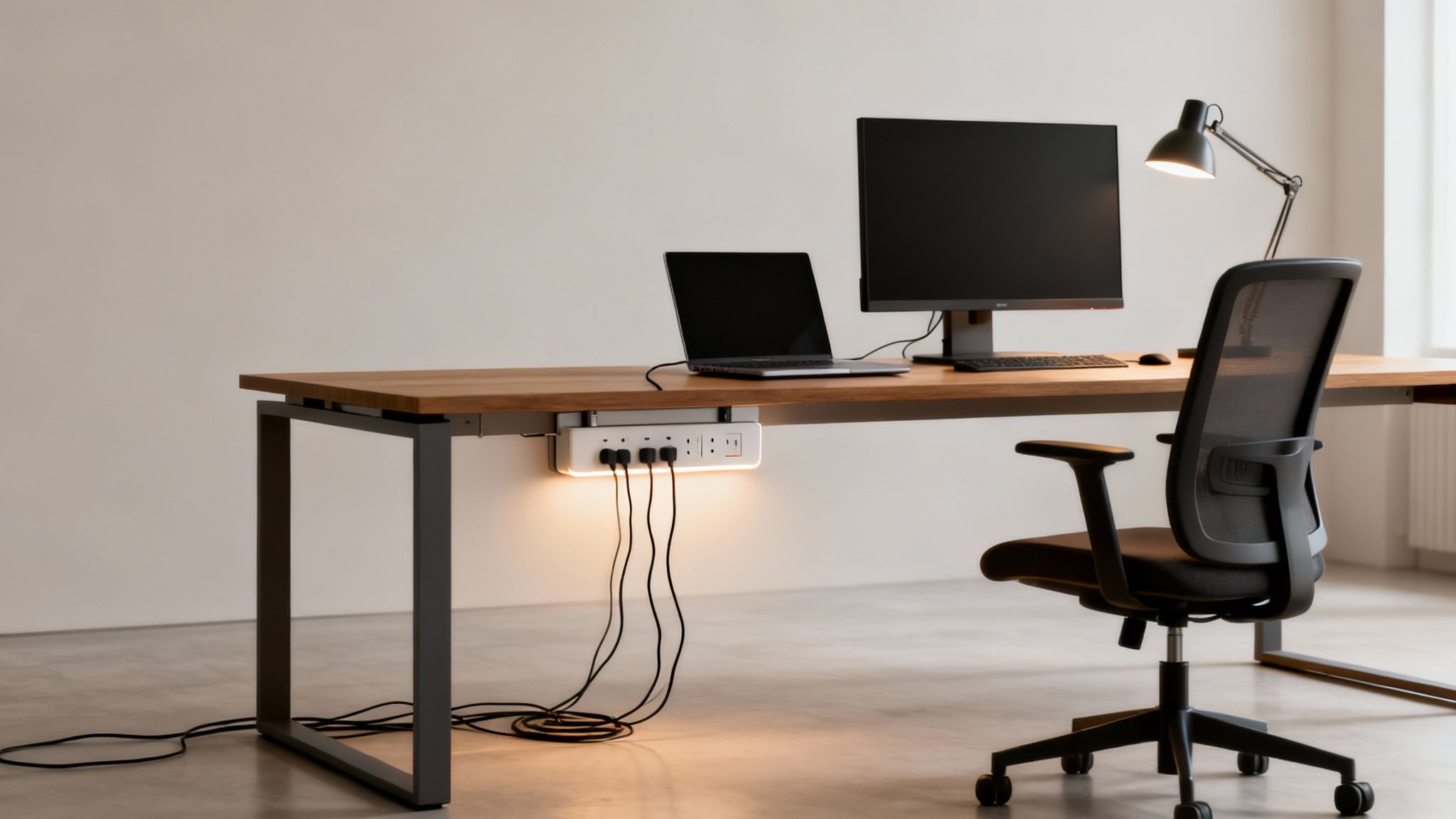
Think of an under-desk power strip as the command center for your workstation. It quietly and efficiently manages the power for your monitors, laptop, phone charger, and desk lamp, all without a single wire cluttering up the floor. In a busy office, this moves beyond simple convenience and becomes a core part of a truly productive and safe workspace.
That old power strip on the floor? It’s a magnet for dust, a trip hazard waiting to happen, and it’s all too easy to accidentally kick the plug out mid-task. By lifting this essential piece of equipment off the ground, you instantly reclaim that floor space and create a much cleaner, more professional look. This small shift makes a huge difference, especially in modern offices with flexible layouts and collaborative zones where people are always on the move.
To put it in perspective, let’s look at a quick comparison.
Under Desk Power Strips vs Traditional Floor Strips
This table breaks down the practical advantages of upgrading to an under-desk power solution for any modern office environment.
| Feature | Under Desk Power Strip | Traditional Floor Strip |
|---|---|---|
| Location | Mounted out of sight under the desk | Lies on the floor, often in the way |
| Safety | Eliminates trip hazards from cords | Creates a significant trip hazard |
| Cable Management | Keeps all cables neatly contained and organized | Leads to tangled messes of wires |
| Aesthetics | Promotes a clean, minimalist desk and floor | Contributes to a cluttered, unprofessional look |
| Protection | Safe from kicks, spills, and accidental unplugs | Vulnerable to damage, dust, and spills |
| Cleaning | Makes sweeping and vacuuming effortless | Obstructs cleaning crews, gathers dust bunnies |
As you can see, moving power management from the floor to the desk is a simple change that delivers an immediate impact on daily operations, safety, and office design.
The Core Benefits of an Under-Desk Power Solution
This isn’t just about tidiness; it’s a strategic upgrade that pays off in multiple ways.
Here are the key benefits you’ll notice right away:
- Enhanced Safety: Getting cables off the floor completely removes one of the most common workplace trip hazards. It’s a simple fix that reduces liability and keeps your team safer.
- Improved Aesthetics: A clutter-free floor and an organized desk create a more professional and focused atmosphere. It’s amazing how a clean workspace can boost morale and productivity.
- Easier Cleaning and Maintenance: Without a web of wires to navigate, cleaning crews can work much more efficiently. Plus, your IT staff can access connections without getting on their hands and knees.
- Protection for Your Equipment: Mounted power strips aren’t getting kicked around or accidentally unplugged. This means a more stable power supply for your valuable computers and monitors.
The growing focus on ergonomics and clean desk policies has made these power solutions more popular than ever. In fact, the market for under-desk power strips is booming, projected to hit nearly USD 3.75 billion by 2033. This isn’t just a fleeting trend; it’s a fundamental shift in how modern offices are designed for efficiency.
Supporting Modern, Flexible Work Environments
Today’s offices are dynamic. With the rise of adjustable-height desks and modular furniture, you need a power solution that can keep up. If you’re curious about this trend, you can learn why your business needs sit-stand desks in our detailed guide. An under-desk power strip moves right along with the desk, ensuring all your connections stay secure and within reach whether an employee is sitting or standing.
This flexibility is crucial for making spaces truly functional, from individual workstation cubicles to large, open-plan areas. A well-designed office considers every detail—and that absolutely includes how it’s powered. By planning for smart power solutions from the start, you can build an office that’s not just stylish, but also safe, efficient, and ready for whatever the future of work holds.
Getting to Grips with Electrical Safety and Office Compliance
Picking an under-desk power strip is about more than just how many plugs it has. It’s fundamentally a decision about electrical safety and compliance—one that protects your pricey office equipment and, more importantly, your people. For facility managers, the technical jargon can feel like a foreign language, but the core concepts are actually pretty simple once you break them down.
Think of your office’s electrical system like plumbing. The voltage is the water pressure, a constant force just waiting to flow. The amperage (amps) is like the diameter of the pipe, controlling how much electricity can move through the circuit at once. Finally, the wattage (watts) is the total amount of water used, which is just a product of the pressure and flow rate. Overloading a circuit is like trying to force a fire hose worth of water through a garden hose; eventually, something is going to burst.
Decoding Key Electrical Specifications
Getting a handle on these terms is the first step to making a smart choice. Every spec on a power strip tells a crucial part of its safety story.
- Amperage (Amps): Most office circuits are rated for either 15 or 20 amps. A golden rule is to never plug a power strip into a circuit with a lower amperage rating. A standard under-desk power strip is typically rated for 15 amps, which is plenty for most workstation setups.
- Wattage (Watts): This number tells you the total power load the strip can safely handle. To stay on the right side of safety, just add up the wattage of every device you plan to plug in. A typical office computer might pull 300 watts and a monitor 50 watts, so keeping a running tally helps you prevent a dangerous overload.
- Joule Rating: Think of this as the surge protector’s armor. It measures how big of a power spike the strip can absorb before it fails and lets the surge through to your devices. For expensive office equipment, you want a higher joule rating—ideally 1,000 joules or more—for real protection.
Understanding these details is fundamental. For a deeper dive into the specifics of wiring your workspace, our guide on cubicle electrical setup offers a ton of valuable insights for a safe and efficient office.
Why UL Certification Is Non-Negotiable
When you see a UL (Underwriters Laboratories) or ETL (Intertek) mark on a product, it means it’s been independently tested and meets tough, nationally recognized safety standards. This isn’t just a friendly suggestion; it’s a hard-and-fast requirement for any commercial space. An uncertified power strip is a black box—you have no idea if it’s safe, and it could be a serious fire risk.
An uncertified power strip is a massive liability. If an electrical fire happens, using non-certified equipment can get your insurance claim denied and land you in hot water with local building and fire codes.
Always look for the holographic UL or ETL sticker right on the product itself, not just on the box. It’s your proof that the device is legitimate and that you’re committed to a safe workplace.
Essential Safety Features for Your Checklist
Beyond the core electrical ratings, today’s power strips come with features specifically designed for the office environment. When you’re sourcing them, make sure these items are on your list.
Your Office Power Strip Safety Checklist:
- Circuit Breaker: This is a must-have. If the power strip gets overloaded, this switch automatically trips, cutting off the power to prevent overheating and a potential fire. It’s a modern failsafe that’s far more reliable than old-school fuses.
- Surge Protection: As we touched on, a high joule rating is key. This feature is what stands between your equipment and a damaging voltage spike from a lightning storm or power grid issue, saving you a fortune in replacement costs.
- Durable Housing: Look for power strips built with impact-resistant, fire-retardant materials. In a busy office, things get kicked and bumped. You need a unit that can take some abuse without cracking or becoming a hazard.
- Proper Cord Length: The cord needs to be long enough to comfortably reach the wall outlet without being stretched tight, but not so long that it becomes a trip hazard. And whatever you do, never plug a power strip into an extension cord.
The demand for these safer, more robust units is a big reason the power strip market is growing. Valued at roughly USD 12.7 billion, the global market is expected to hit around USD 20.7 billion by 2033, with businesses driving the need for surge-protected and heavy-duty models. You can dig into the full research on power strip market trends here. Choosing the right power strip isn’t just an IT task; it’s a strategic investment in your office’s safety and ability to stay up and running.
How to Select the Right Mounting Option for Your Desks
An under-desk power strip is only as good as its mount. If it’s not secure, it can sag, drop, or become an even bigger headache than the cable clutter it was supposed to fix. The right choice comes down to your specific office furniture—from what the desks are made of to how permanent you want the installation to be.
The main goal here is to keep your power source stable, safe, and tucked completely out of sight. Whether you’re setting up modern workstation cubicles or traditional executive desks, the right mount is what makes the whole setup clean and functional. Let’s walk through the common options to find the perfect fit.
This decision tree shows how to quickly verify the safety essentials for any power strip before installation.
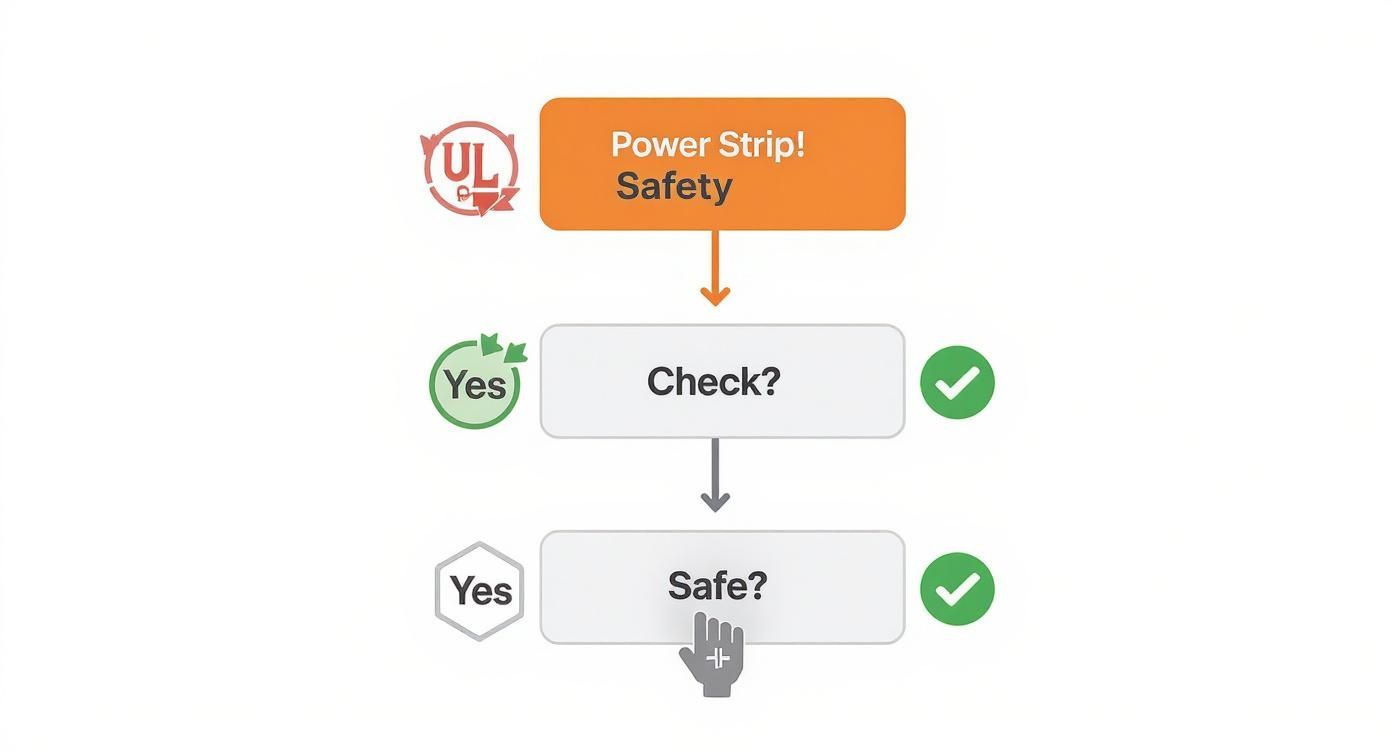
The flowchart reinforces a simple but crucial process: always start by confirming a recognized safety certification like UL, check its power capacity, and only proceed once you’ve verified it’s safe for office use.
Permanent Screw-In Mounts
For a rock-solid, long-term solution, you can’t beat a direct screw-in mount. This method is exactly what it sounds like: drilling small pilot holes and fastening the power strip or its bracket directly to the underside of the desk.
It’s by far the most robust option you can choose, making it ideal for desks made of solid wood or thick particleboard. Once it’s in, it’s not going anywhere. This makes it a perfect choice for permanent setups in private office cubicles where workstations aren’t being reconfigured all the time.
But that permanence is also its biggest downside. You are putting holes in the furniture, so it’s a definite no-go for glass tops, thin laminate surfaces, or any desk you might want to move or repurpose down the line.
Flexible Clamp-On Brackets
If you need a strong hold without the commitment of drilling holes, clamp-on brackets are an excellent middle ground. These versatile mounts attach to the edge of a desk, a lot like a monitor arm, using a C-clamp that you tighten with a thumbscrew.
This approach gives you a few key advantages:
- No Damage: They leave the desk surface completely unharmed.
- Adjustability: Clamps can be easily moved to a new spot or a different desk entirely.
- Versatility: They work with all sorts of desk thicknesses and materials, including some metal frames.
Clamp-on brackets provide a secure grip that’s more than strong enough for even the larger power strips. They’re especially useful for sit-stand desks, since you can attach them to the frame or desktop without getting in the way of the height adjustment.
A secure yet non-permanent solution like a clamp-on bracket is perfect for flexible office layouts where teams and desk arrangements may change. It provides stability without limiting future space planning options.
Simple Adhesive Solutions
For the quickest and easiest installation possible, adhesive mounts are a popular drill-free alternative. These usually involve high-strength double-sided tape or special adhesive strips designed to hold the weight of a power strip. This method is best for lightweight power strips and smooth, non-porous surfaces like metal or sealed laminate.
The main benefit is speed and simplicity—you can get one installed in minutes. However, their reliability can be a mixed bag. Things like heat, humidity, and the texture of the desk can weaken the bond over time, which means the power strip could eventually fall.
For this reason, adhesive mounts are best for light-duty applications or as a temporary fix. When you’re tackling a large-scale project, consulting with experts on professional office furniture installation can ensure you pick and implement the most durable mounting solutions for your entire fleet of desks.
Choosing the right mounting option from the start prevents a lot of headaches later on, making sure your under-desk power strip remains a helpful tool instead of a maintenance issue.
Creating Your Under Desk Power Installation Plan
A great office-wide power upgrade doesn’t start with a drill and a box of screws. It starts with a smart, practical plan. If you just jump straight into installation, you’re setting yourself up for headaches like mismatched gear, wasted time, and a whole lot of disruption for your team. This whole phase is about mapping out exactly what you need to ensure a smooth, efficient rollout that supports every single workstation.
Think of it like creating a blueprint for your office’s electrical nervous system. An architect wouldn’t start building without a plan, and you shouldn’t start mounting power strips without one either. A solid plan stops you from making those classic mistakes, like ordering a power strip with too few outlets or finding out the cord is six inches too short to reach the wall.
Auditing Each Workstation
First things first: you need to do a simple but crucial device census at every single desk. Don’t guess. Walk the floor and get an accurate count of every single thing that needs to be plugged in. This audit is the foundation for your entire project.
At each desk, make a quick list of all the devices that require power. This should include:
- Primary Equipment: The computer itself (whether it’s a desktop or a laptop docking station) and all its monitors.
- Peripherals: Don’t forget the desk lamps, speakers, and any personal printers.
- Charging Needs: Phone chargers, tablet chargers, and any other personal adapters employees use daily.
Once you have your count, here’s a pro tip: add at least two extra outlets to your final number for each power strip. This gives you built-in flexibility for the future. That little bit of foresight is what prevents dangerous daisy-chaining when someone gets a new monitor or a second phone.
Determining Ideal Placement and Measurements
Now that you know what needs power, it’s time to figure out where to put it. The perfect spot for an under-desk power strip is easily accessible but completely out of sight. You want it positioned where someone can plug in a new device without becoming a contortionist, but tucked away so it won’t get kicked or bumped.
Strategic placement isn’t just about hiding a power strip; it’s about making the workspace better. When it’s easy to reach, employees are more likely to unplug things like laptop chargers at the end of the day, which can genuinely add up to energy savings over time.
Before you even think about placing an order, grab a tape measure and get two critical measurements for each workstation:
- Power Strip to Wall Outlet: Measure the distance from where you plan to mount the strip to the nearest wall or floor outlet. This tells you the minimum cord length you need for the power strip itself, ensuring it reaches without being pulled taut.
- Device to Power Strip: Check the cord lengths on the biggest pieces of equipment, like monitors and computers. Make sure they can comfortably reach the mounted power strip, especially if you’re using height-adjustable desks that move up and down.
These simple planning steps are fundamental to successful office space planning and design. They make sure the infrastructure you’re building actually supports the way your team works.
To help you stay organized, use a simple checklist for each workstation. It’s a great way to make sure nothing gets missed as you move from desk to desk.
Workstation Installation Planning Checklist
Use this checklist for each desk to ensure a smooth and effective installation process across your entire office floor.
| Planning Step | Key Consideration | Status |
|---|---|---|
| Device Audit | Count all computers, monitors, peripherals, and chargers. | ☐ |
| Outlet Count | Total devices + 2 extra outlets for future needs. | ☐ |
| Placement | Identify a safe, accessible, and hidden mounting location. | ☐ |
| Measure to Wall | Record distance from mounting spot to the nearest wall outlet. | ☐ |
| Measure to Devices | Confirm device cords can reach the mounting spot easily. | ☐ |
| Desk Type | Note if the desk is fixed or height-adjustable. | ☐ |
This checklist turns a potentially chaotic process into a series of simple, repeatable steps, guaranteeing consistency across the entire project.
Coordinating with Your Office Layout
The last piece of the puzzle is making sure your power plan fits your physical office layout. This is especially critical in offices with modular cubicles or wide-open floor plans. If you’re designing from scratch, using a tool like our Cubicle Designer can be a huge help in visualizing where power needs to go and how it all connects with your furniture.
It’s no surprise that commercial offices are the biggest users of power strips, accounting for about 28.1% of global demand. This trend is all about the need to power a ton of devices in modern open-plan offices and cubicle farms. If you want to dive deeper, you can read the full research on power strip market dynamics to see where the industry is heading.
By taking the time to create a detailed plan, you’re not just buying equipment—you’re aligning your project with proven best practices and setting your office up for success.
Mastering Cable Management for a Professional Look
Installing an under-desk power strip is a great first step, but it really only solves half the problem. If you don’t have a plan for the wires themselves, you’re just trading a mess on the floor for a tangled mess under the desk. Real mastery comes from good cable management—the art of turning that potential “cable spaghetti” into a clean, organized, and totally professional setup.
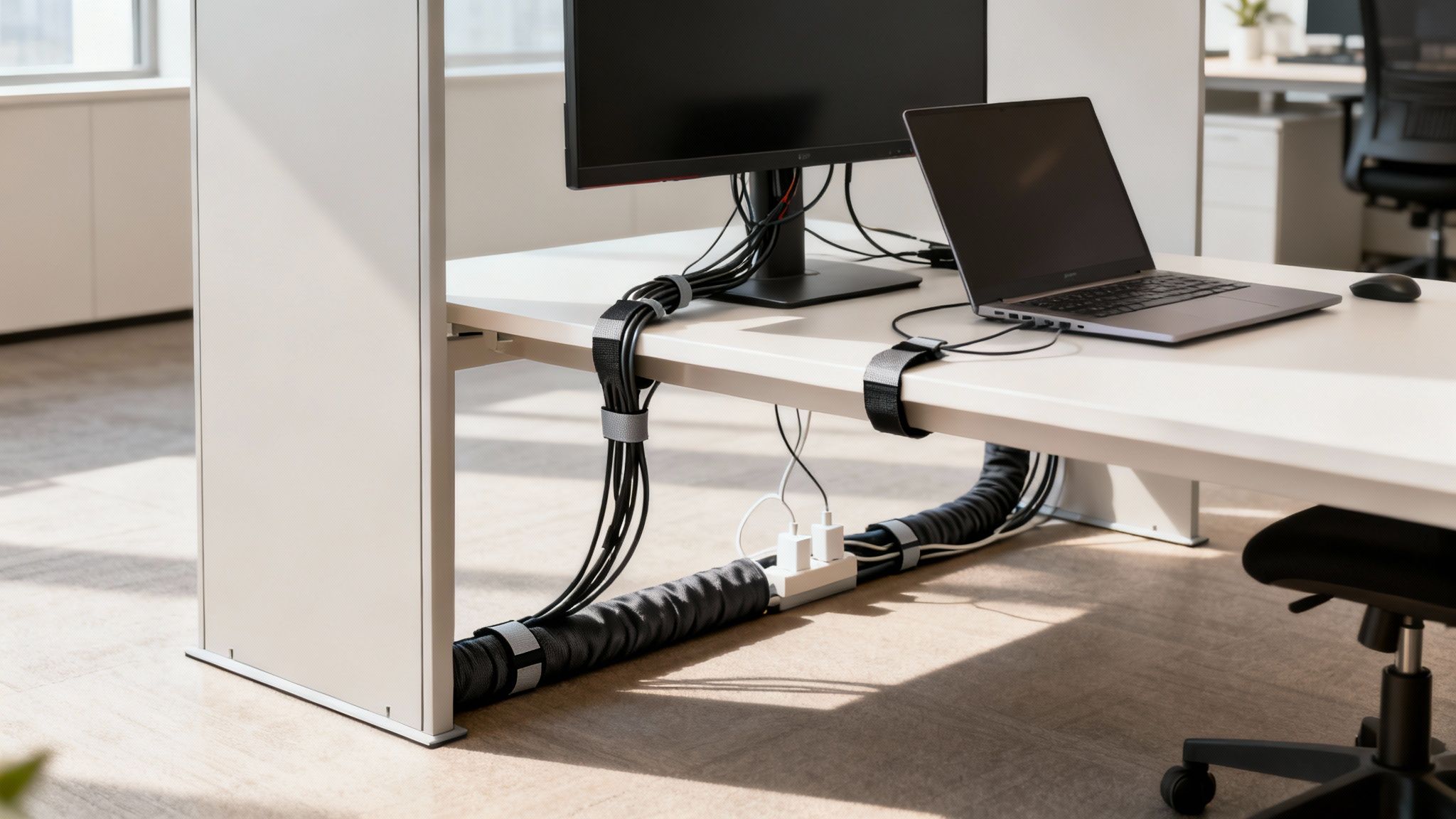
This isn’t just about looking good, either. A well-managed cable system prevents people from accidentally unplugging critical equipment, makes the cleaning crew’s job much easier, and boosts safety by getting rid of tripping hazards. It’s all about creating a clear path for every single cable, from device to power strip and from the strip to the wall.
The Right Tools for Taming the Wires
Before you start wrestling with cords, it helps to have the right gear. You don’t need to spend a fortune; a few simple accessories can make a huge difference in tidying up a workstation.
Here are the most effective tools we see used in office environments:
- Velcro Straps and Cable Ties: These are the absolute workhorses of cable management. Velcro straps are fantastic because they’re reusable, making them perfect for bundling cables you might need to adjust later. Zip ties offer a more permanent, tighter hold for bundles that won’t change.
- Cable Sleeves: Think of a cable sleeve as a jacket for your wires. Usually made of neoprene or a woven fabric, it wraps around a whole bundle of cords to create one neat tube. This is the perfect solution for hiding the mess of cables running from the desk to the wall outlet.
- Adhesive Cable Clips: These little clips are surprisingly strong. They stick right to the underside of your desk or along the legs, giving you a perfect way to guide individual cords along a specific path and keep them pinned down, completely out of sight.
By using a mix of these tools, you can build a flexible and effective system for routing and securing every wire connected to your under-desk power strip.
Techniques for a Flawless Setup
With your tools ready, it’s time to think strategically. The trick is to plan in terms of pathways. Group cables that are all heading in the same direction and secure them every foot or so. A little planning now saves you from a massive headache later.
A clean cable setup is a sign of a well-organized office. It reflects attention to detail and a commitment to creating a productive, distraction-free environment for everyone.
Follow these simple, practical steps to get your cables in order:
- Bundle by Destination: Grab all the cables coming from desktop devices—monitors, speakers, desk lamps—and use Velcro straps to bundle them into one group. This creates a single, manageable trunk line that leads right to your under desk power strip.
- Route Along Edges: Guide that main bundle along the back edge or underside of the desk. Use your adhesive clips every 12-18 inches to keep the bundle tight against the surface and invisible from the front.
- Contain the Power Bricks: Those bulky power adapters are always the awkward ones. You can either secure them directly to the underside of the desk with heavy-duty adhesive strips or, better yet, place them inside a cable management tray to keep them all contained.
- Create a Clean Drop: For the final stretch from the power strip down to the wall outlet, use a cable sleeve. A single, tidy sleeve looks infinitely better than a dozen loose cords dangling in plain sight.
This methodical approach makes sure every wire has a designated place, turning chaos into clean, professional lines. A tidy workspace not only looks better but also improves airflow and makes it easier to add other functional pieces, like cubicle hanging shelves. By following these techniques, you’ll complete the final step in creating a truly efficient workstation.
Common Under Desk Power Strip Mistakes to Avoid
A smart power management upgrade is about more than just adding outlets; it’s about sidestepping the common tripwires that can mess with safety, function, and even how your office looks. Learning from the mistakes others have made means your project will go smoothly from the get-go, saving you from headaches and costly fixes down the road. A well-chosen under desk power strip is a fantastic tool, but only when you use it right.
So many offices stumble over simple but critical miscalculations. By getting ahead of these common errors, you can make sure your power setup is safe, effective, and ready for whatever comes next. Let’s walk through the big ones and how to dodge them.
Ignoring Future Power Needs
Easily one of the most frequent blunders is picking a power strip with just enough outlets for what’s on the desk today. An employee might start with a computer and one monitor, but what about next month when they get a second monitor? Or a desk lamp, a phone charger, and a powered USB hub? Suddenly, they’re out of plugs.
This simple oversight almost always leads directly to the next, much more dangerous problem. To prevent it, you have to plan for growth.
Pro-Tip: As a solid rule of thumb, always choose a power strip that has at least two more outlets than you currently need for that workstation. This little bit of buffer gives you critical flexibility for new equipment without ever compromising safety.
The Dangers of Daisy-Chaining
Daisy-chaining is what happens when you plug one power strip into another to get more outlets. It might seem like a clever hack in a pinch, but it’s an incredibly dangerous fire hazard. In fact, it’s flat-out prohibited by OSHA and the National Electrical Code for a very good reason.
Each power strip is rated to handle a specific electrical load. When you link them together, you’re forcing all that electrical demand through a single, overworked bottleneck. This is a recipe for overheating, short circuits, and potentially a catastrophic fire. The only real solution is to make sure every workstation has enough outlets from the start, removing any temptation to daisy-chain. For any major office reconfiguration, the expert team at Cubicle By Design can help you plan your power needs safely from the ground up.
Underestimating Surge Protection
Here’s a hard truth: not all power strips are created equal. That cheap, basic strip you can get anywhere might give you extra outlets, but it offers zero protection against voltage spikes. A sudden power surge—from a lightning strike or a problem with the utility grid—can instantly fry expensive computers, monitors, and other sensitive electronics.
Always, always check the joule rating on any power strip you’re considering. For the valuable equipment in your office, you’ll want a rating of 1,000 joules or higher. Spending a little more on a strip with proper surge protection is a tiny investment compared to the massive cost of replacing an entire workstation’s worth of fried hardware. From designing efficient workstation cubicles to implementing safe power solutions, every detail matters.
A Few Common Questions About Under-Desk Power
Even with the best planning, a few practical questions always come up when you’re rolling out a new power setup. Here are some straightforward answers to the things office managers ask us most when choosing and installing under-desk power strips.
Can I Just Plug an Under-Desk Power Strip into an Extension Cord?
That’s a definite no. You should never plug a power strip into an extension cord. This is what folks in the industry call “daisy-chaining,” and it’s a major fire hazard because it can easily overload both the extension cord and the wall outlet it’s plugged into.
To keep everything safe and up to code, your power strip needs to plug directly into a permanent wall outlet. If your outlets are just too far away, the only right way to fix it is to have an electrician install new ones closer to the workstations. We often run into this when planning layouts for cubicles, and getting the wiring right from the start is key.
So, How Many Things Can I Actually Plug In?
This is a great question because it’s not about the number of outlets—it’s all about the wattage rating. Before you plug anything in, you need to do a little math. Add up the total wattage of every single device you plan to connect.
That total number has to be less than the power strip’s maximum rating. For most standard 15-amp units you’ll find in an office, that magic number is around 1,800 watts.
A classic mistake is to see an empty outlet and assume it’s free to use. But a couple of high-draw items, like a personal space heater or a big laser printer, can max out a power strip all by themselves, even if other outlets are still empty.
Is Surge Protection Really Necessary for Office Gear?
Yes, absolutely non-negotiable. Think about it—your computers, monitors, and all your networking gear are sensitive, expensive electronics. A sudden power surge, even a small one, can fry them in a split second.
A power strip with built-in surge protection is your insurance policy. Look for a joule rating of at least 1,000 joules to provide solid protection. Spending a little extra upfront can literally save you thousands in replacement costs, whether you’re setting up a row of workstation cubicles or furnishing a few private office cubicles.
At Cubicle By Design, we help you think through every last detail of your workspace to make sure it’s safe, efficient, and ready for work—from the big picture layout down to the power and data hookups. Let’s work together to design a smarter office.
Start designing your ideal office with our Custom Cubicle Designer