


A Guide to Office Space Planning and Design
Effective office space planning is more than just arranging desks. It’s a strategic process that digs into how your company works, its future direction, and the practical details of the building itself. The goal is to create a workspace that’s not just efficient and comfortable but one that genuinely supports your company’s mission.
Building Your Foundation for Office Design Success
Before a single wall comes down or a new chair is ordered, a great office design starts with a deep dive into your organization’s unique DNA. This discovery phase is critical. It sets the stage for every decision you’ll make later, ensuring the final product is truly functional, not just nice to look at.
Many managers make the mistake of rushing this part, but it’s a shortcut to expensive problems. You can learn more about the risks of redesigning your office without a plan in our detailed guide.
Think of it as creating the architectural brief for the entire project.
Conducting a Thorough Site Assessment
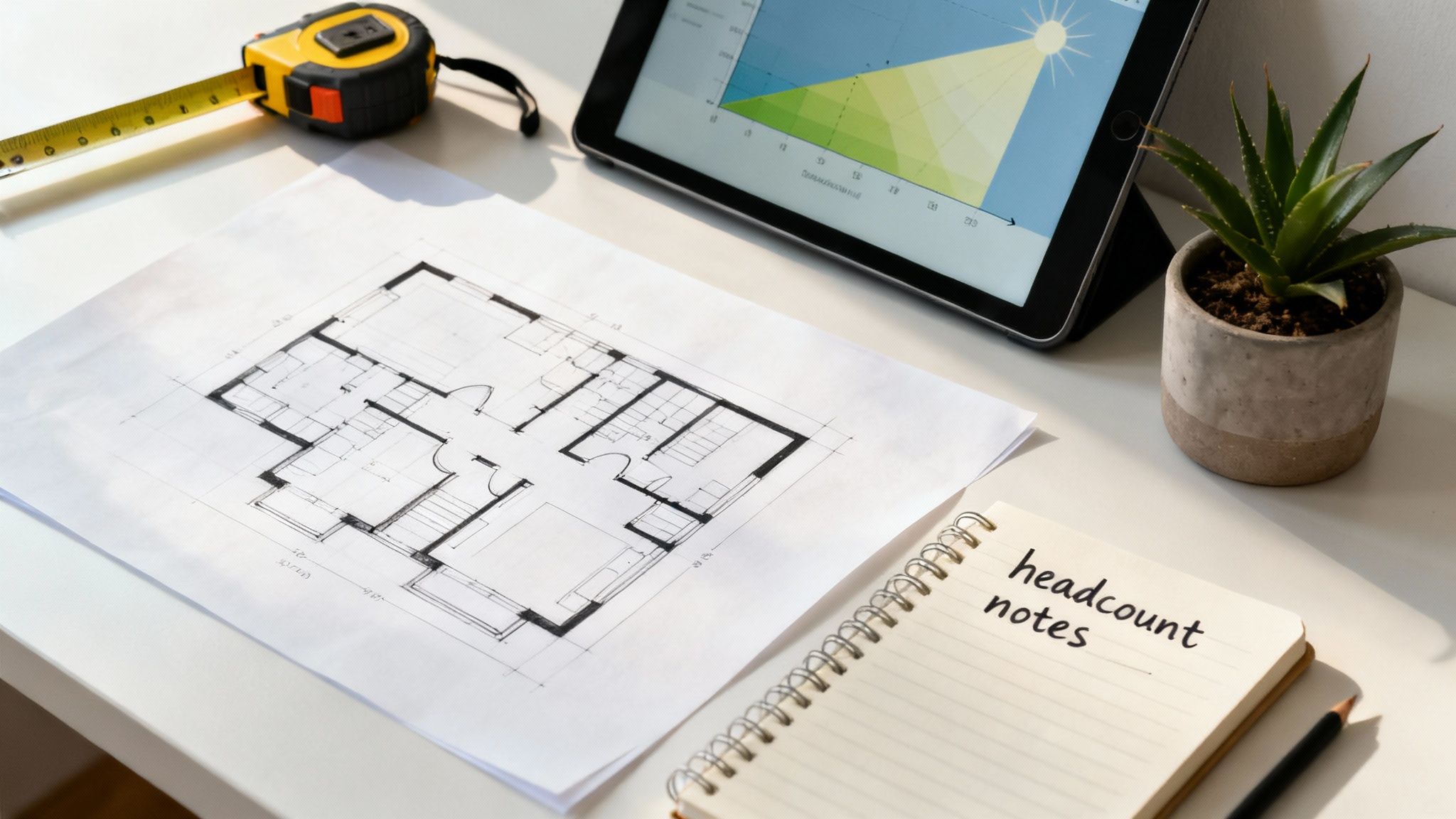
Your first real-world step is a solid site assessment. This is much more than just measuring square footage. You’re analyzing the existing conditions that will either be a launchpad for your vision or a major constraint.
Start by getting familiar with the architectural realities. Document every structural column, load-bearing wall, and the existing HVAC and electrical systems. These are the “immovable objects” of your design—expensive or impossible to change—so your layout has to flow around them.
Don’t forget to pay close attention to natural light. Where are the windows? How does sunlight move through the space during the day? Maximizing daylight is a proven way to boost morale and productivity, so it’s a smart move to orient key work zones to soak up as much as possible.
Defining Your Spatial Needs Through Programming
Once you have a handle on the physical space, it’s time for “programming.” This is where you translate your company’s day-to-day operations into a concrete list of what you actually need. It’s less about picking paint colors and more about data-driven space planning.
Kick things off with your headcount and departmental needs. How many people are on the payroll now? And what’s your growth projection for the next three to five years? It’s crucial to think ahead.
Then, figure out which departments absolutely need to be near each other to collaborate effectively. Your sales and marketing teams might thrive on proximity, while your engineers might need a quieter, more insulated zone to do their best work.
Your analysis should cover:
- Headcount Projections: Always plan for future growth to avoid a costly do-over in a couple of years.
- Departmental Adjacencies: Map out who talks to whom most often.
- Shared Resource Needs: Tally up the requirements for meeting rooms, break areas, and storage.
- Specialty Spaces: Don’t forget any unique needs like server rooms, labs, or dedicated wellness rooms.
The real secret to effective programming is understanding workflow. It’s not just about counting heads; it’s about watching how people interact, what tools they rely on, and what environment helps them achieve their goals.
Looking to the Past to Inform the Future
Modern office design has a fascinating history, evolving over a century as technology and work philosophies changed. Early 20th-century offices, inspired by “Taylorism,” looked like factories with rigid rows of desks for maximum supervision.
Then, as things like air conditioning became standard, designs shifted. The 1950s brought us the classic model: managers in private window offices overlooking a sea of workers in open bullpens. The iconic cubicle finally arrived in 1964 from Herman Miller’s “Action Office” system, striking a balance between privacy and openness that would define the workplace for decades to come.
Choosing the Right Office Layout for Your Team
Your office layout is more than just where you put the desks. It’s a powerful tool that directly shapes company culture, how people collaborate, and their ability to concentrate. Finding the right fit isn’t about chasing the latest trend; it’s about understanding how your teams actually work and designing a space that supports them. This decision will define the daily rhythm of your workplace.
If you look back, the evolution of office design tells a story. In the 1960s, Robert Propst’s Action Office introduced the three-walled workstation to break up rigid, bullpen-style offices. That gave birth to the cubicle, which dominated for decades. Then, by the 1990s, the pendulum swung hard toward open-plan designs to spark collaboration, though often at the cost of focus.
The Classic Debate: Open Plan vs. Cubicles
The open-plan office gets a lot of praise for fostering spontaneous interaction. With minimal barriers, it can feel energetic and transparent—perfect for sales teams or creative departments where quick, informal chats are part of the job. But that lack of barriers is also its biggest weakness. The constant noise and visual distractions can torpedo any task that requires deep concentration.
On the flip side, you have the traditional cubicle. Cubicles provide a dedicated, semi-private space where employees can zero in on their work without the constant buzz of an open office. This setup is ideal for roles that demand focus or handle sensitive information, like accounting, HR, or programming.
While some people think of cubicles as outdated, modern systems offer incredible flexibility and style. We dive deep into this in our guide to open plan offices vs. cubicles. Ultimately, the best choice is the one that actually matches the work being done.
Embracing Modern Alternatives
Today, the most effective office designs have moved beyond a simple “open or closed” choice. The real magic happens when you blend privacy with connection, catering to different work styles under one roof.
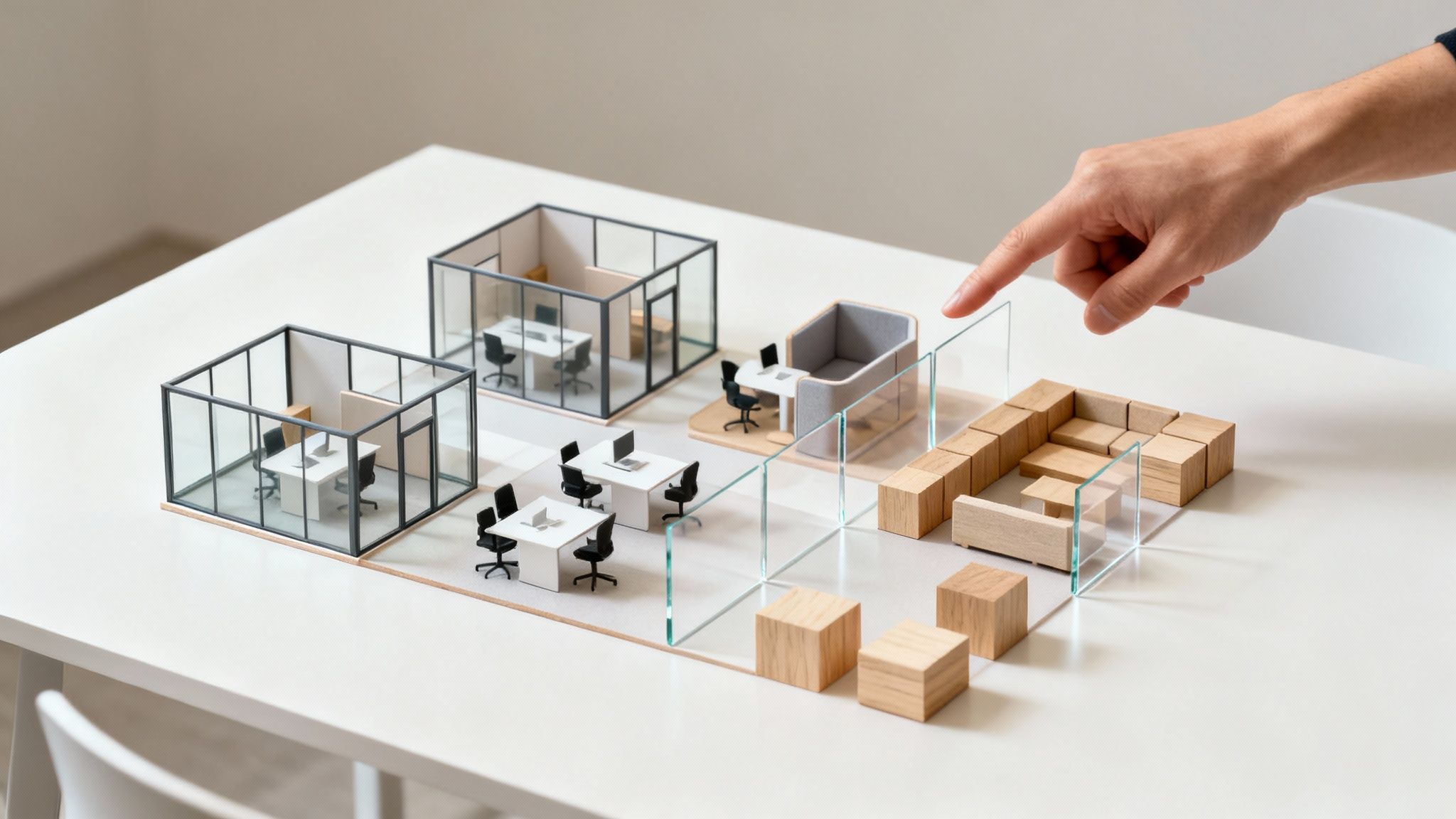
- Glass-Walled Offices: These are a fantastic middle ground. You get complete acoustic privacy for meetings or focus work, but the visual transparency prevents the feeling of isolation that solid walls can create. It’s a great way for leaders to have a private office while still feeling connected and accessible to their team.
- Hybrid and Zoned Layouts: This is where things get really interesting. The hybrid or “activity-based” model is easily the most popular modern approach. Instead of assigning a permanent desk to everyone, you divide the office into distinct zones designed for different kinds of work.
A hybrid layout empowers employees with choice. When they can select the environment that best suits their task, you’re not just designing a space—you’re building a culture of autonomy and trust.
Designing a Dynamic Hybrid Environment
A successful hybrid layout is all about intentional zoning. It’s a practical acknowledgment that an employee’s needs shift throughout the day. A great design will incorporate several of these specialized areas.
Below is a quick breakdown to help you compare the most common layout models at a glance.
Comparing Office Layout Models
| Layout Type | Key Benefit | Primary Drawback | Best For |
|---|---|---|---|
| Open-Plan | Fosters collaboration and transparency | High potential for noise and distractions | Creative agencies, sales teams, collaborative project groups |
| Cubicles | Provides individual focus and privacy | Can feel isolating and limit spontaneous interaction | Accounting, programming, roles requiring deep concentration |
| Glass-Walled Offices | Balances acoustic privacy with visual connection | Higher cost and less layout flexibility | Executive suites, HR departments, client-facing roles |
| Hybrid/Zoned | Maximum flexibility and employee choice | Requires clear communication and management | Tech companies, modern corporate environments, flexible workforces |
This kind of zoned model supports a truly dynamic workflow. A team might kick off their day with a brainstorm in a collaborative lounge, then break off to quiet pods or hot desks to execute on their individual tasks. This approach to office planning is less about where people sit and more about giving them what they need to do their best work.
Mastering the Details of Your Workspace
A brilliant layout concept can fall completely flat if you overlook the small, functional details. True success in office planning hinges on mastering the elements that impact daily work: privacy, acoustics, and the unseen infrastructure that powers it all.
These components are the difference between a space that just looks good and one that actually works.
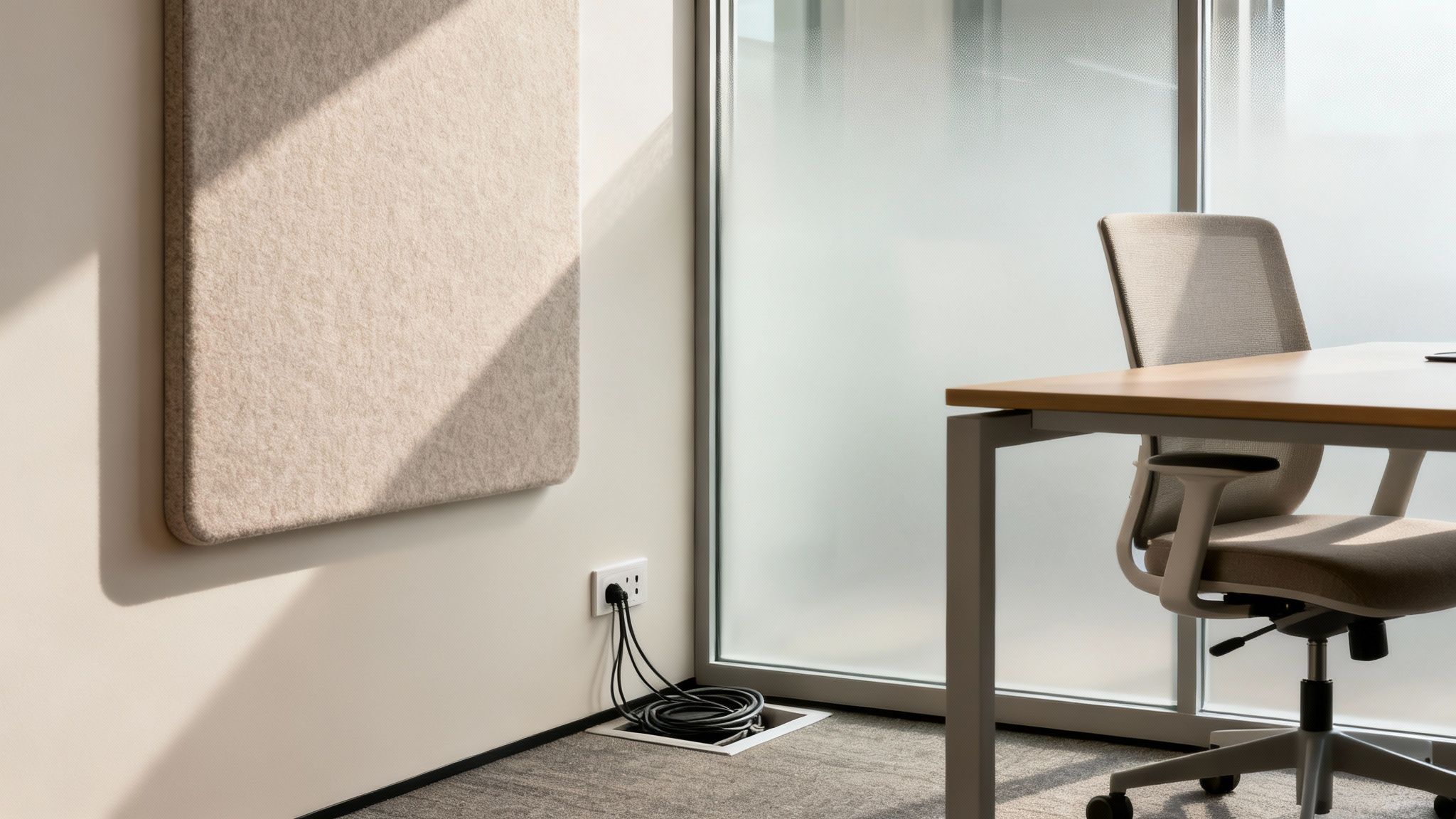
Getting these details right is about more than just comfort; it’s a direct investment in productivity. When employees can focus without constant interruptions, their performance and job satisfaction skyrocket.
Managing Privacy and Acoustics
Noise is, without a doubt, the biggest complaint about modern offices, especially in open-plan setups. You absolutely need a multi-layered approach to sound management to create a functional, focused workspace. Your strategy should tackle both sound absorption and sound blocking.
Sound absorption is all about using soft materials to soak up ambient noise, which cuts down on echo and the overall volume. Think of it like adding sponges for sound throughout the office.
- Acoustic Panels and Baffles: These can be installed on walls or hung from ceilings. They come in all sorts of colors and shapes, so they can double as cool design elements.
- High-Pile Carpeting: Hard surfaces like concrete or wood floors just bounce sound around. Carpet, on the other hand, absorbs it.
- Upholstered Furniture: Sofas, soft chairs, and fabric-covered partitions in common areas all help to dampen noise.
Sound blocking, on the other hand, is about creating physical barriers to stop noise from traveling from one area to another. This is non-negotiable for meeting rooms and private offices where confidentiality is key.
A well-designed acoustic plan isn’t just about silence. It’s about creating different soundscapes for different activities, ensuring the collaborative buzz doesn’t bleed into quiet zones meant for deep work.
Visual privacy is just as important. No one likes feeling like they’re on display all day. Simple solutions like frosted glass films, strategically placed tall planters, or freestanding modular screens can create a sense of personal space without having to build solid walls.
Planning Your Power and Data Infrastructure
In our tech-driven world, an office without enough accessible power and data is practically useless. This technical backbone needs to be planned meticulously from the very beginning—not as an afterthought. A poor cabling plan leads to a messy, unsafe environment cluttered with extension cords and tangled wires. It’s a nightmare.
Start by creating a detailed map of every single workstation, meeting room, and collaborative area. For each spot, figure out the exact power and data requirements. Does a workstation need two outlets or four? Does that conference table need integrated ports for laptops and A/V equipment?
This is also the perfect time to think about the future. Technology will change, and your team will grow. Installing floor boxes or using modular wall systems with integrated raceways gives you the flexibility to add or move connections later without ripping up the floors or walls.
Creating a Functional Infrastructure Checklist
To make sure nothing gets missed, use a simple checklist to guide your power and cabling plan. This forces you to think through the needs of every single corner of your office.
A well-organized system of cable trays, raceways, and ties keeps everything neat and accessible for your IT team. Properly managed cables don’t just look more professional; they improve safety and make troubleshooting a whole lot easier down the line.
And don’t forget, a clean setup contributes to the overall ergonomics of a workstation. You can learn how to maximize the ergonomics of office spaces in our complete guide, which covers everything from cable management to chair posture.
By focusing on these critical details—acoustics, privacy, and infrastructure—your office design will result in a space that isn’t only visually appealing but also highly functional, adaptable, and ready to support your team’s success for years to come.
Selecting Furnishings That Define Your Space
This is where your design vision becomes real. Furniture is the tangible part of your plan, the physical items your team will use every single day. It directly impacts everything from their comfort and productivity to how clients perceive your brand. Choosing the right pieces isn’t just about aesthetics; it’s a direct investment in your company’s future.
Making smart, intentional choices here is the practical application of all that planning you’ve been doing. It’s about finding pieces that support employee health, can adapt as your company changes, and create a cohesive environment that actually feels like your company.
Function and Flexibility First: Think Modular
The modern workplace is anything but static. Teams grow, projects shift, and how we work is always evolving. That’s why modular furniture isn’t just a nice option anymore—it’s pretty much a strategic necessity if you want to future-proof your office.
Modular components like customizable desks, movable partitions, and reconfigurable storage give you the power to adapt your space without a massive, costly overhaul. A row of workstations can be reconfigured into smaller pods for a new project team, or a collaborative area can be quickly divided for a temporary war room. That kind of adaptability is how you maximize your real estate investment over the long haul.
Think of modular furniture less like buying individual pieces and more like investing in a flexible ecosystem. It lets your physical space grow and change right alongside your business, which is a huge advantage.
This flexibility is even more critical as offices become more efficient. Recent analysis shows a major trend toward “densification,” with the average space per employee now hovering around 150-175 sq ft in many U.S. markets. That’s a steep drop from the 250+ sq ft that was common not too long ago. This shift forces us to be smarter about our layouts, and modular systems are a fantastic solution for making denser spaces feel more functional and less cramped. You can dig into the numbers and see how office space utilization has evolved in this detailed report.
Prioritizing Employee Well-Being with Ergonomics
Employee wellness must be at the heart of every furniture decision. An uncomfortable workstation doesn’t just cause aches and pains; it kills productivity and morale. Ergonomic furniture is designed to fit the person using it, which reduces physical strain and promotes healthier postures all day long.
When it comes to ergonomic workstations, here are the absolute must-haves:
- Ergonomic Seating: Look for chairs with adjustable height, seat depth, lumbar support, and armrests. A truly good chair moves with the employee, providing constant support.
- Adjustable-Height Desks: These are often called sit-stand desks, and they are genuine game-changers for employee health. Just giving people the option to easily switch between sitting and standing is proven to reduce back pain and boost energy levels.
Investing in ergonomics sends a powerful message to your team: we care about your health and well-being. It’s also a surprisingly effective tool for attracting and keeping great people.
Furnishing Your Entire Office for a Cohesive Feel
Your office furniture tells a story, and you want that story to be consistent from the reception area to the break room. While individual workstations are obviously critical, don’t forget about all the other zones that shape the daily experience for your employees and visitors.
Creating a cohesive look requires a careful selection of finishes, fabrics, and colors that align with your brand. For some inspiration, check out our guide on 5 furniture pieces that make a modern office to see how a few key items can totally refresh a space.
Make sure you’re thinking about these key areas:
- Reception and Waiting Areas: This is your first impression. The furniture here needs to be welcoming, comfortable, and a clear reflection of your brand’s style.
- Collaborative Spaces: Furnish these zones with a mix of options. Think high-top tables for quick huddles, comfy lounge seating for brainstorming, and mobile whiteboards that can go wherever the ideas are.
- Break Rooms and Kitchens: This is where your team recharges. Go for durable, easy-to-clean surfaces and provide different types of seating that encourage people to relax and socialize.
By thoughtfully furnishing every corner of your office, you create a complete, supportive environment where your team can really do their best work.
Managing Your Office Design Project and Budget
A brilliant design is one thing, but bringing it to life without blowing your budget or timeline is where the real work begins. This is the part of the project where your vision for a new office meets the reality of schedules, vendor coordination, and cold, hard numbers. A disciplined project management approach is what keeps everything on track.
Successfully pulling off a redesign means you’re juggling dozens of moving parts at once. You’re coordinating contractors one minute and tracking furniture deliveries the next. Without a solid game plan, it’s frighteningly easy for small hiccups to snowball into massive, costly delays.
Creating a Comprehensive Budget
First things first: you need a budget that accounts for everything, not just the big, obvious costs. Too many projects go off the rails simply because the initial budget was full of holes. A truly comprehensive budget is your best defense against nasty surprises down the road.
Start by breaking down every conceivable expense into clear categories. This gives you a bird’s-eye view and helps you see where the money is really going. A typical breakdown will look something like this:
- Construction and Renovation: This is all your heavy-lifting costs—demolition, framing, drywall, painting, and new flooring.
- Furniture and Fixtures: Often one of the biggest line items, this covers every desk, chair, storage unit, and collaborative piece you’ll need.
- Technology and Cabling: Don’t forget to budget for all the data wiring, AV equipment in conference rooms, and any new hardware your team requires.
- Professional Fees: This bucket includes the costs for your designer, architect, engineers, and project manager.
A critical piece of advice for every client: the most important line item in any budget is your contingency fund. You absolutely must set aside 10-15% of your total estimated cost for the unexpected. Trust me, something will come up. This fund is your safety net for everything from surprise structural issues to a key vendor having shipping delays.
Here is a sample budget template to help you start thinking about cost allocation for a typical mid-size office renovation.
| Office Design Project Budget Template | ||
|---|---|---|
| Budget Category | Estimated Percentage of Total Budget | Key Considerations |
| Construction & Renovation | 35-45% | Labor, permits, materials (flooring, paint, lighting). This can vary wildly based on the scope. |
| Furniture & Fixtures | 20-30% | Desks, seating, storage, conference tables. Ergonomics and modularity are key factors. |
| Technology & Cabling | 10-15% | Network infrastructure, Wi-Fi, AV systems, security. Plan for future tech needs. |
| Professional Fees | 10-15% | Designer, architect, project manager fees. Don’t skimp on expertise. |
| Moving & Installation | 3-5% | Costs for professional movers, furniture installers, and IT setup. |
| Contingency Fund | 10-15% | Non-negotiable. For unexpected costs, scope changes, or delays. |
This table provides a solid starting point, but remember to adjust the percentages based on the specific priorities and complexities of your own project.
Phasing Your Project for Minimal Disruption
For any large-scale redesign, trying to do it all at once is a recipe for chaos that can bring your entire business to a grinding halt. This is where a phased approach becomes a lifesaver. By breaking the project into smaller, manageable stages, you can execute the redesign while keeping day-to-day operations running.
It’s a simple concept. For instance, you could renovate the west wing of your office while the team temporarily relocates to the east wing. Once that phase is complete, everyone moves into the beautiful new space, and you can start work on the next section.
Phasing demands meticulous coordination and, most importantly, clear communication with your team. Keep everyone in the loop on the timeline, what to expect, and how it will impact their work. A well-managed phased project keeps your business humming along smoothly through the entire transition.
The Procurement and Installation Process
With a budget and plan locked in, your focus shifts to buying and installing everything. This is a detail-heavy process that lives or dies by your ability to track it all. A simple spreadsheet can be your best friend here, letting you monitor every single item—order dates, lead times, delivery schedules, and payment status.
When it comes to selecting the actual furniture, your decision-making should be guided by a few key principles: ergonomics for your team’s health and comfort, modularity for future flexibility, and brand alignment to create a cohesive look.
This infographic breaks down a smart way to approach furniture selection.
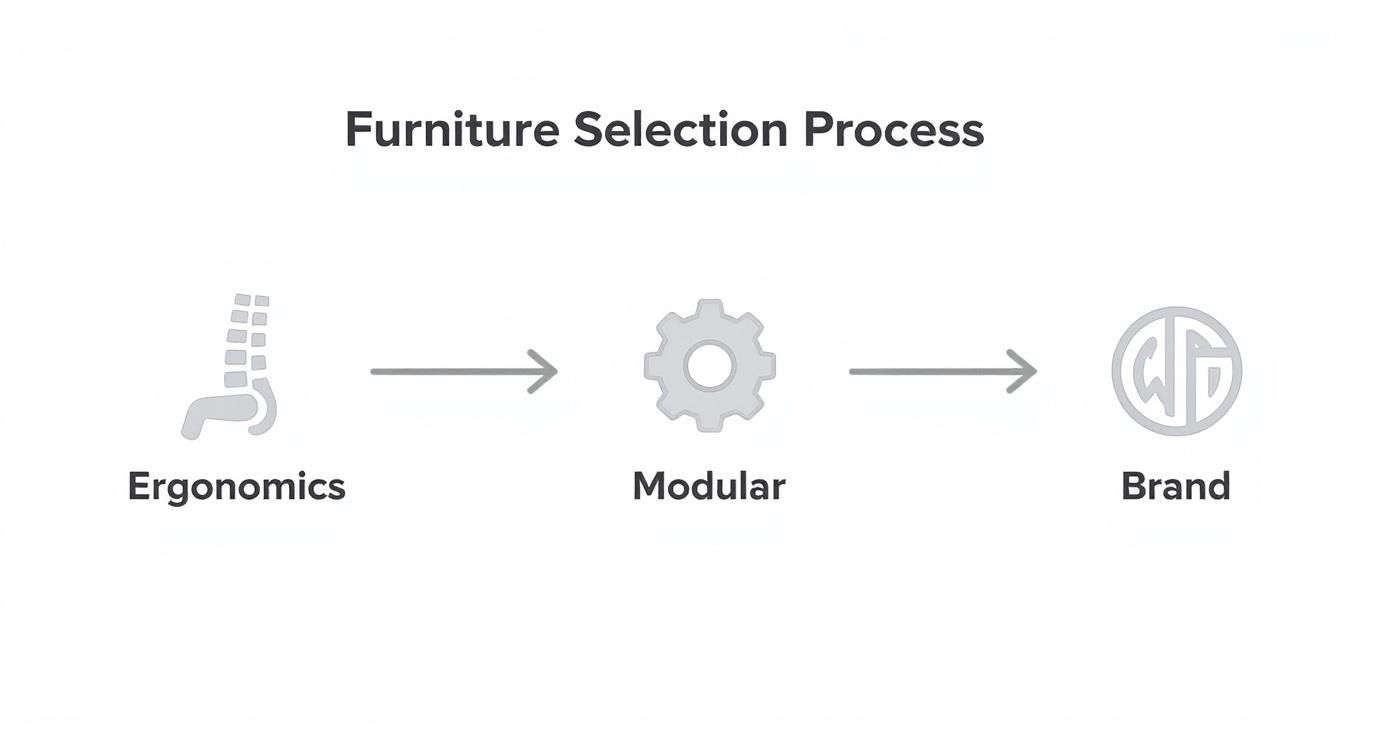
As you can see, the process flows from human needs (ergonomics) to business needs (modularity), ultimately landing on a final selection that reinforces your company’s identity.
Your Final Installation Checklist
The final push is all about coordination. An installation checklist is your guide for those last few critical days, ensuring the move into your new space is seamless and nothing falls through the cracks.
Your checklist needs to cover a few key areas:
- Compliance and Inspections: Double-check that all work has passed final building inspections and meets local codes. This means fire safety, electrical, and ADA accessibility are all signed off.
- Vendor Coordination: Get firm, confirmed dates from all your key players—furniture installers, IT techs setting up equipment, and the professional movers.
- Site Walkthrough: Before anyone moves in, do a thorough “punch list” walkthrough with your designer and contractor. This is your chance to spot any last-minute fixes, like paint touch-ups or loose cabinet hardware.
- Employee Communication: Get your team excited! Prepare a welcome packet or email with a floor plan, instructions for new equipment, and a quick guide on how to use the new shared spaces.
This level of meticulous management is what ensures your office design project ends on a high note, delivering a space that’s not just beautiful, but fully compliant and ready for your team on day one. For a deeper dive into the nuts and bolts of coordination, our guide on professional project management has some great additional insights.
Answering Your Office Planning Questions
Even the most detailed blueprint can’t anticipate every question that pops up during an office redesign. It’s a big project, and you’re bound to run into a few practical challenges. Let’s tackle some of the most common questions we hear from people in the thick of planning their new workspace.
How Do You Plan an Office for a Hybrid Work Model?
Planning for a hybrid team isn’t about cramming in desks anymore. It’s about shifting your mindset from “one desk per person” to creating an ecosystem of different work environments. The real goal is to give your team choice and flexibility for whatever they need to do when they come into the office.
First things first: you have to survey your employees. Find out why they’re coming in. Is it for heads-down, deep-focus work? Quick, spontaneous collaboration? Big, formal team meetings? Or just to connect with colleagues? Their answers are your design roadmap.
Once you have that feedback, you can start creating specific “zones” to support those activities:
- Hot Desks: A bank of unassigned workstations is perfect for employees who just need a place to land for a few hours.
- Quiet Pods: Think small, soundproof enclosures. They’re a lifesaver for confidential video calls or any task that demands serious concentration.
- Collaborative Lounges: Get some comfy seating, add a few whiteboards and make sure there are plenty of outlets. You’ve just created the perfect spot for informal brainstorming.
- Formal Meeting Rooms: Don’t skimp here. Make sure they’re decked out with top-notch video conferencing gear to bridge the gap between your in-office and remote team members.
The secret to a great hybrid office is giving your employees choices. When people can pick the right space for the task at hand, it builds a culture of autonomy and trust that you can see in their productivity.
What Is a Realistic Budget for a New Office Design?
I wish there was a magic number, but a realistic budget really depends on your location, the scale of the project, and the quality of finishes you’re after. The best way to get an accurate estimate is to break down the costs into a few major buckets.
Think in terms of construction, furniture, technology, and professional fees. As a rough guideline, you can expect furniture to eat up about 20-30% of your total project cost. But the most critical part of any budget is the contingency fund. You absolutely have to set aside 10-15% of your total estimated cost. Trust me, surprises always pop up during a renovation, and you’ll be glad you have it.
How Can We Make Our Open Office Less Distracting?
Noise is the number one complaint in any open-plan office, but it’s a problem you can solve with a few smart moves. Your first line of defense is to bring in sound-absorbing materials anywhere you can. We’re talking acoustic ceiling baffles, fabric-covered wall panels, and even high-pile carpeting to soak up that ambient chatter.
Next, you need to create some physical and visual barriers. This doesn’t mean you have to build solid walls. Strategically placed bookcases, some tall planters, or freestanding modular screens can do wonders to break up sightlines and block the direct path of sound. It creates a feeling of psychological privacy, even when you’re in an open area.
Finally, give people an escape route. Designate a few spots as official “quiet zones” where talking is off-limits, and install a few enclosed pods or small rooms for private calls. This gives everyone a place to retreat to when they really need to focus, which makes the whole layout work better for the entire team.
How Long Does This Process Typically Take?
The timeline for an office project is tied directly to its size and complexity. A simple furniture refresh for a small space could take just 4-8 weeks from planning to installation.
If you’re doing a mid-sized renovation that involves some light construction, it’s safer to plan for 3-6 months. That gives you enough time for design development, pulling permits, the actual construction, and getting all the furniture in place. A full build-out from a raw, empty shell is a much bigger beast—that can easily take 9-12 months, sometimes even longer.
At Cubicle By Design, our specialty is turning these complex questions into practical, beautiful solutions. Our modular cubicles, glass walls, and ergonomic furniture are designed to create flexible, productive workspaces that actually fit your budget and timeline. Let’s start designing your ideal office today.