


You're probably dealing with a familiar problem right now. Leadership wants a hybrid work schedule. HR wants fairness. Department heads want their teams together on the right days. Employees want flexibility. Facilities has to make all of that work inside a real floor plan with real furniture, power, acoustics, and budget limits.
That's why hybrid planning fails when companies treat it like a calendar exercise. A workable model isn't just “who comes in on Tuesday.” It's a system. The schedule has to match the office layout, the technology has to support movement, and the policy has to prevent flexibility from turning into confusion or favoritism.
Hybrid Work Schedule
The New Blueprint for Today's Office
Most organizations have moved past the question of whether hybrid is temporary. The practical question now is how to run it well enough that people can work, collaborate, and stay aligned without turning the office into a half-used storage room for assigned desks.
Cisco's Global Hybrid Work Study shows why this shift matters. Hybrid arrangements moved from 62% in 2022 to 45% in 2025, while 72% of organizations reported office attendance mandates, which points to a more structured model rather than a fading one, according to Cisco's Global Hybrid Work Study. In plain terms, hybrid didn't disappear. It matured.
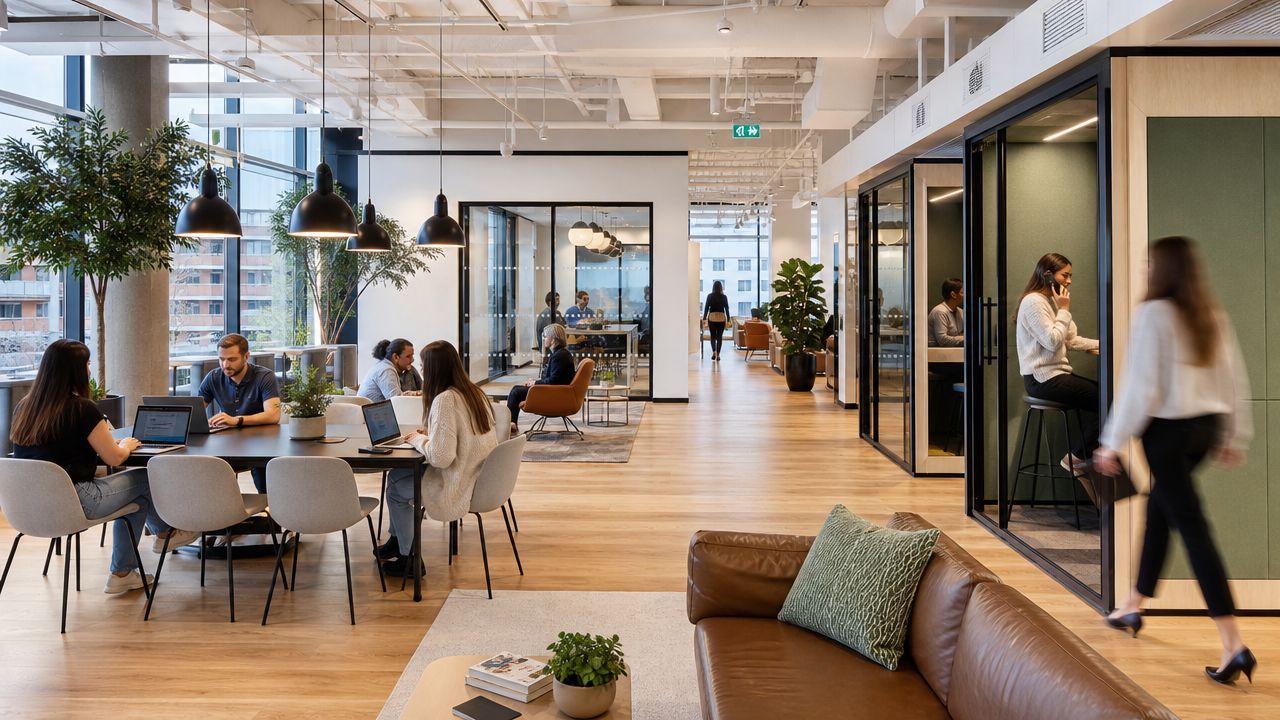
That change affects space planning immediately. If your office once assumed every employee needed the same desk every day, that assumption probably no longer fits how people work. A hybrid work schedule changes desk demand, meeting room demand, storage needs, circulation patterns, and privacy requirements.
What office leaders need to solve now
A solid hybrid office has to answer a few operational questions:
- Who needs assigned space: Some roles need dedicated setups, secure materials, or special equipment.
- Who can share space: Some teams can use reservable stations or neighborhood seating.
- What work belongs onsite: Coaching, project sprints, interviews, onboarding, and sensitive conversations usually need better space support than heads-down solo tasks.
- What the office is for: If employees commute in only to take video calls all day, the layout and the schedule are working against each other.
The office works better when it has a job to do. In hybrid environments, that job is rarely “store everyone at a desk.”
If you're revisiting your floor plate, these modern office layout ideas are a useful starting point because they force the right question: what kinds of work should the space support on purpose?
Choosing Your Hybrid Schedule Model
Not every hybrid work schedule creates the same pressure on the office. Some models prioritize employee autonomy. Others prioritize coordination. The right choice depends less on trend and more on how your teams depend on each other.
Gallup's recent reporting shows that hybrid schedules are now split almost evenly between employee-decided and manager-decided approaches, while formal hybrid policies have expanded sharply since 2023, as noted in Gallup's analysis of hybrid work's current direction. That's a useful signal. Many companies are moving away from casual flexibility and toward defined operating rules.
Comparing Hybrid Work Schedule Models
| Model | Description | Best For | Potential Pitfall |
|---|---|---|---|
| At-Will | Employees choose when to work onsite within broad guidelines | Mature teams, independent knowledge work, organizations with strong digital habits | Unpredictable attendance makes collaboration and space planning messy |
| Split-Week | The company sets recurring in-office days, often by function or whole organization | Teams that need rhythm, onboarding support, and easier meeting planning | Commute demand and space demand can spike on the same days |
| Staggered | Different teams rotate onsite days to spread attendance across the week | Shared offices, support groups, call-heavy operations, space-constrained environments | Cross-team interaction can weaken if rotations isolate departments |
| Office-First | Office presence is standard, with remote work allowed selectively | Compliance-sensitive work, training-heavy teams, hands-on roles | Employees may see it as a traditional office with limited flexibility |
How to decide without overcomplicating it
Start with your coordination pattern, not your culture statement.
If most work happens inside one team, a split-week model often gives the cleanest result. Everyone knows when collaboration happens, facilities can predict demand, and managers don't spend all week chasing availability.
If departments have different workflows, staggered schedules usually outperform a one-size-fits-all rule. Customer service, design, finance, and recruiting rarely need the same onsite cadence. A staggered model respects that reality and smooths desk use.
If your leadership team wants flexibility but your office operations are still immature, be careful with at-will scheduling. It sounds employee-friendly, but it often creates the worst of both worlds: low predictability and poor in-office overlap.
Practical rule: If your booking system, meeting norms, and team planning habits aren't already strong, don't start with the loosest model.
Match policy to management maturity
A hybrid work schedule works only if managers can lead inside it. Some teams are ready for broad discretion. Others need named collaboration days, attendance windows, and booking protocols.
That's why I usually tell clients to choose the most structured model they can run calmly, then loosen it later if behavior supports it. Starting too loose tends to create avoidable friction. Starting with a clear operating pattern gives you a stable baseline.
Before you lock your model, sketch the implications in a planning tool. An office space planning and design approach helps teams see the immediate consequences of each schedule choice, especially around desk counts, circulation, and neighborhood layouts.
Matching Your Schedule to a Workspace Strategy
A hybrid work schedule should drive the layout. Not the other way around. Too many office projects start with furniture selection and only later discover that the seating plan doesn't support the attendance pattern.
Stanford researchers found that when workers shifted from full-time office work to hybrid, resignations fell by 33% with no productivity loss, according to the Stanford hybrid work study summary. That's not just an HR point. It means space design deserves serious operational attention because the environment supports whether hybrid feels coherent or frustrating.
Start with desk ownership
The first space question is simple. Will people have dedicated desks, shared desks, or a mix?
A dedicated desk model works for roles with specialized equipment, secure paper workflows, or frequent onsite presence. It also helps teams that need routine and storage. The downside is obvious. It can leave expensive square footage underused on low-attendance days.
A shared desk or hoteling model fits split-week and staggered schedules much better. It reduces empty-seat waste and gives facilities more flexibility, but it only works if lockers, monitor standards, cleaning protocols, and reservation rules are all defined.
A blended model is often the most realistic. Keep dedicated stations for anchor roles and reservable stations for mobile staff. That avoids forcing everyone into the same pattern.
Build for activity, not just seating
Hybrid offices need more than rows of workstations. They need zones.
Consider dividing the floor into activity types:
- Team neighborhoods: Home bases with workstation clusters for departments that need regular overlap.
- Focus areas: Quieter zones for concentrated work, ideally separated from social traffic.
- Small meeting rooms: For one-on-ones, manager check-ins, and confidential calls.
- Open collaboration areas: For standups, project reviews, and short working sessions.
- Phone or video booths: Essential when more people are mixing in-office and remote participation.
Product choice matters. Custom office cubicles let you tune privacy, storage, dimensions, and panel heights around actual workflows. Workstation cubicles make sense when you need repeatable team neighborhoods that can scale across departments without reinventing every cluster.
If you need separation without making the office feel sealed off, glass office partitions can define focus rooms or meeting zones while preserving light and visibility. In hybrid settings, that's often a better fit than hard construction because needs change faster than walls do.
Space strategies by schedule type
Different schedule models call for different planning moves.
- Split-week offices: Expect demand peaks on set collaboration days. Add touchdown seating, protect meeting room inventory, and avoid oversizing assigned desks.
- Staggered schedules: Create team-based neighborhoods that rotate cleanly. This is especially useful in support-heavy environments and call center cubicles can be arranged to support repeating shift patterns with clearer acoustic separation.
- At-will models: Prioritize booking visibility, universal workstation standards, and more enclosed call space.
- Office-first models: Maintain higher desk availability, but still carve out hybrid-ready rooms because some participants will join remotely.
If your busiest day feels chaotic and your quietest day feels empty, the issue usually isn't employee behavior. It's a mismatch between schedule design and floor plan logic.
Plan for reconfiguration early
Hybrid offices change. Headcount shifts, attendance rules evolve, and one team's perfect setup becomes another team's bottleneck. That's why movable boundaries matter.
Modular office walls for flexible workspaces are worth considering when you need to create enclosed zones without locking the floor into one long-term arrangement. They give facilities teams more control over change without restarting from scratch each time the schedule changes.
Crafting a Fair and Effective Hybrid Work Policy
A hybrid work schedule falls apart when the policy is vague. Employees don't just need permission to work in different places. They need clarity on how decisions get made, how communication works, and how performance will be judged.
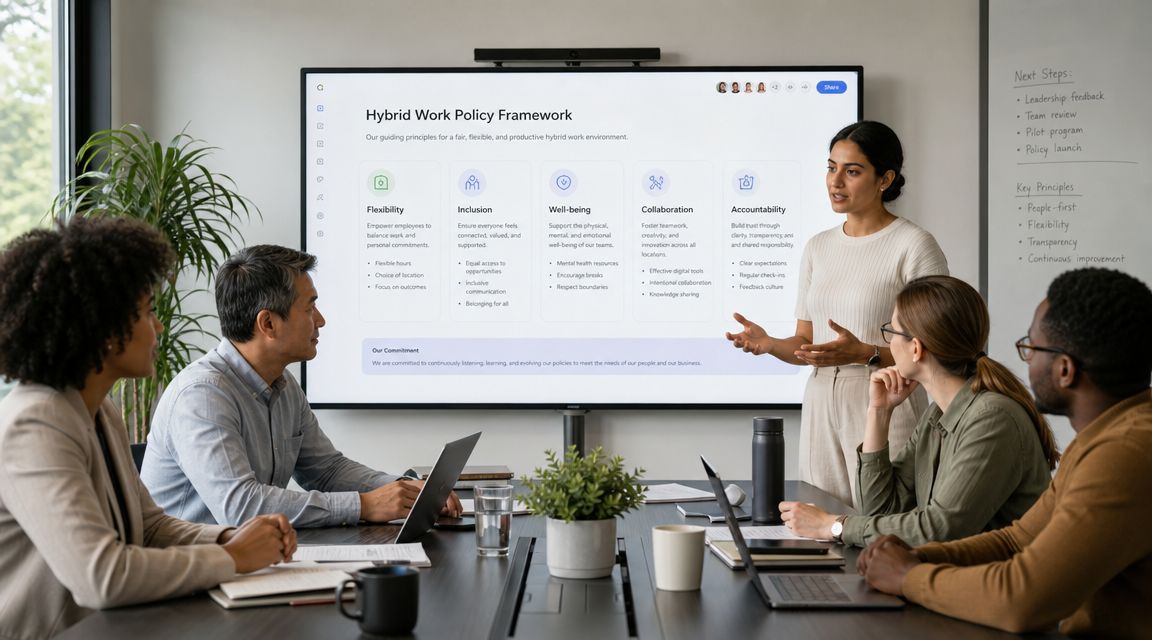
The hardest part isn't writing the rule about office days. The hardest part is making sure flexibility doesn't become an advantage for the people who are seen more often. Research on hybrid inequality highlights the risk of a two-tier workforce, where proximity bias favors employees who are onsite more often, and poorly designed models can weaken mentoring and increase burnout, as described in this brief on hybrid inequality and the two-tier workforce.
What your policy needs to define
A working policy usually covers five areas.
- Eligibility rules: Decide which roles, not which personalities, qualify for which schedule types.
- Core collaboration hours: Set windows when people are expected to be reachable regardless of location.
- Meeting standards: Define when cameras matter, how remote participants are included, and when a meeting should be in person.
- Response expectations: Clarify what belongs in chat, email, project tools, or urgent channels.
- Onsite purpose: State what employees should use office days for, such as client meetings, onboarding, team planning, coaching, or collaborative work.
Without those basics, managers start inventing local rules. That's when employees feel like the policy depends on who their boss is.
Prevent proximity bias on purpose
Fairness won't happen automatically. You have to design it in.
Use practical controls like these:
- Run promotion reviews from documented outcomes. Don't let visibility substitute for performance.
- Schedule mentorship intentionally. Don't rely on random hallway contact to develop junior staff.
- Share information in writing. Important decisions can't live only in room conversations.
- Rotate in-office advantage. If onsite days create access to leaders, spread that access deliberately.
- Train managers on hybrid behaviors. A fair policy still fails if managers reward responsiveness, presence, or style over results.
A fair hybrid policy measures access to opportunity, not just access to a desk.
Later in the process, it helps to map policy assumptions into the workplace itself. If your policy says people need quiet rooms for remote one-on-ones, your layout has to include them. If your teams need configurable workstations, the cubicle designer can help translate policy requirements into a physical setup.
For teams that need a quick visual primer on manager and employee expectations, this short video is a helpful companion resource:
Equipping Your Office for Seamless Hybrid Work
Hybrid offices fail in boring ways. The Wi-Fi drops in the back corner. The reservable desks don't have consistent monitor setups. There aren't enough outlets where people typically sit. Meeting rooms look good in the plan but don't support remote participants well.
Focus on the working stack
A reliable hybrid setup needs three layers.
First, booking tools. Employees need a simple way to reserve desks, rooms, and sometimes lockers. If booking takes too long or no one trusts the data, people stop using it.
Second, collaboration tools. Video platforms matter, but they're only one part. Teams also need shared documents, project tracking, chat discipline, and digital whiteboarding when groups are split across locations.
Third, physical infrastructure, an area where many office projects run into trouble. Reconfigurable layouts need distributed power, sensible cable paths, strong wireless coverage, and room equipment that works the same way every time.
Don't overlook individual equipment
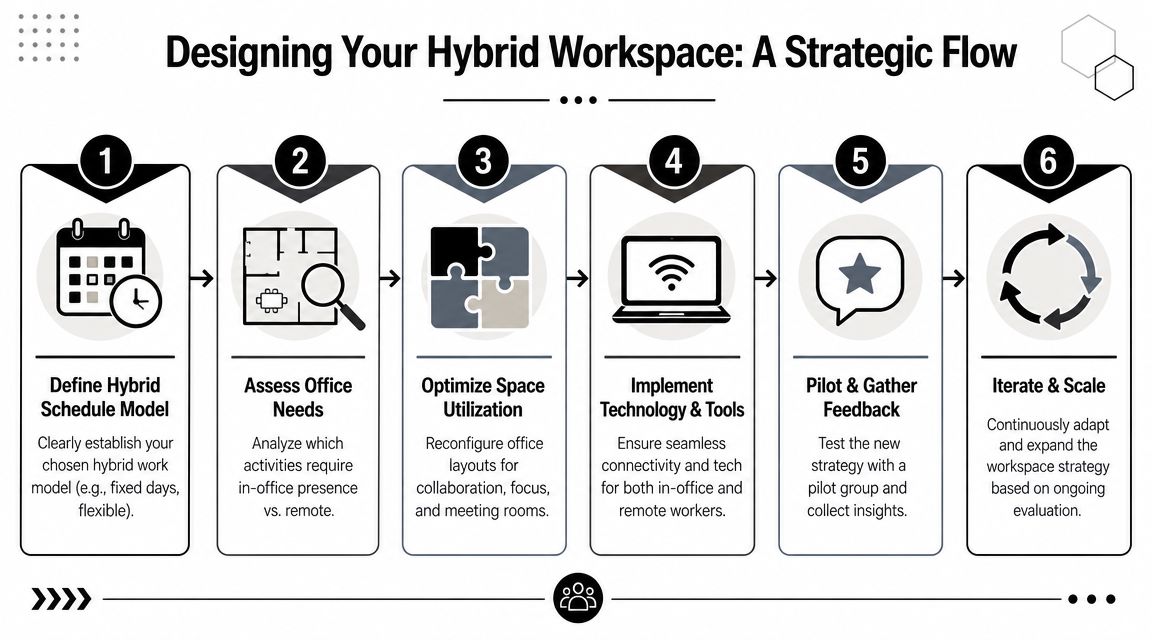
Hybrid consistency depends on personal tools too. For employees moving between home, office, and shared spaces, audio quality becomes a daily productivity issue. A practical example is Redchip Online IT Store's Jabra headsets, which fit well in environments where staff switch between video calls, shared floor space, and focused work.
For the furniture side, ergonomic standards shouldn't disappear just because seating is flexible. Shared stations still need proper support, monitor positioning, and task seating that multiple users can adjust quickly. This is one reason an ergonomic office equipment review should happen alongside your technology planning, not after move-in.
Make reconfiguration less painful
If your office is likely to evolve, choose systems that can move with fewer downstream headaches. Cubicle By Design is one option for teams that need configurable workstations, space planning, and power and cabling guidance as part of a modular office setup. That matters in hybrid offices because furniture decisions and infrastructure decisions are tightly connected.
Measuring Success and Iterating Your Model
The launch isn't the finish line. A hybrid work schedule should be treated like an operating model that gets tested, measured, and adjusted. If you only track whether people showed up, you'll miss whether the system is helping the business.
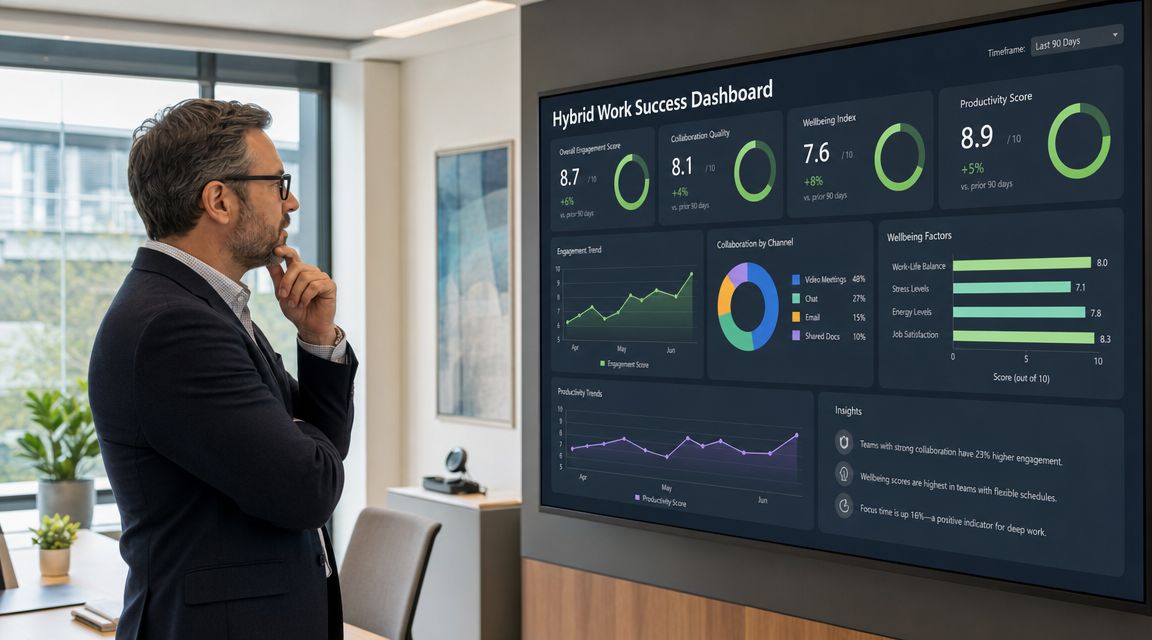
Successful programs measure outcomes instead of activity. Best practice is to track a KPI stack that includes productivity, engagement, collaboration, cost efficiency, and retention, then compare post-rollout performance against a pre-hybrid baseline, as outlined in this guide to hybrid work success metrics.
What to measure instead of attendance
Badge swipes don't tell you whether the office is doing its job. Better measures include:
- Productivity: Project completion rate, task turnaround time, output quality, and error patterns
- Engagement: Pulse survey feedback, manager check-in quality, and employee sentiment about focus and collaboration
- Collaboration: Meeting effectiveness, cross-team responsiveness, and adoption of collaboration tools
- Cost efficiency: Whether the space mix and seating plan align with real usage
- Retention: Whether teams are stabilizing or losing people after schedule changes
These measures work because they connect policy, space, and management behavior. A weak number in one area often reveals a deeper mismatch elsewhere.
How to run the review cycle
Use a simple cadence.
- Benchmark the old state. Gather baseline data before your rollout.
- Pilot the model. Test with one department, floor, or business unit first.
- Check both numbers and experience. Metrics tell you what changed. Employee feedback tells you why.
- Adjust one variable at a time. Don't change seating rules, attendance rules, and meeting protocols all at once.
- Review regularly. Hybrid offices drift if no one owns the model after launch.
“Measure whether work is getting done better, not whether people are being watched more closely.”
Look for patterns, not perfection
Every hybrid model creates trade-offs. One schedule may improve coordination but increase room demand. Another may reduce real estate pressure but create mentoring gaps. The right response isn't to chase a perfect static model. It's to spot where the system is helping, where it's creating friction, and what needs to change next.
Facilities leaders often get dragged into hybrid debates too late, after policy choices have already shaped bad space outcomes. Bringing measurement into the process early gives you a stronger seat at the table. These facilities management best practices are especially useful when you need to turn anecdotal complaints into operational decisions.
If you're planning a hybrid office and need to turn schedule ideas into a workable layout, Cubicle By Design offers practical resources for configuring workstations, partitions, and flexible office systems around real workplace requirements.