


Most office managers don’t start shopping for modern desks because they want a new look. They start because the current setup is creating friction every day. Cables are draped across worksurfaces. Teams can’t decide whether they need privacy or collaboration. One department has oversized desks it barely uses, while another is trying to fit dual monitors and paperwork onto surfaces that are too shallow.
That’s usually what prompts the change. The furniture no longer matches the way people work.
Modern desks for office environments now sit at the center of broader workplace decisions. They affect how teams share space, how easily IT can support users, how much visual noise the floor carries, and how often a layout has to be rebuilt instead of adjusted. The right desk system doesn’t just fill square footage. It supports workflow, reduces avoidable costs, and gives facilities teams room to adapt as the business changes.
Modern Desks for Office
Beyond Aesthetics The New Role of the Office Desk
A desk used to be a straightforward purchase. Pick a finish, pick a size, assign one to each employee, and move on. That approach no longer holds up in offices where hybrid schedules, shared seating, video calls, and changing team structures all compete for the same floor plate.
The shift is showing up at the market level. The global office desks market reached approximately USD 20 billion in 2023 and is projected to grow to USD 30 billion by 2032, driven largely by ergonomic furniture and flexible work arrangements, according to Dataintelo’s office desks market report. That matters because buyers aren’t just replacing old furniture. They’re trying to solve for comfort, utilization, and adaptability at the same time.
A modern desk has to do more than look clean.
What the desk now has to support
For most facilities teams, the desk is now part of a larger operating system:
- Workflow support means the surface has to match the job. Focus work, shared project work, calls, and admin tasks don’t all need the same footprint.
- Technology support means planning for monitors, docking, charging, cable routing, and access to power without turning the floor into a maintenance problem.
- Layout flexibility matters because seating plans change faster than furniture budgets do.
- Employee comfort matters because undersized, fixed, or awkwardly configured desks create daily frustration that people feel immediately.
Practical rule: If a desk can’t handle the user’s equipment, privacy needs, and likely reconfiguration path, it isn’t modern in any meaningful operational sense.
Style still matters. Finish, profile, and visual consistency all affect how a space feels to clients and employees. But aesthetics should come after function, not before it.
Teams planning a redesign often start by looking at workplace design trends from Cubicle By Design because the useful question isn’t “What’s in style?” It’s “What setup will still work when the team structure changes again next quarter?”
Assessing Your Workspace and Workflow Needs
Before comparing desk models, audit the work itself. Most bad furniture purchases happen because the buyer starts with products instead of behavior. If you don’t know who needs privacy, who needs frequent collaboration, and who rarely uses an assigned seat, you’ll overbuy in some places and underserve others.

Desk utilization is usually the first reality check. Research shows that 40% of an office’s dedicated desk space sits unused on any given day, and only 40% of North American companies now maintain a traditional 1:1 desk-to-employee ratio, according to ONES hot desk statistics. If your office still assumes every employee needs the same permanently assigned workstation, it’s worth testing that assumption before you commit capital.
Start with work patterns, not furniture categories
Break the office into work modes. That sounds basic, but it’s where the useful decisions happen.
-
Heads-down work
Analysts, finance staff, writers, and support teams often need visual control, predictable storage, and fewer interruptions. -
High-collaboration work
Sales pods, project teams, and certain operations groups may benefit from benching or clustered layouts with easy shoulder-to-shoulder interaction. -
Part-time occupancy
Hybrid users, field staff, and managers who travel frequently may not justify a dedicated large-format desk. -
Special equipment needs
Some users need dual monitors, paper spread, a phone console, or extra accessories. Others work fine with a lighter footprint.
Walk the floor with a checklist
A simple site audit will reveal more than any catalog page. Look for these issues:
- Circulation problems where chairs back into aisles or users block one another at pinch points
- Power gaps where people rely on extension cords or improvised charging
- Monitor depth problems when desks are too shallow for comfortable screen distance
- Storage creep when bags, files, and supplies end up on the floor because the workstation doesn’t support them
- Noise concentration where focused teams sit beside high-call groups
Most offices don’t have a desk problem in the abstract. They have a mismatch problem between task, density, and infrastructure.
Build a requirements document
Capture needs before you request pricing. A solid worksheet should include user counts, monitor setups, privacy level, storage requirements, power access, and whether the desks need to support future reconfiguration. Even a rough version helps vendors quote the right solution.
If you want a fast way to visualize combinations of size, privacy, storage, and electrical options, the Custom Cubicle Designer from Cubicle By Design is a practical planning tool. It helps turn vague ideas into an actual specification, which is what keeps furniture projects from drifting off course.
Choosing the Right Modern Desk Types and Materials
Once the workflow is clear, the desk categories become easier to judge. Most buyers don’t need the most expensive desk. They need the desk type that creates the fewest compromises for the work being done.
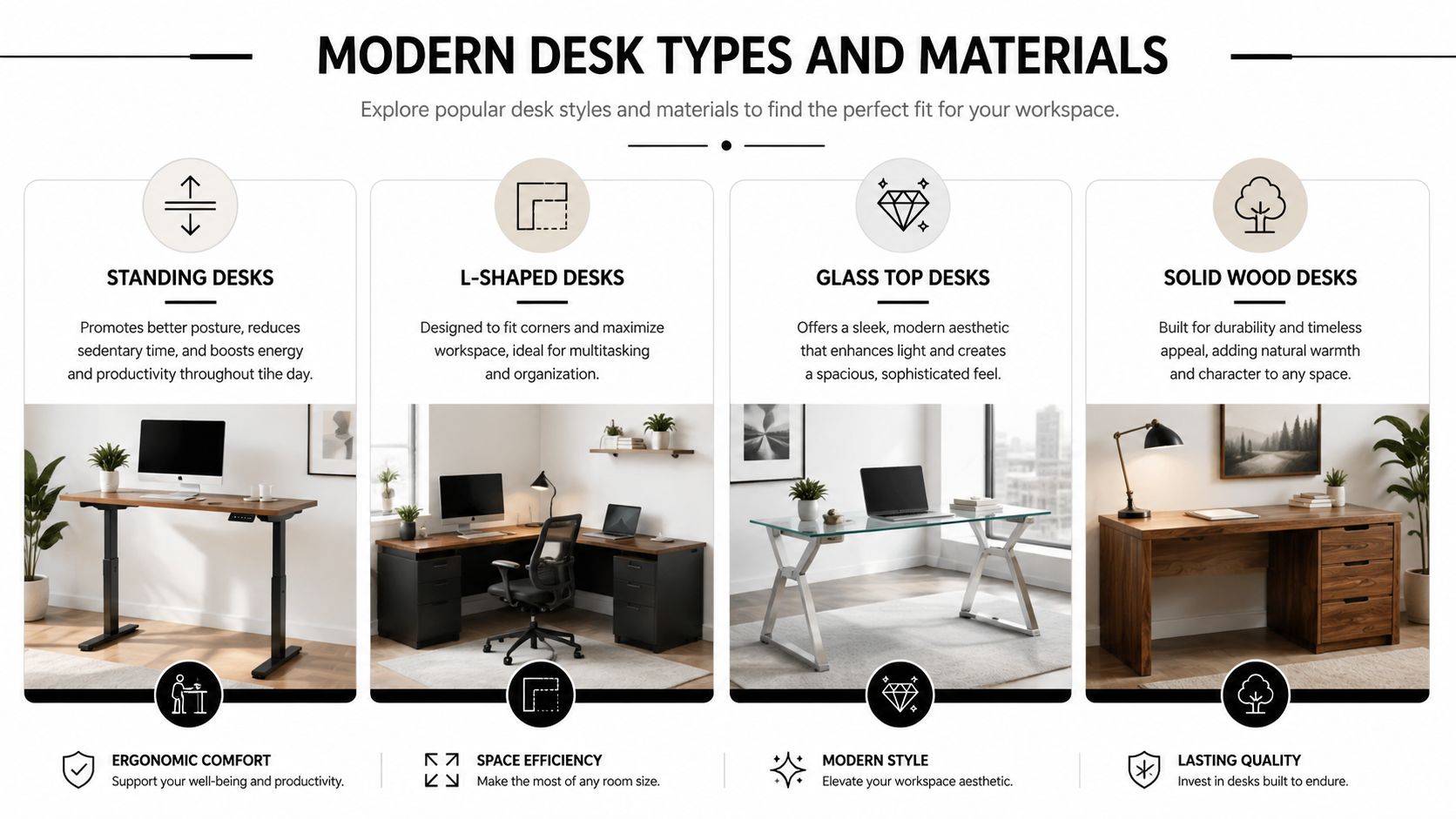
This side-by-side visual is useful when you’re sorting broad categories before narrowing into specific product lines.
Four desk types that solve different problems
Sit-stand desks work well where users spend long periods at a station and benefit from posture changes. The buying mistake here is focusing on motion alone and ignoring stability. For height-adjustable modern desks, a sound benchmark is an adjustment span of roughly 61.5–127 cm and a dual-motor lift capacity of at least 120 kg (265 lb), as outlined in Boulies’ desk dimensions guide. In practice, a standing desk that wobbles under monitor arms won’t stay popular for long.
Benching systems make sense for dense team environments where shared access and compact planning matter more than individual enclosure. They’re efficient and visually clean, but they can become noisy and exposed unless paired with screens, storage strategy, and disciplined cable routing.
Modular workstation systems are often the most balanced option for growing companies. They can provide individual territory, integrated power pathways, optional screens, and cleaner future reconfiguration than standalone desks. For organizations that expect team counts or layouts to shift, modular office desk systems are often easier to scale than a patchwork of unrelated desks.
L-shaped desks are useful when users need a primary screen zone plus a secondary work area for paperwork, devices, or reference materials. They consume more planning area than simple rectangular stations, but they can solve real productivity issues for admin-heavy and managerial roles.
Materials matter more than buyers think
The finish affects maintenance, lifespan, and replacement consistency.
- Laminate is usually the easiest path for commercial durability, finish consistency, and manageable replacement matching.
- Wood veneer gives more warmth and a more furniture-like feel, but it calls for closer attention to wear, edge conditions, and finish variation.
- Metal-framed systems tend to perform well in modular environments where strength, accessories, and cable support matter.
- Glass-top desks create a clean visual statement, but they’re usually less forgiving for fingerprints, glare, and day-to-day utility in busy work areas.
A desk that photographs well isn’t automatically a good desk for office use. Daily durability, reconfiguration, and maintenance usually matter more than showroom impact.
Here’s a practical comparison for planning discussions:
| Modern Office Desk Comparison | ||||
|---|---|---|---|---|
| Desk Type | Best For | Space Efficiency | Collaboration | Typical Cost |
| Sit-stand desk | Individual focus work, ergonomic upgrades | Moderate | Moderate | Higher |
| Benching system | Dense team seating, shared neighborhoods | High | High | Moderate |
| Modular workstation | Hybrid offices, scalable departments | Moderate to high | Moderate | Moderate to higher |
| L-shaped desk | Paper-heavy roles, managers, dual-zone work | Lower | Moderate | Moderate to higher |
A short product walkthrough can also help teams visualize the trade-offs before final selection.
Integrating Privacy Acoustics and Collaboration
Open offices often fail for a simple reason. They optimize for visibility and underbuild for concentration.
That’s why modern desks for office planning shouldn’t be selected in isolation. The desk, screen, partition, and circulation pattern all work together. If they don’t, the result is a floor that looks current but performs poorly once real work starts.
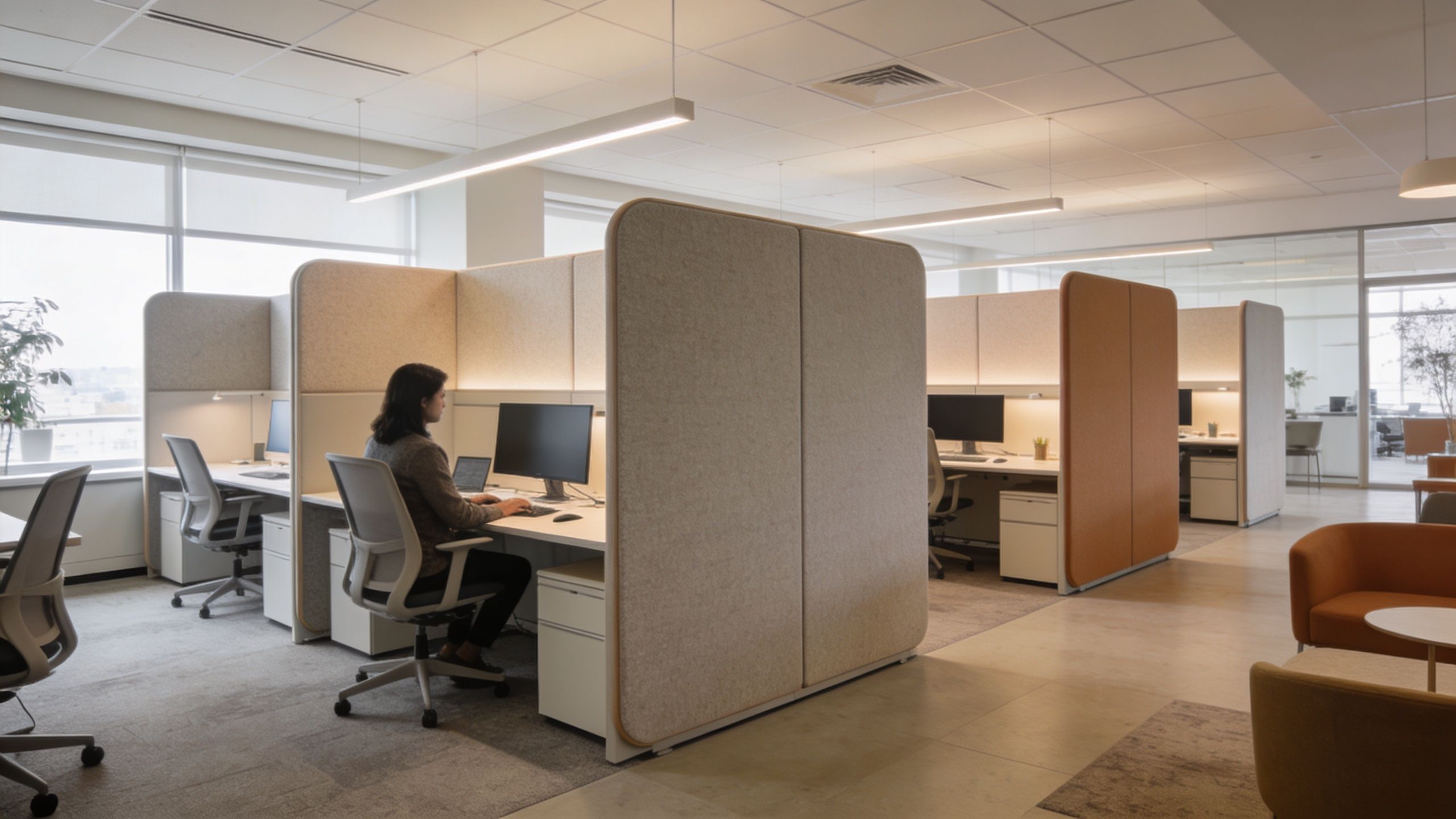
Employee surveys consistently show that noise and lack of privacy are top sources of dissatisfaction in open offices, which makes compatibility with screens and acoustic panels a critical buying factor, as noted by 2Modern’s desk collection overview. In practical terms, that means a clean-line desk with no path to add screening can become a costly dead end.
Where desk-based privacy works best
Desk-integrated privacy solutions are useful because they can be targeted. You don’t need to enclose the entire office to improve focus.
Consider these approaches:
- Desk-mounted screens for focused departments that need visual separation without fully closing the space
- Freestanding partitions where teams need some shielding but may be rearranged later
- Glass-fronted rooms or boundaries when you want light and openness without exposing every call and conversation
- Neighborhood planning that groups similar work styles together instead of mixing noisy and quiet functions indiscriminately
For enclosed meeting points or buffer zones without building traditional walls, glass office partitions can help create separation while keeping the office visually open.
Match the privacy tool to the team
The most common planning mistake is applying one privacy level to everyone. That usually leads to overbuilt stations for some users and distracting exposure for others.
A few examples make the trade-offs clearer:
| Team setting | What usually works | What often fails |
|---|---|---|
| Finance or admin focus area | Higher screens, storage, quieter adjacency | Open benching beside sales calls |
| Project team pod | Lower dividers with shared touchdown space | Fully enclosed stations that block teamwork |
| Executive support area | Partial privacy with controlled visitor sightlines | Minimalist desks with no buffer for confidential work |
| Call-heavy environment | Acoustic separation and consistent paneling | Long open rows with no sound control |
If users keep wearing headphones just to finish basic tasks, the layout is doing too much work against them.
High-density environments need even more discipline. Call center cubicles are a good example of where desk layout, panel height, and acoustic strategy have to be considered as one system, not as separate purchases.
For broader planning around screening, panel options, and quieter zones, office acoustics solutions are worth reviewing early, before the furniture specification is locked.
Planning for Power Cabling and Storage
A modern desk stops feeling modern the moment cords spill onto the floor and personal items pile up on the work surface. Power, data, and storage decisions are what make a workstation usable after the install crew leaves.
Start with cable routing. Under-desk trays, vertical wire managers, shared raceways, and integrated power beams all solve slightly different problems. A single private office desk may only need a modest tray and grommet path. A benching run or modular workstation usually needs a cleaner distribution method that IT and facilities can service later.
Common mistakes that create long-term headaches
These issues show up again and again in office reconfigurations:
- Under-planned device loads that leave users short on accessible charging and data connections
- Loose cable drops that make cleaning harder and create a sloppy first impression
- No separation between power and user storage which turns pedestals and kneespace into wire catch zones
- Shared desks with no personal storage so bags, notebooks, and headsets float from seat to seat
One practical reference on keeping workstation wiring controlled is the Constructive-IT guide to desk cable safety. It’s a useful reminder that cable management isn’t cosmetic. It affects safety, maintenance, and reliability.
What to plan before ordering
Good workstation infrastructure starts with a short set of decisions:
-
Map equipment by user type
A sales rep with a laptop dock has different needs than a designer with multiple peripherals. -
Choose the cable path
Decide whether power will drop from the floor, wall, or ceiling, then match the desk system to that route. -
Assign storage by use pattern
Dedicated stations often need pedestal storage. Shared environments often work better with lockers or mobile units. -
Protect access for service
If IT has to dismantle furniture to reach wiring, the original specification wasn’t thought through.
A lot of buyers also underestimate how much cleaner integrated accessories can make the final result. Products like an under-desk power strip setup are useful because they bring charging and device access closer to the user while keeping the surface less cluttered.
Storage should support behavior
Storage only works when it matches how people use the office. Hot-desking environments need places for temporary personal items. Dedicated users often need file access, reference storage, and a clean top surface. If the desk forces people to improvise, clutter will spread into aisles, neighboring stations, and shared tables.
Your Procurement and Installation Checklist
The desk price is only part of the decision. Facilities teams usually feel the true cost later, when freight is higher than expected, install conditions are harder than expected, or a “simple” reconfiguration turns into a partial replacement.
That’s why the buying process should focus on total cost of ownership, not just unit price. A desk that costs less upfront but can’t adapt to a revised floor plan may be the more expensive option over the life of the office.
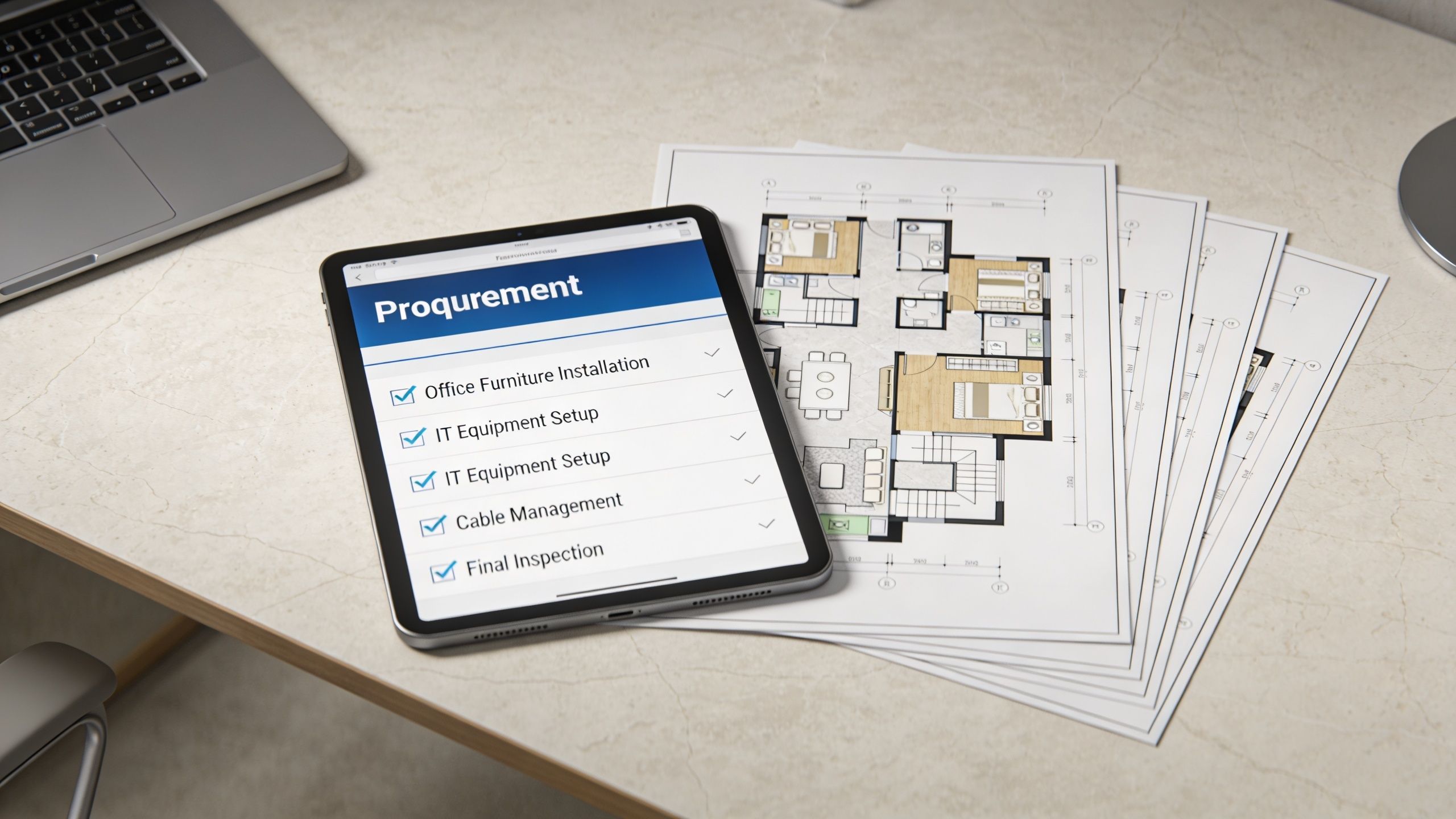
A reliable planning benchmark is a 60-inch-wide by 30-inch-deep desk, which supports a dual-monitor setup while maintaining ergonomic clearance. Workplace planners often prioritize depth first before width so monitor distance works properly, based on Office Furniture Plus guidance on standard office desk dimensions. That kind of baseline is useful because it keeps procurement discussions tied to real user requirements instead of vague preferences.
What to ask before you sign off
A procurement checklist should include more than finishes and quantity.
-
Scope clarity
Confirm exactly what is included: worksurfaces, bases, screens, storage, power components, delivery, assembly, punch corrections, and debris removal. -
Reconfiguration path
Ask whether the system can be expanded, resized, or repurposed later without replacing the entire line. -
Warranty coverage
Separate structural coverage from electrical accessories, moving parts, and finish wear. -
Installation conditions
Verify building access, elevator constraints, phased install needs, and whether after-hours work is required. -
Coordination with IT and facilities
Furniture can’t be installed in a vacuum. Power drops, data activation, and occupancy sequencing all need alignment.
Think in project phases, not just purchase order lines
The smoothest projects usually follow a simple rhythm:
| Phase | What to confirm |
|---|---|
| Pre-order | Final layout, user counts, power strategy, finishes |
| Pre-install | Site readiness, delivery route, staging, IT timing |
| Install day | Assembly scope, field adjustments, issue escalation |
| Post-install | Punch list, user fit checks, future add-on plan |
If you need a single resource for product selection plus implementation support, custom office cubicles are one route to evaluate because they combine workstation planning with accessories and privacy options. Installation support also matters. A dedicated office furniture installation process can reduce the scramble that often happens when multiple trades are trying to finish the same space at once.
The cheapest desk is rarely the cheapest project. Freight, assembly, field changes, and future adaptation decide that.
For teams that want one planning partner, Cubicle By Design offers modular workstations, glass walls, desks, space planning, and project coordination. That matters most when the office needs a system, not just a set of standalone desks.
Frequently Asked Questions About Modern Office Desks
Are sit-stand desks worth it for a full office rollout
They can be, but only when the users benefit from adjustability and the desk is stable under real equipment loads. In many offices, it makes more sense to use sit-stand desks selectively for roles with long stationary work periods instead of making them universal by default.
Can modern desks work in an older office with limited infrastructure
Usually yes, but the planning has to start with power paths, data access, and floor conditions. Older spaces often need more attention to cable routing, outlet placement, and phased installation so the desks fit the building instead of forcing expensive improvisation later.
Should we buy used or refurbished desks
That depends on your priority. Used desks can help when budget is the main constraint, but finish matching, replacement parts, electrical compatibility, and reconfiguration limits can make a mixed inventory harder to manage over time. For growing teams, consistency usually matters more than the lowest upfront price.
What’s the biggest mistake buyers make
They buy by appearance first and workflow second. A desk may look current in a showroom and still fail in daily use if it lacks depth, cable support, privacy options, or a realistic expansion path.
How should a user set up a new desk ergonomically
Start with monitor distance and screen height. Then adjust keyboard and mouse placement so shoulders stay relaxed and elbows are supported. If the user works with dual monitors, plan the surface around that equipment from the start instead of trying to squeeze it onto an undersized desk.
When should desks be part of a larger workstation system instead of bought individually
When teams need shared power, repeatable privacy levels, consistent storage, or likely reconfiguration. Standalone desks are fine for simple private offices and light-duty setups. They’re much less efficient when a department needs coordinated infrastructure.
If you’re evaluating modern desks for office use and want help translating workflow, privacy, power, and budget requirements into a practical layout, Cubicle By Design is a useful place to start.