



You’re handed an empty suite, or worse, a tired office full of mismatched desks, worn seating, and a layout that no longer matches how your team works. The lease is active, leadership wants the space ready fast, and every decision feels tied to budget, hiring, productivity, and client perception at the same time.
That’s the core challenge behind buying modern office furniture houston companies truly need. It isn’t just about choosing something that looks current. It’s about building a workplace that can handle hybrid schedules, shifting departments, changing headcount, and the daily reality of focused work mixed with collaboration.
Houston buyers are dealing with a local market that has moved away from rigid rows of fixed desks. Offices are leaning toward modular layouts, adjustable desks, mobile workstations, and collaborative furniture because teams need flexibility and comfort, not just a polished showroom look, as noted in Houston modern office space trends.
Your Guide to a Modern Houston Office
A lot of office projects begin the same way. The owner says the office needs to feel modern. The operations lead says people need more privacy. HR wants better ergonomics. Finance wants a number that won’t creep upward after the purchase order is signed.
All of them are right. The mistake is treating those goals like separate purchases.
A modern office works when the furniture system supports the business model. If your staff rotates between home and office, assigned seating may waste space. If your team handles calls, account work, or design review, an open room with no acoustic control can look clean and perform poorly. If growth is likely, fixed furniture can become expensive the second a department adds seats or shifts teams.
Practical rule: Buy for the next layout change, not just the opening day photo.
That’s why experienced buyers put function, flexibility, and total cost of ownership ahead of trend chasing. The best decision usually isn’t the cheapest line item. It’s the setup that can be installed cleanly, adjusted later, supported with replacement parts, and reconfigured without tearing out the whole office.
In Houston, that matters more than many first-time buyers expect. Businesses move fast, leases change, and office footprints don’t stay static for long. Good furniture planning reduces friction later. Bad planning locks you into expensive workarounds.
Defining Modern in Houston Office Design
Modern doesn’t mean sparse. It doesn’t mean all-glass. It doesn’t mean replacing every panel with one long bench and hoping people adapt.
In practical terms, a modern office in Houston is defined by flexibility, technology integration, and ergonomics. Local market guidance points to a clear shift toward modular designs, hybrid work solutions, adjustable desks, mobile workstations, and collaborative furniture. That marks a real departure from older, rigid office layouts, according to Houston workplace design trends.

Flexibility is the baseline
The old model assumed each employee had one permanent desk and the plan stayed mostly unchanged for years. That approach breaks down when teams split time between remote work, hoteling, touchdown use, and project-based collaboration.
A modern setup usually includes pieces that can move, expand, or be repurposed:
- Modular workstations that can be added in runs or broken into smaller groups
- Adjustable desks that fit multiple users and work styles
- Mobile tables and storage that allow rooms to change function
- Flexible zoning tools such as glass office partitions for openness without losing separation
The key test is simple. Can the space adapt without forcing a full replacement cycle?
Integrated technology should feel planned
Modern furniture also needs to acknowledge how people work. Power access, charging, cable pathways, and conference connectivity shouldn’t be afterthoughts.
Houston trend reporting notes that smart office furniture commonly includes automatic height adjustment, integrated charging stations, and built-in technology features, while modular furniture demand has risen as companies try to make better use of smaller workplaces (Houston office furniture trend roundup).
That matters because messy cabling and improvised power strips can make an expensive office feel unfinished fast.
The cleanest offices usually aren’t the ones with the fewest components. They’re the ones where power, privacy, and circulation were planned together.
Ergonomics is part of performance
The fastest way to misunderstand “modern” is to reduce it to appearance. If chairs don’t adjust well, if desk heights don’t fit the user, or if screen placement forces bad posture, the office stops working no matter how good it looks.
For many professional teams, that means prioritizing task seating with meaningful adjustability and using sit-stand desks where the role supports them. Ergonomics isn’t a premium add-on. It’s part of whether the office holds up during actual use.
Planning Your Workspace and Budget
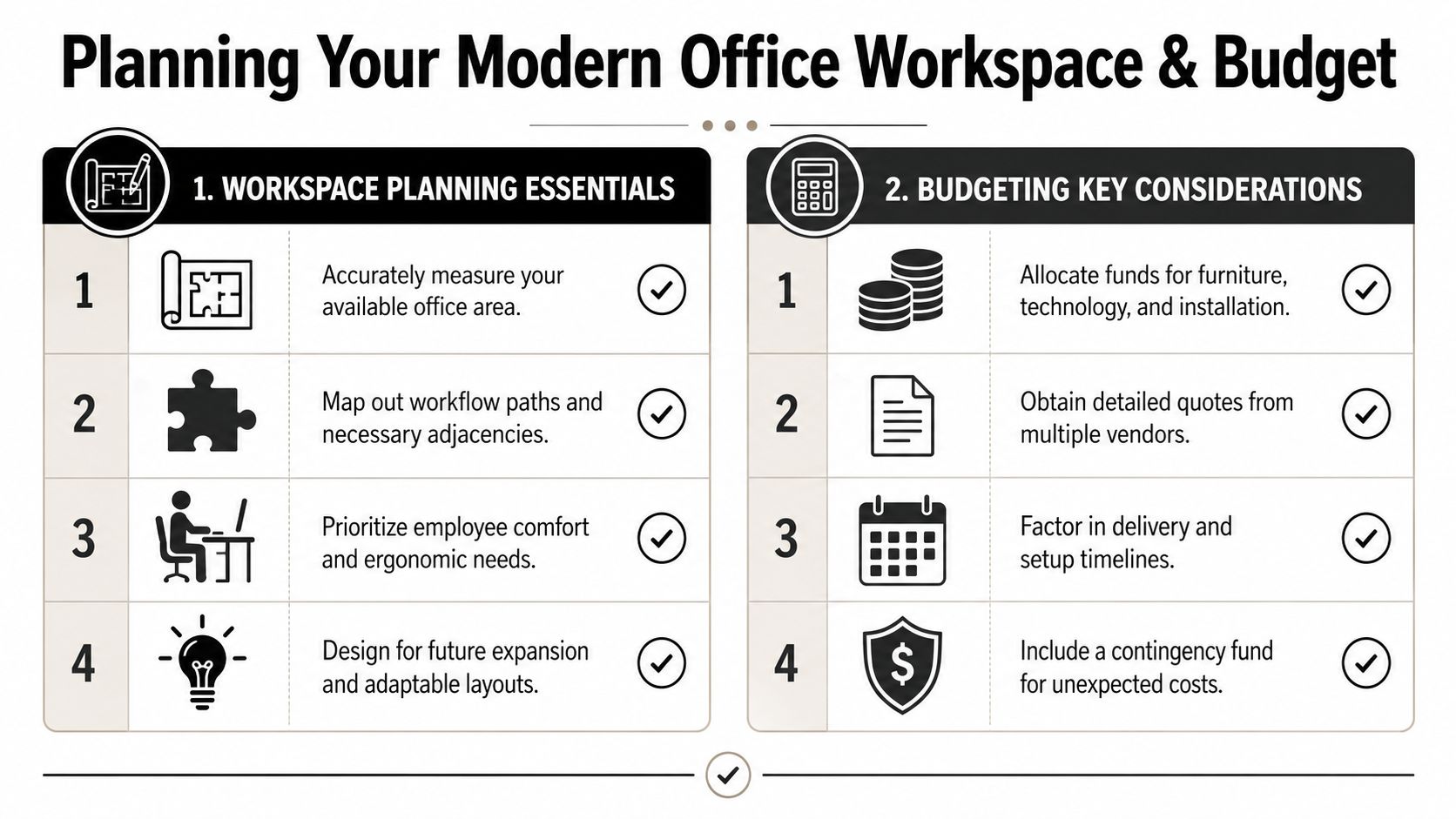
A strong furniture project usually succeeds or fails before the first desk ships. The big decisions happen during planning. That means understanding how your team uses space, what kind of noise the office creates, and how much flexibility you’re buying into the budget.
Start with workflow, not furniture
Most layout mistakes happen because buyers begin with products instead of use patterns. Count people, of course, but also map what they do all day.
Some teams need adjacency. Others need separation. A sales pod, accounting cluster, manager station, and client-facing reception area all create different demands on the same floor.
If you want a practical way to think through room arrangement before finalizing a commercial plan, even a residential-focused tool like a guide for homeowners to plan furniture can help clarify circulation, furniture scale, and placement logic. Then apply those same principles at office scale with a more detailed commercial planning process such as this office space planning guide.
A basic planning review should answer these questions:
- Who needs assigned seating
- Who can use shared or hoteling stations
- Which departments need visual access to each other
- Where private calls or focused work will happen
- How visitors move from entry to meeting space
Open plan needs acoustic control
Houston office planning has leaned toward reconfigurable systems such as modular workstations and shared benching for hybrid schedules. Just as important, adding acoustic solutions like divider panels directly reduces distraction and improves focus in open-plan settings. That’s a practical design point highlighted in Houston office design trends.
That’s the difference between an open office that feels active and one that feels noisy.
Here’s what usually works better than one large undifferentiated floor:
| Zone type | Best use | Common mistake |
|---|---|---|
| Open workstation area | Team-based daily work | Too little panel height or no visual separation |
| Enclosed focus space | Calls, heads-down tasks, HR conversations | Too few private spots for actual demand |
| Shared touchdown area | Short visits, hybrid staff, overflow seating | Treating it like permanent seating |
| Collaboration zone | Huddles, quick reviews, informal meetings | Placing it right beside concentrated work |
Budget for ownership, not just purchase
The lowest quote can become the most expensive option if the system can’t adapt later. That’s where buyers often get trapped. They compare finish, look, and upfront price while ignoring reconfiguration labor, replacement availability, warranty support, installation complexity, and downtime during future changes.
Budget checkpoint: If you expect growth, contraction, or team reshuffling, ask what it costs to change the layout later. If nobody can answer that clearly, the quote is incomplete.
A realistic budget should account for more than desks and chairs:
- Furniture package including workstations, seating, storage, and meeting pieces
- Technology coordination for power access, charging, and cable routing
- Installation labor including staging, assembly, leveling, and punch corrections
- Contingency funds for building rules, field changes, and finish substitutions
- Future changes such as adding seats or reusing components in another layout
One practical tool in this stage is the Cubicle Designer, which lets teams configure dimensions, privacy levels, storage, finishes, and electrical options before the project reaches the install phase. That kind of early detail reduces surprises later.
How to Choose the Right Houston Furniture Vendor
The wrong vendor can make a decent product feel like a bad investment. The right vendor can make a complex rollout manageable because they solve problems before they reach your office.
That’s why vendor selection deserves more scrutiny than fabric cards and finish samples.

Price matters, but support matters more
Many Houston buyers focus on style and price but miss lifecycle cost. A more useful definition of modern furniture is adaptability and serviceability, because a setup that can be reconfigured without full replacement usually creates a lower total cost of ownership for growing teams. That hidden-cost angle is discussed in Houston office furniture planning commentary.
A vendor should be able to answer operational questions, not just design questions. If they can’t explain how the furniture scales, how parts are replaced, who coordinates electrical access, or how installation is scheduled, you’re probably looking at a seller rather than a project partner.
Ask questions that expose risk
A polished showroom presentation can hide weak execution. Ask direct questions early and pay attention to how specific the answers are.
- Lead times: What is stocked, what is made to order, and what can change the schedule?
- Reconfiguration: Can the current system expand or shrink with matching components later?
- Installation scope: Does the quote include delivery, assembly, placement, punch items, and debris removal?
- Warranty handling: Who manages claims if a part arrives damaged or fails later?
- Power and data coordination: Who is responsible for pathways, electrician coordination, and final readiness?
If a vendor answers everything with “it depends” and never defines the dependency, that usually becomes your problem later.
Look for customization with discipline
Customization is useful when it supports workflow. It’s expensive when it becomes design theater.
Good customization typically includes panel height choices, storage options, privacy settings, electrical access, finish coordination, and layout adaptation to odd floor plans. For businesses evaluating scalable systems, reviewing custom office cubicles can help clarify what level of configuration is necessary versus what adds complexity.
A vendor earns trust when they talk you out of the wrong spec, not when they approve every request.
The best Houston furniture partners don’t just sell a product list. They manage sequencing, document details, and help you avoid buying pieces that only work in one version of your office.
Essential Furniture Categories for Your Modern Office
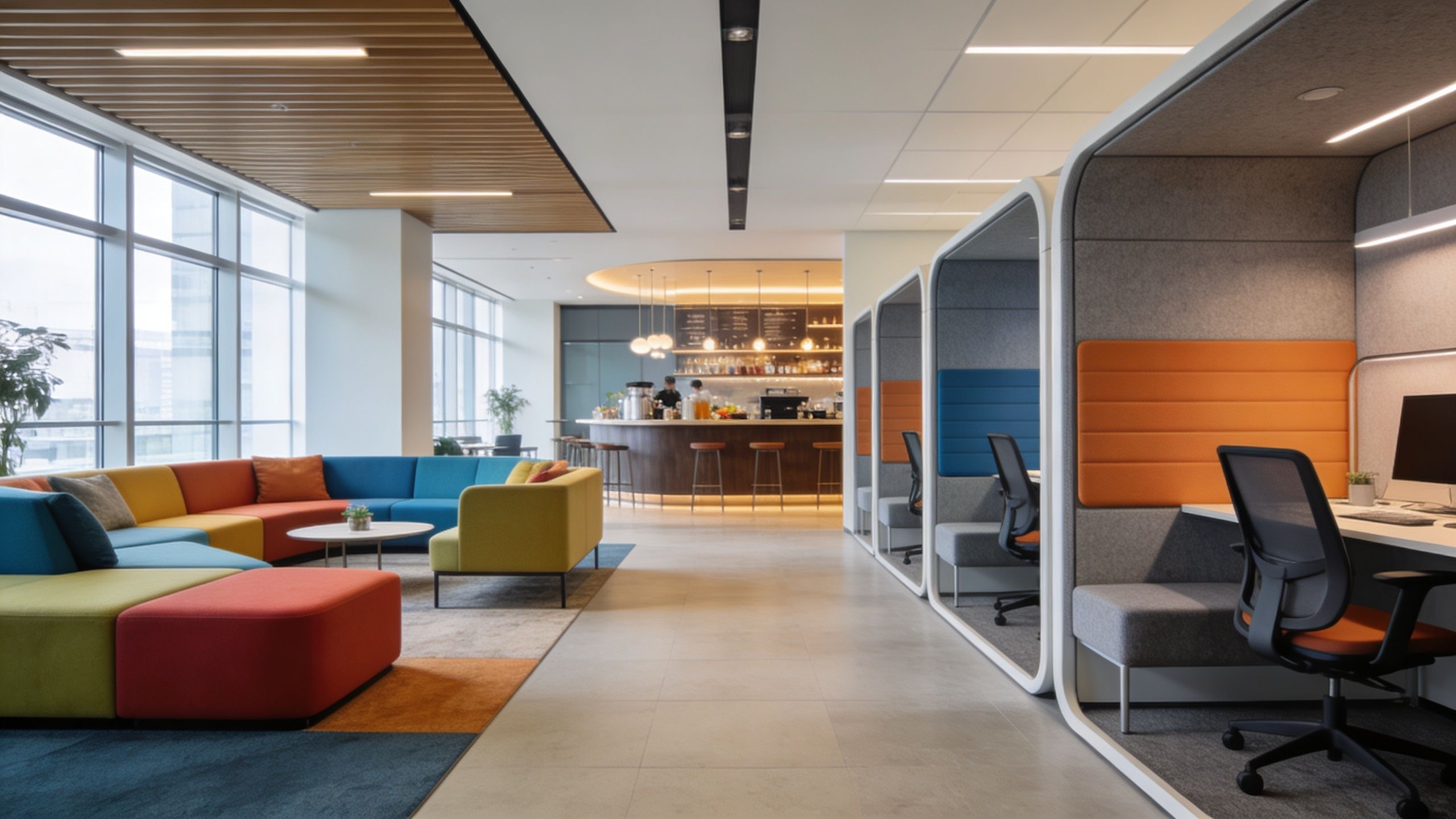
A modern office isn’t one product. It’s a group of furniture decisions that support different kinds of work. The easiest way to choose well is to sort by function, not by showroom category.
Individual workstations
This is the core of most office projects, and it’s where bad assumptions get expensive. Not every employee needs a large private footprint, but most knowledge workers do need a defined work zone with proper ergonomics and enough separation to focus.
For individual stations, the strongest combinations usually include:
- Sit-stand desks for roles that spend long stretches at a screen
- Adjustable task chairs with meaningful user control
- Storage sized to actual work, not default pedestal counts
- Panel or screen options based on noise and privacy needs
If you’re comparing options, workstation cubicles make sense for teams that need a clean footprint with structure, cable management, and repeatable layout logic.
High-density and specialized team areas
Some offices need more seats in less space. Call centers, inside sales groups, customer support teams, and operations pods often need tighter planning with stronger consistency from station to station.
That’s where dedicated products can outperform generic desks. Call center cubicles are built around density, repeatability, and the need to maintain order in high-activity work areas.
The wrong move here is copying a low-panel open bench layout from a creative office and applying it to phone-heavy teams. It may look current, but it usually creates more distraction than efficiency.
Collaboration and privacy have to coexist
Many offices overcorrect in one direction. They either overbuild private seating and kill spontaneity, or they chase openness and leave nowhere for concentrated work.
A better mix usually includes lounge seating, small meeting tables, huddle points, and a modest number of enclosed or semi-enclosed focus areas. The goal isn’t to fill every corner. It’s to give people the right setting for the task in front of them.
This short walkthrough shows how flexible workplace pieces often fit together in a real office.
Sustainability and tech are now standard
By 2026, sustainability and technology are identified as standard expectations rather than niche add-ons in office furniture. Houston companies are increasingly choosing eco-friendly materials and smart desks with built-in charging as part of creating a competitive workplace, according to office furniture trends companies are adopting in 2026.
That means buyers should evaluate material sourcing, refurbished or lightly used options where appropriate, integrated charging, and technology-friendly desks without treating those features as exotic upgrades.
A practical comparison looks like this:
| Furniture need | Better choice when | Usually a poor choice when |
|---|---|---|
| Assigned daily work | Structured workstation or cubicle | A café table used as a desk |
| Hybrid touchdown use | Smaller shared station with charging | Full-size private cubicle for occasional use |
| Fast team huddles | Soft seating or compact collaboration table | Formal conference room for every conversation |
| Quiet individual work | Partitioned station or enclosed spot | Open bench with no acoustic control |
Managing Logistics From Delivery to Day One
Furniture problems often show up after the order is placed. The finish selections are approved, the quote is signed, and then the actual project begins. Delivery windows, elevator access, site readiness, power locations, and punch items can determine whether your first day in the space feels smooth or chaotic.
Coordinate the building before the truck arrives
Do not assume your installer can show up and unload without preparation. Most commercial properties have delivery rules, certificates, loading dock procedures, reserved freight elevators, and time restrictions.
Confirm these items early:
- Access windows for delivery and installation
- Freight elevator reservations if required by building management
- Certificate or vendor requirements for onsite crews
- Protection rules for floors, corridors, and common areas
If your project also involves a move from an old office, even a relocation-focused resource like office relocation Perth is useful as a checklist reference because the sequencing issues are similar. Someone has to control packing order, loading order, building access, and handoff timing.
Clarify who owns cabling and readiness
This is one of the biggest sources of delay. Buyers often assume furniture installers handle all electrical and data work. Sometimes they coordinate around it. Sometimes an electrician handles floor cores or whip connections. Sometimes IT owns device setup but not cable pathway planning.
Get explicit answers on:
- Where power enters the furniture system
- Whether electrician work is needed before install
- Who handles data drops and final device readiness
- What must be completed before furniture crews start
For projects with modular systems, office furniture installation support should include a clear scope for staging, assembly, placement, and coordination so the furniture and infrastructure aren’t working against each other.
If cabling decisions are left until installation week, the office usually opens with temporary fixes nobody wanted.
Prepare the site for a clean launch
A ready site saves time and avoids rework. That means flooring is finished, walls are complete, paint is cured, lighting is active, and the floor plan is final enough that installers aren’t moving product twice.
It also helps to decide in advance how old furniture will be removed. Disposal, donation, resale, and phased removal all affect timing. Day one goes better when the install crew walks into a cleared, measured, powered space instead of a site that is still changing around them.
Your Houston Office Furniture Checklist
Use this as a working filter before you approve any quote for modern office furniture houston businesses plan to live with for years.
- Define how the office works: Separate assigned seating, hybrid use, collaborative zones, and private work needs.
- Measure for flow, not just fit: Make sure circulation, adjacencies, and focus areas support daily use.
- Budget for ownership: Include installation, reconfiguration, support, and future changes, not just initial purchase price.
- Test acoustic strategy: Open space without panels, dividers, or enclosed options usually underperforms.
- Vet the vendor hard: Ask about lead times, service scope, replacement parts, power coordination, and warranty handling.
- Choose categories by function: Workstations, call center seating, lounge zones, and privacy solutions should complement each other.
- Plan logistics early: Coordinate building access, cabling, installer scope, and old furniture removal before delivery week.
- Favor adaptable systems: The office that changes cleanly is usually the office that costs less over time.
A modern workplace isn’t a style package. It’s a business tool. If the furniture supports change, fits the workflow, and reduces avoidable replacement costs, you’ve made a smart investment.
If you’re comparing options for a Houston office project, Cubicle By Design is one resource for planning modular workstations, cubicles, glass walls, and installation details with layout, privacy, storage, and electrical considerations in view.