



Proper office cube lighting is so much more than just swapping out the harsh overhead fluorescents we all know and loathe. It’s about layering different types of light—task, ambient, and even accent—to create a workspace that's both focused and genuinely comfortable. This kind of strategic approach makes a huge difference, reducing eye strain and boosting productivity by giving employees a bit of control over their own environment. At Cubicle By Design, we help businesses create these optimal work environments.
The Strategic Value of Well-Lit Workspaces
Let's be honest, the dim, flickering overhead light in most office buildings is a productivity killer. We’ve all felt that mid-afternoon slump where eye strain and headaches start to creep in. More often than not, it's the bad lighting, casting shadows and creating a distracting glare on our screens. This isn't just a minor annoyance; it’s a real barrier to getting quality work done and a hidden drain on employee well-being.
The conversation around workplace design has come a long way. Think back to 1968 when the Action Office system first introduced the world to cubicles—the lighting, however, was an afterthought. Early cube farms were stuck with buzzing, flickering fluorescents that contributed to what experts eventually called 'sick building syndrome.' By the 1990s, 20-30% of office workers were reporting headaches and fatigue directly related to their environment.
Thankfully, we have much better tools today. With LED adoption now past 80%, we can be a lot smarter about it. Studies have shown that the right illumination can lift productivity by 12% and even cut absenteeism by 1.5 days per employee each year. It's clear that lighting is a critical piece of the modern office puzzle.
From Discomfort to High Performance
Now, picture that same cubicle but transformed with a thoughtful lighting plan. An under-cabinet LED bar casts broad, even light across the entire desk, getting rid of annoying shadows on paperwork. A slim, adjustable desk lamp provides a focused pool of light for detail-oriented tasks, positioned just right so it doesn't bounce off the computer screen.
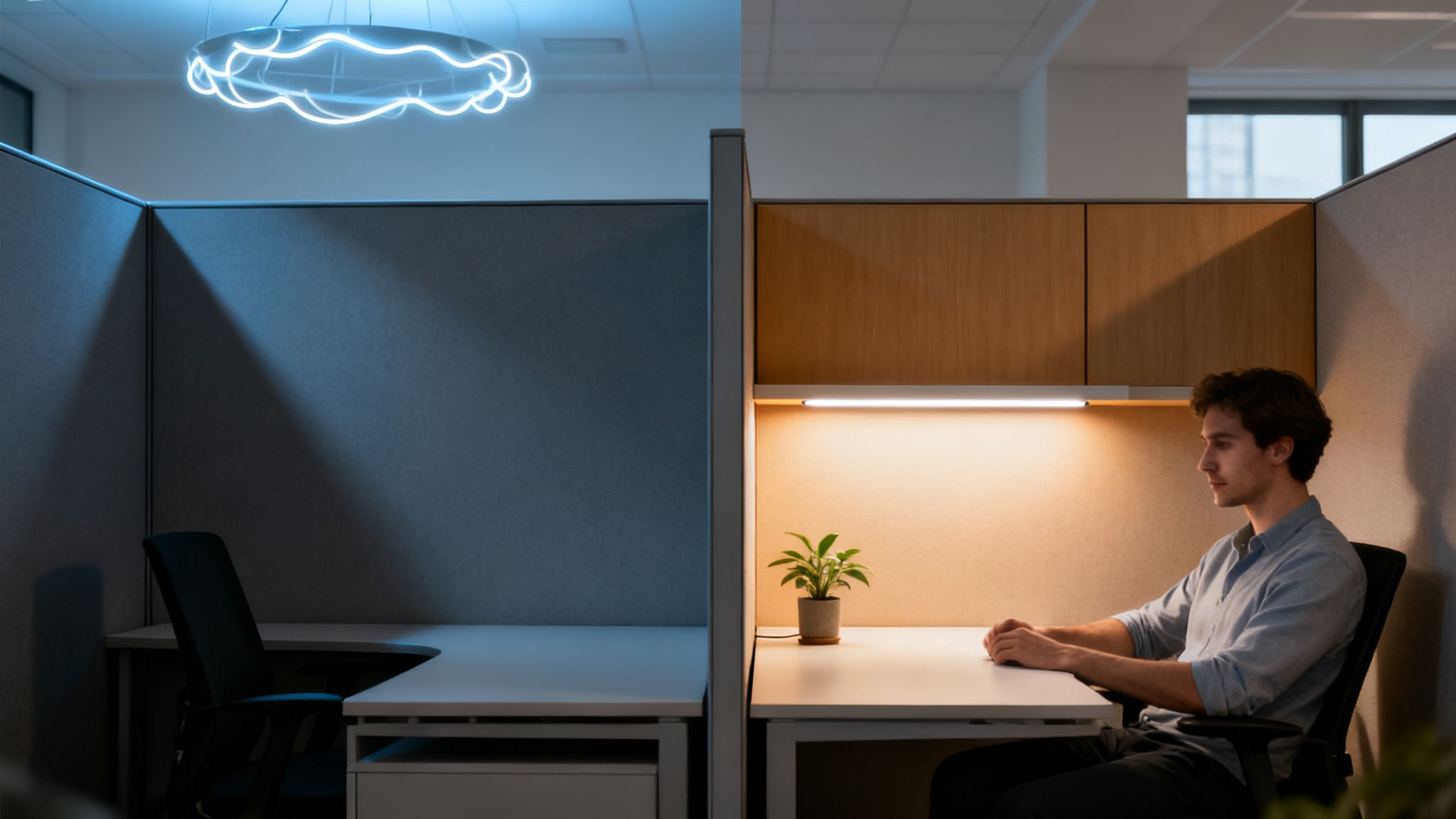
The difference is immediate. A well-lit workspace isn’t a perk; it’s a fundamental investment in your team’s health and performance.
By providing targeted, adjustable lighting, you empower team members to create an environment where they can do their best work comfortably.
Key Benefits of Upgrading Cubicle Lighting
Investing in better lighting delivers real, tangible advantages that you'll see across the entire organization. While a big motivator is often the significant cost savings from solutions like energy saving LED bulbs for business, the benefits go much deeper.
Here’s what you really gain:
- Reduced Eye Strain and Headaches: The right lighting eliminates the glare and shadows that force our eyes to work overtime. This directly tackles a common source of physical discomfort in the office.
- Improved Focus and Concentration: A comfortable, well-lit space cuts down on visual distractions, making it easier for employees to stay focused for longer stretches.
- Increased Employee Control and Morale: Giving people control over their personal workspace is a simple but powerful gesture. It shows you trust them and value their comfort, which goes a long way toward improving morale and job satisfaction. You can find more tips for improving workplace productivity in our detailed guide.
Ultimately, quality lighting is an investment in your people. It sets the stage for a workday where comfort and productivity go hand-in-hand.
How to Pinpoint Your Team's Actual Lighting Needs
Before you buy a single light fixture, you have to start with a plan. It's tempting to jump straight to solutions, but without understanding the specific problems your team faces every day, you're just throwing money at the issue. The goal here is to move beyond generic, one-size-fits-all overhead lighting and create a system that truly supports individual tasks and preferences.
A great first step is a simple walkthrough. Take a stroll through the office at different times—morning, midday, and late afternoon. You'll start to notice the subtle cues of poor lighting that employees have probably just learned to live with.
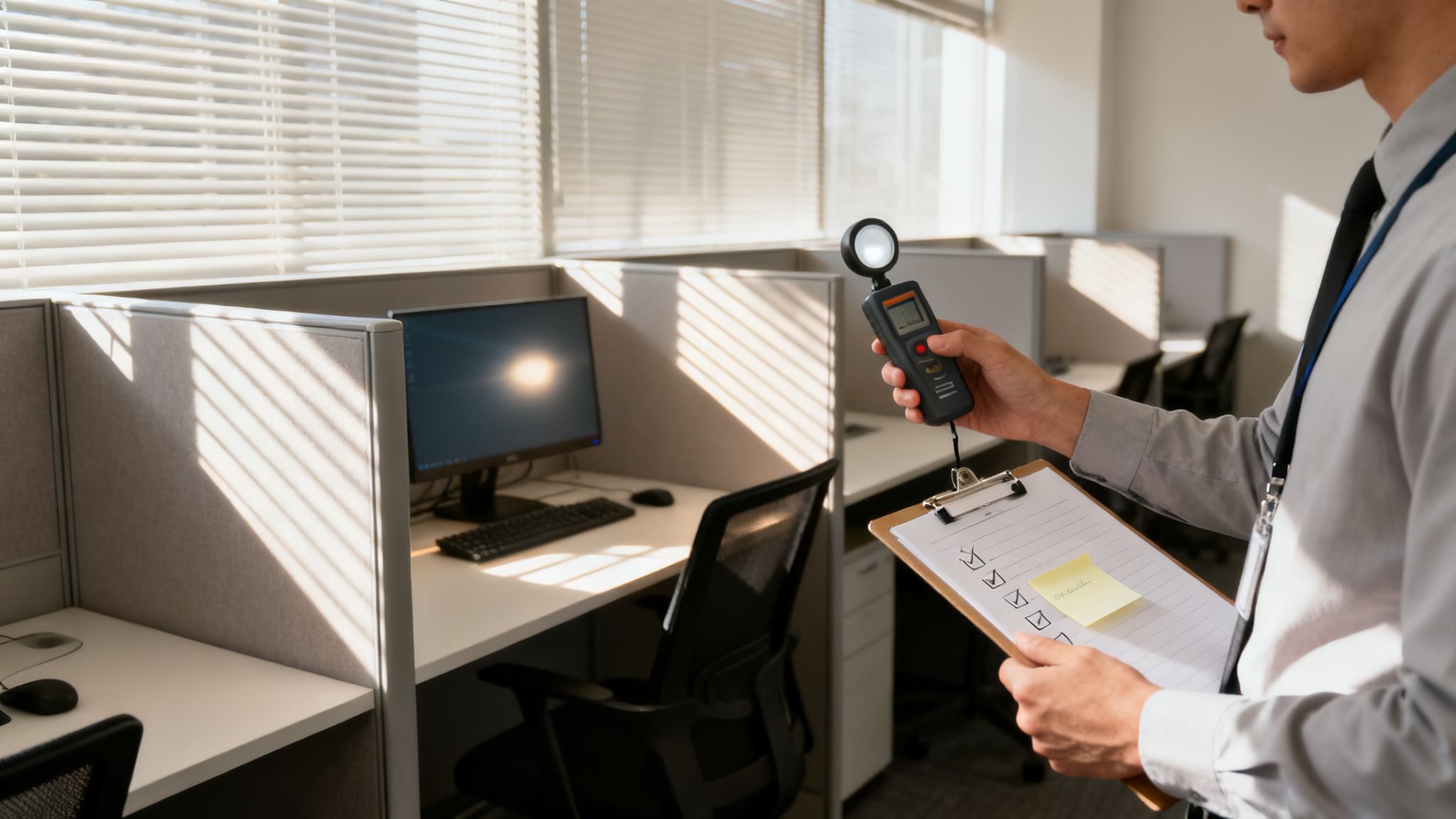
This initial observation is all about spotting the inconsistencies. You might find that cubicles near windows are blasted with sunlight, creating intense screen glare, while those tucked away in the center of the floor are perpetually dim. These are the exact spots where a targeted office cube lighting strategy can make the biggest difference.
Auditing Your Current Workspace
To get a bit more structured, focus on a few key areas. Think of it as a checklist to guide your assessment and gather some real, actionable data directly from your space and, most importantly, your people.
- Task Analysis: What does the day-to-day work actually look like? Are people glued to their screens all day, or do they frequently switch to handling detailed paperwork? An accounting team needs very different light for proofing spreadsheets than a sales team does for video calls.
- Shadow and Glare Mapping: Take note of where shadows fall across desks, especially from things like overhead storage bins or partitions. Then, go sit in a few different chairs and look at the computer screens. Can you see the reflection of the ceiling lights or a bright window? That's a primary source of eye fatigue right there.
- Employee Feedback: This is, hands down, the most valuable data you can collect. Just ask your team. Do they get headaches? Do they feel that afternoon slump hit hard? They are your best resource for identifying exactly what isn't working.
This hands-on approach gives you a much clearer picture of the unique challenges in each workstation. You might discover that your design team needs better color accuracy, while the customer service reps in their workstation cubicles need lighting that cuts down on glare during long shifts.
A lighting plan based on observation and employee feedback is far more effective than one based on assumptions. You're solving real problems, not just adding more fixtures.
Getting the Technical Side Right
Once you know the problems, it’s time to learn the language of the solutions. Two key metrics will guide every purchasing decision you make: illuminance (lux) and color temperature (Kelvin). Getting these right is absolutely crucial.
Illuminance, measured in lux, tells you how much light is actually hitting the work surface. For most computer-based office work, the sweet spot is between 300 and 500 lux. If a role involves looking at fine-print documents or detailed inspection, you'll want to add supplemental task lighting that can boost this to 750 lux or even higher.
Color temperature, measured in Kelvin (K), describes the "warmth" or "coolness" of the light, and it has a huge impact on mood and focus.
- 3000K – 3500K (Warm to Neutral): This range creates a comfortable, more relaxed atmosphere. It's great for common areas or for easing into the end of the day.
- 4000K – 5000K (Neutral to Cool White): This is the ideal range for focus-intensive work. It mimics natural daylight, which helps keep people alert and concentrated without feeling harsh or clinical.
By combining your on-the-ground audit with these technical benchmarks, you can build a lighting plan that truly works for your team. This focus on individual comfort is a core principle of good office ergonomics. You can learn more about maximizing the ergonomics of your office in our related guide.
Choosing the Right Lighting for Every Cubicle Task
Once you've mapped out the lighting weak spots in your office, it’s time to move from theory to actual solutions. Getting cubicle lighting right isn't about finding one magical fixture. The real secret is layering different kinds of light to create a balanced, flexible environment that can handle whatever the workday throws at your team.
This means strategically combining three distinct types of lighting. Each has a specific job to do, and knowing their strengths is the first step toward a brilliant lighting plan. As you weigh your options, getting familiar with modern LED replacement light fixtures is a smart move for boosting efficiency and light quality right off the bat.
Dedicated Task Lighting for Focused Work
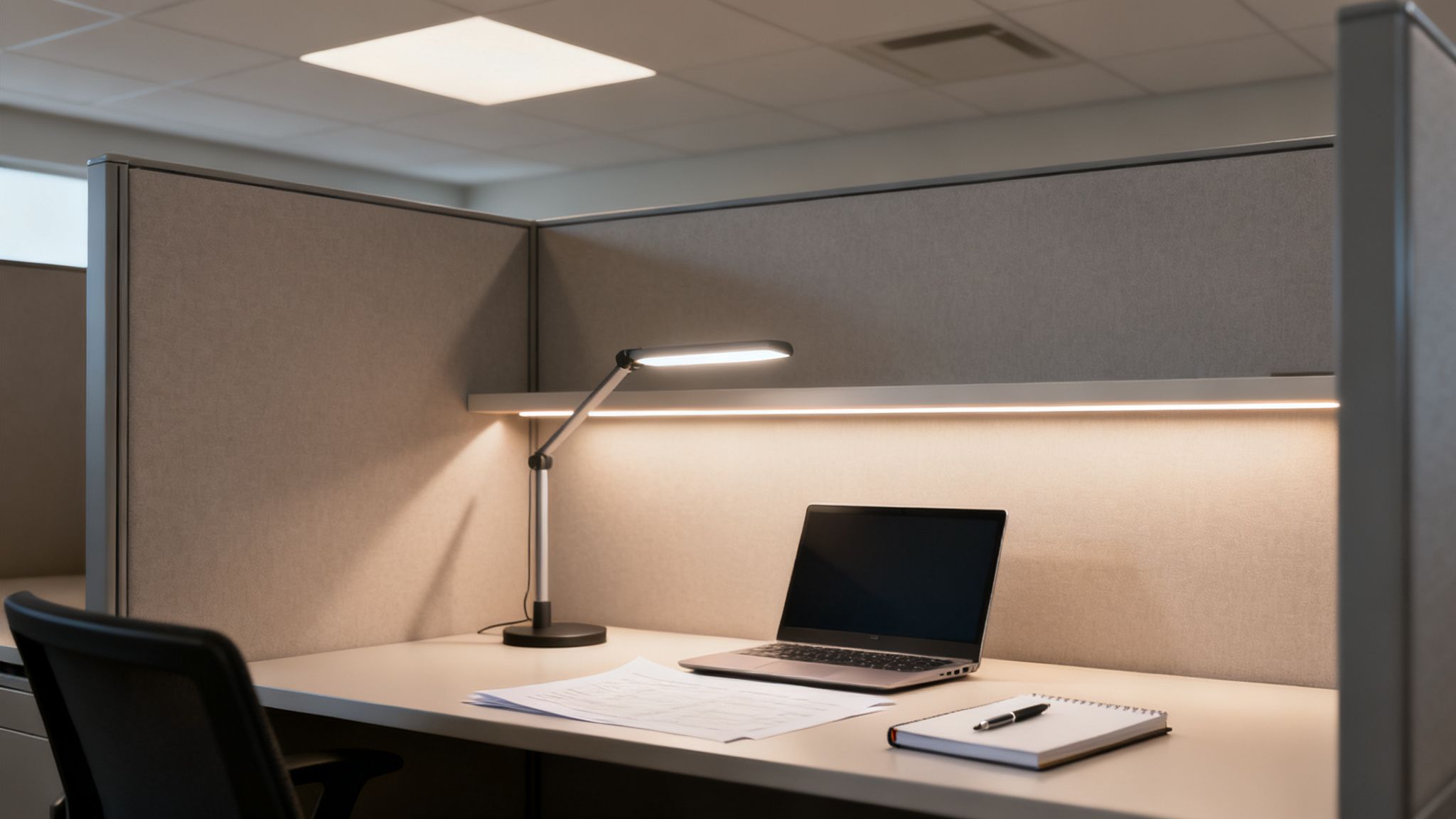
Task lighting is the undisputed hero of a well-lit cubicle. This is the direct, focused beam that hits the primary work surface—the keyboard, the paperwork, the design proofs—without spilling over and bothering neighbors. It’s absolutely essential for any role that requires detailed, heads-down concentration.
Picture your accounting team squinting at dense spreadsheets or a graphic designer trying to get colors just right. A single, generic overhead light is their worst enemy. It creates annoying shadows and causes eye strain that tanks productivity.
The best and most common task lighting solutions I’ve seen are:
- Under-Cabinet LED Bars: These slim fixtures tuck neatly under overhead storage bins. They cast a wide, even glow across the desk, killing shadows on paperwork before they can even form.
- Adjustable Desk Lamps: A classic for good reason. A modern LED desk lamp gives employees total control. The adjustable arms let them aim a pool of light precisely where they need it, which is perfect for dodging screen glare.
The big win here is personal control. Letting an employee aim and dim their own light is a massive boost for their individual comfort and focus.
Ambient Lighting for Overall Illumination
While task lighting handles the close-up work, ambient light sets the stage. It provides the general, foundational light for the entire cubicle. Think of it as the soft, diffuse light that fills the space, softens harsh contrasts, and makes the whole area feel more open and welcoming.
Without good ambient lighting, a powerful task lamp creates a harsh spotlight effect in an otherwise dim space—a recipe for eye fatigue.
In today's office cubicles, this is often handled with integrated solutions built right into the system. Many modular setups now offer built-in panel lights that provide that soft, even illumination, perfectly complementing a focused task light.
This layered strategy is a cornerstone of smart workplace design. You can find more great examples by exploring different office cubicle design ideas that bake lighting into the plan from the very beginning.
Accent Lighting for Visual Comfort
Accent lighting is the most subtle player on the team, but it’s often the one that makes the biggest difference in comfort. Its job is simply to soften the dark corners and harsh shadows left behind by the other two layers. A small, low-intensity light aimed at the cubicle wall behind a computer monitor is a perfect example.
This technique, sometimes called "wall washing," dramatically reduces the stark contrast between a bright screen and a dark background. It’s a simple trick that can seriously cut down on eye strain for anyone staring at a monitor all day.
A well-designed lighting scheme uses layers to build a complete visual environment. It's not just about brightness; it's about providing the right kind of light in the right places to support the work being done.
Matching the Light to the Job
The perfect lighting setup is never one-size-fits-all. What works for a call center won't work for a team of architects. To help you match the right solution to the right scenario, here’s a quick comparison of the most common options.
Cubicle Lighting Solutions Comparison
| Lighting Type | Best For | Key Benefit | Consideration |
|---|---|---|---|
| Under-Cabinet LED Task Light | Detailed paperwork, reading, computer work | Direct, focused light without glare on screens | Must be positioned correctly to avoid shadows |
| Adjustable Desk Lamp | Multi-tasking, supplemental light | Highly flexible and user-controlled | Takes up desk space; cord management needed |
| Integrated Panel Lighting | General ambient illumination | Provides broad, even, and diffuse light | Part of the cubicle system; requires planning |
| Linear Pendant Lighting | Groups of cubicles or open workstations | Modern aesthetic and wide coverage | Can create glare if not properly shielded |
By layering these lighting types thoughtfully, you can create a workspace that doesn't just look good, but actively improves the health, comfort, and productivity of your people. It’s how you turn a simple box into a true high-performance workstation.
Getting Power and Wiring Right Inside Your Cubicles
A brilliant lighting plan is only as good as the power that runs it. This is where we get into the nuts and bolts of modular office furniture, but don't worry—it’s more straightforward than it sounds. If you get the power and wiring right from the beginning, your new lighting will be functional, safe, and free of those messy, hazardous cables snaking across the floor.
Fortunately, modern cubicles are designed to tackle this exact problem. Take the Flagship Series 7 Cubicles, for example. They come with built-in raceways, which are just discreet channels, usually at the base of the panels. These raceways are made to hide all the electrical wiring and data cables, giving you a clean, professional look while keeping the cords protected from wear and tear.
This built-in infrastructure is the secret to a polished installation. Power typically enters a block of cubicles through a base-in power feed. This component connects directly to your building’s electrical system, often from a floor outlet or a nearby wall. From that single point, power is distributed through the hidden raceways to outlets placed right where you need them in each workstation.
Planning Your Power Distribution
Before a single cubicle panel goes up, you need a solid power distribution plan. This is about more than just making sure every desk has an outlet. It's about figuring out the total electrical load and mapping out power access points where people will actually use them.
First things first, you have to calculate the total electrical load. Just add up the power requirements for every single device in each cubicle. Think about everything:
- LED task and ambient lights
- Computer monitors and CPUs
- Phone chargers and other personal devices
Doing this math upfront helps you avoid overloading circuits, which is a classic mistake that leads to tripped breakers and lost productivity. A good rule of thumb is to dedicate specific circuits to certain groups of cubicles to spread the load out evenly.
Next, you'll want to map out your outlet locations. Put yourself in your employees' shoes. Do they need outlets at desk height to easily charge laptops and phones? Or do they need them lower down for equipment that stays plugged in all the time? Planning this out with a tool like our Custom Cubicle Designer ensures power is right where it needs to be, when it needs to be there.
A well-designed power plan is invisible—it just works. The goal is to provide convenient, reliable power without a single distracting or dangerous cord in sight.
Why a Full-Service Partner Makes a Difference
Let's be honest, navigating electrical codes and planning complex wiring layouts can get complicated fast. This is where bringing in a full-service provider like Cubicle By Design really pays off. An expert team knows the ins and outs of modular furniture and can make sure your power integration isn't just functional but also fully compliant with local electrical codes. This expertise helps you steer clear of common pitfalls, like using extension cords as a permanent fix—a major safety violation in most commercial spaces.
Energy efficiency is also a huge piece of the puzzle here. In office cube lighting, efficiency isn't just a buzzword; it's a real game-changer. LEDs in office environments use 50-70% less power than old-school fluorescents. As the interior lighting market grows from USD 79.5 billion to a projected USD 130.3 billion by 2032, those savings add up globally. For a deeper dive, you can explore the full interior lighting market research.
For offices with tricky layouts, you might need a more specialized solution. If you need to bring power down from the ceiling in an open-plan space, for instance, you'll need specific hardware. You can learn more about how an office cubicle power pole solves that very problem. When you work with professionals, you get a safe, efficient, and scalable power infrastructure that will support your team now and for years to come.
Installation and Maintenance Best Practices
Getting your new office cube lighting across the finish line isn't just about mounting fixtures. It’s a coordinated effort. For a smooth installation, you have to orchestrate the work between furniture installers, electricians, and even your IT team to make sure everything comes together seamlessly.
A well-executed installation day is built on crystal-clear communication. Before a single tool is lifted, everyone involved needs to be working from the same floor plan and understand the sequence of events. Typically, the cubicle structures go up first. Then, the electrician runs power feeds and installs outlets and any hardwired fixtures. Only after that can the IT team come in to run data cabling without tripping over everyone else.
This kind of systematic process is the key to successfully integrating power into your cubicles, moving from the planning phase through integration and long-term management.
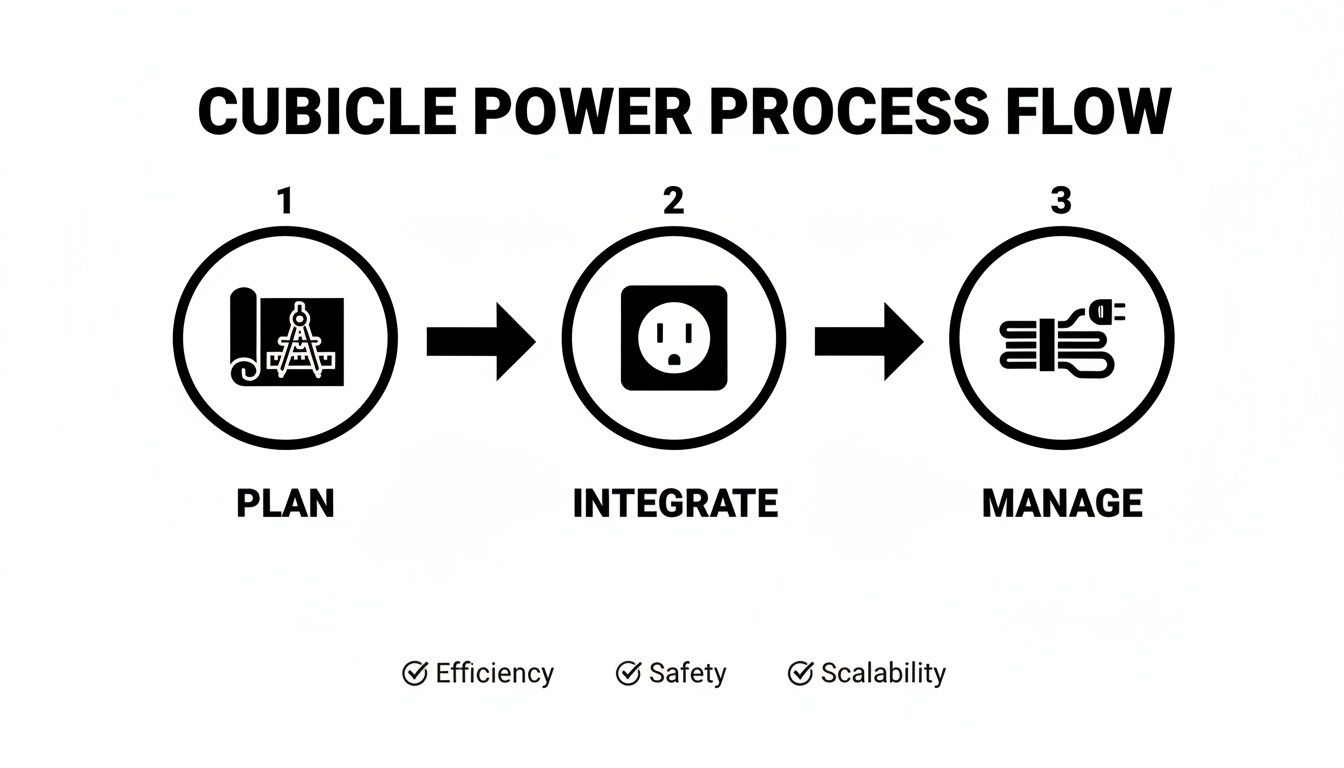
As the flow shows, a successful project moves logically from a detailed blueprint to the physical integration of power, all backed by a solid cable management strategy for the long haul.
Positioning Lights for Peak Performance
Once the main infrastructure is in place, the final placement of adjustable task lights is what makes or breaks the user experience. This is your chance to actively combat the most common office complaints: screen glare and harsh shadows. The goal is simple—illuminate the workspace, not the screen.
Here are a few proven tricks of the trade:
- Angle Task Lights Carefully: Position adjustable desk lamps to the side of the monitor, never directly in front of or behind the user. This simple move casts light onto the keyboard and paperwork without creating that frustrating reflection on the screen.
- Test from the User's Perspective: Before you sign off on the job, actually sit in the chair at each cubicle. Check the view from a normal working posture to spot any glare you might miss while standing.
- Secure All Fixtures: Give every under-cabinet light bar or mounted fixture a gentle tug. Loose fixtures are a safety hazard, and they can cause annoying flickering if the connection isn't solid.
A truly professional office furniture installation should always include these final lighting checks as part of their standard process.
The success of an installation is measured by what your team doesn't notice. When the lighting is so perfectly integrated that it feels natural and effortless, you know you’ve gotten it right.
Long-Term Upkeep and Protecting Your Investment
One of the biggest wins with modern LED lighting is just how little maintenance it needs. With lifespans often hitting 50,000 hours or more, you won't be changing bulbs for years to come. Still, a little proactive care ensures your system performs at its best for its entire life.
A simple maintenance checklist is really all you need:
- Periodic Cleaning: Dust accumulates on fixtures and can dim the light output. A quick wipe-down with a soft, dry cloth every few months is usually all it takes to keep them shining bright.
- Connection Checks: Once a year, do a quick visual scan of any visible plugs and connections. You’re just looking to make sure they're secure and show no signs of wear.
- Encourage Employee Feedback: Ask your team to report flickering or dimming lights right away. It's much easier to catch a minor issue with a single ballast or driver early than it is to troubleshoot a bigger problem down the road.
This long-term reliability is a huge reason businesses are ditching old tech. The global LED office lighting market is exploding, projected to jump from USD 4.5 billion to a staggering USD 14.7 billion by 2032. This isn't just a trend; it's a major shift away from old fluorescents toward energy-smart LEDs that can slash electricity bills by up to 75%.
For managers outfitting new spaces like private office cubicles, integrating tunable LED panels has been shown to boost employee focus by 15-20% while cutting down on eye strain complaints.
Finally, always confirm the warranty and support plan for your lighting and cubicle systems. A strong warranty is your assurance that the investment is protected. Working with a partner like Cubicle By Design provides that extra layer of security, offering comprehensive project management that ensures your workspace remains a productive asset for years to come.
Common Questions About Office Cube Lighting
Even with the best plan on paper, questions always come up when it's time to actually get the lights installed. We hear them all the time from office managers and business owners trying to nail down the final details of their lighting project. Getting a straight answer to these common concerns can save a ton of time and make sure the final result is something your team will love.
Here, we'll tackle the most practical and frequent questions we get. Think of this as your quick guide for making those last few critical decisions.
What Is the Best Color Temperature for Office Cubicles?
For most office work that requires focus—and let's be honest, that's most of it—a neutral to cool white light between 4000K and 5000K is the sweet spot. This range does a great job of mimicking natural daylight, which we know helps with alertness and cuts down on the eye strain from staring at screens all day. It gives you a crisp, clean environment that boosts productivity without feeling cold or sterile.
On the other hand, if you're lighting a more collaborative or relaxed area, dropping down to a warmer 3000K to 3500K can create a much more comfortable and inviting atmosphere. It’s less about intense concentration and more about making a space feel welcoming.
The gold standard for modern offices is tunable LED lighting. These fixtures let employees adjust the color temperature themselves. They can dial it up to a cool, focus-enhancing light in the morning and then ease into a warmer, more relaxing tone in the afternoon, which is fantastic for supporting their natural circadian rhythms.
How Can I Reduce Screen Glare in a Cubicle?
Screen glare is easily one of the most annoying problems in any office, and it's a direct cause of headaches and fatigue. The best way to fight it is with a layered approach, because glare usually comes from poorly positioned or overly bright lights.
Here's the strategy we recommend:
- Start with Diffused Ambient Light: Don't rely on a single, harsh overhead light. Use a broader, softer ambient light as your base. Integrated panel lights within workstation cubicles are perfect for this.
- Position Task Lighting Carefully: Add an adjustable under-cabinet LED bar or a desk lamp. The key is to place it to the side of the monitor, so the light shines down on the desk, not directly at the screen.
- Control Natural Light: Pay attention to where the cubicle is in relation to windows. Use blinds or shades to manage the intensity of sunlight throughout the day so it doesn't wash out your screens.
Are Integrated LED Panels Really Worth the Investment?
Absolutely. There's no question that the upfront cost for cubicles with integrated LEDs is higher than just buying a bunch of desk lamps. But the long-term value is huge. It's a smart investment that pays off in several ways.
For starters, these systems provide beautiful, even, and diffuse ambient light—the foundation of any good lighting plan. They're also incredibly energy-efficient and have ridiculously long lifespans, often more than 50,000 hours. That means lower utility bills and fewer maintenance headaches down the road.
Plus, integrated solutions just look better. They create a clean, modern, and uncluttered workspace by hiding all the wiring within the cubicle itself. If you're planning a new build or a major renovation, looking at cubicle options with built-in lighting is a no-brainer.
What Is the Recommended Lux Level for a Cubicle?
The ideal lux level—which is just a measure of how much light hits the desk—really depends on what kind of work is being done. For general computer use, reading, and typical office tasks, the Illuminating Engineering Society (IES) suggests aiming for about 500 lux on the desk surface. This is bright enough to see clearly without causing eye strain.
However, for jobs that involve fine detail—like reviewing architectural plans, poring over legal documents, or doing quality control on small parts—you’ll need more light. For those specific tasks, you should use supplemental task lighting to boost the level in that work zone to somewhere between 750 and 1000 lux.
It’s always a good idea to measure the lux levels at desk height. This takes the guesswork out of it and ensures every employee has the right amount of light to do their job well.
Ready to design a workplace that’s perfectly lit and tailored to your team’s needs? At Cubicle By Design, we specialize in creating functional and productive office environments. Use our Custom Cubicle Designer to build your ideal workspace, or contact us today to get started on your project.