


You’re probably dealing with one of two problems right now. Your office feels too tight, or you’re paying for space your team doesn’t fully use. Both problems come from the same issue: most office space size advice stays too abstract to help with an actual floor plan.
A broker gives you one number. A designer gives you another. Then leadership asks whether you can fit more people in less space without making the office miserable. That’s where most planning efforts go sideways.
The right answer isn’t “more space” or “less space.” It’s the right amount of space for the way your team works. That means matching role-based square footage to workstation sizes, shared areas, circulation, and the truth of hybrid attendance.
At Cubicle By Design, we look at office space size as a planning problem, not just a leasing number. If you want another useful outside reference before you start sketching layouts, Blu Monaco’s office space planning guide is worth reading for broader context.
How to Determine the Right Office Space Size in 2026
If you’re planning a move, renewal, or reconfiguration, ignore generic “square feet per employee” advice until you know what kind of office you’re building. A sales floor, a hybrid admin team, and a client-facing professional office shouldn’t use the same target.
That’s part of why space planning feels messy. The benchmark itself has shifted. In 2010, companies averaged 225 square feet per employee. By 2017, that figure had dropped by 33% to 151 square feet per employee, according to Density’s office space benchmark summary. That compression didn’t happen by accident. Companies cut excess square footage, relied more on shared spaces, and stopped assuming every person needed a large dedicated footprint.
Practical rule: Start with how people work, then size the office. Don’t start with the lease and force the team into it.
The mistake I see most often is planning from the perimeter inward. Someone picks the suite first, then tries to cram in desks, meeting space, storage, circulation, and privacy. Reverse that. Build the program first. Then test which footprint supports it.
Use this sequence:
- Define the team mix. Count who needs open desks, who needs higher privacy, and who only needs touchdown space.
- Set a realistic density target. Dense isn’t always efficient if the work requires focus or confidentiality.
- Translate benchmarks into furniture footprints. A per-person target means nothing until it becomes rows, pods, offices, and aisles.
- Add support space. Meeting rooms, break areas, storage, reception, and print zones always consume more room than teams expect.
- Check flexibility. If headcount or attendance shifts, the layout should adapt without a total rebuild.
That’s how you get from an office space size estimate to a layout that works on Monday morning, not just on paper.
Establishing Your Per-Person Space Benchmarks
Most bad office plans start with a false average. Facilities managers hear one benchmark and apply it to everyone. That doesn’t work. Your office space size should be built around role, work style, and privacy needs.
The simplest way to think about it is density. You don’t need a complicated model at the start. You need a clear range.
The three density profiles
High-density space works for teams that spend most of the day on calls, in structured workflows, or at standardized stations. Think sales floors, support teams, and some admin functions.
Average-density space fits most general business offices. It gives you room for cubicles or open desks, a few enclosed rooms, and shared support space without overspending on square footage.
Spacious layouts make sense when privacy, paper-heavy work, or frequent confidential meetings are part of the job. Law, finance, and executive-heavy environments often land here.
According to 2026 office planning benchmarks from Matterport, individual contributors in open plans typically need 100 to 150 square feet, call center roles can run as dense as 50 to 75 square feet per person, and law firms may allocate 250 to 500 square feet per person.
Typical Office Space Allocation by Role
| Role / Work Style | Typical Square Feet per Person |
|---|---|
| Call center or dense sales rows | 50 to 75 sq ft |
| Support and admin in compact layouts | 75 to 100 sq ft |
| Individual contributors in open plan | 100 to 150 sq ft |
| General office staff in balanced layouts | 100 to 150 sq ft |
| Privacy-heavy professional offices | 250 to 500 sq ft |
If you need a broader planning reference while building your role list, Cubicle By Design’s office space planning guide is a useful starting point.
How to pick the right benchmark
Don’t ask, “How many square feet per employee should we use?” Ask these instead:
- Who does focus work all day? Those teams need more acoustic separation and less traffic around them.
- Who handles confidential conversations? Give them enclosed offices or higher-panel workstations.
- Who can share touchdown areas? Hybrid or mobile staff often don’t need fully dedicated footprints.
- Where does collaboration happen? If people constantly huddle at desks because there’s nowhere else to meet, your benchmark is too desk-heavy.
Dense space is cheap on paper. Expensive layouts are obvious. Inefficient layouts hide their cost in distraction, churn, and constant rework.
A practical benchmark is the one you can furnish, circulate through, and live with. That’s the standard that matters.
Understanding Cubicle and Workstation Dimensions
Per-person benchmarks only get you halfway there. Your primary planning decision happens when you convert that target into actual workstation footprints.
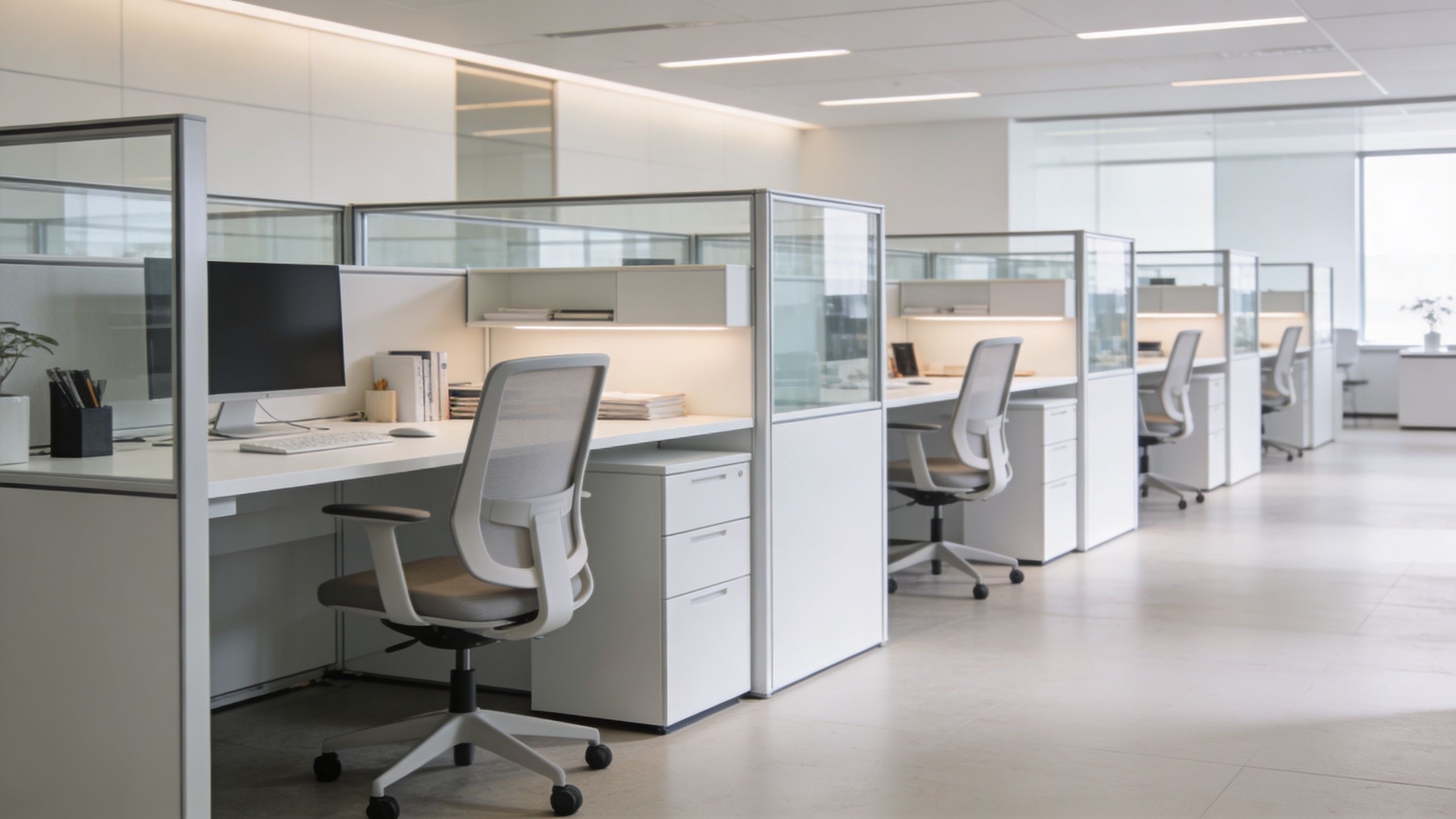
A six-person team doesn’t sit inside “100 to 150 square feet per person.” They sit in 6×6 stations, 6×8 cubicles, benching runs, perimeter offices, and shared touchdown points. That’s why office space size planning has to move from benchmarks to modules quickly.
If you want to compare common layouts and product types, review cubicles and workstations before you finalize a layout direction.
Common workstation footprints
A 6’x6′ workstation gives you a compact footprint that works well for straightforward desk work, sales teams, and support roles. It’s efficient, easy to repeat, and usually the first place to look when budget and density matter.
A 6’x8′ workstation gives people more usable surface and a better sense of personal territory. It’s a smarter fit for coordinators, project staff, and anyone splitting time between focused computer work and paper handling.
An 8’x8′ footprint supports larger monitors, more storage, guest seating, or a quieter work experience. You won’t use this everywhere, and you shouldn’t. Reserve it for roles that need it.
Standard modules versus custom planning
Standard modular sizes keep planning clean. They simplify ordering, installation, and future reconfiguration. If your space is mostly rectangular and your teams are fairly consistent, standard sizes usually win.
Custom configurations matter when the architecture gets awkward or the team mix varies by department. That’s common in offices with columns, irregular window lines, mixed private-office needs, or phased growth.
Here’s the practical distinction:
- Use standard modules when speed, budget control, and repeatability matter most.
- Use custom sizing when bad geometry would otherwise waste valuable floor area.
- Mix both when one department needs denser stations and another needs more privacy.
Panel height changes the feel of the office
Workstation size is only part of the equation. Panel height changes privacy, sightlines, acoustics, and supervision.
Lower panels support visibility and a more open look. Higher panels help with focus and reduce visual noise. Glass and mixed-material systems can soften that tradeoff by keeping light and openness while still defining territory.
If your team says they want “open,” don’t assume they mean no separation. Many teams prefer visual openness with enough structure to avoid constant interruption. That’s a different layout than a wide-open benching plan.
The best office space size plan doesn’t chase one aesthetic. It fits the work.
Calculating Your Total Required Square Footage
Most office space size mistakes happen because teams stop at desk counts. Desks are only one part of the footprint. The usable total has to cover workstations, support spaces, and circulation.
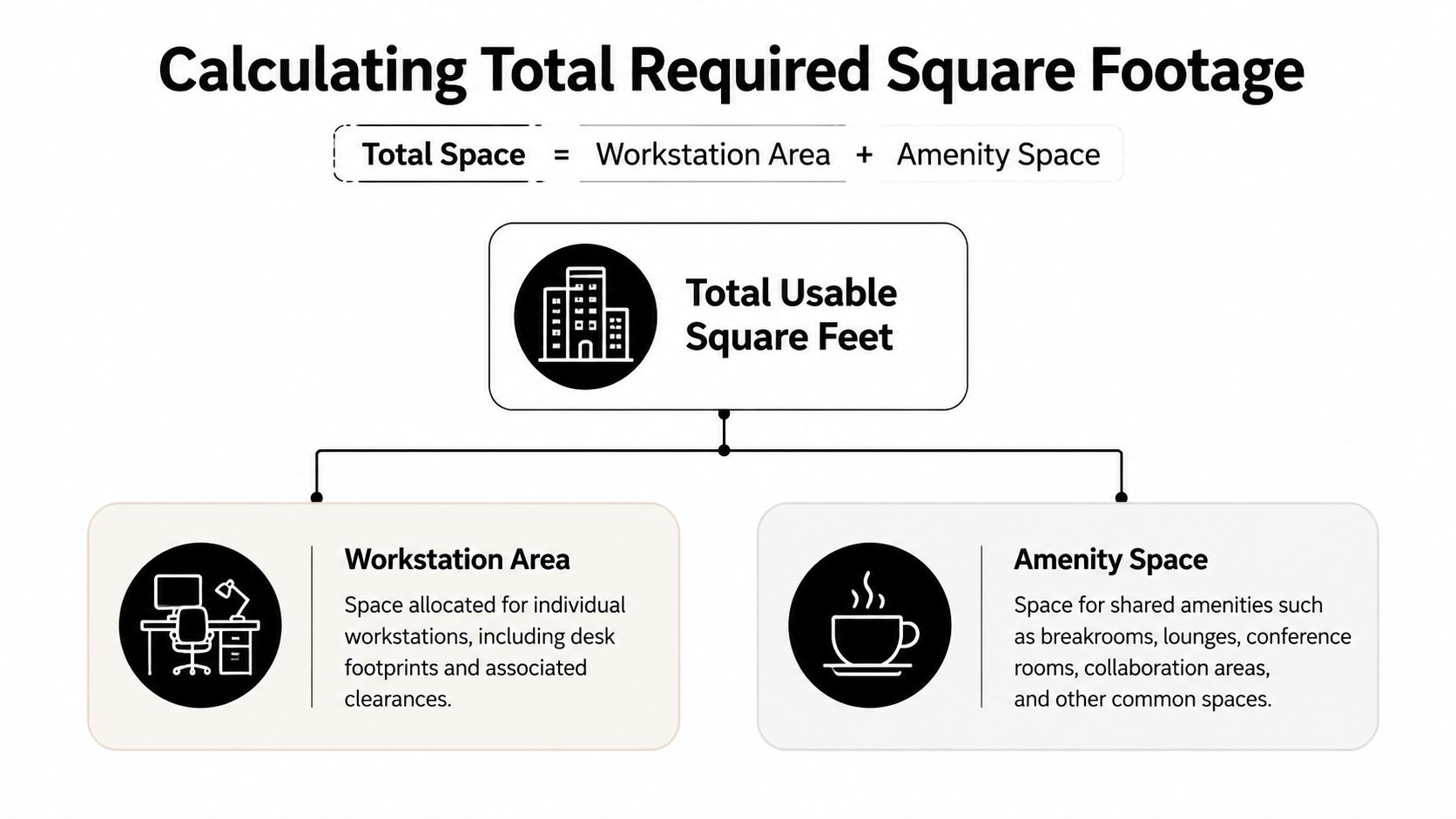
Use this formula:
Total usable space = Workstation area + Amenity area + Circulation area
That sounds basic. It isn’t. Most planning errors come from underestimating the second and third parts.
Workstation area
Start with the furniture footprint, not just headcount. Count every assigned cubicle, open desk, touchdown station, and private office that belongs to the daily operating plan.
If your layout uses compact workstations for one department and larger stations for another, calculate those groups separately. That gives you a truer base number and prevents one team’s needs from distorting the whole plan.
A floor plan is only credible if each seat has a real location.
Amenity area
Support spaces aren’t leftovers. They’re part of the operating footprint. Include meeting rooms, breakrooms, reception, storage, print points, and quiet rooms if your team needs them.
The verified benchmarks allow several practical planning references:
- Conference rooms can be planned at 50 square feet base plus 25 square feet per seat
- Breakrooms can be planned at 75 square feet base plus 25 square feet per seat
- Reception typically falls in the 100 to 200 square foot range
- File or mail space typically falls in the 125 to 200 square foot range
Those support functions often make up a substantial share of the plan, especially when the office hosts clients or relies on frequent internal meetings.
Circulation area
Teams consistently underbuild their space needs. Hallways, aisle clearances, access routes, and movement around furniture all consume space. You can’t ignore them and still expect the office to function.
According to Aquila Commercial’s office space calculation guide, the efficiency factor typically ranges from 1.25 to 1.43. In practical terms, you calculate your workstation and support space total, then multiply by that factor to account for circulation.
If the plan only works when chairs are pushed in, no one walks through the aisles, and nobody carries a box to storage, it doesn’t work.
If you also need a visual reference for arranging departments and common zones, this floor plan of the office page can help you think through adjacency and flow.
A simple planning workflow
Use this process when you’re building an estimate:
-
List every seat type
Separate compact workstations, standard cubicles, private offices, and touchdown desks. -
Add every required shared room
Don’t leave conference rooms, break space, reception, or storage for later. -
Apply the circulation factor
Multiply the subtotal by the efficiency factor so the layout can breathe. -
Review the plan operationally
Check whether managers can supervise, teams can meet, and people can move without bottlenecks.
That final check matters. A mathematically valid plan can still be a bad office.
Planning for Hybrid Work, Growth, and Compliance
Tuesday morning is when weak office plans fail. Headcount says 60. Badge activity says 38. Then everyone shows up for team meetings, project reviews, and manager check-ins, and the floor suddenly feels undersized because the plan was built around averages instead of peak demand.
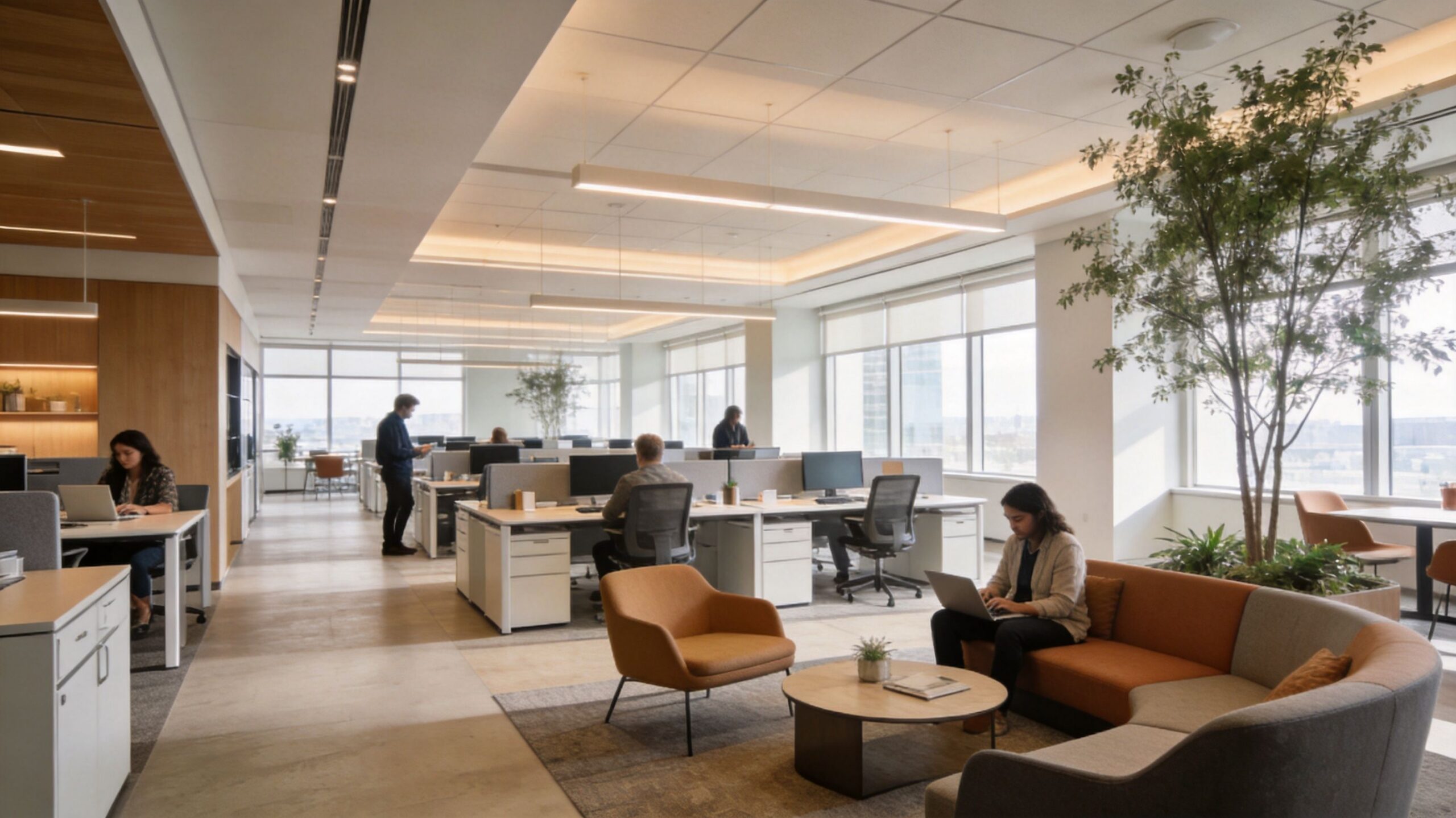
Hybrid work changed the job. You are no longer sizing for a simple one-person, one-desk model. You are sizing for peak attendance patterns, shared settings, and the furniture configurations that let you reallocate space without rebuilding the office every year.
Robin’s 2023 office space report found that 80% of offices have reduced their physical footprint since the pandemic, while 88% still require employees to work a certain number of days in the office. Facilities managers should take the lesson at face value. Smaller footprints can work, but only if the floor plan converts square footage into the right mix of assigned stations, hoteling seats, meeting rooms, and quiet space.
Size for peak attendance, then translate it into furniture
Start with the busiest in-office day. That is the number your layout must survive.
Then break that demand into seat types instead of treating every employee as if they need the same footprint. A sales rep who lives on calls can use a compact station with nearby phone rooms. An HR manager handling confidential conversations needs more enclosure. A field employee may only need touchdown space with power access and a locker. Generic square footage rules become useful at this stage. Once you match people to actual workstation types, you can turn a rough space target into rows, runs, and pods that fit a real floor plate.
Use these rules:
- Give core teams fixed neighborhoods. Keep groups that work together in consistent zones so daily coordination does not depend on seat hunting.
- Use shared stations for low-frequency users. Mobile staff, part-time schedules, and field roles do not need dedicated cubicles.
- Protect focus and call space. If every private conversation happens at an open desk, the plan is undersized no matter what the square footage says.
- Standardize around modular footprints. Repeating 6×6, 6×8, or similar workstation sizes makes it far easier to add seats, swap departments, or increase privacy later without starting over.
If your team is still gathering dimensions for a rework, this guide on getting room measurements right for new furnishings is a useful companion before you start placing furniture.
Build growth into the workstation plan
Growth should change the layout in phases, not force a full replacement.
That means using modular furniture systems that can expand by bay, convert an open bench into semi-private stations, or split one large team area into smaller neighborhoods. This is the practical bridge between planning math and floor plan execution. If your benchmark says you need room for eight more people next year, your layout should already show where those eight stations go, what dimensions they use, and what shared spaces shrink or stay intact.
A good plan leaves deliberate expansion zones. A bad plan fills every corner on day one and pretends future hiring will somehow sort itself out.
For layout direction, privacy mix, and workstation grouping, these modern office layout ideas for flexible teams are useful for comparing open, mixed, and higher-privacy arrangements.
Handle compliance before furniture is ordered
Compliance belongs in the first draft, not the punch list.
ADA clearances, egress paths, turning space, electrical access, and HVAC limits all affect how many workstations fit. They also affect which cubicle sizes are realistic. A layout that works only on paper usually fails because someone ignored aisle width, door swing, power location, or required travel paths. Fixing those mistakes after furniture is specified costs more than planning them correctly from the start.
Review these items early:
- ADA access. Confirm aisle widths, turning clearances, and reachable routes before you lock in workstation runs.
- Fire egress. Keep exits and corridors clear as you add panels, storage, and shared tables.
- HVAC and power capacity. Dense seating only works if the space can support people, equipment, and comfort loads.
- Data and electrical distribution. Put stations where power and connectivity can be delivered cleanly, not where they look good in a sketch.
A quick visual example helps when aligning stakeholders on flexible planning:
Visualizing the Plan with Sample Layouts
Benchmarks matter. Layouts matter more. Most facilities managers don’t need another abstract rule. They need to know what a real office space size plan looks like once desks, meeting rooms, and circulation hit the page.

Example one for a dense 20-person sales team
This team needs speed, visibility, and repeatable workstation footprints. A dense layout can work if you avoid turning the floor into a noisy bullpen with nowhere to think.
A practical version might include compact stations in grouped rows, a small manager perch, one enclosed room for private calls or coaching, and a modest shared area for breaks. The priority is clean sightlines and efficient circulation.
But there’s a limit. Poorly planned high-density layouts can cause productivity drops of 10% to 15% when noise and lack of focus space get out of control, as noted earlier in the benchmark data. That’s why dense planning still needs acoustic relief and a few retreat spaces.
Example two for a balanced 20-person professional office
This team needs a calmer environment. Some staff can work in open stations, but others need more privacy, more surface area, and better meeting support.
A balanced layout might include:
- Open cubicles for core staff with enough separation for focused work
- A few private offices for confidential conversations and leadership functions
- A proper conference room instead of forcing meetings into open areas
- Reception and storage placed near the front and perimeter, not dropped into the middle of the floor
This kind of office usually feels more expensive because it uses more enclosed space. In practice, it often performs better because the plan aligns with the work.
A simple calculator walkthrough
Here’s the method I’d use for a 20-person mixed office:
-
Group the staff by seat type
Put open-plan staff in one category, private-office users in another, and hybrid touchdown users in a third. -
Assign realistic workstation footprints
Don’t guess. Use actual cubicle and office dimensions. -
Add support rooms intentionally
Include at least the meeting, break, reception, and storage spaces the team will use every week. -
Apply circulation
Use the efficiency-factor method covered earlier so aisles and movement aren’t an afterthought. -
Stress test the layout
Ask where people take calls, where guests wait, where supplies go, and what happens on the busiest day.
If you want to map those scenarios visually before ordering furniture, office space planning software can help you compare denser versus more balanced layouts without committing too early.
The smartest layout usually isn’t the tightest one. It’s the one that fits the work with the fewest compromises.
Your Office Space Planning Checklist and Next Steps
If you’re deciding on office space size right now, keep the process simple and disciplined. Don’t let one benchmark or one floor plan drive the whole decision.
Use this checklist:
- Define your work modes. Separate focused work, phone-heavy work, confidential work, and hybrid touchdown use.
- Set role-based space targets. Don’t give every employee the same footprint if their jobs are different.
- Choose actual workstation sizes. Translate benchmarks into cubicles, desks, and offices that can be placed on a plan.
- Add support space early. Meeting rooms, break areas, reception, storage, and print zones belong in the first draft.
- Apply circulation properly. A layout that looks efficient but can’t move people comfortably is a bad layout.
- Review hybrid peaks. Plan around your busiest in-office days, not your quietest ones.
- Check compliance before procurement. Accessibility, egress, HVAC, and electrical capacity should shape the plan from the start.
- Favor scalable systems. Modular furniture gives you more room to adapt without wasting prior investment.
Good office planning is mostly about avoiding preventable mistakes. Oversizing wastes rent. Undersizing creates daily friction. The right office space size sits in the middle, where cost control and functionality meet.
If you’re at the point where numbers need to become a real layout, start with practical dimensions, not theory. Then pressure-test the plan before you sign a lease or place an order.
If you need help turning office space size benchmarks into an actual floor plan, browse the Cubicle By Design homepage, compare cubicles, review private office cubicles and workstation cubicles, or sketch options with the Custom Cubicle Designer.