

The secret to unlocking great office design ideas for small spaces isn't about finding more square footage—it's about a smarter strategy. It all comes down to three simple but powerful principles: thinking vertically to make the most of your wall space, picking multi-functional furniture to keep clutter at bay, and zoning the area to carve out distinct, productive work environments.
Get these right, and even the most compact office can become a powerhouse of efficiency and style.
Rethinking Your Small Office For Big Results
Staring at a small floor plan can feel like a major limitation. But what if you saw it as an asset instead? A compact space forces you to be intentional. Every single design choice has a real impact, making it an opportunity to create something truly purposeful.
With hybrid and flexible work models becoming the norm, making every square foot count is more important than ever. The mission is to build a space that feels open, stays organized, and is primed for deep, focused work.
This means moving past the clunky, traditional layouts of yesterday and embracing solutions built for modern flexibility. Today’s teams need environments that can pivot and adapt. A thoughtfully designed small office can actually boost communication and create a much stronger sense of community than a sprawling, impersonal one. Here at Cubicle By Design, we specialize in transforming these tight quarters into highly functional workspaces that people love to be in.
The Foundation of Smart Small Space Design
A successful project starts with understanding the core principles that make a small office not just work, but thrive. These aren't just little decorating tips; they are foundational strategies that directly shape how productive and happy your team will be. By focusing on these key areas, you can create a workspace that punches well above its weight class.
To get you started, here is a quick-reference table summarizing these core ideas.
Core Principles for Small Office Design
| Principle | Key Action | Primary Benefit |
|---|---|---|
| Think Vertically | Use tall shelving, wall-mounted storage, and high-back cubicles. | Frees up valuable floor space and reduces physical clutter. |
| Embrace Multi-Functionality | Choose furniture that serves two or more purposes (e.g., storage benches). | Maximizes utility without adding more items to the room. |
| Zone Strategically | Use partitions, rugs, or paint to define separate functional areas. | Creates psychological separation for focus, collaboration, and breaks. |
| Master Light & Color | Prioritize natural light and use a light, neutral color palette on walls. | Makes the space feel significantly larger, brighter, and more open. |
These principles are the bedrock of any effective small office layout. A well-executed plan addresses each one right from the start.
For a much deeper dive into the nuts and bolts of structuring your layout, our guide on office space planning and design gives you a complete framework for mapping out your vision from start to finish.
A thoughtfully designed small office proves that you don’t need a massive footprint to achieve big results. It's about making smart, efficient choices that support your team's workflow and well-being, turning limitations into an advantage. This guide provides actionable strategies to help you get there.
Creating Your Blueprint For Productivity
Before you even think about ordering furniture, the first step to a great small office is a smart plan. This is where you map out your space with purpose, making sure every single decision you make down the line actually helps your team get their work done and moves your company forward.
Think of yourself as an architect for a moment. You have to start by measuring everything—the exact dimensions, where the windows and doors are, and where you've got power outlets. But this blueprint is about more than just measurements; it's about figuring out how your team really works day-to-day.
Mapping Your Team's Workflow
To get a layout that truly functions, you have to watch how the space is used. Think about the natural pathways people will take. Where do they walk? Where does someone need to sit for quiet, heads-down work? And where can a couple of people have a quick chat without derailing everyone else's focus?
One of the most effective tricks for small spaces is creating distinct zones for different kinds of work. You don't need to build walls to do this. Something as simple as an area rug, a change in lighting, or clever furniture placement can signal that you're moving from a collaborative area to a quiet zone.
This kind of thoughtful planning helps you sidestep common small-office headaches, like traffic jams next to desks or loud conversations happening right beside someone trying to concentrate. The goal is a layout that feels natural and helpful, not like an obstacle course.
Planning for Modern Flexibility
Today's workplace, especially a smaller one, has to be able to change on a dime. With hybrid teams and projects that shift constantly, a rigid layout just won't cut it. The real trend isn't just about downsizing; it's about making a smaller footprint work smarter. In fact, around 77% of businesses are rethinking their office layouts to make every square foot more flexible. For companies where only about 30% of the team is in the office on a given day, shared desks are quickly replacing dedicated ones to maximize space. You can get more great insights on space planning trends from this guide by Coram.ai.
A flexible blueprint might include:
- Modular Furniture: Pieces that can be easily moved and reconfigured, like the workstation cubicles we offer. They can adapt as your team shrinks or grows.
- Hot-Desking Areas: Unassigned desks that different employees can use when they're in the office.
- Multi-Purpose Zones: A small meeting spot that can double as a quiet lunch area or a casual place to catch up.
This infographic really nails down the core ideas of optimizing your space.
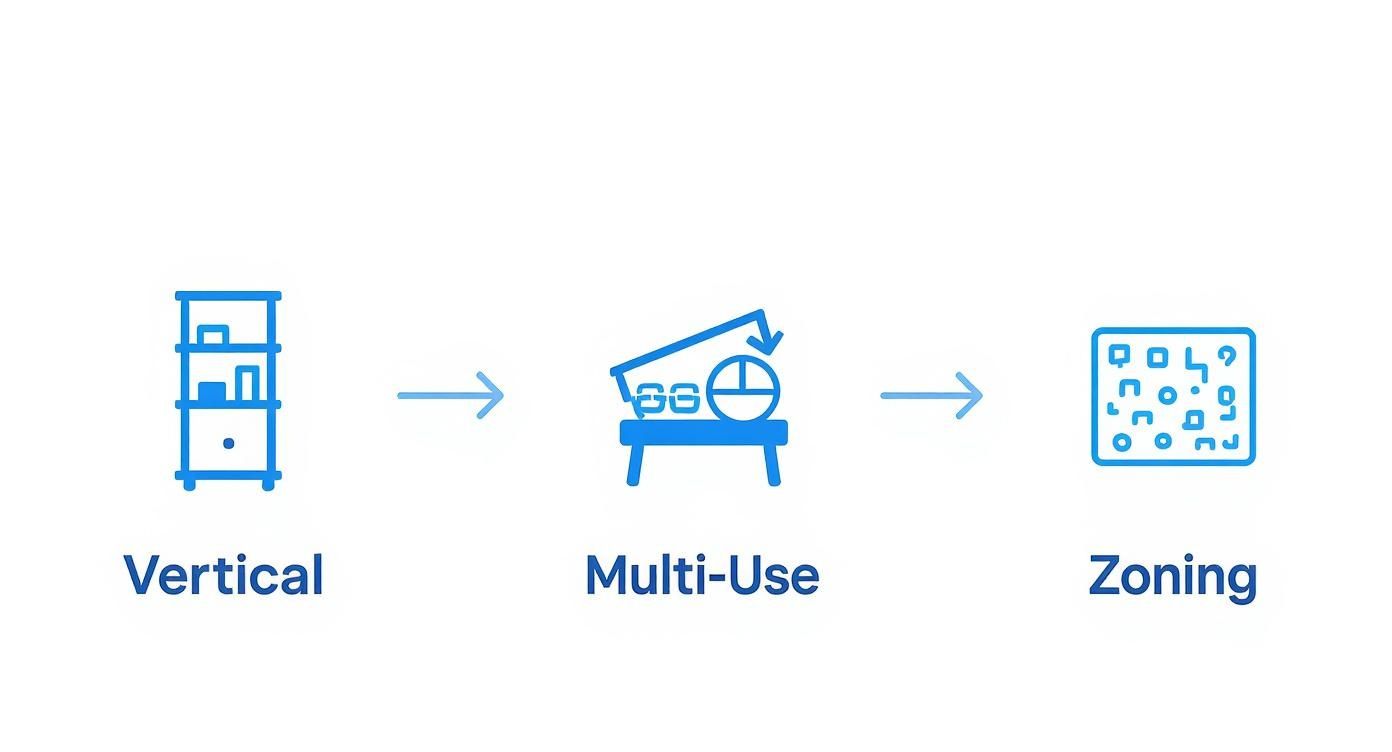
It shows you how to layer these strategies perfectly—start by thinking vertically, bring in multi-use items, and then zone the whole layout for peak efficiency.
Visualizing Your Future Workspace
The final step is turning your rough sketches and ideas into a solid plan you can actually see. This is where your vision for a smarter small office really comes together. And you don't need to be a professional designer to pull this off.
By visualizing your layout before you commit, you can catch potential issues, experiment with different arrangements, and refine your plan until it's perfect. This step saves both time and money down the line.
To bring your ideas to life, we highly recommend using a visual tool. You can start playing around right now with our free Cubicle Designer tool. It lets you test different layouts and see how our various cubicles and private office cubicles can fit into your unique space. It's a hands-on way to design a better workplace with total confidence.
Selecting Furniture That Works Harder
When you're working with a small office, your furniture can't just look good—it has to be a strategic tool. The right pieces can make a compact area feel surprisingly spacious and hyper-functional. Get it wrong, and you've got instant clutter. Honestly, smart furniture choices are the secret sauce to unlocking the full potential of your limited square footage.
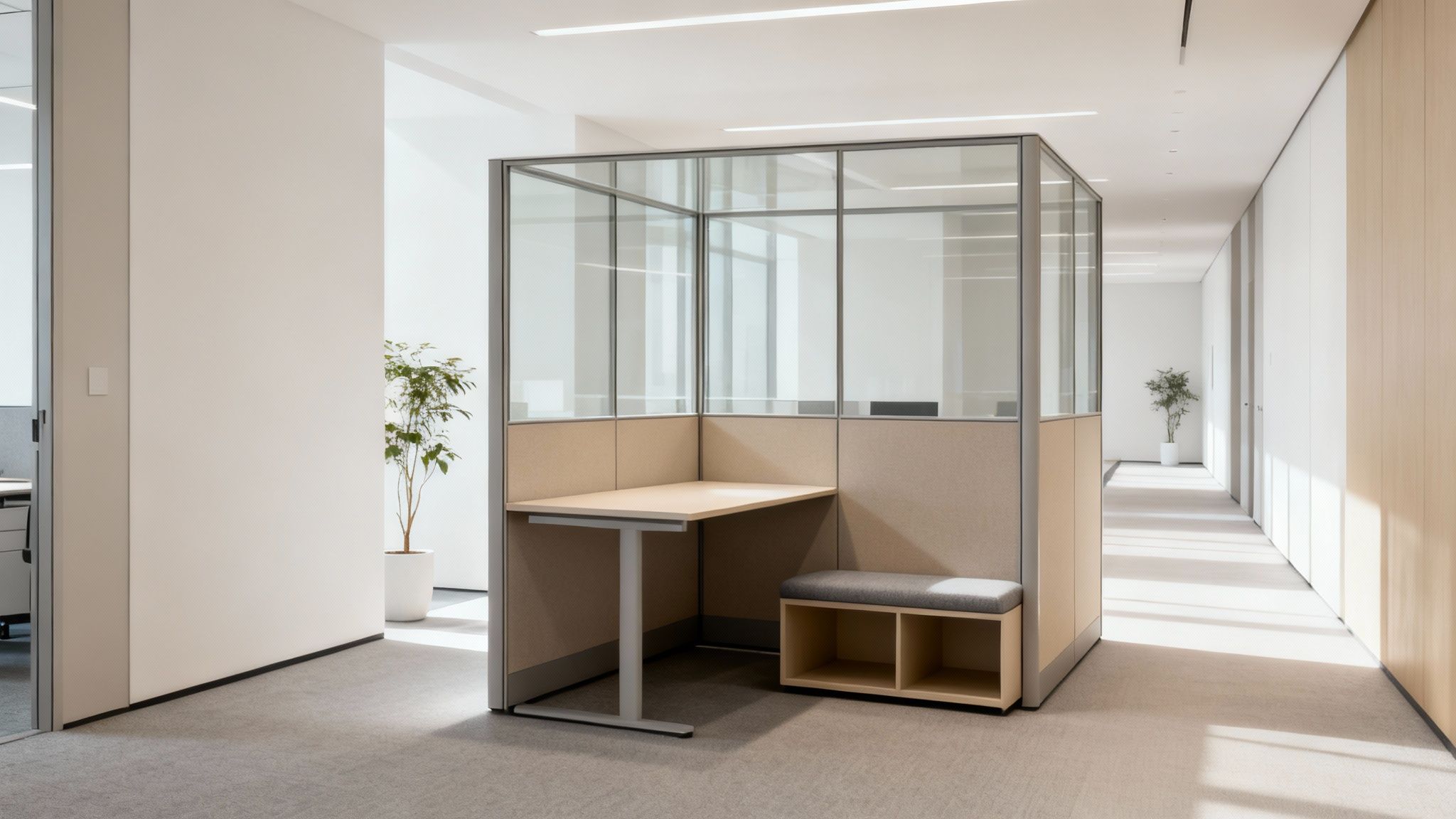
This means every single desk, chair, and partition has to pull its weight. Think of your furniture as an active player in your office workflow, not just a passive object sitting there. Each item should either save space, serve multiple roles, or help create distinct work zones without boxing everyone in.
Embracing Modularity and Flexibility
If there's one quality that matters most for small-office furniture, it's adaptability. A static, one-size-fits-all approach is a recipe for frustration as your team grows and projects change. This is exactly where modular systems prove their worth.
Modular furniture is like a professional-grade LEGO set for your office. You can arrange it, reconfigure it, and add to it as your needs shift, which means you're never locked into a layout that no longer works.
Our workstation cubicles, for example, are designed for this exact problem. You can set them up as individual pods for deep focus, then easily reconfigure them into collaborative clusters for a new project. For a growing business, that kind of flexibility isn't just nice to have—it's essential.
A recent study on office design found that flexible, reconfigurable furniture is a top priority for 68% of facility managers in small spaces. They know that the ability to adapt is a real competitive advantage, letting them get the most out of every square foot.
Balancing Privacy and Openness
One of the trickiest parts of designing a small office is giving people privacy without making the space feel like a shoebox. Your team needs quiet spots to concentrate, and managers need places for confidential chats. But building traditional drywall offices? That's often a non-starter due to space and budget.
This is where modern cubicles and partitions offer the perfect middle ground.
-
Private Office Cubicles: These solutions create a self-contained "room-within-a-room," giving you the acoustic and visual privacy needed for leadership or sensitive work. Modern private office cubicles can even feature tall walls and a door for that true office feel, without the construction crew.
-
Glass Panels and Partitions: Using glass is one of the best moves you can make in a small space. Glass walls keep the atmosphere feeling open and airy, letting natural light flood the entire office and making it feel significantly larger. You get the sound separation you need without losing that visual connection.
-
Low-Wall Dividers: Got a team that needs some personal space but thrives on easy collaboration? Low-wall dividers are perfect. They define individual workstations and cut down on desk-level distractions, but team members can still talk to each other just by looking up.
The right balance really comes down to your team's workflow. A sales team might need more acoustic separation for all their calls, while a design team could benefit from a more open, collaborative vibe. For a deeper dive into workstation options, check out our guide on good desks for small spaces.
Choosing The Right Solution For Your Team
Not all furniture solutions are created equal, and the "best" choice is the one that fits your team's day-to-day reality. Do you need to prioritize heads-down focus, or is your success built on constant collaboration? Thinking through these questions will point you toward the ideal setup.
To help you decide, we've put together a simple breakdown of the most common furniture types.
Furniture Solutions for Small Office Spaces
| Furniture Type | Best For | Space Impact | Cubicle By Design Solution |
|---|---|---|---|
| Modular Workstation Cubicles | Teams needing a mix of collaborative access and individual focus. | Highly efficient and adaptable to changing team sizes or project needs. | Workstation Cubicles |
| Private Office Cubicles | Managers, HR, or any role requiring high confidentiality and concentration. | Creates defined, private spaces within a larger open-plan area. | Private Office Cubicles |
| Glass Partitions/Walls | Creating distinct zones while maximizing natural light and an open, airy feel. | Visually expands the space and promotes a sense of transparency. | Custom Design Options |
| Benching Desks | Highly collaborative teams, creative agencies, and hot-desking environments. | Maximizes the number of seats in a linear footprint for high-density areas. | Custom Design Options |
By being selective and choosing furniture that truly works harder, you can transform your small office from a place of limitation into a strategic asset. Each piece will contribute to a more organized, productive, and comfortable environment for everyone.
Winning The War Against Clutter
Clutter is the ultimate productivity killer in a small office. It makes the space feel chaotic, cramped, and frankly, stressful. Winning the war against clutter isn't just about a quick tidy-up; it's a strategic battle for focus and efficiency. The goal is to move beyond old-school filing cabinets and embrace creative, space-saving organization.
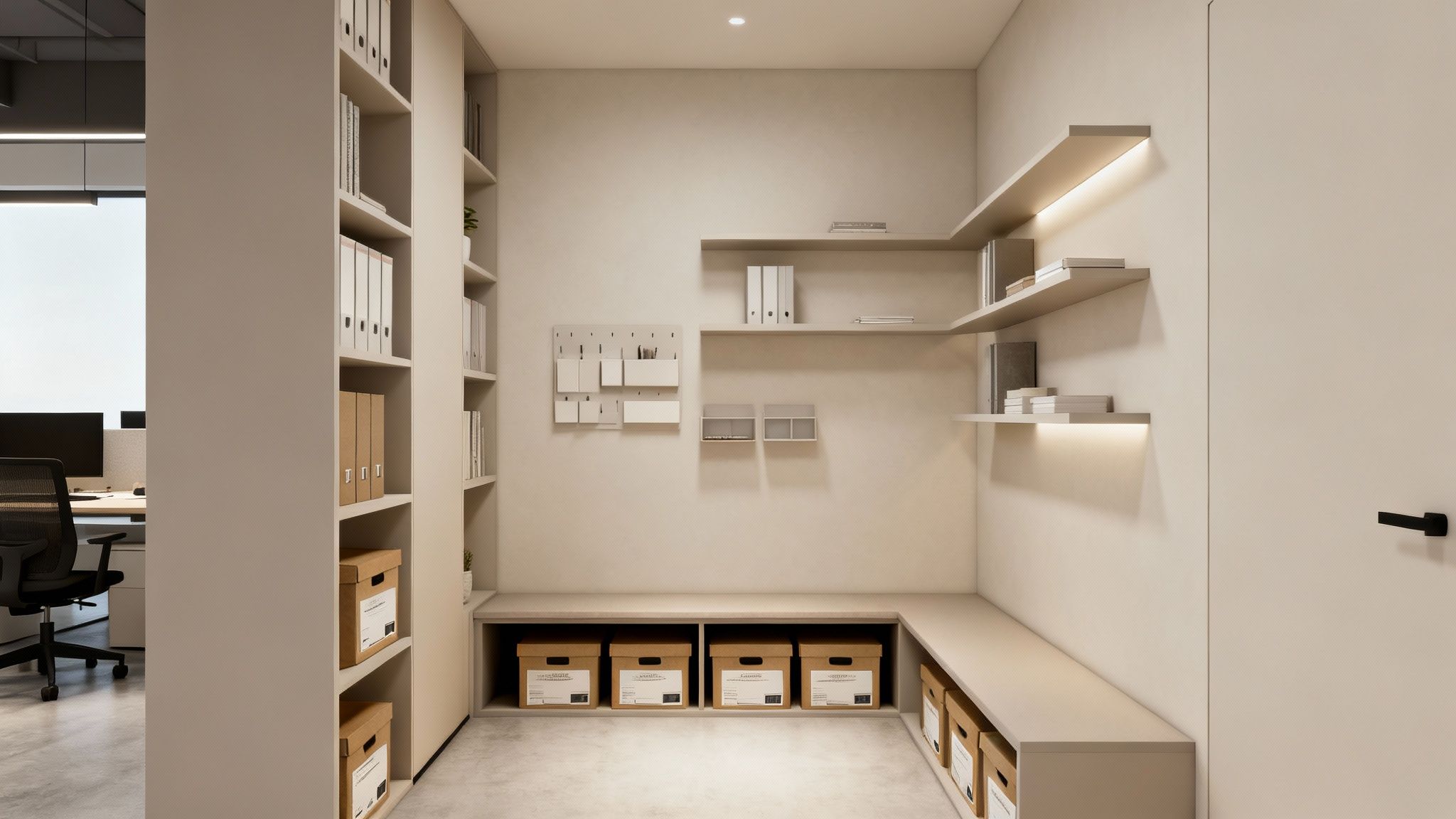
It all starts by rethinking how you use every surface. By finding and using those hidden storage opportunities, you can create a workspace that not only looks cleaner and feels larger but actually functions more smoothly for your whole team.
Think Vertically To Maximize Your Walls
The most underused real estate in any small office is right there on the walls. When your floor space is at a premium, the only way to go is up. This simple shift in perspective unlocks a huge amount of organizational potential and keeps your floors clear and open.
Thinking vertically means drawing the eye upward with tall, narrow shelving units, which also has the nice effect of making the room feel higher. Wall-mounted organizers, floating shelves, and even pegboard systems can turn an empty wall into a command center for supplies, documents, and tools.
An organized space is a productive space. Studies show that physical clutter actively competes for your attention, resulting in decreased performance and increased stress. By clearing the clutter, you're clearing the way for better focus.
Well-designed cubicles are a cornerstone of this strategy, often coming with integrated overhead bins and pedestals right out of the box. Even better, you can add specialized storage to make them work even harder. You can learn more about how to get the most out of your vertical cubicle space by exploring cubicle hanging shelves that add tons of storage without taking up a single inch of desk surface.
Find Hidden Storage In Plain Sight
Beyond the walls, some of the best storage solutions are hiding in your furniture. Multi-functional pieces are a must-have in any small office design because they pull double duty without adding more bulk to the room.
Keep an eye out for opportunities to introduce clever, dual-purpose furniture:
- Storage Ottomans: These are perfect as extra seating for a quick chat and can easily store blankets or less-used equipment out of sight.
- Benches with Built-in Storage: A great fit for a reception area or a small breakout zone, these provide seating and a spot to tuck away bags, supplies, or even shoes.
- Desks with Integrated Shelving: Look for desks that have built-in vertical storage or hutches to keep essential items within arm's reach but off the main work surface.
Digitize Your Documents And Reduce Paper
Let's be honest: a huge source of office clutter is paper. Stacks of documents, old files, and random printouts can quickly overwhelm a small space. A key part of modern organization is shifting from a paper-first to a digital-first mindset.
Encourage your team to use cloud storage for documents, digital note-taking apps, and collaborative online platforms. This doesn't just cut down on physical clutter—it also makes information way easier to find and share. When you do need to print, make sure you have a clear and simple filing system in place to prevent those dreaded piles from forming.
This approach lines up perfectly with modern workplace trends, where every inch has to be optimized. As hybrid work models drive tighter space utilization, efficiency is everything. Between 2021 and 2024, the average space per employee in the U.S. tightened by a whopping 27%, with workstations between 35 and 49 square feet becoming the new normal. By digitizing your workflow, you directly support this need for a leaner, more organized office.
Controlling Light And Sound To Enhance Focus
In a small office, light and sound are two of the most powerful—and most ignored—ingredients for success. Their impact gets amplified in a tight space. When you get them right, a cramped room suddenly feels open and a chaotic one feels calm, directly helping your team focus and do their best work.
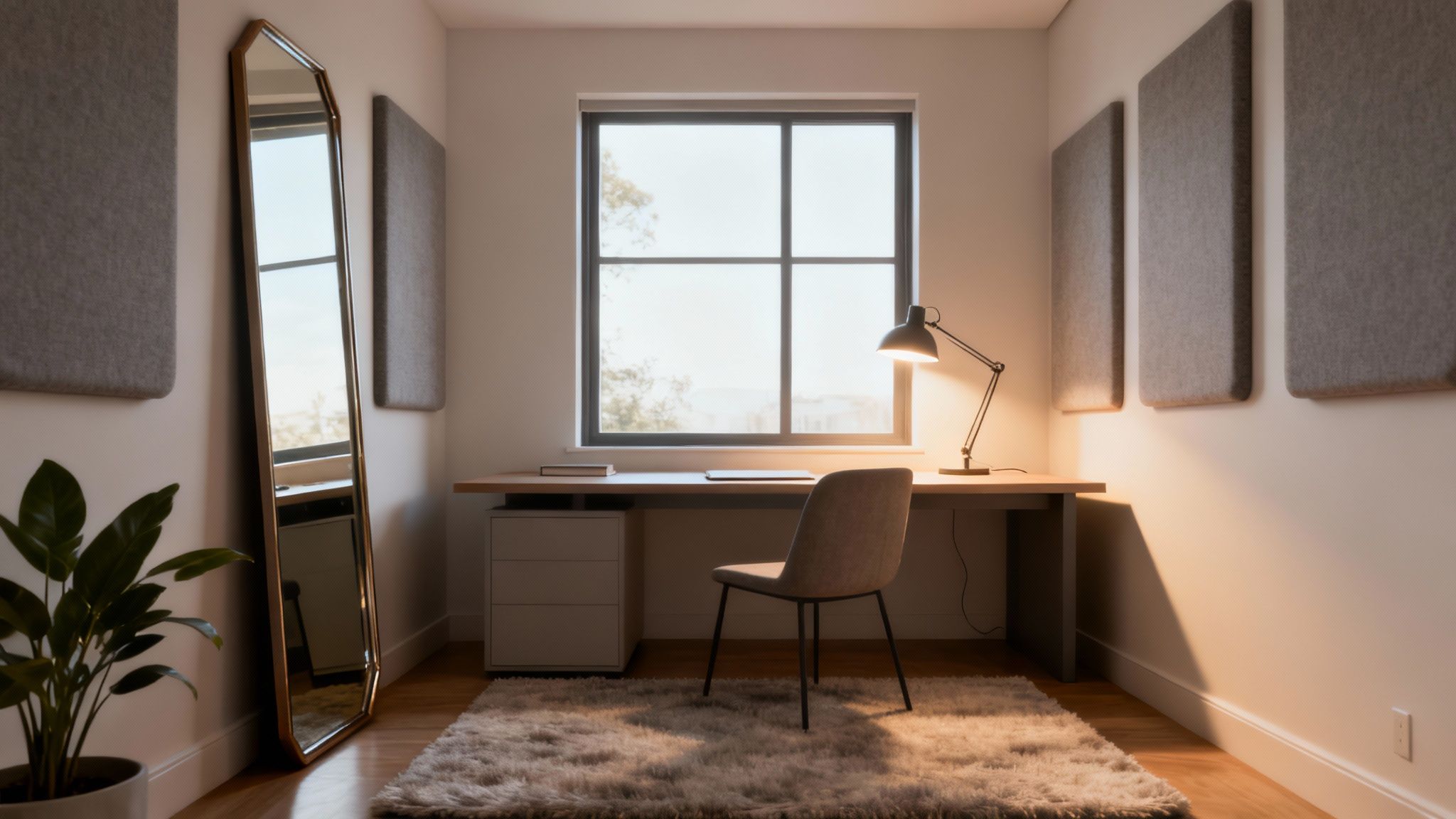
Think of these elements as tools. By shaping the light and sound in your workspace, you’re shaping the psychological experience for everyone in it. A well-lit, acoustically balanced office isn't just a perk; it's a place where deep work can actually get done.
Let There Be Light
Natural light is your secret weapon in a small office. It has an almost magical ability to make a space feel bigger than it is while lifting everyone's mood and alertness. The number one rule? Never, ever block your windows.
Instead, build your layout around them. Position desks to catch the sunlight, but be smart about it—use low-profile furniture that doesn’t cut off the view. A big mirror on the wall opposite a window can work wonders, bouncing light around the room and creating a feeling of depth.
Of course, the sun isn't always out. That's where a layered lighting strategy comes in, keeping the office functional and inviting all day long. This just means mixing three types of light:
- Ambient Lighting: This is your general, all-over light from ceiling fixtures or recessed cans. It fills the room and sets the base level of brightness.
- Task Lighting: This is focused light for getting work done, like an adjustable desk lamp for each person. It’s a must-have for reducing eye strain.
- Accent Lighting: This is the fun stuff. Use it to highlight cool features like a piece of art or your company logo. It adds personality and character.
Taming The Noise
Noise is the arch-nemesis of a small office. One phone call can throw the entire room off track. Sound loves to bounce off hard surfaces—walls, floors, ceilings—turning your space into an echo chamber where focus goes to die.
The fix is to bring in materials that absorb sound instead of reflecting it. You don't need to tear down walls or get into a major renovation. A few simple, affordable tweaks can make a massive difference.
A workplace study found that out-of-control noise is a top complaint for office workers, with distractions eating up an average of 86 minutes per day. In a small office, sound control isn't a luxury—it's a requirement for getting anything done.
Start by adding soft surfaces anywhere you can. Area rugs on bare floors, fabric curtains instead of blinds, and upholstered furniture are all great places to start. Even something as simple as a felt or canvas wall hanging can help soak up ambient noise. For a more targeted approach, acoustic panels are designed for exactly this purpose and come in all sorts of styles to match your look.
Creating Zones of Quiet
While absorbing general noise helps, the best way to protect your team’s focus is to create dedicated quiet zones. This is where modern cubicles really shine. They aren’t just dividers; cubicles with sound-dampening fabric walls create individual bubbles of quiet, shielding people from conversations and a a flurry of activity just a few feet away.
These systems are one of the smartest ways to give people the separation they need for deep work without putting up permanent walls. They can turn a loud, open-concept room into a collection of productive sanctuaries.
To see how these solutions can transform a workspace, it’s worth exploring the principles of office cubicle privacy to understand how different materials and wall heights contribute to a quieter, more focused environment. By mastering both light and sound, you can turn your small office from a challenge into a major asset.
Bringing Your Small Office Vision to Life
You've got the playbook. You know the strategies to turn a tight space into a productive powerhouse. A thoughtfully designed small office isn't just a dream; it's an achievable goal that pays dividends in team morale, focus, and raw efficiency. It all comes down to being intentional with every square foot.
The core ideas are simple: plan your layout like an architect, pick smart, multi-functional furniture, conquer clutter by thinking vertically, and nail the vibe with the right lighting and sound control. Now for the fun part—turning those concepts into a real, working space.
Turning Ideas Into Reality
The journey from a floor plan to a fully built-out office is where your vision really comes alive. You don't have to look far to see how important smart design is, especially with the boom in flexible work environments. The coworking and small office industry has exploded, now covering over 150 million square feet in the U.S. alone. This isn't just a fad; it’s a clear signal that companies are getting serious about adaptive designs that squeeze maximum value out of every inch. You can learn more about national coworking space trends to see how this movement is shaping modern offices.
At Cubicle By Design, we live for this stuff. Our team is here to help you bridge that gap between a great idea and a finished space that perfectly meets your team's needs. The final steps are all about careful selection, visualization, and professional execution to pull it all together.
A great small office design isn't just about fitting everything in. It's about creating a space that feels intentional, supports deep work, and makes your team feel valued and productive from day one.
Your Next Steps to a Better Workplace
With a solid plan in hand, you can move forward with confidence and build the small office your business deserves. Here’s how you can get started today:
-
Experiment with Your Layout: Use our free Cubicle Designer tool to play around with different setups. See how workstation cubicles or even private office cubicles might fit your floor plan. It's a no-risk way to see what's possible and refine your blueprint.
-
Browse Real Solutions: Take a look through our full catalog of cubicles to get a feel for the different styles, heights, and finishes out there. Sometimes, seeing real-world examples is the best way to spark a new idea for your own space.
-
Consult with the Experts: Let our design team help you put it all together. We can walk you through every decision, from the first sketch to the final touches. Getting the final pieces in place correctly is crucial, and our expert team provides professional office furniture installation services to make sure everything is perfect. Let's create a space you and your team will absolutely love.
Common Questions About Small Office Design
Even the most thorough plan can leave you with a few nagging questions. When it comes to designing a small office, some challenges pop up time and time again. Let’s tackle some of the most common ones head-on so you can keep your project moving with confidence.
How Can I Make My Small Office Look Bigger?
Making a small space feel bigger is all about mastering a few key illusions with light and verticality.
First, embrace natural light like it’s your best friend. Keep your windows completely clear of any obstructions. Then, hang a few well-placed mirrors to bounce that light around the room, which instantly creates a feeling of depth.
Your color choices matter, too. Stick with a light, neutral palette for walls and big furniture items. This makes the whole space feel more open and breezy. And when you're picking out furniture, look for pieces with a smaller physical footprint and exposed legs. Seeing more of the floor tricks the eye into thinking there’s more space than there is.
Finally, get people to look up! It’s a simple trick that makes any room feel taller. Use tall, narrow bookshelves, vertical stripes on an accent wall, or wall-mounted storage to draw the eye upward.
What Is The Best Layout For A Small Rectangular Office?
For those long, skinny rectangular rooms, the best bet is to line the desks up along the longer walls. This strategy keeps a wide, clear path down the middle of the office, which is crucial for avoiding that cramped, bottleneck feeling when people are walking around.
Tuck shared equipment, like printers and scanners, into a corner on a dedicated stand to keep them out of the main traffic path. If you need to add some separation between desks but don’t want to block light, low-profile cubicle partitions or frosted glass dividers are perfect.
Need a small meeting spot? A round table in a corner is a fantastic choice. It takes up much less visual and physical space than a square one, making it far easier to navigate around.
Are Cubicles A Good Idea For A Small Office Space?
Absolutely. But you have to forget the bulky, drab boxes from the past. Modern cubicles are a whole different ballgame—they’re specifically designed to be space-efficient, flexible, and look great.
Modern modular cubicles give you the best of both worlds in a tight space. They deliver the privacy and sound dampening people need for focused work, while options with glass panels or lower walls keep the office feeling bright, connected, and open.
For example, the workstation cubicles we offer at Cubicle By Design can be configured to fit your room’s exact measurements, so not a single inch goes to waste. They give every team member their own designated space, which is a proven way to cut down on distractions and help people concentrate.
How Do I Add Personality Without Creating Clutter?
This is where you get to have some fun, and it’s all about being strategic. To add personality without the mess, start with your walls—they’re your biggest canvas and don't take up any floor space.
- Make Decor Functional: Instead of just art, hang a stylish whiteboard for brainstorming or a big corkboard for pinning up inspiration.
- Bring in Some Green: Plants add so much life and color. Use hanging planters or wall-mounted pots to keep your desks and floors clear.
- Create an Accent Wall: A single wall painted with a bold color or featuring a branded graphic makes a massive impact without adding a single object to the room.
- Stick to a Cohesive Palette: Pick just one or two accent colors for small things like desk organizers, mouse pads, or chair cushions. This creates a unified, vibrant look that feels intentional, not messy.
By focusing your efforts, you can inject tons of character into the office, making it a space people actually enjoy coming to.
At Cubicle By Design, we're ready to help you turn these ideas into a reality. Take a look at our full range of cubicles or jump right in and start playing with layouts using our free Cubicle Designer tool today.