
We’ve all been there. You’re in the middle of a critical presentation, and suddenly you’re staring at a tangled nest of extension cords snaking across the floor. It’s not just messy—it’s a dead stop to productivity and looks completely unprofessional. A conference table with electrical outlets is the answer, turning a chaotic meeting space into a smooth, connected hub. This one upgrade keeps every device powered up, letting your team stay focused on what actually matters. At Cubicle By Design, we help businesses create these efficient, modern workspaces.
Why Your Modern Office Needs a Powered Conference Table
The days of frantically searching for a free wall socket or tripping over cables are over. In today’s workplace, the conference room is the command center for collaboration, client pitches, and big decisions. A conference table with built-in power isn't a perk anymore; it's essential infrastructure for any business that wants to stay competitive.
The market backs this up. The global demand for meeting room power outlets is expected to jump from $850 million in 2025 to $1.5 billion by 2033. What’s driving this? A massive push toward smart office technology, with 72% of businesses now making tech integration a top priority when they upgrade their conference rooms. You can get a closer look at these market shifts in this detailed report.
The Real Cost of Poor Connectivity
Without easy access to power, meeting rooms fall into a familiar, frustrating pattern that quietly kills productivity. Think about the last time a meeting got derailed because someone's laptop was about to die, sending them on a mad dash for a charger. These little interruptions break the creative flow, disrupt the conversation, and make your whole operation look disorganized.
A powered table directly solves these common pain points:
- Delayed Meetings: No more time wasted untangling cords or hunting for power bricks before a presentation can even start.
- Safety Hazards: Loose cables on the floor are a major trip hazard and create a cluttered, unprofessional look.
- Reduced Collaboration: When people are chained to wall outlets scattered around the room, they can't fully engage with the team at the table.
- Negative Client Impressions: A room full of messy wires can make a client question your company's attention to detail and professionalism.
Investing in a conference table with electrical outlets is really an investment in efficiency. It tells everyone—your team and your clients—that you value smooth collaboration, safety, and a modern, professional environment.
At the end of the day, giving your team the right tools is a fundamental part of smart workplace design. By eliminating these common frustrations, you create a space that genuinely supports productive work. You can explore our insights on other key workplace design trends to see how other small changes can deliver a huge impact.
Understanding Your Power and Connectivity Options
Picking the right power solution for your conference table is a lot like choosing the right tool for a job. You wouldn't bring a tiny screwdriver to a major construction project, right? In the same way, the power modules you select have to match what your team actually does day in and day out. This is about more than just simple charging; it’s about future-proofing your meeting spaces. From versatile workstation cubicles to executive suites, having the right power access is key.
You’ll generally run into a few common options: pop-up outlets, flush-mounted modules, and even slick wireless charging pads built right into the tabletop. Each one strikes a different balance between looks, ease of use, and capability. Some teams might just need a couple of standard electrical outlets, while others will need a whole suite of modern ports to stay productive.
This decision tree really boils it down to a simple choice between a modern, efficient setup and an outdated, frustrating one.
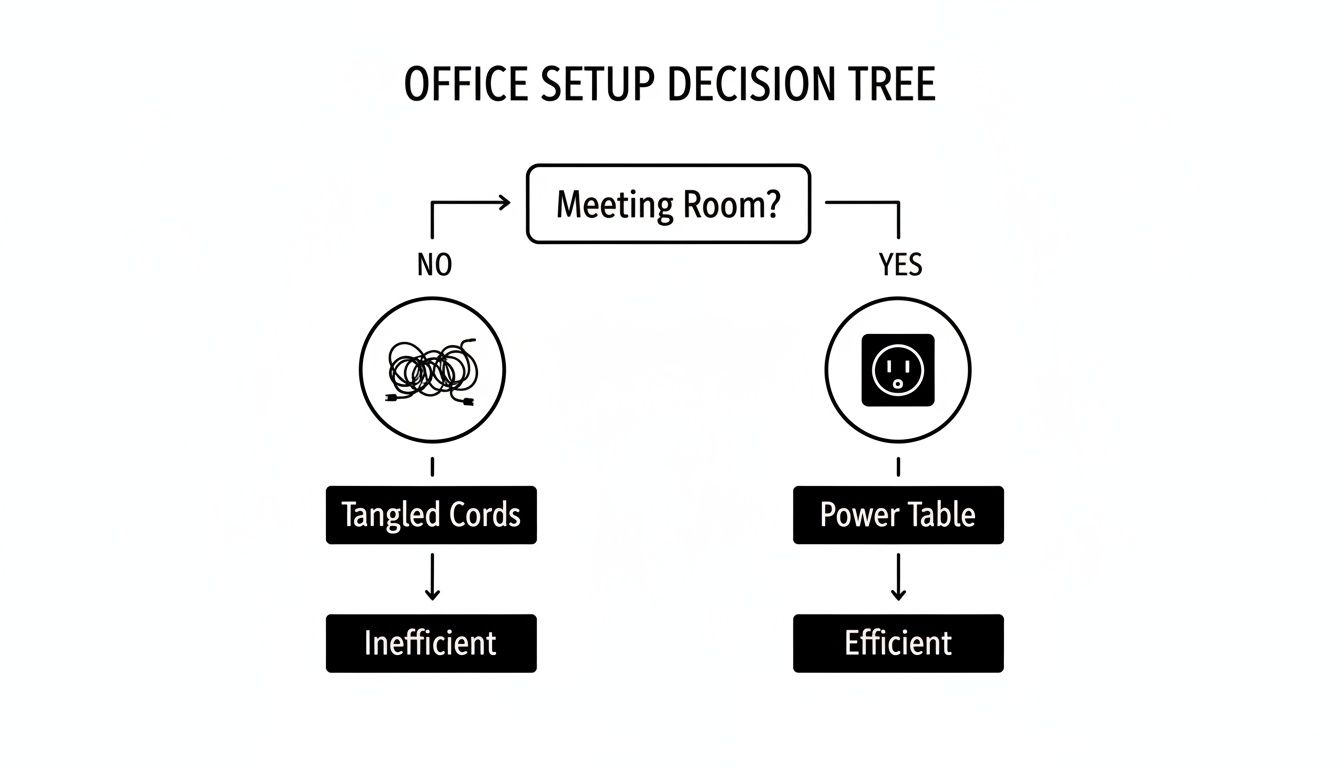
As you can see, building power directly into your conference table is the clearest path to a meeting room that works for you, not against you.
Differentiating Power Modules
Not all power units are created equal. The most basic versions just offer standard electrical outlets, which are great for keeping laptops juiced up during those long planning sessions. But the real game-changer in a modern conference table with electrical outlets is a unit that acts as a full-blown connectivity hub.
These more advanced modules typically pack a mix of ports designed for how we work today:
- USB-A Ports: Still essential for charging older phones, keyboards, and a ton of other common desk gadgets.
- USB-C Ports: This is the new standard. It's perfect for fast-charging modern laptops, tablets, and phones, letting people leave their bulky power bricks at their desks.
- HDMI Ports: A must-have for seamless, plug-and-play screen sharing. No more fumbling with adapters right before a big presentation.
- Ethernet Ports: When you need a rock-solid internet connection for a critical video conference or a massive file download, nothing beats a hardwired port.
Take a minute to think about your team’s daily grind. Are they constantly sharing their screens in meetings? An HDMI port isn't a luxury; it's a necessity. Do they live on video calls? An Ethernet port will give them the reliability they need. Matching the ports to how your team actually works saves you from paying for features that will just collect dust. For simpler needs, you can always explore how an under-desk power strip can supplement your main power hub without cluttering the tabletop.
Aesthetics and Accessibility
How the power module looks and feels is just as important as what it does. A sleek, flush-mounted unit keeps the tabletop clean and uninterrupted, which is perfect for a minimalist office design. On the other hand, a pop-up unit stays completely hidden until someone needs it—a "now you see it, now you don't" feature that many teams love for its tidiness.
The goal is to provide power that is both easily accessible and visually unobtrusive. The best solutions blend seamlessly into the table's design, enhancing functionality without creating clutter.
The demand for these integrated features is absolutely taking off. The global conference table market was valued at a whopping $1,018.28 million in 2024 and is expected to climb to $1,481.06 million by 2032. A huge driver of that growth is the demand for smart features like built-in power. It’s also no surprise that rectangular tables, which are ideal for adding these long power modules, currently make up 50% of the market share in exports.
How to Plan Your Room Layout and Sizing
A conference table with integrated power is more than just furniture; it's the functional heart of your meeting space. Getting the size and placement just right is the first step toward a room that actually works for your team. A table that’s too big will make the room feel cramped and impossible to navigate. Go too small, and you've got a table that can't handle your team's needs. The goal is to hit that sweet spot between seating capacity and comfortable movement.
Start by getting out the tape measure and sizing up your room's total dimensions. A critical rule of thumb here is to leave at least 48 to 60 inches of clear space on all sides of the table. This isn't just for walking past. It's about giving people enough room to pull out their chairs and move around without bumping into walls or each other—a key consideration for ADA compliance.

To make sure your new powered table fits perfectly, it pays to understand how to measure furniture accurately. Taking a few minutes to do this properly can save you from a massive headache down the line.
Strategic Placement of Power Modules
Once you've nailed down the right table size, it's time to think about where people will plug in. You don't want your team members awkwardly stretching across the table just to find an outlet. The whole point is to make power access completely effortless for everyone at the table.
A simple guideline to follow is to place one power module for every four to six feet of table length. This spacing ensures nobody is ever more than an arm's reach from a port. For instance, on a 12-foot table, two or three evenly spaced modules would provide fantastic coverage for the whole team. This kind of strategic placement also keeps the tabletop clean and prevents that dreaded tangle of charging cables from taking over your meeting.
If you want to dig deeper into table sizes, our complete guide on conference tables dimensions has all the details you’ll need.
When you're planning the layout, think about how your team actually works together. Placing power modules thoughtfully helps technology support the natural flow of a meeting, rather than getting in the way of it.
Visualizing Your Final Layout
Trying to picture how your conference room will look can be tough. It's one thing to have measurements on paper, but another to see it come to life. This is where planning tools are a game-changer, helping you turn those abstract ideas into a solid visual plan.
Using a digital design tool lets you play around with different table sizes, seating arrangements, and clearances before you make any final decisions. You can experiment risk-free.
While it’s designed for workstations, a tool like the Cubicle By Design Cubicle Designer can be a great asset. The principles of space planning are the same, and it’s perfect for mocking up your conference room. You can arrange all the elements to see how traffic will flow and ensure your chosen conference table with electrical outlets fits perfectly within your larger office design, creating a space that feels cohesive and intentional.
Getting the Installation and Code Compliance Right
The technical side of installing a conference table with electrical outlets can feel a bit daunting, but getting the basics right is absolutely critical for a safe, functional setup. You're generally looking at two paths: a hardwired system or a plug-and-play solution. Each has its own pros and cons when it comes to installation, cost, and how you might use the room down the road.
A hardwired setup is exactly what it sounds like—the table’s power modules get connected directly into your building’s electrical wiring. You'll need a licensed electrician for this, but the result is a totally seamless look with zero cords running to a wall outlet. On the other hand, plug-and-play systems gather all the table's power into a single cord that you just plug into a nearby floor or wall outlet. It’s a much more flexible option if you think you might reconfigure the room someday.
Don't Skimp on Electrical and Safety Codes
No matter which way you go, safety and code compliance are non-negotiable. Every commercial installation has to meet local building and electrical codes to prevent fire hazards and keep everyone safe. This is a huge reason why bringing in professionals is a must.
Beyond the general codes, installers need to follow the NFPA 70E electrical safety standards. Think of this as the rulebook for working safely around electrical equipment. Following these standards protects the installation crew, but it also protects your employees long after the job is done.
A professional installation isn't just about plugging things in. It’s about building a system that’s safe, reliable, and 100% compliant with every regulation. It’s about protecting your investment and, most importantly, your people.
This is exactly where a full-service partner like Cubicle By Design makes all the difference. Our teams are experts at handling these complexities, ensuring every piece is integrated correctly and safely. You can see how we manage these projects by exploring our professional office furniture installations process.
Smart Cable Management is a Must
A powered table is only as slick as its cable management. The whole point is to hide every wire, keeping the look clean and professional while getting rid of any trip hazards. Thankfully, there are some great solutions to make this happen.
- Under-Table Trays and Channels: These are the hidden highways for your cords, guiding them neatly from the power modules down to the table's base.
- Grommets and Cutouts: These are the clean, finished openings in the tabletop that let cords pass through, preventing that dreaded "spaghetti mess" on the surface.
- Cable Spines and Conduits: If you have a height-adjustable or standing conference table, flexible spines are essential. They protect the cables and allow them to move smoothly as the table goes up and down.
This kind of attention to the hidden details is what sets modern office design apart. In fact, the market for boardroom table power outlets is expected to grow at a 6.8% CAGR, hitting $1.2 billion by 2030. A big driver for this is that large companies—which make up over 60% of the market—are all-in on hidden, integrated power for that sleek, high-end look.
Customizing Your Table Beyond the Power Outlets
A conference table wired for power is a functional workhorse, but let's be honest—it also needs to be a statement piece that fits your company's vibe and office design. The best tables don't just have outlets; they merge technology and aesthetics so seamlessly that the table becomes a centerpiece that's as beautiful as it is useful. Once you've figured out the tech, you can customize nearly every other aspect of the table to bring your vision to life.
The material and finish you choose really set the tone for the entire room. Your options run the gamut from durable, budget-friendly laminates—which come in countless colors and patterns—to the timeless warmth of real wood veneer or the undeniable presence of solid wood. If you're going for a more industrial or minimalist look, you might even consider metal or glass. Each material has a completely different feel, giving you the flexibility to align the table perfectly with your brand.

Harmonizing Form and Function
The shape of your conference table plays a surprisingly big role in both the room's dynamics and its day-to-day functionality. It directly influences how people interact and, just as importantly, how power can be distributed.
- Rectangular Tables: This is the classic choice for formal boardrooms. It offers clear sightlines and makes it dead simple to run power modules down the center for uniform access.
- Boat-Shaped Tables: With slightly curved sides, these tables are a game-changer for sightlines, especially for people seated further down the line. It just feels more collaborative.
- Racetrack or Oval Tables: These shapes soften the feel of a room and encourage a more fluid, less hierarchical conversation. They're fantastic for creative brainstorming sessions.
The real magic happens when you connect these design choices back to the technology. Imagine a dark walnut veneer table paired with power grommets in a brushed bronze or matte black finish—it creates a cohesive, high-end look. The goal is a seamless integration where the tech feels like a natural part of the table’s design, not a clumsy add-on.
A well-designed conference table is where your company's culture meets its workflow. Every detail, from the wood grain to the finish on the outlets, contributes to a space that feels intentional, professional, and ready for business.
Integrating Advanced Technology
True customization goes beyond aesthetics and dives into advanced audiovisual (A/V) equipment. Your conference table can become the central hub for all your communication needs by integrating features right into the surface:
- Built-in, flush-mounted microphones for crystal-clear audio during video calls.
- Integrated touch-panel controls for managing the room’s lighting, displays, and audio systems.
- Cable cubbies and pass-throughs designed specifically for bulky A/V wiring.
By planning for these integrations from the start, you’re not just buying a table; you're creating a powerful, self-contained collaboration station. This transforms your conference table with electrical outlets from a simple piece of furniture into the heart of a high-tech, fully functional modern workspace, ready for any presentation or global meeting you can throw at it.
Your Checklist for Buying the Perfect Powered Table
Ready to pull the trigger on a new conference table with built-in power? It can feel like a big decision, but this final checklist breaks it all down. Think of it as your step-by-step roadmap to make sure you’ve covered all the bases. Whether you need standard cubicles or a high-tech conference room, planning is everything.
We'll walk through everything from initial planning to the final details, so you can feel completely confident in your purchase. This isn’t just about buying a table; it’s about creating a truly functional and productive meeting space.
The Essential Purchasing Steps
Before you even think about placing an order, run through these key checkpoints. Getting this right from the start ensures the table you pick will actually work for your team for years to come.
-
Figure Out Your Team’s Real Connectivity Needs: Start by talking to the people who will actually use the table. Are they just charging laptops, or do they need USB-C, HDMI, and Ethernet ports to get their work done? Don't guess—ask.
-
Measure Twice, Buy Once: Get the exact dimensions of your room and sketch out where the table will go. You absolutely need to leave at least 48 inches of clearance on all sides. This isn't just for comfort; it's a key part of ADA compliance.
-
Choose the Right Number of Power Modules: Based on what your team needs and how long the table is, decide on the right mix and quantity of power modules. A good rule of thumb is to have one module for every four to six feet of table length.
-
Get Your Electrical and Code Ducks in a Row: Is a simple plug-and-play solution enough, or will you need to hardwire the table? This is the point where you should plan on looping in a licensed electrician to make sure everything is up to local safety and building codes.
-
Pick Finishes That Match Your Brand: This is the fun part. Select the tabletop material, shape, and finish that fit your office vibe. Don’t forget to coordinate the finish on the power module grommets—it’s a small detail that makes a huge difference in creating a polished, professional look.
This checklist turns a complicated decision into a simple, manageable process. It makes sure your investment in a powered conference table actually supports your goals for a safer, more efficient, and modern office.
Working through these steps methodically is the surest way to a great result. For a deeper dive into outfitting your entire office, check out our comprehensive office furniture buying guide.
Ultimately, the goal is a seamless experience from start to finish. The team at Cubicle By Design is here to help you navigate every step, from laying out your space with our Custom Cubicle Designer to professional installation. Reach out today, and let's start designing a meeting space that truly works.
Common Questions We Hear
Finalizing your decision on a conference table with integrated power can bring up a few last-minute questions. It's totally normal. Getting clear, straightforward answers is the best way to make a confident choice that will perfectly suit your office for years to come. Here are some of the most common questions we hear from clients just like you.
How Many Outlets Do I Actually Need?
This is probably the number one question we get. A good rule of thumb is to plan for at least one power outlet and one USB port for every person at the table. So for a 10-person table, you'd want to install four or five dual-power modules, spaced out evenly so nobody has to stretch or ask a coworker to plug something in for them.
If your team is constantly hosting client presentations or everyone's running a laptop, a tablet, and a phone, you might want to increase that number. The goal is to guarantee everyone stays connected without a second thought.
Can I Just Add Electrical Outlets to My Existing Conference Table?
Yes, you often can. Retrofitting an existing table with pop-up or under-mount power modules is definitely possible. However, this isn't a simple weekend DIY project. It requires precise cutting and careful installation to avoid damaging the table's surface and, more importantly, to ensure it's completely safe.
Our strong recommendation? Talk to a professional installer or a company like Cubicle By Design first. We can assess your table's suitability and make sure any modification is handled correctly and meets all safety standards. It’s just not worth the risk otherwise.
What’s the Real Difference Between Hardwired and Plug-In Power?
The main difference boils down to installation and how permanent you want the solution to be.
- Plug-in solutions offer fantastic flexibility. They have a single cord that connects to a standard wall or floor outlet, just like a lamp. This makes them much easier and less expensive to install.
- Hardwired solutions are connected directly into the building's electrical system by a licensed electrician. This gives you a cleaner, more permanent setup with no visible cords running to a wall. It's often required by building codes for larger tables or in certain commercial spaces.
Choosing between them really depends on your long-term plans for the room and what your local building codes require. We can help you find solutions for everything from private office cubicles to large conference rooms.
Ready to create a modern, productive meeting space where everyone can stay powered up? The team at Cubicle By Design specializes in designing workspaces that make collaboration and efficiency happen. From the first sketch in our Custom Cubicle Designer to the final professional installation, we're here to help.