


Most facilities managers are dealing with the same contradiction right now. Leadership wants less wasted space, but employees expect the office to feel more useful when they come in. The result is a lot of hybrid plans that sound sensible in a policy document and fall apart on the floor.
A workable hybrid work setup starts with the physical environment. If people arrive and can’t find the right desk, the right room, enough privacy, or a reliable place to join a call, the policy isn’t the problem. The office is.
Why Your 2026 Hybrid Strategy Starts with a Physical Plan
A hybrid office has a different job than the office it replaced. It no longer exists just to provide a seat for everyone, every day. It has to support the moments that matter most in person, including team problem-solving, mentoring, client conversations, focused work that benefits from fewer home distractions, and meetings that include remote participants without treating them like an afterthought.
That shift isn’t temporary. Globally, 83% of workers prefer hybrid setups, and in the U.S., 52% of remote-capable employees now work in a hybrid arrangement according to hybrid work market data summarized by Aura. The same source notes that high-growth firms are more than twice as likely to use a hybrid model compared to stagnant ones. For facility teams, that changes the brief completely. You’re not just fitting furniture into square footage. You’re shaping how work happens.
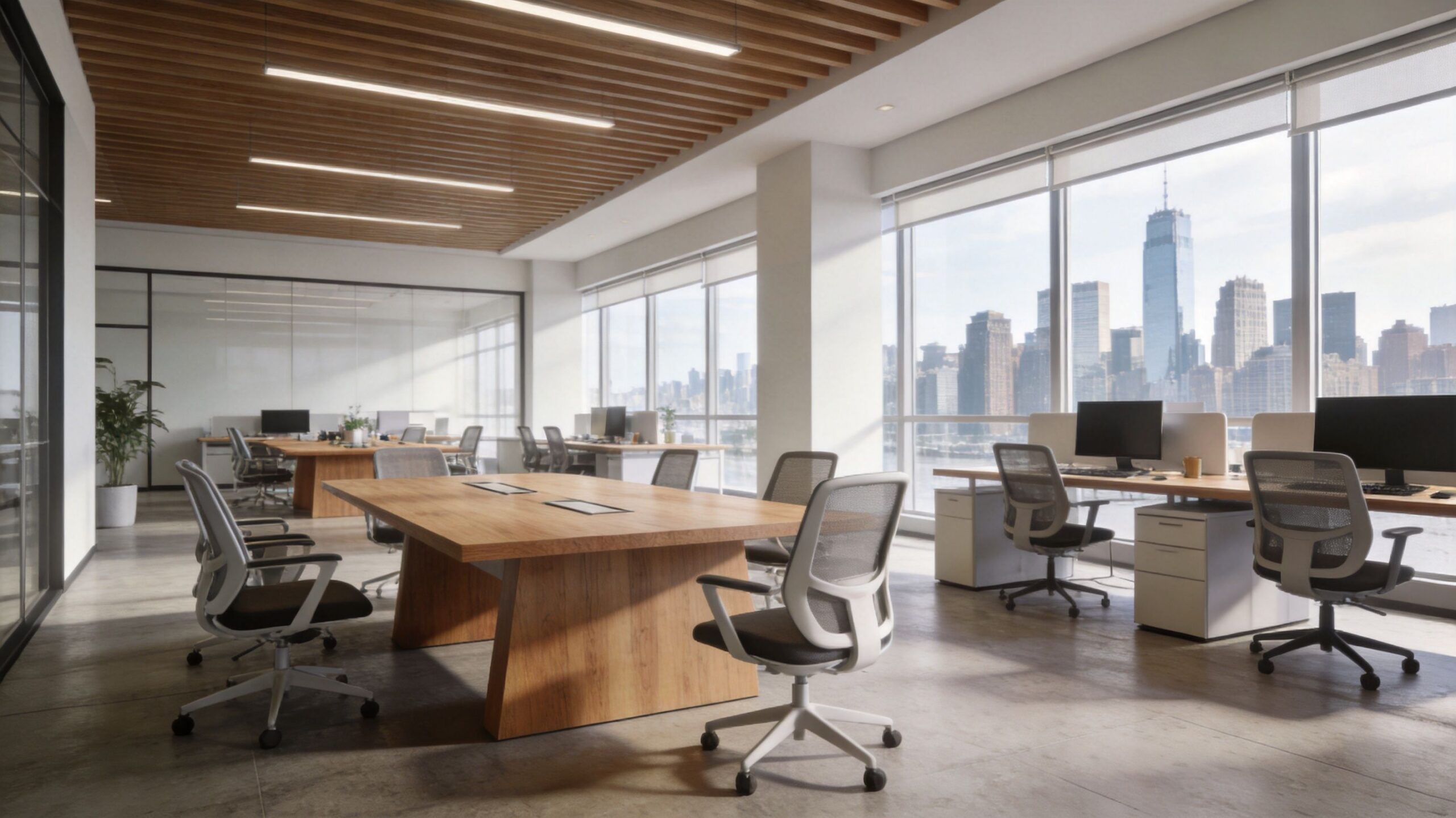
The office has to earn the commute
Employees will tolerate an imperfect remote day because they’re in control of it. They won’t tolerate an imperfect in-office day for long. If the office feels noisy, crowded in the wrong places, and empty in the rest, attendance starts to feel performative.
A solid physical plan usually answers five questions early:
- Who needs a predictable seat because of equipment, role, privacy, or frequency of use
- Who needs flexible access to touchdown space and project areas
- Which work modes matter most on-site, such as heads-down work, collaboration, training, or hybrid calls
- Where technology has to live so the space works on day one
- What needs to change later without forcing a full rip-and-replace
Practical rule: Design the office around work patterns, not around old departmental boundaries.
That is why planning comes before policy. Seating rules, attendance expectations, and collaboration norms only work if the floor plan supports them. Teams making this shift usually benefit from mapping circulation, privacy needs, and collaboration zones before any product decisions are finalized. A good office space planning and design process helps uncover those constraints before they become change orders, employee complaints, or dead space.
What works and what doesn’t
What works is a workplace that gives people clear reasons to come in. Quiet stations for concentration. Small rooms for hybrid meetings. Shared tables for project work. Visible but not noisy circulation. Furniture that can move with the business.
What doesn’t work is taking a pre-hybrid floor plan, removing some desks, and calling it flexible.
Choosing Your Hybrid Seating Model
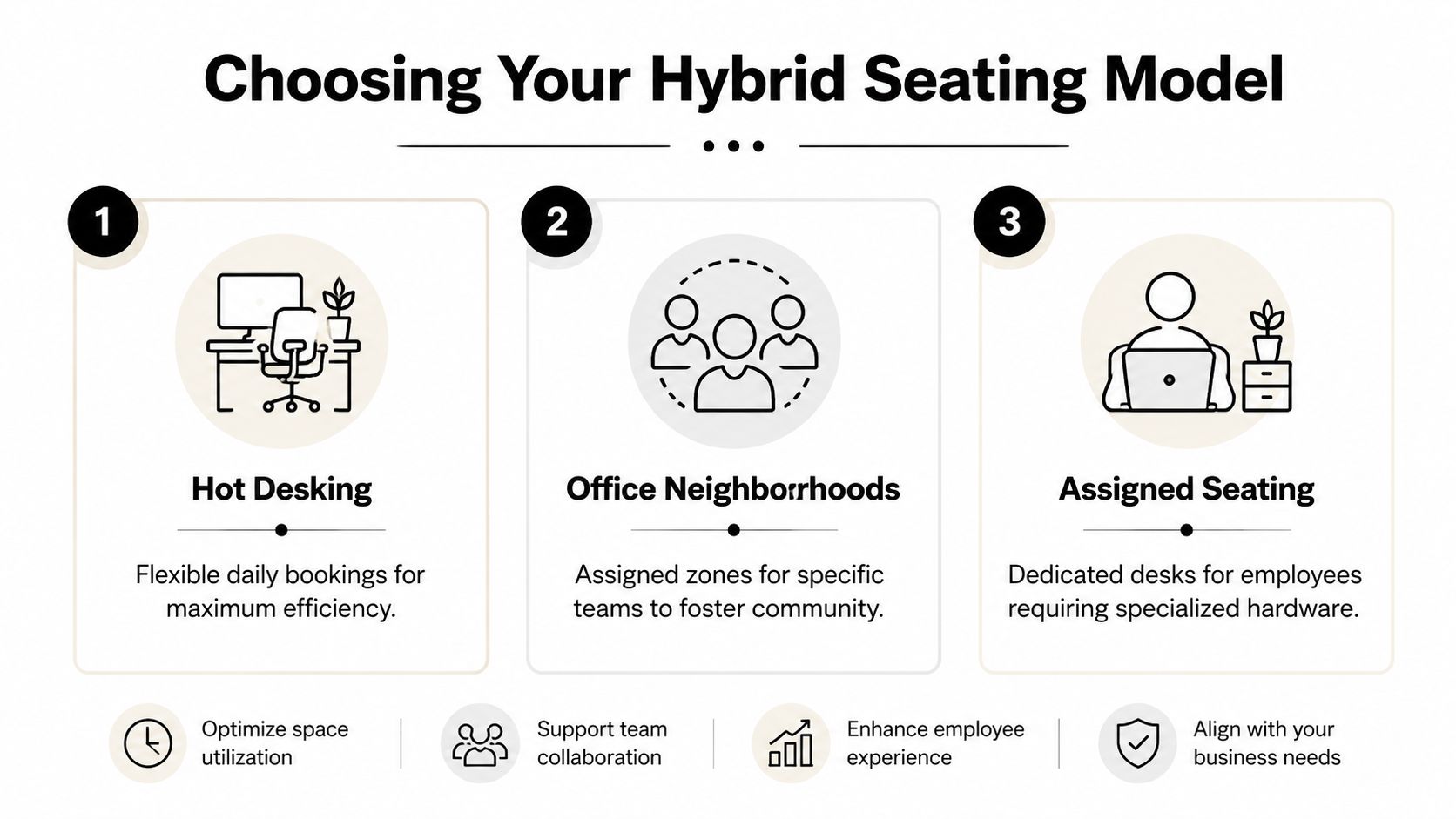
The biggest planning mistake I see is picking a seating model because it sounds efficient rather than because it fits the way teams work. Hot-desking can be smart for some groups and chaotic for others. Assigned seating can feel stable for one department and wasteful for another. Most offices need a mix.
The right choice depends on role type, attendance rhythm, storage needs, and how much setup time people can tolerate when they arrive.
Hybrid Seating Model Comparison
| Model | Best For | Pros | Cons |
|---|---|---|---|
| Hot-desking | Teams with inconsistent office attendance and light equipment needs | Highest flexibility, supports smaller footprints, easy to repurpose | Can feel impersonal, creates daily search friction, requires strong etiquette and storage planning |
| Hoteling | Teams that come in on planned days and need predictable reservations | Better planning, easier demand management, supports team coordination | Relies on booking discipline, needs software adoption, can still create peak-day conflicts |
| Assigned + flex | Departments with specialized hardware, confidentiality needs, or frequent office use | Stable user experience, supports personal setup, still offers collaborative overflow space | Uses more floor area, can create underused seats if not reviewed regularly |
How to decide without guessing
Start with function, not titles. A finance analyst, recruiter, sales manager, and product designer may all be hybrid, but they don’t use the office the same way.
Use these filters:
- Role sensitivity: Confidential work, dual monitors, paper files, or specialized devices usually favor assigned seating or semi-assigned neighborhoods.
- Arrival pattern: If employees come in on coordinated team days, hoteling often works better than pure first-come-first-served hot-desking.
- Setup tolerance: If people lose productive time plugging in, adjusting monitors, finding accessories, or hunting for a quiet corner, you haven’t gained efficiency.
- Belonging: Some teams need a home base. That doesn’t always mean a permanently named desk, but it often means a consistent neighborhood.
If your office has daily seat anxiety, the problem usually isn’t employee resistance. It’s that the seating model asks people to improvise too much before they can work.
What each model needs from furniture
A seating policy only works when the furniture supports it physically.
For hot-desking, look for workstations that make turnover easy. Shared power access, clean cable control, bag storage nearby, and surfaces that don’t depend on one person’s accessories all matter. Browsing modular office cubicles helps clarify how privacy level, panel height, and footprint affect flexibility.
For hoteling, plan for wayfinding and repeatability. People should be able to reserve a seat and know what equipment they’ll find there. Matching workstation dimensions and power access reduces surprises.
For assigned + flex, the desk may be dedicated, but the surrounding environment should stay adaptable. Teams still need touchdown stations, project tables, and enclosed rooms for overflow.
A practical mix that works well
Many organizations do best with a blended arrangement:
- Core assigned seats for roles with equipment or confidentiality demands
- Reservable stations for employees who come in on set collaboration days
- Flexible touchdown spots for short visits, vendor meetings, and overflow
That mix avoids two common failures. One is the ghost-town floor with too many assigned desks. The other is the daily scramble created by going fully unassigned too fast.
Designing a Productive Hybrid Office Layout
After the seating model is defined, the layout must handle the core functionality. Many hybrid offices become calm and productive or noisy and stressful depending on this specific structural choice.
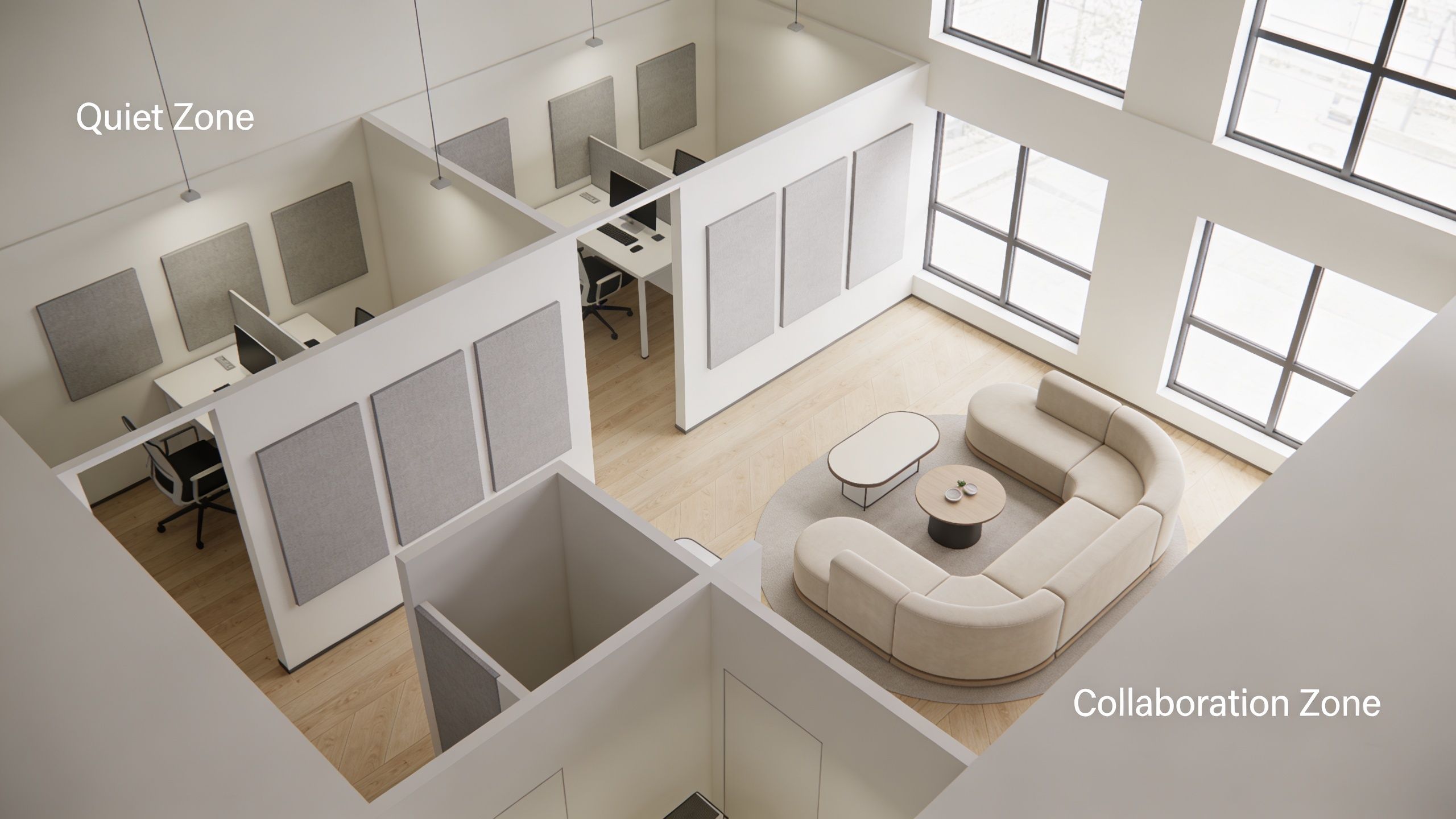
The strongest layouts use zone-based design. Instead of treating the whole office as one continuous environment, they create distinct settings for focus, collaboration, and meetings. That matters because hybrid work compresses activity. People often come in for interaction-heavy days, and the floor has to absorb that demand without wrecking concentration for everyone else.
Use zone ratios as your starting point
According to hybrid office layout benchmarks from Prodoscore, effective hybrid layouts dedicate 40 to 50% of space to focus-oriented cubicles, 25 to 35% to collaborative workstations, and 15 to 25% to bookable meeting rooms. The same source notes this zone-based approach can reduce noise complaints by up to 40% compared to homogeneous open-plan offices.
Those ratios are useful because they force a better question than “How many desks fit?” The better question is “How much of each work mode does this office need?”
A practical floor often includes:
- Focus zones with acoustic separation and visual boundaries
- Team zones for quick collaboration, standups, and shared project work
- Bookable rooms or pods for private calls and mixed-presence meetings
Privacy doesn’t mean isolation
Hybrid offices still need individual work points. In fact, they need them more than many leaders expect. When employees come in and can’t find a place to do concentrated work between meetings, the office turns into a transit lounge.
That’s where higher-privacy private office cubicles can make sense for specific roles, while more open workstation cubicles support teams that need a balance of access and separation.
A strong acoustic strategy usually combines several moves at once:
- Panel height choices that shield seated workers without making the office feel boxed in
- Glass elements where visibility matters but noise still needs control
- Circulation paths that keep through-traffic away from focus stations
- Collaboration areas placed where conversation won’t spill into quiet work zones
A useful planning reference is this guide on how to plan office layout, especially when you need to think through adjacency and traffic before choosing product lines.
Don’t ignore the call problem
One of the most underestimated layout issues in a hybrid work setup is where people take short calls. If every unscheduled conversation happens at the desk, the quiet zone isn’t quiet anymore.
Small enclosed settings outperform oversized conference-room thinking in these instances. Teams also need reliable connectivity practices for mobile work and desk sharing, which is why resources on Hosted Telecommunications remote team connectivity are useful when you’re aligning layout with communications infrastructure.
This walkthrough shows the kind of planning details that matter on real projects:
A productive hybrid office doesn’t ask one space to do everything. It gives each activity a place where it works well.
Powering Your Hybrid Workspace with the Right Tech
Technology problems in hybrid offices rarely come from a lack of software. They come from a mismatch between the room, the power plan, and the way people meet.
Most offices inherited conference-room logic from a pre-hybrid era. A few large rooms, a handful of huddle spaces, and lots of open seating used to be enough. In a hybrid environment, that model breaks fast.
Fix the meeting room bottleneck
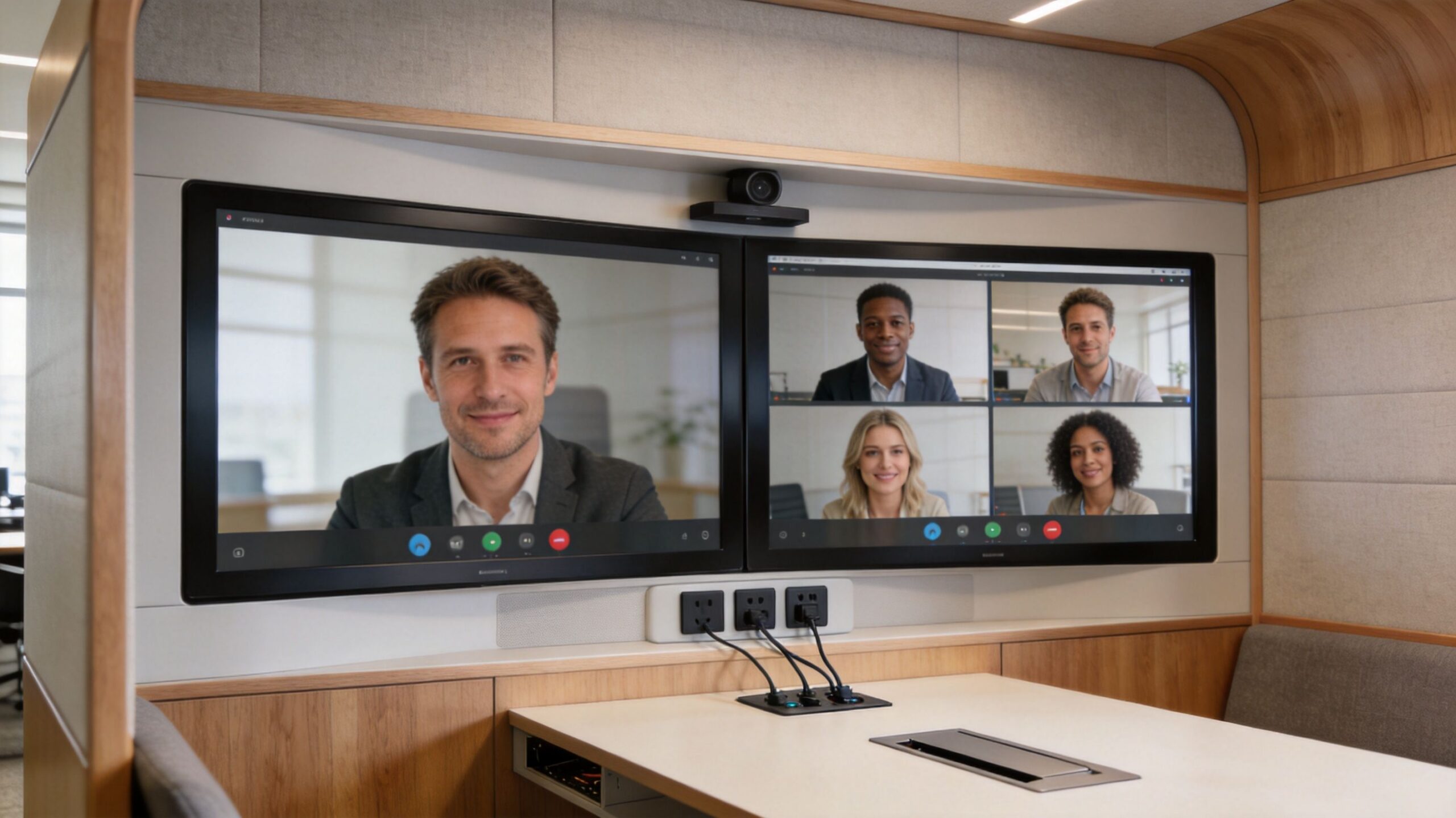
Gallup notes that companies shrinking office footprints often create a meeting room bottleneck. They reduce overall space without increasing the number of bookable collaboration settings proportionally. The result is predictable. People take hybrid calls in open areas, remote participants struggle to hear, and everyone around them loses focus.
That problem isn’t solved by buying better webcams alone.
A better approach is to create a range of meeting settings:
- Small enclosed pods for one-to-two-person calls
- Medium rooms for recurring team meetings
- Open collaboration zones for in-person work that doesn’t require remote inclusion
- Fully equipped rooms for client-facing or leadership meetings where audio and camera quality matter more
Power and data have to follow the furniture
Flexible seating sounds simple until people start crawling under desks for outlets. In a hybrid office, power access has to be visible, intuitive, and repeatable. Shared desks, hoteling stations, and team tables need dependable charging and clean cable paths.
For that reason, underfloor feeds, surface-accessible ports, and modular electrical options should be part of planning early. This is especially important when using movable stations or reconfigurable runs. A cubicle power pole system is one example of how facilities teams can bring power down efficiently without turning flexible layouts into cord-management problems.
A simple technology checklist
Facilities and IT teams usually get better results when they review the space with a short operational checklist instead of discussing tech in the abstract.
- Booking discipline: If a room can be reserved, the process has to be fast and obvious.
- Default usability: Users shouldn’t need a specialist to launch a meeting or connect a laptop.
- Remote inclusion: Cameras, microphones, and screen placement should make remote participants easy to see and hear.
- Seat readiness: Desks need standard power access, docking support where needed, and consistent monitor setups.
- Future changes: If walls move or teams shift, the infrastructure can’t require a major rebuild.
For teams evaluating custom workstation configurations, a custom cubicle designer is helpful because it forces decisions about dimensions, privacy, storage, and electrical options before those issues surface during installation.
Field note: If employees are leaving the office to take a video call from their car or home, the office isn’t underbooked. It’s under-equipped.
Launching Your Hybrid Model and Guiding Your Team
Even a well-designed office can fail if rollout is sloppy. People need clear operating rules, but they also need to trust that those rules are fair. Hybrid work raises that fairness question immediately.
Some employees have more freedom to be visible in person than others. Some managers naturally form habits around who is nearby. That is where many hybrid models drift into a two-tier system.
Fairness has to be built into the space
The problem has a name. The hybrid inequality discussion at Croissant describes a Visibility Equity Tax, where remote and less-visible hybrid workers are often overlooked for promotions. The same source points to thoughtful space design, including rotating workstations and equitable access to mentorship spaces, as a way to reduce the “home office equals career penalty” dynamic.
That point matters for facilities managers because fairness isn’t just an HR issue. It’s spatial.
Consider what happens when:
- Team leads always sit near executives
- Project tables are informally claimed by the same group
- Newer staff don’t know where to work near mentors
- Prime enclosed spaces are controlled by status rather than task need
Those aren’t small irritants. They shape who gets exposure, coaching, and informal access.
Rollout practices that actually help
A smoother launch usually comes from a short pilot, direct communication, and visible enforcement of shared norms.
Use a pilot to test friction points such as booking behavior, storage demand, acoustic complaints, and whether neighborhood seating helps or hurts team coordination. Then publish simple rules that people can remember.
Good hybrid etiquette often includes:
- Desk reset standards: Leave shared stations clean, unplugged, and ready for the next person.
- Booking norms: Reserve only what you’ll use, and release rooms promptly if plans change.
- Call etiquette: Use enclosed rooms or designated call areas for longer meetings.
- Team-day clarity: Make collaboration days explicit so support services and room demand can be planned.
- Storage limits: Give people enough secure storage to avoid cluttering shared settings.
Managers need guidance too
Many hybrid launches focus on employee behavior and ignore manager behavior. That creates confusion fast.
Managers should know how to distribute in-person opportunities fairly, avoid rewarding visibility over output, and use office time intentionally. Informal mentoring, onboarding, and social connection still matter, but they shouldn’t depend on who happens to be sitting closest.
For organizations trying to support performance and employee experience together, workplace guidance pairs well with broader thinking on real workplace wellness practices. The office should reduce friction, not add another layer of stress.
Rotate access to high-value locations. If the same people always get the same proximity, bias becomes part of the floor plan.
Measuring Success and Evolving Your Hybrid Setup
A hybrid office shouldn’t be judged by badge counts alone. Presence tells you who showed up. It doesn’t tell you whether the space helped them do useful work.
The better measurement approach is outcome-based. SHRM’s hybrid work guidance notes that organizations using structured, outcome-based performance tracking can increase team productivity by 20 to 25% compared to those operating without clear KPIs. The key shift is moving beyond presence-based metrics and measuring actual results.
What to track instead of simple attendance
Facilities teams don’t own every performance measure, but they do influence many of them. In practice, the most useful indicators usually combine utilization data with employee feedback.
Look at signals like:
- Booking patterns: Which rooms are constantly full, and which zones stay empty
- Seat usage by type: Whether focus stations, touchdown desks, and enclosed spaces match actual demand
- Interruption feedback: Where employees report noise, congestion, or lack of privacy
- Meeting quality: Whether hybrid calls work consistently or force people into workarounds
- Space agility: How easily teams can reconfigure for new headcount or new workflows
Treat the office as a system you tune
The strongest hybrid workplaces don’t freeze after installation. They adapt. A project team may need more enclosed rooms for a quarter. A support group may need more assigned stations after a hiring change. A sales floor may need fewer fixed seats and more touchdown space.
That is why modular planning pays off over time. When work patterns evolve, the office should be able to evolve with them instead of requiring a full redesign. Facilities leaders looking to formalize that review cycle can borrow from broader facilities management best practices to build a repeatable process around observation, feedback, and adjustment.
The offices that perform well under hybrid conditions usually share one trait. They were planned to change.
If you’re reworking your hybrid work setup and want help turning policy goals into a floor plan that people will use, Cubicle By Design can help you plan modular cubicles, glass walls, power options, and scalable layouts that fit your team now and adapt as your workplace changes.