


You're probably dealing with a familiar problem. Your lease is up, your team size has changed, hybrid schedules are uneven, and every person in the room has a different opinion about how much office space you need.
That's why the office space per employee standard matters. It's not just a benchmark for brokers or a line item for finance. It's a planning tool that helps you decide how much room to assign to focused work, shared workstations, meeting space, circulation, and future change without overcommitting to the wrong layout.
Office Space Per Employee Standard 2026 Guide
Why Office Space Standards Are More Important Than Ever
Most office leaders aren't trying to maximize square footage anymore. They're trying to avoid two expensive mistakes at once. The first is paying for space that sits empty most of the week. The second is densifying so aggressively that the office becomes noisy, difficult to move through, and unpopular with the people who depend on it.
That tension is why the office space per employee standard has become a strategic decision instead of a rough rule of thumb. In North America, the average office space per employee dropped from 225 square feet per person in 2010 to around 151 square feet in more recent years, reflecting higher-density planning and hybrid work shifts, according to Density's summary of CoreNet Global research. Less space per person can work. It just doesn't work automatically.
A smaller footprint only succeeds when the layout matches how people show up and what they do when they arrive. Teams that spend most of the day on calls need different spacing than teams doing quiet analytical work. Leadership groups often need enclosed rooms. Customer support groups usually need high-density repeatable seating. Product teams often need a mix.
What changed in practice
The old method was simple. Count heads, assign desks, add conference rooms, and sign the lease. That approach breaks down when attendance varies by day and departments use the office differently.
Today, planners have to balance several moving parts:
- Hybrid attendance patterns: Some groups come in on anchor days. Others rotate.
- Role-based space needs: A call center seat, an engineering bench, and a manager office don't consume space the same way.
- Operational support areas: Reception, storage, copy areas, cafés, and wellness rooms still take real square footage.
- Maintenance realities: Dense layouts demand tighter standards for cleaning, traffic flow, and shared surface upkeep. If your team is revisiting service levels, it helps to discover professional office cleaning before finalizing a dense plan.
Practical rule: A space standard isn't a target to cram people into. It's a decision framework for choosing the right mix of work settings.
Workplace planning also has to reflect how offices are being designed today. If you're comparing current layouts and space strategies, this roundup of workplace design trends is useful for spotting where denser planning works and where it backfires.
Decoding Usable vs Rentable Square Feet
Teams often make solid workstation decisions and still miss the lease number because they confuse usable square feet with rentable square feet. That mistake shows up late. Usually after test fits, budget reviews, or landlord discussions.
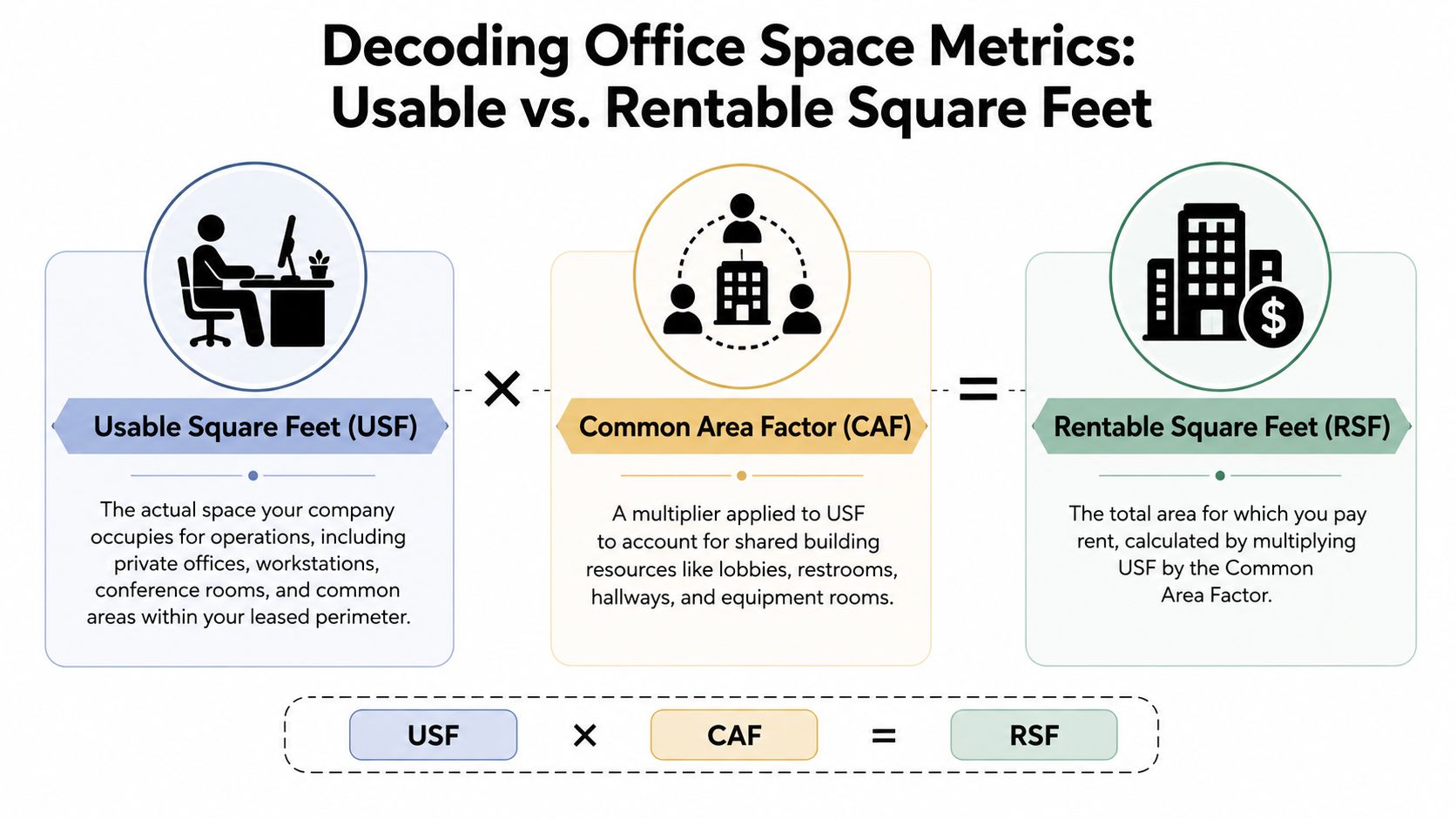
Think of it this way. Usable square feet is the space inside your office that your team directly uses. Rentable square feet is the space you pay for, which includes your share of the building's common areas.
What usable square feet actually includes
Usable square feet, often shortened to USF, covers the areas your company occupies within the leased perimeter. That usually includes workstations, private offices, conference rooms, storage inside the suite, support rooms, and internal circulation.
This is the number planners use when they're laying out seats and departments. It's the practical planning number. If you're trying to understand how different planning formulas work, this guide to office space planning metrics is a useful companion.
What rentable square feet means in lease terms
Rentable square feet, or RSF, adds the building's common area factor to your usable space. That factor accounts for shared amenities and infrastructure outside your suite, such as lobbies, shared restrooms, hallways, and building support areas.
The exact factor varies by building, so it's not something to guess. Ask for it early. If you don't, you can approve a layout that seems to fit your team and still end up leasing more square footage than expected.
The cleanest way to avoid lease shock is to plan in usable square feet and budget in rentable square feet.
Benchmarks that matter
Government and corporate benchmarks aren't the same thing, and that's where many conversations get muddy. The U.S. Department of Energy uses 180 usable square feet per person as a benchmark for administrative office acquisitions and major renovations, while modern corporate planning often targets 150 to 175 square feet per person, balancing workspace and efficiency, according to DOE guidance summarized here.
Those figures are helpful, but they aren't interchangeable. A federal acquisition standard is not a direct fit for every private office. A fast-moving commercial team may plan tighter. A legal, executive, or document-heavy environment may need more.
A simple way to use both numbers
Use this sequence when talking with brokers, landlords, and furniture planners:
- Start with USF for layout planning. Count seats, enclosed rooms, and internal support space.
- Apply the building factor next. Convert that plan into RSF for lease and budget discussions.
- Check whether the density matches the work. A mathematically efficient plan can still fail operationally if privacy, acoustics, or circulation are weak.
That discipline keeps the office space per employee standard grounded in real occupancy, not just a spreadsheet average.
How Much Space Do Different Workstations Really Need
A 60-person office rarely needs 60 identical desks. Sales may work well in compact stations. HR may need enclosed rooms for sensitive conversations. Project teams may need larger surfaces, more storage, and nearby collaboration space. That is why workstation planning works best at the seat type level, not from one company-wide square-foot target.
Office space standards by layout type
Layout standards are useful only if they match the work being done. Aquila Commercial's office space planning guide gives a helpful range for common office settings, including traditional private offices, open-plan workstations, and conference rooms.
| Layout Type | Average Usable Sq. Ft. (USF) Per Employee | Best For |
|---|---|---|
| Traditional private office layout | 250 to 300 | Executive teams, legal, HR, confidential work |
| Open-plan workstation layout | 60 to 110 | General office seating, scalable departments, mixed teams |
| Conference room planning | 50 plus 25 per seated person | Formal meetings, client presentations, team reviews |
Those ranges set the boundary lines. The primary planning decision is how to turn them into a layout that people can use all week, especially if occupancy changes by day.
Translate square footage into actual workstation types
The same square-foot target can produce two very different offices. One plan wastes space with oversized desks, awkward aisles, and too many one-size-fits-all seats. The other uses a short menu of workstation types, modular panels, and a few well-placed enclosed rooms to get better density without making the office feel cramped.
For heads-down individual work, compact modular cubicles usually outperform open benching once calls, monitors, storage, and cable control are factored in. For hybrid teams, that matters even more. A shared desk only works if people can sit down, plug in, and work without hunting for privacy or power.
Enclosed rooms should also be used selectively. Leadership, HR, and client-facing functions often need visual privacy and acoustic separation, but building too many solid offices locks the floor plan in place. Glass-fronted rooms usually give a better balance. They preserve light, keep sightlines open, and still create places for confidential meetings.
If you are pressure-testing workstation sizes before you choose furniture, review these standard cubicle dimensions for common office layouts.
What works in practice
Space plans hold up better when they follow a few rules.
- Use a limited set of workstation sizes. Repetition makes purchasing, installation, and later reconfiguration easier.
- Match privacy to task type. Give enclosed space to roles that handle sensitive work, frequent calls, or concentrated individual work.
- Plan around peak use, not average attendance. Hybrid offices still have busy days. Tuesday and Wednesday are what break weak layouts.
- Protect circulation. A compact workstation is fine. A cramped aisle between stations is not.
- Add support space where density increases. Smaller desks usually require more phone rooms, lockers, and touchdown spots.
The common failure is treating every employee as if they work the same way. A better office space per employee standard uses square footage as a starting point, then converts it into modular work settings that fit each department and can be adjusted as the hybrid schedule changes.
A Practical Method for Calculating Your Office Footprint
Most space planning gets easier once you stop chasing one magic benchmark and start calculating from actual use. The office space per employee standard should produce a number you can test, not a number you defend.
Start with the seats you truly need
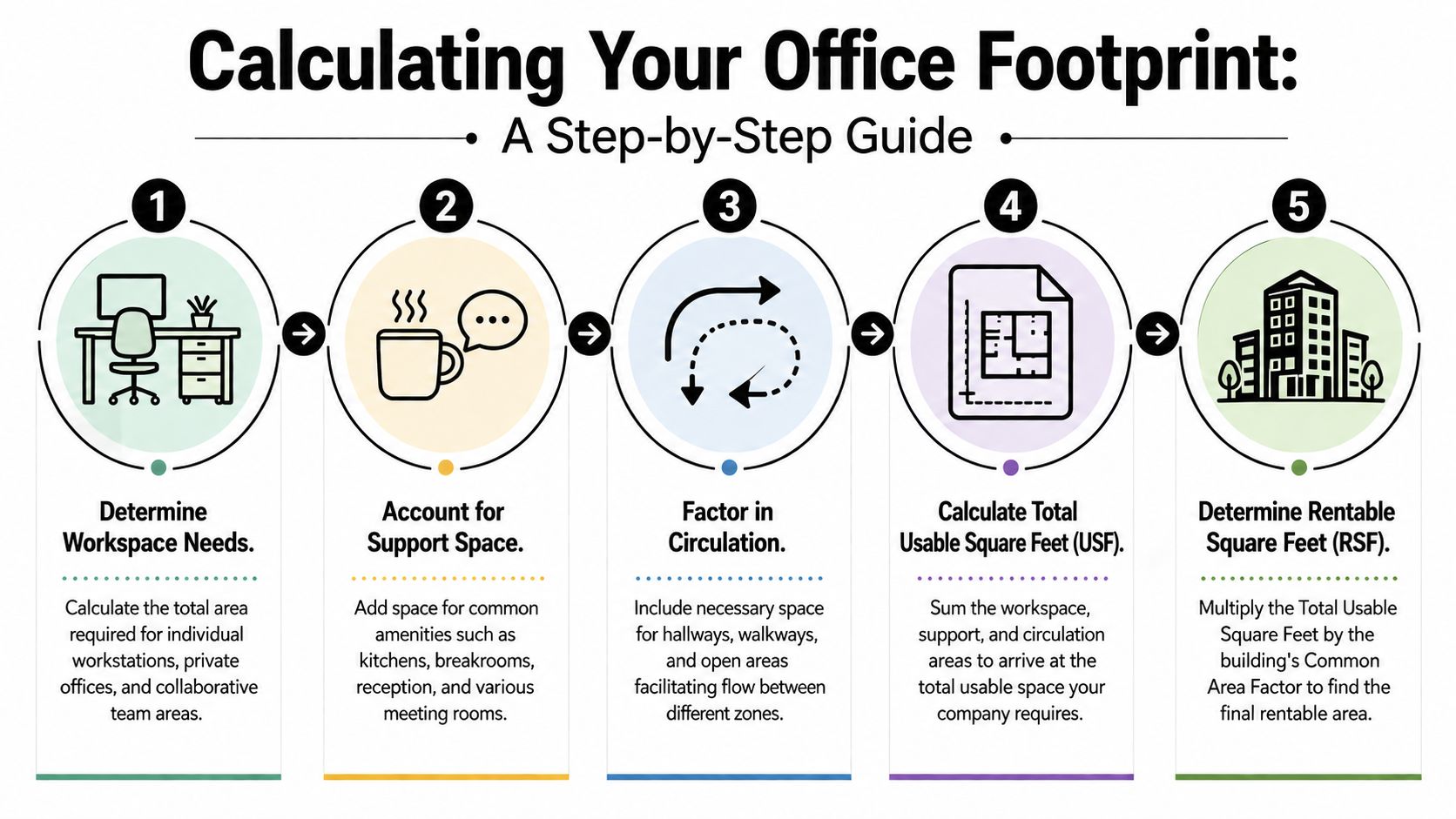
Count the workstations required by function, not just by payroll headcount. If a team shares attendance across the week, you may not need one dedicated desk for every employee. If another department handles sensitive material or fixed hardware, shared seating may not be realistic.
A good planning worksheet separates at least these categories:
- Assigned desks: For roles that need a fixed setup
- Shared stations: For hybrid users and rotating teams
- Private offices or enclosed rooms: For confidentiality, management, or specialized work
- Support settings: Reception, print, lockers, storage, and touchdown space
Add shared space before you think about lease size
After workstation area is mapped, add your common spaces. For accurate planning, it's recommended to add a 30 to 40 percent markup on top of total employee workstation area to cover conference rooms, break areas, and circulation, according to UnSpot's office sizing guidance.
Underestimation usually happens when teams count desks carefully, then treat support space as an afterthought. In practice, kitchens, meeting rooms, internal aisles, copy areas, and reception are what make the office usable.
If you're pressure-testing square footage assumptions, this office space size guide can help frame the relationship between work areas and support areas.
A simple example
Say you're planning for a growing team with a mix of open workstations and enclosed offices.
- Set the workstation area based on the mix you need.
- Add enclosed meeting rooms and support spaces.
- Apply the recommended markup for common areas and circulation.
- Convert the total into rentable square feet once the building's common area factor is known.
The point of the example isn't the exact total. It's the order. Teams that reverse the order usually overfit the office to the lease instead of fitting the lease to the operation.
Planning test: If your floor plan looks efficient only because break space, internal circulation, and meeting demand were minimized, the plan isn't efficient. It's incomplete.
Questions to ask before you finalize the number
A strong footprint estimate usually survives these checks:
- Peak-day pressure: Can the busiest day operate without seat scrambling?
- Meeting demand: Do small and medium rooms match how teams collaborate?
- Storage reality: Are lockers, files, supplies, and IT support accounted for?
- Future movement: Can departments expand or contract without rebuilding the whole floor?
That process turns the office space per employee standard into a real planning model instead of a generic benchmark pulled from another company's layout.
Planning for Flexibility with Hybrid Work and Modular Design
Static planning doesn't work well when attendance changes by day and team. The office might feel half empty on Tuesday and overloaded on Wednesday. That's why the best modern plans are built around peak occupancy, not total roster size.
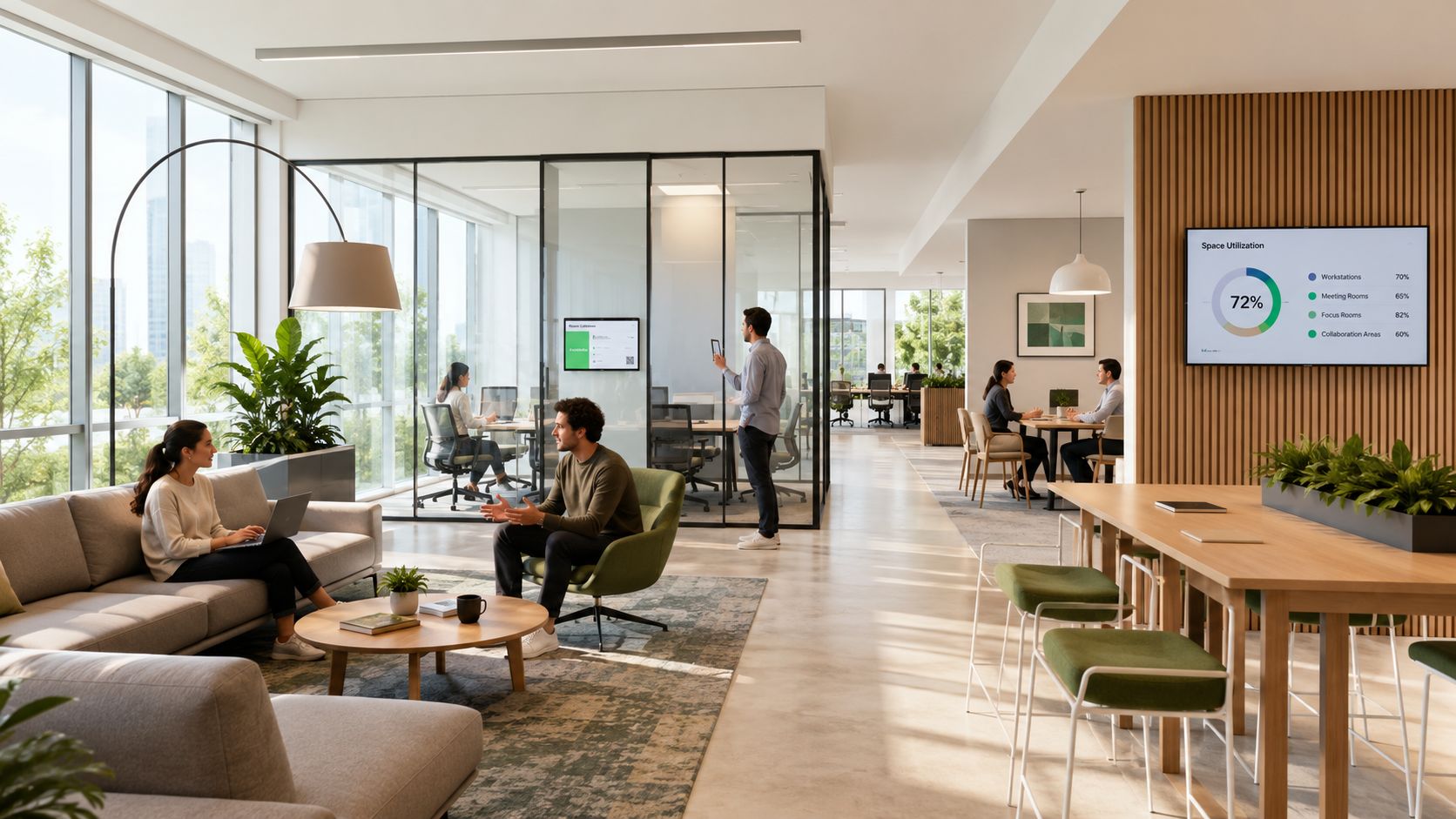
JLL's 2025 occupancy planning data shows a shift from 165 rentable square feet per person toward 132 rentable square feet, with planning focused on peak attendance rather than total headcount, as summarized in this occupancy planning review. That shift matters because it changes the core question. You're no longer asking how many employees exist. You're asking how many people will realistically show up at the same time, and what kinds of spaces they need when they do.
Why modular planning is the safer choice
A fixed build-out locks you into assumptions. If those assumptions change, you're left moving walls, replacing furniture, and patching over an office that no longer fits the business.
Modular planning gives you another option. Reconfigurable stations, movable screens, and glass-fronted enclosed rooms let you adjust the ratio between open seating, touchdown space, and meeting space without treating every change as a renovation.
That's especially useful for organizations still refining desk sharing, hoteling, or team-neighborhood strategies. If you're evaluating layout systems built for that kind of change, modular office workstation design is a practical place to start.
What hybrid offices need that old layouts missed
Hybrid offices don't just need fewer desks. They need a better mix of settings.
- Quiet work points: Not everyone in the office is there to collaborate.
- Short-duration meeting space: Teams often need more small rooms than large boardrooms.
- Defined neighborhoods: Departments still work better when people can find their team.
- Simple booking support: If you're coordinating desk reservations, room booking, and member access, tools for optimizing your coworking space can also inform hybrid office operations.
A rigid sea of identical workstations usually performs badly here. It provides one mode of work and forces everything else into the margins.
A short walkthrough can help you visualize how these decisions show up in real environments.
Where planners still get trapped
Some teams react to hybrid work by reducing desks. That can lower footprint, but it doesn't create a better office. If the remaining seats don't support privacy, power access, storage, and meeting flow, employees will feel the downgrade immediately.
Plan for variability, not permanence. Hybrid work isn't just a smaller office model. It's a more adjustable one.
The office space per employee standard still matters. It just has to be applied with the assumption that occupancy shifts, teams evolve, and the layout needs room to adapt.
Turn Your Space Plan into a Reality
The actual test starts after the space math is done. A plan that looks efficient in a spreadsheet can still fail once you set actual workstation sizes, circulation paths, storage, power drops, and room fronts. Hybrid offices raise the stakes because the layout has to work on a quiet Tuesday and a full team day without feeling cramped or wasteful.
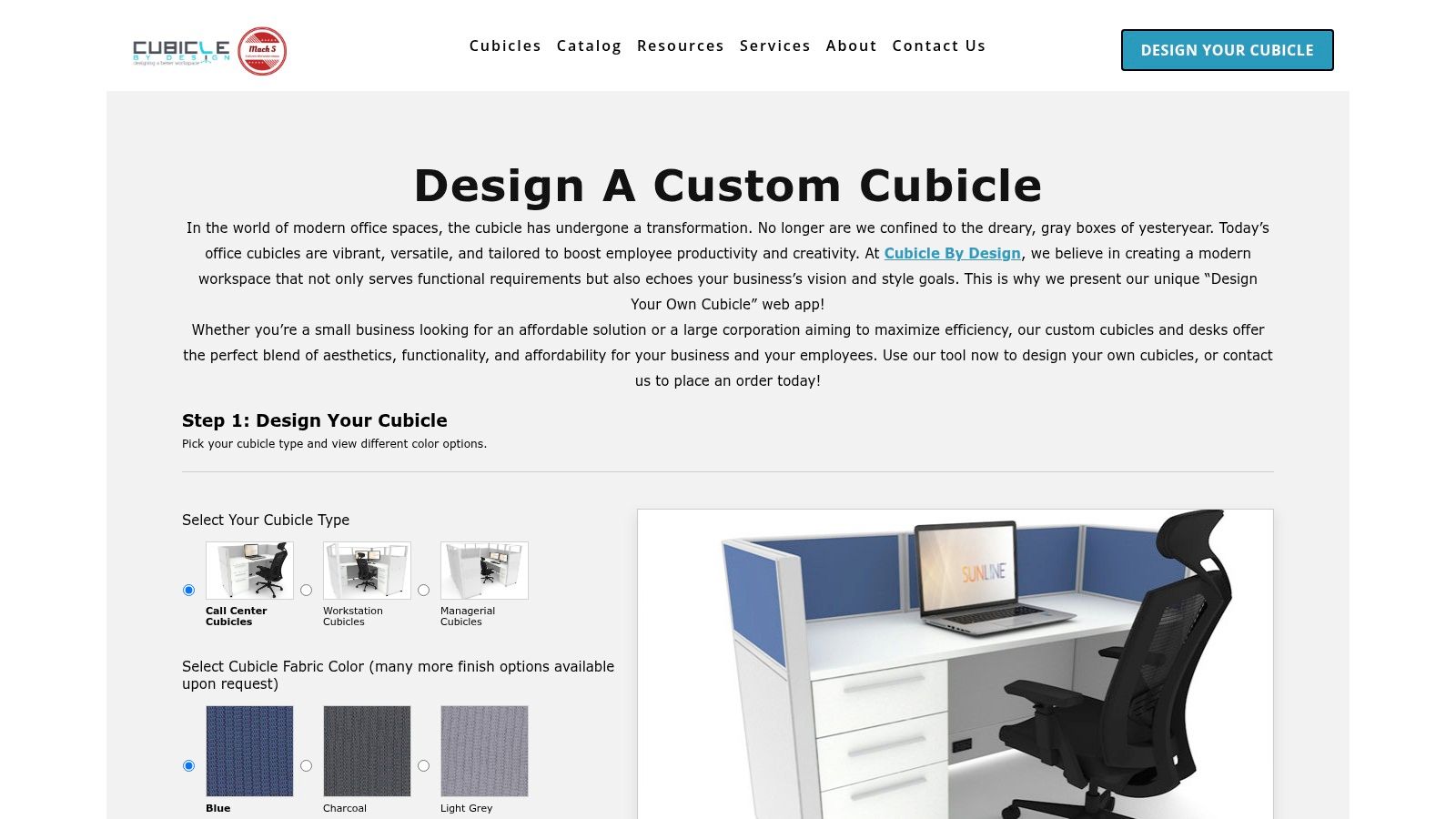
Move from planning assumptions to an actual layout
Put the plan on paper at full scale. Place each team neighborhood. Set the enclosed rooms. Check the aisles people will use, not just the ones that satisfy a rough sketch. Then test the office against a peak day, because that is when planning mistakes show up fast.
This is also the point where generic square-foot standards stop being enough. Modular cubicles let you adjust privacy, storage, and footprint by role instead of forcing one workstation size across the whole office. Glass-fronted rooms help keep daylight and sightlines while still giving the plan enclosed space for calls, meetings, and focused work. That combination usually gives hybrid offices more usable options without locking the floor into a fixed layout that becomes expensive to change later.
Don't overlook the build-out details
A good layout only works if the build team can install it cleanly. Power locations, data runs, switching, lighting, and furniture placement need to line up before orders are finalized. I have seen solid plans lose weeks because workstation locations changed after electrical rough-in.
If your fit-out includes electrical scope, review providers such as AdVoltage Electrical commercial services while the layout is still being refined. That gives your furniture plan, partition plan, and service plan a better chance of matching on install day.
The best office space per employee standard is the one you can build, support, and adjust as attendance patterns change. If the layout can absorb team growth, hybrid variability, and day-to-day operational needs without a full redesign, the plan is doing its job.