Finding the Best Office Furniture Dealers Near Me: A Cubicle By Design Guide

Typing "office furniture dealers near me" into a search bar is the easy part. The real work starts when you have to figure out who on that list can actually bring your vision to life.

Finding a true partner means looking past the simple retailers to identify specialists like Cubicle By Design—folks who offer the whole package, from initial design concepts to the final installation. This guide will help you turn that overwhelming list of names into a curated shortlist of qualified experts ready to build your ideal workspace.

Starting Your Search for Local Furniture Partners

Kicking off the hunt for the right office furniture dealer is a huge first step. You’re not just buying desks and chairs; you're making a serious investment in your company's culture and your team's daily well-being. A great local partner doesn't just sell you stuff—they act as a consultant, helping you sidestep expensive mistakes and ensuring your new layout works for you today and for your future growth.

The market definitely reflects this shift. The global office furniture market has been valued anywhere from USD 57.51 billion to USD 107.26 billion in recent years. And with projections showing it could climb as high as USD 180.20 billion by 2032, it's clear that companies are putting more stock in their physical environments than ever before.

Moving Beyond a Basic Google Search

A simple search will spit out a list of businesses, but it won’t tell you the most important thing: who can actually deliver on your specific vision? To build a solid list of potential partners, you’ve got to dig a little deeper.

Start by getting more specific with your search terms. Instead of something generic, try queries like:

  • "Modular cubicle installers in [Your City]"
  • "Commercial office space planners near me"
  • "Ergonomic office chair showrooms in [Your Area]"

These targeted searches help cut through the noise, pushing general retailers down the list and highlighting dealers with the specialized skills you really need. Once you have a handful of names, the real vetting begins.

Evaluating a Dealer's Digital Footprint

Think of a dealer's website as their digital showroom. It’s your first real peek into what they're capable of. A professional, easy-to-use site is a good start, but you need to look closer.

Dive into their project galleries or case studies. Do their completed projects have the same look and feel you're going for?

A robust project gallery is so much more than a collection of pretty pictures. It's proof of concept. It shows you the dealer's real-world ability to handle projects of different sizes and complexities, not just their sales pitch.

Look for dealers who showcase a wide range of work, from small office refreshes to massive corporate installations. For instance, seeing a map of recent jobs gives you tangible proof of their experience right in your area. That kind of transparency says they're proud of their work and confident you’ll be happy with the results.

Here's a quick checklist to help you size up potential dealers right from the start.

Initial Dealer Vetting Checklist

Evaluation Criteria What to Look For Red Flags to Avoid
Project Gallery Diverse projects, clear before/after photos, relevant industry examples. Stock photos only, very few projects shown, or work that looks dated.
Services Offered In-house space planning, design, installation, and project management. Just "sales" or "delivery." A lack of comprehensive services is a big warning.
About Us/Team Page Details on their history, expertise, and the actual people you'll work with. Vague, generic mission statements with no personal touch or team info.
Website Quality Modern, mobile-friendly design that's easy to navigate and professional. Broken links, outdated information, or a site that's hard to use.

Checking these basics online helps you quickly weed out the duds.

Another critical spot to check is their "About Us" or "Services" page. You're looking for a partner, not just a supplier. A true partner will offer services that go way beyond the sale, including:

  • Space Planning and Design: Do they have designers on staff? A dealer who helps you map out the space from the get-go is invested in making it a success.
  • Installation and Project Management: You want to see mentions of in-house or dedicated installation crews. This signals accountability and a smoother process.
  • Customization Options: The ability to tailor solutions, maybe with something like a Custom Cubicle Designer, shows they can adapt to your unique needs instead of pushing a one-size-fits-all product.

This initial digital vetting is crucial. It saves you a ton of time by eliminating unqualified candidates early on, letting you focus your energy on the local dealers who can genuinely deliver.

Evaluating Showrooms and Product Quality Firsthand

Alright, you’ve done your online homework and have a shortlist of local dealers. Now for the fun part: getting hands-on with the furniture. Online galleries and slick marketing photos are a great starting point, but you can’t truly judge quality through a screen. You need to see it, touch it, and sit in it.

A showroom visit is where the rubber meets the road. It’s your chance to see past the sales pitch and feel the difference between furniture that just looks good and furniture that’s built to last. This is a critical step in making sure your investment pays off for years to come.
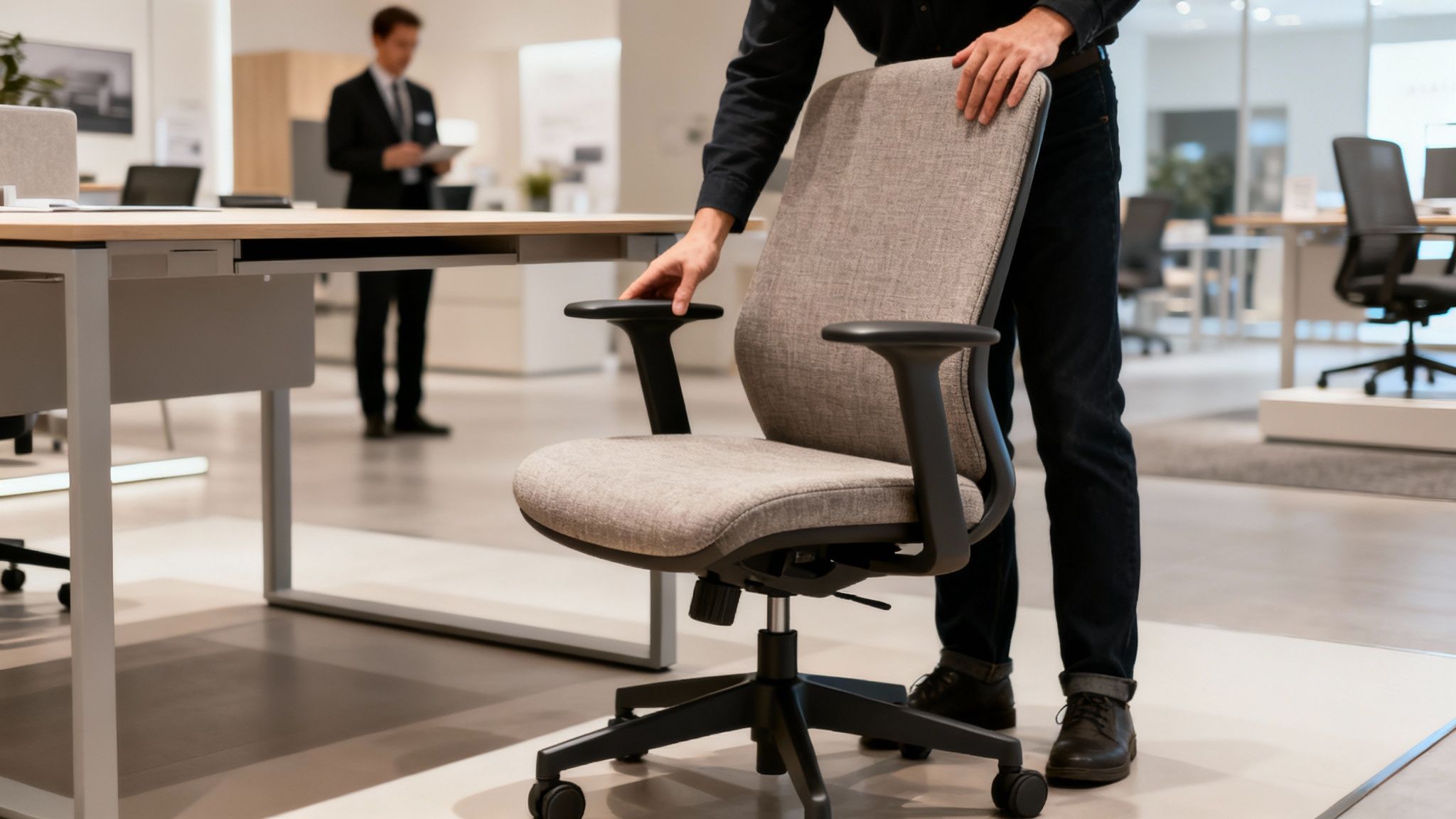
Person adjusting a modern grey office chair next to a desk in a furniture showroom.

What to Look for in Build Quality

Let’s be clear: commercial-grade office furniture is a different beast entirely from what you’d buy for your home office. It’s engineered to withstand 8-10 hours of daily use, day in and day out. When you're in the showroom, put on your detective hat and look for the details that signal real quality.

Start with the desks and tables. Give them a gentle shake. Do they wobble or feel flimsy? Look closely at the joints and where the legs connect—everything should be tight and seamless. Run your hand over the laminate or wood veneer. A quality surface feels solid and should be finished to resist the inevitable scratches and coffee cup rings.

Next, find the chairs and start testing. Sit down, lean back, and play with every lever and knob you can find. The adjustments for height, tilt, and armrests should feel smooth and secure, not clunky or loose. Check the base—a five-point base is the standard for stability—and give the casters a roll. They should glide effortlessly.

Pay close attention to the fabric and upholstery. High-quality commercial fabrics are designed for durability and cleanability. Ask about the "double rub" count—a rating that measures a fabric's abrasion resistance. For a typical office, a rating of 30,000 double rubs is a good benchmark for longevity.

Finally, give the workstation cubicles and private office cubicles a once-over. Are the panels stable? Do the connectors that hold them together look and feel robust? Open and close every drawer and cabinet door. They should move smoothly on their tracks and feel solid, not tinny. These are the little things your team will notice every single day.

Engaging With the Sales Team

Your interaction with the showroom staff is as telling as the furniture itself. You’re not looking for a pushy salesperson; you’re looking for a knowledgeable consultant. A great one will ask you questions first—about your company culture, how your teams work, and what problems you’re trying to solve.

Use this time to pick their brain. A true expert can explain why one laminate is better than another for a high-traffic area, or how the ergonomics of a specific chair can reduce back strain. They should be guiding you to the right solutions for your needs and budget, not just the most expensive items on the floor.

Key Questions to Ask During Your Visit

To make sure you get all the info you need for an apples-to-apples comparison later, go in with a list of questions. It keeps the conversation focused and ensures you don't forget anything important.

Here are a few essentials to have on your list:

  • Warranty Details: What exactly does the warranty cover on chairs versus desks? How long is it for, and what’s the process if we need to make a claim?
  • Lead Times: What are the real-world lead times for the items we’re interested in? Do you have any "quick ship" programs if we’re in a time crunch?
  • Customization Options: How much can we customize? Can we specify fabrics, finishes, or even dimensions?
  • Delivery and Installation: Is your installation team in-house or subcontracted? What does the whole delivery and setup process look like from start to finish?

Walking out of the showroom with solid answers to these questions means you're ready to confidently compare your options and make a final decision.

How to Nail Your Office Space Planning

Finding beautiful, high-quality furniture is one thing. Making sure it actually fits your space and supports how your team works? That’s an entirely different challenge. This is where the search for "office furniture dealers near me" moves beyond picking out chairs and becomes about finding a strategic partner like Cubicle By Design.

Let's be honest, even the most amazing desks will be a disaster if they block a fire exit or don't fit the flow of your office. Getting the space plan right from the start is what prevents those costly, headache-inducing mistakes and ensures your investment pays off.
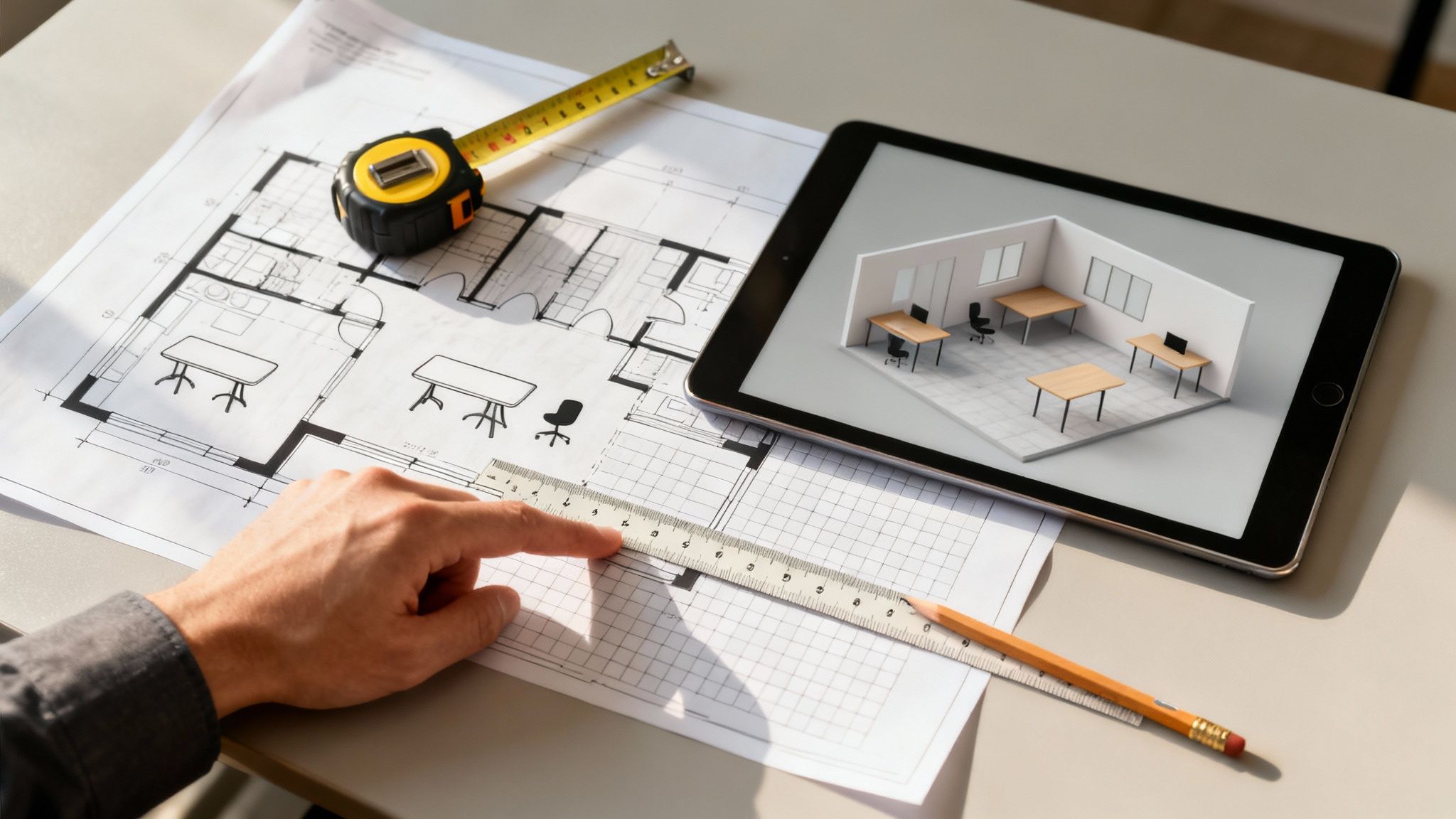
A hand points at architectural blueprints on a desk with a tablet showing a 3D office design.

Measuring Your Space with Precision

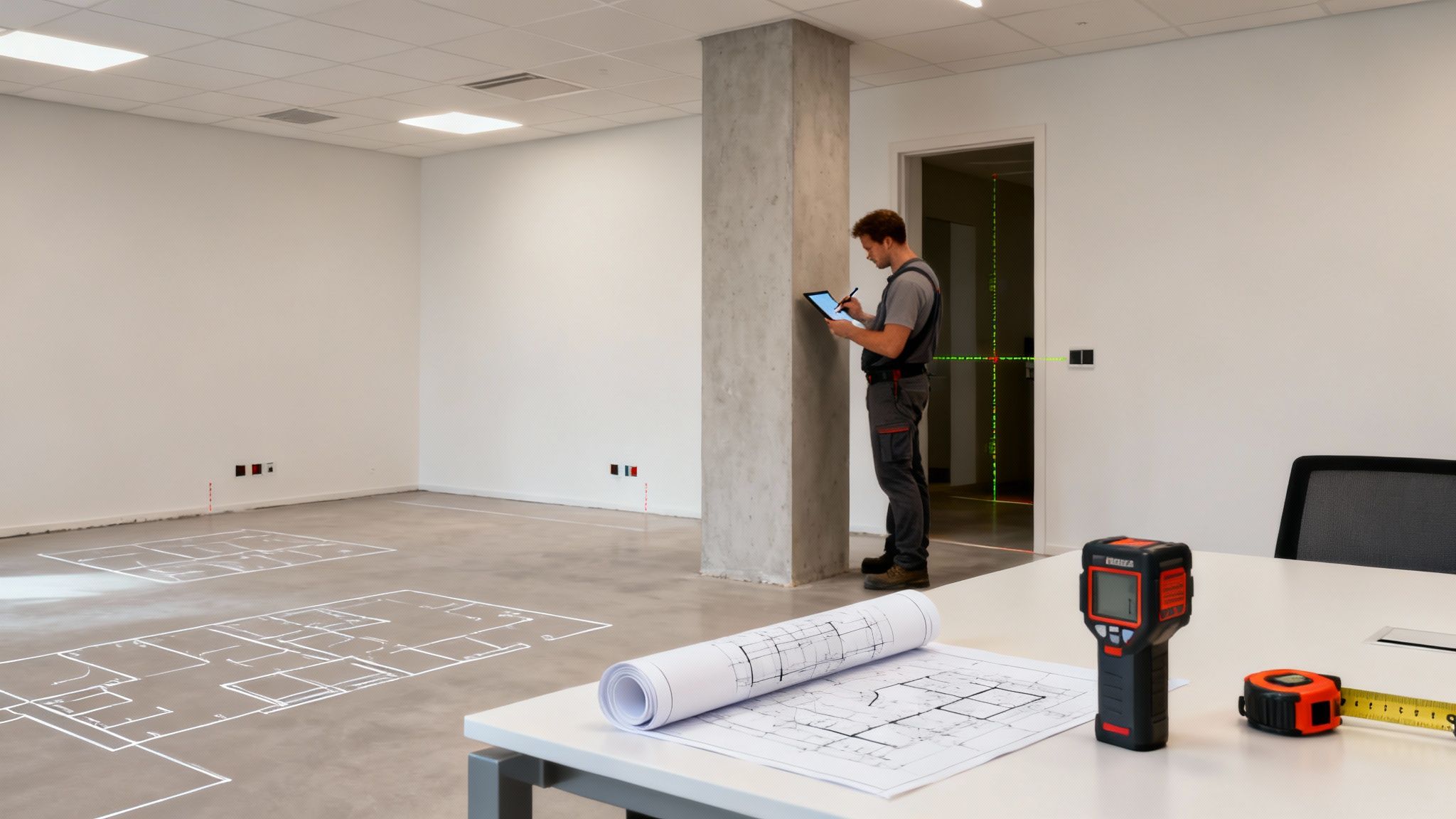
Before you can plan a single thing, you need good data. And I don’t just mean the basic length and width of the room. A truly functional layout is built on the details—the little quirks and features of your physical space.

So, grab a measuring tape, a notepad, and your phone's camera. Your mission is to create a detailed map that accounts for every potential obstacle and opportunity.

Be sure to document the exact location and dimensions of:

  • Structural Elements: Note every single support pillar, column, or permanent fixture that isn't going anywhere.
  • Access and Egress: Measure all doorways, windows, and hallways. You'll also want to note which way the doors swing and how far windows open.
  • Utility Access: Mark the location of all power outlets, data ports, and light switches. This is a big one—it dictates where your tech-heavy workstations can realistically go.
  • Vertical Space: Don't forget about ceiling height! This becomes critical if you're looking at taller partitions or certain storage solutions.

This isn’t busywork. This detailed map is the foundation for everything that comes next. It prevents the nightmare scenario of furniture arriving on-site only to discover it blocks a key doorway or can't reach a power source.

Translating Measurements into a Functional Layout

With your measurements in hand, the real design work can begin. This is where a skilled dealer proves their worth, helping translate those raw numbers into a layout that considers how people actually move and work throughout the day.

A true space planning expert will dig into a few key areas:

  • Workflow and Adjacency: They'll ask which teams collaborate the most and then arrange their spaces to make that seamless, cutting down on disruptions.
  • Traffic Flow: A good layout has clear, logical pathways. It prevents those awkward bottlenecks and ensures everyone can move around easily and safely.
  • Compliance and Accessibility: Every plan must adhere to ADA (Americans with Disabilities Act) requirements, ensuring proper clearance in walkways and around desks.

A professional layout isn't just about cramming in as many desks as possible. It's a strategic plan that balances individual focus areas with collaborative zones and the natural flow of a busy workday. It's about creating an environment that just works.

For a deeper dive, our comprehensive office space planning guide offers more detailed insights to help you prepare for those initial conversations with a dealer.

The Power of Visualization with 2D and 3D Renderings

All this planning comes together in one of the most valuable tools a dealer can offer: professional renderings. It's one thing to look at a floor plan, but it’s nearly impossible to truly imagine the finished space from a simple drawing. This is where visualizations change the game.

A 2D rendering gives you that top-down, blueprint-style view. It’s perfect for confirming clearances, seeing traffic patterns, and getting the overall spatial arrangement just right.

A 3D rendering is where the magic happens. It provides a realistic, photo-like preview of your future office. You can see how different fabrics and finishes will actually look together, understand the sightlines from various desks, and get a genuine feel for the room's atmosphere.

These visualizations are your best defense against buyer's remorse. They allow you to make confident decisions and request changes before a single piece of furniture is ordered, saving you time, money, and a whole lot of stress.

You’ve done the legwork, talked to a few dealers, and now the proposals are rolling in. This is where the real work begins. Getting quotes from different office furniture dealers is one thing, but figuring out what they actually mean is another. The goal isn't just to find the lowest number—it's to find the best partner.

A great proposal is clear, comprehensive, and leaves no room for doubt. It's on you to make sure you're comparing apples to apples.

Let's be honest: the cheapest quote is almost never the best deal. That super-low price can look tempting, but it’s often a red flag. It probably means critical services like delivery, installation, or project management have been left out. Those are costs you'll end up paying for later, and they always come as a nasty surprise. A real pro gives you the full picture upfront.

Breaking Down the Bid

To get a true comparison, you have to dissect each proposal, line by line. Don't even consider a dealer who just gives you a single lump-sum number. A professional bid will itemize everything.

When you're comparing quotes, you need to be a detective. Look for these key details:

  • Product Specifications: Are the quotes for the exact same products? Check the model numbers, the dimensions, and especially the finishes and fabric grades. A dealer might substitute a "similar" chair, but a lower-grade fabric won't last as long. Those small details make a big difference in both price and durability.
  • Service Inclusions: Is delivery included? What about professional installation and trash removal? These are essential services, not optional add-ons. If they aren't listed, assume they'll cost you extra.
  • Project Management: A dedicated project manager is your lifeline. They coordinate every moving part and make sure the entire process runs smoothly. Make sure this service is included in the package, not billed as an afterthought.

If a quote is vague or missing this information, push back. Ask for a revised, fully itemized version before you move forward. Any dealer worth their salt will be happy to provide it.

Office Furniture Bid Comparison Checklist

To make this easier, we've put together a checklist. Use this to line up the bids side-by-side and see how they really stack up. It’s the only way to get a true, unbiased view of what you're being offered.

Checklist Item Dealer A Details Dealer B Details Dealer C Details
Product Match (Model, Size, Finish)
Delivery & Freight Costs
Professional Installation Fees
Debris & Trash Removal
Dedicated Project Manager
State & Local Taxes
Payment Terms & Schedule
Proposed Project Timeline
Installation Crew (In-House vs. Sub)
Product Warranty Details
Post-Installation Support Plan

Once you’ve filled this out, the right choice often becomes much clearer. The proposal with the most "included" or "in-house" checkmarks is usually the one that offers the most long-term value.

Identifying Hidden Costs and Understanding Terms

Beyond the big items, you have to sweat the small stuff. The fine print is where hidden fees love to hide, and they can completely blow up your budget.

The most transparent quotes clearly outline every potential charge, from delivery fees to taxes. A dealer who hides costs in the fine print is not a partner you can trust for a long-term relationship.

Always check the payment terms. What’s the deposit requirement? When are the other payments due? A clear schedule for delivery and installation shows the dealer has a real plan. It's not just a guess. And while you're thinking about the financials, it's worth exploring all your options. For some companies, understanding the financial implications of leasing versus buying can be a smart move for managing cash flow.

Weighing the Non-Monetary Factors

Finally, value is about more than just money. The intangibles often tell you the most about the kind of experience you’re going to have. And if you want to get a better feel for what specific furniture systems should cost, our cubicle price guide is a great place to start.

Look at the dealer’s proposed timeline. Is it realistic? Does it work with your own deadlines? Dig into their installation process, too. Do they use their own experienced, in-house team, or do they just subcontract it out to the lowest bidder? An in-house crew almost always means more accountability and better quality work.

Don't forget to review the warranty and support details. A strong warranty shows that a dealer stands behind their products. And what happens after the project is done? The best partners are there for you down the road, ready to help with reconfigurations, repairs, or additions. That’s where the true value is.

What to Expect During Installation and Beyond

You’ve vetted the dealers, toured the showrooms, and finally signed on the dotted line. It feels like a huge accomplishment, but the real work is just beginning. The installation is where all that planning becomes a physical reality, and a smooth, professional install is every bit as important as the quality of the furniture itself.

Knowing what’s coming can turn a potentially chaotic day into an exciting one. A top-notch dealer doesn’t just dump boxes on your curb; they orchestrate the entire process to bring your new office to life with as little disruption as possible. This is the final, make-or-break step.

The Pre-Installation Checklist

A successful install day starts long before the trucks ever pull up. Any professional dealer worth their salt will work with you to nail down the pre-arrival logistics so everything is ready to go.

Your dealer’s project manager should be in touch to coordinate a few key things:

  • Site Access and Logistics: This means confirming building hours, figuring out loading dock access, and navigating any specific rules for using the elevator.
  • Insurance and Permits: They should handle providing your building management with a Certificate of Insurance (COI) and securing any necessary work permits on their end.
  • Site Protection: This is a big one. They should have a plan to protect your space, like laying down floor coverings and using corner guards to prevent scuffs and dings.

This kind of proactive communication is the sign of a team that’s done this a thousand times. It heads off last-minute headaches and lets the crew work efficiently from the moment they walk in the door.

Timeline graphic illustrating the quote process: receive, compare costs, and sign a deal with dates.

This process just gets you to the starting line—the installation phase is where the real race begins.

During the Installation Process

When the big day arrives, you should see a uniformed, professional crew led by an on-site supervisor. This person is your go-to, the single point of contact for updates and any questions that pop up. Beyond just getting the furniture in the door, it’s worth using experienced crews for professional furniture assembly services to ensure everything is built correctly and safely.

The team will usually start by staging all the components according to the approved floor plan. Then, the assembly begins. You can get a detailed look at what a streamlined process looks like by exploring Cubicle By Design's office furniture installation process.

Once everything is built, the crew should wipe down every surface, haul away all the cardboard and packaging, and leave your new space truly move-in ready.

The final step before the crew packs up is the walkthrough. This is your chance to walk the entire space with the project manager, point out any issues, and create a "punch list" of anything that needs a tweak or correction.

This punch list ensures every detail is perfect, whether it's a misaligned drawer or a tiny scratch on a desk. A reputable dealer will jump on these items and fix them right away, no questions asked.

After the Work Is Done

A great furniture dealer doesn't disappear the second the last screw is tightened. Real long-term support is what separates a true partner from a one-time vendor.

This ongoing relationship should include:

  • Warranty Management: If a product fails or has a defect down the line, your dealer should handle the warranty claim for you, coordinating repairs or replacements directly with the manufacturer.
  • Day-Two Services: Once your team moves in, you might notice small things that need adjusting. A good partner will be available to help with ergonomic tweaks or minor reconfigurations.
  • Future Growth Planning: The best dealers, like Cubicle By Design, stick with you. When it's time to grow, they can help you reconfigure your existing furniture or add new pieces that perfectly match what you already have.

This kind of long-term partnership ensures your office can evolve right alongside your business, making your initial investment that much smarter for years to come.

Common Questions About Choosing a Furniture Dealer

Navigating the world of commercial furniture can bring up a lot of questions, especially if it’s your first major office project. When you start searching for "office furniture dealers near me," knowing what to ask can save you a world of time, money, and stress down the line.

These are the real-world concerns we hear from business owners and office managers every day. Getting clear answers to these questions is the first step in finding a true partner, not just another vendor.

How Far in Advance Should I Start Looking for an Office Furniture Dealer?

The sweet spot is 3-6 months before you absolutely need everything in place. I know, that probably sounds like a ton of time, but building in that buffer is one of the smartest moves you can make.

This timeframe gives you the breathing room to do things right. You'll have enough time for proper research, a few showroom visits, detailed space planning, and making thoughtful product selections. Most importantly, it accounts for manufacturing lead times, which can sometimes stretch for several weeks on custom orders.

Rushing the process is the fastest way to make compromises you'll regret later. Starting early gives you the leverage to negotiate better, evaluate all your options, and make sure every last detail aligns with what your company actually needs.

What Is the Difference Between a Dealer and a Retail Store?

This is a critical distinction that trips a lot of people up. A retail store is where you go to buy a pre-made desk or chair off the floor. The products are usually residential-grade, the services are limited, and the relationship pretty much ends when you walk out the door.

An office furniture dealer, on the other hand, is a full-service business partner. Dealers like Cubicle By Design offer durable, commercial-grade products built to handle the wear and tear of a busy office for years. But the furniture is just one piece of the puzzle. The real value is in the complete solution they provide.

A good dealer brings a whole team to the table:

  • Expert Space Planning: They'll take your floor plans and create a layout that’s efficient, compliant with codes, and actually works for your team.
  • Professional Design Services: They help you pick finishes, fabrics, and styles that build a cohesive, professional environment that reflects your brand.
  • Project Management: A dedicated person coordinates everything, from placing the order to scheduling the final installation.
  • Professional Installation: Experienced crews—not just delivery guys—assemble and install everything correctly and safely.
  • Ongoing Support: Need to file a warranty claim, reconfigure a department, or add more workstations next year? Your dealer is who you call.

Simply put, a dealer understands workplace dynamics, ergonomics, and building codes in a way a typical retailer just doesn't.

Can I Mix and Match Furniture From Different Brands?

Absolutely! In fact, it's a fantastic way to get a custom look and make your budget go further. A skilled dealer is your best guide for pulling this off successfully.

When it comes to systems furniture like cubicles, it’s almost always best to stick with one manufacturer. This ensures all the panels, connectors, and surfaces are compatible. But for things like task chairs, lounge seating, or conference tables, you can easily pull from other brands to add personality and visual interest.

An experienced designer will be your secret weapon here. They know how to match styles, scale, and finishes across different product lines so the final space looks intentionally curated, not like it was pieced together from a catalog.

What Are the Most Common Mistakes to Avoid?

Knowing where others have gone wrong is the best way to get it right. From our years of experience, we've seen a few common missteps that can derail a project:

  • Choosing a dealer on price alone. The lowest bid often comes with hidden costs for essential services like project management, installation, or even trash removal.
  • Skipping the showroom visit. You just can't judge the true quality, comfort, and feel of furniture from a picture on a website. You have to sit in the chair.
  • Forgetting to check references. Talking to past clients is the single best way to learn about a dealer's real-world performance and follow-through.
  • Underestimating the power of space planning. A bad layout can make even the most beautiful furniture a daily frustration, tanking productivity and morale.

Steering clear of these traps is half the battle. When you partner with a knowledgeable dealer who has your back, you can create a workspace that truly supports your team and your business for years to come.


Ready to turn your office vision into a reality with a partner you can trust? The team at Cubicle By Design is here to guide you through every step, from initial space planning with our Custom Cubicle Designer to professional installation and beyond.

Read More
Perfect Size of a Conference Room

A Guide to the Perfect Size of a Conference Room

Trying to figure out the right size for a conference room can feel like you’re doing complicated math, but it’s usually more straightforward than it seems. As a good starting point, we always recommend planning for about 20-25 square feet per person. This simple rule of thumb gives everyone enough elbow room and space for equipment without feeling cramped.

Why the Right Conference Room Size Matters

Getting the dimensions of your conference room right is so much more than a detail on a floor plan. Think of it as a strategic investment in your team’s productivity and your company’s culture. A well-sized room means no awkward shuffling to get to a seat and meetings that just flow without unnecessary distractions. It’s the difference between a frustrating, stuffy experience and a comfortable, collaborative space where great ideas can actually happen.

This guide is your roadmap to creating a room that just works. We’ll dig into why the right dimensions are so critical for everything from productive brainstorming sessions to basic employee comfort, framing it as a smart move for your company’s future.

The Impact of Poor Sizing

An incorrectly sized room, whether too big or too small, creates persistent headaches that get in the way of daily work. Knowing these common pitfalls makes it obvious why getting it right from the start is so important.

  • Underutilized Space: A massive boardroom that’s too large for your typical meetings just becomes wasted real estate. We’ve seen it time and again. In fact, research shows that a whopping 75% of meetings involve three people or fewer, which means those giant, empty rooms are often just inefficiently used by small groups.
  • Reduced Productivity: On the flip side, a room that’s too small creates a cramped, uncomfortable vibe. It can easily stifle creativity, kill attention spans, and make even short meetings feel like they drag on forever.
  • Accessibility Challenges: Not having enough clearance makes it tough for team members to move around, especially for anyone with mobility needs. Proper planning ensures that everyone can participate easily and feel included.

At Cubicle By Design, we believe a great office starts with smart planning. A conference room should be a hub of innovation, not a source of frustration. Getting the size right is the first step toward building a better workplace.

Effective office space planning and design looks at more than just the room itself; it considers how that room fits into the overall flow of your office. By carefully thinking through capacity, technology, and circulation, you can create a space that truly supports your team’s best work. From small, agile huddle rooms to impressive boardrooms, every space should have a clear purpose.

Diving Into the Core Sizing Principles

Moving beyond quick estimates, it’s time to understand the ‘why’ behind the numbers. Figuring out the right size for a conference room is a lot like planning a perfect dinner party—you need enough space for your guests, clear paths for people to move around, and designated spots for all the essentials.

You’ve probably heard the industry guideline to allocate 20-25 square feet per person. But where does that number actually come from?

This benchmark isn’t just pulled out of thin air. It’s a calculated balance of comfort, function, and collaboration that has held firm for years. Workplace demands are always evolving, but this standard ensures there’s enough room for both people and the technology they use. In markets like North America and Europe, a typical small-to-medium room for 6 to 12 people runs from 150 to 400 square feet. Larger boardrooms for 20 or more can easily top 1,200 square feet. That 20 to 25 square feet per seat is the constant that makes it all work.

To really get it right, you have to break the space down into three distinct zones. The total square footage is just the sum of its parts.

The Three Foundational Zones of a Conference Room

Think of your conference room as having three invisible layers of space, each with its own job. If you neglect any one of them, the room will feel awkward and impractical, no matter how big it is.

  1. The Table Zone: This is the heart of your meeting space—the actual footprint of the conference table itself. Its size and shape set the stage for everything else.
  2. The Personal Space Zone: This is the “elbow room” for each person. It includes the chair and the immediate area needed to comfortably take notes, use a laptop, or just sit without feeling jammed in.
  3. The Circulation Zone: These are the critical pathways around the table and chairs. It’s the space people use to get in and out of the room or walk to a whiteboard without tripping over their colleagues.

A well-planned conference room respects all three zones equally. It ensures the table fits, people are comfortable, and movement is effortless. This balanced approach is the secret to creating a space that feels both spacious and efficient.

Understanding how these zones interact is the first real step toward a smart layout. A wider table, for instance, doesn’t just take up more floor space; it demands a larger room to keep those circulation paths clear and usable. Our cubicle designer tool can help you visualize these layouts effectively.

Calculating Your Space Needs

Let’s put this into practice. The 20-25 square foot rule is a great starting point because it automatically accounts for these three zones. For a 10-person meeting, you’d be looking for a room somewhere between 200 and 250 square feet.

But other factors can completely change a room’s feel. The shape of the table and where the door is located can make or break the layout.

A long rectangular table, for example, creates very different traffic patterns than a round one. Likewise, a door that opens directly behind a chair can make that seat practically unusable, which instantly shrinks your room’s real capacity. For a deeper dive, check out our guide on conference tables dimensions to see how different shapes impact your layout.

This foundational logic will empower you to look at any potential space and make smart decisions that go way beyond simple measurements. By keeping these core principles in mind, you’ll design a conference room that truly works for your team and becomes a real hub for collaboration.

Designing for People and Easy Movement

A conference room that looks perfect on paper can be a total failure if people are constantly bumping chairs or squeezing past each other. The real measure of a room’s design is how it feels when people are actually using it. This is where we move past simple square footage and get into the nitty-gritty measurements that guarantee comfort and an intuitive flow.

The whole point is to create a space that feels open and is a breeze to navigate, not some kind of obstacle course. When you plan for circulation from the get-go, you’re making sure the room helps collaboration, rather than getting in the way. A meeting space should make movement easy, not restrict it.

The Golden Rule of Clearance

The single most important measurement in your conference room isn’t the length or width—it’s the clearance around the furniture. This is that invisible buffer zone that lets people pull out their chairs, walk behind seated colleagues, and move around without causing a fuss. Without enough of it, even a huge room will feel cramped and awkward.

Here’s the non-negotiable standard: you absolutely need 36 to 48 inches of clearance behind every occupied chair. This isn’t just a friendly suggestion; it’s the bare minimum for comfortable, disruption-free movement. This “circulation path” is what allows someone to slip in late or step out for a call without making the whole table shuffle around.

Think of it this way: 36 inches (3 feet) lets one person carefully walk behind someone who’s seated. Bumping that up to 48 inches (4 feet) gives enough room for two people to pass one another without doing the awkward side-step. For rooms that see a lot of traffic, that extra foot makes a world of difference.

Ensuring Accessibility for Everyone

A truly great conference room works for every single member of your team. That means designing your space to meet—or, even better, exceed—the standards set by the Americans with Disabilities Act (ADA). Getting accessibility right isn’t a box to check at the end; it’s a fundamental part of inclusive, smart design.

Planning for ADA compliance means factoring in a few key numbers that directly impact your room’s size:

  • Doorways: Your entrance needs a clear width of at least 32 inches when the door is swung open 90 degrees.
  • Pathways: All the main walkways inside the room have to be at least 36 inches wide.
  • Turning Space: The room must have a clear floor space of 60 inches in diameter (a 5-foot circle) or a T-shaped area so a wheelchair can turn around easily.
  • Table Access: Make sure you have enough knee and toe clearance under the conference table for wheelchair users to pull up comfortably.

By making these accessibility standards a priority, you’re not just complying with regulations—you’re creating a more welcoming and functional space for all your employees. It’s a core part of designing a better workplace, which is something we’re passionate about at Cubicle By Design.

Sightlines and the Surrounding Office

Beyond just letting people walk around, a well-designed room considers visual flow. Every single person in that meeting should have a clear, unobstructed view of the main screen, the whiteboard, or whoever is speaking. This is absolutely critical for keeping people engaged and making sure no one feels like they’re stuck with the bad seat.

Before you lock in your layout, do a simple test: sit in every chair. Can you see the presentation screen without craning your neck? Is a support column blocking half the whiteboard? These little details feel minor on a floor plan but can kill the effectiveness of a meeting.

And don’t forget to think about how the conference room fits into the rest of the office. The flow of foot traffic from nearby workstation cubicles can dictate the best place for the door and how the interior should be arranged. A room that’s easy to get in and out of without disturbing neighboring work areas makes for a more productive and harmonious office for everyone.

How Technology Shapes Your Room Dimensions

Let’s be honest: in today’s world, a conference room without technology is just a box with a table. The right audiovisual (AV) tools have gone from a “nice-to-have” to a core part of how we collaborate. That means their physical footprint has a direct impact on the size of a conference room you’ll need.

It’s a classic mistake to design the room first and try to cram the tech in later. That’s a recipe for a cluttered, hazardous mess of tangled wires and equipment that doesn’t quite work right. When you plan your room dimensions around your tech stack from the start, you create a space that’s clean, functional, and ready for action.

The market is screaming this from the rooftops. The global conference room solutions market was pegged at USD 1.9 billion in 2025 and is on track to hit USD 7.6 billion by 2035. This explosion shows just how critical it is to design rooms that can handle advanced AV equipment, which all begins with thoughtful sizing.

Planning for Screens and Sightlines

The first domino to fall in your layout is almost always the main display. Whether it’s a massive monitor, a projector screen, or an interactive whiteboard, its size and placement dictate the entire room’s orientation and, most importantly, its depth.

Here’s a simple rule of thumb: the person sitting farthest away should be no more than four to six times the height of the screen. For a standard 55-inch display (which is about 27 inches high), that means your back row can’t be more than 13.5 feet from the screen. This one calculation is a crucial starting point for figuring out the minimum length of your room.

Think of your screen as the anchor point of the entire room. The right viewing distance ensures that everyone, from the head of the table to the person in the back corner, can clearly see the content without straining their eyes.

Allocating Space for AV Hardware

It’s not just about the screen. Your video conferencing gear needs its own real estate. That high-quality PTZ (pan-tilt-zoom) camera needs a clear line of sight, usually mounted right above or below the display. Microphones, whether they sit on the table or are installed in the ceiling, also have specific placement requirements to capture clear audio from everyone.

You’ll need to account for the space these common components take up:

  • Cameras: Wall-mounted cameras need solid support and the right angle to capture the whole room.
  • Microphones: Tabletop mics eat up valuable surface area, while ceiling mics need to be clear of noisy HVAC vents.
  • Control Panels: A touchscreen controller needs to be within easy reach on the conference table.
  • Credenzas: Many rooms use a credenza to hide away equipment racks, mini-PCs, and other hardware, which adds to the room’s overall footprint.

The Critical Role of Power and Cabling

This is the big one that everyone forgets: the power outlets and data ports that make everything run. Nothing ruins the look of a sleek, modern conference room faster than a tangle of extension cords snaking across the floor. They’re not just ugly—they’re a major tripping hazard.

You have to plan your power and data needs from day one. That means outlets near the display, power integrated directly into the conference table for laptops, and data ports for a rock-solid wired connection. Planning this infrastructure in advance is the only way to get a clean, professional, and safe environment. If you’re laying out your whole office, understanding the basics of a proper cubicle electrical setup gives you a huge head start on managing power everywhere. This proactive thinking ensures your room works today and can adapt to whatever tech comes next.

Looking Beyond Square Footage

Getting the dimensions right for your conference room is a huge step, but it’s really just the beginning of the story. A room with the perfect square footage can still be a total dud if the environment itself is distracting. To create meeting spaces that people actually want to use, we need to look at three critical, and often forgotten, elements: acoustics, lighting, and ventilation.

Think of these as the finishing touches that transform a functional box into a genuinely productive workspace. Without them, even the most meticulously planned layout can leave your team feeling drained and unfocused.

Taming Sound and Echoes

Ever been in a meeting where every little cough echoes off the walls? Or you struggle to hear the person across the table over the low hum of the air conditioning? That’s the classic sign of a room with bad acoustics. Hard surfaces like glass, concrete, and even drywall are notorious for bouncing sound waves around, creating an echo chamber that makes it tough to hear.

This gets even worse on video calls, where all that background noise can make your team sound like they’re in a cave. The room’s shape plays a part, too. Long, narrow rooms can create a weird “flutter echo” that is especially grating.

The good news? You don’t have to tear down walls to fix it. Here are a few simple but effective solutions:

  • Acoustic Panels: These are your best friend for soaking up excess noise. You can mount them on walls or ceilings, and they come in tons of designs to match your office vibe.
  • Soft Furnishings: It’s amazing what a difference a rug, some fabric chairs, or even curtains can make. They give sound waves something soft to land on, instantly cutting down on reverb.
  • Strategic Layout: Think about what’s next door. A well-placed bank of private office cubicles can act as a natural sound buffer, helping to quiet the entire floor.

Lighting That Engages, Not Drains

Lighting does so much more than just let you see. It sets the entire mood of a room and has a real impact on people’s energy levels. If the lighting is too dim, too harsh, or creates a nasty glare on screens, you’re just inviting eye strain and fatigue—a guaranteed productivity killer for long meetings.

The best strategy is a layered lighting approach. This just means combining different types of light to create a balanced, flexible environment. You want bright, even light for taking notes, but you also need to kill those harsh shadows and screen glares that make video calls a nightmare. On that note, think about the materials you use; for instance, see how glass partition walls for offices can help bring in natural light while still keeping things quiet.

Keeping the Air Fresh and Comfortable

Finally, let’s talk about something most people completely forget: fresh air. A stuffy, warm room is a recipe for drowsy, distracted people. As a meeting fills up, carbon dioxide levels climb, and you can literally feel the focus leave the room.

Your HVAC system needs to be sized for the room’s maximum capacity, keeping the temperature comfortable and consistent. Just as important, it needs to run quietly so it doesn’t become another source of distracting noise. A comfortable climate keeps everyone alert and ready to contribute, turning a potentially draining meeting into one where great ideas happen.

Sample Layouts and Your Planning Checklist

Trying to juggle all the rules for sizing, traffic flow, and technology can feel a bit overwhelming. Sometimes, the best way to make sense of it all is to see it in action. Let’s look at a few common examples to visualize how these principles play out in the real world.

Seeing a layout on paper is often the easiest way to understand how specific dimensions create a meeting space that’s both functional and comfortable for everyone inside. These examples should give you a solid starting point.

Three Common Conference Room Layouts

To bring these concepts to life, we’ve sketched out three sample layouts, each built for a different purpose and capacity. You’ll see how the right size of a conference room directly supports what it’s meant to do, from quick huddles to formal board meetings.

  • The Compact Huddle Room (4 People): Perfect for those quick check-ins or one-on-one video calls. These spaces are usually around 10′ x 10′ (100 sq ft). You’ll typically find a small round table (about 48″ in diameter) and a wall-mounted monitor, which leaves just enough room to move around comfortably without any wasted space.
  • The Versatile Meeting Room (10 People): This is the workhorse of most offices. A room measuring about 12′ x 20′ (240 sq ft) easily fits a 12-foot rectangular table. This setup gives you plenty of clearance (at least 42 inches) and leaves space at one end for a large display and a credenza to house AV gear.
  • The Tech-Ready Boardroom (20 People): When you need to host large, formal meetings, you’ll want a room around 16′ x 30′ (480 sq ft). This size can handle a substantial table, allows for generous 48-inch circulation paths, and supports integrated tech like ceiling microphones and multiple displays.

To make these layouts even clearer, here’s a quick-reference table summarizing the key specs for each room type.

Sample Conference Room Layout Specifications

Room Type Capacity Minimum Room Dimensions Typical Table Size Key Features
Huddle Room 2-4 People 10’ x 10’ 48” Round Small footprint, ideal for quick, informal meetings and video calls.
Mid-Size Meeting Room 8-10 People 12’ x 20’ 12’ Rectangular Versatile for team meetings, presentations, and client discussions.
Large Boardroom 16-20 People 16’ x 30’ 18’+ Rectangular Designed for formal meetings with integrated A/V and ample circulation.

These numbers provide a great baseline, but always remember to adjust for your specific furniture and technology choices, including a wide range of cubicles.

Your Essential Planning Checklist

Before you sign off on any floor plans, take a minute to run through this checklist. Answering these questions now will help you catch any oversights and save you from expensive mistakes down the road. A little foresight prevents major headaches, especially when it’s time for the build-out. For a seamless setup, getting professional help with office furniture installation can ensure your vision is executed perfectly.

  1. Define Primary Use: What is this room’s main job? (e.g., video calls, brainstorming, formal presentations?)
  2. Determine Max Capacity: How many people really need to fit in here at one time?
  3. Confirm Table Shape & Size: Is a round, square, or rectangular table the best fit for the room’s purpose?
  4. Map Out Circulation Paths: Have you left at least 36-48 inches of clearance behind every chair?
  5. Plan for Technology: Where will the screen, camera, and microphones actually go?
  6. Locate Power & Data: Are outlets and ports planned for both the table and the walls?
  7. Assess Environmental Factors: Have you thought about acoustics, lighting, and ventilation?

This visual summary highlights the key environmental factors that turn a sized room into a functional one.
As you can see, a great conference room isn’t just about square footage—it’s about balancing these three elements to create a space where people can actually be productive and comfortable.

Still Have Questions? Here Are Some Common Ones

Even with all the guidelines, planning the perfect conference room can feel a bit like a puzzle. Getting clear, straightforward answers to those nagging questions is the best way to move forward with confidence and sidestep the common pitfalls that can derail a project.

Let’s dig into some of the most frequent questions we hear about getting the size of a conference room just right. Answering these helps nail down the small details that make a huge difference in the final layout.

How Much Space Should I Plan For Per Person?

A solid rule of thumb is to plan for 20-25 square feet per person. This isn’t just an arbitrary number. It’s a balanced calculation that gives each person enough personal space at the table, room to pull their chair out, and a clear path to walk behind others without causing a disruption.

Could you technically squeeze it down to 15 square feet per person? Sure, but it will feel cramped, especially during longer meetings. Sticking to that 20-25 square foot range is the key to creating a comfortable and productive environment.

What’s a Good Size for a 10-Person Conference Room?

For a 10-person meeting, you’ll want a room that is at least 200 to 250 square feet. A common and highly effective dimension for this capacity is around 12 feet by 20 feet.

This size comfortably fits a large conference table (think 4 ft x 12 ft) and still provides about four feet of clearance on all sides for easy movement. It also leaves dedicated space at one end for a presentation screen, whiteboard, or credenza without making the room feel cluttered.

How Do You Calculate a Room’s Capacity?

First, start by measuring the room’s length and width to get the total square footage. Don’t forget to subtract any unusable space taken up by permanent fixtures like support columns or bulky built-in cabinets.

Next, just divide that usable square footage by your target space per person (let’s use 25 sq ft for a comfortable setup). So, a room with 250 usable square feet would have a capacity of 10 people (250 / 25 = 10). Always remember that the conference table itself is often the real limiting factor.

What Common Mistakes Should I Avoid?

The most frequent error we see is underestimating how much circulation space people actually need. People often calculate size based only on the table and chairs, forgetting to leave at least 36-48 inches behind chairs so others can walk past without disrupting the meeting.

Another big one is not planning for the footprint of technology. AV equipment, credenzas, and whiteboards all consume significant floor and wall space. We also see companies overbuilding, creating massive boardrooms when most of their day-to-day meetings are small. For instance, tech firms often find their rooms are sized larger than needed, with actual occupancy being 15-20% lower than what booking rates suggest. This highlights a growing need for more small-to-medium rooms. You can read more on meeting room utilization benchmarks to see how data is shaping modern office design.


At Cubicle By Design, we help you move beyond questions and start building solutions. From efficient workstation cubicles to collaborative meeting spaces, our team is here to help you design a better workplace.

Read More
Expert Guide to Office Furniture Installation

Expert Guide to Office Furniture Installation

Expert Guide to Office Furniture Installation

Any seasoned installer will tell you the same thing: a successful office furniture installation is won long before the first box is ever opened. This initial planning phase is all about foresight and meticulous preparation. Get this part right, and you’ll avoid the costly delays and last-minute scrambles that can derail even a simple project.

Your Pre-Installation Planning Checklist

Two professional installers in high-visibility vests discussing blueprints in an empty office space ready for furniture installation.

The entire project really hinges on the quality of your pre-installation plan. Think of it like the foundation of a house—if it’s not solid, everything you build on top of it is at risk. This stage goes way beyond just taking a few measurements; it gets into the nitty-gritty operational details that separate a chaotic installation from a seamless one.

A solid plan anticipates the unique challenges of your building and layout. The goal is to solve problems on paper before they become expensive headaches on-site.

The Critical Site Assessment

First things first: you have to understand the canvas you’re working with. A thorough site assessment is non-negotiable and should be your absolute starting point. This is much more than just checking the square footage.

Your assessment should document:

  • Precise Measurements: Get the dimensions of every room, but don’t forget ceiling heights, window placements, and the exact location of columns or other permanent fixtures.
  • Architectural Quirks: Look for the hidden problems. Uneven flooring, oddly angled walls, or low-hanging ductwork can all interfere with furniture placement and assembly.
  • Access Routes: Map out the entire journey, from the loading dock to the final installation spot. You need to measure every doorway, hallway, and elevator interior to make sure all the components will actually fit through.

A classic mistake we see all the time is forgetting to check the service elevator’s weight capacity or its reservation policy. Finding out on delivery day that your biggest items won’t fit—or that another tenant has it booked—can bring your entire project to a screeching halt.

Crafting a Realistic Project Plan

Once you have a detailed site assessment in your hands, you can build a realistic project plan. This document is your roadmap, outlining every single phase. It’s also a huge part of our approach to effective office space planning and design.

This plan needs to clearly define roles and responsibilities for everyone involved, from your internal team to the installation crew. It’s also where you’ll coordinate with building management to lock down permissions, reserve those elevators, and understand any building-specific rules for contractors.

The demand for this kind of detailed planning is growing. The contract furniture market, which directly fuels these projects, was valued at USD 154.10 billion and is projected to hit USD 209.48 billion by 2030. This boom is driven by commercial development in major markets, underscoring the global need for expert installation. You can discover more insights about contract furniture market growth at Grand View Research.

Setting up clear communication channels from day one is what keeps a project on track. A well-documented plan gives everyone the information they need to work together toward the same goal.

With your floor plan finalized, the action moves from paper to the physical world. This is where logistics and site prep take center stage, and getting it right is the secret to a headache-free office furniture installation. It’s all about wrangling the controlled chaos of delivery day and making sure your space is 100% ready for the assembly crew.

Think of it like this: if you don’t prep the kitchen, the chef can’t cook. A little groundwork here is what lets your installation team fly through the assembly process without hitting expensive snags or frustrating delays.

Coordinating Furniture Delivery

The first big hurdle is simply getting the furniture into your building. We’re not talking about a simple package from Amazon; you’re dealing with massive freight trucks, hundreds of boxes, and tight delivery windows. You have to be proactive.

Get in touch with your freight carrier early to lock down arrival times. You’ll also need to iron out the critical access details for your building:

  • Loading Dock Access: Can a full-size tractor-trailer actually get to your dock? Double-check for any weird height restrictions or tight corners.
  • Elevator Capacity: Know the weight limits and, just as importantly, the inside dimensions of your service elevator. The last thing you want is to discover a 10-foot tabletop doesn’t fit in a 9-foot elevator.
  • Building Rules: Does your property manager require you to book the loading dock or service elevator? Get those reservations on the calendar the moment you have a delivery date.

Here’s a pro tip that saves a lot of grief: don’t assume the driver will help unload. Standard freight service is almost always “curbside delivery,” which means their job is done once they open the truck doors. You must confirm you have “inside delivery” if you need the items brought into your actual suite.

Smart Staging for Maximum Efficiency

Once all those boxes are inside, where you put them is a game-changer. Just piling everything in the middle of the floor creates a maze that will drive your installers crazy. A smart staging strategy is the single best way to keep the project on track.

The whole point is to sort and place every component so the assembly is intuitive. Instead of a mountain of mystery parts, the crew finds exactly what they need, right where they’ll be building. That floor plan you spent so much time on? It’s your map for this phase.

This is how the pros handle staging:

  1. Group by Zone: All the pieces for the “Marketing Pod” go in one area. Everything for “Conference Room A” goes in another. Keep it organized.
  2. Label Everything: Use your floor plan’s workstation numbers or room names to clearly mark every pallet or stack of boxes.
  3. Unbox as You Go: The crew should only unbox the parts for the station they are actively building. This keeps pathways clear and avoids a sea of cardboard.

This kind of methodical approach means installers aren’t wasting an hour hunting down a specific drawer pedestal or a lost bag of screws. It turns what could be a chaotic mess into a smooth, repeatable workflow.

Preparing the Site for Installation

The final piece of the logistics puzzle is prepping the physical space itself. Your installation area has to be clean, safe, and ready to go. Skipping this step can lead to damaged floors, scratched walls, or painful delays while your crew waits for an electrician to finish up.

Before the install team even shows up, do a final walkthrough. The space needs to be completely empty of old furniture and any leftover construction debris. This is absolutely non-negotiable, especially if you’re in the middle of a larger renovation or move. For anyone juggling a full-scale move, our guide on seamless office relocations dives much deeper into how to coordinate all these moving parts.

While you’re at it, confirm that all the power and data ports are live and in the right spots according to your plan. It’s a whole lot easier for an electrician to move an outlet before a 500-pound cubicle is built right in front of it. Lastly, protect your investment—lay down floor coverings and put up corner guards on walls in high-traffic areas to prevent dings and scuffs.

The Professional Assembly and Installation Sequence

With all the planning and logistics out of the way, it’s finally time to see the space come together. This is where a methodical, proven sequence separates a professional crew from a chaotic one. Following a specific order of operations is what makes an office furniture installation efficient, preventing bottlenecks and ensuring each piece goes in correctly without getting in the way of the next step.

The process is all about transforming an empty room into a defined, functional space. We build the skeleton of the office first, then layer in all the elements that bring it to life. It’s a structured approach that saves a ton of time and seriously cuts down on the risk of damaging brand-new furniture.

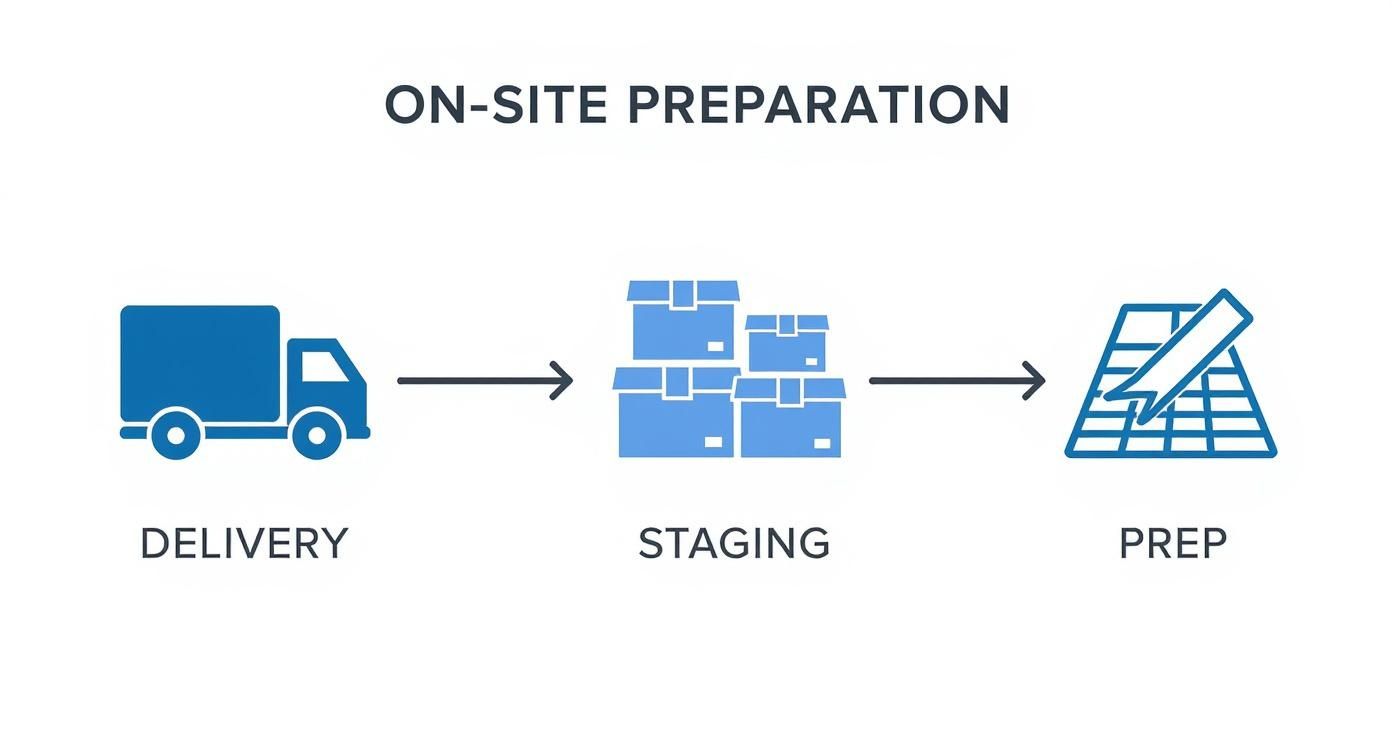
Before the first screw is even turned, a few foundational steps have to happen on-site.

Infographic detailing the three steps for a successful build day: delivery, staging, and site preparation.

As you can see, a successful build day starts with organized logistics, not just raw assembly.

Building the Architectural Foundation First

The installation sequence almost always kicks off with the biggest, most structural elements. This means any modular or architectural walls go up first. These are the components—like glass partitions or solid panel walls—that create private offices, conference rooms, and defined team zones.

Putting them in at the start serves two key purposes:

  • It establishes the fixed boundaries of the floor plan, which then guides the placement of every other piece of furniture.
  • It avoids the logistical nightmare of trying to maneuver huge, heavy wall panels around desks and chairs that have already been put together.

Think of it like building the rooms before you furnish them. This approach makes sure everything that comes next fits cleanly and precisely.

Assembling Systems Furniture and Cubicles

Once the main walls are in place, the focus shifts to the heart of the layout: the systems furniture. This is your interconnected workstations and cubicles that will form the main work areas for your team. A pro installation team will tackle this phase systematically, usually working in zones or rows based on the floor plan.

A critical pro tip here is constant measurement and leveling. Even a tiny error in the first workstation of a row can get bigger and bigger down the line, resulting in some serious misalignments by the end. Installers are always checking for levelness and squareness to guarantee a perfect fit.

Putting these systems together is a specialized skill. For a closer look at what goes into it, our guide on office furniture and cubicle assembly offers more detail on the techniques and tools the pros use.

Placing Freestanding Furniture and Casegoods

With the cubicles and workstations built, the space is really starting to feel like an office. The next logical step is to bring in all the freestanding pieces. This includes executive desks, conference tables, reception stations, and storage units like filing cabinets and credenzas.

These items get placed according to the final floor plan. Because the main systems furniture is already in, positioning these pieces is pretty straightforward. The crew can easily get them into their designated spots without having to work around piles of parts waiting to be assembled.

Final Placement of Seating

The very last step in the physical installation is placing the chairs. This covers everything from ergonomic task chairs at each workstation to guest chairs in private offices and the soft seating in lounge or collaboration areas. We save this for last on purpose to keep chairs from getting in the way or being scuffed up during the assembly of heavier items.

This final touch completes the workspace and gets it ready for the team. The growing popularity of these projects reflects bigger trends in office design. According to Fortune Business Insights, the main drivers of market expansion include a bigger emphasis on ergonomic seating, the shift toward flexible work environments, and corporate investments in modernization.

Integrating Power and Data for a Functional Workspace

A clean office workspace after professional installation with integrated power and data ports visible on the desks, showcasing effective cable management.

Beautifully assembled furniture doesn’t mean much if your team can’t plug in. A modern workspace absolutely runs on connectivity, making power and data integration a critical stage of any office furniture installation. This isn’t just an afterthought; it’s a foundational step that needs to be planned long before the first desk is even built.

Skipping this phase will almost certainly lead to a messy, hazardous, and unproductive environment. But when it’s managed correctly, you get a seamless, functional space where technology and furniture work together perfectly.

The Power of Early Coordination

The single biggest mistake we see businesses make is waiting too long to coordinate with their IT pros and electricians. Your furniture layout has to align perfectly with your building’s existing power and data infrastructure, which means getting the right people to the table during the space planning phase.

Bring in your IT team to map out data port requirements for every single workstation and common area. At the same time, loop in your electricians to make sure the power plan won’t overload circuits and that outlets are placed exactly where they’re needed. This proactive approach saves you from costly and disruptive changes later, like having to drill into new furniture or run ugly extension cords across walkways.

We’ve seen it happen time and again: a project where furniture is placed before power and data are verified. It forces teams to work backward, sometimes drilling into brand-new surfaces or compromising the entire aesthetic. Getting your technical teams and furniture installers to review the plan together is the best way to avoid this headache.

Choosing Your Cable Management Solutions

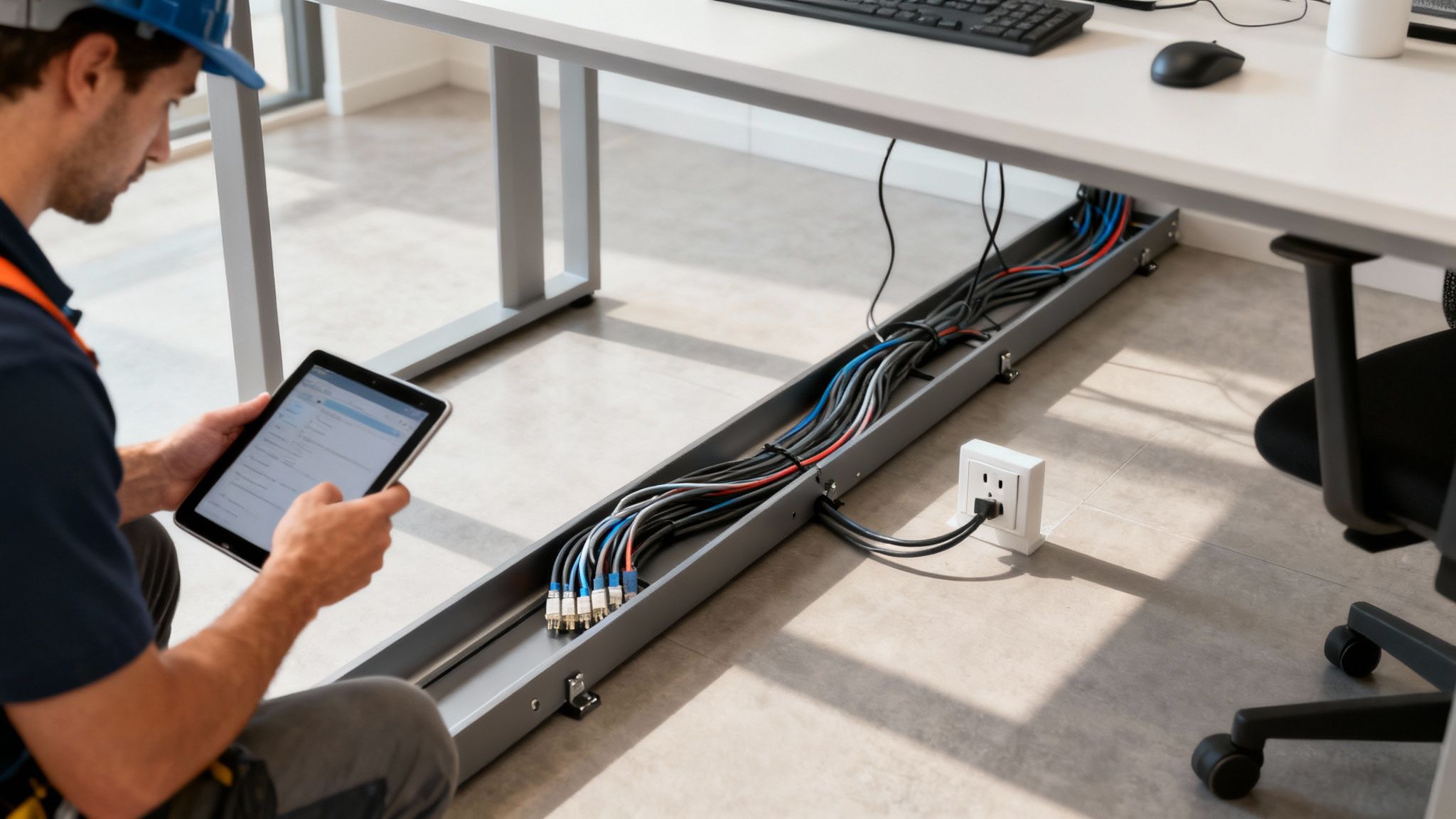
A clean, organized workspace is a productive one, and that means taming the inevitable “cable spaghetti.” Luckily, modern office furniture offers all sorts of built-in and add-on solutions to keep wires hidden, organized, and safe from damage.

Effective cable management is about more than just looks—it’s a critical safety measure. The U.S. Bureau of Labor Statistics has highlighted that falls, slips, and trips are a leading cause of nonfatal workplace injuries, with loose cords being a common and completely avoidable culprit.

Here are a few popular options to consider:

  • Raceways and Power Poles: These are channels, often built right into cubicle panels or run vertically from the ceiling to the workstation, that neatly hide bundles of cables.
  • Under-Desk Trays and Baskets: A simple but incredibly effective solution. These mount to the underside of a desk to hold power strips and excess cable slack, keeping everything up off the floor.
  • Grommets and Cutouts: These are clean openings in the desktop that allow cables to pass through neatly, preventing them from being draped messily over the edges.

For a deeper dive into the technical side of wiring, check out our detailed guide on the fundamentals of a proper cubicle electrical setup.

Navigating Compliance and Safety Codes

Beyond simple organization, integrating power and data correctly is a matter of legal compliance and workplace safety. This is a non-negotiable part of a professional office furniture installation that protects both your people and your business. Several key standards have to be met.

First off, the Americans with Disabilities Act (ADA) requires clear, unobstructed pathways. This means no cables can cross walkways where they could create a tripping hazard for anyone, especially individuals with mobility or vision impairments.

On top of that, all electrical work must follow local building and fire safety codes. Using non-compliant parts or overloading circuits can create serious fire risks and will absolutely cause you to fail a building inspection. Always, always use a licensed electrician to ensure all power integration meets these strict standards, creating a workspace that is safe, accessible, and fully compliant for every member of your team.

Nailing the Final Punch List and Project Handover

The installation crew has packed up their tools, and your new office is really starting to take shape. It looks just like the floor plan you signed off on months ago. But hold on—the office furniture installation isn’t quite over yet.

This final phase, the punch list and official handover, is what separates a good project from a great one. It’s your last, best chance to make sure every single detail is perfect before you give the final sign-off.

This isn’t a casual stroll through the space; it’s a methodical inspection. You’ll want to do this with the installation project manager right by your side. They can answer questions on the spot and, more importantly, document any issues as you find them. The goal here is simple: catch any and all deficiencies, big or small, while the crew is still on hand to fix them quickly.

Conducting a Meticulous Final Walkthrough

Come prepared. You’ll need the final floor plan, your phone’s camera, and a critical eye. Plan to inspect every single piece of furniture, one by one. Don’t just glance at the big picture; get up close. Open drawers, test locks, and sit in chairs. You’re confirming that what you paid for is exactly what was delivered and installed correctly.

Your inspection should zero in on a few key areas:

  • Aesthetic Flaws: Look for any cosmetic damage that might have happened in transit or during assembly. We’re talking scratches on desktops, dings in filing cabinets, or small tears in chair fabric.
  • Functional Issues: This is huge. Open every single drawer and cabinet. Test the height-adjustment on every sit-stand desk. Sit in each chair to make sure the casters roll smoothly and all the ergonomic controls are working as they should.
  • Stability and Alignment: Give every desk and table a firm (but gentle) push. Does it wobble? Look down the rows of cubicles—are they perfectly aligned? Are all the panels level and connected securely?

Think of yourself as a detective looking for clues. A slightly crooked cubicle panel or a drawer that sticks might seem minor now, but those little things become daily annoyances for your team. It’s so much easier to get these fixed now than to chase them down weeks or months later.

Creating an Actionable Punch List

As you spot issues, you need to document them on a formal punch list. A vague list like “desk in corner broken” is useless. To get things fixed without a ton of back-and-forth, you have to be incredibly specific.

A truly effective punch list entry includes:

  1. A unique item number for easy reference.
  2. The exact location (e.g., “Workstation 12-B, left pedestal cabinet”).
  3. A clear, concise description of the problem (“Top drawer doesn’t close flush with the frame”).
  4. A photograph of the issue. A picture is worth a thousand words here.

This level of detail cuts through any potential confusion and gives the installation team a clear, actionable checklist. It turns what could be a frustrating process into collaborative problem-solving.

The Official Project Handover

Once every last item on your punch list has been resolved to your satisfaction, it’s time for the official handover. This is the moment the project formally concludes, and the responsibility for all the new furniture transfers to you.

During the handover meeting, the project manager will give you a package of essential documents. This should include all the manufacturer warranty information, care and maintenance guides for various finishes, and any spare parts, extra hardware, or keys for locking storage. This is a vital part of the comprehensive project management that ensures a successful outcome from start to finish.

With the handover complete, the installation is officially closed out. You’re left with a beautiful, functional, and move-in-ready workspace.

What About Home Office Furniture Installation?

The shift to remote and hybrid work isn’t just a trend; it’s a permanent part of how we do business. And with it, the demand for truly professional home office setups has gone through the roof. This isn’t just about putting a desk in a spare room anymore. We’re now dealing with office furniture installation that starts on a residential doorstep, not a commercial loading dock.

This brings a whole different set of challenges. We’re seeing more complex, highly ergonomic pieces in home offices. Think high-end sit-stand desks or task chairs with a dozen different adjustments. Assembling these correctly requires real precision. If it’s done wrong, you don’t just miss out on the health benefits—you can end up with a wobbly desk, a chair that causes back pain, or even damage to the intricate internal mechanisms.

Adapting to Residential Spaces

The logistics are a world apart from a typical office build-out. Forget freight elevators and wide-open corridors. At home, installers have to skillfully navigate tight hallways, tricky staircases, and standard-sized doorways, all without scratching a wall or dinging the furniture. It takes a different kind of planning and a lot more finesse.

Then there’s the challenge of fitting everything into a smaller residential space. Trying to integrate modular storage or a compact workstation requires a smart, strategic approach. A professional installer’s job is to make sure every piece fits perfectly and is anchored safely, creating a functional workspace that doesn’t completely overwhelm the room.

An investment in professional assembly for your home office goes way beyond convenience. It’s really an investment in your own safety, proper ergonomics, and the longevity of the furniture itself. It’s how you guarantee your workspace will support you for years to come.

The growth here is no joke. The home office furniture market is already a massive industry, and some projections show it could balloon to USD 72.19 billion by 2034. That’s a clear signal that people are serious about creating better, more permanent workspaces at home. You can read the full research on the home office furniture market from GM Insights for a deeper dive.

So, whether you’re an individual finally building out that dream home office or a company looking to equip your remote team, professional installation is the key. It’s what ensures every component—every desk, chair, and cabinet—performs exactly the way it was designed to. It’s how you make sure the money you spent on quality furniture pays off in both comfort and durability.

Your Office Furniture Installation Questions, Answered

Even the most buttoned-up installation plan can leave a few questions lingering. It’s completely normal. Here are some straightforward answers to the questions we hear most often, designed to give you clarity and confidence as you head into your project.

How Long Will This Actually Take?

This is the big one, and the honest answer is: it depends. There’s just no single timeline that fits every project.

Think of it this way: a small setup for a team of 5-10 people with straightforward desks? We could have that wrapped up in a day or two. But if we’re talking about a full corporate floor—over 100 cubicles, private glass-walled offices, conference rooms, and lounge areas—you’re likely looking at a week or more of dedicated work.

A few things really move the needle on timing:

  • The Complexity of the Furniture: Freestanding desks go together quickly. An interconnected systems furniture layout with integrated power is a different beast entirely and takes much more time.
  • Site Readiness: Is the floor clear, clean, and ready for us? Or are we navigating around other trades or leftover debris? A prepped site makes a world of difference.
  • Coordinating with Other Trades: We have to sync up our work with your electricians and IT technicians, which can influence the overall schedule.

Your best bet is to ask your installation partner for a detailed project schedule. That’s the only way to get a realistic completion date you can actually plan around.

What’s the Ballpark Cost for Professional Installation?

Installation costs are usually handled one of two ways: a flat rate based on the project scope or an hourly rate per installer. As a general rule of thumb, you can budget somewhere between 5% to 15% of your total furniture purchase price for the installation.

Now, several factors can push that number to the lower or higher end of the range. Your location, whether the job requires union or non-union labor, and tricky site conditions—like multiple flights of stairs with no freight elevator—all play a part. Needing the work done after hours or on a weekend will also affect the final price.

Always, always get a detailed, itemized quote before work begins. It’s the best way to avoid any surprises when the final invoice arrives.

Here’s a pro tip: Ask if the quote includes a “final clean.” This means the crew will break down and haul away all the cardboard and packaging, and wipe down every surface. You don’t want your own team stuck with that job.

Can You Get Rid of Our Old Furniture?

Absolutely. Most full-service installation companies, including us, offer decommissioning services. It’s a huge weight off your shoulders. The process involves systematically dismantling all your old furniture, carefully removing it from the building, and making sure it’s handled responsibly.

We always try to be as sustainable as possible. That often means:

  • Recycling all the metal, wood, and plastic components.
  • Donating items that are still in good shape to local non-profits.
  • Finding a new home for pieces on the secondary market.

Just be sure to bring this up during the planning phase. That way, it can be properly quoted and built right into the project timeline.

How Do I Get My Office Ready for the Install Crew?

Getting your space prepped is single-handedly the best thing you can do to guarantee a smooth, fast installation. The goal is to give the crew a completely blank slate to work with.

Before they show up, make sure the area is totally clear of old furniture, stray boxes, and any other clutter.

If you’ve just had new paint or flooring put in, check that it’s had enough time to fully cure—we don’t want to scuff fresh work. It’s also a good idea to double-check that your electrical outlets and data ports are live and exactly where they need to be according to the furniture plan. A little bit of prep goes a long way.


At Cubicle By Design, we thrive on the details. Our seasoned project managers and professional installation crews are here to make sure your new office is built to spec, on schedule, and ready to empower your team from day one. Design your ideal workspace today.

Read More