


You're handed a floor plan, a move-in date, and a budget target that feels too neat for actual conditions. Facilities wants the layout to work. HR wants people comfortable. Leadership wants the number to stay under control. Then the first question lands on your desk: what's the workspace price?
That question sounds simple, but it rarely is. A workstation isn't just a desk. It's privacy level, storage, wiring, ergonomics, installation, reconfiguration potential, and how long the system will hold up before you start replacing parts.
Most budget overruns happen because buyers compare the visible line item and miss the ownership cost behind it. A lower per-station number can still become the more expensive choice if the panels don't fit the floor plan cleanly, the power needs aren't resolved early, or the chairs wear out long before the rest of the office does.
Workspace Price Guide 2026
How to Start Budgeting for Your New Office
The most common starting point is an empty suite or an office full of furniture that no longer matches how the team works. Someone opens a spreadsheet, types “workstations,” and expects a clean answer. Then the quotes come back with different panel heights, different storage packages, different installation scopes, and different assumptions about power. That's when the budget starts to blur.
A better way is to budget in layers. First, define how many people need dedicated seats. Then separate job types. Customer support, sales, design, admin, and managers don't use space the same way, so they shouldn't all get the same workstation by default.
If you're relocating as part of the project, logistics need to sit in the budget from day one. Teams handling relocation timelines often benefit from guidance on planning your Central Coast business move before they lock furniture dates, because delivery and install sequencing can affect downtime, storage, and labor planning.
Start with the floor, not the catalog
Many buyers shop products before they confirm capacity. That usually leads to one of two problems: stations that are too large for the footprint, or a dense layout that looks efficient on paper but creates circulation and access issues once people move in.
Use your square footage and circulation needs to define what the room can support. Cubicle sizing decisions make more sense after you review a practical office space size guide and map real seat counts against columns, windows, entries, and shared zones.
Practical rule: Budgeting gets easier when you decide what each team needs to do all day, not what looks good in a showroom.
Set three budget bands
Before requesting layouts, establish three internal numbers:
- Target budget: The number you want to hit.
- Walk-away budget: The point where the project needs redesign, phasing, or scope reduction.
- Holdback reserve: A protected amount for surprises like electrical adjustments, furniture removal, or field conditions.
That framework gives you room to make decisions without reacting emotionally to every quote revision.
Deconstructing the Price of a Workspace
When clients ask for workspace price, I usually translate the request into a more useful question: what are we buying per person? The answer almost always includes more than the visible desk.
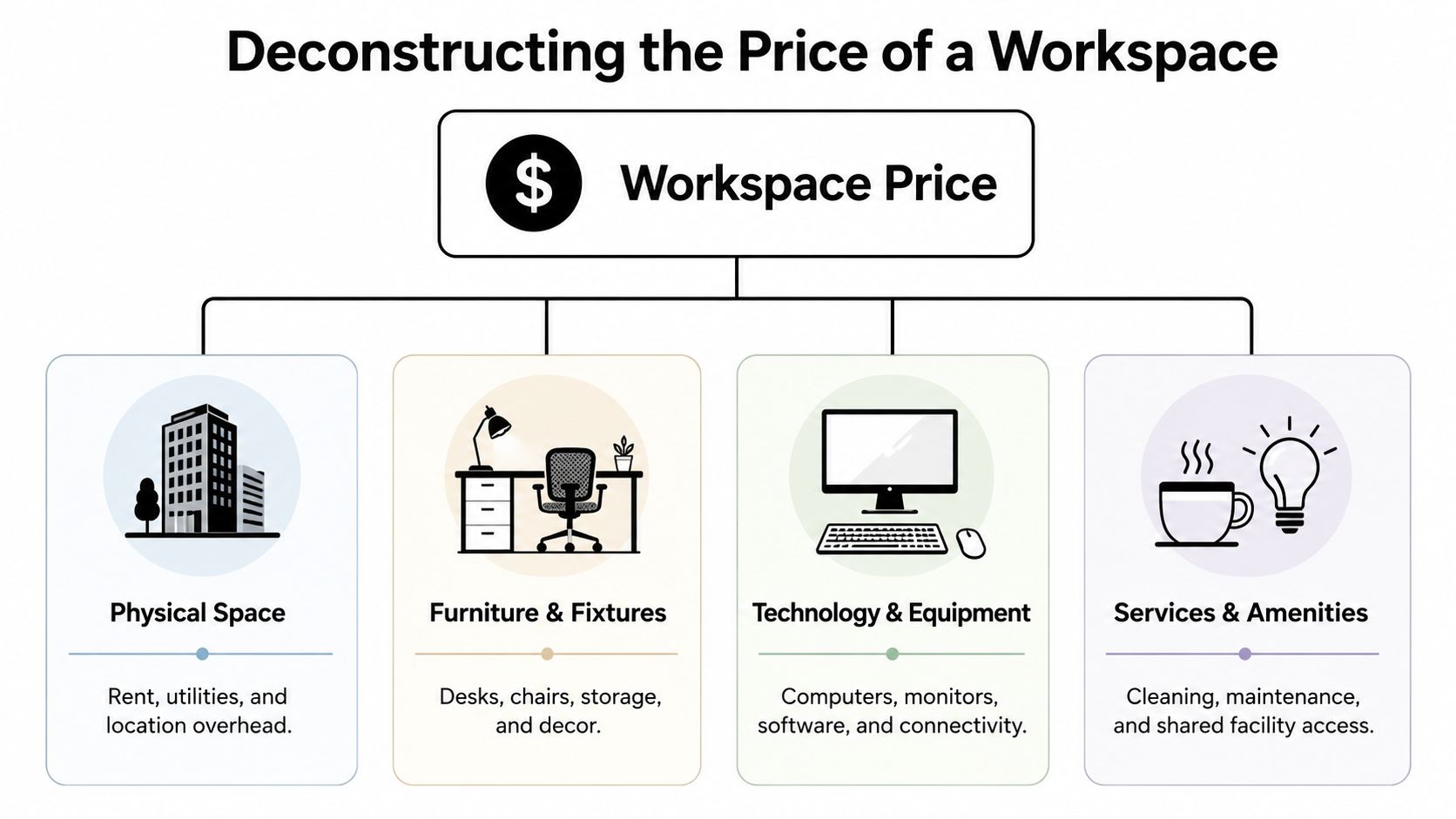
A workstation package usually has four core furniture components, plus project services around it. If you skip any one of them during budgeting, the number looks cleaner than reality and then grows later.
The station shell
This is the structural framework. It includes panel systems, dividers, legs, frames, connectors, and the footprint that shapes each seat. In many projects, the shell sets the visual tone of the office and controls privacy, density, and future flexibility.
For teams comparing options, a dedicated look at modular workstation price helps clarify why two stations that appear similar can land in very different quote ranges once panel construction and add-ons are included.
The work surface and storage
A desk without enough surface area creates workarounds immediately. People add carts, side tables, or piles of paper because the original station didn't fit the task. Storage works the same way. If a user needs daily access to binders, personal items, or archived files, the wrong pedestal or lack of overhead storage turns into clutter and wasted motion.
Here's a simple breakdown:
| Component | What affects cost most | What buyers often miss |
|---|---|---|
| Panels and partitions | Height, finish, acoustic properties | Reconfiguration value later |
| Work surfaces | Size, shape, laminate quality, edge detail | Monitor placement and usable depth |
| Storage | Pedestals, overheads, lateral files | Clearance and accessibility |
| Seating | Ergonomic adjustment range and durability | Replacement cycle and warranty |
The support costs around the furniture
Many “good deals” often become less attractive. Delivery, staging, installation, debris removal, punch-list corrections, and post-install adjustments all shape the actual workspace price. Cleaning also belongs in the bigger occupancy picture. If your office team is mapping recurring operating costs alongside setup costs, commercial service references like Neat Hive Cleaning can help you account for maintenance expectations in a realistic way.
A low quote is only useful if it includes the work required to make the office usable on day one.
The 7 Key Drivers of Workspace Cost
Two offices can have the same seat count and still produce very different numbers. The reason is almost never one dramatic upgrade. It's usually a stack of smaller decisions that compound across every station.
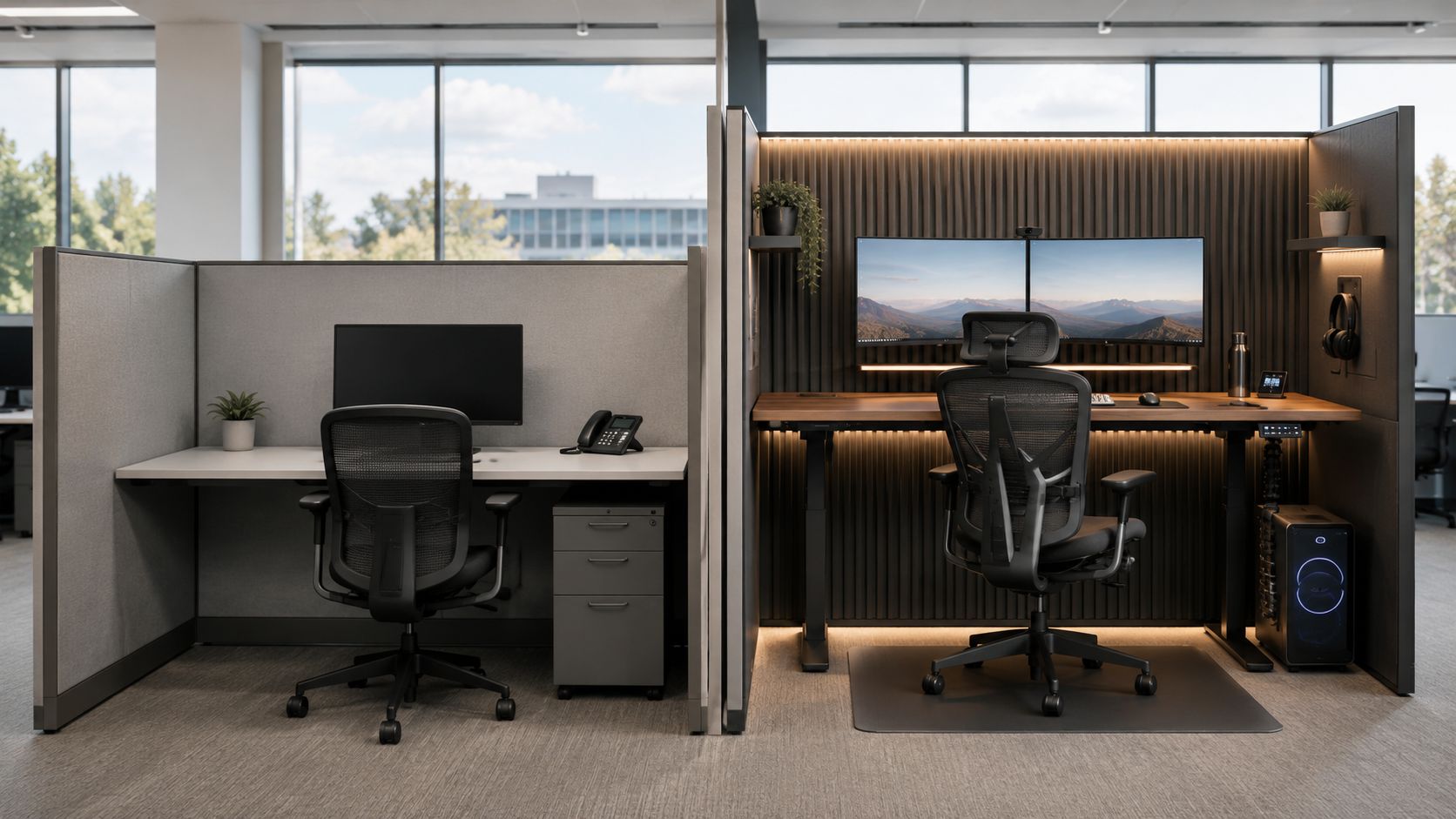
Height and enclosure level
Low-profile stations support visibility and faster communication. Taller systems create privacy, sound control, and stronger separation between users. Neither is universally right. The wrong choice costs money in different ways. Too low, and people start searching for quiet rooms. Too high, and the office can feel closed off while reducing planning flexibility.
Material and finish choices
Fabric panels, laminate surfaces, metal frames, and glass all change the total. Material choice also changes maintenance. Some finishes hide wear better. Others enhance the appearance of the office but ask for more care and a tighter install.
If you're evaluating transparent or semi-private layouts, comparing the cost of glass office walls is useful because glass shifts both the aesthetic and installation conversation.
Surface size and shape
A straight desk is one budget path. An L-shape, corner station, or larger worksurface supports more equipment and multitasking, but increases material, footprint pressure, and planning complexity. Surface depth matters more than many buyers expect, especially if the team uses dual monitors, document holders, or desk-based collaboration.
Field note: The desk that fits the drawing isn't always the desk that fits the job.
Seating quality
Chair cost varies for good reason. Adjustment range, seat foam resilience, arm performance, and back support all affect how long the chair remains usable. In active offices, this is one of the most visible differences between a short-term buy and a long-term one.
Storage package
A mobile pedestal may be enough for one department and completely inadequate for another. Overhead bins, wardrobes, laterals, and shared storage walls increase project cost, but they can also prevent clutter and reduce the need for separate furniture purchases later.
Power and data integration
Electrical planning can move a quote more than clients expect. Feed locations, access points, cable management, and coordination with building conditions all matter. If your team is planning workstation power in a renovation or expansion, practical references such as Electricians London 247's electrical insights can help frame the scope questions you should resolve before installation day.
Shipping and installation
Freight isn't just transit. It's packaging, site access, elevator coordination, receiving conditions, assembly labor, and whether installers walk into a ready room or a jobsite with unresolved constraints.
The seven drivers rarely act alone. They stack. A mid-height station with upgraded seating and basic storage might be sensible. Add premium finishes, larger tops, integrated power, and a difficult install condition, and the workspace price changes quickly.
Sample Configurations and Price Ranges
Abstract budgeting only goes so far. Most buyers need to see what a realistic station package looks like in the field before the numbers feel useful.
The Essentials Hub
This setup fits teams that need functional, efficient seating with controlled spending. Think support groups, intake teams, admin departments, and dense operations floors. The emphasis is on straightforward panels, practical surfaces, basic storage, and reliable task seating.
A common mistake here is cutting too far. When every station becomes the smallest possible version of itself, teams lose enough workspace and storage that they start adding side pieces later. That usually costs more than sizing correctly from the beginning.
The Collaborative Pod
Many growing companies gravitate towards this kind of environment. The office still needs structure, but communication matters. Lower partitions, cleaner finishes, broader work surfaces, and selected ergonomic upgrades create a more versatile daily environment.
These layouts often work well in pods instead of long uninterrupted rows. Buyers comparing this route often browse modular office cubicles because the system approach makes it easier to adapt team clusters later without replacing the entire floor.
The Executive Suite
This configuration suits leadership areas, private-focus roles, and client-facing environments where finish level matters. The package may include larger surfaces, premium storage, stronger privacy, and upgraded partition materials such as glass or refined laminates.
Here's a practical reference point based on the planning ranges provided for this article:
| Configuration | Typical use | Estimated price range per station |
|---|---|---|
| Essentials Hub | Call centers, support, task-based teams | $700 to $1,200 |
| Collaborative Pod | General office teams, hybrid collaboration | $1,300 to $2,200 |
| Executive Suite | Managers, private-focus work, premium areas | $2,300 to $4,000+ |
Those ranges are useful for early planning, not a substitute for a real quote. A budget station with difficult installation can outperform a premium station in a straightforward room once total project costs are added up. The opposite also happens. A well-built system in a flexible layout can preserve value longer than a cheaper package that has to be replaced or heavily modified after the first reorganization.
Your Step by Step Cost Estimation Guide
Most office managers don't need a perfect number on day one. They need a defensible planning number that gets leadership aligned and avoids a bad fit later. That starts with a worksheet mindset.
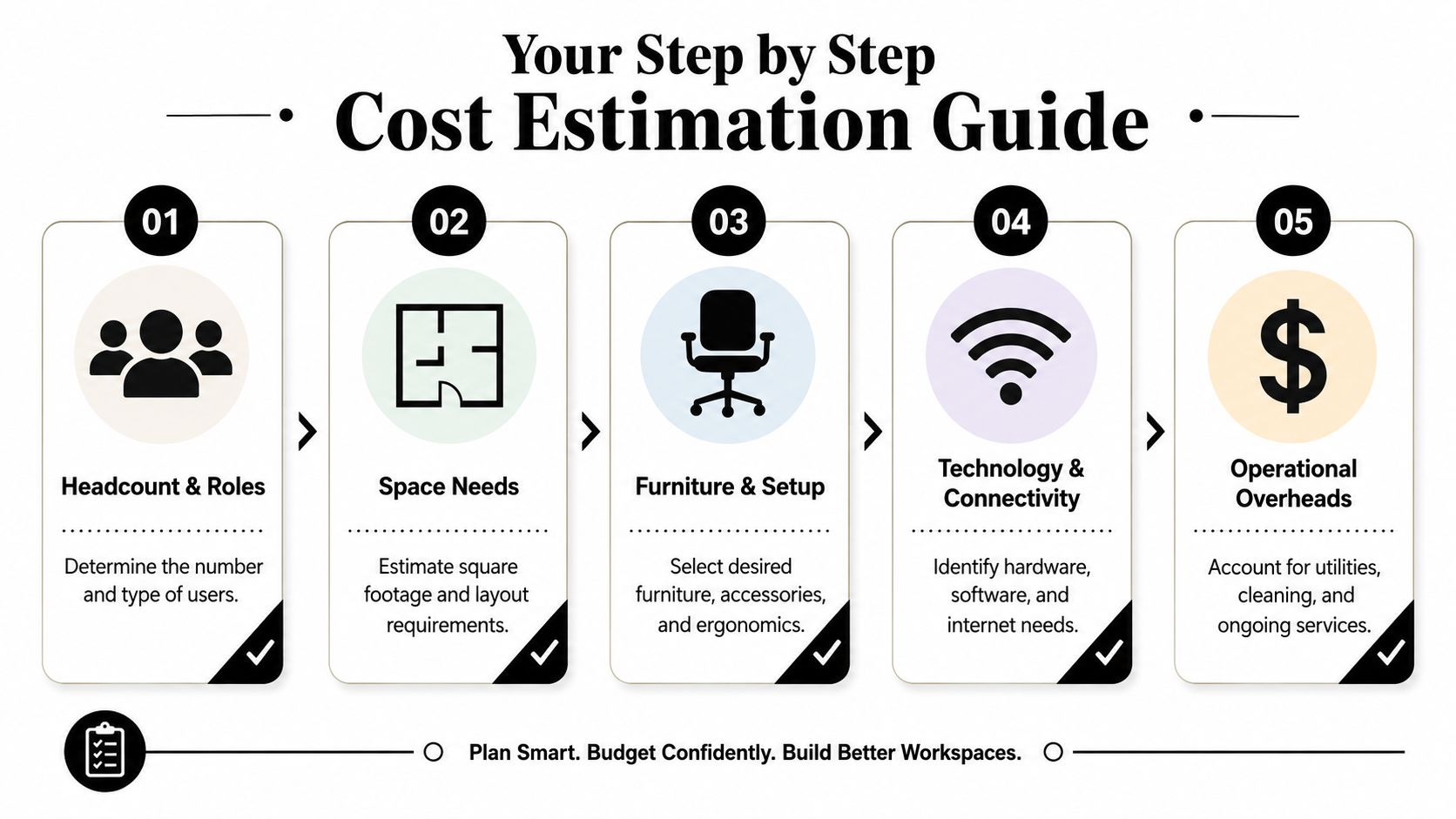
Step 1 and Step 2
Start with people, then space.
- Count by role, not just headcount. List who needs assigned seating, who can hotel, who needs privacy, and who works mostly on screens versus paper.
- Measure what the floor really gives you. Include columns, windows, exit paths, utility locations, and doors that swing into planning zones.
That second step sounds basic, but it prevents expensive redesigns.
Step 3 and Step 4
Then define layout logic and feature priorities.
- Choose a layout type: Rows maximize density. Pods support team clustering. Hybrid plans mix open stations with private offices and touchdown spaces.
- Separate must-haves from nice-to-haves: Power access may be essential. Premium surface finish may be optional. A tall panel for one department may matter more than upgraded storage in another.
Buy around the work. Don't force every department into the same station spec just to simplify purchasing.
Step 5
Add service scope before you finalize your budget worksheet.
Ask these questions:
- Do you need space planning support? If so, include it early.
- Will old furniture be removed? Disposal and cleanout affect labor and timing.
- Is installation straightforward? Upper floors, restricted dock access, or phased occupancy can add complexity.
- Will you reconfigure later? If growth is expected, modularity deserves weight in the decision.
For teams that want to test dimensions, privacy levels, and finish combinations before requesting pricing, the Cubicle Designer is one practical tool for turning a rough idea into a more structured brief.
Here's a concise worksheet you can use internally:
| Question | Your notes |
|---|---|
| How many total seats are needed now | |
| Which roles need larger or more private stations | |
| What layout type fits the workstyle | |
| Which features are mandatory | |
| What project services must be included |
Once those blanks are filled, your workspace price estimate becomes far more reliable because it reflects the project you're building, not an average pulled from a product page.
Thinking Beyond the Price Tag Budgeting and ROI
The cheapest station on paper often becomes the most expensive one to live with. That's especially true when chair failure, damaged surfaces, weak storage hardware, or hard-to-reconfigure panel systems start forcing replacements before the rest of the office is due for an update.
Long-term value usually comes from three places. First, durability. Second, warranty coverage. Third, the ability to adapt the layout without scrapping major components. A modular system that can move with team changes protects budget in a way a fixed, inflexible setup doesn't.
Google Workspace pricing offers a useful budgeting parallel on the software side. Business editions are priced per user, per month, capped at 300 users before moving to Enterprise, with annual rates of $7, $14, and $22 for Business Starter, Business Standard, and Business Plus, while flexible rates rise to $8.40, $16.80, and $26.40, creating about a 20% premium for month-to-month flexibility according to Google's business editions table at Google Workspace business editions. Furniture planning works similarly in principle. Flexibility has value, but it usually isn't free.
One more budgeting reality is that software buyers are being pushed to think about total cost, not just base subscription. Google's business pricing also shifted after AI features were folded into plans, with coverage noting that Business Standard moved from $12 to $14 per user per month and older structures could cost $32 per user per month when Gemini was purchased separately, as summarized by ITPro's review of the Gemini pricing shift. Office furniture deserves the same level of scrutiny. Look past the headline number and ask what's bundled, what will last, and what you'll still value after the move-in excitement is gone.
Get Your Free and Accurate Workspace Price Quote
Once your headcount, layout priorities, and service scope are clear, the quote process gets much more productive. Instead of asking for “some cubicles,” you can ask for a layout and budget that reflect privacy needs, storage requirements, electrical planning, and the installation conditions in your building.
That's also the right moment to compare product paths. Some projects call for custom office cubicles with specific dimensions and finish choices. Others benefit from glass office partitions in manager zones, denser call center cubicles for high-capacity seating, or flexible workstation cubicles for general office use.
For buyers who already have a rough brief and want formal pricing, the next practical step is to request a workspace quote. If you want one source to review layouts, product configurations, and planning inputs together, Cubicle By Design offers that kind of furniture-focused workflow support as part of the procurement process.
The main goal isn't to chase the lowest visible number. It's to arrive at a workspace price that matches the way your team works, fits the space you have, and stays defensible long after installation day.
If you're budgeting a new office, expansion, or reconfiguration, Cubicle By Design can help you translate floor plans, seat counts, and feature priorities into a realistic workstation budget that accounts for the full project, not just the per-station sticker price.