Conference Table with Electrical Outlets | Your 2024 Guide | Cubicle By Design

We’ve all been there. You’re in the middle of a critical presentation, and suddenly you’re staring at a tangled nest of extension cords snaking across the floor. It’s not just messy—it’s a dead stop to productivity and looks completely unprofessional. A conference table with electrical outlets is the answer, turning a chaotic meeting space into a smooth, connected hub. This one upgrade keeps every device powered up, letting your team stay focused on what actually matters. At Cubicle By Design, we help businesses create these efficient, modern workspaces.

Why Your Modern Office Needs a Powered Conference Table

The days of frantically searching for a free wall socket or tripping over cables are over. In today’s workplace, the conference room is the command center for collaboration, client pitches, and big decisions. A conference table with built-in power isn't a perk anymore; it's essential infrastructure for any business that wants to stay competitive.

The market backs this up. The global demand for meeting room power outlets is expected to jump from $850 million in 2025 to $1.5 billion by 2033. What’s driving this? A massive push toward smart office technology, with 72% of businesses now making tech integration a top priority when they upgrade their conference rooms. You can get a closer look at these market shifts in this detailed report.

The Real Cost of Poor Connectivity

Without easy access to power, meeting rooms fall into a familiar, frustrating pattern that quietly kills productivity. Think about the last time a meeting got derailed because someone's laptop was about to die, sending them on a mad dash for a charger. These little interruptions break the creative flow, disrupt the conversation, and make your whole operation look disorganized.

A powered table directly solves these common pain points:

  • Delayed Meetings: No more time wasted untangling cords or hunting for power bricks before a presentation can even start.
  • Safety Hazards: Loose cables on the floor are a major trip hazard and create a cluttered, unprofessional look.
  • Reduced Collaboration: When people are chained to wall outlets scattered around the room, they can't fully engage with the team at the table.
  • Negative Client Impressions: A room full of messy wires can make a client question your company's attention to detail and professionalism.

Investing in a conference table with electrical outlets is really an investment in efficiency. It tells everyone—your team and your clients—that you value smooth collaboration, safety, and a modern, professional environment.

At the end of the day, giving your team the right tools is a fundamental part of smart workplace design. By eliminating these common frustrations, you create a space that genuinely supports productive work. You can explore our insights on other key workplace design trends to see how other small changes can deliver a huge impact.

Understanding Your Power and Connectivity Options

Picking the right power solution for your conference table is a lot like choosing the right tool for a job. You wouldn't bring a tiny screwdriver to a major construction project, right? In the same way, the power modules you select have to match what your team actually does day in and day out. This is about more than just simple charging; it’s about future-proofing your meeting spaces. From versatile workstation cubicles to executive suites, having the right power access is key.

You’ll generally run into a few common options: pop-up outlets, flush-mounted modules, and even slick wireless charging pads built right into the tabletop. Each one strikes a different balance between looks, ease of use, and capability. Some teams might just need a couple of standard electrical outlets, while others will need a whole suite of modern ports to stay productive.

This decision tree really boils it down to a simple choice between a modern, efficient setup and an outdated, frustrating one.
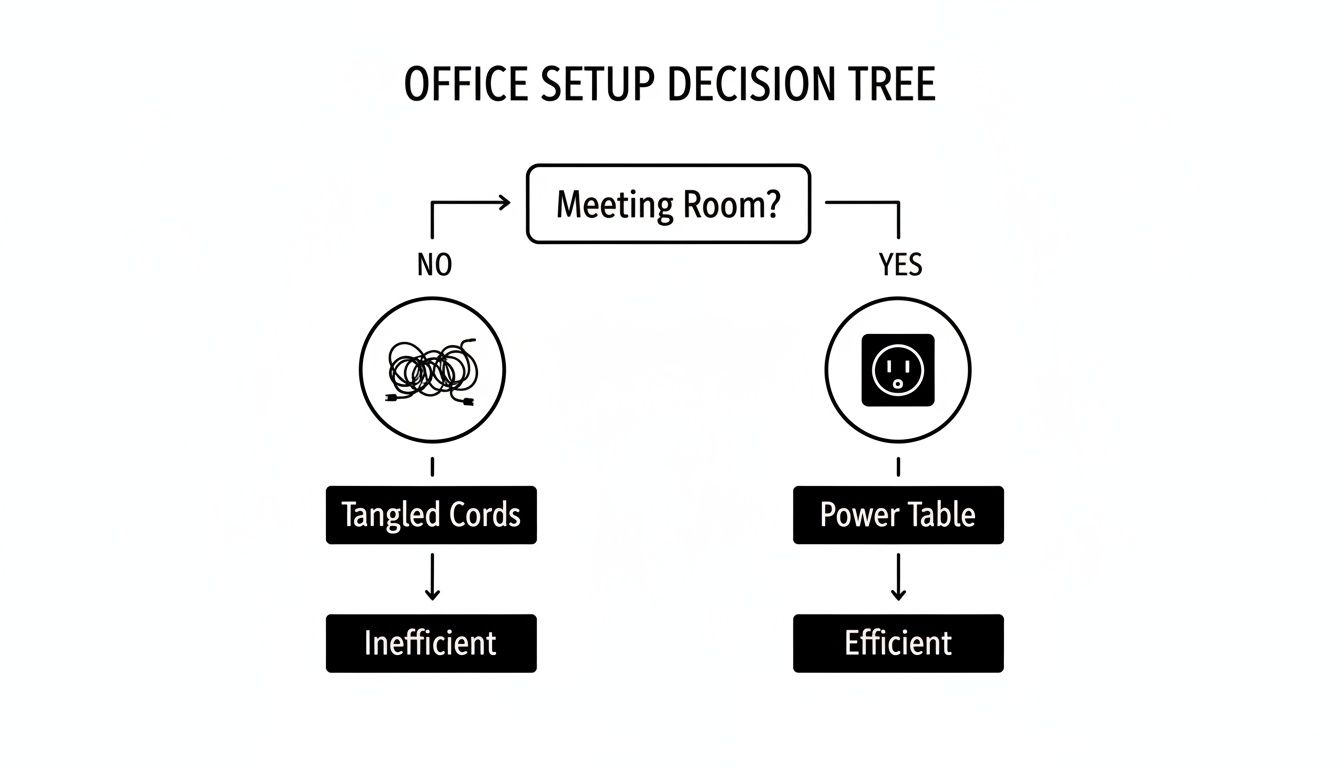
Decision tree illustrating office setup efficiency: meeting room with a conference table with electrical outlets is efficient, while a room without one is inefficient, leading to wasted time.

As you can see, building power directly into your conference table is the clearest path to a meeting room that works for you, not against you.

Differentiating Power Modules

Not all power units are created equal. The most basic versions just offer standard electrical outlets, which are great for keeping laptops juiced up during those long planning sessions. But the real game-changer in a modern conference table with electrical outlets is a unit that acts as a full-blown connectivity hub.

These more advanced modules typically pack a mix of ports designed for how we work today:

  • USB-A Ports: Still essential for charging older phones, keyboards, and a ton of other common desk gadgets.
  • USB-C Ports: This is the new standard. It's perfect for fast-charging modern laptops, tablets, and phones, letting people leave their bulky power bricks at their desks.
  • HDMI Ports: A must-have for seamless, plug-and-play screen sharing. No more fumbling with adapters right before a big presentation.
  • Ethernet Ports: When you need a rock-solid internet connection for a critical video conference or a massive file download, nothing beats a hardwired port.

Take a minute to think about your team’s daily grind. Are they constantly sharing their screens in meetings? An HDMI port isn't a luxury; it's a necessity. Do they live on video calls? An Ethernet port will give them the reliability they need. Matching the ports to how your team actually works saves you from paying for features that will just collect dust. For simpler needs, you can always explore how an under-desk power strip can supplement your main power hub without cluttering the tabletop.

Aesthetics and Accessibility

How the power module looks and feels is just as important as what it does. A sleek, flush-mounted unit keeps the tabletop clean and uninterrupted, which is perfect for a minimalist office design. On the other hand, a pop-up unit stays completely hidden until someone needs it—a "now you see it, now you don't" feature that many teams love for its tidiness.

The goal is to provide power that is both easily accessible and visually unobtrusive. The best solutions blend seamlessly into the table's design, enhancing functionality without creating clutter.

The demand for these integrated features is absolutely taking off. The global conference table market was valued at a whopping $1,018.28 million in 2024 and is expected to climb to $1,481.06 million by 2032. A huge driver of that growth is the demand for smart features like built-in power. It’s also no surprise that rectangular tables, which are ideal for adding these long power modules, currently make up 50% of the market share in exports.

How to Plan Your Room Layout and Sizing

A conference table with integrated power is more than just furniture; it's the functional heart of your meeting space. Getting the size and placement just right is the first step toward a room that actually works for your team. A table that’s too big will make the room feel cramped and impossible to navigate. Go too small, and you've got a table that can't handle your team's needs. The goal is to hit that sweet spot between seating capacity and comfortable movement.

Start by getting out the tape measure and sizing up your room's total dimensions. A critical rule of thumb here is to leave at least 48 to 60 inches of clear space on all sides of the table. This isn't just for walking past. It's about giving people enough room to pull out their chairs and move around without bumping into walls or each other—a key consideration for ADA compliance.

An aerial view of a modern conference table with beige chairs and built-in power outlets, showing dimensions for proper room layout.

To make sure your new powered table fits perfectly, it pays to understand how to measure furniture accurately. Taking a few minutes to do this properly can save you from a massive headache down the line.

Strategic Placement of Power Modules

Once you've nailed down the right table size, it's time to think about where people will plug in. You don't want your team members awkwardly stretching across the table just to find an outlet. The whole point is to make power access completely effortless for everyone at the table.

A simple guideline to follow is to place one power module for every four to six feet of table length. This spacing ensures nobody is ever more than an arm's reach from a port. For instance, on a 12-foot table, two or three evenly spaced modules would provide fantastic coverage for the whole team. This kind of strategic placement also keeps the tabletop clean and prevents that dreaded tangle of charging cables from taking over your meeting.

If you want to dig deeper into table sizes, our complete guide on conference tables dimensions has all the details you’ll need.

When you're planning the layout, think about how your team actually works together. Placing power modules thoughtfully helps technology support the natural flow of a meeting, rather than getting in the way of it.

Visualizing Your Final Layout

Trying to picture how your conference room will look can be tough. It's one thing to have measurements on paper, but another to see it come to life. This is where planning tools are a game-changer, helping you turn those abstract ideas into a solid visual plan.

Using a digital design tool lets you play around with different table sizes, seating arrangements, and clearances before you make any final decisions. You can experiment risk-free.

While it’s designed for workstations, a tool like the Cubicle By Design Cubicle Designer can be a great asset. The principles of space planning are the same, and it’s perfect for mocking up your conference room. You can arrange all the elements to see how traffic will flow and ensure your chosen conference table with electrical outlets fits perfectly within your larger office design, creating a space that feels cohesive and intentional.

Getting the Installation and Code Compliance Right

The technical side of installing a conference table with electrical outlets can feel a bit daunting, but getting the basics right is absolutely critical for a safe, functional setup. You're generally looking at two paths: a hardwired system or a plug-and-play solution. Each has its own pros and cons when it comes to installation, cost, and how you might use the room down the road.

A hardwired setup is exactly what it sounds like—the table’s power modules get connected directly into your building’s electrical wiring. You'll need a licensed electrician for this, but the result is a totally seamless look with zero cords running to a wall outlet. On the other hand, plug-and-play systems gather all the table's power into a single cord that you just plug into a nearby floor or wall outlet. It’s a much more flexible option if you think you might reconfigure the room someday.

Don't Skimp on Electrical and Safety Codes

No matter which way you go, safety and code compliance are non-negotiable. Every commercial installation has to meet local building and electrical codes to prevent fire hazards and keep everyone safe. This is a huge reason why bringing in professionals is a must.

Beyond the general codes, installers need to follow the NFPA 70E electrical safety standards. Think of this as the rulebook for working safely around electrical equipment. Following these standards protects the installation crew, but it also protects your employees long after the job is done.

A professional installation isn't just about plugging things in. It’s about building a system that’s safe, reliable, and 100% compliant with every regulation. It’s about protecting your investment and, most importantly, your people.

This is exactly where a full-service partner like Cubicle By Design makes all the difference. Our teams are experts at handling these complexities, ensuring every piece is integrated correctly and safely. You can see how we manage these projects by exploring our professional office furniture installations process.

Smart Cable Management is a Must

A powered table is only as slick as its cable management. The whole point is to hide every wire, keeping the look clean and professional while getting rid of any trip hazards. Thankfully, there are some great solutions to make this happen.

  • Under-Table Trays and Channels: These are the hidden highways for your cords, guiding them neatly from the power modules down to the table's base.
  • Grommets and Cutouts: These are the clean, finished openings in the tabletop that let cords pass through, preventing that dreaded "spaghetti mess" on the surface.
  • Cable Spines and Conduits: If you have a height-adjustable or standing conference table, flexible spines are essential. They protect the cables and allow them to move smoothly as the table goes up and down.

This kind of attention to the hidden details is what sets modern office design apart. In fact, the market for boardroom table power outlets is expected to grow at a 6.8% CAGR, hitting $1.2 billion by 2030. A big driver for this is that large companies—which make up over 60% of the market—are all-in on hidden, integrated power for that sleek, high-end look.

Customizing Your Table Beyond the Power Outlets

A conference table wired for power is a functional workhorse, but let's be honest—it also needs to be a statement piece that fits your company's vibe and office design. The best tables don't just have outlets; they merge technology and aesthetics so seamlessly that the table becomes a centerpiece that's as beautiful as it is useful. Once you've figured out the tech, you can customize nearly every other aspect of the table to bring your vision to life.

The material and finish you choose really set the tone for the entire room. Your options run the gamut from durable, budget-friendly laminates—which come in countless colors and patterns—to the timeless warmth of real wood veneer or the undeniable presence of solid wood. If you're going for a more industrial or minimalist look, you might even consider metal or glass. Each material has a completely different feel, giving you the flexibility to align the table perfectly with your brand.

Three modern wooden conference tables with integrated power outlets and various wood finish samples on a white background, demonstrating customization options.

Harmonizing Form and Function

The shape of your conference table plays a surprisingly big role in both the room's dynamics and its day-to-day functionality. It directly influences how people interact and, just as importantly, how power can be distributed.

  • Rectangular Tables: This is the classic choice for formal boardrooms. It offers clear sightlines and makes it dead simple to run power modules down the center for uniform access.
  • Boat-Shaped Tables: With slightly curved sides, these tables are a game-changer for sightlines, especially for people seated further down the line. It just feels more collaborative.
  • Racetrack or Oval Tables: These shapes soften the feel of a room and encourage a more fluid, less hierarchical conversation. They're fantastic for creative brainstorming sessions.

The real magic happens when you connect these design choices back to the technology. Imagine a dark walnut veneer table paired with power grommets in a brushed bronze or matte black finish—it creates a cohesive, high-end look. The goal is a seamless integration where the tech feels like a natural part of the table’s design, not a clumsy add-on.

A well-designed conference table is where your company's culture meets its workflow. Every detail, from the wood grain to the finish on the outlets, contributes to a space that feels intentional, professional, and ready for business.

Integrating Advanced Technology

True customization goes beyond aesthetics and dives into advanced audiovisual (A/V) equipment. Your conference table can become the central hub for all your communication needs by integrating features right into the surface:

  • Built-in, flush-mounted microphones for crystal-clear audio during video calls.
  • Integrated touch-panel controls for managing the room’s lighting, displays, and audio systems.
  • Cable cubbies and pass-throughs designed specifically for bulky A/V wiring.

By planning for these integrations from the start, you’re not just buying a table; you're creating a powerful, self-contained collaboration station. This transforms your conference table with electrical outlets from a simple piece of furniture into the heart of a high-tech, fully functional modern workspace, ready for any presentation or global meeting you can throw at it.

Your Checklist for Buying the Perfect Powered Table

Ready to pull the trigger on a new conference table with built-in power? It can feel like a big decision, but this final checklist breaks it all down. Think of it as your step-by-step roadmap to make sure you’ve covered all the bases. Whether you need standard cubicles or a high-tech conference room, planning is everything.

We'll walk through everything from initial planning to the final details, so you can feel completely confident in your purchase. This isn’t just about buying a table; it’s about creating a truly functional and productive meeting space.

The Essential Purchasing Steps

Before you even think about placing an order, run through these key checkpoints. Getting this right from the start ensures the table you pick will actually work for your team for years to come.

  1. Figure Out Your Team’s Real Connectivity Needs: Start by talking to the people who will actually use the table. Are they just charging laptops, or do they need USB-C, HDMI, and Ethernet ports to get their work done? Don't guess—ask.

  2. Measure Twice, Buy Once: Get the exact dimensions of your room and sketch out where the table will go. You absolutely need to leave at least 48 inches of clearance on all sides. This isn't just for comfort; it's a key part of ADA compliance.

  3. Choose the Right Number of Power Modules: Based on what your team needs and how long the table is, decide on the right mix and quantity of power modules. A good rule of thumb is to have one module for every four to six feet of table length.

  4. Get Your Electrical and Code Ducks in a Row: Is a simple plug-and-play solution enough, or will you need to hardwire the table? This is the point where you should plan on looping in a licensed electrician to make sure everything is up to local safety and building codes.

  5. Pick Finishes That Match Your Brand: This is the fun part. Select the tabletop material, shape, and finish that fit your office vibe. Don’t forget to coordinate the finish on the power module grommets—it’s a small detail that makes a huge difference in creating a polished, professional look.

This checklist turns a complicated decision into a simple, manageable process. It makes sure your investment in a powered conference table actually supports your goals for a safer, more efficient, and modern office.

Working through these steps methodically is the surest way to a great result. For a deeper dive into outfitting your entire office, check out our comprehensive office furniture buying guide.

Ultimately, the goal is a seamless experience from start to finish. The team at Cubicle By Design is here to help you navigate every step, from laying out your space with our Custom Cubicle Designer to professional installation. Reach out today, and let's start designing a meeting space that truly works.

Common Questions We Hear

Finalizing your decision on a conference table with integrated power can bring up a few last-minute questions. It's totally normal. Getting clear, straightforward answers is the best way to make a confident choice that will perfectly suit your office for years to come. Here are some of the most common questions we hear from clients just like you.

How Many Outlets Do I Actually Need?

This is probably the number one question we get. A good rule of thumb is to plan for at least one power outlet and one USB port for every person at the table. So for a 10-person table, you'd want to install four or five dual-power modules, spaced out evenly so nobody has to stretch or ask a coworker to plug something in for them.

If your team is constantly hosting client presentations or everyone's running a laptop, a tablet, and a phone, you might want to increase that number. The goal is to guarantee everyone stays connected without a second thought.

Can I Just Add Electrical Outlets to My Existing Conference Table?

Yes, you often can. Retrofitting an existing table with pop-up or under-mount power modules is definitely possible. However, this isn't a simple weekend DIY project. It requires precise cutting and careful installation to avoid damaging the table's surface and, more importantly, to ensure it's completely safe.

Our strong recommendation? Talk to a professional installer or a company like Cubicle By Design first. We can assess your table's suitability and make sure any modification is handled correctly and meets all safety standards. It’s just not worth the risk otherwise.

What’s the Real Difference Between Hardwired and Plug-In Power?

The main difference boils down to installation and how permanent you want the solution to be.

  • Plug-in solutions offer fantastic flexibility. They have a single cord that connects to a standard wall or floor outlet, just like a lamp. This makes them much easier and less expensive to install.
  • Hardwired solutions are connected directly into the building's electrical system by a licensed electrician. This gives you a cleaner, more permanent setup with no visible cords running to a wall. It's often required by building codes for larger tables or in certain commercial spaces.

Choosing between them really depends on your long-term plans for the room and what your local building codes require. We can help you find solutions for everything from private office cubicles to large conference rooms.


Ready to create a modern, productive meeting space where everyone can stay powered up? The team at Cubicle By Design specializes in designing workspaces that make collaboration and efficiency happen. From the first sketch in our Custom Cubicle Designer to the final professional installation, we're here to help.
Read More

Mastering Conference Room Table Size for Productive Meetings

Picking the right conference room table size is a classic balancing act. You want to fit as many people as comfortably as possible, but you also need to leave enough room for people to actually move around. It’s a common mistake to get a table so big it completely chokes the room's flow, making the whole space feel cramped and awkward.

The secret isn’t just the table itself; it’s the breathing room—the negative space around it—that truly makes a conference room functional.

What to Consider Before Choosing Your Table Size

Deciding on the perfect conference table goes way beyond just picking a style you like. It's a strategic move that shapes the entire feel and function of your meeting space. Before you even think about pulling out a tape measure, you need to nail down the core factors that will drive your decision. Getting this right ensures your investment pays off for years to come.

A great table can turn a simple room into a powerhouse of productivity. A poor choice? It's just a source of daily frustration. Thinking through these key elements first lays the groundwork for a space that actually works. And if you're looking for a wider view on furnishing your entire workspace, our comprehensive office furniture buying guide is a great place to start.

Defining Your Room's Primary Purpose

First thing's first: what is this room really for?

  • Formal Board Meetings: Is this where you'll host high-stakes client presentations or executive pow-wows?
  • Collaborative Team Sessions: Will it be a creative hub for brainstorming, daily stand-ups, and project work?
  • Hybrid Meetings: Does it need to be wired for sound and video to seamlessly connect in-person and remote team members?

The room's main job dictates everything—not just the size, but the shape and features you'll need. A formal boardroom often calls for a large, commanding table, while a creative war room thrives on a more flexible, open setup.

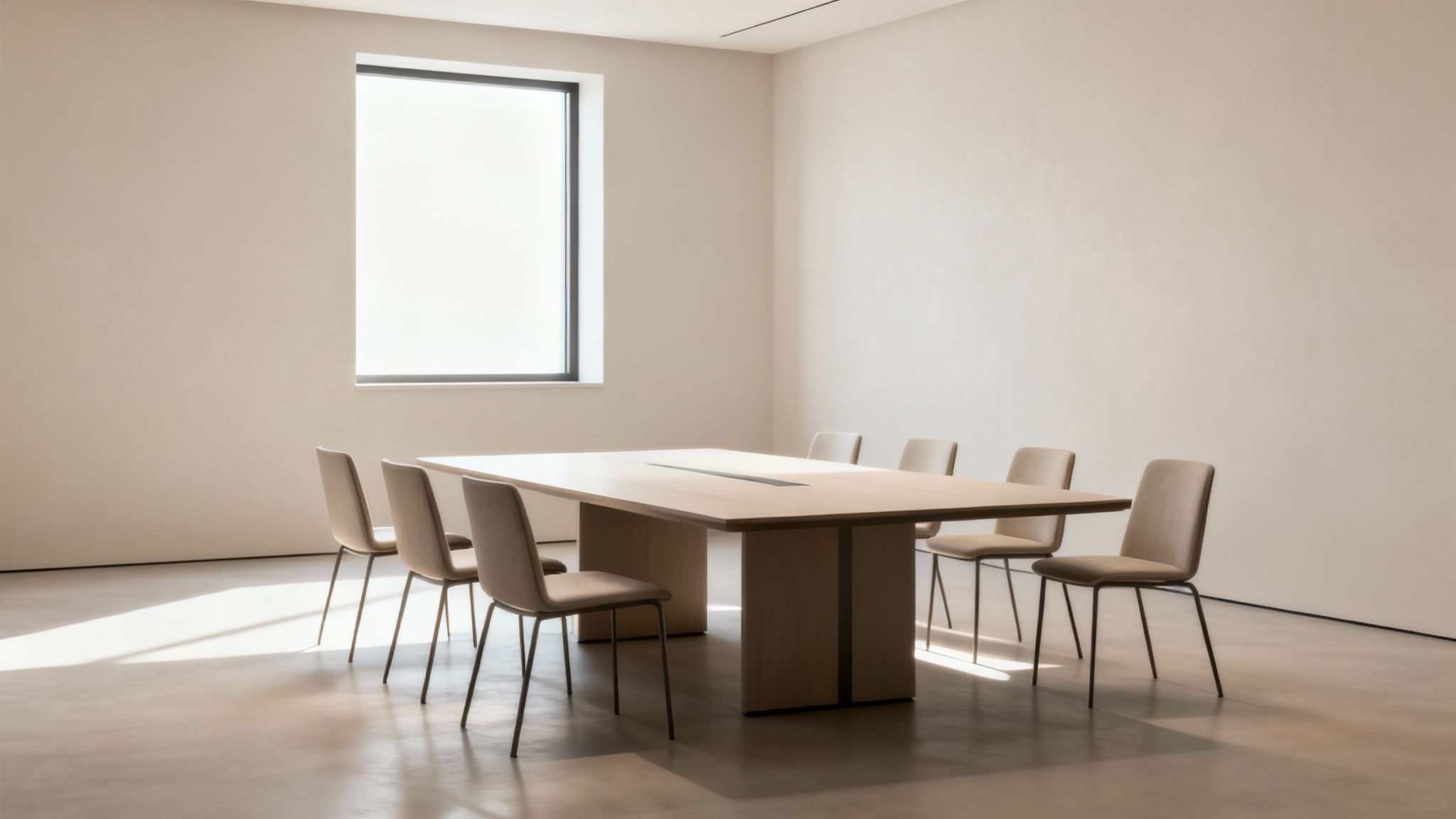
Modern meeting room featuring a light wood conference table, several beige chairs, and a bright window.

Factoring in Materials and Aesthetics

Beyond just the footprint, the materials you choose have a huge impact on the room's vibe. Exploring options like different wood finishes, laminates, or even specialty glass styles can completely elevate the design. The right material should echo your company's brand and the atmosphere you're trying to create.

For a bit of context, a standard conference table built for 10 people usually measures around 120 inches long by 48 inches wide. This size gives everyone enough elbow room. It's this popular sizing that has really pushed manufacturers to offer more customizable tables with built-in power and data ports, a trend that’s become almost a necessity in today's tech-driven offices.

Matching Table Shape to Your Meeting Style

The shape of your conference table does more than just fill a room; it’s the silent moderator in every meeting, directing the flow of conversation and collaboration. Getting the shape right is just as important as figuring out the correct conference room table size because it sets the psychological stage for every interaction.

A table's geometry can create a formal sense of hierarchy or foster an atmosphere where everyone participates equally. This choice should directly reflect what you actually do in your meeting space.

The Classic Rectangular Table

When most people picture a conference room, they picture a rectangular table. Its long, straight lines create a clear structure, which is perfect for formal presentations, board meetings, and any situation where there’s a distinct head of the table. This shape is a real workhorse, especially for maximizing seating in long, narrow rooms.

The downside? Its formal nature can sometimes feel a bit rigid. People at opposite ends might struggle to see and hear each other, which can stifle the open dialogue you want in more collaborative sessions. A typical boardroom table for 8-10 executives usually runs between 96 to 120 inches long and 42-48 inches wide.

Recent numbers show that 60% of new office furniture installations still lean towards rectangular shapes. Their popularity is boosted by how well they support modern AV tech, a critical feature now that an estimated 70% of meetings involve video conferencing.

The Collaborative Boat-Shaped Table

A boat-shaped table is a subtle but powerful twist on the classic rectangle. It’s wider in the middle and gently tapers toward the ends—a simple design tweak that dramatically improves sightlines for everyone at the table.

That gentle curve makes a huge difference in fostering a more collaborative vibe. By bringing the edges inward, this shape ensures no one feels too far removed from the conversation. It's an excellent choice for teams that need to have dynamic discussions and review presentations together, striking a great balance between formal structure and inclusive dialogue.

Round and Square Tables for Equal Footing

When every voice needs to be heard equally, round and square tables are the undisputed champs. With no designated "head," these shapes are a physical representation of a flat hierarchy, naturally encouraging open conversation and teamwork. They are absolutely perfect for smaller, agile teams and brainstorming sessions.

These tables are ideal for:

  • Small team huddles: Fostering quick, informal check-ins and creative problem-solving.
  • Intimate client meetings: Creating a less intimidating, more personal atmosphere.
  • Breakout groups: Helping small groups focus during a larger workshop or training session.

Because they excel at promoting face-to-face interaction, round tables are particularly effective at building rapport and making sure everyone feels included. To see how different table shapes can anchor your broader office layout, you can explore our full range of office furniture designs.

Key Takeaway: No matter the shape, the fundamental rule for seating capacity is to allow 24 to 30 inches of personal space per person along the table's edge. This is the magic number that ensures attendees have enough elbow room to comfortably take notes, use a laptop, and engage without feeling squeezed. It's the simple principle you can use as a starting point, whether you're seating six people for a creative session or twenty for a formal board review.

Planning Your Room Layout for Flow and Function

You can pick the most beautiful, perfectly sized conference table in the world, but if you drop it into a poorly planned room, it’s going to fail. The real secret to a functional meeting space isn’t just the furniture—it’s the negative space around it. This clearance is what allows people to move naturally, ensures accessibility, and creates a feeling of comfortable productivity instead of frustrating confinement.

Think of the walkways in your conference room like arteries; they have to stay clear to keep the room’s energy alive and flowing. When pathways are too narrow or blocked, a meeting can feel stagnant. It becomes a hassle for people to get up, present at a whiteboard, or even just shift in their seats without bumping into everyone else. Good planning gets rid of these bottlenecks before they ever become a problem.

The shape of your table plays a big role in this, as different shapes encourage different kinds of meetings and, therefore, different kinds of movement.

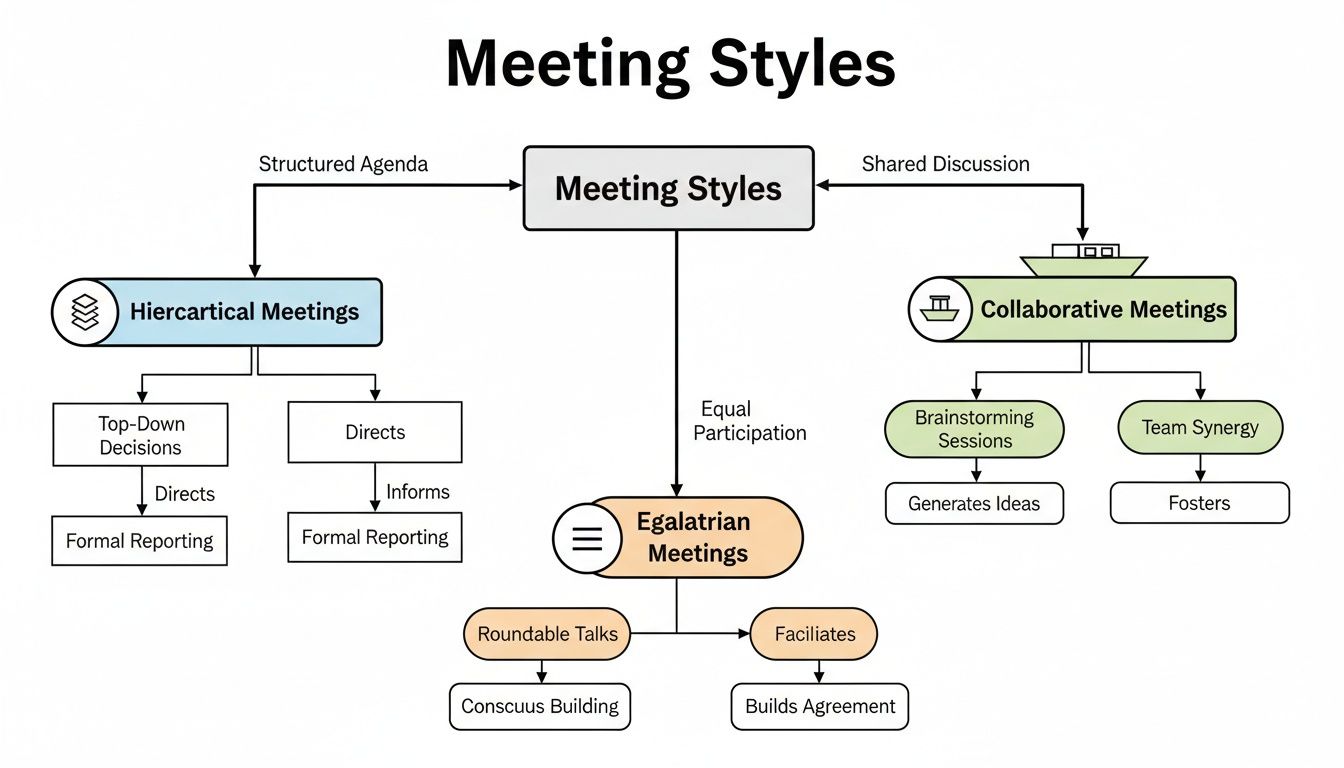
A flowchart diagram explaining three meeting styles: Hierarchical, Egalitarian, and Collaborative, detailing their processes and outcomes.

As you can see, a long rectangular table works well for top-down, hierarchical meetings, while a round table promotes a more egalitarian discussion. Each one demands a unique approach to the surrounding space.

The Gold Standard for Clearance

When you start mapping out the room, there's a magic number to keep in your head: 48 inches. This is the gold standard for clearance in your main traffic paths—the space between the edge of the table and the walls or other big items like credenzas.

Why 48 inches? It’s wide enough for two people to pass by each other without doing that awkward sideways shuffle. It also gives someone enough room to pull their chair out and stand up while another person walks behind them without issue. That generous spacing is what makes a room feel professional and accommodating.

For spots with less foot traffic, like the space between the table and a wall that isn't a primary walkway, you can shrink that clearance down to a minimum of 36 inches. It’s functional, but this tighter spacing is best kept to low-traffic zones to avoid creating pinch points in your layout.

Mapping Your Entire Room Footprint

A great layout goes way beyond just the conference table. Before you lock in that table size, you need to account for every other piece of the puzzle that will live in that room.

Start by measuring and mapping out the location of things like:

  • Credenzas and Cabinets: These are staples in most conference rooms, but they eat up a surprising amount of floor space.
  • Whiteboards or Presentation Screens: You need to leave enough room for someone to stand at the screen and present without feeling crammed against the table or chairs.
  • Door Swings: Don't forget about the arc of the door opening into the room! A classic mistake is putting a chair right where the door needs to swing open.
  • Structural Elements: Beams, support columns, radiators, or any other permanent fixtures have to be included in your clearance math.

If you want to see how all these pieces come together in the real world, check out some of our finished spaces in our office design project gallery.

Pro Tip: Grab a roll of painter's tape and mark the dimensions of your future table and other furniture directly on the floor. This simple trick lets you physically walk around the "furniture" and get a true feel for the flow before you spend a dime.

Ensuring ADA Accessibility

Beyond just comfort and flow, your room layout is a matter of compliance and inclusivity. The Americans with Disabilities Act (ADA) has specific standards to make sure workspaces are accessible for everyone.

For conference rooms, that means providing clear, unobstructed pathways wide enough for a wheelchair to navigate easily. The 36-inch minimum clearance is often cited in ADA guidelines for accessible routes, but honestly, providing more generous pathways—closer to that 48-inch ideal—is always the better move. A thoughtfully designed room allows every single team member, regardless of their mobility, to navigate the space with dignity and ease. Good planning makes your meeting space not just functional, but truly welcoming to all.

Integrating Technology, Power, and Cabling

These days, a conference table is more than just a place to set down notepads and coffee cups—it's the command center for your entire meeting. If you don't plan for technology, you'll end up with a tangled mess of wires, creating trip hazards and an unprofessional vibe. The trick is to think about power and data right from the start, making sure your table is sized not just for people, but for their devices too.

Thinking about cabling isn't just an IT problem; it's a core part of the room's design. When tech is woven in seamlessly, it makes hybrid meetings a breeze, keeps everyone's laptops charged, and lets your team focus on the discussion—not on hunting for an open outlet.

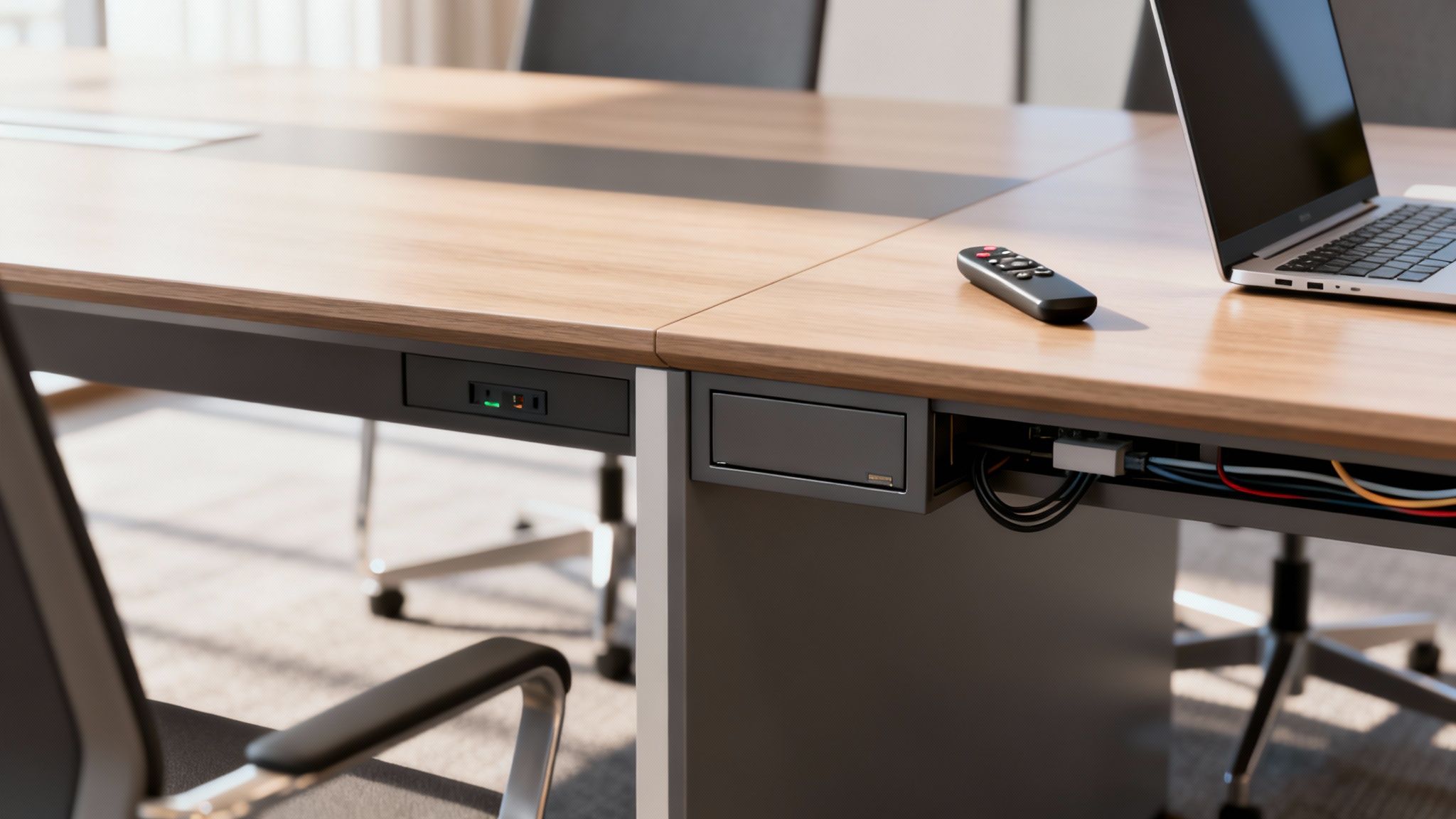
Modern conference table with built-in power outlets, cable management, laptop, and remote control.

Smart Cable Management Solutions

The goal here is to make power and data access totally effortless without cluttering up the beautiful table you just picked out. Thankfully, modern tables come with some slick built-in solutions that hide the mess while keeping connectivity right at your fingertips.

A few popular options include:

  • Built-in Power Modules: These are set right into the tabletop, often with a mix of standard outlets, USB-A and USB-C ports, and maybe an HDMI hookup. Many pop up when you need them and retract back down for a clean, flush look.
  • Under-Table Cable Trays: A simple but brilliant solution. These are basically nets or trays mounted underneath the tabletop to wrangle power strips and extra cords, keeping them neatly tucked away and off the floor.
  • Hollow Legs or Pedestals: Some of the savviest designs use hollow legs or a central base to run cables discreetly from the floor straight up to the power modules on the surface.

The right choice really depends on how you meet. For quick team huddles, a few USB ports might be all you need. But for those all-day workshops or big presentations, a full suite of power, data, and AV connections is a must-have. For a deeper dive, check out our guide on the essentials of a safe and efficient cubicle electrical setup.

Planning Your Power and Data Pathways

Once you’ve picked your in-table tech, you need a solid plan to get power and data from the wall to the table. This is where a little foresight saves a ton of headaches later, because trying to add this stuff after the fact can be expensive and disruptive.

Your table's fancy tech is only as good as its connection to the building's wiring. Think through the entire journey—from the wall socket to the tabletop port—to avoid last-minute scrambles and ugly extension cords snaking across the floor.

It’s no surprise that high-tech tables with built-in charging are catching on, grabbing 15% of the market share in 2023. They’re a productivity booster, making sure no one’s device dies mid-meeting. For a truly professional setup, looking into structured cabling systems is a smart move to keep things neat, efficient, and ready for whatever tech comes next.

Here are a few common ways to route those cables:

  1. Floor-Mounted Outlets: This is the cleanest look. A floor box, or "poke-thru," is installed directly under the table, allowing power and data to connect out of sight. It's the gold standard, especially for new builds or major renovations.
  2. Cable Covers and Raceways: If you’re working with an existing room that doesn’t have floor outlets, low-profile cable covers can run from the wall to the table base. They’re not quite as invisible as a floor box, but they manage the wires safely and keep people from tripping.
  3. Power Poles: A power pole is a vertical channel that drops from the ceiling down to the conference table, hiding all the wiring inside. It's a fantastic solution for open-plan offices where the table is nowhere near a wall.

A Step-By-Step Checklist for Measuring Your Room

Accurate measurements are the absolute bedrock of good room design. Before you even think about choosing the perfect conference room table size, you need a precise blueprint of the space you’re working with. This goes way beyond just jotting down the length and width; it's about capturing every little detail that could throw a wrench in your final layout.

Getting this right from the very beginning saves you from the headache (and cost) of ordering a beautiful table that simply won’t fit. Think of this checklist as your treasure map—follow it, and 'X' will mark the spot for your ideal table.

1. Measure the Core Dimensions

First things first, let's get the basics down to understand the room's total footprint. Grab a reliable tape measure and a notepad, or your tablet, and let's get to it.

  • Length: Measure the longest wall from one corner clean to the other.
  • Width: Now do the same for the shorter wall, corner to corner.
  • Ceiling Height: Measure straight up from the floor to the ceiling. Most standard ceilings are around 8 feet, but if you have higher ceilings, that can make the room feel much more open and might influence your lighting or even acoustic panel choices.

2. Identify and Map All Obstructions

Okay, now for the tricky part. It's time to account for everything that isn't empty floor space. These are the permanent fixtures that will directly impact where your table can (and can't) go.

  • Doors: Measure the width of the door, sure, but more importantly, you need to map its swing arc. Make a note of which way the door opens and exactly how far it swings into the room.
  • Windows: Jot down the location and width of every window. Don't forget to measure their height from the floor (the sill height), as this will determine where you can place things like credenzas or whiteboards.
  • Columns and Pillars: If you have any structural columns, measure their dimensions and their exact distance from the nearest walls. You have to work around these.
  • Built-in Features: Document the location and size of anything else that's fixed to the walls or floor—radiators, built-in cabinets, thermostats, light switches, you name it.

3. Locate Power and Data Ports

In any modern meeting room, technology is king. Knowing precisely where your power and data sources are is absolutely crucial for planning a space that’s actually functional.

A table's final position is often dictated by connectivity. Mapping out your outlets early on prevents a situation where ugly extension cords become a permanent part of your room's decor.

On a quick sketch of your room, mark the exact location of every single one of these:

  • Electrical outlet
  • Ethernet/data port
  • AV connection point (like wall-mounted HDMI ports)

This info is what will help you decide if you need a table with built-in power modules or if you need to think about floor-based cable management solutions.

Once you've picked out the perfect table, having professional teams handle the final placement is a game-changer. You can learn more about office furniture installation and disposal to see how the pros ensure a smooth, perfect setup from start to finish.

Tying It All Together with Cubicle By Design

Your conference table is a huge piece of the puzzle, but it doesn't exist in a vacuum. A truly great meeting space flows naturally with the rest of your office, creating a workspace that just works. This is where we need to stop thinking about just one room and start planning for a cohesive, professional environment that feels unified from the moment someone walks in.

At Cubicle By Design, this is our specialty. We don't just sell furniture; we help build connected, harmonious workplaces. Your new conference room should feel like it belongs, complementing the function and feel of your entire office, from the reception desk right down to individual workstations.

Defining Spaces with Modern Solutions

One of the trickiest parts of office design today is creating separate, functional zones without building a bunch of walls that kill the open, airy vibe. Our Series 7 Glass Walls are the perfect answer. They let you carve out a sleek, modern conference area that feels private but still very much a part of the larger space.

These modular glass walls are fantastic for acoustic separation—keeping confidential meetings private—while letting all that great natural light flow through. No more stuffy, claustrophobic meeting rooms. They look incredible paired with our flexible cubicle systems, creating a consistent design language. Imagine a well-placed conference room right near your collaborative workstation cubicles, making it easy for teams to pop in for a quick huddle.

See Your Whole Office Come to Life

It's a lot easier to nail down the perfect conference room table size when you can actually see how it fits with everything else. That's exactly why we built the Custom Cubicle Designer tool. It lets you map out your entire office, not just a single room.

You can play around with different setups, dropping your new conference room next to various arrangements of our versatile cubicles. This bird's-eye view is a game-changer. It helps you make sure walkways are clear, sightlines are good, and the overall office flow feels natural, not forced.

This big-picture approach is becoming essential. As businesses adapt, we're seeing a 40% rise in multi-purpose rooms that need to be flexible. For our clients, that means having modular designs that can scale from an 84-inch table for a small huddle to a 144-inch table for an all-hands meeting. To see how market trends are shaping office furniture, you can read the full research from HTF Market Insights.

Creating a Unified Design Language

A cohesive workspace isn't just about the layout; it's about the look and feel. Your conference room should be a natural extension of your company's brand and culture. By pairing our modular solutions, you can create that seamless aesthetic.

Think about how these combinations could work:

  • Executive Hubs: Pair a large, formal conference room enclosed by our Series 7 Glass Walls with nearby private office cubicles. The result is a sophisticated, high-end executive wing.
  • Collaborative Zones: Drop smaller, open-plan meeting areas with round tables near clusters of low-walled workstations. This setup encourages teamwork and spontaneous brainstorming.

When you think of your workspace as a complete system, choosing a conference table becomes much simpler. You can pick a size that not only fits the room but also perfectly supports its role in the productivity and design of your entire office. At Cubicle By Design, we give you the tools and solutions to strike that perfect balance.

Common Questions About Conference Room Tables

Picking out the right conference room table can feel surprisingly complicated, but it really just boils down to a few key principles. To wrap things up and make sure the core ideas from this guide stick, we’ve put together some straightforward answers to the questions we hear most often from our clients.

Think of this as a final gut check. Getting these details right—from clearance and height to whether a table will actually fit—is what separates a functional, inviting meeting space from one that's just frustrating to be in.

How Much Space Do You Need Around a Conference Table?

This is probably the most important question, and here’s the rule of thumb: aim for at least 48 inches (4 feet) of clearance between the edge of your table and the walls or any other furniture. That might sound like a lot, but it creates a comfortable walkway that allows two people to pass by each other easily, even when chairs are pulled out.

If a particular side of the table isn't a main traffic path, you can sometimes get away with a minimum of 36 inches. But honestly, sticking to the 48-inch rule is your best bet for a room that feels open and accessible, not cramped.

What Is the Standard Height of a Conference Table?

You’ll find that nearly every standard conference table is between 29 and 30 inches high. There's a good reason for this specific range—it's ergonomically designed to work perfectly with standard office chairs, which usually have a seat height between 16 and 21 inches.

This consistency ensures everyone at the table can sit with good posture, which makes a big difference in comfort during those longer strategy sessions.

Will a 10-Person Table Fit in a 12'x16' Foot Room?

Putting a 10-person table in a 12'x16' room is a classic mistake. It's technically possible, but it will be so tight that it’s completely impractical. A typical rectangular table for 10 people is about 10 feet long. In a 16-foot room, you’re left with only 3 feet (36 inches) of clearance on each end, which is already below the minimum we’d recommend for comfortable movement.

And that's before you even consider the 12-foot width, which would feel even more squeezed. For a room this size, an 8-person table is a much smarter choice. It will give you the breathing room you need for a functional, professional space.

Should I Choose a Rectangular or Boat-Shaped Table?

The right shape really depends on the kind of meetings you have. Neither is better than the other, they just serve different purposes.

  • Rectangular Tables: This is the traditional, go-to choice for formal boardrooms. They’re great for maximizing seating, especially in long, narrow rooms, and they establish a very clear head of the table for a more hierarchical feel.

  • Boat-Shaped Tables: These tables are a fantastic alternative, with a design that's wider in the middle and tapers at the ends. That subtle curve dramatically improves sightlines, making it easier for everyone to see the person speaking or view a presentation. It naturally creates a more collaborative, less formal atmosphere.


Ready to design a workspace that perfectly balances form and function? The team at Cubicle By Design provides end-to-end support to help you plan, procure, and install a workspace that enhances productivity and collaboration. Explore our solutions and see how our modular systems can create a cohesive, professional environment for your entire office. https://cubiclebydesign.com/

Read More