


Office planning used to start with a headcount and a rough benchmark. That shortcut doesn't hold up anymore.
In North America, the average office square footage per person fell from 225 square feet per person in 2010 to about 151 square feet per person in recent years, a major shift tied to denser layouts and hybrid work patterns, as outlined in this office space benchmark overview. That single change explains why so many teams feel caught between two bad outcomes. They either lease too much space for people who aren't in every day, or they cut too aggressively and end up with a loud, cramped office that nobody wants to use.
Office Square Footage Per Person
The Evolving Standard for Office Space Per Person
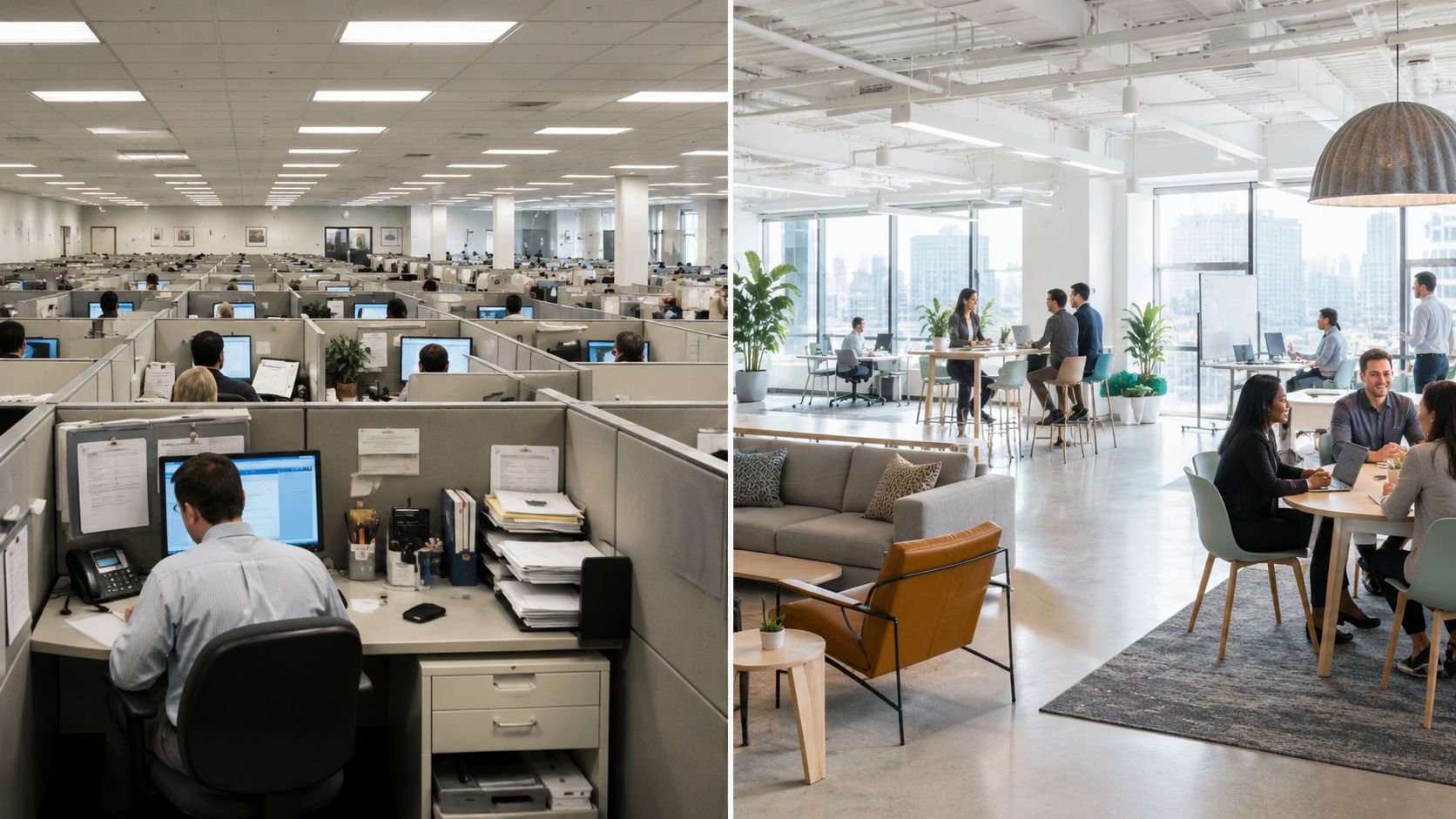
The old benchmark for office square footage per person came from a different workplace model. People had assigned desks, private storage, and a predictable Monday through Friday schedule. Modern offices operate differently. Teams rotate in and out, collaboration happens in bursts, and space has to support focus work, quick meetings, video calls, and touchdown use all on the same floor.
That shift is why static planning often fails. A floorplan can look efficient on paper and still perform badly in practice if it doesn't match how people use the space. Fewer dedicated desks can work well. Fewer settings rarely do.
What changed in real planning work
The practical question isn't just how many square feet each employee gets. It's how many people will occupy the office at the same time, what they need when they're there, and which settings deserve permanent square footage.
A modern plan usually has to balance all of these:
- Concentration needs: Sales support, accounting, and admin teams still need acoustic protection.
- Collaboration patterns: Product reviews, client presentations, and team huddles need shared zones, not rows of oversized desks.
- Budget pressure: Real estate costs push companies toward leaner footprints.
- Cultural expectations: Employees notice when the office feels thoughtful, and they notice when it feels improvised.
For many organizations, office square footage per person is no longer a single answer. It's a planning range. The best layouts treat space as a mix of assigned, shared, and adaptable settings. That's also why broader workplace design trends matter. The benchmark only tells you where to start. The layout strategy determines whether the office works.
Space planning goes wrong when teams optimize for density first and usefulness second.
Why the benchmark still matters
Benchmarks still have value. They give you a reality check before you commit to a lease, reconfiguration, or furniture package. But they work best when paired with operational context. If your office supports client meetings, compliance-heavy work, or frequent phone activity, the same square footage will behave very differently than it does in a hybrid creative studio.
That's the market shift. Space per person is still important. Space per occupant has become just as important.
Understanding Usable vs Gross Square Footage
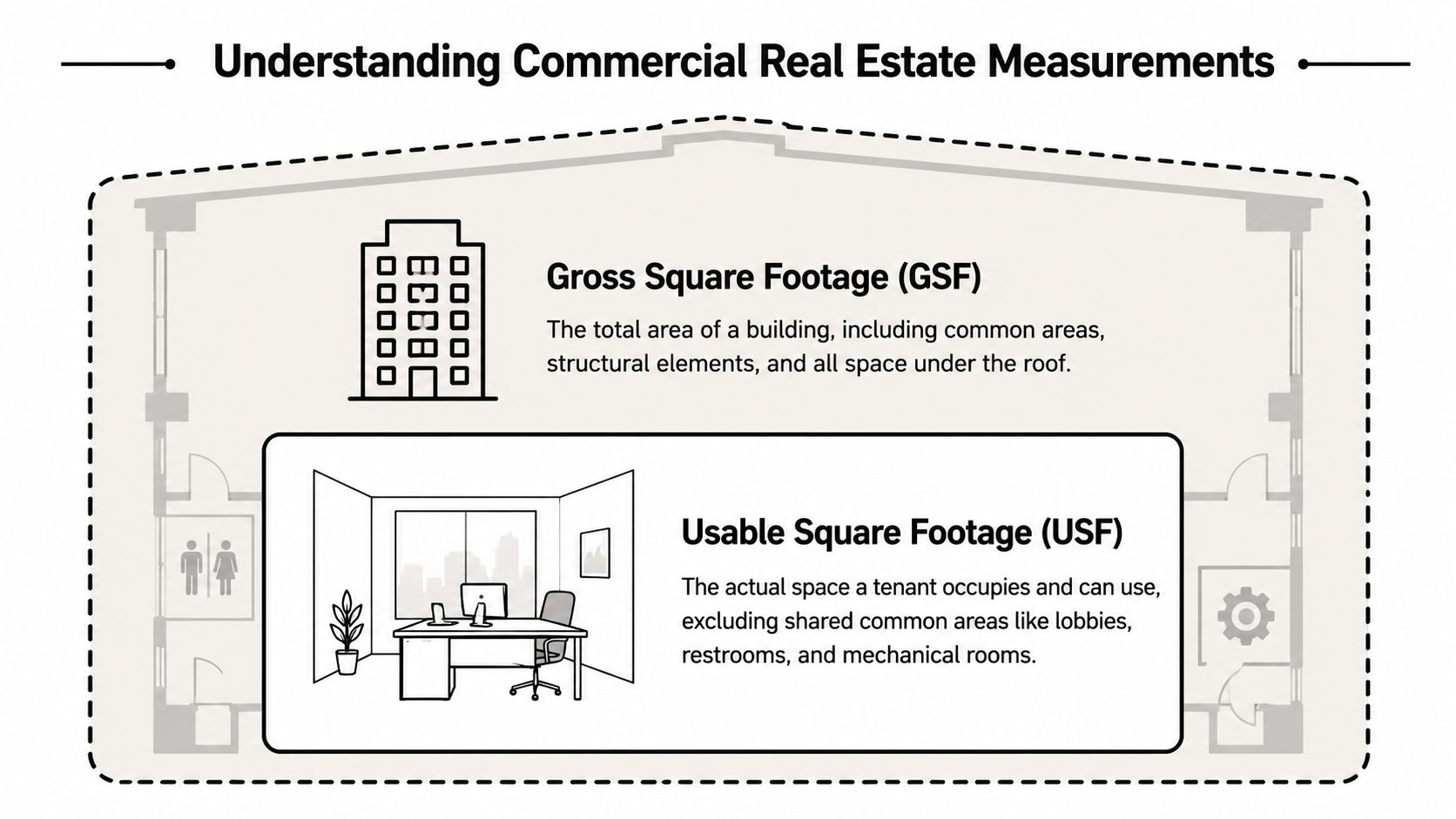
One of the most common planning mistakes happens before a single workstation is drawn. Teams confuse gross square footage with usable square footage, then wonder why the office feels overfilled after furniture arrives.
Consider a grocery bag. The bag is the total container. The groceries inside are the part you can use. In commercial real estate, gross square footage describes the full area tied to the building footprint. Usable square footage is the portion your team can occupy and work within.
What usable space really includes
Usable square footage is where planning gets real. It's the area available for desks, offices, meeting rooms, support zones, and circulation within your suite. It doesn't mean every inch can hold furniture. A workstation might fit mathematically, but if the aisle pinches, the chair backs collide, or the access path fails, the plan isn't functional.
That is why planners add a circulation factor instead of treating workstation area as the full requirement. According to Density's workplace metric guidance, organizations should add a 30 to 40 percent markup to workstation space for circulation, conference rooms, and break areas. Their example is simple. A 10,000 square foot desk requirement becomes 13,000 to 14,000 square feet of total usable area.
Where teams miscalculate
The mistake usually shows up in one of three places:
- They count only desks: The office also needs paths of travel, meeting space, storage, and informal touchdown areas.
- They under-size common functions: Break areas and enclosed rooms get squeezed, then overflow into workstations.
- They ignore geometry: Columns, odd corners, and entry conditions reduce what a rectangular test-fit suggests.
Practical rule: If the workstation count only works when every aisle is tight and every shared room is minimal, the office is undersized.
A better planning sequence is to start with work settings, not furniture counts alone. Assign space to heads-down work, phone use, small meetings, larger meetings, support functions, and circulation. Then test the furniture package inside that framework. That approach produces a floorplan you can operate, not just lease.
How to use the number in real decisions
When you're comparing options, keep the conversation anchored in usable area and ask detailed questions. How much room is available for workstations. How much has to be reserved for enclosed rooms. How much of the suite is lost to shape and access.
These office space planning metrics help turn a vague square footage figure into a realistic occupancy plan. Without that layer, office square footage per person is just a ratio. With it, the number becomes a workable design tool.
Decoding Workplace Density Models
Not every office should target the same density. A fast-moving inside sales team can thrive in a tighter layout that would frustrate a legal practice. The benchmark only makes sense when it matches the way people work, speak, meet, and concentrate.
According to Aquila Commercial's density guide, workplace density falls into three broad tiers: high density at 80 to 150 square feet per employee, medium density at 150 to 200 square feet per employee, and low density at 200 to 250 square feet per employee. Those ranges aren't style choices alone. They shape noise levels, privacy, circulation, and how much enclosed space you can support.
High-density layouts
High density works best when the business values energy, speed, and visibility more than privacy. Tech teams, sales floors, and support environments often fit here. Open seating and smaller stations make the floor more efficient, and shared rooms handle the overflow.
The trade-off is obvious once the office is occupied. If acoustics are weak, concentration drops. If meeting rooms are scarce, people take calls at their desks. High density succeeds when the layout includes enough phone rooms, huddle zones, and clear circulation so the floor doesn't feel compressed.
A good fit often includes:
- Compact workstation footprints: Enough personal space to work comfortably, but not oversized.
- Frequent touchdown use: People come and go during the day rather than occupying one setting continuously.
- High interaction: Teams that benefit from quick verbal exchanges and visible activity.
Medium-density layouts
This is the most versatile model. It supports a balanced workplace with open workstations, some enclosed offices, and a practical amount of shared space. Many growing companies land here because it gives them flexibility without forcing every team into the same environment.
Medium density often works when leadership wants an office that feels professional and efficient without looking crowded. It also adapts well to mixed departments. Operations, HR, finance, sales, and management can share a floor without any one group overwhelming the plan.
Low-density layouts
Low density suits firms that need privacy, confidentiality, or a client-facing environment. Law offices are the classic example, but the same logic applies anywhere people need quiet rooms, enclosed offices, or formal conference settings.
The challenge isn't just cost. Low density can also reduce adaptability. Once the plan depends on many enclosed offices, changes become slower and more expensive. That's why teams should confirm the business case before defaulting to a private-office-heavy approach.
The right density model isn't the one that fits the most people. It's the one that supports the work with the fewest daily compromises.
For teams trying to diagnose fit, office space utilization matters as much as the benchmark range. If private offices sit empty while meeting rooms are overbooked, the issue isn't total square footage. It's the mismatch between layout type and actual behavior.
Calculating Square Footage for Your Office Type
A 10-person team can function well in very different footprints depending on how the work gets done. The square footage target changes fast once you account for privacy, storage, calls, supervision, and how often people are in the office.
Published benchmarks are still useful, but only if they lead to layout decisions. Workbox's planning guide outlines common ranges such as open workstations at 60 to 110 square feet and small private offices at 90 to 150 square feet. In practice, the right number depends less on payroll headcount and more on the number of occupants a floor needs to support at the same time.
Office Space Per Person by Layout Type 2026 Benchmarks
| Layout Type | Average Square Feet per Person | Best For |
|---|---|---|
| Open-plan benching | 60 to 110 | Dense team seating, collaborative departments, touchdown-heavy environments |
| Standard workstation cubicles | 100 to 150 | Balanced privacy, focused work, mixed-use office floors |
| Small private offices | 90 to 150 | Managers, confidential work, frequent video calls |
| Call center stations | High-density range | Repetitive phone-based work with efficient seating patterns |
Use the table as a starting point, not a verdict.
A workable plan has to account for how each department uses the floor. Benching may look efficient on paper, but if the team needs lockable storage, quiet concentration, or frequent video meetings, the footprint grows once you add support rooms and acoustic separation.
Open-plan benching
Open benching fits teams that collaborate often, keep paper storage light, and can tolerate more shared visual and acoustic exposure. Creative groups, project teams, and touchdown areas often perform well in this format.
The math is straightforward. Count the seats you need, apply the planning range, then add space for circulation and shared settings separately. Teams that want a quick way to compare those totals against their floor plate usually start with office space size planning guidance.
Benching stops working when planners force focused work into a layout built for turnover and interaction. That is usually where complaints about noise, overflow meetings, and lack of personal storage start.
Standard workstation cubicles
Standard cubicles remain one of the safest choices for mixed departments because they solve several problems at once. They define personal territory, improve concentration, and give planners more control over sightlines, panel height, and storage without committing to fully enclosed offices.
They also adapt well as teams change. A modular cubicle plan can expand by adding runs, changing panel heights, or reworking station sizes instead of tearing out the whole floor. For companies that need one office to support operations, admin, sales, and management, that flexibility usually matters more than chasing the lowest square-foot number.
If the office needs to support steady daily occupancy, focused work, and future reconfiguration, standard cubicles usually provide the best margin for error.
Private office planning
Private offices should be assigned by function, not status. Some roles need enclosure every day because they handle confidential conversations, reviews, or constant video calls. Others need privacy only at specific times.
That distinction affects the entire floor plan. Too many enclosed offices reduce adaptability and push more routine work into less effective shared areas. A better approach is to reserve private offices for recurring privacy needs, then support the rest of the team with bookable rooms, phone booths, or semi-private stations.
Call center and high-output seating
Call centers and support teams need density, but they also need consistency. Agents perform better when power, screens, storage, and supervision are organized in a repeatable pattern.
For teams built around repetitive phone work, call center cubicles usually outperform generic open benches because they give each agent a defined work zone and help control visual distraction. That supports a tighter layout without making the floor feel chaotic.
Adjusting for Hybrid Work and Shared Spaces
The biggest mistake in office planning today is still the simplest one. Too many teams assume one desk should exist for every employee on the roster.
That model made sense when attendance was stable. It doesn't fit hybrid operations where different departments show up on different rhythms. Some people need a consistent home base. Others need reliable access to a good workstation only on the days they're in.
Plan for occupants, not payroll headcount
Planning has to shift from employee count to occupant behavior. The more useful questions are:
- How many people are typically in the office on the same day
- Which teams need assigned seating
- When do peaks happen
- What kinds of spaces fill up first
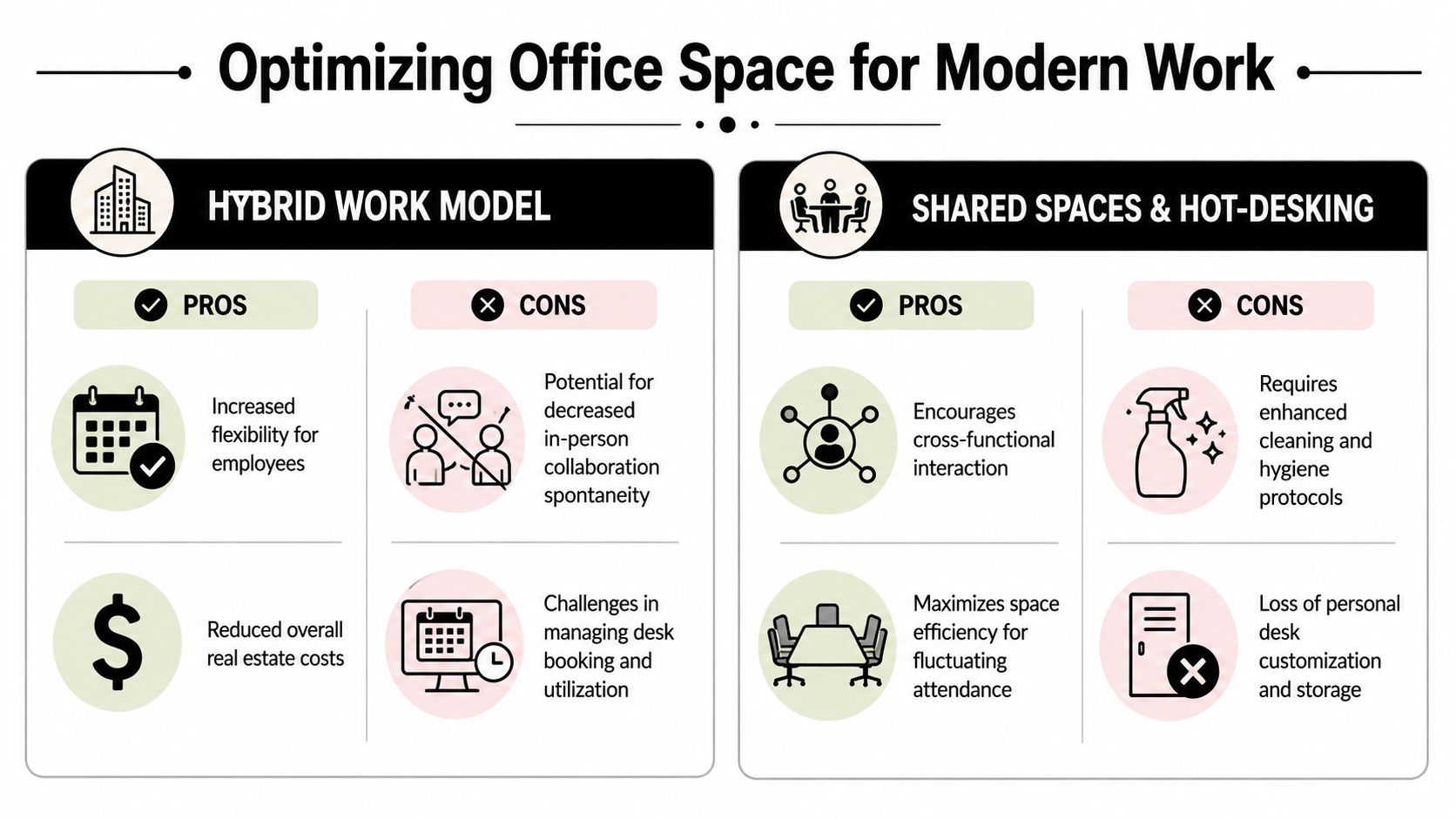
The hybrid planning nuance is often missed in standard square footage guides. The benchmark may suggest 150 to 175 square feet per employee, while more hybrid-efficient models can drop to 100 square feet per person by using hot-desking and shared common areas, as discussed in this hybrid-focused planning guide. The same source also notes that some planning scenarios reduce the desk ratio to 6 desks for 10 people when usage patterns support it.
That doesn't mean every office should rush into desk sharing. It means the denominator has changed. You're not just housing employees. You're supporting attendance patterns.
Shared spaces do the heavy lifting
Once assigned seating is reduced, the rest of the office has to carry more value. Shared settings become operational infrastructure, not decorative extras.
A healthy hybrid floor usually needs a mix of these spaces:
- Reservable focus rooms: For private calls, concentrated work, or short one-on-ones.
- Small collaboration rooms: Better for quick problem-solving than oversized conference rooms.
- Open lounge or touchdown zones: Useful for brief stays and informal check-ins.
- Visually open enclosed areas: Helpful when you want separation without making the office feel chopped up.
Glass partitions are especially useful here because they preserve sightlines while creating real boundaries. This is one reason planners use glass office partitions to carve out meeting rooms, manager spaces, and quiet zones without losing openness.
A short visual walkthrough helps show how adaptable layouts support changing attendance patterns.
What works and what doesn't
Hybrid offices work when the seat strategy is easy to understand and the shared spaces are usable. They fail when the plan removes assigned seating without adding enough enclosed rooms, lockers, or booking discipline.
Shared desks can save space. Shared frustration cancels out the benefit.
Teams reviewing hybrid work schedule planning should test demand by day, not just by week. Most hybrid strain shows up in concentrated peaks, not average attendance. A right-sized office handles those peaks without building the whole floor around the least frequent scenario.
Design Your Perfect Workspace with Confidence
The right office square footage per person isn't a trophy number. It's a business decision that affects lease cost, hiring flexibility, employee comfort, and how well the office supports actual work.
The strongest planning approach is usually the least romantic one. Start with usable space. Choose the density model that fits the work, not the trend. Match layout types to real tasks. Then pressure-test the plan against hybrid attendance and shared-space demand.
The practical checklist
A well-grounded office plan usually answers these questions before furniture is ordered:
- What is the usable area available for work settings
- Which teams need assigned stations
- Where does acoustic separation matter most
- Which enclosed rooms are essential
- How much reconfiguration flexibility will the business need later
If air quality and comfort are part of your planning criteria, it's also worth reviewing a practical commercial HEPA air purifier guide while you're evaluating enclosed rooms, denser seating, and shared zones. Space planning works best when furniture, layout, and environmental conditions are considered together.
Why modular planning keeps winning
Modular systems tend to outperform fixed, one-off construction because business needs don't stay still. Teams grow. Departments merge. Hybrid policies change. Privacy requirements shift by role.
That flexibility is why many project teams rely on office space planning and design support before making final selections. A modular approach lets you tune panel heights, rework departments, add enclosed zones, and preserve investment instead of starting over each time the organization changes.
The goal isn't just to fit people into a floorplan. It's to build a workplace that can absorb change without becoming inefficient or frustrating.
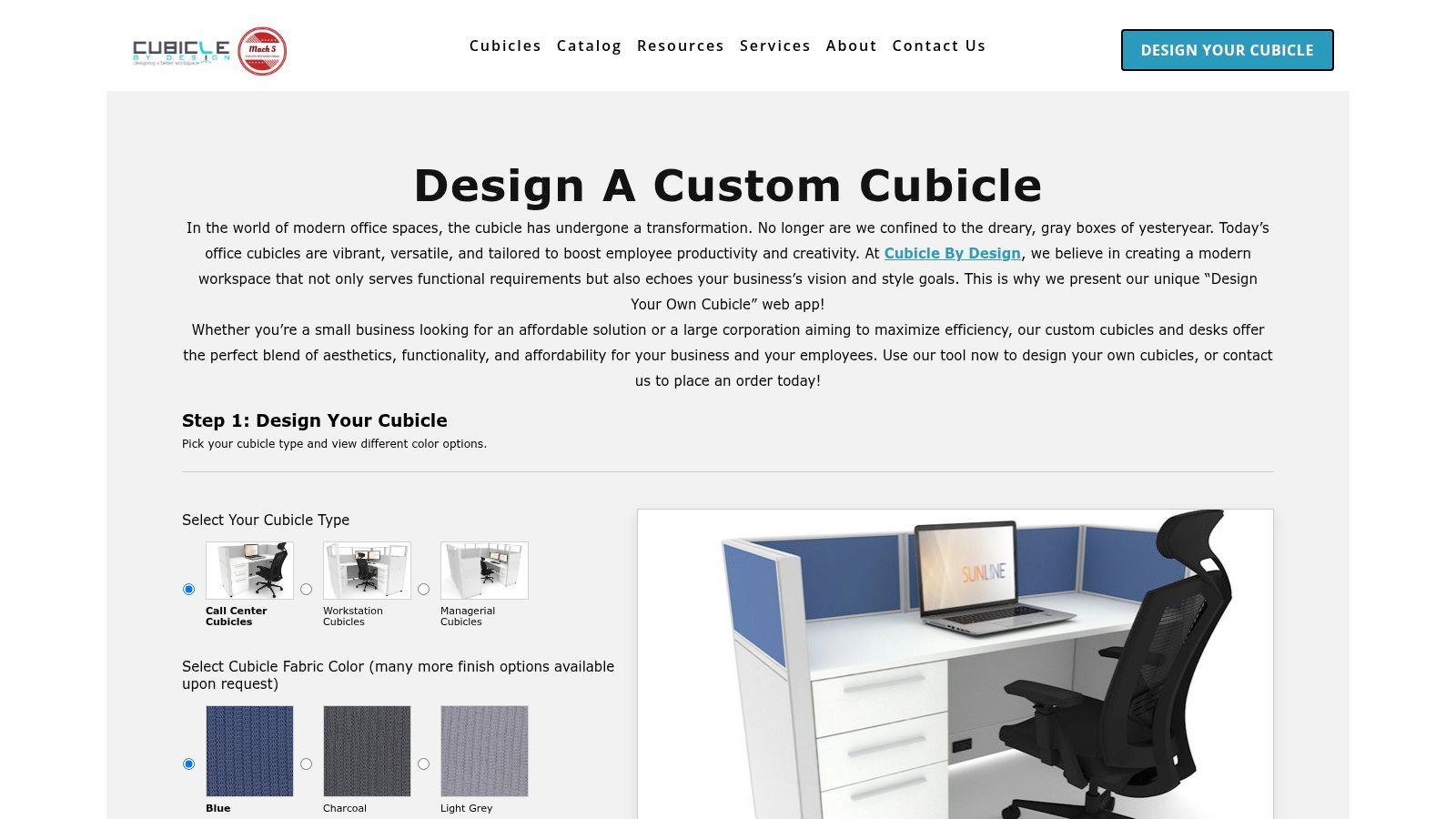
If you're ready to turn these benchmarks into a real layout, Cubicle By Design can help you move from rough square footage estimates to a practical workspace plan. Explore the Custom Cubicle Designer to configure dimensions, privacy, finishes, storage, and power options, or review modular solutions for custom office cubicles and workstation cubicles to build a layout that fits the way your team actually works.