A Practical Guide to Cubicle Privacy Screens

Cubicle privacy screens are a must-have for creating focused, secure "micro-environments" inside a busy, collaborative office. They do more than just divide up space; they actively help slash distractions and protect sensitive information in today's popular open-plan layouts. Think of them as the physical "do not disturb" sign for the modern office, giving employees back their ability to concentrate. From our extensive experience at Cubicle By Design, we've seen firsthand how these simple additions can transform a workplace.

Reclaiming Focus in the Modern Office

The modern office is a bit of a paradox. It’s designed to get people talking and collaborating, yet individual focus is what really drives productivity. This massive shift to open-plan designs, while great for teamwork, accidentally created a major "privacy deficit." When you're dealing with constant visual and auditory interruptions, it’s nearly impossible to get into a state of deep work, which hurts everything from project timelines to employee morale.

This is where smart design choices make all the difference.

Instead of seeing them as just barriers, you should think of cubicle privacy screens as architectural tools. They give office managers the power to carve out distinct zones for different kinds of work—whether it’s heads-down focus time or a quiet chat between a couple of team members. This simple act of separation helps bring back that crucial sense of personal space and control.

The Growing Demand for Privacy Solutions

This isn't just a hunch; the market data backs it up. The global cubicle and partition market is expected to balloon to nearly USD 12.79 billion by 2034. Why? Because businesses are finally realizing that the sweet spot for a productive office lies in a healthy mix of privacy and collaboration.

This trend highlights a major shift in how we think about workplace design. Companies now get that giving people tools to focus is just as important as creating spaces for them to interact. Of course, physical barriers are just one piece of the puzzle. It's also helpful to explore other strategies, like these 9 ways to limit distraction and get work done, to create a truly focused environment.

By creating these thoughtfully designed micro-environments, companies can tackle the privacy deficit head-on. The result is a workplace that feels connected but still allows for the deep, concentrated work that moves the needle. As a bonus, it also boosts data security by shielding screens and documents from wandering eyes.

At Cubicle By Design, we specialize in helping businesses find that perfect balance. We provide practical, effective solutions that lead to a more focused and secure workplace. You can learn more about the core principles of office cubicle privacy.

Exploring Different Types of Privacy Screens

Picking out the right cubicle privacy screens is a lot like choosing the right tool for a job—you have to match the solution to the specific task at hand. You wouldn't use a hammer to turn a screw, and similarly, different screens are built for different purposes in the office. They generally fall into three main categories, each designed to tackle a unique set of workplace challenges.

The trick is to figure out exactly how much flexibility, privacy, and permanence you need for various parts of your office. By breaking down the options, you can put together a workspace that truly supports every kind of task your team gets into. Explore our full range of cubicles to see these options in action.

Freestanding Screens For Ultimate Flexibility

Think of freestanding screens as portable room dividers for your office. They are by far the most flexible option because they don't require any installation or attachment to your existing furniture. You can pop them up in minutes to create a temporary quiet zone for a project, section off a high-traffic hallway, or completely reconfigure a team space on the fly.

This kind of adaptability makes them perfect for dynamic, hybrid offices where the floor plan might need to shift from one week to the next. For instance, a marketing team could use them to set up a temporary "war room" for a campaign launch, then just as easily move them aside to open the space back up for daily collaboration.

Desk-Mounted Panels For Individual Focus

Desk-mounted panels are basically the modern equivalent of a personal library carrel. They attach right onto the edges of a desk, carving out a defined, personal workspace that cuts down on visual distractions from the sides and front. This type is ideal for employees who need to concentrate on detailed tasks without feeling completely boxed in.

These panels are also a really smart, cost-effective way to retrofit existing desks in an open-plan office. They add a serious layer of privacy without you having to kick off a major renovation. They're especially helpful for roles that demand deep focus, like programming, writing, or data analysis. You can learn more about how panel privacy screens can be worked into your current setup.

Full-Height Cubicle Walls For Maximum Separation

When you need the highest level of privacy and sound control, full-height cubicle walls are the definitive answer. These are the classic, modular walls that create complete or partial enclosures, such as private office cubicles, offering the greatest degree of visual and sound separation. They’re a perfect fit for departments like HR or finance that handle sensitive information, or for establishing dedicated quiet zones.

This flowchart can help you visualize the decision-making process, depending on whether your team's biggest need is individual focus or collaborative teamwork.
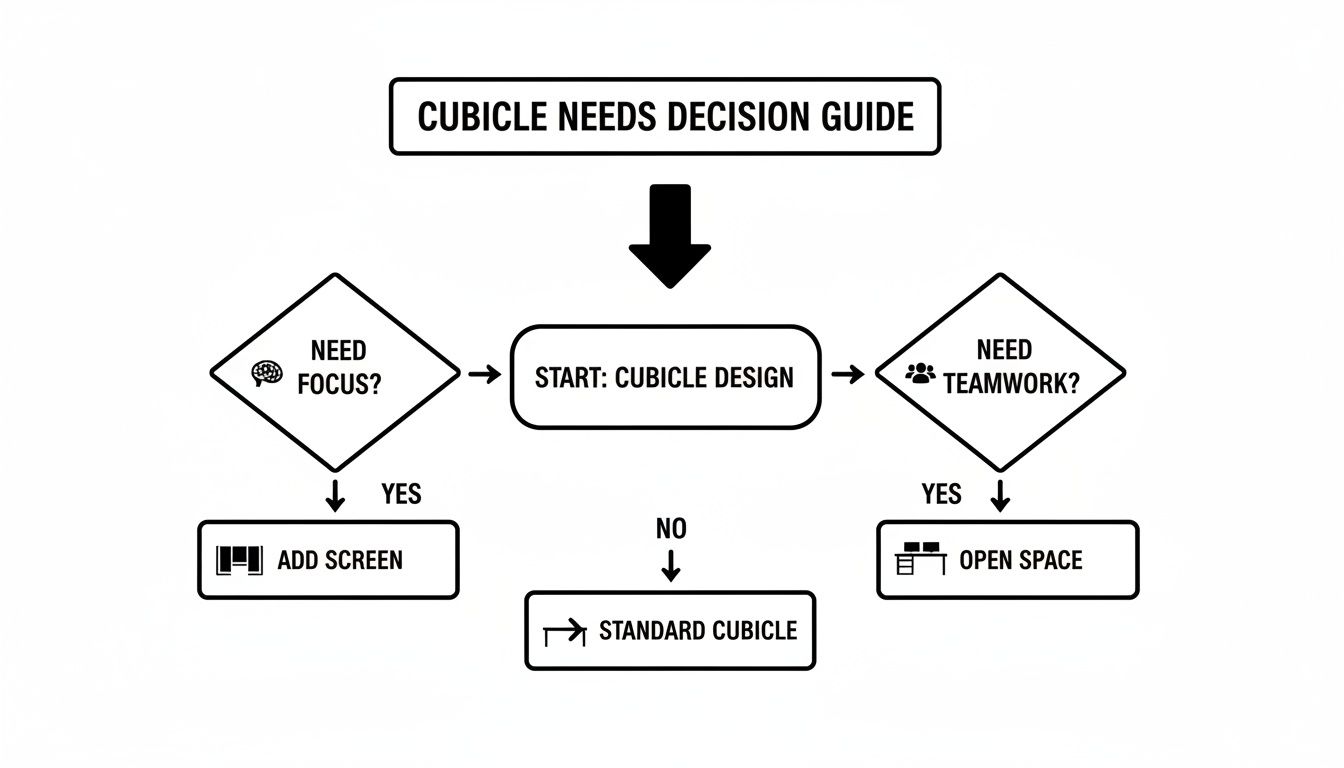
A decision guide flowchart for cubicle design, considering focus needs for cubicle privacy screens or teamwork for open space.

As the visual shows, the path to a productive workspace starts with identifying the core work style. This simple first step guides you toward either focused enclosures or more open, collaborative areas.

Choosing Materials for Aesthetics and Acoustics

The material you choose for your cubicle screens does a lot more than just set the office's visual style; it actively shapes how the space feels and functions. This isn't just about picking a finish. It's about solving real-world problems, whether that’s finally getting a handle on distracting noise or brightening up a dark corner of the floor plan.

Think of it this way: the material dictates whether your screen will be a sound sponge, a light filter, or a classic, professional backdrop. That one decision is fundamental to creating an office where people can actually get work done.
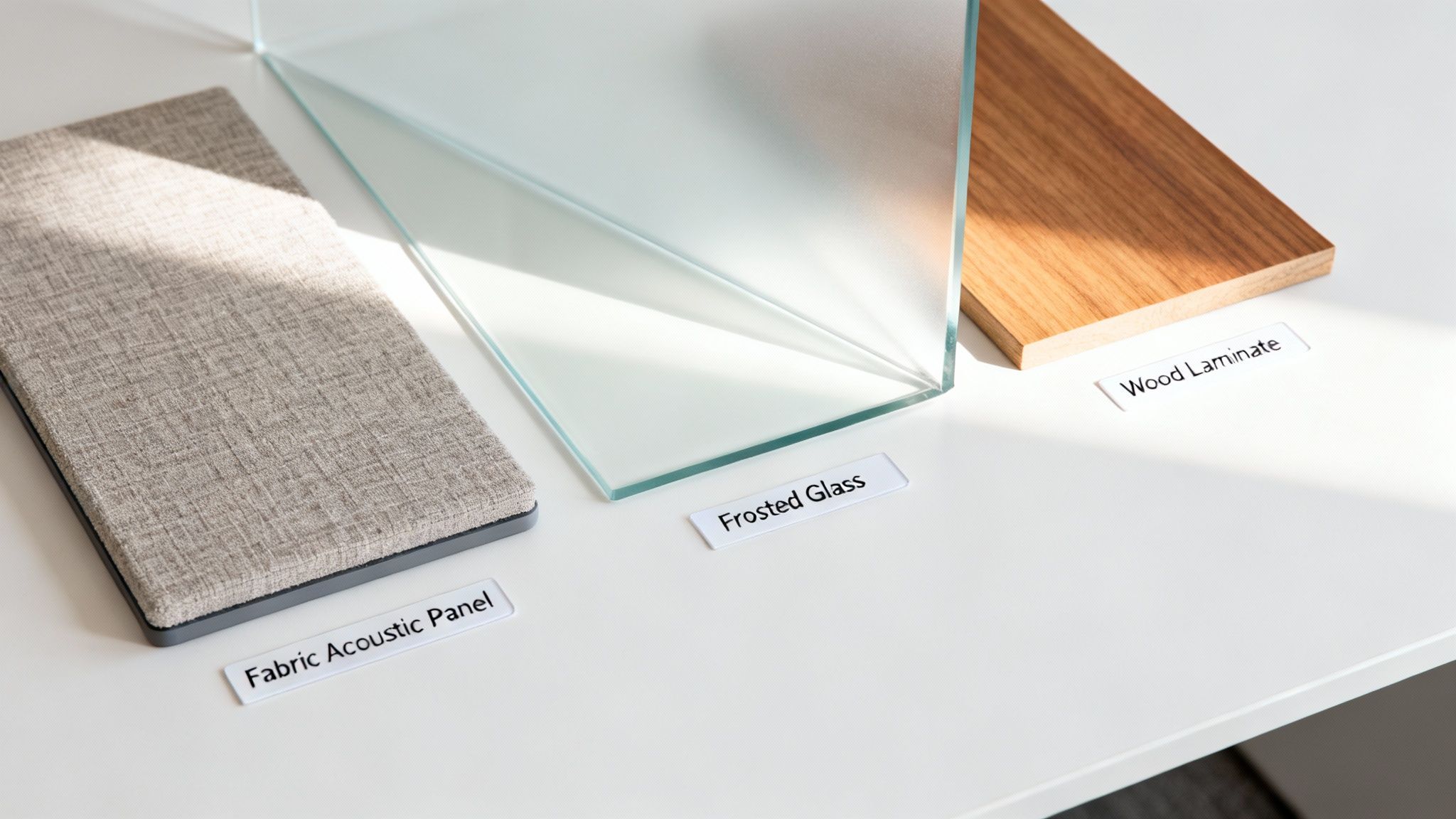
Three material samples for office partitions: a fabric acoustic panel, frosted glass, and wood laminate, showing options for cubicle privacy screens.

Fabric Panels: The Sound Sponges

If your office is dealing with noise pollution—and most are—fabric-wrapped acoustic panels are the gold standard. These things act like 'sound sponges,' soaking up all that ambient chatter, ringing phones, and keyboard clatter instead of letting it bounce off hard surfaces. Their porous cores are engineered specifically to kill echo and dial down the overall volume.

This makes fabric the go-to choice for:

  • Call Centers: Where you have dozens of conversations happening at once, creating a wall of sound.
  • Quiet Zones: For those designated areas where people need to put their heads down and concentrate without constant interruptions.
  • Collaborative Hubs: To keep the noise from one team's brainstorming session from derailing another team's focus next door.

Glass and Polycarbonate: The Light Filters

On the flip side, you have materials like frosted glass or polycarbonate that act as 'light filters.' They’re perfect when you want to create visual separation without losing that bright, open feel of a modern office. These translucent screens obscure direct sightlines for privacy, but they still let natural and artificial light pour through the space.

This approach helps you maintain a sense of openness and connection, avoiding that closed-in, claustrophobic feeling you can get with solid, opaque dividers. You can see how this concept works on a larger scale with full glass partition walls for offices.

Laminate and Wood: The Classic Finish

For a timeless, buttoned-up look, you can't go wrong with laminate and wood finishes. These materials bring a sophisticated, professional vibe that can easily match your existing desks and architectural details, creating a cohesive, high-end feel. They’re also incredibly durable, easy to wipe down, and resistant to scratches, which makes them a smart, practical choice for busy areas.

Privacy isn't just a corporate buzzword; it's a fundamental need across industries. Just look at healthcare—their investment in privacy solutions shows how critical it is. The global market for privacy cubicle curtains is expected to hit USD 632.8 million by 2032, all driven by the need for patient confidentiality. You can read more about this trend in the Grand Research Store report.

Selecting the Right Size and Mounting Options

Choosing the right material is only half the battle. Getting the dimensions perfect is what makes a privacy screen truly effective.

Think about it: a screen that’s too short won’t actually block sightlines, while one that’s too tall can make a space feel cramped and isolated. It's a game of inches, but getting it right ensures your investment pays off in productivity and comfort.

The key is to start with a clear goal. Are you trying to give employees quiet focus while they're at their desks, or do you need to block views along a busy walkway? Answering this question will guide every decision you make about height and placement.

Deciding Between Seated and Standing Privacy

Your first big decision is the level of privacy your team actually needs. This usually falls into two categories, and each one serves a very different purpose in the office.

  • Seated Privacy: This is achieved with screens typically between 42 to 53 inches high. This height is perfect for blocking distractions and creating a focused personal workspace for employees when they are sitting down. It keeps coworkers from seeing directly onto screens from across the room, yet it’s low enough to allow for easy collaboration when someone stands up to chat.

  • Standing Privacy: This requires taller screens, usually 60 inches or higher. This is your best bet for high-traffic areas or for departments like HR and finance that handle sensitive information. It effectively blocks the view of both seated employees and those walking by, offering a much higher degree of visual security.

To get a better sense of how these heights fit into a larger floor plan, check out our guide on standard cubicle dimensions.

Choosing the Best Mounting Option

How a screen attaches to your workspace is just as important as its size. The mounting style affects stability, flexibility, and even the furniture itself.

The genius of today's systems is modularity. You can start with a basic configuration and easily reconfigure or expand as your needs evolve, ensuring your office can adapt without requiring a complete overhaul.

There are two main ways to go:

  1. Clamp-On Mounts: These are the most flexible and non-permanent solution. Clamps attach directly to the edge of a desk without any drilling, protecting your furniture from damage. This makes them a fantastic choice for retrofitting existing desks, especially in leased office spaces where you can't make permanent changes.
  2. Permanent Mounts: For a more integrated and stable setup, screens can be screwed directly into the desk or be part of a full cubicle panel system. This method is best for long-term office layouts where you don’t expect to be making frequent changes.

Enhancing Visual Privacy and Data Security

In today's workplace, privacy isn't just about keeping noise down—it’s about actively protecting sensitive information. The big shift toward open-plan offices has, without meaning to, opened the door to a major vulnerability: "visual hacking." This is where confidential data on a computer screen is just a glance away for anyone walking by.

This isn't some far-off, theoretical risk; it's a real problem with serious consequences. Just think about an HR manager reviewing employee salaries, a finance team member looking at confidential client accounts, or a lawyer reading a privileged document. All it takes is a casual glance from a passerby—a sneaky practice known as shoulder surfing—to cause a major data breach.

A laptop computer sits on a modern wooden desk next to a cubicle privacy screen in a sunlit office, illustrating data security.

From Accessory to Security Essential

This is exactly why strategically placed cubicle privacy screens are so important. They serve as your first and most effective line of defense against visual hacking by physically blocking screens from prying eyes. When you put them in place, you’re turning a simple office accessory into a core part of your company's data security plan. They're a smart investment in protecting your most valuable information.

Visual privacy is no longer a "nice-to-have." It is a fundamental part of a comprehensive security strategy, protecting intellectual property, client trust, and employee confidentiality.

You can see how seriously businesses are taking this just by looking at the market. The privacy screen filter market alone was valued at USD 1.2 billion in 2024 and is expected to more than double to USD 2.5 billion by 2033. This surge is a direct response to the fact that 68% of U.S. corporate offices now have open-plan designs, which naturally leads to more visual distractions and security risks.

For offices with a lot of glass walls, companies are also looking into high-tech solutions like Casper Cloaking technology to prevent visual hacking, which makes screens appear black to anyone looking in from the outside. By combining physical barriers like cubicle screens with advanced tech, you can build a strong, multi-layered defense against data exposure.

Design Your Ideal Workspace in Minutes

Okay, you've got the theory down. You know the different types, materials, and sizes of cubicle privacy screens. Now for the fun part: putting it all into practice.

Figuring out how different setups will actually look and feel in your office can be tough. It's one thing to read about a 66-inch panel, and another thing entirely to see how it divides a space. Luckily, you don't have to rely on guesswork or complicated floor plans anymore.

Instead of just imagining it, you can become your own office architect. This hands-on approach lets you see exactly how your choices will impact privacy, aesthetics, and workflow before you commit to anything.

Become Your Own Office Architect

The best way to know if a layout will work is to build it yourself—virtually, of course. We created the Cubicle Designer for exactly this reason. It's the perfect next step to take your office from a rough idea to a solid plan.

Think of it as a sandbox for your office. Our interactive platform lets you play around with different elements in real-time. You can drag and drop layouts, test various panel heights for seated or standing privacy, and cycle through a huge range of materials and finishes. It’s a pressure-free way to build, tweak, and perfect your ideal workspace. For a deeper dive, you can transform your office with our interactive cubicle designer.

The ability to configure and visualize your workspace before purchasing is a game-changer. It ensures the final product aligns perfectly with your team’s functional needs and the company’s aesthetic vision, preventing costly mistakes.

This is where you can directly apply everything you've learned. See for yourself how a tall fabric panel creates a quiet zone for heads-down work, or how a 42-inch glass-topped screen keeps the space feeling open and connected. You can build out everything from standard workstation cubicles to fully enclosed private office cubicles with just a few clicks. It’s the most direct path to a more productive, private, and well-designed office built specifically for your team.

A Few Common Questions About Cubicle Privacy Screens

When you're planning an office refresh, a few questions about cubicle privacy screens always seem to come up. Getting clear, straightforward answers is the best way to make sure you're investing in something that actually solves your team's challenges. This quick guide tackles the most frequent questions we hear from office managers.

Think of this as the final checklist for navigating the details of selecting, installing, and maintaining the perfect privacy setup for your people.

What Is the Best Height for a Cubicle Privacy Screen?

The perfect height really comes down to what you're trying to achieve. It’s all about the goal.

  • For "seated privacy," which is just enough to shield an employee's monitor and immediate workspace while they're sitting down, panels between 42-48 inches high work great.
  • But if you want true "standing privacy" to stop people from peering over the top in busy walkways, you’ll need to go higher—think 60 inches or taller.

The best approach is to look at each department's unique needs. For instance, lower screens can be perfect for creative teams who need to talk and pass ideas back and forth easily. Taller screens, on the other hand, are a much better fit for departments like HR or finance that handle sensitive information.

Are Acoustic Screens Really Effective at Reducing Noise?

Yes, they absolutely are. Acoustic screens made with real sound-dampening materials like high-density fabric or felt are extremely effective. They work by absorbing sound waves instead of letting them bounce all over the office, which leads to a noticeable drop in echo and ambient chatter.

Now, they won't make a bustling office completely silent—that's not the point. But they will significantly dial down distracting background noise. This makes it so much easier for employees to focus on their work without getting sidetracked by every conversation happening nearby.

How Difficult Is It to Install or Reconfigure Cubicle Screens?

This really depends on the type of screen you go with. Freestanding screens, for example, are the easiest—they require zero installation and can be moved around at a moment's notice. Desk-mounted screens are also surprisingly simple, often using tool-free clamps that you can attach in just a few minutes.

Full-height modular walls are a bit more involved and might require a pro for the initial setup. But even then, modern systems from Cubicle By Design are specifically engineered to be reconfigured without a major headache. That kind of modularity means your office can adapt as your business grows, without you having to start from scratch.

Retrofitting your existing furniture is a popular and really smart strategy. Both desk-mounted and freestanding screens are designed for this exact purpose, letting you add privacy without having to replace all your desks and chairs.

Can I Add Privacy Screens to My Existing Desks?

Absolutely. In fact, adding screens to the desks you already have is one of the most budget-friendly ways to improve privacy. Both freestanding and desk-mounted cubicle privacy screens were made for exactly this scenario.

Just be sure to measure your desk's thickness before ordering to make sure the clamps will be compatible. And if you're looking at freestanding models, take a quick measurement of the available floor space to ensure a good fit.


Ready to create a more focused and productive workspace? At Cubicle By Design, we make it simple to find the perfect privacy solutions for your office. Explore our wide range of options today.
Find your ideal cubicle solution at Cubicle By Design

Read More

A Guide to Glass Cubicle Walls for Modern Offices | Cubicle by Design

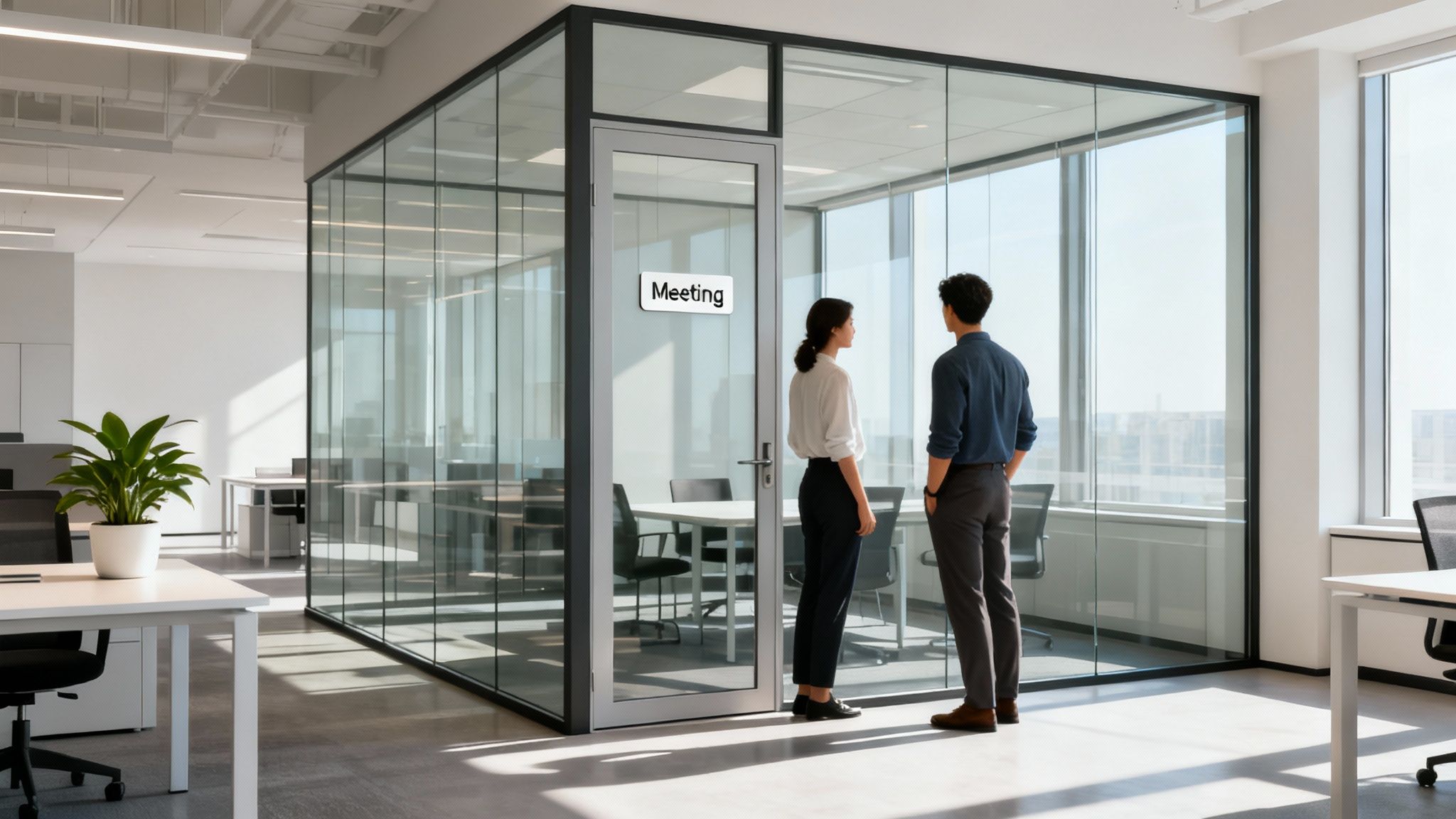
Glass cubicle walls are exactly what they sound like: semi-permanent partitions made from glass panels, often set within sleek metal frames. They’re a brilliant way to carve out individual offices or team zones within a larger, open-plan space.

Think of them as the perfect middle ground. You get the privacy and quiet needed to focus, but you don't lose the natural light and visual connection that makes an office feel alive. It's truly the best of both open and private office worlds. At Cubicle by Design, we help businesses achieve this perfect balance.

The Big Shift to Brighter, More Open Workspaces

For years, the typical office was a sea of high-walled, fabric-covered cubicles. While they were decent at blocking out noise, they also created dim, isolating little boxes that killed any chance of collaboration and left much of the office feeling dark and disconnected.

Thankfully, we're seeing a major shift away from that old-school model. The push is toward workspaces that feel brighter and more energetic.

It’s all about finding the right balance. Companies want to build a sense of community and make teamwork easy, but a completely open floor plan often backfires with constant noise and interruptions that tank productivity. This is precisely where glass cubicle walls come in as an elegant fix, creating defined work areas without putting up visual barriers.

Letting the Light and Connection In

Modern office design is all about employee well-being and productivity, and nothing contributes more to that than natural light. Swapping out solid, traditional walls for transparent or frosted glass can completely change the feel of your workplace.

  • Flooding the Space with Natural Light: Glass partitions let sunlight travel deep into the office, cutting down on the need for harsh artificial lighting and creating a much more pleasant place to work.
  • Building Visual Connection: Employees can see their colleagues, which helps build a sense of team unity and transparency without forcing them into constant, distracting conversations.
  • Creating a Modern, Dynamic Vibe: The clear, reflective quality of glass instantly makes a space feel bigger, more modern, and more energetic than old-school drywall or fabric.

This isn't just about aesthetics; it's a smart business move. The global market for glass partition walls was valued at an impressive USD 13,500.75 million and is expected to skyrocket to USD 26,500.40 million by 2032. That kind of growth sends a clear message: businesses are all-in on creating flexible, light-filled offices.

We're at the forefront of this movement, helping businesses build inspiring workplaces with versatile cubicle systems that incorporate glass beautifully. By understanding the latest workplace design trends, companies can create offices that not only look fantastic but also support a healthier, more collaborative, and more productive team. It’s a single design choice that has the power to redefine your entire office culture.

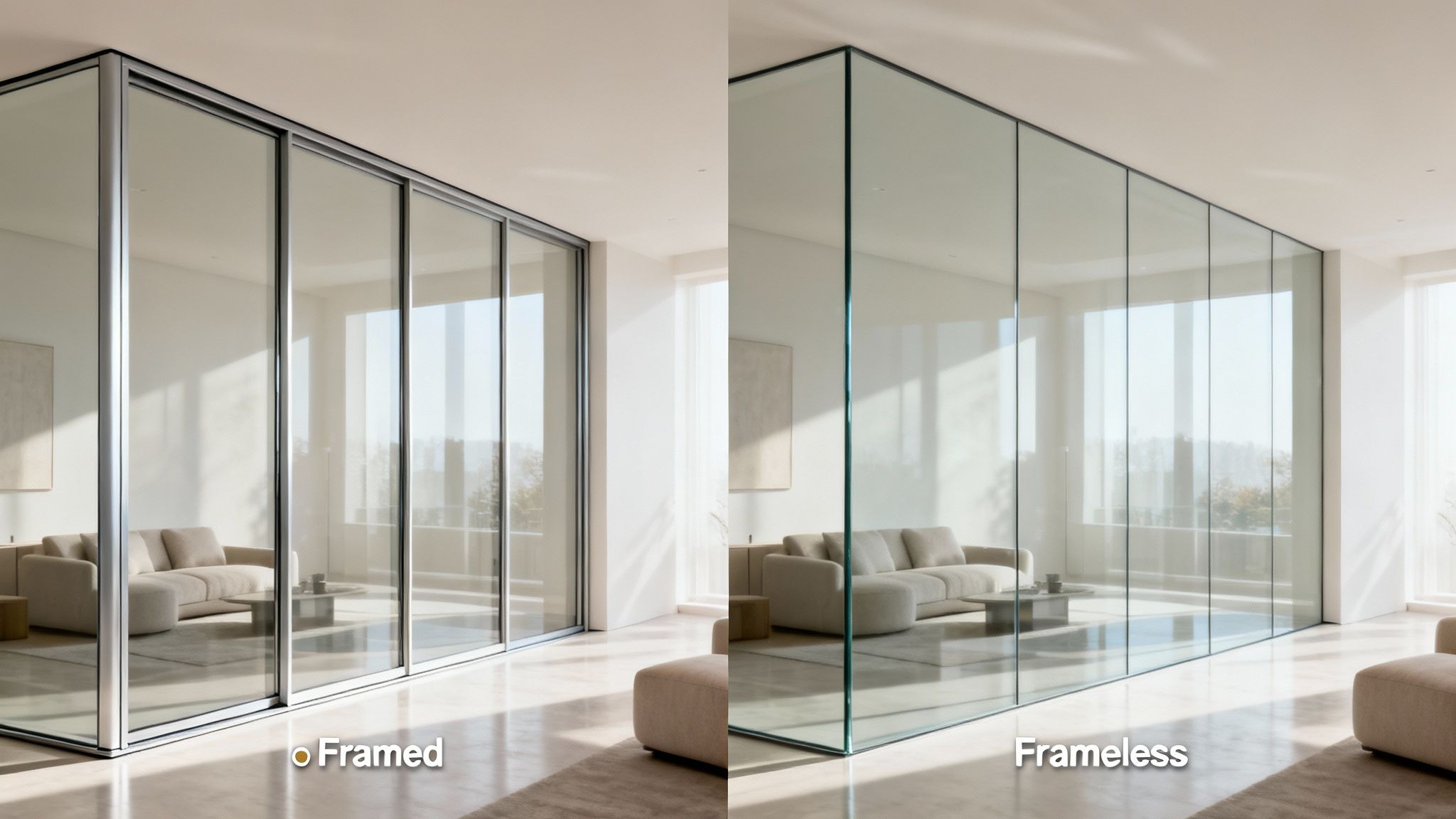
Choosing Your Style: Framed vs Frameless Glass Walls

When you’re planning glass cubicle walls, one of the first big calls is choosing between framed and frameless systems. That choice goes beyond looks—it shapes acoustics, workflow, and the overall vibe of your space.

Think of it like picking windows for your home. A framed window brings structure and crisp lines, while a frameless picture window erases barriers between inside and out. Understanding these nuances helps you design an office that works just as beautifully as it looks.

The Classic Structure Of Framed Glass Walls

Framed glass wall systems wrap each panel in a sturdy aluminum or steel frame. That frame isn’t just decoration—it boosts structural stability and tightens up sound control.

For areas where privacy and focus are non-negotiable, framed walls shine. They seal each glass panel, cutting through office chatter and blocking noise transfer.

Consider where framed systems excel:

  • Private Offices: Executives and managers get a quiet zone for strategy sessions.
  • Conference Rooms: Every word stays inside, free from hallway intrusions.
  • HR Or Legal Departments: Confidential talks and document reviews remain under wraps.

This decision tree visualizes the choice between clinging to old, isolating cubicles and embracing a balanced, light-filled environment.

The Seamless Appeal Of Frameless Glass Walls

Frameless glass wall systems rely on minimal hardware—just discreet clips or slender channels at the top and bottom. The result is an almost invisible barrier that lets natural light flood uninterrupted.

It’s like an infinity pool for your office: unbroken glass panes blur edges, making the space feel airy and expansive.

By stripping away vertical and horizontal lines, frameless glass walls foster a culture of openness and collaboration among team members.

This style is a favorite in creative agencies and tech startups chasing a minimalist vibe. They won’t match framed walls for acoustic insulation, but they excel at carving out zones without erecting visual walls.

For details on specific options, explore our glass wall systems for offices.

Comparing Framed And Frameless Glass Wall Systems

Here’s a quick rundown to spot the differences at a glance.

Feature Framed Glass Walls Frameless Glass Walls
Sound Control Excellent acoustic separation Moderate noise dampening
Visual Impact Defined lines and structure Seamless, transparent sightlines
Hardware Heavy-duty frames around each panel Minimal clips or channels
Installation Speed Standard timeline; moderate installation effort Faster install; fewer components
Maintenance Frames may need regular cleaning and upkeep Easier wipes, but glass edges require care
Aesthetic Style Professional, structured look Modern, minimalist design

Use this comparison to match features with your workspace priorities—whether you’re after soundproof privacy or a gallery-like openness.

Your final choice boils down to balancing acoustic needs with visual flair. Framed walls bring robust sound control and a polished structure. Frameless walls deliver boundless light and an airy, modern feel.

Unlocking the Real-World Benefits of Glass Partitions

Sure, they look fantastic, but glass cubicle walls deliver some powerful, practical advantages that can genuinely change your company's culture and even its bottom line. Moving past pure aesthetics, these systems bring tangible benefits that reshape how your team works, feels, and collaborates. Let's break down the three core advantages that make them such a smart long-term investment.

First, bringing in more natural light does more than just brighten a room—it creates a healthier, more cost-effective environment. Second, the visual link between teams helps build a culture of transparency and approachability. And finally, their modular nature gives you incredible flexibility for future growth.

Maximize Natural Light and Well-Being

One of the first things you'll notice after installing glass cubicle walls is the dramatic increase in natural light. Traditional high-walled cubicles have a bad habit of creating dark, isolated pockets that lean heavily on artificial lighting. That kind of environment can lead to eye strain, headaches, and that general afternoon sluggishness we all know.

Glass partitions act like a conduit, letting sunlight pour deep into the office. Studies have actually shown that employees with access to natural light report a 63% reduction in headaches and a 56% drop in drowsiness. This isn't just a minor perk; it's a direct boost to your team's well-being and their ability to stay focused all day.

This simple change has a financial upside, too. By cutting down on the need for constant overhead lighting, businesses can see a real drop in their energy bills. It’s a win-win that lifts employee morale and helps your operational budget.

Foster a Culture of Visual Connection

While completely open offices can be a recipe for constant distraction, old-school cubicles often create silos that make it hard for teams to connect. Glass cubicle walls hit that perfect sweet spot, encouraging a visual connection without taking away personal workspace. This transparency is a huge step toward building a more open and collaborative company culture.

When employees can actually see their colleagues, it sparks more of that spontaneous, impromptu collaboration. It also makes managers seem much more approachable. This subtle shift can break down hierarchical barriers and speed up communication, since a quick question is often just a glance away.

This sense of shared space—without the shared noise—is key. It tells your team that collaboration is valued, but it also respects their need for focused, individual work time, a critical factor for maintaining high productivity. You can explore how different layouts impact team dynamics and learn more about achieving office cubicle privacy without total isolation.

Embrace Long-Term Flexibility and Value

Maybe the most underrated benefit of glass cubicle walls is just how adaptable they are. A traditional drywall build-out is permanent and a pain to change. When your company grows or your teams restructure, you're often stuck with a layout that just doesn't work anymore, staring down the barrel of a disruptive and expensive renovation.

Modular glass partitions, on the other hand, are designed for change. They can be easily demounted, moved, and reconfigured to create new offices, expand team pods, or adapt to new workflows with almost no disruption. This built-in flexibility saves you from future construction headaches and costs.

This adaptability is a major reason why over 70% of modern commercial buildings now integrate glass partitions. The global market is booming, expected to hit USD 36.81 billion by 2033, driven by businesses looking for smart, scalable solutions. This makes glass walls not just a design choice, but a strategic investment in your company's future.

Tailoring Your Space With Custom Glass Walls

Your office shouldn’t feel like a rigid box—and your partitions shouldn’t either. Glass cubicle walls invite you to treat each panel as a chance to weave your brand story into the very fabric of your workspace.

It goes beyond choosing a height or color. You’re making strategic design decisions that impact how people work and interact. Need a hush-hush corner for private calls? Or an open enclave for brainstorming? Customization makes it happen.

Choosing The Right Glass For Form And Function

Glass choices shape both mood and utility. They dictate how much light floods in, how much privacy you enjoy, and even how people move through the space. Here’s a quick look at the most popular options:

  • Clear Glass: Floods the room with daylight and fosters an open vibe—ideal for team areas where communication matters.
  • Frosted Glass: Blurs outlines but keeps spaces bright. Perfect for HR offices, executive suites, or any spot where discretion is key.
  • Tinted Glass: Comes in warm bronze or cool gray tones. Cuts glare and offers soft privacy without sealing you off entirely.
  • Banded or Patterned Glass: Add horizontal frosted bands or custom vinyl logos. It’s a smart way to guide sightlines and reinforce branding.

Mixing clear and frosted panels isn’t just decorative. It’s a way to channel focus, guard confidential discussions, and choreograph a visual rhythm across your floor plan.

Aligning Finishes With Your Brand Identity

Once you’ve picked the glass, the frame finish becomes your accent color. It can blend in or boldly punctuate the design. These finishes often tie into furniture, door frames, or company colors for a cohesive look:

  • Satin Anodized Aluminum: A classic silver that feels clean and professional.
  • Powder-Coated Black: Sharp, modern lines that command attention.
  • Powder-Coated White: Brightens the room and enhances a minimalist aesthetic.

When these frames echo your existing palette, the result feels intentional. For more on harmonizing small details with big-picture design, check out our guide on creating personalized workspaces with custom cubicles.

Integrating Power And Data For A Clean Look

Tech power is at the heart of every workstation—but tangled cords can wreck a pristine design. The solution? Raceways built right into the base of your glass wall frames. They tuck away power and data cables, delivering outlets exactly where you need them.

This discreet wiring system:

  • Cuts down on extension cords and messy power strips
  • Removes trip hazards and visual clutter
  • Makes each desk a plug-and-play zone for every employee

To see how these components come together, try the interactive Custom Cubicle Designer. Experiment with layouts, finishes, and glass styles until your vision aligns with reality—before you ever place an order.

Planning Your Glass Wall Installation Project

Bringing your vision for a bright, modern office to life is an exciting process, but it all hinges on a solid, practical plan. Making the switch to glass cubicle walls is worlds easier than traditional construction, but it still demands careful coordination to get you from concept to final walkthrough without a hitch. Getting a handle on these key stages demystifies the whole thing and helps you sidestep common headaches.

The journey starts with professional space planning, where we translate your ideas into a layout that actually works. This is about more than just drawing lines on a blueprint; it’s about making sure the workflow makes sense, everything is up to code, and every square foot pulls its weight. From there, we nail down the logistics, pick out materials, and schedule an installation that doesn’t bring your business to a screeching halt. This is where partnering with a full-service expert really pays off.

Mapping Out The Project Timeline

A clear timeline is everything for managing expectations and keeping the project on track. The installation for glass cubicle walls breaks down into a few distinct phases, each with its own checklist. Think of it as a roadmap that takes you from our initial chat to the finished space.

A structured approach makes sure no detail gets missed:

  1. Initial Consultation and Space Planning: We’ll sit down with you to understand your goals, take detailed measurements of your space, and sketch out a layout that gets the balance between looks and function just right.
  2. Design Finalization and Material Selection: This is the fun part. You’ll choose your glass types, frame finishes, and any cool integrations like power and data. Once you sign off, we’re ready for production.
  3. Production and Lead Time: Your custom glass wall components are manufactured to the exact specs from the design phase. Lead times can vary, so planning ahead is always a good idea.
  4. Site Preparation and Installation: Our installation crew preps the site and puts the system together. You’ll be amazed at how quickly it happens, with far less noise and dust than putting up drywall.
  5. Final Walkthrough and Approval: We’ll walk through the finished space with you, making sure every last component is installed perfectly and looks exactly how you envisioned it.

Navigating Building Codes and Logistics

One of the most critical—and often overlooked—parts of any office renovation is sticking to local building codes. These rules cover everything from fire safety and clear emergency exits to electrical wiring and structural stability. It can feel like a maze of regulations, but it’s a non-negotiable step to ensure your workspace is safe and legal.

An experienced partner handles all these details for you, making sure your new glass cubicle walls meet every standard. This means verifying that all glass is properly tempered for safety and that the new layout doesn’t block sprinkler systems or fire escape routes. For getting precise material and labor estimates, pros often use specialized glazing takeoff software to keep the project plan accurate from the start.

By getting a handle on the practicalities of code compliance and installation logistics upfront, you can avoid costly delays and rework down the line. A proactive approach is the hallmark of a well-managed project.

The industry as a whole is moving in this direction. The glass partition wall market, which includes these cubicle walls, ballooned from roughly USD 2,650 million globally in 2019 to USD 6.99 billion after the pandemic. Projections show it hitting USD 9.27 billion by 2030. This boom is fueled by businesses that need flexible, code-compliant solutions for the modern workplace.

To see how a professional team handles every step from start to finish, you can read more about our complete office furniture installation services.

Real-World Applications Where Glass Cubicles Excel

It’s one thing to talk about features, but to really get a feel for the impact of glass cubicle walls, you need to see how they solve everyday challenges in a real office. These systems are so much more than simple dividers; they're a powerful tool for shaping workflow, guiding company culture, and getting the most out of your floor plan.

Let’s walk through a few practical scenarios to get the ideas flowing for your own space.

From sophisticated executive suites to high-energy team pods, the beauty of glass is its adaptability. You can fine-tune each area for its specific purpose, boosting productivity and making the office a place people genuinely want to be.

The Connected Executive Office

Picture a leadership row built with full-height, framed glass walls. This approach creates impressive private office cubicles that feel both professional and approachable. The executives get the quiet they need for sensitive calls or deep strategic thinking, but the glass keeps them visually connected to their teams.

This simple design choice subtly reinforces an open-door policy, tearing down the walls of the intimidating corner office. It makes leaders feel like part of the daily pulse of the company, not separated from it.

The Collaborative Team Hub

Now, let's think about a marketing or creative department. These teams run on quick conversations and spontaneous brainstorming. Instead of sticking them in isolating cubicles or a loud, messy open floor, you can use half-height glass partitions to give them their own zone.

These lower walls carve out a team "neighborhood" without killing the open, airy vibe. People can easily talk over the glass and share screens, but they still have a defined personal space. It’s the perfect setup for agile teams who need to switch between individual tasks and group huddles on a dime.

By defining collaborative zones with glass, you give teams a home base that encourages interaction while minimizing disruptions to neighboring departments. This balanced approach is key to a productive open-plan environment.

The High-Focus Work Zone

Of course, not every department thrives on constant interaction. Your finance, legal, or HR teams handle confidential information and need serious concentration. For these groups, full-height glass cubicle walls with frosted or banded glazing are the answer.

Here’s how this setup nails the "heads-down" work environment:

  • Acoustic Separation: A well-sealed framed system dramatically cuts down on chatter and background noise, letting employees focus on complex work.
  • Visual Privacy: Frosted glass keeps sensitive documents or on-screen data private from anyone walking by. Crucially, it does this without blocking light, so the space never feels dark or claustrophobic.
  • Defined Boundaries: It sends a clear signal that this is a quiet zone, naturally discouraging interruptions.

These examples just scratch the surface. They show how glass walls can be tailored to any workflow, creating specialized environments that help every team perform at its best. Whether you're designing individual workstation cubicles or planning entire departments, the right glass system delivers both function and style.

Frequently Asked Questions About Glass Cubicle Walls

Switching over to glass cubicle walls is a big move in office design, so it's only natural to have a few questions. We get a lot of inquiries about these modern partitions, so we've put together some straightforward answers to help you feel confident about your decision.

Are Glass Walls Good For Soundproofing And Privacy?

You'd be surprised. While everyone loves glass cubicle walls for the visual openness they bring, today's systems are actually engineered with acoustics as a top priority. Framed systems, in particular, do a fantastic job of creating seals that really dampen the typical office chatter.

If you need even more sound control, you can always opt for thicker or laminated acoustic glass. And for privacy? Options like frosted, tinted, or even custom-banded glass give you that visual separation without killing the natural light. This makes them a perfect fit for meeting rooms, HR offices, or anywhere confidentiality is key.

How Durable And Safe Are Glass Office Walls?

In any office, safety and durability are non-negotiable. Our glass partitions are built using commercial-grade tempered or laminated safety glass, which is a solid four to five times stronger than the standard stuff. Tempered glass is designed so that if it ever does break, it crumbles into small, dull pieces, drastically cutting down the risk of injury. For those curious about the specifics, there are great guides on the different types of safety glass that break down the technical details.

The aluminum frames are just as tough, engineered for stability in a high-traffic workplace. Once they're professionally installed, these systems are incredibly sturdy and ready to handle the daily grind of a busy office.

What Is The Cost Compared To Traditional Drywall?

Looking at the initial price tag, glass cubicle walls can seem like a bigger investment than traditional drywall. But that's not the whole story—you have to look at the total cost of ownership. Over the long haul, glass walls deliver a much stronger return.

Because they are modular and demountable, glass partitions can be reconfigured as your business grows. This adaptability saves you from expensive and disruptive demolition and construction projects in the future.

On top of that, glass walls are often classified as furniture, which can open up some potential tax advantages. When you factor in the energy savings from all that natural light and the positive bump in employee productivity, glass partitions often end up being the smarter financial choice over time. Think of it as an investment in your company's future flexibility.


Ready to design a brighter, more flexible workplace? The team at Cubicle by Design can help you plan the perfect layout with our versatile glass wall systems. Explore your options at https://cubiclebydesign.com/ and start building your ideal office today.

Read More

Temporary Walls For Office: Flexible Spaces for Modern Layouts | Cubicle By Design

Let's be honest, the traditional office with its fixed, permanent walls is starting to feel like a relic. In a world where businesses have to pivot on a dime, a static floor plan isn't just outdated—it's a liability. It can hamstring growth, kill collaboration, and just plain fail to meet the needs of a modern workforce.

Companies are waking up to the fact that adaptability isn't just a trendy concept; it's a survival strategy. And your physical workspace is a huge part of that. This is exactly where temporary walls for office come in, offering a much smarter way to build, grow, and adapt.

Reimagining Your Workspace with Temporary Office Walls

Think of walls not as permanent structures, but as tools you can use to shape your environment whenever you need to. That’s the core idea here. These systems let you reconfigure your office on demand, without the mess and expense of a full-blown construction project.

Need a dedicated space for a new project team? You can have a row of private offices up and running in a fraction of the time it would take with drywall. Is one of your departments suddenly expanding? Modular walls can be taken down and reconfigured to create larger workstations, all without sending clouds of dust into the HVAC system.

The Shift Toward Agile Office Design

This move toward flexible office solutions is part of a much bigger conversation about how we work. We all remember the open-plan office craze. It was sold as a way to boost collaboration, but for many, it just created a noisy, distracting environment where deep, focused work was nearly impossible. That experience has led to a more balanced, agile approach.

  • Supporting Hybrid Teams: With people splitting their time between home and the office, the workplace has to do more. It needs to be a collaborative hub one minute and a quiet zone for heads-down tasks the next.
  • Cost-Effective Scalability: For any growing business, leasing more square footage is a massive expense. Temporary walls let you get more out of the space you already have, creating functional new areas without bloating your overhead.
  • Minimal Business Disruption: Let’s face it, traditional renovations are a nightmare. They can shut down entire sections of your office for weeks. Modular wall installation is clean, quiet, and can often be done over a weekend or even overnight.

This isn't just about putting up dividers; it's a strategic move to future-proof your real estate investment. When you choose adaptable infrastructure, you’re creating an office that can evolve right alongside your business. It becomes a productive asset, not a rigid constraint. To really nail this, facility managers often look into optimal space planning strategies that work hand-in-glove with modular systems.

Ultimately, bringing in temporary walls is less about dividing your space and more about multiplying its potential. It's a foundational piece for building a responsive, efficient, and genuinely human-centric workplace. As you think about your next office refresh, it’s worth checking out the latest workplace design trends that really champion this kind of built-in flexibility.

Decoding the Different Types of Temporary Walls

Choosing the right temporary walls for your office can feel like sorting through a massive catalog, but it's simpler than you might think. Each type is really just a different tool in a toolbox, built for a specific job. Once you understand their unique strengths, you can pick the perfect solution to shape your workspace exactly how you need it.

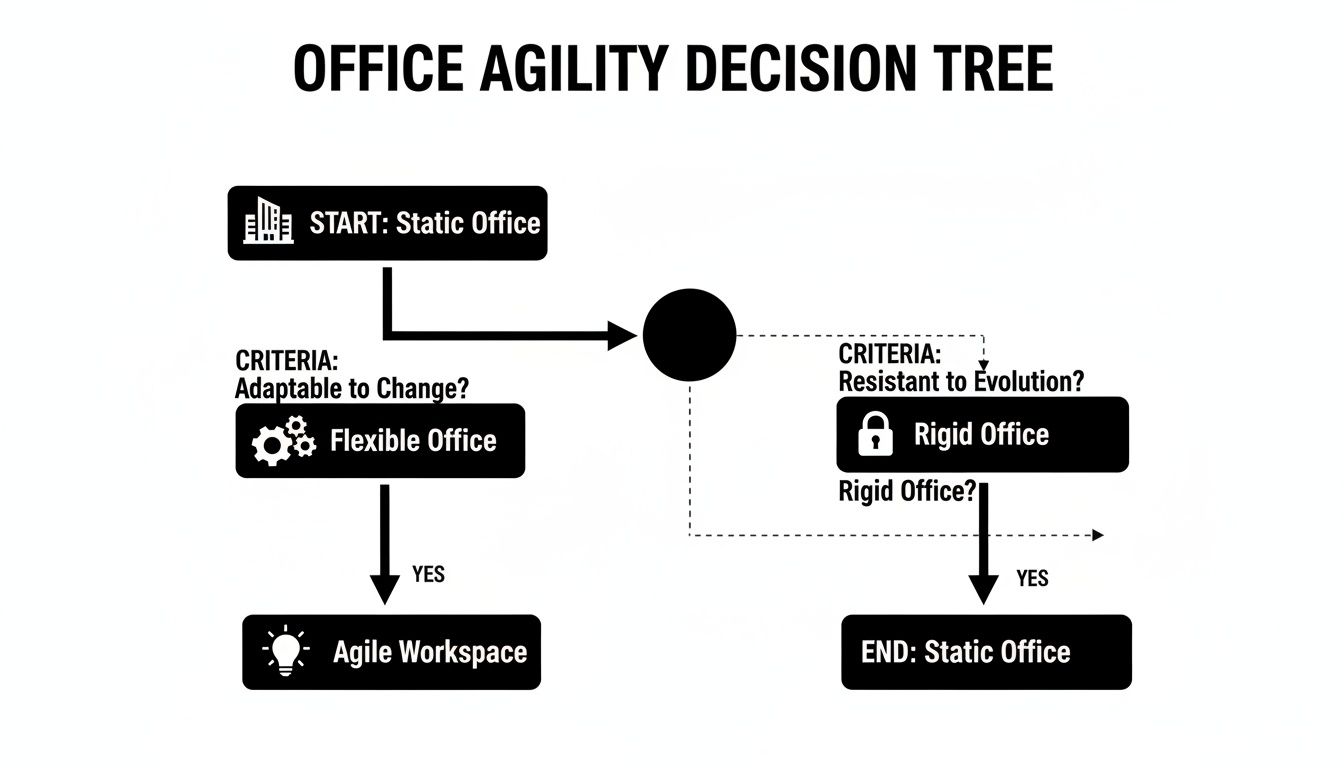
This decision is a huge step in moving your office from a static, fixed layout to a truly agile one. Think of it as a fork in the road: you can either stick with a rigid approach or choose a flexible path that lets your workspace breathe and change with you.

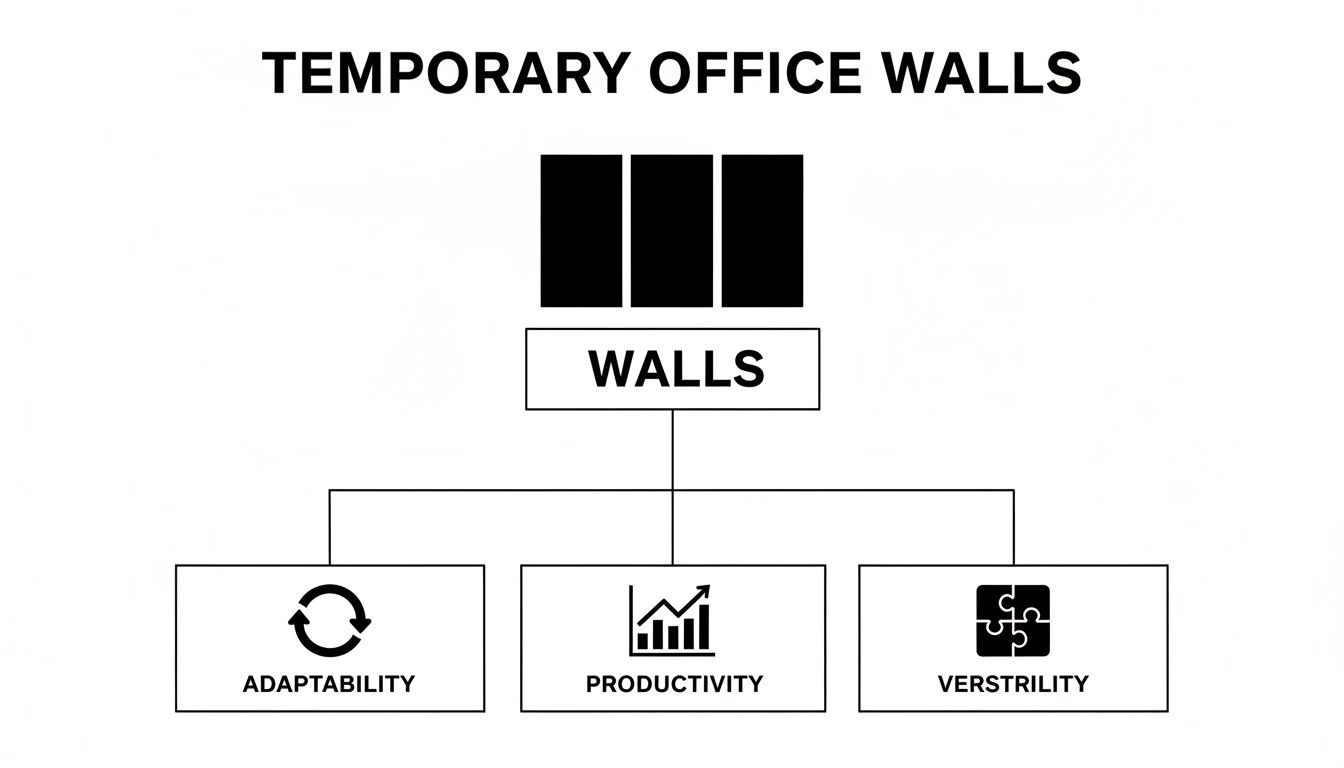
A decision tree diagram showing the flow for office agility, from a static workspace with drywall to an agile workspace with modular walls.

As you can see, the flexible path is the most direct route to an agile workspace, giving your business the power to adapt and grow. Let's dig into the main types of temporary walls that make this agility a reality.

Modular Wall Systems

Think of modular wall systems as life-sized, high-end building blocks for your office. These aren't flimsy little dividers; they're sturdy, pre-engineered panels that snap together to create solid, dependable walls. They give you a sense of permanence and privacy that feels a lot like traditional drywall.

But here’s the real magic: their flexibility. Unlike drywall, which creates a huge mess when you tear it down, modular walls can be taken apart and put back together somewhere else with minimal fuss. This is a game-changer for businesses that are growing or constantly shifting team structures.

Glass Wall Partitions

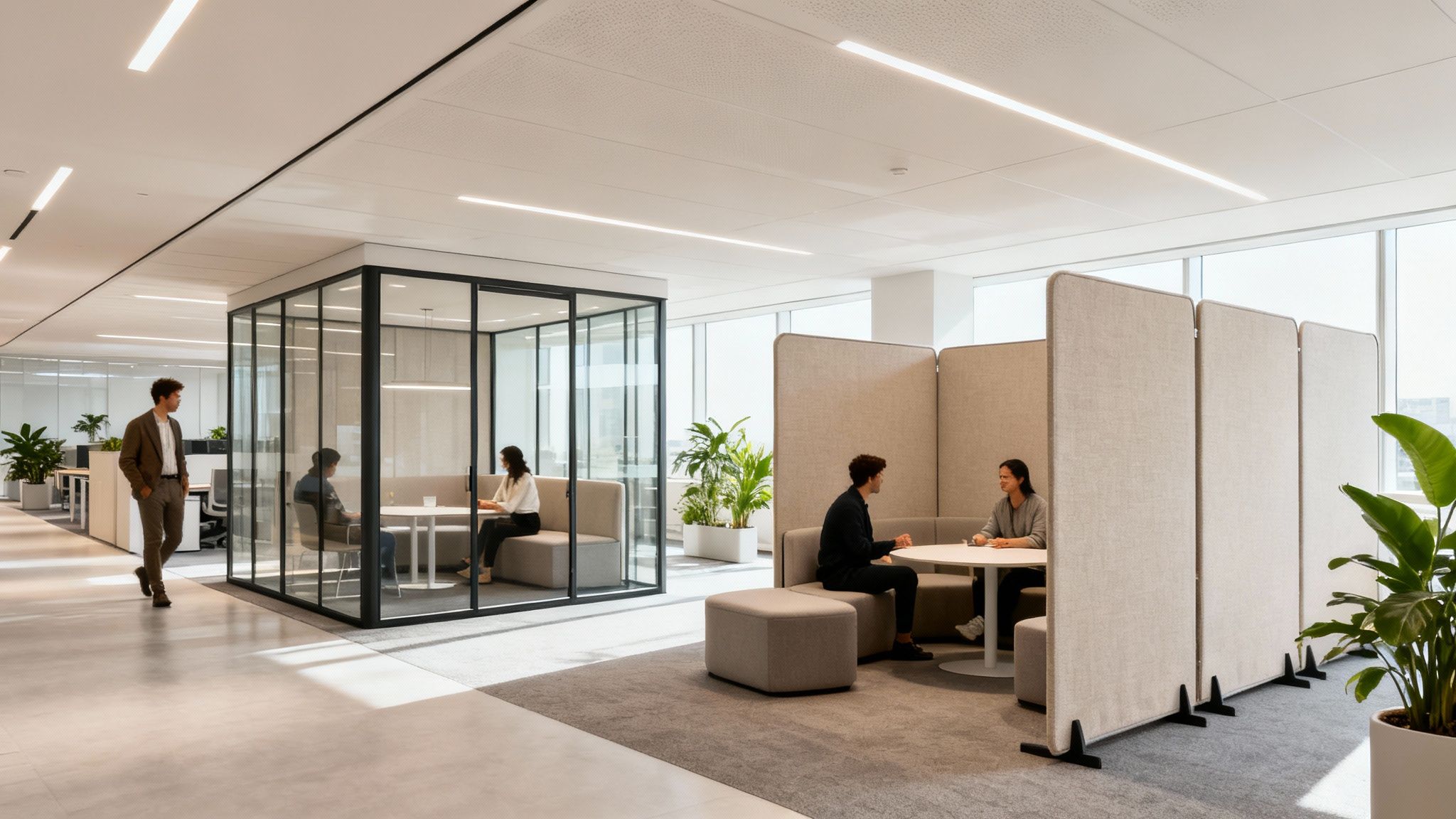
Glass partitions hit that perfect sweet spot between defining a space and keeping things open and bright. They create a clear visual separation without killing the collaborative, light-filled vibe of an open floor plan. This makes them a fantastic choice for conference rooms, executive offices, and breakout areas where you need both privacy and a sense of connection.

And we're not just talking about simple panes of glass here. Modern glass walls come framed or frameless for different looks and can even have frosted or patterned finishes for extra privacy. You can check out a wide variety of glass partition walls for offices to see just how much they can transform a space.

It's also worth noting that today’s glass systems can offer serious acoustic control. Double-paned options are specifically engineered to muffle sound, keeping confidential conversations private without making the office feel like a fortress.

Demountable Walls

You’ll often hear "demountable walls" and "modular walls" used in the same breath, but there's a subtle difference. While all modular walls can be demounted, this term really emphasizes long-term, repeated use. These systems are built tough, designed to be taken down and reinstalled over and over again without losing their looks or structural integrity.

This makes them an incredibly smart financial move. Instead of paying for demolition and new construction during a remodel, you’re just reconfiguring an asset you already own. It's where you see a huge long-term ROI, especially since demountable walls are often classified as furniture for tax purposes, which means faster depreciation.

  • Sustainability: Drastically cuts down on construction waste compared to drywall.
  • Long-Term Value: A reusable asset that grows and changes with your company.
  • Speed: Reconfigurations happen incredibly fast, minimizing downtime.

Freestanding Dividers and Screens

When you need the absolute quickest and most flexible way to divide a space, freestanding dividers are your best friend. These are simple, non-structural panels you can literally pick up and move by hand to create a bit of temporary privacy or block a visual distraction. They don't attach to the floor or ceiling, giving you total mobility.

They won't give you much in the way of soundproofing, but they're perfect for:

  1. Popping up quick huddle spaces: Carve out a spot for a quick team chat.
  2. Cutting down on visual noise: Shield employees from busy walkways in an open office.
  3. Adding personal space: Give workstations a little more definition without a full enclosure.

Freestanding dividers are ideal for dynamic environments where needs change by the day, or even by the hour. They are the simplest form of temporary walls for office use, built for ease of movement above all else.

Comparing Temporary Wall Systems at a Glance

To make things even clearer, we've put together a quick comparison chart. This should help you weigh the pros and cons of each system at a high level.

Wall Type Best For Acoustic Performance Flexibility and Reusability Typical Cost
Modular Walls Creating solid, private offices and meeting rooms that can be reconfigured later. Good to Excellent High $$$
Glass Partitions Balancing privacy with an open, light-filled feel for modern conference rooms. Fair to Excellent Moderate to High $$$$
Demountable Walls Long-term investment in a highly reusable, sustainable wall solution. Good to Excellent Excellent $$$
Freestanding Dividers Quick, on-the-fly space division and reducing visual distractions. Low Excellent $

Ultimately, the best choice depends entirely on your specific goals—whether you're prioritizing acoustics for a quiet room, flexibility for a growing team, or simply trying to manage visual chaos on a budget.

What You Absolutely Must Know Before Buying

Okay, you've seen the different types of temporary walls out there. Now comes the important part: digging into the practical details that make or break a project. Choosing the right system is about more than just picking a style you like. It’s about making sure your new walls check all the boxes for function, safety, and the overall feel of your workspace.

Get these factors right from the start, and you'll have an investment that creates a genuinely productive and compliant office.

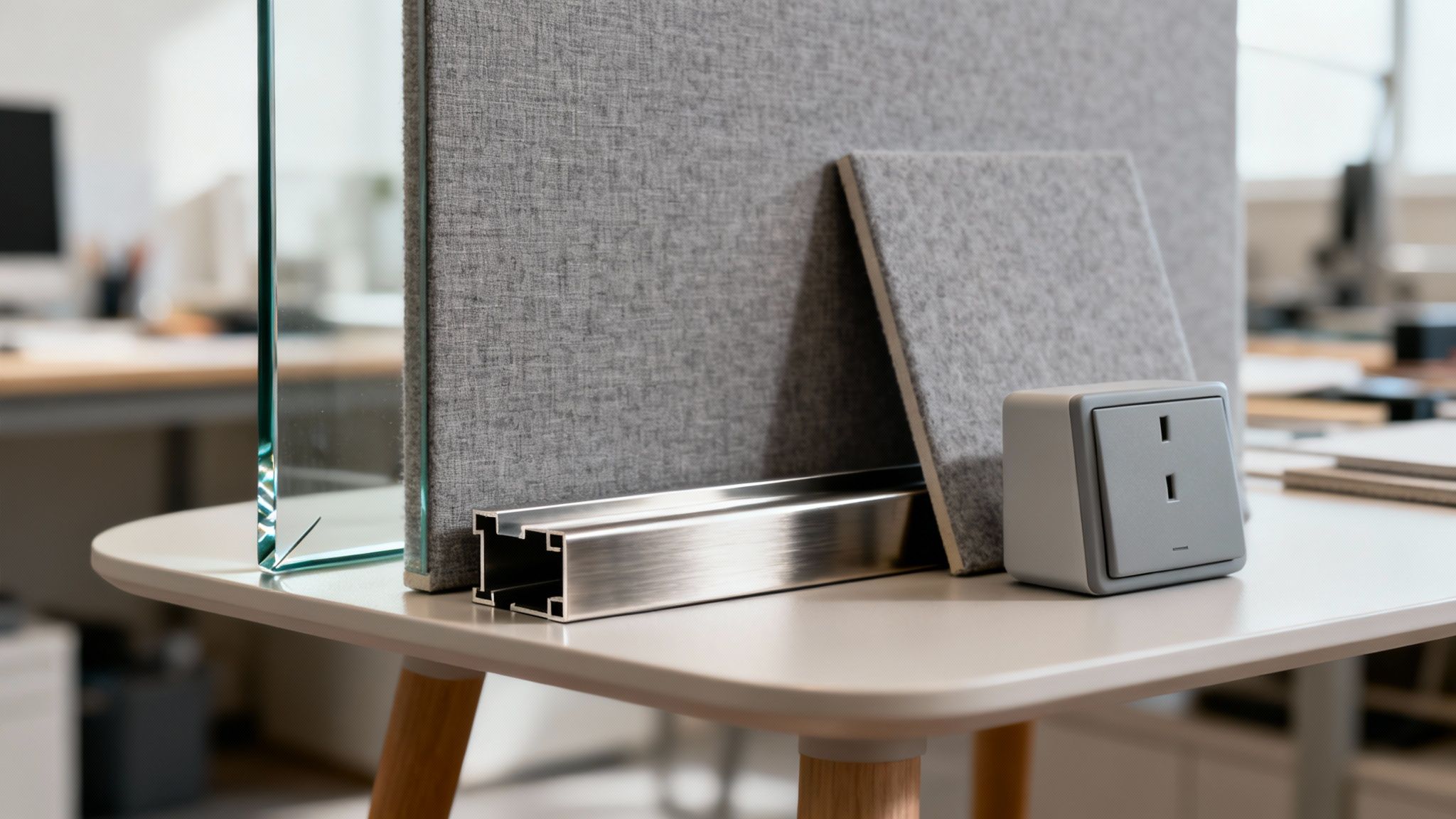
A display of various materials for office partitions, including glass panels, fabric panels, a metal frame, and an integrated power outlet.

Think of this step like drawing up the blueprint for your new office. An architect wouldn't just design four walls; they’d consider everything from sound travel to where the electrical outlets go. That's exactly what you need to do here—plan for acoustics, fire codes, materials, and utilities. This ensures your temporary walls don't just divide space, they actually enhance it.

Mastering Office Acoustics

In today's office, sound control isn't a luxury; it's a necessity. An office buzzing with constant chatter is a killer for productivity and employee morale. This is where you need to get familiar with acoustic ratings.

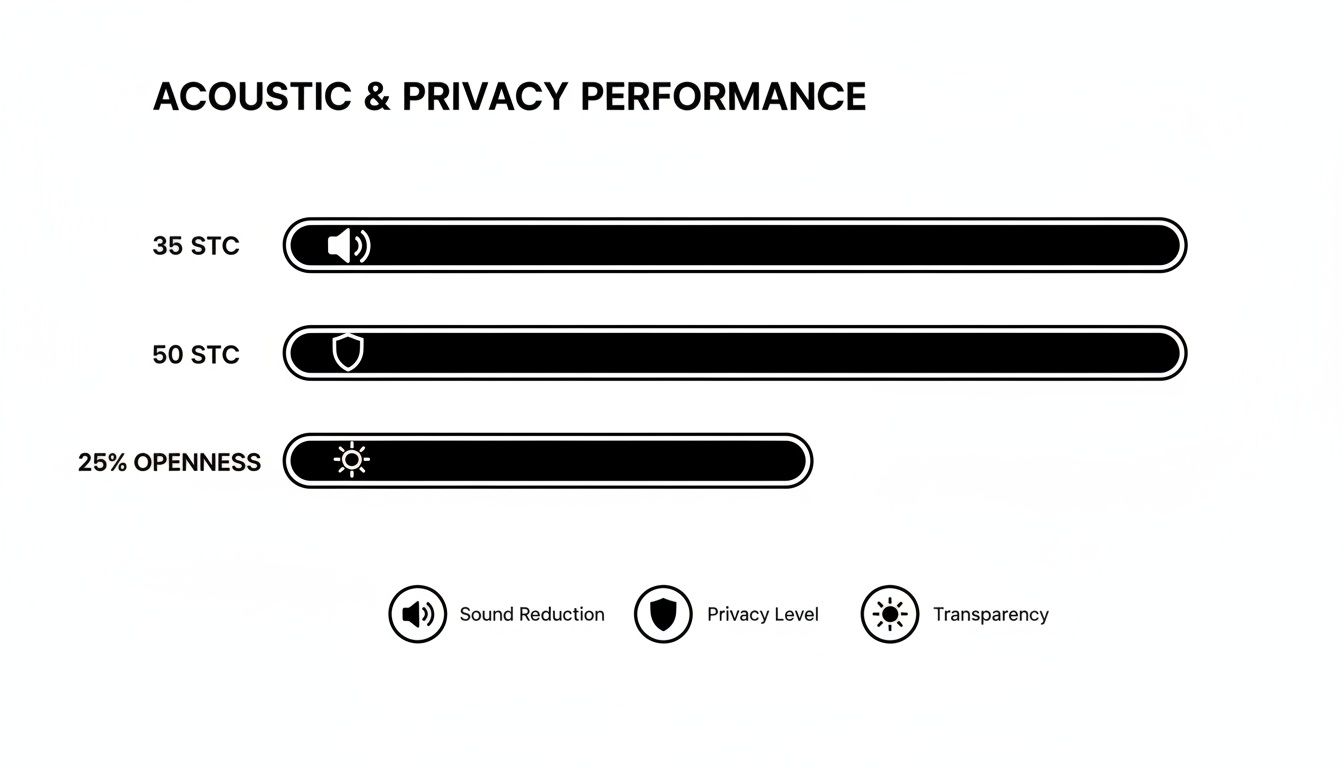
The key metric you'll hear about is the Sound Transmission Class (STC) rating. In simple terms, the higher the STC number, the better the wall is at stopping sound in its tracks.

  • STC 25: Normal speech is easy to hear and understand. Not great for privacy.
  • STC 35: You can hear loud speech, but you can't quite make out the words.
  • STC 45: Loud speech becomes a faint mumble, if you can hear it at all.
  • STC 50+: This is the gold standard for soundproofing, perfect for confidential spaces.

For a typical private office where people need to focus, an STC rating of 40-45 is a solid goal. If you're building out a high-stakes conference room or an HR office, you’ll want to aim for STC 50 or even higher. This level of quiet is easily achievable with quality modular systems, like those used to build dedicated private office cubicles that feel completely separate from the open floor.

Pro Tip: Don't just focus on the walls. Sound is sneaky and can leak through ceilings, floors, and flimsy doors. For the best results, you need a holistic approach. That means pairing your walls with high-rated acoustic ceiling tiles and solid-core doors to truly lock in the quiet.

Navigating Fire Safety and Building Codes

This is the one area you can't afford to get wrong. Putting up new walls—even temporary ones—means you have to play by the rules of local building codes and fire safety standards. Ignoring them can lead to failed inspections, expensive rework, and, worst of all, an unsafe environment for your team.

Here are the big ones to watch:

  1. Material Fire Ratings: Your wall panels must have the right fire-spread and smoke-development ratings (usually Class A) for commercial buildings.
  2. Egress and Sprinklers: Your new layout can't block emergency exits. Period. You also have to make sure the walls don't interfere with the reach of the building’s fire sprinkler system.

It's not just about looks; it's about the law. For offices, that means following strict commercial property fire safety regulations. The best way to stay compliant is to work with an experienced provider like Cubicle By Design who plans for these codes from day one, not as an afterthought.

Choosing Materials and Finishes

The materials you pick will define the look, feel, and durability of your new space. Thankfully, modern temporary walls come in a huge range of options, so you can easily match them to your company's brand and culture.

Some of the most popular choices include:

  • Fabric Panels: Great for absorbing sound and creating a warmer, softer vibe. They’re perfect for reducing echo or making focus rooms feel more inviting.
  • Laminate and Wood Veneer: These offer a classic, professional look that’s also durable and a breeze to keep clean.
  • Glass: Whether it's clear, frosted, or etched with your logo, glass keeps sightlines open, lets natural light flow, and adds a touch of modern polish.
  • Metal Finishes: Aluminum and steel frames give you a sleek, industrial look that’s incredibly tough.

The real magic happens when you mix and match. You could use fabric panels for individual workstation cubicles to soak up sound, then use glass walls for the conference room to keep things feeling open and bright. The possibilities are endless, especially when you use a tool like our cubicle designer to see how different combinations look.

Integrating Power, Data, and HVAC

A beautiful new office with no power or internet is just a pretty box. One of the biggest wins with modern temporary walls for office spaces is how easily they handle all your tech and utility needs.

Good modular systems are designed with built-in channels, often called raceways, that run along the base or middle of the wall. These hidden tracks are perfect for electricians to run power and data cables right to outlets and ports, exactly where you need them. No more ugly extension cords snaking across the floor.

You also have to think about airflow. New walls can change how air moves through your space, so it's critical that your layout doesn't create stuffy dead zones or block HVAC vents. A smart plan ensures every single employee gets a comfortable, well-ventilated workspace. This kind of integrated planning is what separates professional cubicles and modular systems from slapped-together solutions.

The Financial Edge of Modular Office Walls

Beyond just looks and flexibility, the choice to use temporary walls often comes down to the dollars and cents. When you pit modular systems against traditional drywall construction, the financial perks become incredibly clear, saving you money right away and for years to come. Drywall might look like the cheap option on paper, but its real cost includes messy demolition, drawn-out project timelines, and major business disruptions—all the headaches modular solutions were designed to eliminate.

This move toward smarter, more adaptable building solutions is a huge trend. The global market for movable walls was valued at a whopping $4.00 billion in 2023 and is expected to nearly double, hitting $7.88 billion by 2029. That kind of growth shows a massive shift in how businesses think about their physical spaces. You can find more details on this trend and the full analysis over on Arizton's website.

Immediate Savings on Day One

The most obvious financial win with temporary walls is the massive cut in labor costs and installation time. Think about it: traditional construction is a slow, messy ordeal. You've got framers, drywallers, tapers, and painters, each trade adding more time and more money to the bill. This can easily drag on for weeks, filling your office with noise and dust that grinds productivity to a halt.

Modular walls, on the other hand, show up ready to go. A skilled crew can assemble them with hardly any mess or disruption, often knocking out entire offices overnight or over a single weekend. That means you're not paying for weeks of labor, and more importantly, your team keeps working without missing a beat. The faster you're up and running, the faster you're making money.

Unlocking Long-Term ROI and Tax Benefits

The real financial magic of modular walls happens over the life of your lease. Unlike drywall, which is a permanent construction expense, the IRS sees modular systems in a completely different light.

Because they can be moved and reconfigured, temporary walls are typically treated as tangible personal property—just like your desks and chairs. This classification opens up some serious tax advantages, especially through Section 179 deductions. This lets businesses write off the full purchase price of the walls in the year they're installed, giving you a huge, immediate tax break.

This tax treatment completely changes the financial game. Instead of a sunk cost that depreciates over a painfully slow 39 years, you have a depreciable asset that pays you back right away. Suddenly, temporary office walls aren't just an expense; they're a strategic investment in a flexible, reusable asset.

Leasing vs. Buying: A Smart Comparison

For businesses that need to keep a close eye on cash flow, leasing temporary walls can be a fantastic alternative to buying them. Leasing turns a big upfront capital expense into a predictable monthly operating expense, which frees up cash for other important parts of your business. It’s a perfect fit for companies in a high-growth phase or those needing a temporary setup for a short-term project.

Buying, however, is the way to go for long-term stability and to get the most out of those tax benefits. To get a clearer picture of how these costs compare, it’s really helpful to check out a detailed cubicle price guide. It can give you a solid baseline for budgeting out your entire project.

What Does Installation and Reconfiguration Actually Look Like?

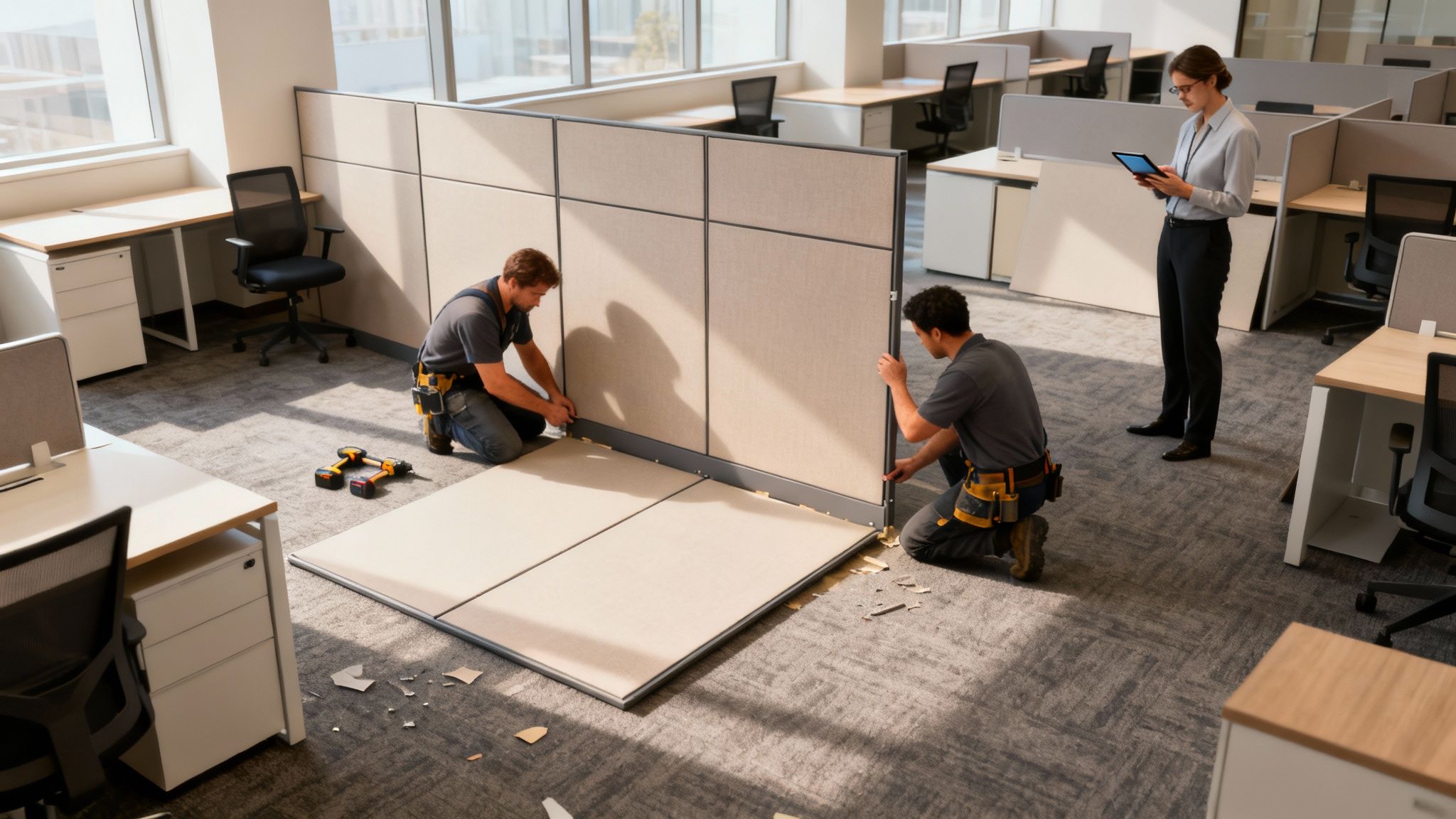
How exactly does an empty room become a fully functional office without weeks of messy construction? The process for installing temporary office walls is surprisingly fast and clean—it’s a system designed from the start to skip the usual headaches and downtime. Seeing how it works really demystifies how modern workspaces can pivot on a dime.

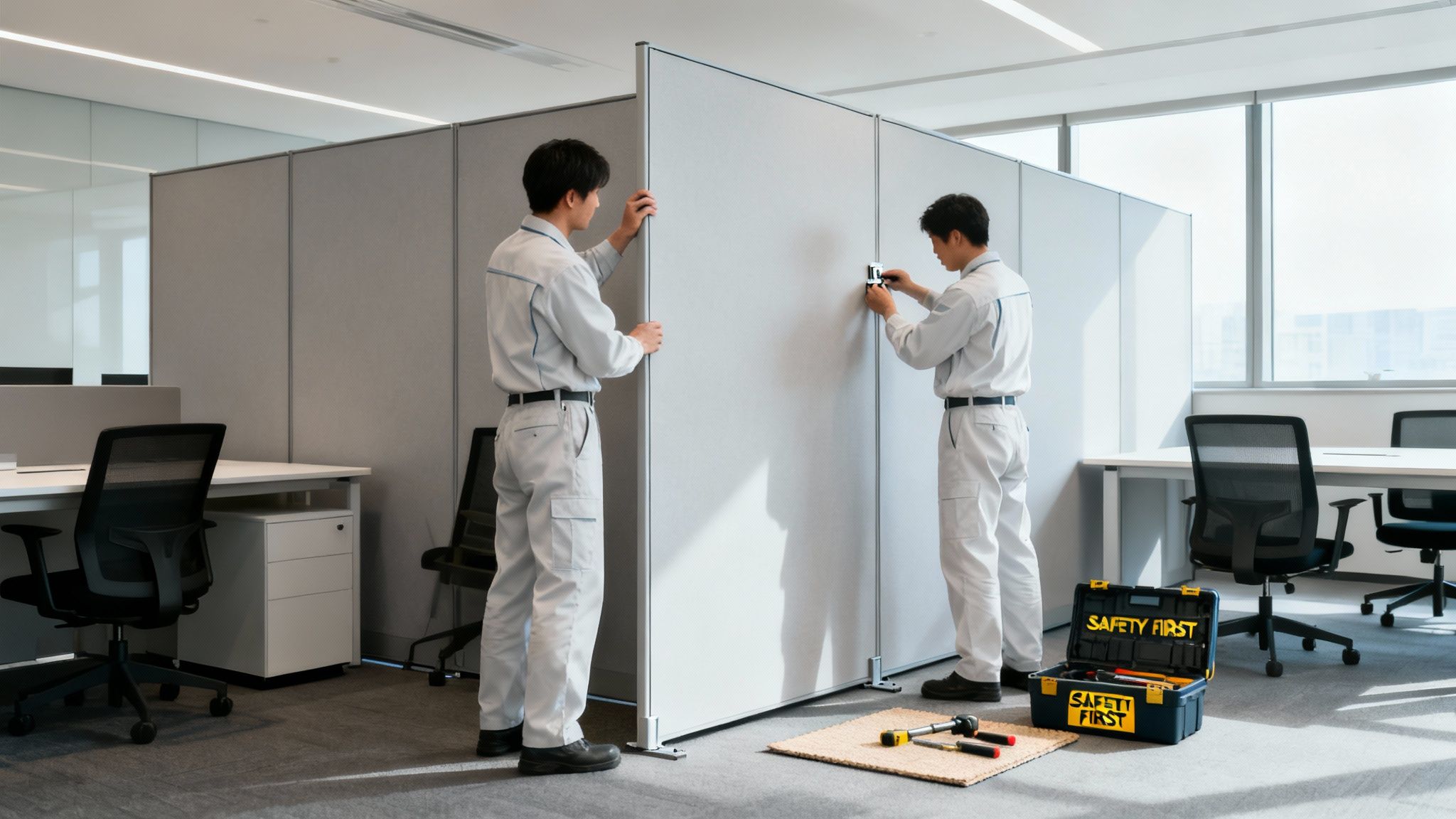
Two professional installers assemble modular office partitions in a modern workspace while a manager observes with a tablet.

Forget what you know about drywall projects. There’s no weeks of loud saws, clouds of dust, and a parade of different trade crews. With modular walls, everything is streamlined. The parts are all made to precise measurements off-site, so they show up at your office ready to be put together, not built from scratch. This pre-engineered method is what cuts project timelines down so dramatically.

From Planning to Placement

The real work starts long before a single panel is moved. The first phase is all about careful planning and design. This ensures the final layout perfectly supports your team's workflow, privacy needs, and tech requirements.

  1. Initial Consultation and Space Planning: We'll start by talking through your goals, measuring your space, and mapping out a floor plan that just makes sense.
  2. Design and Customization: This is the fun part. You get to choose finishes, materials, and features like glass inserts or built-in power outlets to get the exact look and function you need.
  3. Off-Site Manufacturing: All the pieces—the panels, frames, doors, and hardware—are precision-cut and finished in a factory, not your hallway.
  4. On-Site Assembly: A professional crew comes in and assembles the system. This can often be done over a weekend or after hours, meaning you experience zero disruption to your business operations.

The speed and cleanliness are huge selling points. If you want a better sense of what a professional setup involves, you can get more details on specialized office furniture installations.

The Magic of Reconfiguration

But here’s the real game-changer: the power of these systems isn’t just in the first install, but in how easily they adapt later. As your business changes, your office layout can change right along with it. Rearranging your space is just as simple as the initial setup.

Think of it this way: you're investing in a living floor plan. It’s an adaptable asset, not a sunk cost that gets demolished and sent to a landfill the next time you need to make a change.

This flexibility is why the market for movable walls is growing so fast, especially in North America. Businesses are catching on—from new construction projects to co-working spaces and even schools and hospitals. Everyone wants an environment they can adapt quickly without a major overhaul.

A Simple Process for Change

When it's time to switch things up—maybe you need to carve out a new private office or create a bigger team space—the process is painless:

  • Plan the New Layout: Work with your provider to map out the updated floor plan.
  • Schedule the Takedown: A crew comes in and carefully dismantles the existing walls, saving every piece to be used again.
  • Reassemble with Ease: The walls go back up in their new spots, often in just a few hours.

This cycle completely eliminates the waste, cost, and chaos of tearing down drywall. It makes your office a truly dynamic space that’s ready for whatever comes next.

Choosing the Right Partner for Your Project

The success of your office transformation doesn't just ride on the quality of the temporary walls you choose. It really hinges on the expertise of the team you pick to bring that vision to life. A fantastic product installed poorly or without a solid plan can quickly turn into a nightmare of headaches, code violations, and a space that just doesn't work for your people.

What you're looking for is a provider who acts less like a salesperson and more like a true project partner.

This means finding a team that delivers a complete, end-to-end solution. They should be right there with you from the first napkin sketch to the final walkthrough, making sure every single detail is covered. True partnership goes way beyond just dropping off a pallet of panels; it's about getting expert guidance on everything from smart space planning to navigating tricky local building codes.

What to Look For in a Vendor

When you're vetting potential partners, you have to look beyond the product catalog. The commercial office world is what's driving the huge adoption of temporary walls, and it's a specialized field. Right now, office spaces make up an $800 million market for folding temporary walls, and that's projected to shoot up to $1.4 billion by 2035. That explosive growth shows just how critical it is to pick a partner who knows this industry inside and out. You can explore the full report on folding temporary walls for a deeper dive into the market data.

To make sure you find the right fit, here's a quick checklist of what really matters:

  • Deep Space Planning Expertise: Can they actually help you design a layout that boosts workflow, manages acoustics, and keeps employees comfortable?
  • Proven Project Management: Do they have a clear, reliable process for hitting deadlines, working with other contractors, and keeping you in the loop?
  • Knowledge of Local Codes: A good partner won't let you get into trouble. They'll ensure your new layout is fully compliant with fire safety and accessibility standards from day one.
  • Reliable Post-Installation Support: What happens after the crew leaves? Look for companies that stand behind their work with solid warranties and service you can count on.

Choosing a vendor is like hiring a key member of your team for a critical project. You need someone with the experience, reliability, and communication skills to execute your plan flawlessly and turn an empty space into a productive, adaptable workplace.

Ultimately, the best partners make the complex stuff simple. They handle the logistics so you can stay focused on your business. To get a better sense of what sets top-tier providers apart, it helps to see how full-service office furniture dealers near me manage these kinds of projects from start to finish.

Got Questions About Temporary Office Walls? We've Got Answers.

When you start exploring the world of temporary walls for office spaces, a few key questions always seem to come up. It's only natural. Making a smart investment for your workspace means getting clear, straightforward answers. We'll tackle some of the most common questions we hear from facility managers and business owners to give you the confidence to move forward.

How Soundproof Are These Walls, Really?

This is a big one, and the answer is often a pleasant surprise: they can be incredibly soundproof, easily rivaling traditional drywall. It all comes down to a technical spec called the Sound Transmission Class (STC) rating. Think of it like SPF for sound—the higher the number, the better the wall is at blocking noise.

A simple, basic divider might not do much, but a high-quality modular wall system with an acoustic core can hit an STC rating of 45 or even higher. That’s more than enough to turn a loud conversation on one side into a faint murmur on the other. This makes them perfect for creating confidential private office cubicles or quiet zones where people can actually concentrate. Even sleek glass walls, especially the double-paned versions, do a great job of cutting down on noise while keeping the office feeling open and bright.

Can We Run Power and Data Cables Through Them?

Yes, absolutely. In fact, this is one of the biggest advantages of professional-grade modular and demountable wall systems. They are designed from the ground up with built-in channels, often called raceways, that are neatly tucked away inside the base or panels of the wall.

These raceways give your electrician a clean, protected path to run all the power and data cabling your team needs. You can place outlets, light switches, and ethernet ports exactly where they're needed to create fully functional workstation cubicles. The end result is a polished, professional office with no messy extension cords or cables tripping everyone up.

The real key here is to plan your tech needs from day one. When you map out where your team will need power and data during the design phase, you ensure the installation is seamless and your staff can be productive from the moment they sit down.

Are Temporary Walls a Sustainable Choice for Our Office?

Without a doubt. When you compare them to conventional construction, temporary walls are a far more sustainable and eco-friendly choice. Their biggest win for the environment is their reusability. Just think about it: every time an office with drywall is renovated, all that material gets torn down, smashed up, and hauled straight to a landfill.

Modular systems completely sidestep that waste. The walls are simply taken apart and reassembled in a new layout. This circular approach dramatically cuts down on construction debris and shrinks your company's carbon footprint.

On top of that, many of these systems are built with green materials in mind:

  • Recycled Content: The frames are often made from high percentages of recycled aluminum.
  • Recyclable Materials: When the walls finally reach the end of their very long life, the components can be recycled all over again.
  • Reduced On-Site Waste: Because the panels are made to spec in a factory, you don't have the mess of off-cuts and material scraps on-site.

By choosing a reusable wall system, you're not just building a flexible workspace; you're making a responsible decision that lines up with modern corporate sustainability goals. It’s a smart move for your business and for the planet.


At Cubicle By Design, we specialize in creating flexible and productive workspaces that grow with your business. From the initial brainstorming with our cubicle designer to the final professional installation, we're here to help you build a better office. Check out our complete range of cubicles and modular systems to find the perfect fit for your team. Start designing your ideal workplace today by visiting https://cubiclebydesign.com/.

Read More

Office Temporary Walls: Create Flexible, Productive Workspaces | Cubicle By Design

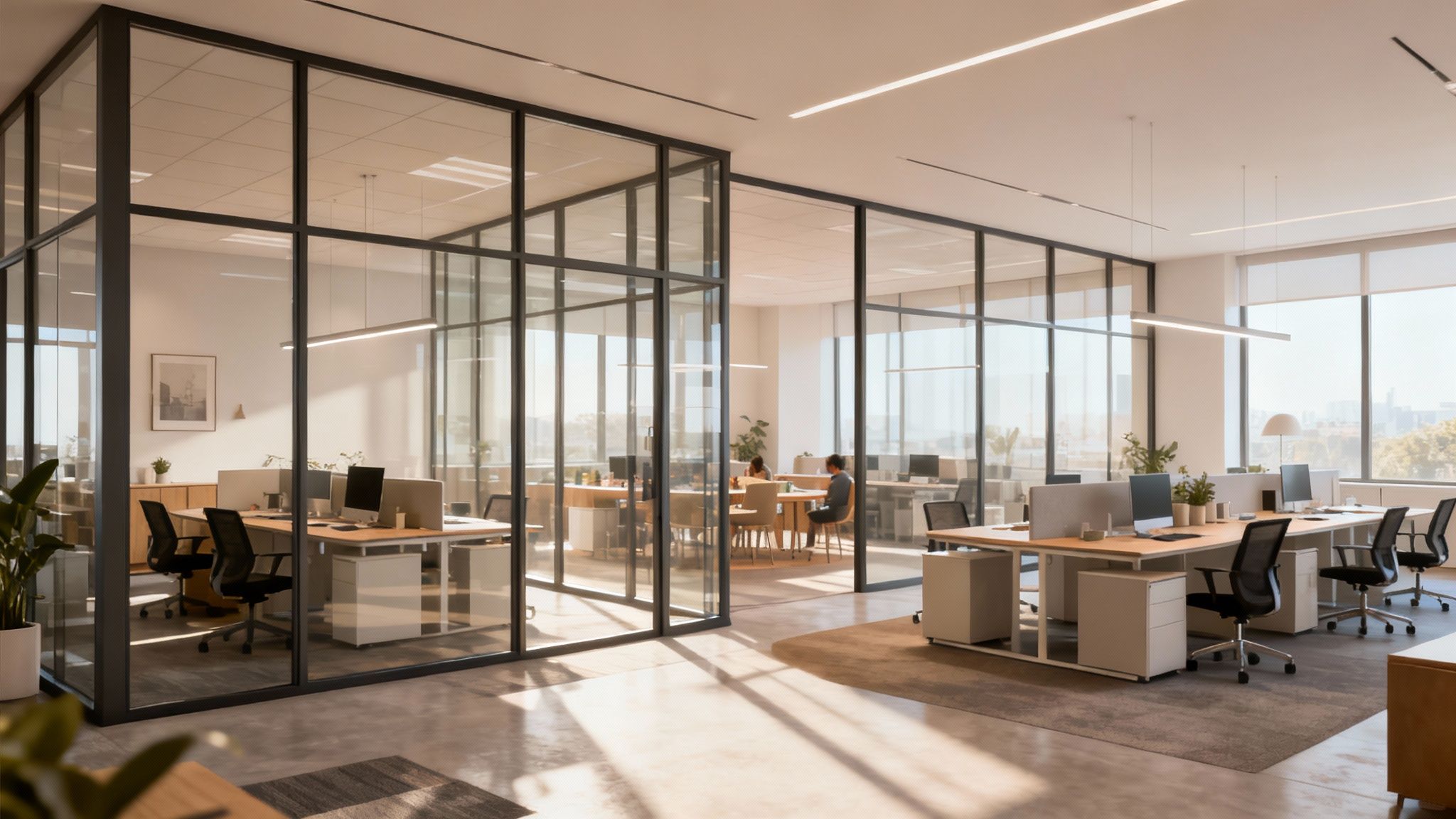
Think of office temporary walls as the quick, clever solution for dividing up your workspace. They’re modular, non-permanent structures that let you create private offices, meeting rooms, or quiet workstations without the headache and high cost of traditional construction. It's the fast, flexible, and affordable way for businesses to keep their space in sync with shifting team sizes and work styles—a must for any company trying to stay agile. At Cubicle By Design, we specialize in crafting these adaptable environments.

The Shift to Flexible Office Environments

The old-school office—that static landscape of drywall and permanent desks—is quickly becoming a thing of the past. Today's most effective workspaces are living, breathing environments designed to evolve right alongside the businesses they support. This isn't just a minor tweak; it's a fundamental shift driven by a perfect storm of factors demanding more from our offices than ever before.

With hybrid work, fluctuating team sizes, and project-based teams, a layout that’s perfect today could be a productivity killer tomorrow. Companies just can't afford to be locked into a single, rigid floor plan anymore. What they really need are spaces that can be reconfigured on the fly, supporting a noisy brainstorming session one day and deep, focused work the next. This whole idea lines up perfectly with the core principles of modern commercial interior design, which are all about making spaces both functional and adaptable.

Why Adaptability Is the New Standard

This need for flexibility isn't just a passing trend; it's a strategic business imperative. The proof is in the numbers: the global market for movable walls is already valued at USD 4.5 billion and is expected to balloon to USD 8.3 billion by 2033. This surge is fueled by the real-world needs of modern businesses, with over 2.5 million flexible workspaces now operating worldwide—a massive jump from just a few years ago.

This growth points to a simple truth: agile space management is a game-changer. It delivers:

  • Cost Efficiency: You get to sidestep expensive, time-consuming construction projects every time your needs change.
  • Improved Productivity: You can create purpose-built zones for different tasks, from quiet corners for concentration to open hubs for collaboration.
  • Enhanced Employee Satisfaction: When you give your team the right kinds of spaces to do their best work, they’re happier and more effective.

The Role of Office Temporary Walls

Office temporary walls are the key that unlocks all this potential. Unlike drywall, which is a permanent, dusty, and disruptive mess to install, these systems are built for change. It’s better to think of them not as simple dividers, but as strategic tools for building a smarter, more responsive workplace.

At Cubicle By Design, we see these solutions as the secret to unlocking an office's true potential. They empower businesses to craft productive, inspiring, and cost-effective environments that can pivot as quickly as their strategies do.

Whether you're a startup that’s rapidly scaling, reconfiguring your floor plan for a new project team, or just trying to carve out some private offices in an open-plan space, these structures offer a practical and surprisingly elegant solution. They give you the power to define your space without being trapped by it.

To really get a feel for how these systems work, take a look at our guide to modular office walls. They are, without a doubt, the foundation of a modern, resilient workplace.

Comparing Your Temporary Wall Options

Picking the right office temporary walls is a lot like choosing the right tool for a job. You wouldn't use a sledgehammer for a finishing nail, right? Each option has a specific purpose and really shines in different situations. Not all temporary solutions are built the same, so getting to know the fundamental differences is the first step toward building a workspace that actually works for you.

We can really break the market down into three main camps: the versatile modular panel systems, the elegant demountable glass walls, and the ultra-mobile freestanding partitions. Each one offers a unique mix of privacy, style, cost, and flexibility.

The way we work is changing, and our spaces have to keep up. This map really shows how everything—from hybrid schedules to the needs of dynamic teams—is pushing us toward smarter, more flexible use of our office real estate.

As you can see, all these factors are interconnected, which is exactly why adaptable solutions like temporary walls have become so crucial for businesses.

Modular Panel Systems

Think of modular panel systems as the reliable all-rounders of the temporary wall world. These are your classic cubicle-style walls, usually built with fabric-covered panels, laminates, and sometimes glass accents. They are the true workhorses of office division, valued for their great balance of features.

Their biggest strength is their structural integrity and built-in practicality. They're designed from the ground up to support desks, storage, and even run power and data right through the panels themselves. This creates fully-contained, highly functional workstations perfect for everything from call centers to administrative teams. Our selection of cubicles showcases the versatility of these systems.

Best for:

  • Creating dedicated workstations with integrated power and data.
  • Getting a solid level of acoustic control for focused work.
  • Building durable, semi-permanent private offices or team pods.

Modular systems are also incredibly adaptable. Our own Series 7 line, for example, lets you customize everything from height and finish to the overall layout, making them a fantastic, flexible choice.

Demountable Glass Walls

When you want to prioritize aesthetics and bring in as much natural light as possible, demountable glass walls are the answer. These systems use full or partial glass panes set in sleek, minimal frames to create a feeling of openness while still providing real physical and acoustic separation. They're the go-to for crafting a modern, high-end look.

Unlike solid panels, glass lets light pour through a space, making even smaller offices feel larger and more welcoming. They're perfect for conference rooms, executive offices, and any client-facing area where you want to make a strong impression without walling everyone off.

These are the walls that bridge the gap between open-concept layouts and the genuine need for private, quiet spaces. You really get the best of both worlds: a bright, collaborative vibe with the boundaries you need for focused work and confidential meetings.

Freestanding Partitions

Freestanding partitions are all about maximum flexibility. These are lightweight, easily movable dividers that don't need to be attached to the floor, ceiling, or any existing walls. You can have them set up in minutes, making them perfect for managing your space on the fly.

People often use these to create quick privacy screens, mark out a breakout zone, or divide a large room for a single event or project. While they won't give you the acoustic privacy or structural muscle of a modular or demountable system, their value is in their unmatched portability and low cost. They’re a fantastic solution for startups or any business that wants to experiment with different layouts without any real commitment.

Temporary Wall Solutions at a Glance

To help you see the trade-offs at a glance, we've put together a quick comparison of how these three main types of office temporary walls stack up.

Feature Modular Panel Systems Demountable Glass Walls Freestanding Partitions
Primary Use Creating structured workstations and private offices. Building stylish meeting rooms and executive offices. Quick, temporary space division and privacy screening.
Acoustics Good to excellent, with sound-dampening materials. Fair to good, depending on glass thickness and seals. Low, primarily for visual separation.
Flexibility Reconfigurable, but requires some planning and effort. Reconfigurable, but often needs professional help. Extremely high; can be moved by anyone at any time.
Cost Mid-range, offering a great balance of features. Higher initial investment for a premium aesthetic. Low-cost and budget-friendly.
Power/Data Excellent for built-in integration. Limited routing through frames. None; they are standalone dividers.

At the end of the day, the best choice really boils down to your specific goals. If you need robust, functional workspaces, modular systems are a smart investment. For a modern, light-filled office, demountable glass is in a class of its own. And for maximum agility on a tight budget, freestanding partitions are the way to go.

Making the Right Choice for Your Workspace

So, you've figured out the general type of temporary wall that seems right for your office. Now comes the real work: zeroing in on the specific solution that will make your space truly effective. This is where you move beyond broad categories and start looking at the four factors that separate a merely functional space from a high-performing one.

Getting these details right isn't just about minor tweaks. By digging into acoustic performance, aesthetics, long-term flexibility, and the installation process, you're ensuring your investment actually pays off for years to come. These are the elements that create an environment that not only looks great but also helps your team thrive.

Achieving True Acoustic Performance

In any office, sound control is everything. It's the key to focus and confidentiality. While a simple freestanding screen provides some visual privacy, let's be honest—it does next to nothing to stop noise. If you're serious about creating a quiet space where sensitive conversations can happen, you need a system built for acoustics.

This is where modular panel systems, like the ones we use for our private office cubicles, really shine. They're specifically engineered with sound-dampening materials that absorb chatter and reduce distractions. A well-designed modular wall can cut noise by up to 20 decibels, turning a corner of a chaotic open-plan office into a peaceful, productive zone.

A key goal is to create "speech privacy," where conversations are unintelligible from a distance. This is crucial for roles in HR, finance, and management, or any team that handles sensitive information.

Matching Aesthetics and Integration

Your office design says a lot about your brand. The last thing you want is for your new walls to look like a clunky afterthought. They should blend in so seamlessly with your existing decor that they look like they were part of the original plan.

Customization is your best friend here. You can choose from a massive range of finishes—professional fabrics, modern laminates, even elegant glass accents—to match your company's vibe. As project timelines get shorter, expectations have gone up; people want polished, permanent-looking solutions, not something that screams "temporary." You can learn more about how temporary wall trends are evolving. At Cubicle By Design, we're all about helping you create a cohesive look that reinforces who you are as a company.

Planning for Flexibility and Reconfigurability

One of the biggest wins with temporary office walls is their adaptability. Business isn't static, and your office shouldn't be either. The right system lets you easily reconfigure your layout as teams grow, projects change, or new departments pop up.

Think about how easily a system can be changed down the line:

  • Modular Systems: These are fantastic for reconfigurability. You can add, remove, or rearrange panels to build bigger or smaller workstation cubicles without a huge hassle.
  • Demountable Walls: They're also movable, but their structural nature often means you'll need to call in professionals to reconfigure them.
  • Freestanding Partitions: These offer maximum flexibility. Anyone on the team can move them around for daily adjustments.

Picture your company in five years. Will you need to add ten more people? Carve out a new project room? A truly flexible system will save you a ton of time and money compared to calling the drywall contractors every time you need to make a change.

Understanding the Installation Process

Finally, you need to have a realistic idea of what installation looks like. Forget the weeks of dust, noise, and disruption that come with traditional construction. Most temporary wall systems go up quickly and cleanly. Our professional teams can typically assemble several cubicles or an entire private office in just a day or two.

This minimal downtime is a huge advantage for any operating business. Your team can head home for the weekend and come back on Monday to a completely transformed, ready-to-use workspace. To get a head start, you can use our Custom Cubicle Designer tool to plan your layout before we even show up, guaranteeing the whole process is as smooth as possible.

Designing a Custom Solution for Your Needs

Your office isn’t a cookie-cutter space, so why would your walls be? When you move beyond the standard, off-the-shelf options, you get to turn a merely functional area into a high-performance environment that’s genuinely built for your team. A custom approach lets you dial in every last detail of your office temporary walls to fit your specific workflow, your brand, and all the practical day-to-day needs of your people.

This is all about creating a solution that feels like it was always meant to be there. Instead of asking your team to squeeze into a pre-set layout, you’re designing a layout that adapts to them. It's the difference between a quick fix and a smart, long-term investment in your workplace.

Tailoring Panels to Your Exact Specifications

The heart of any custom design begins with the physical dimensions of the walls. You get complete control over panel height and width, which is a game-changer for both visual and acoustic privacy. Do you need lower walls to keep collaborative teams connected, or full-height partitions for departments handling confidential work?

Beyond size, the real personality of your workspace shines through in the finishes you select. This is where you can make sure the walls don't just divide a room, but actually enhance its look and feel.

  • Fabric Options: Choose from a huge palette of colors and textures to add warmth, help absorb sound, and echo your company's branding.
  • Laminate Surfaces: For a sleek, modern look, durable and easy-to-clean laminates are perfect. They come in all sorts of wood grains or solid colors.
  • Glass Elements: You can integrate frosted or clear glass panels to keep the office feeling open and full of light, while still giving people their own defined space.

This level of detail means your new walls will do more than just divide space—they'll elevate it.

Integrating Power and Functionality

A truly custom solution is about more than just good looks; it's about embedding function right into the structure. Modern office temporary walls are engineered to be more than just barriers. They're active parts of a productive workspace, ready to support the tech your team uses every single day.

The most effective temporary wall systems seamlessly integrate power and data raceways directly into the base of the panels. This eliminates cord clutter and provides convenient access to outlets and network ports right where they are needed, creating clean and efficient workstations.

You can also build in functional elements like shelving, overhead storage bins, and even whiteboards directly into the panel system. This transforms a simple divider into a multi-purpose tool that boosts organization and collaboration without eating up another square foot of floor space.

Bringing Your Vision to Life with Design Tools

Trying to picture how all these custom pieces will come together can be tough. That's where modern design tools come in to take out all the guesswork. Here at Cubicle By Design, we built the Custom Cubicle Designer tool to put you in the driver's seat.

This interactive tool lets you play around with different layouts, finishes, and features in real-time. You can tweak dimensions, drag and drop components, and get an accurate picture of your design before you commit. It even provides an immediate quote, so you can be sure your custom solution fits both your vision and your budget. This kind of detailed office space planning and design is absolutely critical for a successful project. It’s a low-risk way to test-drive configurations and make sure the final result is exactly what your team needs to do their best work.

Navigating Installation Codes and Compliance

The mere mention of "building codes" and "permits" can make any facilities manager a little nervous. But when it comes to office temporary walls, the process is almost always simpler than you’d imagine. It all boils down to one critical distinction: most modular systems, including cubicles, are legally classified as furniture, not permanent construction.

That one fact changes everything. Instead of getting tangled in the red tape that comes with building new drywall or making structural changes, you're essentially just setting up furniture. This means you can sidestep the lengthy permit applications and inspections that bog down traditional construction projects, saving you a massive amount of time and headaches.

It’s this classification that gives you the speed and flexibility to reconfigure your workspace without the usual construction pains.

Key Compliance Areas to Consider

Even though they're considered furniture, you still need to be mindful of a few important safety and accessibility codes. An experienced partner like Cubicle By Design will manage all these details for you, but knowing the basics can give you valuable peace of mind.

  • Egress and Pathways: Local fire codes are strict about clear, unobstructed pathways for a safe exit during an emergency. Your new layout has to maintain the required aisle widths so everyone can get out quickly.
  • Sprinkler and HVAC Access: You can't just put a wall anywhere. Its placement can't block the function of ceiling sprinklers or HVAC vents. Panels have to be positioned to allow for proper water distribution in case of a fire.
  • Electrical Safety: If your cubicles have built-in power, the installation has to be done right to prevent electrical hazards. This involves using UL-listed components and making sure all connections are safe and secure.

These rules aren’t there to slow you down; they’re there to keep your team safe. A professional installation plan accounts for all of this right from the start.

When Are Permits Actually Needed?

While the vast majority of cubicle installations don't need a permit, there are a few scenarios where you might have to file some paperwork. For instance, if you're thinking about full-height partitions that completely close off a space, you should check out our detailed guide on glass partition walls for offices to see how their requirements can differ.

Generally, you might need a permit if your project involves:

  1. High-Piled Storage: If your setup includes storage units that go above certain height limits, it could trigger fire safety code reviews.
  2. Significant Electrical Work: Tapping directly into the building's main electrical panel is a different beast than just plugging into existing wall outlets. This usually requires a permit and a licensed electrician.
  3. Floor-to-Ceiling Walls: Partitions that physically attach to the building's structure—like the floor and the ceiling grid—are more likely to be seen as minor construction, which could require a permit.

The vast majority of standard office temporary wall and cubicle projects fall squarely into the "furniture" category. This is one of the biggest advantages of choosing modular systems for office division.

A Typical Installation Timeline

One of the best things about temporary wall systems is how fast they go up. Compared to the weeks—or even months—of dust, noise, and disruption from traditional construction, a modular installation is incredibly quick and clean.

Here’s what a typical project timeline looks like:

  • Day 1: The professional installation crew shows up with all the components. They’ll start by staging the materials and assembling the main framework based on the approved design plan.
  • Day 2: The panels, work surfaces, and storage units get installed. If your system includes power, the team will connect all the integrated electrical components.
  • Day 3: The crew makes final adjustments, cleans up the site, and does a thorough quality inspection. Your new, fully functional workspace is ready for your team to move right in.

This efficient process means you can completely transform your office over a long weekend, keeping downtime to an absolute minimum so your business can continue without missing a beat.

Your Partner in Building a Better Workplace

We’ve covered a lot of ground in this guide, and by now it’s clear that office temporary walls are much more than simple dividers. Think of them as the building blocks for a workplace that’s resilient, productive, and ready for whatever the future holds. Making the right call comes down to balancing acoustic needs, your company’s aesthetic, long-term flexibility, and of course, the budget. Now it's time to put all that knowledge into action.

The journey to a better workspace doesn't have to be complicated. When you partner with experts who really get the nuances of space planning and modular furniture, you can transform your office efficiently and effectively. This is where we come in—not just as a supplier, but as a strategic partner invested in your success.

From Vision to Reality

Our goal at Cubicle By Design is to make creating a functional, inspiring office as seamless as possible. We’ve seen firsthand how a well-designed layout can directly boost team morale and productivity. It all starts with us taking the time to understand your unique challenges and turning your vision into a practical, powerful floor plan.

The best office solutions are born from a deep understanding of how a team works. We believe in designing spaces that support workflows, not hinder them, ensuring every square foot is optimized for performance and comfort.

We handle the complexities so you can stay focused on your business. From the initial design to the final installation, our team manages every detail with precision. Curious about how we do it? You can learn more about why so many businesses rely on Cubicle By Design for their office furniture needs.

Take the Next Step Today

Whether you need to carve out quiet zones for focused work, build energetic hubs for collaboration, or design a whole series of private offices, the right temporary wall solution is well within reach. Our huge range of cubicles offers versatile options for just about any need you can imagine.

Explore our durable workstation cubicles for team-based setups or our sound-dampening private office cubicles when confidentiality is key. If you’re ready to start playing with ideas, our interactive Custom Cubicle Designer tool lets you experiment with layouts and get an instant quote.

Don't wait to build the adaptable, high-performance workplace your team deserves. Contact our design experts for a personalized consultation, and let’s start designing a better workplace together.

Answering Your Questions About Office Temporary Walls

When you're thinking about reshaping your workspace, it's natural to have a few questions. We get it. Below are some straightforward answers to the most common things people ask about office temporary walls. We want to clear up the practical stuff so you can move forward with total confidence.

How Much Do Temporary Walls Cost?

This is usually the first question on everyone's mind, and the honest answer is: it depends. The cost can swing quite a bit based on the system you choose, the materials you want, and how big your project is.

Here's a quick breakdown:

  • Freestanding Partitions: These are your most budget-friendly option. Think a few hundred to maybe a thousand dollars per panel. They're perfect for creating a quick visual break in a room.
  • Modular Panel Systems: This is the sweet spot for many businesses. The price is influenced by things like panel height, the finish you choose (fabric or laminate), and whether you need power built-in. It’s a great, balanced choice for creating functional workstation cubicles.
  • Demountable Glass Walls: These carry a higher initial investment, mainly because of the materials and the precision needed for installation. But what you get in return is a high-end look and fantastic natural light throughout the space.

For a number that's actually useful for your project, your best bet is always a custom quote. Our Custom Cubicle Designer tool can give you a solid estimate right away, based on the layout you have in mind.

How Long Does Installation Take?

This is where temporary walls really shine. Traditional construction can throw your office into chaos for weeks, but a modular wall installation is incredibly quick.

Most of our projects—whether it's a couple of private offices or a whole department of cubicles—are finished in just one to three days. Your team can literally leave for the weekend on a Friday and walk back in on Monday to a completely transformed, ready-to-use workspace. Minimal downtime is a huge win.

Are Temporary Walls Soundproof?

While "soundproof" isn't technically possible outside of a recording studio, high-quality office temporary walls do an excellent job of managing noise. Modular panel systems are engineered with sound-dampening cores that can cut down on ambient chatter by as much as 20 decibels.

This creates what we call "speech privacy," where you can tell someone is talking next door, but you can't make out the words. It’s ideal for creating quiet zones for focused work or meeting rooms where confidentiality matters. Freestanding partitions, on the other hand, are really just for visual privacy and don't do much for sound.

Can I Reconfigure the Walls Later?

Absolutely. That's one of their biggest selling points! Modular systems are built for change. As your team grows or your needs shift, you can easily add, remove, or rearrange panels to create a new layout.

This flexibility makes them a smart, sustainable investment for the long haul. You're not stuck paying for expensive renovations every few years. At Cubicle By Design, we always help you think through a layout that works for you today and can easily adapt for tomorrow.

Do I Need a Permit to Install Office Temporary Walls?

In most situations, no. The vast majority of modular cubicles and panel systems are classified as furniture, not permanent construction. This is a huge advantage, as it means you typically don't have to deal with building permits, saving you a ton of time, money, and paperwork.

The exception is if your project involves true floor-to-ceiling walls that physically attach to the building's structure, or if you're doing extensive new electrical work. In those cases, a permit might be needed. We walk all our clients through the local requirements to make sure every installation of cubicles and private office cubicles is smooth and fully compliant.


Ready to create a more flexible and productive workspace? The team at Cubicle By Design is here to help you plan, design, and install the perfect office temporary wall solution for your needs.

Contact us today for a free consultation!

Read More

A Guide to Modular Office Wall Systems | Cubicle By Design

Imagine being able to redesign your office layout as easily as you move a desk. That’s the real magic behind a modular office wall. Don’t think of these systems as permanent walls, but more like a high-end, customizable kit of parts for your workspace. They’re like architectural LEGOs, giving you the power to adapt to hybrid work models, shifting team sizes, and whatever business challenges come next. At Cubicle By Design, we help businesses harness this flexibility.

A Smarter Way to Define Your Workspace

Traditional construction is a commitment. Once the drywall is up, the dust settles, and the paint dries, your floor plan is locked in. A modular office wall, on the other hand, is a much more dynamic and intelligent way to shape your space. It’s a system of pre-engineered, factory-built panels designed to be assembled, taken down, and reassembled with incredible speed.

This approach lets you create private offices, quiet pods for focused work, and open collaboration zones without the mess and permanence of conventional building. To get a better feel for this concept, you can learn more about what modular furniture is and how it’s completely changing the modern office.

From Concept to Reality

The true value of a modular office wall is its ability to evolve with you. When a team gets bigger or a new project demands a different kind of space, these walls can be quickly demounted and set up in a new configuration. The whole process is clean, fast, and, most importantly, protects your initial investment.

Instead of demolishing and rebuilding, you simply reconfigure. This strategic advantage is why so many businesses are turning to modular systems to future-proof their physical environments.

This isn’t just a niche trend; it’s part of a massive shift in how we build. The wider modular construction market was valued at around USD 103.6 billion in 2024 and is expected to rocket past USD 162 billion by 2030. This growth shows just how widely prefabricated building methods are being adopted.

For office interiors, this translates into huge time savings. Manufacturers report that installation can be 30–60% faster than building with traditional drywall. For you, that means your teams are in their new space and back to work weeks sooner than you’d expect.

Modular Walls vs Traditional Drywall

To really get it, you have to understand the core differences between the old way and the new. One is a permanent, one-and-done solution, while the other is a reusable, adaptable asset that keeps paying you back.

Here’s a quick breakdown of how they stack up.

Feature Modular Office Wall Traditional Drywall
Installation Speed Drastically faster. Can often be installed in just days with minimal mess. Slow and disruptive, involving multiple crews and a long, messy schedule.
Flexibility A true asset. Easily taken down and reconfigured as your needs change. Completely permanent. Any changes require messy demolition and rebuilding.
Cost & ROI Higher upfront material cost, but lower labor and a fantastic long-term ROI. Lower initial material cost, but high labor costs and zero reuse value.
Environmental Impact Very little waste. Panels are reusable and often made from recycled content. Creates a ton of construction waste (dust, debris) that ends up in landfills.

Ultimately, choosing a modular office wall is an investment in your company’s agility. It gives you the power to create a workspace that not only works for you today but is ready for whatever tomorrow brings.

Exploring Different Modular Wall Types

Picking the right modular office wall isn’t a one-size-fits-all kind of deal. It’s more about striking the right balance between looks, acoustics, and how your team actually works day-to-day. The real beauty of these systems is their sheer variety, letting you find something that clicks perfectly with your company’s culture and what you need to get done. Whether you’re aiming for total transparency or complete privacy, there’s a solution out there.

This decision goes way beyond just aesthetics. Each type of modular wall brings something different to the table in terms of sound control, how much light it lets through, and how easily you can change things up later. All of these factors directly shape how your teams focus, collaborate, and feel in their space.

Frameless and Framed Glass Walls

Glass partitions have become a go-to for modern offices trying to create a bright, open, and connected vibe. When you’re looking at your options, it’s worth checking out modern solutions like glass walls and doors that offer a great mix of flexibility and visual punch. They generally come in two main flavors, each with its own distinct personality.

Frameless glass walls are the ultimate in minimalist design. We’re talking large panes of tempered or laminated glass held in place at the top and bottom, giving you a nearly invisible barrier that lets natural light flood the space. This style is a fantastic choice for conference rooms or breakout areas where you want to keep that open feeling without letting conversations bleed out.

Framed glass walls, on the other hand, have a more structured, traditional look. That metal framing isn’t just for show; it adds a strong design element while also beefing up the wall’s sturdiness and acoustic performance. You’ll often see these used for private offices where a bit more sound dampening is a must. To really dive deep, you can explore the specifics of glass partition walls for offices and see how they can completely change a room.

Solid Panel Walls for Maximum Privacy

When focus and confidentiality are absolutely critical, solid panel walls are the answer. These systems are built from the ground up for superior sound blocking, making them the default choice for executive suites, HR departments, or any spot where conversations need to stay under wraps. They’re perfect for carving out quiet zones in an otherwise buzzing office.

Think of solid panels as the acoustic heavyweights of the modular world. Their construction is specifically designed to absorb and block sound waves, creating true sanctuaries for deep work.

These walls also come with a huge array of customization options to make sure they match your brand’s style. You can pick from finishes like:

  • Fabric-wrapped panels: These add a touch of warmth and texture, and they pull double-duty by absorbing even more sound.
  • Wood veneers: For a classic, sophisticated look that brings a natural element into the office.
  • Durable laminates: Available in just about any color or pattern you can imagine, offering a practical and stylish finish.
  • Writable surfaces: Turn any wall into a brainstorming powerhouse with whiteboard or magnetic capabilities.

This level of personalization means creating a private office cubicle doesn’t require you to compromise on style or your brand identity. You get complete acoustic privacy while keeping a professional, cohesive design.

Hybrid Systems: The Best of Both Worlds

Why force yourself to choose between transparency and privacy when you can have both? Hybrid systems are designed to seamlessly blend glass and solid panels into a single, cohesive wall. It’s a hugely popular approach because it strikes the perfect balance, letting light flow through the glass sections while giving you privacy and sound control exactly where you need it.

For instance, a hybrid wall might have a solid base for privacy and durability, with a glass panel on top to keep the space from feeling boxed in. This design is incredibly versatile and can be tweaked to fit the unique needs of different departments, creating an environment that’s both dynamic and highly functional.

What Are the Real Benefits of Modular Office Walls?

When you think about dividing a room, you might just picture a simple barrier. But a modern modular office wall does so much more. It’s a strategic tool that directly boosts your company’s flexibility, focus, and financial health. These aren’t just panels; they’re solutions designed to tackle the real challenges of today’s fast-moving workplaces.

The true value comes from how they perform across four key areas.

These benefits range from adaptability that future-proofs your investment to serious acoustic control that helps your team get real work done. Put them all together, and you get an office that’s not just more efficient, but healthier and more engaging for everyone.

Unmatched Flexibility and Scalability

Imagine you just landed a huge new client. You need to get a new project team of ten people up and running in a month. With traditional construction, that’s a nightmare of dust, delays, and high costs. But with a modular wall system? You can reconfigure an entire section of your office over a single weekend.

This incredible flexibility is the number one reason people choose modular. It allows your workspace to grow, shrink, and adapt right alongside your business.

  • Add private offices as your management team grows.
  • Create dedicated collaborative zones for new projects.
  • Downsize or reassign space with almost no disruption or cost.

This on-demand adaptability means your office layout is never set in stone. You can get ahead of change instead of just reacting to it. To see how this works in practice, you can explore the benefits of a modern office cubicle and how they share these modular principles.

Superior Acoustic Performance

An open office can look great, but we all know that constant noise is a productivity killer. A modular office wall is specifically engineered to control sound, creating quiet, private spaces where people can actually concentrate. This isn’t just about blocking noise; it’s about creating acoustic comfort.

“Facility managers love modular walls because a ‘renovation’ that used to take six weeks of dust, noise, and disruption can now be handled cleanly by a small team over a weekend. It transforms a capital-intensive construction project into a simple operational adjustment.”

High-quality systems use specialized seals, sound-rated core materials, and options like double-paned glass to achieve impressive Sound Transmission Class (STC) ratings. This kind of performance is absolutely essential for:

  • Executive Offices: Keeping confidential conversations private.
  • HR and Legal Departments: Protecting sensitive information.
  • Quiet Zones: Giving employees a true sanctuary for deep, focused work.

Enhanced Aesthetics and Natural Light

Forget the dull, drab partitions you might be picturing from the past. Today’s modular wall systems are built with style and elegance in mind. Glass partitions, especially, can completely transform a workspace by opening it up and letting natural light flow through the entire office.

This visual openness does more than just look good—it has a proven positive impact on employee morale and well-being. A bright, airy environment simply feels more energetic and welcoming, which helps build a better, more productive company culture.

Significant Cost and Time Savings

It’s true that the upfront material cost of a modular wall can sometimes be higher than drywall. But that’s not the whole story. The real savings come from slashing labor costs and dramatically speeding up your project timeline. Installation is fast, clean, and requires a much smaller crew.

Even better, modular walls are often considered tangible personal property. This can offer huge tax advantages through accelerated depreciation—something you can’t do with permanent drywall. And because the panels are 100% reusable, your initial investment holds its value. You can reconfigure them over and over, eliminating future demolition and construction costs and making them a much smarter long-term financial decision.

Customizing Your Space to Reflect Your Brand

A modular office wall is so much more than a simple barrier. Think of it as a blank canvas, just waiting for you to paint your company’s unique identity all over it. This is the point where your workspace stops being just a location and starts becoming a branded environment. The potential for customization is huge, letting you move way beyond generic layouts to create something that actually tells your story.

Every surface becomes an opportunity. By thoughtfully picking out materials and features, you can reinforce what your brand is all about, whether you’re going for a look that’s sophisticated, innovative, or all about collaboration.

A World of Finishes and Materials

The first place you get to be creative is with the massive array of available finishes. Each material brings its own distinct character into the space, giving you the power to craft a very specific atmosphere.

Your options include things like:

  • Sophisticated Wood Veneers: These are perfect for creating a warm, classic, and high-end feel in executive offices or the areas your clients see first.
  • Durable Laminates: Available in just about any color or texture you can imagine, they offer a practical and budget-friendly way to match your brand’s color palette perfectly.
  • Writable Surfaces: Why not turn a wall into an interactive brainstorming hub? Integrated whiteboard or magnetic panels can promote creativity on the fly.
  • Custom Graphics: You can put your company logo, core values, or inspirational imagery right on the walls with high-resolution printed graphics.

These choices aren’t just for show. They’re functional tools that help shape your company culture and how work gets done every day. To take it a step further, think about how you can start creating personalized workspaces with custom cubicles that tie into these branding efforts.

Smart Door and Technology Integration

Beyond the surfaces, modular walls allow for the smart integration of crucial elements like doors and technology. The right door can completely change the traffic flow, accessibility, and overall style of a room.

By integrating your brand directly into the architecture, you create a cohesive and immersive experience for both employees and visitors. Every detail, from the color of a panel to the type of door, becomes a subtle reinforcement of who you are as a company.

For instance, sleek sliding doors save valuable floor space and add to a modern, minimalist vibe. On the other hand, elegant frameless glass doors can keep that sense of openness while still providing the acoustic separation you need for a meeting room.

Seamless tech integration is another game-changer. Modern systems come with pre-wired raceways that cleanly hide all your cables, putting power outlets and data ports exactly where your team needs them. This gets rid of messy extension cords and makes sure every workspace is clean, safe, and connected from day one. To get a real feel for how your final selections will look, playing around with different architectural rendering programs can be a huge help.

This level of customization is part of a fast-growing trend. One analysis estimates the global office modular partition market will hit about USD 640 million in 2025. On the ground, vendors are reporting that 30–50% of new product inquiries since 2020 specifically ask for demountable or recyclable components. It’s clear people want adaptable and sustainable office solutions, and these walls deliver.

How to Plan Your Modular Wall Project

Thinking about a modular office wall project can feel like a huge undertaking. But with a solid plan, it stops being a challenge and starts becoming a smart, strategic move for your business. A great outcome isn’t just about picking out some cool-looking panels; it’s about really digging into your space, figuring out your goals, and getting the right people on your team to make it all happen.

The real work begins long before the first wall goes up. It all starts with asking the right questions. What are you actually trying to accomplish here? Do you need to quiet down a noisy call center, build out some private offices for the leadership team, or create flexible hubs for different project teams to gather? Your answers will guide every decision you make down the road.

Evaluating Your Space and Defining Goals

First things first, take a good, hard look at your current office layout. What are the pain points? Where are teams getting constantly distracted by noise? Where do you desperately need more privacy? Getting a handle on these day-to-day functional needs is the absolute first step.

Next, think about the bigger picture. Are you planning to grow the team in the next couple of years? Shifting to a more hybrid work model? A modular wall system is an investment in your company’s agility, so your plan should be built for the future, not just for today.

This whole phase is about creating a blueprint for success. To make sure you don’t miss any important details, getting professional guidance is a game-changer. Expert office space planning and design services can help translate your big ideas into a floor plan that’s functional, efficient, and up to code.

Partnering with Experts for a Seamless Experience

Once you’ve got a clear vision, it’s time to find a specialist who can bring it to life. This is where a team like Cubicle By Design really makes a difference. A dedicated partner takes all the mystery out of the process, walking you through everything from the initial chat and design concepts all the way to the final walkthrough. Our Cubicle Designer tool is a great starting point for visualizing your space.

Good project management makes sure every step is handled right:

  • Initial Consultation: A deep dive into your needs, budget, and ideal timeline.
  • 3D Renderings: You get to see exactly how the new layout will look and feel before committing.
  • Installation Coordination: All the logistics are managed to keep disruption to your daily business at an absolute minimum.

This kind of partnership is a huge reason the modular wall systems market is booming. It was valued at around USD 10.5 billion in 2023 and is projected to hit USD 20.8 billion by 2032, all because companies want flexible spaces managed by pros who know what they’re doing.

This infographic shows the key customization steps that come after you have a solid plan in place.

It really highlights how finishes, doors, and tech integration come together to turn a basic floor plan into a fully functional environment that reflects your brand.

Preparing for Your First Consultation

To get the most out of your first meeting, it pays to do a little homework. Showing up with the right information helps your design partner give you much more accurate recommendations and a preliminary quote right off the bat.

A well-prepared client is the foundation of a successful project. By gathering key details upfront, you empower your design partner to create a solution that is perfectly aligned with your vision, budget, and operational needs from day one.

Here’s a quick checklist to get you started:

  1. Floor Plans: Bring any architectural drawings you have. Even a simple, hand-drawn sketch with accurate measurements of the space is a great start.
  2. Functional Requirements: Make a list of how many offices or rooms you need, what they’ll be used for (e.g., intense focus work, team meetings), and if you have any specific acoustic needs.
  3. Budget Considerations: Have a realistic budget range in mind. This helps your partner zero in on the best solutions that won’t break the bank.
  4. Aesthetic Preferences: Collect some inspiration photos or make notes on the look and feel you’re going for—think colors, materials, and finishes.
  5. Technology Needs: Think about where you’ll need power outlets, data ports, or any other tech hookups for your new private offices.

Frequently Asked Questions About Modular Walls

As you start exploring modular office walls, it’s completely normal to have a few questions. Getting a handle on the specifics of cost, performance, and day-to-day practicality is the key to making a decision you’ll feel great about. We’ve pulled together the most common questions we hear to give you clear, straightforward answers.

This is all about tackling the details that matter most when you’re weighing modular solutions against old-school drywall construction. Our goal here is to clear up any confusion and show you how these adaptable systems can be a genuinely smart move for your workspace.

How Does the Cost of Modular Walls Compare to Drywall?

At first glance, the material cost for a modular office wall might seem higher than drywall. But when you look at the total installed cost, it’s often a different story—frequently comparable or even lower. Why? Because you’re saving a ton on labor, the construction timeline is drastically shorter, and there’s almost no waste to haul away.

The real financial win, though, comes in the long run. Modular walls are assets you can use again and again. You can reconfigure them or even pack them up and move them to a new office, completely wiping out future demolition and construction costs. On top of that, they may qualify for tax benefits through accelerated depreciation, which makes them a much savvier financial choice over single-use drywall.

Are Modular Walls as Soundproof as Permanent Walls?

Yes, absolutely. A high-quality modular system is engineered to meet—and often beat—the acoustic performance of traditional walls. It all comes down to the design and the specific materials used to build each modular office wall.

By using components like double-paned glass, acoustically rated solid panels, and specialized seals at all connection points, these systems can achieve excellent Sound Transmission Class (STC) ratings, ensuring speech privacy and minimizing distractions.

Working with a skilled partner like Cubicle By Design means we can help you spec out the perfect configuration to create truly quiet zones for private offices or confidential meetings.

How Difficult Is It to Reconfigure a Modular Wall System?

This is where they really shine. Ease of reconfiguration is one of the biggest selling points. The panels are designed from the ground up to be demountable. A small, trained crew can take down, move, and reinstall the walls with very little disruption to your team, often getting the job done over a single weekend.

You get none of the mess of a typical renovation. No demolition dust, no loud construction noise, and no drawn-out project schedules. This agility lets your workspace adapt on the fly to new teams, different projects, or business growth, making your office truly responsive to your needs.

Can Power and Data Be Integrated into Modular Walls?

Of course. Most modern modular wall systems are designed with built-in raceways or channels that cleanly tuck away all your electrical wiring and data cables. This feature allows outlets and network ports to be placed almost anywhere you need them along the wall.

This pre-engineered approach gives you power and connectivity exactly where it’s needed without a web of extension cords or the hassle of calling in an electrician for on-site work. It keeps everything looking clean and professional while ensuring every workspace is ready to go from day one.

Build Your Flexible Future with Cubicle By Design

Think of a modular office wall as more than just a product; it’s a genuine investment in a workspace that can actually keep up with you. These systems give businesses the power to pivot when needed, dial in the acoustics for real focus, and create a physical space that shows off their unique brand identity. It’s simply a smarter way to build, turning rigid floor plans into dynamic assets that grow right alongside your team.

We’re here to be your dedicated partner in all of this. Our team brings years of hands-on expertise in space planning, custom design, and professional installation to the table. From kicking around initial ideas with our powerful Cubicle Designer tool to the final walkthrough, we manage every last detail. We don’t just sell walls; we help you build a flexible future designed for whatever comes next.

Investing in a modular office wall system is investing in your company’s agility. It’s the framework that allows your physical space to support your business strategy, not hold it back.

Ready to see the difference for yourself? Take a look at our full range of modular cubicles and discover how to create your ideal workspace today.


Ready to design a better workplace? Cubicle By Design is your partner for planning and installing flexible office solutions, from workstation cubicles to stunning private offices. Contact us to start your project.

Read More

Your Guide to Temporary Office Wall Solutions | Cubicle By Design

So, what exactly is a temporary office wall? Think of it as a non-permanent, movable partition system designed to slice up big, open office spaces into smaller, more functional areas. Whether you need a few private offices, a new meeting room, or a quiet zone for focused work, these walls get the job done. Unlike traditional drywall construction, these flexible solutions can be put up, moved around, and taken down with almost no disruption. This makes them a perfect fit for growing businesses that need to change their layout without the headaches and high costs of a full-blown renovation.

The Modern Answer to an Evolving Office

In a business world that seems to change by the minute, a static office layout can seriously hold your team back. Gone are the days of being locked into a single floor plan for years on end. Today’s workplaces have to be flexible—able to scale up for a new project team, create quiet nooks for deep work, or build a private meeting space on the fly. This is exactly where a temporary office wall becomes an essential tool for any company that’s thinking ahead.

Instead of tearing your hair out over disruptive and expensive construction projects, businesses are wising up and turning to modular solutions. These systems offer a genuinely practical way to shape your environment to fit what you need right now, not what you needed five years ago. Think of them as high-end building blocks for your office, letting you create a dynamic workspace that actually helps people be productive and work together.

Why Flexibility Is the New Standard

The need for adaptable space isn’t just a fleeting trend; it’s a direct response to how modern teams actually get work done. A growing startup might need to add five new workstation cubicles one month and then carve out a collaborative project area the next. With temporary walls, making these kinds of changes is surprisingly simple.

  • Cost-Effective Growth: You get to sidestep the huge expense of traditional construction. Adding a new office or reconfiguring a whole department can be done for a fraction of the cost.
  • Minimal Disruption: Installation is quick and clean. We’re talking hours or days, not weeks. This means your team can keep right on working without missing a beat.
  • A Future-Proof Space: As your company changes, your office can change right along with it. Temporary walls can be easily moved or reconfigured to support new team structures and workflows.

At the end of the day, embracing solutions like temporary walls means you’re investing in an agile infrastructure. It gives you the power to build an office that not only looks great but also functions as a strategic asset, ready to adapt to whatever comes your way. Here at Cubicle By Design, we help businesses discover the power of flexible office design, from individual cubicles to entire floor plans.

Exploring the Different Types of Temporary Office Walls

When you hear “temporary office wall,” it’s easy to picture a flimsy, simple screen. But the reality is a whole world of smart, flexible solutions, each designed to tackle specific challenges in the modern workplace. Figuring out which type is right for you is the first step toward creating an office that truly works for your team, your budget, and your style.

The options run the gamut, from basic dividers all the way to sophisticated systems that genuinely rival the look and feel of traditional drywall. This versatility is a huge reason why the entire movable walls market is booming right now. Valued at $4.5 billion, the industry is on track to nearly double to $8.3 billion by 2033. This growth is directly tied to the fact that 70% of global firms are now making reconfigurable layouts a priority. As businesses need to stay nimble, these walls are providing the answer. You can actually explore the full market research to see more on this industry-wide shift.

This diagram breaks down the core benefits that are driving so many companies to adopt temporary walls: adaptability, productivity, and pure versatility.

Diagram showing the adaptability, productivity, and versatility benefits of temporary office walls with relevant icons.

As you can see, these systems are about so much more than just dividing a room. They’re practical tools for creating work environments that can adapt on the fly. Let’s break down the most popular types you’ll come across.

Modular Panel Systems

Think of modular panel systems as the ultimate office LEGOs. They’re made up of interlocking panels, usually covered in fabric or a clean laminate finish, that you can click together in countless different ways. They are perfect for quickly creating clusters of workstations or sectioning off an entire department.

Because they’re so incredibly versatile, modular systems are a go-to for growing businesses. You can start with just a few panels to carve out a small team area, and then simply add more as you hire. They also play nicely with existing furniture, which makes them a really practical choice for offices that are constantly evolving.

Glass Wall Systems

If you’re going for a modern, high-end look that promotes transparency and lets natural light flow, glass wall systems are the premier choice. These systems use sleek tempered glass panels set in minimal frames—or sometimes no frames at all—to define spaces like conference rooms or private offices without making the area feel closed off and cramped.

Glass is the ideal way to strike that perfect balance between an open-plan vibe and the very real need for designated, quiet areas. While you get that great visual connection to the rest of the office, you still get a solid degree of acoustic separation. If you’re leaning toward this sleek option, you can learn more by checking out our guide on glass partition walls for offices.

The real magic of glass walls is their ability to maintain an open, light-filled atmosphere. They divide space physically without dividing it visually, which is a huge deal for fostering a collaborative and connected company culture.

Demountable Walls

When real privacy and serious sound control are at the top of your list, demountable walls are the heavy-duty solution you need. These are substantial, floor-to-ceiling systems that give you the acoustic performance and solid feel of traditional drywall. The key difference? Unlike permanent construction, they can be taken down and reinstalled somewhere else.

Demountable walls are perfect for creating private office cubicles or boardrooms where confidential conversations are the norm. They’re a bigger investment upfront, but they provide unparalleled soundproofing and a sense of permanence—all while keeping the flexibility to move when your office layout needs a refresh.

Freestanding Partitions and Room Dividers

For the ultimate in speed and simplicity, nothing beats freestanding partitions. These are lightweight screens that can be set up in minutes to create instant privacy nooks, visually separate different teams, or just guide foot traffic through a big open space.

They won’t give you the same level of acoustic privacy as a full, floor-to-ceiling system, but they are fantastic at cutting down on visual distractions. They’re a cost-effective and highly mobile solution for businesses that need to make quick, temporary tweaks to their floor plan without any real installation.

Comparing Temporary Office Wall Solutions

Choosing the right type of temporary wall really comes down to your specific needs—from acoustics and aesthetics to your budget and how often you plan to reconfigure your space. To make the decision a bit easier, this table breaks down the key features of the most common solutions.

Wall Type Best For Acoustic Rating Flexibility Typical Cost
Modular Panel Systems Creating cubicles and workstations, scaling with growth Low to Medium High $$
Glass Wall Systems Conference rooms, private offices, maximizing light Medium Medium $$$$
Demountable Walls High-privacy offices, boardrooms, soundproofing High Medium $$$
Freestanding Partitions Quick visual separation, temporary privacy nooks Low Very High $

As you can see, a simple freestanding partition is great for a quick fix, while a demountable or glass wall system is more of a long-term investment in a truly flexible infrastructure. Consider what problem you’re trying to solve today, but also think about what your team might need a year from now.

Making the Right Choice for Your Space

Moving past the different styles of temporary walls, we get into the nitty-gritty of picking the right one for your actual workspace. A successful project is about so much more than looks. You have to think about how these walls will function day-to-day. Things like acoustics, power integration, and even local building codes can make or break how well your new space actually works.

When you get these details right, your investment doesn’t just divide a room—it genuinely makes the office more productive and comfortable. The goal is to create an environment where the new walls feel like they were always meant to be there, not like a quick fix. With our free cubicle designer tool, you can visualize your layout and plan these details in advance.

Mastering Acoustics and Privacy

In any office, controlling sound is absolutely essential for focus and keeping conversations confidential. When you’re looking at temporary office walls, the Sound Transmission Class (STC) rating is the most important number to know. It tells you exactly how well a partition blocks airborne sound. The rule is simple: the higher the STC rating, the more sound it stops.

A low STC rating might be fine if you just need a visual barrier between teams, but it won’t do much to muffle a sales call. If you’re building a private office or a quiet meeting room, you’ll need a system with a much beefier rating.

A normal office conversation clocks in around 50-60 decibels (dB). A wall with an STC rating of 40 will make loud speech audible but garbled, while a rating of 50 or higher means you’ll barely hear it at all.

The wall’s material is a huge factor here. Fabric-covered panels are fantastic for absorbing ambient chatter and cutting down on echo, which can make open areas feel less chaotic. On the other hand, solid-core demountable walls offer the best performance for blocking sound, making them the go-to choice for spaces where privacy is the top priority.

Integrating with Existing Infrastructure

A temporary wall doesn’t just appear out of thin air; it has to play nicely with your building’s existing systems. Before you sign on the dotted line, you need a plan for power, data, and even airflow. The good news is that modern modular systems often come with built-in raceways to cleanly hide all your wiring and cables, keeping the space looking sharp and functioning smoothly.

Here are a few key things to map out:

  • Power and Data Access: Figure out exactly where you’ll need outlets, USB ports, and network jacks. Planning this from the start with a system that has integrated cabling is a world away from tripping over extension cords later.
  • HVAC and Airflow: Make sure your new walls won’t block air vents or mess with the heating and cooling. Floor-to-ceiling walls, in particular, might require some tweaks to your HVAC system to keep both sides of the wall comfortable.
  • Lighting and Sprinklers: Double-check that your new layout won’t create dark, gloomy corners or, more importantly, get in the way of your fire suppression system. Local building codes are incredibly strict about sprinkler coverage, and you have to follow them.

Navigating Building Codes and Permits

While many temporary wall systems are considered furniture and don’t need a permit, that’s not a universal rule. The regulations can change quite a bit depending on your city and the specifics of your installation.

As a general rule, any wall that’s hard-wired into the building’s electrical system or goes all the way to the ceiling deck (which can interfere with HVAC and fire sprinklers) is much more likely to require a permit. The smartest move is to always check with your local building authority or your property manager before you start. It’s a simple step that can save you from big fines and the headache of having to tear down your work.

Aligning Aesthetics with Your Brand

Finally, don’t forget that the look and feel of your temporary walls should match your company’s culture. They’re a big visual part of your office, so design matters. Choose finishes, colors, and materials that work with your existing decor to create the atmosphere you’re going for.

Whether you want a sleek, modern look with glass and aluminum or a warmer, more collaborative vibe with fabric panels, the right choice will make your space feel deliberate and welcoming. You can explore our full guide to modular office walls to see just how different styles can be tailored to fit your brand.

Navigating the Costs of Renting vs. Buying

When it comes to temporary office walls, one of the first big decisions you’ll face is whether to rent or buy. This choice goes way beyond the initial price tag—it’s about matching your financial strategy to your company’s real-world needs. Think about your project timelines, your growth plans, and how much flexibility you really need.

The whole rent-versus-buy question often boils down to one thing: how long do you need the walls? If it’s a short-term gig, renting gets you what you need without a big capital spend. But if you’re playing the long game, buying is an investment that can pay off through ownership, tax benefits, and the freedom to change things up whenever you want.

The Case for Buying Your Walls

Purchasing a temporary office wall is definitely an upfront investment, but it’s often the smartest move for the long haul. When you buy, those walls become a company asset. That means you can depreciate them over time, which can create some nice tax advantages and ease the overall financial hit.

This is the perfect route for businesses with a clear, steady growth plan. If you know you’ll need a flexible office layout for the next few years, buying is almost always the more cost-effective choice. You get total control over your space, letting you reconfigure layouts for new teams or projects without ever having to think about rental fees.

The Advantages of Renting

For businesses dealing with short-term projects or a bit of uncertainty, renting is a lifesaver. It keeps your initial investment low, freeing up cash for other critical parts of your business. It’s a fantastic option for temporary project teams, seasonal hiring pushes, or even just to test-drive a new floor plan before you commit to it permanently.

Renting gives you maximum flexibility. If a project ends sooner than expected or your needs suddenly change, you’re not stuck with walls you don’t need anymore. Most rental agreements even bundle in the installation and removal, making the whole process incredibly simple from start to finish. For any need that’s less than a year, renting is usually the most practical and financially sound path.

A huge plus for both options is how much more efficient they are than traditional construction. Temporary walls are key to scaling your space cost-effectively. Many systems go up in under an hour, which can slash renovation costs by 30-40% compared to building fixed walls. It’s no wonder that over 2.5 million flexible workspaces worldwide are jumping on this trend. You can discover more insights about this trend on Archive Market Research.

A Practical Scenario-Based Guide

To make the decision a little easier, let’s look at a few common business scenarios. Seeing how it plays out in the real world can help you figure out which path is right for you.

  • Rent If You Are:
    • Hosting a short-term project: Need to create a dedicated space for a team for the next 3-6 months? Renting is the perfect plug-and-play solution.
    • Testing a new layout: Not sure if an open plan or a more divided office is right for your team? Rent some walls and try out a few setups with very little risk.
    • Managing a tight budget: If you’re short on upfront capital, renting lets you get the workspace you need right now without a huge financial commitment.
  • Buy If You Are:
    • Planning for long-term growth: If you expect your team to expand and your layout to change over the next several years, buying is the smarter long-term investment.
    • Frequently reconfiguring your space: For dynamic businesses that are constantly adapting their environment, owning the walls gives you total freedom to change things up.
    • Seeking to build company assets: Buying adds a depreciable asset to your books, which can offer some significant tax benefits down the road.

To get a better handle on the numbers, you can also explore our complete cubicle price guide. It will give you a much more detailed financial picture to help you make an informed decision.

Installation, Reconfiguration, and Long-Term Care

Picking out the right temporary office walls is a great start, but their real value comes to life over the entire time you use them. We’re talking about everything from a smooth, quiet installation to just how easy it is to shuffle your layout around and keep things looking sharp with minimal maintenance. The whole point is to keep your business nimble without creating headaches.

Two men in white uniforms assembling gray office partitions in a bright, modern office.

The initial setup is a breeze. It starts with a professional site visit to make sure the game plan fits your existing space perfectly. From there, trained technicians handle the assembly with as little disruption to your team’s day as possible.

This efficiency is a huge reason why the modular wall systems market hit $10.5 billion and is expected to nearly double to $20.8 billion by 2032. Businesses are jumping on board because they can slash setup time by up to 70% compared to old-school construction.

The Magic of Reconfiguration

Here’s where temporary office walls really shine: their adaptability. Your business changes, so why should your office be stuck in one configuration? When you need to spin up a new project team, add another private office, or carve out a new collaboration zone, rearranging your walls is surprisingly simple.

Unlike drywall—which means dust, noise, and a whole lot of mess—modular walls are built to be moved. The process is clean and straightforward:

  • Systematic Disassembly: Panels are carefully unlocked and taken apart without creating a construction zone in your office. No dust, no debris.
  • Easy Relocation: The parts are lightweight enough to be moved to their new spot without a major production.
  • Quick Reassembly: The system is put back together in the new layout, often in just a few hours.

This power to constantly reinvent your floor plan is what turns a temporary wall from a one-time purchase into a long-term asset. You can get a better sense of what a professional crew can do by checking out our guide on office furniture installation.

Simple Long-Term Care and Maintenance

Keeping your temporary walls looking great for years doesn’t take much work. The care instructions depend on the material, but it’s all pretty simple stuff.

  • Fabric Panels: A quick pass with a vacuum’s brush attachment handles the dust. For small spots, a gentle fabric cleaner does the trick.
  • Laminate Surfaces: These are tough. Just wipe them down with a soft cloth and a mild cleaner to get rid of smudges and fingerprints.
  • Glass Walls: Nothing fancy here. Standard glass cleaner and a microfiber cloth will keep your glass partitions crystal clear and streak-free.

If you’re looking for a deeper, chemical-free clean, methods for steam cleaning walls can be a great option for many surfaces. On top of that, any reputable manufacturer will offer a solid warranty covering material and workmanship defects, so you can have peace of mind that your investment is protected.

Designing a Truly Agile Office Layout

It’s time to move beyond the static floor plan. Let’s talk about how to transform your space into a living, breathing ecosystem that actually helps your team get work done. A temporary office wall isn’t just a divider; think of it as a strategic tool for building a truly agile workplace. This is all about ditching rigid layouts for a more fluid, responsive approach to office design.

Modern open-plan office with collaborative zones, glass partitions, and acoustic dividers.

When you place these walls thoughtfully, you can carve out specialized zones that cater to different kinds of work. Suddenly, your office goes from a one-size-fits-all box to a versatile environment that supports every task your team tackles.

Creating Purpose-Built Zones

An agile office is really just a collection of intentional spaces. With modular and demountable walls, you can build out these critical areas without the headache and dust of a traditional construction project.

  • Quiet Zones: Use demountable walls with a high-STC rating or fabric-covered panels to create library-like nooks for deep, focused work. These spots are gold for anyone needing to concentrate, shielding them from the unavoidable chatter of a busy office.
  • Collaborative Hubs: Carve out open, energetic areas perfect for brainstorming and team huddles. Low-height partitions or sleek glass walls can define these hubs without completely sealing them off, which helps maintain a sense of connection to the rest of the office.
  • Team Neighborhoods: Group project teams or entire departments into their own zones. This gives teams a home base and a sense of ownership over their space while still keeping them accessible to others.

This whole concept is the backbone of Activity-Based Working (ABW). It’s a design philosophy where employees aren’t chained to a single desk. Instead, they choose the best space for the task at hand, moving between quiet zones, collaborative hubs, and their team neighborhood as their day unfolds.

The Key to Modern Design Philosophies

Trying to implement something like ABW is nearly impossible with a fixed floor plan. Temporary office walls are the key that unlocks this level of flexibility, letting you create a workspace that responds directly to what your team needs, when they need it.

Just look at the high demand for flexible co-working office solutions—it shows how much businesses value adaptable layouts. Temporary walls let you build that same highly functional environment right inside your own dedicated space, giving your team the freedom to do their best work.

It’s time to stop thinking of walls as permanent barriers and start seeing them as powerful tools for growth. Our office space planning and design services can help you figure out exactly how to apply these concepts to your unique workplace.

Common Questions About Temporary Office Walls

Even when you think you have a solid plan, a few practical questions always pop up before pulling the trigger on a new office setup. Investing in temporary office walls is a big move toward making your space more flexible, so it’s smart to clear up any last-minute doubts. This section tackles the real-world questions we hear most often from office managers and business owners, so you can move forward with confidence.

We’ll get into the nitty-gritty of soundproofing, how these systems play with the furniture you already have, and what you can expect in terms of long-term durability. Getting these details right is the key to making sure your new walls work exactly the way you need them to.

How Good Are Temporary Walls at Soundproofing an Office

The short answer? It really depends on the type of wall you choose. The effectiveness varies quite a bit, so you have to match the wall system to the level of privacy you’re trying to achieve.

  • For Maximum Privacy: If you need a space for confidential meetings or focused executive work, floor-to-ceiling demountable walls with solid cores are your best bet. These are the champs of sound control and can achieve high Sound Transmission Class (STC) ratings, effectively blocking conversations.
  • For Reducing Ambient Noise: In a lively open office, fabric-covered modular panels work wonders. They are fantastic at absorbing that background hum and chatter, cutting down on echo and making it easier for everyone to concentrate. They won’t give you a silent room, but the improvement is significant.
  • For Visual Separation: Glass walls look sharp and modern, but standard versions don’t do much for sound privacy. If you love the look but need more quiet, you can upgrade to specialized acoustic glass, which has a sound-dampening layer built right in.

For true, library-level quiet, nothing beats a full-height system with proper seals at the floor and ceiling.

Can I Use These Walls with My Existing Office Furniture

Absolutely. In fact, that’s one of their biggest selling points. Temporary walls are designed from the ground up to integrate with the desks, filing cabinets, and especially the workstation cubicles you already own. This compatibility is what allows you to reconfigure your space without having to buy all new furniture.

You can use them to carve out a few private offices right next to your open-plan area or build new perimeters around a cluster of existing desks. For a truly seamless look, it’s a good idea to measure the height of your current furniture and pick a wall style that complements it. Companies like Cubicle By Design offer a huge selection of cubicles and wall systems that are designed to fit together perfectly.

Think of temporary walls as a modular extension of your current office. They don’t replace what you have; they enhance it, allowing you to add layers of privacy and structure exactly where they’re needed most.

Are Temporary Office Walls Durable Enough for Daily Use

Yes, without a doubt. We’re not talking about flimsy room dividers here. Commercial-grade temporary walls are built to handle the daily grind of a busy office. Reputable manufacturers use tough, high-quality materials like heavy-duty aluminum frames, scratch-resistant laminates, and tempered safety glass that can stand up to years of wear and tear.

The key to longevity, however, is using the right tool for the job. A lightweight freestanding screen is perfect for a low-traffic corner, but it’s not the right choice for a main corridor. For high-use areas like hallways or meeting rooms, you’ll want a more robust modular or demountable system. When you choose the right product and have it installed correctly, these walls become a lasting part of your office infrastructure.


Ready to create a more agile and productive workspace? The experts at Cubicle By Design can help you find the perfect temporary wall solution for your needs. Explore our options and start your office transformation today at https://cubiclebydesign.com/.

Read More
Office Glass Wall Partitions Guide by Cubicle By Design

Office Glass Wall Partitions Guide by Cubicle By Design

Introduction To Office Glass Wall Partitions

Office glass wall partitions strike a unique balance between openness and seclusion. They let sunlight spill into every corner while still marking out dedicated work zones. In short, glass partitions blend modern design with practical noise control.

Why Office Glass Wall Partitions Elevate Workspaces

Open offices can feel airy—but that can come at the expense of focus. Glass wall systems act like a clear boundary: you see what’s happening around you, yet you enjoy a degree of quiet when you need it. It’s the best of both worlds.

Consider these core benefits:

  • Natural Light Distribution: Transmits up to 80% of daylight, cutting down on artificial lighting and energy bills.
  • Visual Connectivity: Keeps teams in view, fostering unity without physical crowding.
  • Acoustic Control: Laminated or double-glazed panels can reach an STC 50 rating, taming distracting noise.
  • Modular Flexibility: Demountable frames let you reshape layouts on the fly—no major construction required.

These perks are ideal for hybrid work models, where staff move between shared areas and private offices. Glass walls feel more premium than cubicles, yet offer the same reconfigurable ease.

Office glass wall partitions in modern workspace by Cubicle By Design

Key Features That Set Glass Walls Apart

Far from cold panes and steel frames, today’s glass partitions integrate seamlessly with your workspace:

  • Frame Choices: Opt for the framed 700 or 800 series or the sleek, frameless 500 series.
  • Blinds & Films: Add privacy or custom branding on demand—no need to replace the glass.
  • Power & Data Channels: Hide cables inside mullions so desks stay uncluttered.

“A glass wall is like a picture frame that displays your team at work without locking them behind closed doors.”
– Workspace Designer

This guide walks you through every essential decision point:

  • Framed vs. frameless options
  • Acoustic and privacy performance
  • Sizing and glazing choices
  • Cost and ROI considerations
  • Installation and compliance tips
  • Space-planning examples and case studies

You’ll move seamlessly from initial concept to final installation.

Learn more about glass partition applications in our guide on glass partition walls for offices.

Graphical layouts in our look book spark fresh ideas. Explore Cubicle By Design solutions to see how glass walls blend with furniture and optimize your workspace today.

Understanding Key Concepts

Glass wall partitions bring natural light and a sense of openness without letting one area spill into another. Think of them as aquarium windows: you can see straight through, yet each zone stays defined.

At the core, these systems rely on modular and demountable components. You get the freedom to reconfigure an entire floor plan with hand tools—almost as effortless as swiveling a chair, but on a building scale.

  • Modular Assemblies lock panels into place using minimal tools.
  • Demountable Frames let you remove entire panels intact when layouts shift.
  • Framed Vs Frameless choices let you weigh visual heft, budget, and style.

Putting together a modular glass system feels like completing a puzzle—each piece snaps in and adapts as your office picture changes.

Daylighting And Transparency Benefits

Glass walls draw daylight deep into the workspace. With up to 80% of visible light passing through, you’ll cut back on overhead fixtures and trim your energy bills.

That extra brightness also reduces eye strain and supports natural circadian rhythms by eliminating shadowy corners.

For instance, positioning glass partitions next to window banks can push ambient light an extra 20 feet into the floorplate.

80% of natural light transmission translates to up to 20–30% energy savings in mixed layouts.

The diagram below shows common partition types from Wikipedia.

This sketch highlights how glass options stack up against solid walls in real-world interiors.

Integration With Workstation Layouts

Glass walls aren’t just decorative—they integrate smoothly with cubicle banks and desk clusters. See-through barriers carve out private offices or team huddle areas, all while keeping everyone visually connected.

  • Align panels to desk grids using low-profile mullions.
  • Match Series 7 cubicles for a unified metal finish.
  • Tuck private-office cubicles beside glass walls for extra sound control.

These tactics reduce corridor clutter and make the transition between open and closed spaces feel deliberate.

Glass partitions surged in popularity alongside open-plan offices in the late 20th century. Market analysts estimate a global glass partition market of USD 4.8 billion in 2025, growing to USD 6.46 billion by 2035 at a CAGR near 3%. (Learn more about glass partition market growth on BusinessResearchInsights.com).

To see how Series 500 or framed Series 700 and 800 solutions fit your workspace, try the Cubicle By Design Custom Cubicle Designer or browse our product category.

You can also explore pairings with private office cubicles or workstation cubicles to build zones that balance focus and collaboration.

These insights will guide you toward an office glass partition system that aligns with both your design vision and practical requirements.

Comparing Framed And Frameless Glass Walls

Comparison of framed and frameless office glass wall partitions

Choosing the right office glass wall partitions often comes down to balancing style, cost, and downtime. Framed systems feature visible profiles and a lower entry price. Frameless walls, by contrast, give you uninterrupted sightlines and an elevated ambience.

Installation times vary, too. A framed run typically takes 2–3 days per office segment, while frameless glazing often wraps up in 1–2 days, keeping projects on schedule and staff productive.

  • Framed partitions: dependable cost control and design variety
  • Frameless units: clear transparency and a premium finish

Evaluate Framed Glass Walls

Framed glass walls use metal or wood mullions to surround each panel. That framework makes weather-tight sealing straightforward and often costs 20–30% less than frameless.

  • Profile Variety: Choose from multiple colors and finishes
  • Reliable Sealing: Gaskets and caulking deliver solid acoustic performance
  • Upfront Savings: Lower initial investment without sacrificing durability

For a hands-on test drive, experiment with our Custom Cubicle Designer and see framed layouts come to life.

Evaluate Frameless Glass Walls

Frameless systems rely on point-supported fittings or slim edge channels. With no visible frames, daylight flows through uninterrupted, but that minimalist look carries premium pricing.

  • Maximum Transparency: Panels appear to float, boosting daylight penetration
  • Upscale Feel: Ideal for executive suites and high-end conference rooms
  • Speedy Glazing: Silicone joints can cut installation down to a day

Innovations such as acoustic laminates, laminated safety glass, and switchable (smart) panes are nudging average prices higher, even as installation volumes hold steady. Dive deeper at TechSci Research.

Framed vs frameless office glass wall partitions comparison by Cubicle By Design

Comparison of Framed and Frameless Glass Wall Features

Here’s a quick side-by-side look at how each system measures up:

Feature Framed Glass Walls Frameless Glass Walls
Cost Lower initial investment Higher upfront investment
Aesthetics Defined profiles Seamless, edge-to-edge clarity
Installation Time Moderate (2–3 days per office segment) Fast (1–2 days per office segment)
Acoustic Performance Solid with gasket seals (STC 45) Superior with laminated glass (STC 50+)
Customization Wide range of finishes and colors Limited finishes, focus on glass clarity

Even though price points differ, both framed and frameless walls deliver reliable performance. It’s all about matching their strengths to your project goals.

Choosing The Right System

Begin by listing your top priorities—budget, design vision, acoustic needs, and timeline. Then weigh them against the attributes above. Don’t forget to factor in maintenance and potential reconfigurations down the road.

  1. Lock in a realistic budget and expected ROI.
  2. Identify acoustic and privacy requirements across departments.
  3. Go framed if customization and cost control are key.
  4. Opt for frameless when sightlines and a luxury finish matter most.
  5. Plan your installation in phases to minimize office disruption.

Below is a screenshot showing private office cubicles integrated with glass walls to create dedicated work areas.

Comparison of framed and frameless office glass wall partitions

This example highlights how framed panels pair with cubicles to maintain both structure and visual continuity.

“Framed systems offer versatile customization while frameless designs elevate premium appeal.”
– Workspace Designer Insight

For a full breakdown of options, see our guide on Glass Wall Systems for Offices.

Explore related solutions:

Now you have the insights to configure glass partitions that balance open collaboration with focused, private work zones. Visit our site to configure your system.

Acoustic And Privacy Considerations

Glass partitions flood your workspace with daylight, yet they often feel like sieves when it comes to controlling noise. Striking the right balance between an open feel and genuine privacy hinges on understanding acoustic performance. We measure this using Sound Transmission Class (STC) ratings.

Laminated panels typically hit around STC 35, while tempered double-glazed units climb to STC 45 or higher.

  • A vinyl interlayer in laminated glass soaks up mid-range noise
  • Double-glazed tempered glass adds an air gap for extra isolation
  • Acoustic gaskets seal edges and keep flanking noise at bay

These figures guide you on where to place partitions—whether in an open bullpen or alongside private offices.

Sound Rating Table

Here’s a quick comparison of common glass types and their STC ratings:

Glass Type STC Rating Notes
Single Laminated 35 Basic absorption
Double Tempered 45 Strong isolation
Smart Switchable 40–45 Variable transparency

Add seals and integrated blinds to push performance even higher. High-grade weatherstripping under frames and doors helps muffle hallway noise.

Seals And Blinds

Blinds sandwiched between glass panels block sightlines and act as a second sound barrier.

  • Built-in blinds drop into place on demand
  • Neoprene gaskets close invisible gaps around the perimeter

Right sealing can boost your STC by 5 points or more.

Smart Glass Use Cases

Switchable glass toggles from clear to frosted with an electric control. It offers on-demand privacy without extra hardware—and keeps acoustic performance steady in both states.

“Smart glass blends convenience with control, offering privacy without compromising sound quality.”

Beyond sight and sound, there’s an energy advantage: over 70% of modern commercial buildings use glass partitions for aesthetics and collaboration, cutting lighting costs by 20–30% through daylighting. Read more in the report from Global Growth Insights.

Privacy Resources

For deeper tips on balancing visibility and sound control, explore our office cubicle privacy guide.

You can also combine glass walls with dedicated panels from our private office cubicles to craft quiet executive suites.

Benefits And Metrics

When you reduce noise and let daylight reach deeper, the ROI speaks for itself. Offices that upgraded saw a 25% drop in noise complaints and up to 30% savings on lighting.

Use this simple checklist to secure top sound performance:

  1. Select glass rated STC 45+
  2. Install neoprene seals around all edges
  3. Add integrated blinds or acoustic films
  4. Test acoustics with a decibel meter

Decorative laminated films can boost privacy and raise STC by 3 points while preserving transparency. Whether you choose floor-to-ceiling panels or framed systems, partner with Cubicle By Design for expert design, code compliance, and seamless installation.

Cost Estimation And ROI Decisions

Accurate project budgets for office glass wall partitions always start with square footage. Nothing else makes sense until you know the space you’re working with.

Next up, you’ll dial in glazing preferences—single, laminated or double—and ballpark cost per linear foot. This early step shapes almost every number that follows.

For a truly custom take, plug your specs into our Custom Cubicle Designer. It’s the quickest way to see price tags matched to your vision.

Key cost influencers include:

  • Material Type: Premium double tempered glass or budget-friendly single laminated panels.
  • Frame Profile: Slim aluminum mullions versus near-invisible edge channels.
  • Installation Complexity: Uneven floors, built-in wiring chases and air-sealing add hours on site.
  • Add-Ons: Integrated blinds, privacy films, acoustic seals or smart glass toggles.

Simple ROI Model

Putting numbers on paper usually boils down to three buckets: energy savings, productivity gains and lease premiums. Here’s a rough sketch:

  1. Lighting Energy Savings: Natural daylight can trim lighting bills by around 25%.
  2. Productivity Gains: Quiet, private spaces often deliver up to 5% more focused work time.
  3. Potential Lease Uplift: Sleek glass interiors may command 10–15% higher rent.

Run that out over a typical 10-year span and most glass partition investments break even in 2–3 years.

Learn more about cost breakdowns in our Cubicle Price Guide.

Cost Ranges And ROI For Glass Wall Configurations

Use this table as a quick reference for what various glass wall types cost and when you might see returns.

Configuration Type Cost Per Sq Ft Typical ROI Period Notes
Single Laminated Glass $65–$75 36–48 months Basic sound absorption, budget option
Double Tempered Glass $90–$120 24–36 months Higher STC, better daylighting
Frameless Premium Glass $130–$160 18–30 months Seamless look, fastest payback
Framed Aluminum System $70–$100 30–42 months Balanced cost and customization

This table should help you gauge upfront costs alongside likely payback timelines.

Interpreting The Data

The chart below compares acoustic performance and daylight gains for popular glass partitions.

Infographic about office glass wall partitions by Cubicle By Design
  • Double-glazed walls hit an STC rating of 50 and boost daylight by 25%.
  • Laminated panels typically land around STC 35, offering decent privacy on a tighter budget.

Best Practices For Budgeting

  • Secure Multiple Quotes: Compare framed versus frameless bids.
  • Factor In Change Orders: Budget an extra 10% for surprises.
  • Coordinate Trades: Sync electrical, data and structural work to cut revisions.
  • Schedule In Phases: Stagger installations to minimize business interruption.

“A well-planned glass wall install can deliver ROI in under two years when savings and productivity gains are accounted for.”
– Cubicle By Design Project Manager

Regional And Design Factors

  • Urban vs Suburban: Labor costs can swing by 15–25%.
  • Custom Finishes: Anodized frames add roughly 5–8% to material spend.
  • Building Height: Above three floors, lifts or scaffolding might be required.
  • Permit Fees: Local approvals can tack on 1–3% of total project cost.

Leveraging Scale For Savings

  • Bulk Material Purchase: Ordering in volume often drops glass costs by 10%.
  • Standardization: Repeating frame profiles slashes setup fees.
  • Phased Procurement: Lock in pricing for future phases under one contract.
  • Pre-Fabrication Savings: Off-site assembly can cut installation labor by 15%.

Tracking ROI Metrics

  • Monitor Energy Bills: Compare pre- and post-install lighting usage.
  • Survey Occupants: Simple feedback forms reveal privacy satisfaction.
  • Review Lease Rates: Track rent increases tied to your enhancements.
  • Audit Maintenance Costs: Log cleaning and seal replacement over time.

Combining these strategies makes your budget more reliable and boosts confidence in your ROI forecast.

Contact our team for a custom cost analysis and ROI prediction.

Start planning with Cubicle By Design today by exploring our homepage and product galleries.

Visit our cubicle category for integrated solutions.

Combine glass walls with private office cubicles or workstation cubicles to maximize functional design.

Discover full glass wall solutions at Cubicle By Design for confident budgeting.

Installation And Compliance Best Practices

Every successful glass wall project begins well before the first panel arrives on site. It starts with rolling up our sleeves for a detailed site assessment to uncover hidden challenges underfoot.

Uneven floors or unexpected obstacles can bring a smooth schedule to a grinding halt and drive up costs. Catching those issues early sets the tone for a seamless install.

Site Assessment And Subfloor Preparation

Think of this step as laying the foundation of a sturdy house. We measure, inspect, and plan, so your glass walls stay true for years.

  • Check floor flatness within 5 mm over a 10-foot span
  • Verify that the subfloor can carry the weight of glass panels
  • Spot any ducts, wiring, or outlets that could get in the way
  • Confirm clear routes for moving materials and tools

Once we have a full picture, we might apply a leveling compound or add shims beneath track systems. That groundwork keeps panels aligned like perfectly stacked books on a shelf.

Modular Panel Assembly Steps

Modular glass walls click together almost like a giant, architectural jigsaw puzzle. Follow these steps and you’ll see why installers call it “a joy to assemble.”

  1. Lay out the track and mark anchor positions according to the plan
  2. Drill and secure base tracks with anchors, then apply sealant
  3. Position mullions, ensuring each vertical member is dead plumb
  4. Slide in glass panels or frames, double-checking alignment at every stage
  5. Seal all joints with fire-rated caulking or gasket systems

“A well-prepared subfloor and precise anchoring can reduce installation time by up to 20%,” says a Cubicle By Design project manager.

Code Requirements And Permits

Compliance isn’t optional—it’s your insurance against costly rework. We break down everything into clear checkpoints.

Permit Type Scope Typical Timeline
Building Permit Review of structural plans 2–4 weeks
Fire Department Sprinkler layout and safety 1–3 weeks
Accessibility Review ADA-compliant egress paths 1–2 weeks

Inspections usually happen at footing, framing, and final completion stages. By coordinating with local authorities early, we avoid last-minute snags. When your layout strays from standard modules, we bring in architects or engineers to certify everything meets structural and egress codes.

Demountable Systems And Future Moves

One of the biggest perks of demountable glass partitions is the ability to adapt. Think of them like LEGO® bricks—you can take them apart and rebuild as needs change.

This flexibility can trim up to 30% off the cost of future renovations compared to permanent drywall. For more hands-on tips, check out our guide on office furniture installation.

Keeping thorough records—permits, inspection reports, and as-built drawings—makes any future makeover a breeze. A final walkthrough confirms every seal, joint, and finish is spot on.

With these best practices in place, your glass wall project will hit deadlines, satisfy regulations, and stand the test of time. Partner with Cubicle By Design and let our experience guide you from start to finish. Schedule your site assessment today!

Space Planning And Case Studies

Real-world examples ground space planning in tangible results. We’ve mapped out three distinct scenarios—a retrofit, a new build and a hybrid workspace—to show you what’s possible.

  • Retrofit Example breathed new life into an existing floorplan, lifting daylight by 30% while tightening up sound control.
  • New Build Project used Series 7 framed partitions to fit 25 workstations with 100% visibility.
  • Hybrid Design blended private offices and open hubs with Series 500 frameless walls for a layout that adapts on the fly.

Layout Patterns And Metrics

In the retrofit job, we stretched glass panels along the window line to turn gloomy hallways into bright corridors. The change was dramatic—more natural light streamed in, and overhead lighting kicked in far less often.

Here’s how the numbers stack up:

  • Daylight Penetration: 10 to 28 feet depth
  • Lighting Reduction: 20% lower energy consumption
  • Headcount Density: bumped up 15% without crowding
  • Satisfaction Score: rose from 68% to 85%
Office glass wall partitions integrated with workstation cubicles by Cubicle By Design

This shot highlights how transparent walls neatly define team zones while preserving open sightlines for quick standups.

Applying Lessons And Tips

  1. Assess natural light paths and place partitions close to window lines.
  2. Choose the right profile—Series 7 framed or Series 500 frameless—based on your design vision and budget.
  3. Track post-install metrics, focusing on daylight gains and user feedback.

“Mini case studies show the power of precise space planning in driving both efficiency and employee satisfaction.”

Each scenario proves that pairing glass partitions with cubicle systems balances privacy and collaboration effortlessly.

Case Study Takeaways

Matching your glass type to the use case is key. Retrofits often need extra acoustic seals to tame legacy HVAC noise, while new builds can hide wiring neatly inside mullions. Hybrid setups call for agile walls that shift from meeting nooks to open lounges in moments.

Key Metrics to Track for Your Project:

  • Monitor daylight penetration depth with a lux sensor, comparing before and after data.
  • Survey employee satisfaction on privacy and visual connection using simple, clear forms.
  • Measure space utilization by logging occupants per 1,000 sq ft over time.

Client feedback highlights 92% approval for these glass-and-cubicle layouts.

Ready to apply these design strategies? Visit Cubicle By Design to explore our custom solutions.

Read More
Glass Wall Systems for Offices

Glass Wall Systems for Offices: Create Bright, Flexible Workspaces

Walk into an office where natural light spills from the windows all the way into the inner hallways. You see teams connecting, the whole space feels alive, and collaboration just seems to happen. This isn’t some far-off dream; it’s the reality that businesses are building right now with glass wall systems for offices.

For years, the typical office was a maze of drywall. It created isolated cubicles and private offices that felt dim, stuffy, and disconnected. That design choked off both light and interaction, putting up literal barriers to communication. But today, we’re seeing a huge shift away from that static, closed-off model.

Why Glass Walls Are Reshaping Modern Offices

Modern workplaces are all about being agile and looking after employee well-being, and glass walls are a perfect match. They let sunlight penetrate deep into the building, which is proven to boost mood and productivity. This move toward transparency also helps build a more open and inclusive company culture where people feel more connected.

In fact, one of the biggest modern workplace design trends is this very shift toward brighter, more adaptable spaces.

Embracing Flexibility and Light

This isn’t just about looking good; it’s a real business advantage. The market for glass partition walls is booming, projected to hit USD 3,880.4 million by 2031. A huge reason for this is the need for businesses to reorganize on the fly—over 60% of companies say it’s a top priority. In an age of hybrid work, being able to reconfigure your space in hours instead of weeks is a game-changer. You can find more on these market insights on Metastat Insight.

Glass wall systems are more than just glass and metal; they’re a strategic investment in culture, collaboration, and productivity. They represent a fundamental shift in how we think about the purpose and feel of a workspace.

At the end of the day, these systems are simply a smarter way to build. They fit the needs of modern companies that have to adapt quickly to changing markets and team structures. By swapping out fixed walls for movable, light-friendly partitions, companies like those we work with at Cubicle By Design are creating inspiring, dynamic environments built for the future.

Understanding the Different Types of Glass Wall Systems

When you first start looking at glass wall systems for your office, the sheer number of options can feel a bit overwhelming. But don’t worry—they all really boil down to a few key categories. Each one is built to solve specific challenges, whether you’re prioritizing style, long-term flexibility, or pure function. The easiest way to get a handle on them is to think about their structure and how they operate.

The biggest fork in the road is the choice between framed and frameless systems. It’s exactly what it sounds like. Framed systems have glass panels set inside a visible metal frame, usually aluminum. This gives you a classic, structured look that clearly marks out different areas. It’s also often the stronger choice for structural integrity and keeping sound where it belongs.

On the other hand, frameless systems ditch the bulky hardware. They connect glass panels directly to each other for that seamless, all-glass look. The effect is powerful—it creates a huge sense of openness and a sleek, modern vibe that makes any space feel bigger and more connected.

To help you get a quick read on which style might be a better fit, here’s a simple side-by-side comparison.

Framed vs Frameless Glass Walls: A Quick Comparison

Feature Framed Glass Walls Frameless Glass Walls
Aesthetics Defined, structured, classic industrial look. Sleek, minimal, modern, and seamless.
Best For Private offices, conference rooms, areas needing better sound control. Open-concept areas, collaborative zones, maximizing light.
Privacy Often better acoustic performance due to sealed frames. Can be enhanced with frosted or acoustic glass, but generally less soundproof.
Installation More forgiving of slight imperfections in floors and ceilings. Requires precise measurements and perfectly level surfaces.
Cost Typically more budget-friendly. Often a higher price point due to specialized hardware and glass.

Ultimately, the right choice depends entirely on what you’re trying to achieve with the space.

Digging into the Core Structures

Choosing between framed and frameless really comes down to balancing aesthetics with your day-to-day practical needs. Framed walls are often the go-to for private office cubicles where hushed conversations are the norm. Frameless systems, however, are unbeatable when you want to build collaborative zones without putting up visual barriers.

Beyond the frame, the next major player is the modular system. Think of these like office “Legos.” They’re panels designed from the ground up to be easily installed, taken down, and rearranged. This adaptability is their superpower. As your company grows or teams shift, modular walls can be moved to create new offices, shrink a conference room, or open up a space for a new project—all without the dust, disruption, and cost of traditional drywall construction. That flexibility makes them an incredibly smart long-term investment.

This decision tree gives you a simple way to think about the primary choice between flexible glass walls and static drywall.

The takeaway is pretty clear: if you can see your business changing its layout or team size down the road, glass wall systems offer an agility that old-school construction just can’t touch. You can learn more about how these adaptable solutions work in our complete guide to modular office walls.

How the Panels and Doors Actually Work

The last piece of the puzzle is figuring out how the glass panels and doors will function. The right mechanism is all about the flow of traffic and the purpose of the space you’re creating.

  • Fixed Panels: This is your simplest option. Fixed glass panels are stationary, used to create permanent dividers where you don’t need a door. They’re perfect for separating a hallway from a row of workstation cubicles while still letting tons of light pour through.
  • Sliding Doors: A huge space-saver and a very popular choice. Sliding glass doors glide along a track instead of swinging out, which makes them ideal for tight spots like small meeting rooms or individual private offices where a traditional door would just get in the way.
  • Pivot Doors: These doors create a more sophisticated, modern entrance. They swing open on a pivot hinge mounted at the top and bottom, which allows them to handle larger and heavier glass panels than standard doors. This can create a really grand sense of entry for a boardroom or reception area.

Once you understand these fundamental differences, you’re in a much better position to choose a glass wall system that actually fits your office’s look, culture, and daily operations. The next step is bringing that vision to life.

Solving for Privacy and Acoustics in Glass Offices

Let’s get right to the biggest question on everyone’s mind when they hear “glass wall systems for offices”: privacy. The “fishbowl office” is a real concern, but modern engineering has completely changed the game. You don’t have to sacrifice confidentiality and focus for that beautiful, light-filled aesthetic.

The key is a metric called the Sound Transmission Class (STC) rating. Think of it as a simple score—the higher the number, the better the wall is at stopping sound. A typical drywall office wall lands somewhere around an STC of 35-40, where you might hear muffled voices but can’t make out the words.

Many people assume glass is a poor sound blocker, but that’s an outdated idea. Today’s systems are designed to go toe-to-toe with traditional walls, and often, they win.

Achieving True Acoustic Separation

So, where does the magic come from? It’s all in the construction of the glass itself. While a basic, single pane of glass offers minimal sound control, advanced options can create remarkable acoustic privacy.

Here’s a quick breakdown of how different glass types stack up:

  • Single-Glazed Glass: This is your standard single pane. It provides some basic sound dampening, usually hitting an STC rating in the mid-30s. It’s fine for areas where total silence isn’t a priority.
  • Double-Glazed Glass: This is where things get serious. By using two panes of glass with an air gap in between, you create an insulating layer that deadens sound waves. This can boost the STC rating to 50 or even higher.
  • Laminated Glass: This type features a thin polymer layer sandwiched between two panes of glass. That inner layer is a rockstar at dampening vibrations, which is a huge factor in noise reduction.

An STC rating of 50 is a big deal. At this level, even loud conversations on the other side fade to a barely audible murmur. It’s the perfect solution for executive offices, HR departments, or any space where confidentiality is non-negotiable.

This kind of performance ensures sensitive discussions stay private and your team can get their deep work done without distractions.

Creating Visual Privacy Without Sacrificing Light

Of course, sound is only half the battle. You also need to control who can see what. Luckily, glass walls offer a whole menu of options to create visual separation while still letting that valuable natural light pour into the workspace.

Beyond just privacy, other challenges like glare or hotspots from the sun can be handled with specialized window tint solutions for commercial buildings, making the space more comfortable for everyone.

Some of the most popular choices for visual privacy include:

  • Frosted or Etched Glass: These treatments obscure the view while beautifully diffusing light. You can go for a full frost for total privacy or use custom patterns and branded designs.
  • Switchable Smart Glass: For the ultimate in flexibility, smart glass can shift from perfectly clear to fully opaque with the simple flip of a switch. It’s privacy on demand.

The demand for these solutions is clear. The global glass partition market was valued at USD 4.8 billion in 2025 and is projected to hit USD 6.46 billion by 2035. This boom is fueled by innovations that not only solve for privacy but also boost natural light, which can cut the need for artificial lighting by up to 30%.

By mixing the right STC-rated glass with smart visual privacy options, you get an office that feels open and collaborative without giving up the focus and confidentiality your business needs. It’s the same balance of openness and focus we aim for in our guide on how to improve office cubicle privacy.

How to Budget for Your Glass Wall Project

Let’s talk numbers—one of the most important steps in any office renovation. Budgeting for glass wall systems for offices can feel a bit daunting at first, but it gets a lot clearer once you know what actually drives the cost. Unlike putting up drywall, a glass wall system is really an investment in your office’s future flexibility and overall vibe.

The final price tag isn’t just about the glass itself; it’s a mix of materials, how much you customize it, and the labor to get it installed. I always tell clients to think of it like buying a car. The base model has one price, but as soon as you add premium finishes, a better engine, or high-tech features, that final sticker price starts to climb. It’s the same story here—your choices in glass type, hardware, and door styles will shape your project’s budget.

Key Factors That Influence Your Final Cost

A few key elements have a direct impact on what you’ll end up spending per linear foot. Getting a handle on these helps you make smart decisions that line up with both your budget and your design goals. It’s all about striking the right balance between looks, performance, and price.

The biggest cost drivers you’ll see are:

  • System Type: Frameless systems tend to cost more than their framed cousins. That’s because they need specialized hardware and some serious precision engineering to pull off that clean, seamless look.
  • Glass Specifications: The thickness and type of glass are huge factors. Standard tempered glass is your baseline, but if you upgrade to double-glazed or laminated acoustic glass for better sound control, the price will go up accordingly.
  • Hardware and Finishes: The little details matter. The material and finish of handles, hinges, and framing—think brushed nickel versus standard aluminum—can definitely affect the total cost.
  • Door Mechanisms: A simple pivot door is priced very differently from a sleek, space-saving sliding door system, which needs more complex track hardware to work.

Establishing a Realistic Budget Range

While every project is one-of-a-kind, you can generally expect glass wall systems for offices to run anywhere from $75 to over $250 per linear foot, installed. The lower end of that range usually gets you a basic framed system with standard glass. The higher end reflects frameless designs with acoustic glazing and premium hardware.

This is one of those investments that often pays for itself over time. Because these systems are modular, you can reconfigure your space down the road without the mess and expense of demolition and construction. That saves a ton of money on future layout changes, and the extra natural light can even help lower your electricity bills.

When you’re planning, it’s also smart to set aside a little extra for potential “hidden” costs. Things like site preparation, running electrical if you’re integrating power, or special permits depending on your city can pop up. The best way to avoid surprises is to get a detailed, itemized quote from your installer. For some helpful context on how different office furnishings are priced, check out our comprehensive cubicle price guide. It’s a great resource for overall project budgeting.

This strategic approach ensures you can effectively manage your budget for the glass walls alongside other important expenses like new cubicles. By understanding the cost factors upfront, you can confidently invest in a solution that elevates your workspace for years to come.

What to Expect During the Installation Process

The quality of your glass wall systems for offices isn’t just about the product itself—it’s equally about how smoothly the installation goes. Traditional drywall construction is a messy business, known for dust, noise, and dragging on for weeks. A modular glass installation, on the other hand, is designed from the ground up to be clean, fast, and incredibly efficient.

Knowing what’s coming helps set the right expectations and ensures your project runs like a well-oiled machine from day one.

The real work starts long before a single piece of glass arrives at your office. It all begins with painstaking planning and measurement. A good project manager will double-check every dimension, coordinating with your electricians and flooring crews to sidestep any potential headaches. This prep work is the bedrock of a flawless installation. Getting familiar with the process of professional installation services can also give you a great head-start on what to expect for your own project.

From Design Mock-Up to Final Inspection

With the plans locked in, the project moves into a clear, predictable timeline. Every step is carefully managed to cause as little disruption as possible to your daily operations. Your team can keep right on working.

Here’s a look at the key milestones you’ll see on-site:

  1. Site Preparation: The installation crew preps the area, making sure the floors and ceilings are clear and ready for the tracking systems. This is a crucial step to guarantee the walls are perfectly level and secure.
  2. Track and Frame Installation: Next, technicians install the slim aluminum tracks along the floor and ceiling. This framework is the skeleton that will hold every glass panel firmly in place.
  3. Glass Panel Placement: Once the frame is up, the precision-cut glass panels are carefully lifted and slotted into the tracks. It’s a delicate job, but it happens surprisingly fast.
  4. Door and Hardware Integration: To finish things off, doors are hung and all the hardware—handles, locks, and closers—is installed and tested to make sure everything works perfectly.

Why Modular Installation Is a Smarter Choice

The real magic of a modular glass installation is how clean and efficient it is. Because every component is manufactured to spec off-site, there’s practically no cutting, sanding, or painting happening in your space. This means a dramatic reduction in dust, debris, and fumes, which makes for a much healthier environment for your team.

The speed of a modular glass wall installation is a huge business advantage. A project that might take weeks with drywall can often be wrapped up in just a few days. That minimizes downtime and gets your team into their new space almost immediately.

This streamlined process is at the heart of how we work. We manage every detail, from the initial measurements to the final walkthrough, to make sure the installation is just as impressive as the finished product. To see exactly how we handle things, check out our guide on glass architectural wall installation.

This level of coordination ensures that from the first design mock-up to the final sign-off, your vision becomes a reality with minimal fuss.

Integrating Glass Walls into Your Office Design

Glass walls don’t exist in a vacuum. They work best when they’re a thoughtful part of your entire office ecosystem. The key is to integrate glass wall systems for offices with your existing layout and furniture, creating a space that feels both cohesive and genuinely functional. Think of them as a design tool that enhances your workspace, not just chops it up.

This means you have to look beyond the partitions themselves. How will they interact with desks, collaborative zones, and the natural flow of foot traffic? A well-placed glass wall can amplify all the benefits of an open office while still giving teams the structure and privacy they need to actually get work done.

Blending Transparency with Functionality

One of the smartest strategies is pairing different types of office furniture to strike the right balance. By combining full-height glass walls with low-profile furniture, you can define spaces without sacrificing those valuable sightlines or blocking precious natural light.

Here are a couple of practical ways this plays out:

  • Private Offices and Open Workstations: Imagine enclosing a row of private office cubicles with floor-to-ceiling glass. Right next to them, you place low-height workstation cubicles in the open area. It’s a popular setup for a reason—it gives leaders the privacy they need but keeps them visually connected to their teams, fostering an open and accessible culture.
  • Creating Zones Without Walls: You can use glass partitions to carve out distinct zones for different work styles. A frosted glass wall, for instance, can separate a quiet, heads-down focus area from a lively collaborative hub. It dampens noise and visual distractions without making either space feel boxed in.

This technique—using glass to define function while preserving an open feel—is a true hallmark of modern office design.

Maximizing Natural Light and Openness

The powerful impact of natural light on productivity and well-being is a major reason companies are ditching traditional opaque walls. In the commercial world, glass curtain wall systems are a dominant force, holding a massive 71.6% revenue share in office architecture. Why? Because they allow up to 70% more natural light to pour into a building’s interior, which can slash lighting energy costs by 25-40% in sustainable projects. You can read more about these commercial building trends at Grand View Research.

By strategically placing glass walls, you can guide that exterior light deep into the core of your office. This not only cuts down on energy use but also creates a more vibrant and energizing atmosphere for everyone, no matter where their desk is.

Thinking about your future layout from the very beginning is essential. You can map out how glass walls might work with your desired furniture arrangements using a tool like our Cubicle Designer. This helps you visualize the flow and make sure every single element works together.

Ultimately, integrating glass walls is about creating a smart, flexible environment that supports how people actually work. When you combine them with the right cubicles and office furniture from a trusted partner like Cubicle By Design, these systems become the backbone of a truly modern and adaptable workplace.

Your Questions About Office Glass Walls, Answered

Even after we’ve walked through the benefits, styles, and installation process, a few practical questions almost always come up. It’s totally normal. Let’s tackle the most common ones we hear to clear up any lingering doubts about things like durability, upkeep, and long-term value.

Just How Tough Are These Glass Walls?

When people hear “glass walls,” they often picture something delicate and fragile, but the reality is quite different. The glass used in modern office partitions is incredibly tough. It’s typically tempered glass, which gets its strength from a process of intense heating and rapid cooling.

The result? A panel that’s about four to five times stronger than the standard glass in your home’s windows. It can easily take the everyday bumps and knocks of a busy office. For high-traffic areas or places where you need a bit more security, we can use laminated glass, which adds another layer of safety and durability.

What’s Involved with Cleaning and Maintenance?

Honestly, this is one of the best parts. Glass walls are ridiculously low-maintenance. Unlike drywall that shows every scuff and needs a fresh coat of paint every few years, glass just needs a simple wipe-down.

  • For daily upkeep: A quick spray of glass cleaner and a pass with a microfiber cloth is all it takes to handle fingerprints and dust.
  • For a deeper clean: A simple mix of mild soap and water does the trick. Use a squeegee afterward to get that perfect, streak-free shine.
  • Hardware checks: Every so often, it’s a good idea to give the door handles, hinges, and sliding tracks a quick check to make sure everything is tight and moving smoothly.

Plus, since glass is non-porous, it won’t trap dust or allergens, which is a nice little bonus for your office’s air quality.

Can We Move or Change the Walls Later On?

Absolutely. In fact, this is one of the biggest selling points of modular glass wall systems for offices. They are specifically designed to be flexible. If your team structure changes, you expand, or you just want to try a new layout, the walls can be taken down and reinstalled in a new spot.

This adaptability is what makes glass walls such a smart long-term investment. You’re not just paying for a one-time construction project. You’re getting an asset you can reconfigure as your needs change, all without the mess, waste, and cost of tearing down and rebuilding traditional walls.

How Do Glass Walls Affect a Building’s Property Value?

Installing a high-quality glass wall system is a definite plus for your property value. They create that modern, high-end feel that today’s commercial tenants and buyers are looking for. The natural light, the open sightlines, and the flexible layouts they create are all premium features in the current real estate market.

An investment in this kind of adaptable infrastructure shows you’ve built a forward-thinking workspace, making the property far more attractive and competitive.

Will They Work with Our Existing Furniture?

Yes, they’re designed to play nicely with just about any office furniture you already have. We can use glass walls to enclose a cluster of existing workstation cubicles to create a quiet pod for a specific team, or we can build out a full conference room around your current tables and chairs.

The trick is all in the planning. When you work with a space planner, you can ensure the new glass partitions complement your current setup, creating a layout that feels intentional and works perfectly. It’s a great way to upgrade your space without having to scrap all your existing furniture. You can even use a tool like our Cubicle Designer to play around with layouts and see how it all fits together.


Ready to transform your workspace with the light, flexibility, and style of glass wall systems? The team at Cubicle By Design is here to help you plan, design, and install the perfect solution for your office. Explore our full range of office furniture solutions and start your project today.

Read More
Modular Office Walls For Flexible Workspaces

Modular Office Walls For Flexible Workspaces

Modular Office Walls For Flexible Workspaces

Imagine being able to completely overhaul your office layout over a single weekend. No dust, no demolition crews, no week-long disruption. That’s the reality of modular office walls—a high-end, adaptable solution that lets you assemble, reconfigure, and even relocate your workspace with surprising ease.

Think of them as sophisticated LEGOs for office design. They aren’t just walls; they’re a strategic investment in your company’s agility.

Your Workspace Reimagined With Modular Office Walls

Traditional construction with drywall is permanent. Once a wall goes up, any change means a messy, expensive, and time-consuming project. Modular office walls completely flip that script. They are pre-engineered partition systems built for flexibility, allowing your business to adapt its physical space as fast as your needs change.

This modern approach ditches the “one-and-done” mindset of permanent construction. Instead, it treats your office layout as a dynamic asset that can evolve right alongside your company—a critical advantage as businesses navigate new team structures and hybrid work models.

From Fixed Floor Plans To Fluid Environments

The concept behind modularity is powerful. These systems use factory-built panels and components that are simply assembled on-site. When you need a new private office, want to expand a conference room, or decide to build a collaborative pod, the walls can be quickly taken down and put back up in a new layout.

The entire process is clean, fast, and generates almost no waste compared to tearing down drywall.

A few key advantages make this possible:

  • Pre-Engineered Precision: Every component is manufactured to exact specifications, guaranteeing a perfect fit and a clean, professional finish every time.
  • Rapid Installation: With no taping, mudding, or painting required, installation times are cut dramatically. This means less operational downtime for your business.
  • Sustainable Design: Because the components are reusable, modular walls are an environmentally responsible choice, saving tons of construction debris from ending up in landfills.

This built-in flexibility is driving a major shift in the market. Valued at around $4.16 billion in 2025, the global modular partition wall market is projected to hit $6.17 billion by 2034. This growth shows a clear trend: businesses across all industries are moving toward more adaptable workspace solutions.

Here’s a great example of a modern office using these flexible wall systems.

A modern, bright office interior showcasing the flexibility of modular glass and solid panel office walls.

This photo perfectly illustrates how glass and solid panels can be combined to create functional zones that feel both open and private. For businesses looking to strike that balance, understanding the details of a glass architectural wall installation can offer deeper insight.

Ultimately, these systems are much more than just partitions; they’re a practical tool for future-proofing your office.

Choosing Your Perfect Modular Wall System

Not all modular office walls are created equal. Walking into this world can feel like stepping into a massive showroom full of possibilities, with each system designed for a very specific purpose. The trick is to match the right wall system to your office’s unique function, look, and even its culture.

First things first, you need to know the difference between demountable walls and relocatable walls. Think of demountable systems as being engineered for reuse; you can take them apart piece by piece, which is perfect for companies that know their layout will probably change down the line. Relocatable walls, on the other hand, are often moved as whole units, built for lightning-fast disassembly and redeployment in a new spot.

With that foundation, let’s dig into the most common types you’ll come across.

Frameless Glass Partitions

Picture an office flooded with natural light, where sightlines stay open and teams feel connected even when they’re in separate spaces. That’s the magic of frameless glass partitions. These systems use minimal framing to create a sleek, modern look that champions transparency and a collaborative vibe.

Their main draw is pure aesthetics. They make spaces feel bigger and more inviting. This makes them ideal for:

  • Open-plan areas that need designated zones without sacrificing an ounce of light.
  • Conference rooms that need to feel like part of the main office, not a separate box.
  • Showcasing a modern, forward-thinking company culture.

But while they’re beautiful, they don’t offer the same level of acoustic privacy as solid walls. That makes them a better fit for collaborative hubs rather than spaces where people need deep, uninterrupted focus.

This image shows how you can combine different wall types in a single office to get the best of both worlds.

A modern, bright office interior showcasing the flexibility of modular glass and solid panel office walls.

You can see how the strategic use of both glass and solid panels creates a balanced environment that supports different work styles all at once.

Framed Aluminum Systems

If you’re looking for a solution that blends the openness of glass with a bit more structure and acoustic control, framed aluminum systems are an incredibly popular choice. These modular office walls feature glass or solid panels set inside sturdy aluminum frames, giving them a more defined and substantial appearance.

That frame isn’t just for looks—it adds real functional benefits. It seriously improves sound insulation and durability, making these systems a versatile workhorse for almost any office. They’re perfect for private offices, meeting rooms, and any area where you need to strike that delicate balance between visibility and privacy.

Solid Panel Walls

When acoustic privacy and visual separation are completely non-negotiable, solid panel walls are the answer. These systems are basically the modular version of traditional walls but with all the added perks of flexibility and reusability. They deliver the highest level of soundproofing you can get, which makes them absolutely essential for certain jobs.

A well-designed solid panel modular wall can achieve a Sound Transmission Class (STC) rating that meets or even beats standard drywall construction. This ensures confidential conversations stay exactly that—confidential.

You’ll want to consider solid panel walls for:

  • Executive offices where privacy is paramount.
  • Human Resources departments that handle sensitive information daily.
  • Quiet “focus rooms” or libraries where employees can escape the hustle.
  • Dividing large floors into distinct, sound-isolated departments.

The materials for these panels can range from vinyl-covered gypsum and fabric-wrapped boards to laminates that mimic wood or other high-end finishes. This variety ensures you can get the right look without sacrificing function.

To give you a clearer picture, here’s a quick breakdown of how these systems stack up against each other.

Comparison Of Modular Office Wall Types

Wall Type Key Feature Best For Common Materials
Frameless Glass Maximum light, sleek modern look Open-plan zones, collaborative hubs, modern aesthetics Tempered or laminated glass, minimal hardware
Framed Aluminum Balanced privacy and openness Private offices, meeting rooms, structured layouts Glass, solid panels (laminate, fabric), aluminum frame
Solid Panel Superior acoustic & visual privacy Executive offices, HR, focus rooms, sound-sensitive areas Gypsum, fabric, vinyl, wood veneer, laminate

Ultimately, choosing the right system comes down to weighing these options against what your team actually does every day. For a deeper dive into different office solutions, check out our comprehensive office furniture buying guide. Once you understand the strengths of each type of modular wall, you can start designing a workspace that truly works for everyone.

The Real-World Benefits Of Going Modular

Choosing modular office walls over traditional drywall isn’t just a design choice; it’s a strategic move that pays off in flexibility, cost savings, and a healthier planet. Forward-thinking companies are catching on because modularity just makes sense for the fast-paced nature of modern business. It’s an investment in an office that can grow and pivot right alongside you.

The most immediate win is incredible adaptability. Imagine your company lands a major new project. You need to create a dedicated space for a ten-person team, and you need it now. With traditional construction, you’re looking at a loud, dusty, and disruptive renovation that halts productivity. Modular walls, on the other hand, let you build out a new, fully-functional department over a weekend with almost no interruption.

That ability to reconfigure your space on demand is a serious competitive advantage.

Driving Down Costs And Maximizing ROI

While the upfront material cost for modular systems can sometimes be higher than drywall, the real financial picture becomes clear when you look at the total cost of ownership. The installation is dramatically faster and cleaner, which means significantly lower labor costs and less operational downtime. There’s no taping, no mudding, no sanding, or painting—all of which condenses a project timeline from weeks to just a few days.

But the financial perks don’t stop at installation. Modular office walls are classified as tangible personal property, not permanent structural additions. This often lets businesses depreciate them on a much faster schedule—typically over 7 years compared to 39 years for conventional construction.

This accelerated depreciation can lead to substantial tax savings, improving your company’s cash flow and turning a necessary office expense into a smart financial asset.

Here’s a look at a modular wall installation in progress. You can really see how clean and efficient the assembly process is.

The image shows how pre-made panels can be quickly set into place without the mess you get with traditional construction. That translates directly to less disruption and getting your team back to work faster.

Embracing Sustainability And A Greener Footprint

In an era where corporate responsibility matters, sustainability is another huge benefit. Traditional demolition sends tons of drywall, wood studs, and other materials straight to the landfill with every single office renovation. In fact, construction and demolition debris is one of the largest sources of waste in the country.

Modular office walls are sustainable by their very nature because they’re designed for reuse. When your needs change, you don’t throw the walls away; you simply take them down and put them back up in a new layout. This circular approach drastically cuts down on construction waste.

This commitment to eco-friendly design resonates with modern employees and clients. It’s a tangible way to show your company is invested in a sustainable future, standing in stark contrast to the throwaway nature of fixed walls.

The growing demand for this kind of adaptable workspace is a key reason the office modular partition walls market, which hit $901 million in 2025, is projected to expand at a compound annual growth rate of about 5.4% through 2033. You can learn more about the market trends for modular partitions and see how flexibility is shaping the future of office design. The advantages of modern layouts also extend to individual workstations; to learn more, check out the benefits of a modern office cubicle in our related guide.

Your Modular Wall Project Blueprint

Bringing modular office walls into your space is a whole lot less disruptive than a full-blown construction project, but that doesn’t mean you can just wing it. A successful outcome always starts with a solid plan. Think of it as a blueprint for your new workspace—a roadmap that keeps your project on schedule, on budget, and delivering exactly what your team needs to do their best work.

The first step is figuring out what you actually need. Go deeper than just “dividing up the room.” Ask yourself how your team really works. Are you trying to create more private offices for heads-down focus? Do you need collaborative pods for project teams? Or maybe you just need a few quiet zones away from the hustle and bustle. Answering these questions first will guide every single decision you make from here on out.

Defining Your Project Requirements

Before you get caught up in layouts and finishes, you have to nail down your core requirements. This is where you translate your business goals into concrete specs for the new space. Getting this right from the start prevents expensive changes later and ensures the final layout actually supports how your company operates.

Start by thinking through a few key areas:

  • Acoustic Needs: How much sound privacy do you need? An HR office discussing sensitive information has completely different needs than a casual breakout area. You’ll want to look at the Sound Transmission Class (STC) rating for the walls.
  • Space Allocation: How many private offices, meeting rooms, or focus pods are you adding? Figure out the ideal square footage for each to make sure people aren’t crammed into a space that’s too small to be functional.
  • Workflow and Adjacency: Think about who needs to be near whom. A good layout should feel natural and support the way your teams already communicate and collaborate, not fight against it.

A classic mistake we see is people planning only for today. Always plan for at least 10-15% growth in your layout. The beauty of modular office walls is that you can adapt down the road, but starting with a forward-thinking plan saves a ton of time and hassle.

Planning Your Design And Layout

With your requirements locked in, it’s time for the fun part: translating them into a floor plan. This is where the vision starts to feel real. You can use simple layout software or even just grab some graph paper and start sketching out how the modular walls will configure the office. The goal is to create a natural flow for foot traffic and make sure every new zone serves its purpose.

This is where the advantages of modular really shine. As the infographic shows, these systems are fundamentally faster, more cost-effective, and more sustainable than building with drywall.

Infographic detailing the benefits of modular office walls, showing icons for faster, cheaper, and greener.

These three benefits—speed, savings, and sustainability—are what make modular construction such a smart business decision, from cutting down on installation time to minimizing your environmental footprint.

During this stage, you also have to sweat the small stuff. Overlooking these technical details can cause major headaches during the installation.

Your Essential Pre-Installation Checklist:

  1. Power and Data Integration: Where do you need outlets, light switches, and network jacks? Map these out and make sure your wall system has built-in channels (raceways) to hide all the wiring.
  2. HVAC and Lighting: How will the new walls affect airflow from existing vents or block overhead lights? You might need to adjust your layout to ensure every new space is comfortable and well-lit.
  3. Fire Safety Compliance: Check your local building codes. You need to be sure your plan doesn’t mess with sprinkler head coverage or block emergency exits. Safety is non-negotiable.
  4. ADA Accessibility: Make sure all your new doorways and corridors meet the Americans with Disabilities Act (ADA) standards for width and clearance. It’s about creating a space that works for everyone.

Vetting Vendors And Setting Timelines

The final piece of your blueprint is picking the right partner and setting a realistic schedule. Not all vendors are created equal. Look for a company with a proven track record, good client reviews, and transparent pricing. A proper quote should break everything down—materials, labor, shipping, and any other potential fees.

Once you’ve found your vendor, work with them to map out a project timeline. A modular wall installation is way faster than drywall, but it still requires coordination. Good office renovation project management is the key to making sure everything shows up on time and the installation happens smoothly without bringing your business to a halt. This structured approach is your best bet for a project that goes off without a hitch.

Decoding The Cost Of Modular Office Walls

When you’re budgeting for an office refresh, it’s all too easy to get tunnel vision on the upfront price tag. Traditional drywall often looks like the cheaper option at first glance, but that’s rarely the full story. The real cost shows up over time.

Think of modular office walls less as an expense and more as a long-term investment in your company’s future. Getting a handle on what drives the price is the first step to seeing just how smart that investment can be.

The initial cost per linear foot for any modular system comes down to a few key variables, with your choice of materials leading the charge. It makes sense, right? A sleek, full-height frameless glass wall is naturally going to have a different price point than a solid, vinyl-covered panel.

Key Factors That Influence Price

Once you’ve settled on the basic materials, a few other elements will shape the final quote. It’s really important to think through these features to build a budget that lines up with what you actually need, so you don’t get hit with surprises later.

Here’s a look at the main cost drivers:

  • Acoustic Ratings: Need serious soundproofing? Walls engineered with higher Sound Transmission Class (STC) ratings require extra materials and more specialized construction, which bumps up the cost.
  • Integrated Technology: If you need walls with built-in channels for power and data cables, or ones designed to hold smart boards and monitors, expect a higher price.
  • Doors and Hardware: The type of door you choose—like a sliding glass door versus a solid wood one—and the quality of the handles and locks can significantly impact the overall project cost.
  • Finishes and Customization: This is where you can really make the space your own. Custom colors, unique finishes like a rich wood veneer, or even adding your company logo will add to the budget compared to the standard, out-of-the-box options.

The table below breaks down these primary cost factors.

Cost Factor Breakdown For Modular Walls

This table outlines the primary factors that influence the total cost of a modular office wall project.

Cost Factor Description Impact on Price (Low/Medium/High)
Material Type The core material of the wall panel (e.g., vinyl, fabric, glass, wood). High
Acoustic Rating (STC) The level of soundproofing built into the wall. Medium
Doors & Hardware The style, material, and mechanism of integrated doors. Medium
Custom Finishes Non-standard colors, textures, or branded elements. Medium
Integrated Technology Built-in electrical, data, or AV mounting capabilities. Low to Medium
Wall Height & Size Full-height walls or larger panels require more material and labor. Low to Medium

Understanding how these pieces fit together helps you tailor a solution that meets both your functional needs and your budget.

This chart provides a great visual breakdown of how modular walls stack up against drywall when you look at the bigger picture.

As you can see, even if the initial material cost for modular systems feels a bit higher, the savings you get from faster installation, easy reconfiguration, and even tax benefits quickly start to close that gap. Over time, it often becomes the more cost-effective solution.

Beyond The Sticker Price: The True ROI

The real financial magic of modular office walls happens when you look past day one. A traditional drywall build is what you’d call a sunk cost. The minute you realize your layout isn’t working anymore, you’re paying to tear it down and then paying all over again to rebuild.

With modular systems, your initial investment holds its value. Think about this: reconfiguring a modular wall system can cost as little as $20 to $60 per linear foot. Compare that to new drywall construction, which can easily shoot past $100 per linear foot once you factor in demolition, framing, finishing, and painting.

This incredible cost-efficiency is a huge reason why modern offices are the biggest users of these systems, especially with today’s focus on collaborative and open-plan work environments. The demand for flexible solutions in co-working spaces and temporary offices has only poured fuel on that fire. You can dig deeper into the growth of the modular wall systems market to see the trend for yourself.

This long-term value is the core of the modular ROI. You’re not just buying walls; you’re buying the ability to adapt your workspace on the fly, quickly and affordably, for years to come.

For a more detailed look at office furnishing costs, check out our complete cubicle price guide; it offers more context on budgeting for a truly flexible workspace. When you factor in the savings on labor, the minimal disruption to your business, and the power to change your layout whenever you need to, modular walls prove they’re a strategic asset that pays for itself.

Answering Your Modular Wall Questions

As you start exploring how modular walls could fit into your workspace, it’s totally normal for a few questions to pop up. This section tackles the most common things we hear from facility managers, designers, and business owners who are right where you are now. We want to give you clear, straightforward answers so you can feel confident in your decisions.

Think of this as your practical guide to the nuts and bolts. We’re moving past the big-picture benefits and getting into the details that really matter for your day-to-day operations and long-term investment.

Are Modular Walls As Soundproof As Traditional Walls?

This is usually the first thing people ask, and the answer is a solid yes. In fact, a high-quality modular wall system can often provide better sound control than standard drywall construction. The big difference is that they are engineered systems, designed from the ground up with acoustics in mind.

Unlike drywall, where performance hinges on the quality of the on-site work, modular systems are built with precision in a factory. They come with specific Sound Transmission Class (STC) ratings, which is just a technical way of measuring how well a wall blocks sound.

You can pick a system that’s fine-tuned to exactly what you need. Common options include:

  • Enhanced Acoustic Insulation: Panels filled with sound-absorbing materials like mineral wool.
  • Double-Paned Glass: Just like the windows on a house, two layers of glass with an air gap between them do a fantastic job of cutting down noise.
  • Acoustic Seals: Special seals are fitted at the top, bottom, and between panels to stop sound from sneaking through any tiny gaps.

This level of engineering means you can create genuinely private spaces for confidential meetings, executive offices, or quiet heads-down work—often with better results than you’d get from a typical stud-and-drywall build.

How Long Does Installation Take Compared To Drywall?

The speed of installation is one of the biggest wins for modular office walls. A typical modular install can be wrapped up in a fraction of the time it takes for traditional construction. We’re talking days, not weeks.

Because every piece is manufactured and finished in a factory, the on-site process is more like assembly than construction. There’s no taping, no mudding, no sanding, and no painting. This doesn’t just cut out the time for those messy jobs; it eliminates the dust, fumes, and general chaos that can bring an office to a grinding halt.

The bottom line is that a faster installation means less operational downtime. Your team can get into the new space and back to work much sooner, which translates directly into cost savings and a much smoother project.

This clean, quick process makes modular solutions a perfect fit for offices that are already occupied, where keeping disruption to a minimum is a huge priority.

The image highlights the core questions businesses have, emphasizing the need for clear, reliable information before making an investment.

Can Modular Walls Integrate With Existing Building Systems?

Absolutely. Modern modular wall systems are specifically designed to work seamlessly with a building’s existing infrastructure. This “plug-and-play” capability is what makes them so practical for today’s offices, where technology is everywhere.

The systems have pre-engineered channels, often called raceways, that run both horizontally and vertically inside the wall panels. These hidden channels are made to house everything from electrical wiring and data cables to low-voltage lines for AV gear.

This integrated design makes it incredibly easy to:

  • Add power outlets exactly where you need them.
  • Install light switches and thermostats.
  • Run network ports for computers and phones.
  • Mount monitors or smart boards directly onto the wall.

Just as importantly, this flexibility extends to future needs. If you decide to move a desk and need an outlet in a different spot, an electrician can easily get into the raceways to adjust the wiring without having to cut open a wall. This makes changing your power and data layout just as simple as reconfiguring the walls themselves.

What Is The Long-Term Maintenance Required?

Modular walls are known for being incredibly low-maintenance, especially when you compare them to painted drywall. They come with durable, factory-applied finishes that are built to handle the daily scuffs and bumps of a busy office.

Think about a traditional wall for a moment. It gets dinged and marked up, and every few years, it needs a fresh coat of paint to look good again. That means more disruption, more cost, and more hassle.

On the other hand, modular panels with finishes like high-pressure laminate, vinyl, or tempered glass are simple to clean and tough against scratches. If a panel somehow gets badly damaged, the fix is clean and easy—you just swap out that one panel for a new one. No patching, no sanding, and no trying to match old paint. This simplicity and durability make the long-term upkeep minimal and very cost-effective.


Ready to design a better workplace with the flexibility of modular office walls? The team at Cubicle By Design provides end-to-end support, from space planning to professional installation. Explore our modular solutions and start building your custom office today.

Read More